
Community listing page, reviews here may not be monitored by the author.
DayCounter Epic

No reviews yet
Track your world days and in-game time with a beautiful actionbar and day-change title.
Community voices
Reviews
No reviews yet. Be the first to review this project!
Get it on
Available Platforms
About
Project Details
For authors
Embed Badge
If you're the author of this project, you can embed a live badge anywhere that supports HTML or Markdown. It updates automatically whenever ratings change.
Use HTML for any page that supports it, or Markdown for README files and Markdown-based descriptions.
Identifiers
Platform IDs
Resources
External Links
About
Description

☀ DayCounter Epic
A lightweight datapack that displays the current day and in-game time on your action bar — no mods required.
✨ Features
- Action bar shows current day + in-game time (e.g.
☀ Day 4 | 14:30) - Time-aware icons — ☀ daytime, ⛅ sunset, ☽ night, ☀ sunrise
- Day-change title with subtitle when a new day begins
- Fully configurable — toggle features and customize sounds in-game
- Config persists across reloads and server restarts
- Zero performance impact — pure vanilla scoreboard math
📦 Installation
- Download the
.zipfile - Place it in your world's
datapacks/folder - Run
/reloador restart your world
⚙️ Config Commands
View all commands
/function daycounter:config/help
View current settings
/function daycounter:config/status
Title & Chat
/function daycounter:config/title_on/title_off/function daycounter:config/subtitle_on/subtitle_off/function daycounter:config/chat_on/chat_off
Milestone (Special title at Day 7, 30, 100)
/function daycounter:config/milestone_on/milestone_off
Sound
/function daycounter:config/sound_on/sound_off/function daycounter:config/sound_bell/function daycounter:config/sound_toast(Advancement sound)/function daycounter:config/sound_totem/function daycounter:config/sound_levelup/function daycounter:config/sound_xp/function daycounter:config/volume_low/volume_medium/volume_high/function daycounter:config/pitch_low/pitch_normal/pitch_high
🕐 In-game Time Reference
| Time shown | Minecraft moment |
|---|---|
| 6:00 | Sunrise |
| 12:00 | Noon |
| 18:00 | Sunset |
| 0:00 | Midnight |
🔧 Compatibility
- Minecraft 1.17 – Latest
- Singleplayer & Multiplayer
- No dependencies
Screenshots
Gallery
-
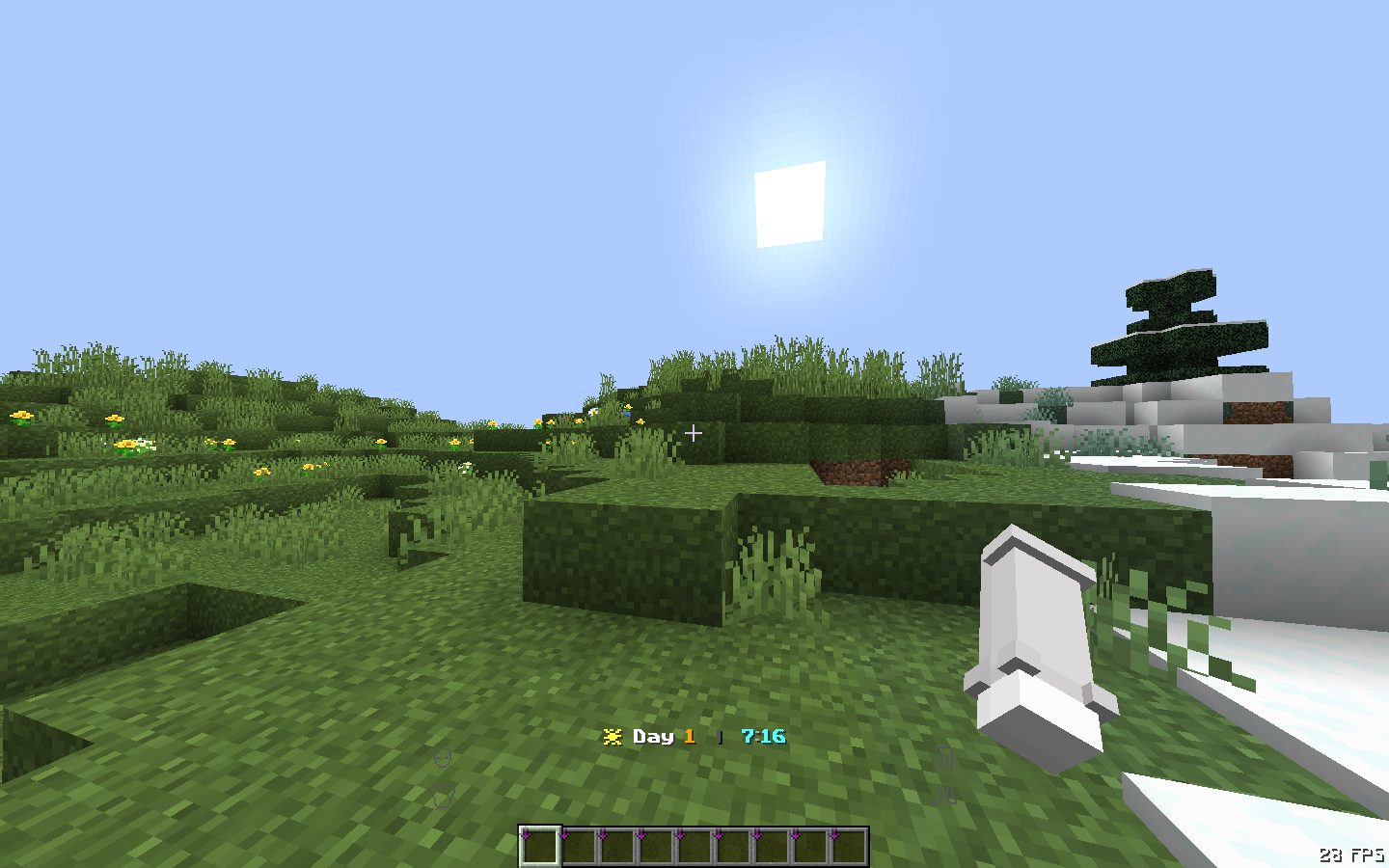 Action Bar — Day & Time Action bar showing current day and in-game time with time-of-day icons.
 -
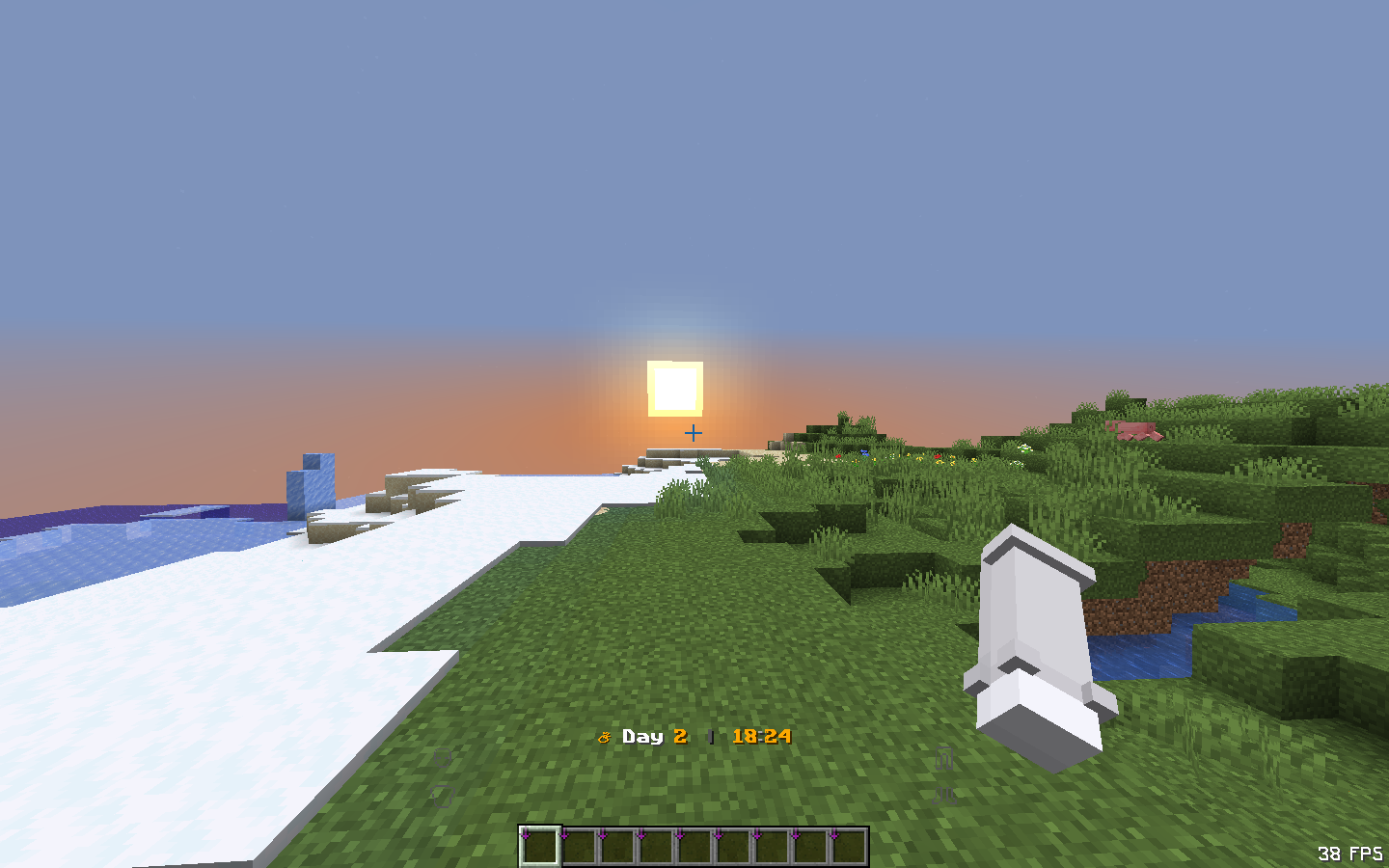 Sunset — ⛅ Icon Icon and time color change automatically at sunset.
 -
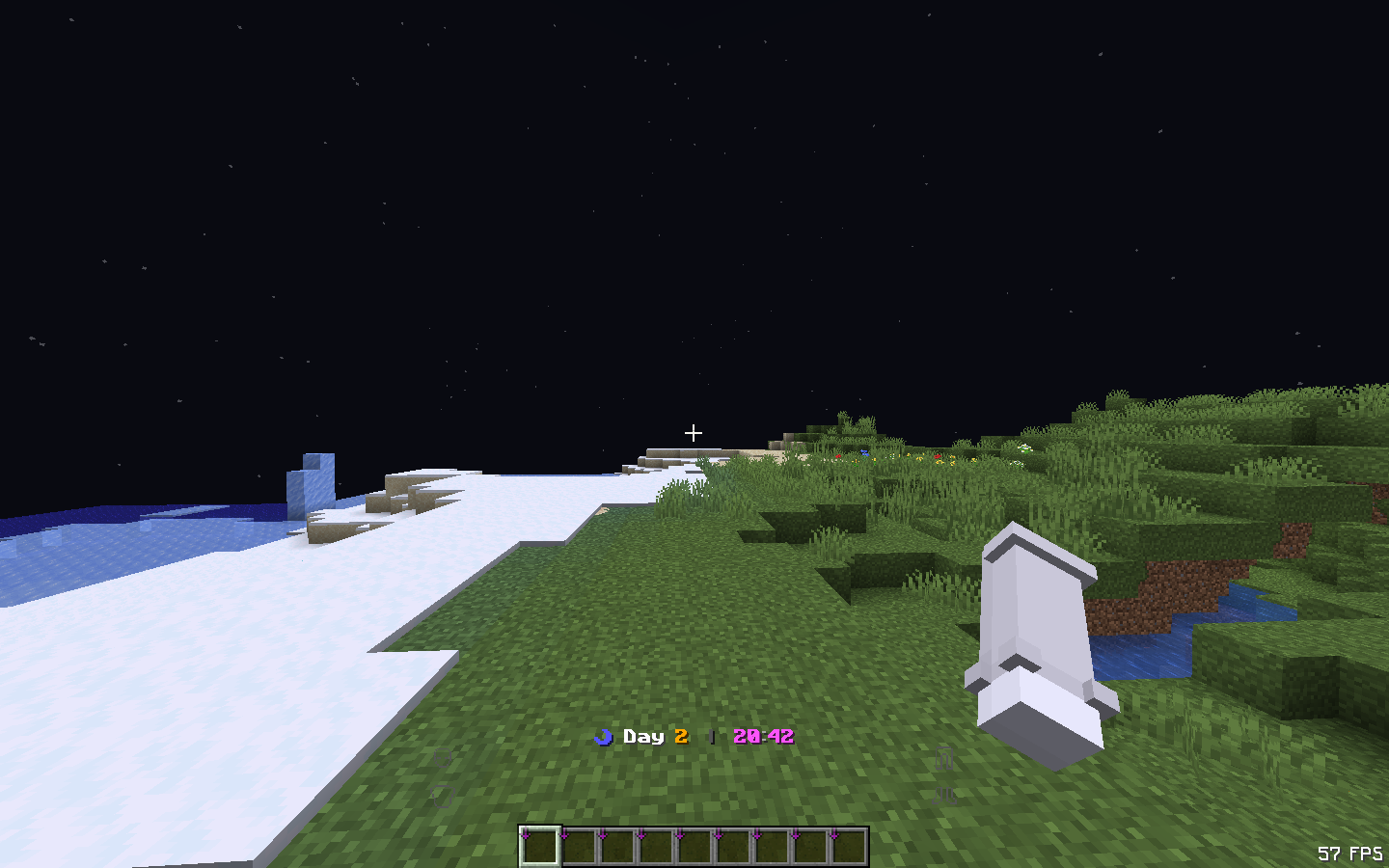 Night — ☽ Icon Night mode with purple time display and moon icon.
 -
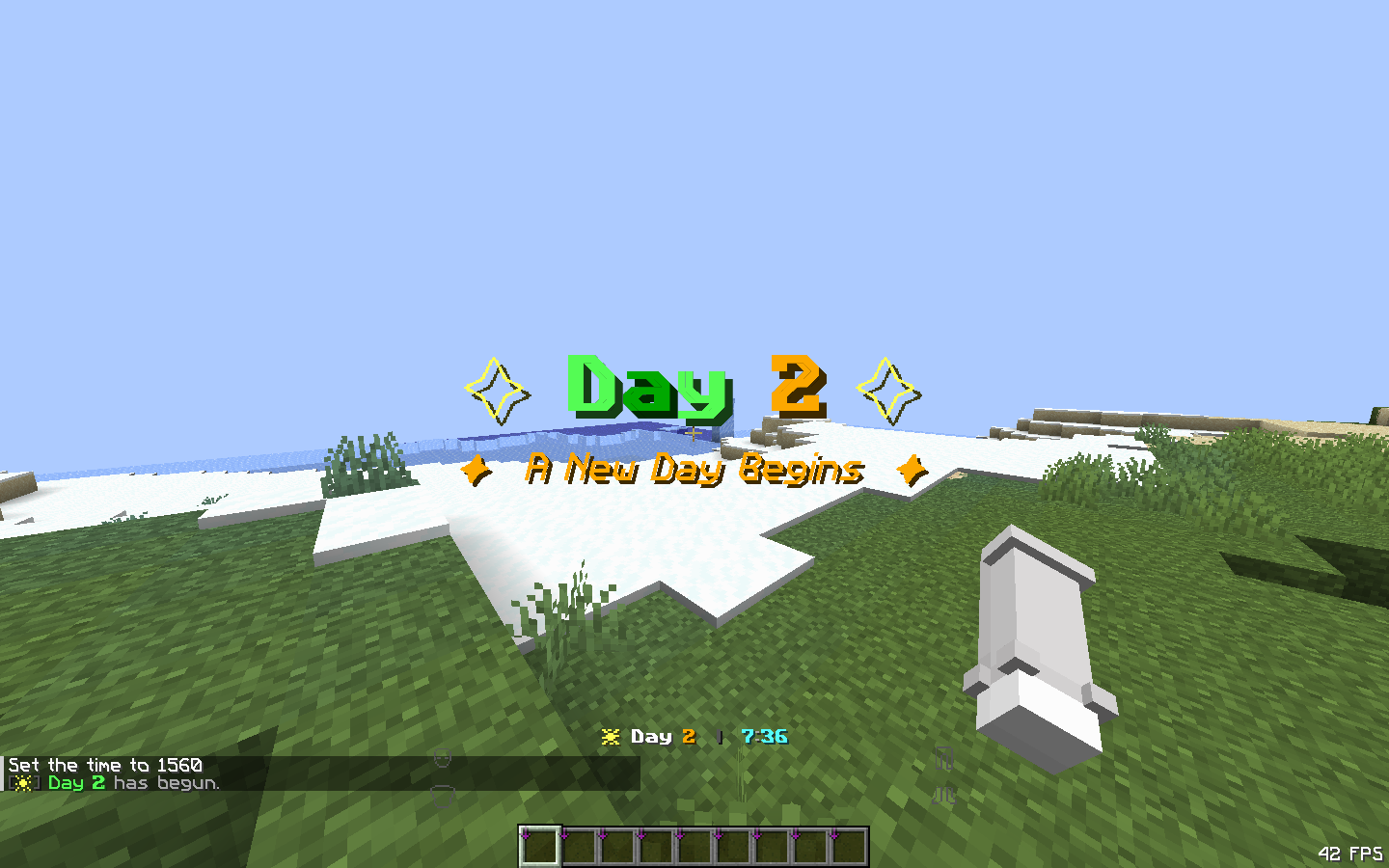 New Day Title Title and subtitle appear with sound effect when a new day begins.
Versions
Files
Relations
Project Relations
More like this
Similar Mods
Suggestions use data such as tags, dependencies, dependents, descriptions, titles, and more to rank how much they overlap with this mod.
On ModDex
Community snapshot
By the numbers
Statistics

Want to reach Minecraft players?
We're looking for a server hosting partner to feature here and other parts of the site. Interested? Send us a message!
Get in touchGet it on
Available Platforms
On ModDex
Community snapshot
By the numbers
Statistics
Resources