Community listing page, reviews here may not be monitored by the author.
Dead Air: Pip-Boy Radio Conversion

No reviews yet
Extra Special Studio presents a Pip-Boy-style radio unit: off-hand wrist equip, live CRT (STAT mini-GUI), and with Dead Air tuning when installed. Requires GeckoLib & ESC. Dead Air optional, but recommended.

Community voices
Reviews
No reviews yet. Be the first to review this project!
Get it on
Available Platforms
About
Project Details
For authors
Embed Badge
If you're the author of this project, you can embed a live badge anywhere that supports HTML or Markdown. It updates automatically whenever ratings change.
Use HTML for any page that supports it, or Markdown for README files and Markdown-based descriptions.
Identifiers
Platform IDs
Resources
External Links
About
Description
Dead Air - Pip-Boy Radio Conversion
A post-collapse Pip-Boy-style radio that sits on your wrist — not an official Fallout product.
Adds T1 and T2 Pip radios (five colours) alongside stock Dead Air radios — it never replaces them.
Dead Air is optional. Without it you still get the Pip shell, wrist equip, placeable decor, and the on-model CRT (STAT mini character). With Dead Air installed, the RADIO tab becomes full tuning / Link, and the CRT can show live radio HUD while music plays.
What you get:
- Off-hand wrist equip — right-click wears the Pip on the left wrist; main hand stays free for tools (
Falso swaps to off-hand). - Live CRT — Fallout-style phosphor screen on the model: idle STAT silhouette (your character), plus Dead Air radio HUD while listening when Dead Air is present.
- PipBoyScreen — ESC-styled tab shell. Opens on STAT; tabs: STAT | INV | MAP | RADIO | SPECIAL.
- STAT — walking player silhouette (armor + Pip).
- RADIO — Dead Air power / tune / ping (T2 also Link/Unlink). Without Dead Air, this tab prompts you to install it.
- INV / MAP / SPECIAL — reserved for future companion mods (“Coming soon”).
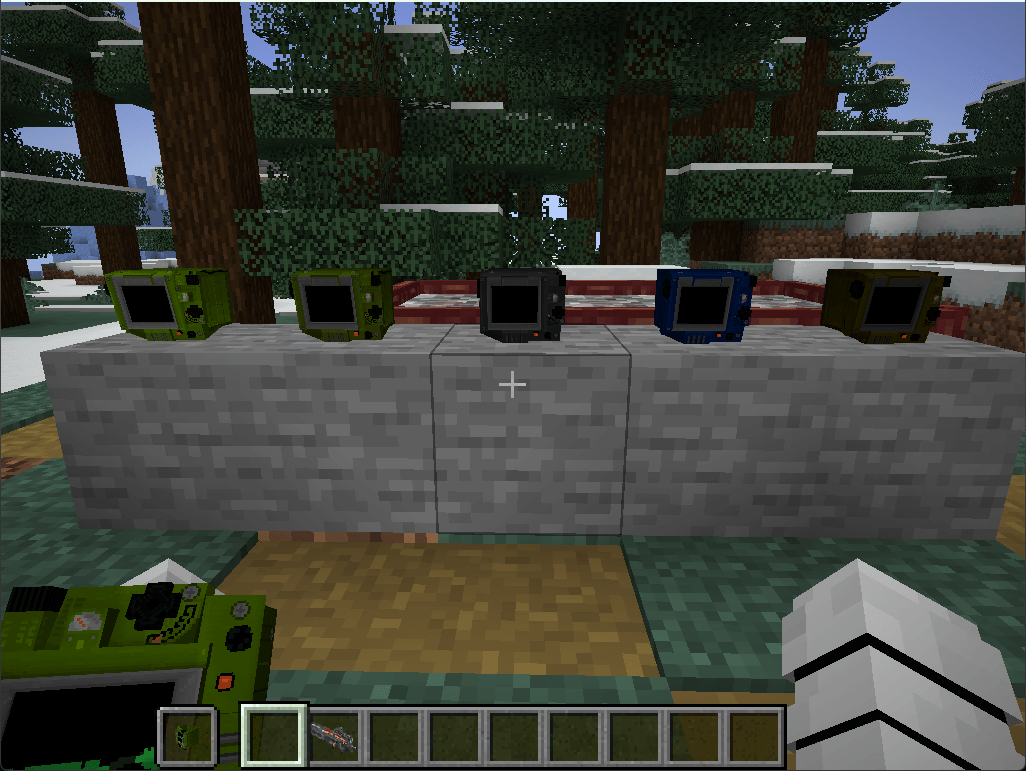
- Five colours — Light Green, Dark Green, Grey, Dark Blue, Dark Brown (recolour any Pip with dye).
- Placeable desk Pip — decorative block version of the unit.
- Own creative / JEI tab — Pip-Boy; T2 listed only when Dead Air is present.
How to get one:
| Path | Detail |
|---|---|
|
Call Airdrop catalog (with RadioTowers + Dead Air)
|
Light Green T1 — 5 points (same cost as T1.Radio)
|
|
Craft
|
Light Green T1: leather + redstone + Static Note
|
|
Tower structure crates
|
Guaranteed Light Green T1 (with RadioTowers)
|
|
Recolour
|
Any Pip + matching dye
|
|
T2 Link
|
Same shaped craft as Dead Air T2.Radio, using that colour’s Pip T1 + Dimensional Relay
|
Craft patterns:
T1 (Light Green):
L = leather, R = redstone, N = Static Note (Dead Air)
T2 (any colour): same layout as Dead Air T2.Radio, with W = that colour’s Pip T1.
Dye map:
| Colour | Dye |
|---|---|
|
Light Green
|
Lime
|
|
Dark Green
|
Green
|
|
Grey
|
Gray
|
|
Dark Blue
|
Blue
|
|
Dark Brown
|
Brown
|
How to use it:
Hold a Pip and press N (default Dead Air tune key) or right-click to open the PipBoyScreen. Raise animation brings the wrist unit toward the camera.
With Dead Air: use the RADIO tab like a stock walkie — dial, stations, Ping Location; on T2, Link/Unlink a Signal-Upgraded tower.
Dependencies:
Required: GeckoLib 4.x, ExtraSpecialCore (ESC)
Optional: Dead Air 2.1.0+ (RADIO tab, Link, live radio HUD, crafting/airdrop paths that use Static Notes / Relays)
Optional with Dead Air: Apocalypse Structures: Radio Towers and Airdrops (RadioTowers) for panel/airdrop acquisition
Stock Dead Air T1/T2 radios keep working as usual. This mod is an alternate radio skin + Pip shell, not a replacement for Dead Air or RadioTowers.
Screenshots
Gallery
-
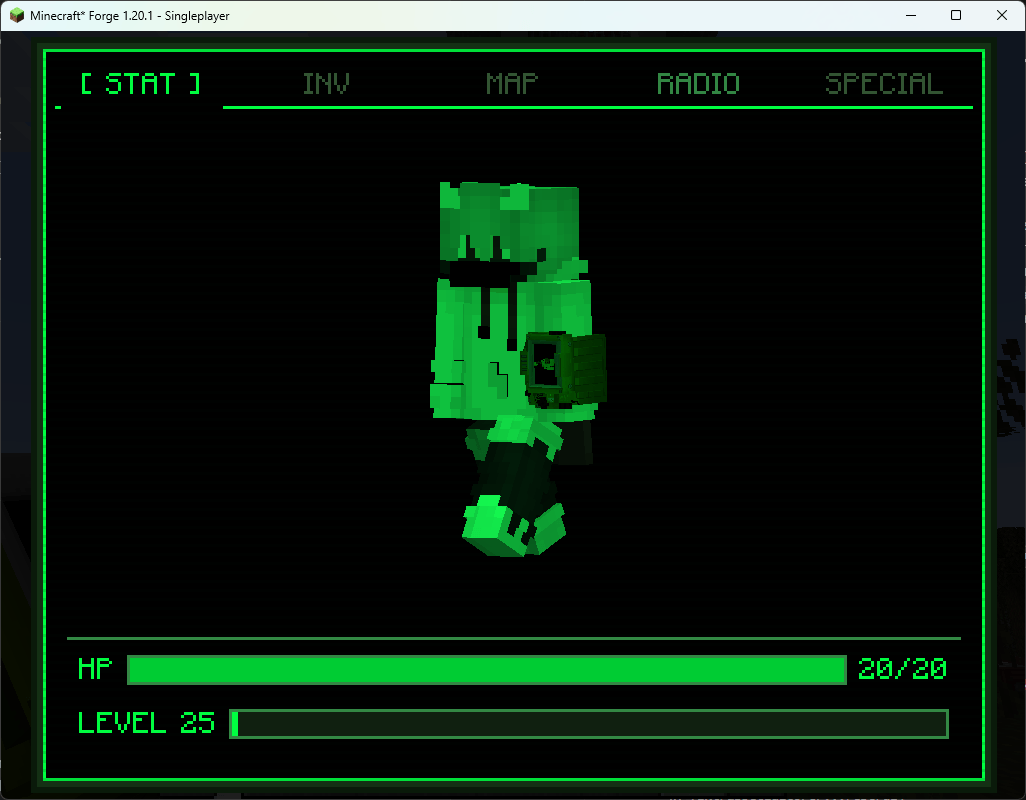 image.png image.png
 -
 Screenshot 2026-08-10 013813.png Screenshot 2026-08-10 013813.png
 -
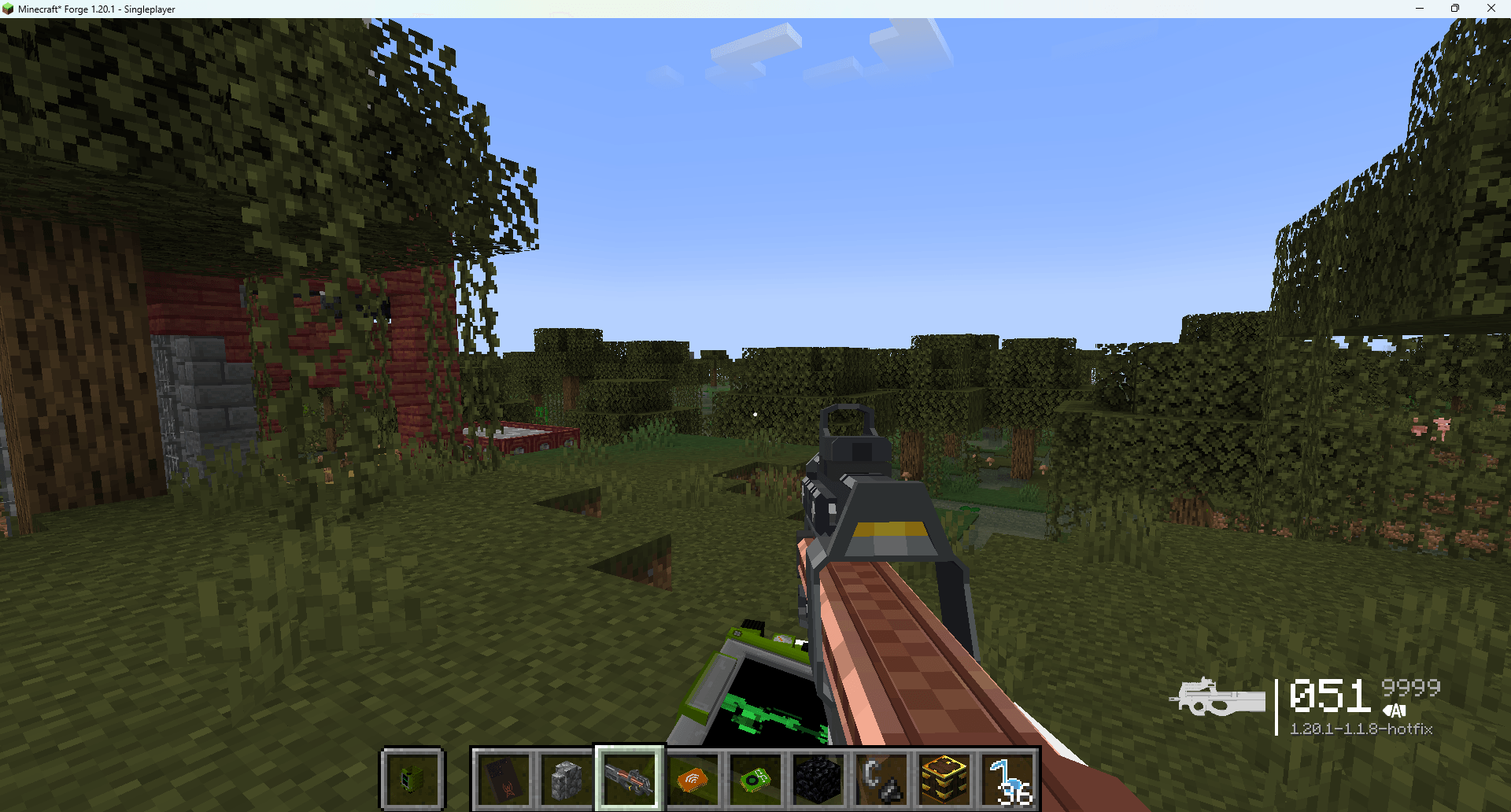 image.png image.png
Versions
Files
Relations
Project Relations
More like this
Similar Mods
Suggestions use data such as tags, dependencies, dependents, descriptions, titles, and more to rank how much they overlap with this mod.
On ModDex
Community snapshot
By the numbers
Statistics
 (opens in a new tab)
Get it on
Available Platforms
On ModDex
Community snapshot
By the numbers
Statistics
Resources