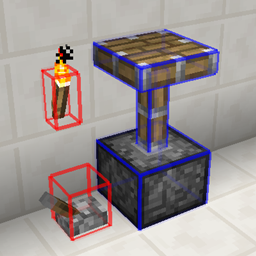
Community listing page, reviews here may not be monitored by the author.
Debug Block Collision

No reviews yet
A client-side mod that allows debug rendering of block collision boxes.
Community voices
Reviews
No reviews yet. Be the first to review this project!
Get it on
Available Platforms
About
Project Details
For authors
Embed Badge
If you're the author of this project, you can embed a live badge anywhere that supports HTML or Markdown. It updates automatically whenever ratings change.
Use HTML for any page that supports it, or Markdown for README files and Markdown-based descriptions.
Identifiers
Platform IDs
Resources
External Links
About
Description
It can be difficult to ensure that complex sets of block collision boxes are positioned properly.
This client-side mod makes this easier by rendering the collision/bounding boxes of blocks.
Issues should be submitted via GitHub (here), if possible, but can be submitted internally, if need be.
This mod has been released into the public domain. Use it anywhere in any way.
Color Key:
green = full collision boxes
blue = non-full collision boxes
red = bounding boxes (for blocks with no collision boxes)
Pressing F3 + the 'Mode' keybind (default = letter O) will toggle debug box rendering.
While rendering is enabled, pressing the 'Mode' keybind on its own will cycle the mode:
Radius
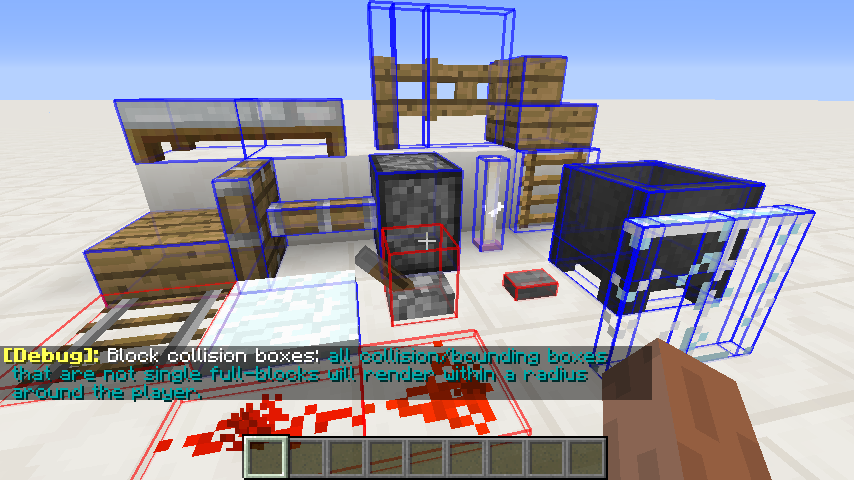
Collision
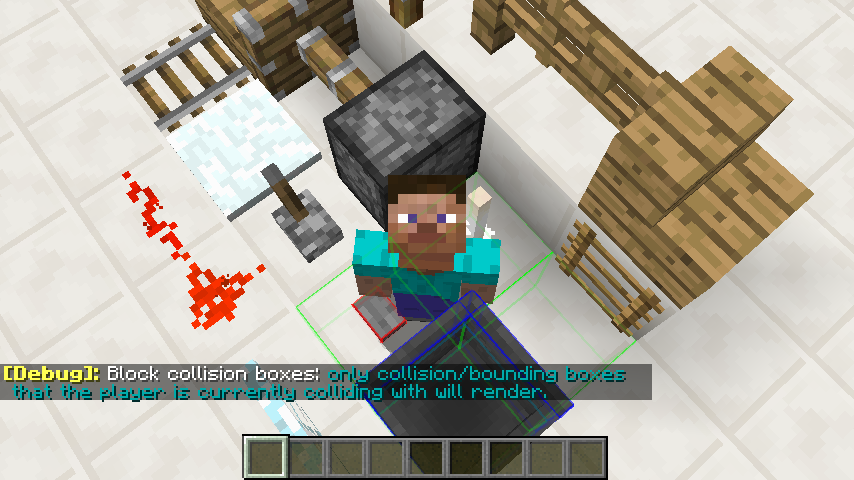
Hovered - Not Sneaking
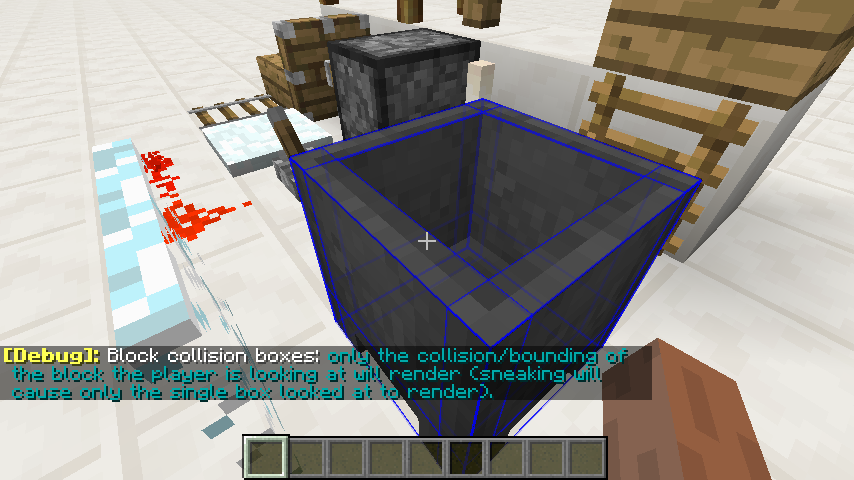
Hovered - Sneaking
Screenshots
Gallery
-
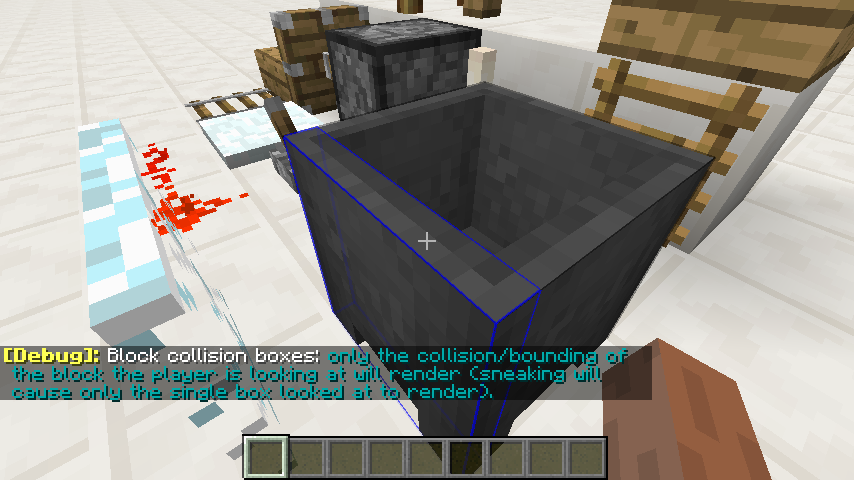
Mode: Hovered - Sneaking If sneaking, only the collision/bounding box the player is looking at will render. [full collision boxes = green; non-full collision boxes = blue; bounding boxes (for blocks with no collision boxes) = red]
-
Mode: Hovered - Not Sneaking If not sneaking, only the collision/bounding boxes of the block the player is looking at will render. [full collision boxes = green; non-full collision boxes = blue; bounding boxes (for blocks with no collision boxes) = red]
-
Mode: Collision Only collision/bounding boxes that the player is currently colliding with will render. [full collision boxes = green; non-full collision boxes = blue; bounding boxes (for blocks with no collision boxes) = red]
-
Mode: Radius All collision/bounding boxes that are not single full-blocks will render within a radius around the player. [full collision boxes = green; non-full collision boxes = blue; bounding boxes (for blocks with no collision boxes) = red]
Versions
Files
Relations
Project Relations
More like this
Similar Mods
Suggestions use data such as tags, dependencies, dependents, descriptions, titles, and more to rank how much they overlap with this mod.
On ModDex
Community snapshot
By the numbers
Statistics
Want to reach Minecraft players?
We're looking for a server hosting partner to feature here and other parts of the site. Interested? Send us a message!
Get in touchGet it on
Available Platforms
On ModDex
Community snapshot
By the numbers
Statistics
Resources