
Community listing page, reviews here may not be monitored by the author.
Decorative Workstations

No reviews yet
Purely decorative vanilla-style workstations, blocks, bells, and beds, featuring their respective animations. They look identical to the originals, but without villager AI or any functional mechanics. Build freely.
Community voices
Reviews
No reviews yet. Be the first to review this project!
Get it on
Available Platforms
Compatibility
Supported Environments
Must be installed on both the client and the server.
About
Project Details
For authors
Embed Badge
If you're the author of this project, you can embed a live badge anywhere that supports HTML or Markdown. It updates automatically whenever ratings change.
Use HTML for any page that supports it, or Markdown for README files and Markdown-based descriptions.
Identifiers
Platform IDs
Resources
External Links
About
Description
Decorative Workstations
Build and decorate freely, without villagers claiming every piece of furniture.
The Problem
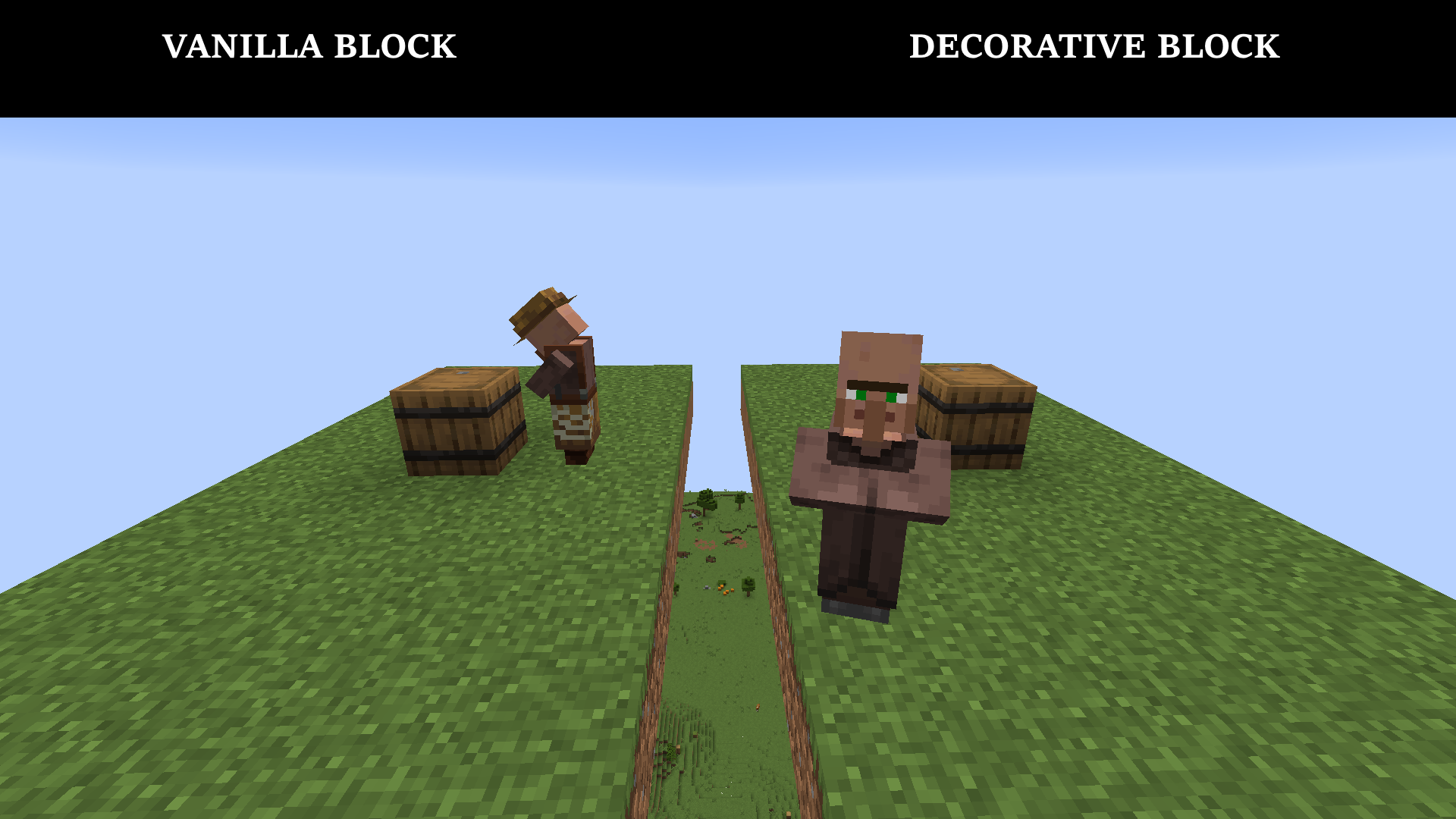
You've spent hours perfecting a market alley cluttered with barrels, a cozy tavern lined with comfy beds, or a bustling harbor. And it only took a handful of villagers to instantly turn every aesthetic detail into a claimed workstation or bed, completely ruining the atmosphere you were trying to create.
The Solution: It's Up to You
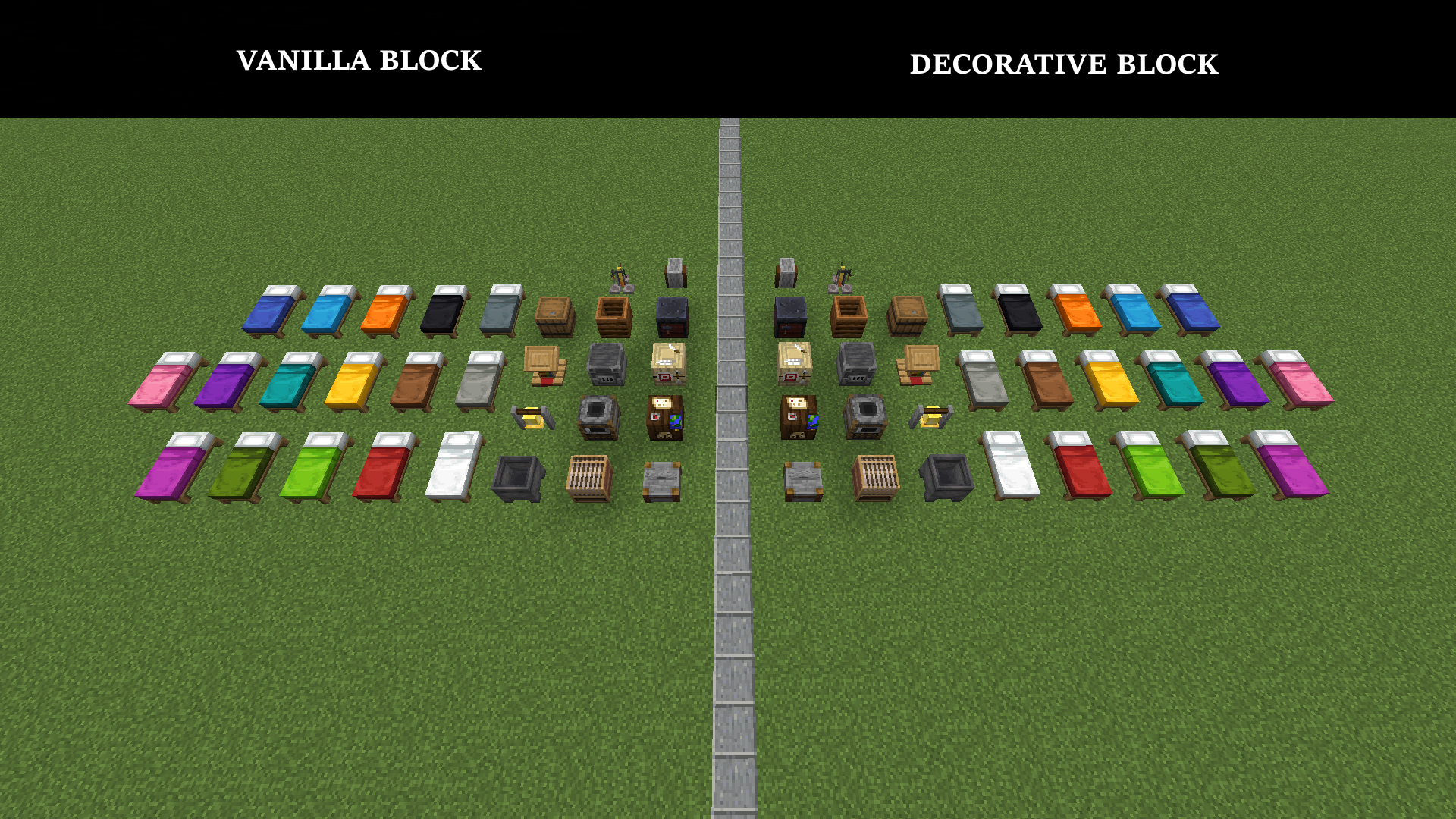
Keep full functionality wherever you need it, and place copies elsewhere that keep the original block's appearance and small animations, but none of its functions.
The original blocks are never touched. You decide what stays functional and what becomes purely decorative.
What's in the Mod
- A dedicated creative tab, with all decorative versions grouped in one place.
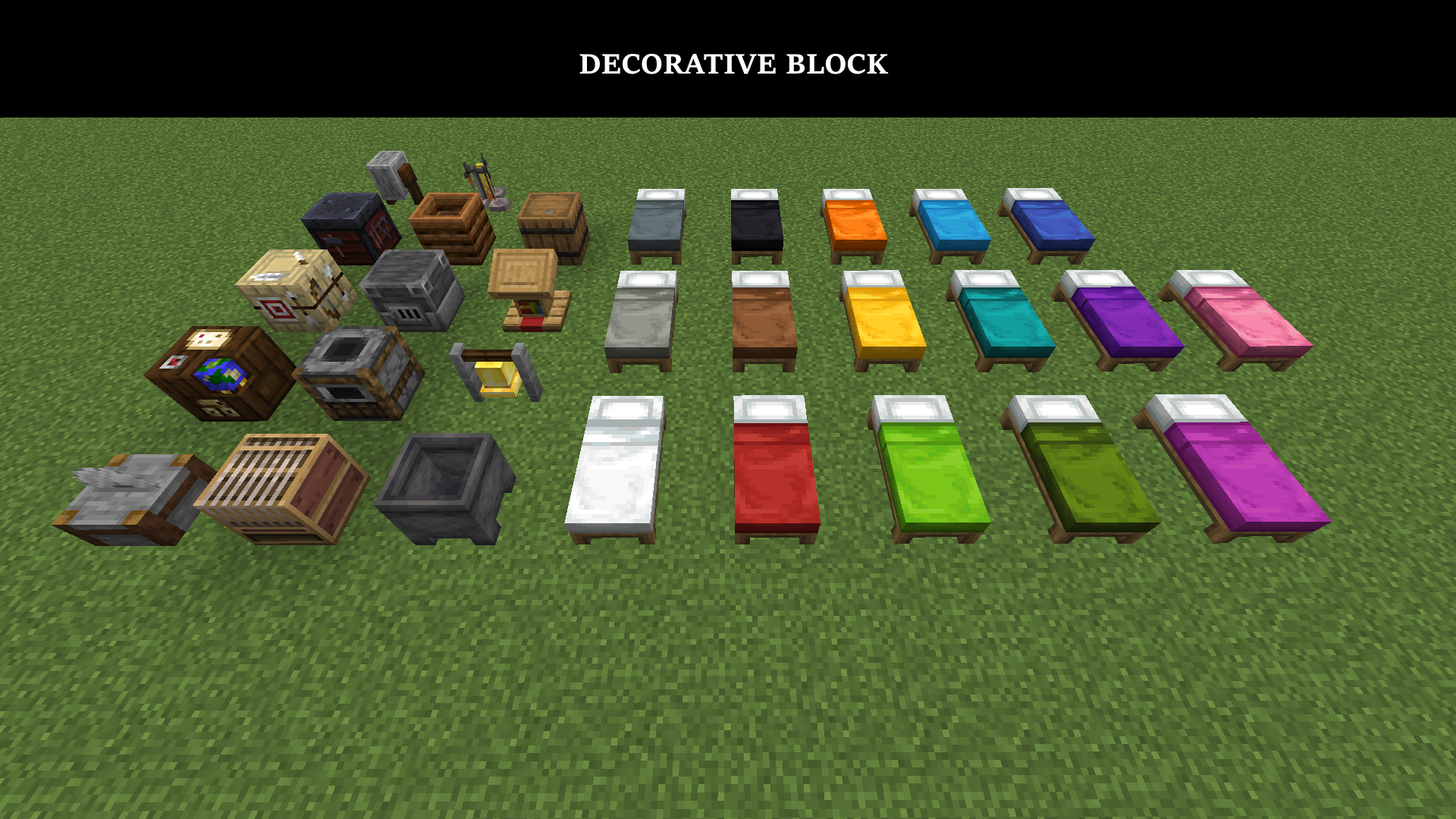
- All 16 bed colors, in decorative form.
- A decorative bell.
- Every vanilla workstation: Barrel, Blast Furnace, Brewing Stand, Cartography Table, Cauldron, Composter, Fletching Table, Grindstone, Lectern, Loom, Smithing Table, Smoker, Stonecutter.
- Simple, reversible survival recipes:
- Vanilla block + item frame → decorative block
- Decorative block → vanilla block
- An Inspection mode to spot decorative blocks at a glance in a dense build.
- Resource packs natively adapt to all presented blocks.
These blocks reproduce the vanilla experience identically on the visual side, removing only what causes problems.
Kept: appearance, models, collisions, hitboxes, loot tables, and, for seven of them, the right-click animation. Removed: interfaces, inventories, villager AI, points of interest, and the sleep mechanic.
What's New in 1.1.0
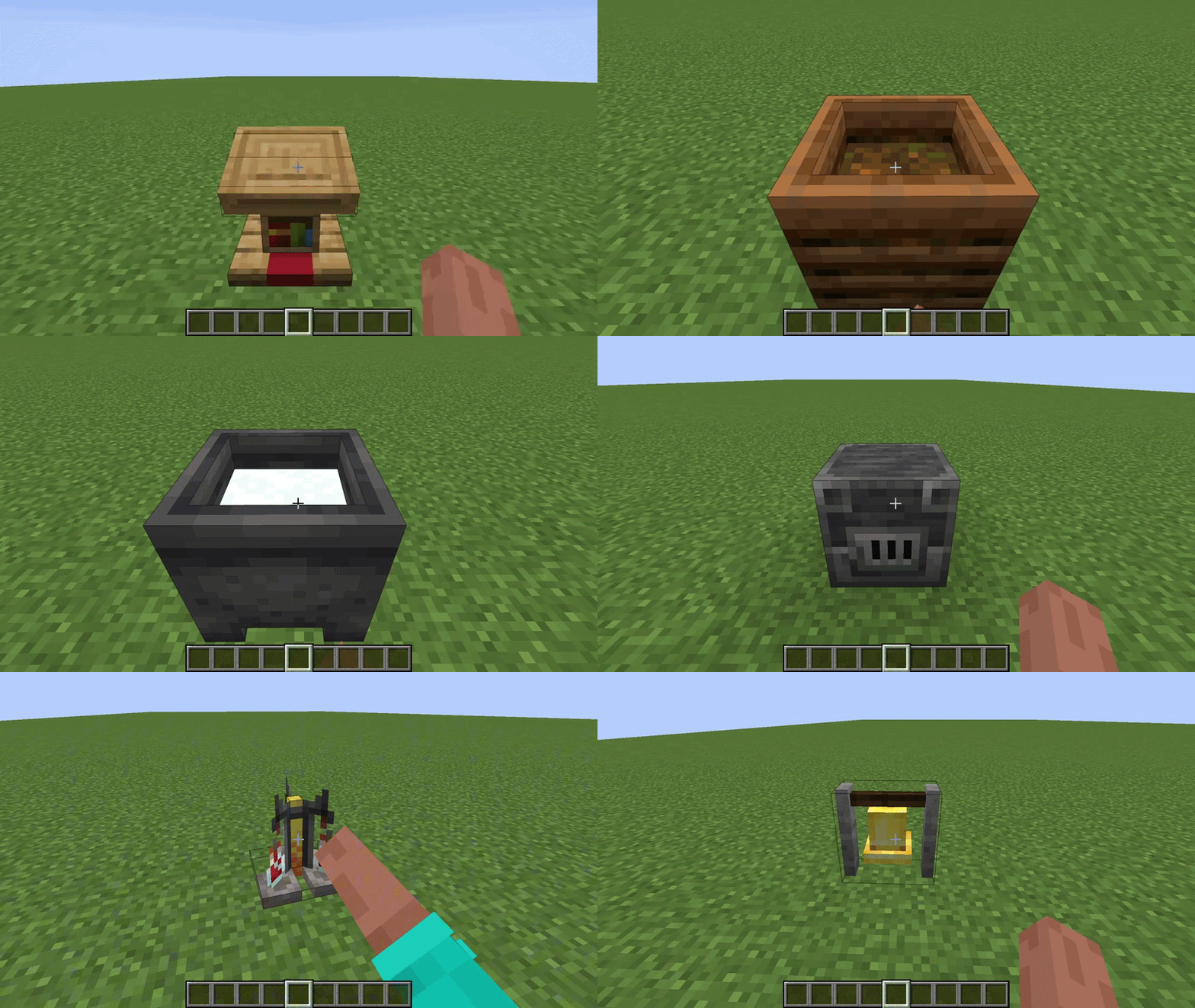
Seven blocks now respond to right-click by playing their vanilla animation, purely visual, without restoring anything on the functional side:
- Composter: cycles through its 9 fill levels.
- Smoker: toggles between lit and unlit.
- Blast Furnace: toggles between lit and unlit.
- Cauldron: cycles through its 8 states (empty, water, lava, powder snow).
- Brewing Stand: displays 0 to 3 bottles.
- Bell: rings on right-click or when hit by an arrow.
- Lectern: opens or closes its book, without ever showing an interface.
The Inspection Mode has also been completely overhauled from the ground up. A master switch now lets you turn it on or off without having to modify the rest of the configuration. Outline thickness is now adjustable to your liking, and every option in the file finally comes with a clear explanation instead of leaving you guessing how it works. The Inspection Mode's wall-through rendering is now compatible with Iris.
The mod now also speaks German, Spanish, and Brazilian Portuguese, in addition to English.
Inspection Mode and Configuration
- Disabled by default: remember to bind a key in Options → Controls → Key Binds to use it.
- Outline thickness is set with
highlightLineWidth.
Which Version Should You Download?
Starting a new world today? Go straight for 1.1.0.
1.1.0 is now the core of the project. The clickable blocks, the reworked Inspection mode, and the new translations only exist on this base, and it's the one that will carry future updates. It runs on Fabric (Fabric API required) and NeoForge, for Minecraft 26.1.2 and 26.2.
1.0.0 remains available for download as an archive, for anyone who still needs it. But its development stops where 1.1.0's begins: nothing from 1.1.0 onward will be backported, and everything that comes next will only exist on 1.1.0 and its successors.
Required versions for 1.1.0:
| Minecraft | Fabric Loader | Fabric API | NeoForge |
|---|---|---|---|
| 26.1.2 | 0.19.2 | 0.155.2+26.1.2 | 26.1.2.71 |
| 26.2 | 0.19.3 | 0.158.0+26.2 | 26.2.0.57 |
Compatibility and Precautions
Compatible with existing worlds and standard resource packs, with inspection mode fully compatible with shaders.
Before uninstalling, convert or remove your decorative blocks, otherwise they'll turn into air where they stand. Inspection mode is there precisely to help you spot them all before taking action.
Personal project, developed in my free time. Future Minecraft 26.+ releases will be tracked; no backporting to older versions is planned.
Contact: [email protected]
Screenshots
Gallery
-
 Disponible depuis la v1.1.0
 -
 Vanilla vs. Modded Comparison
 -
 Showcase
 -
 In-Game Demonstration
 -
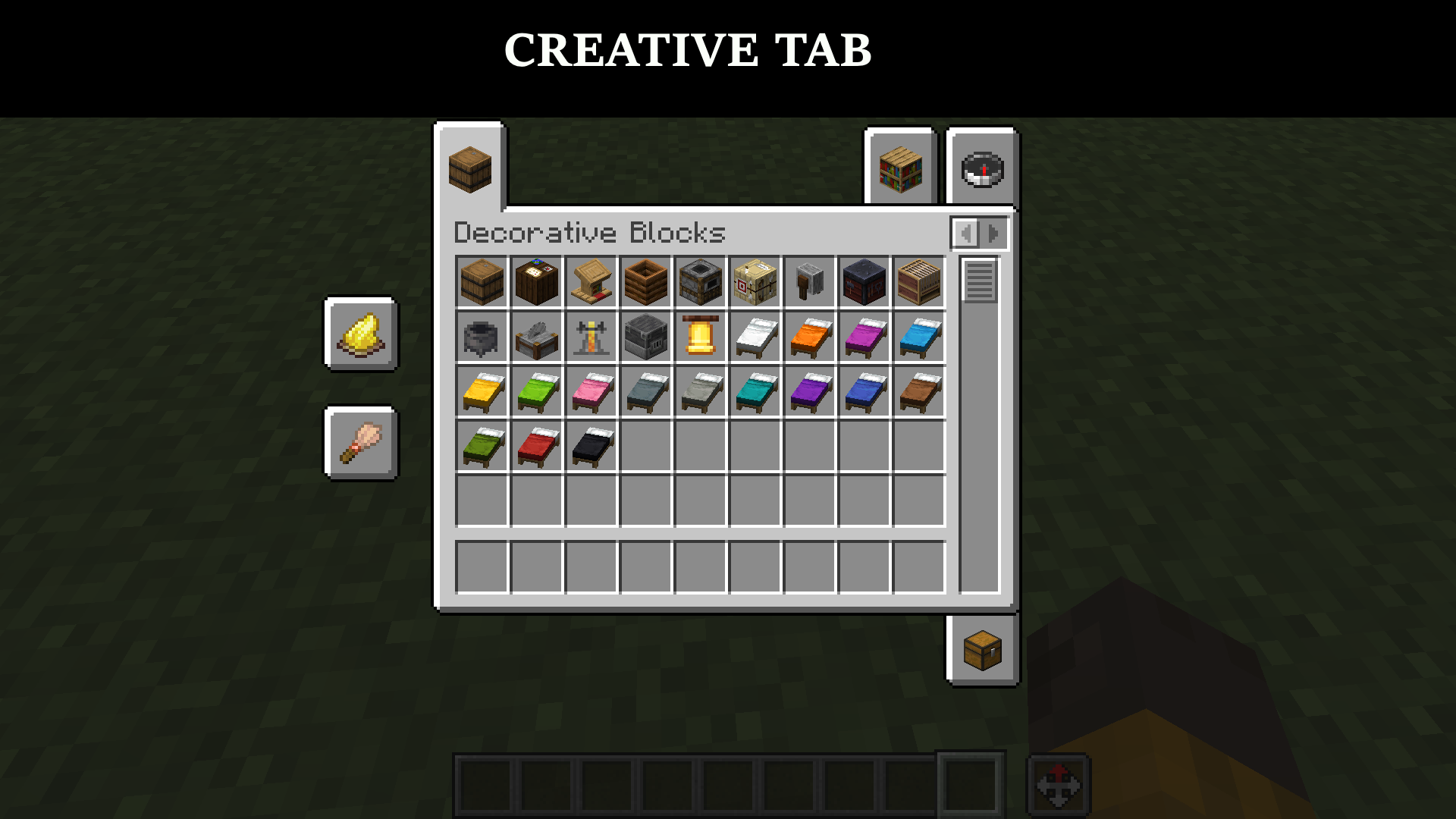 Dedicated Creative Tab
 -
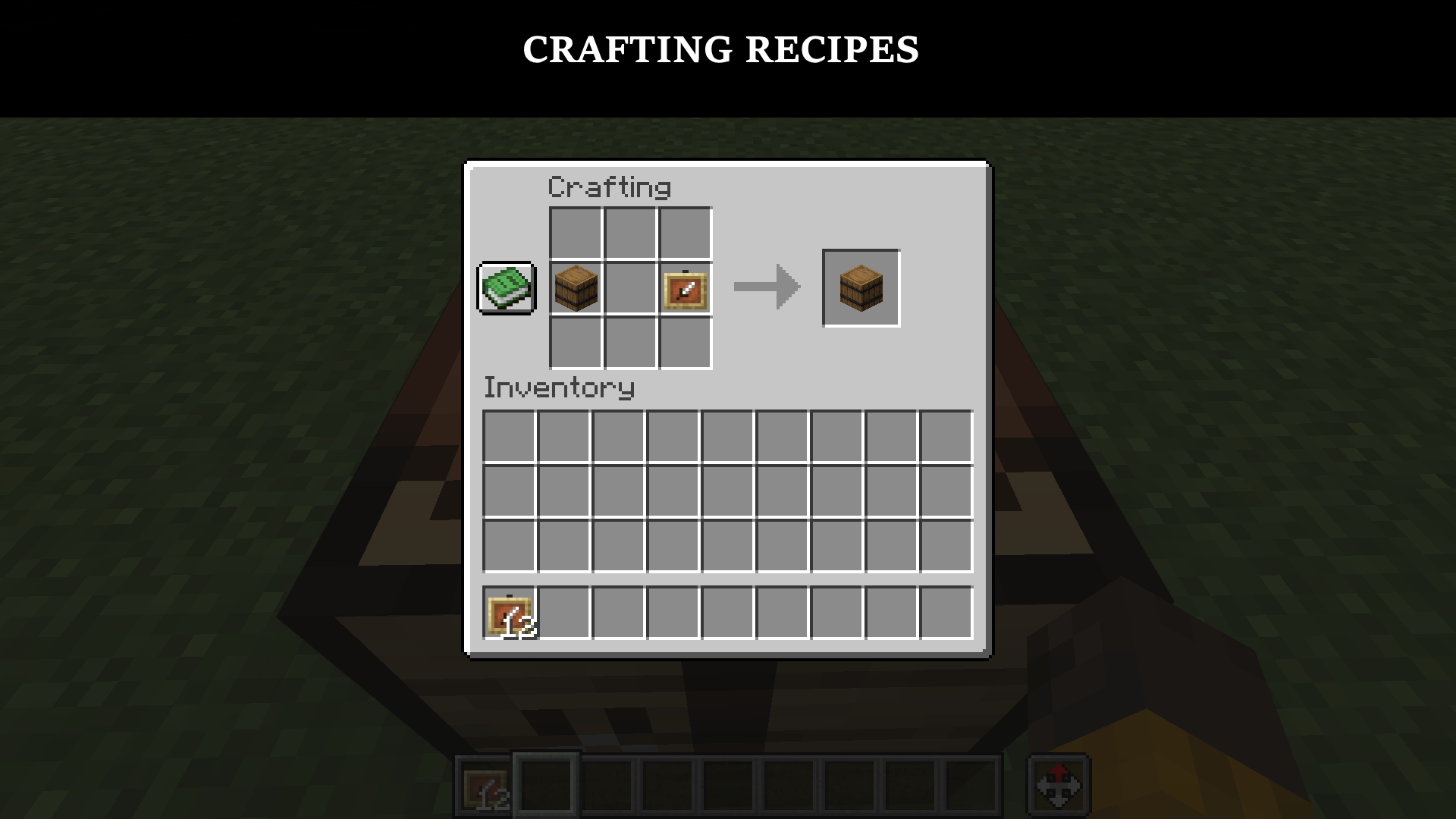 Crafting Recipes
 -
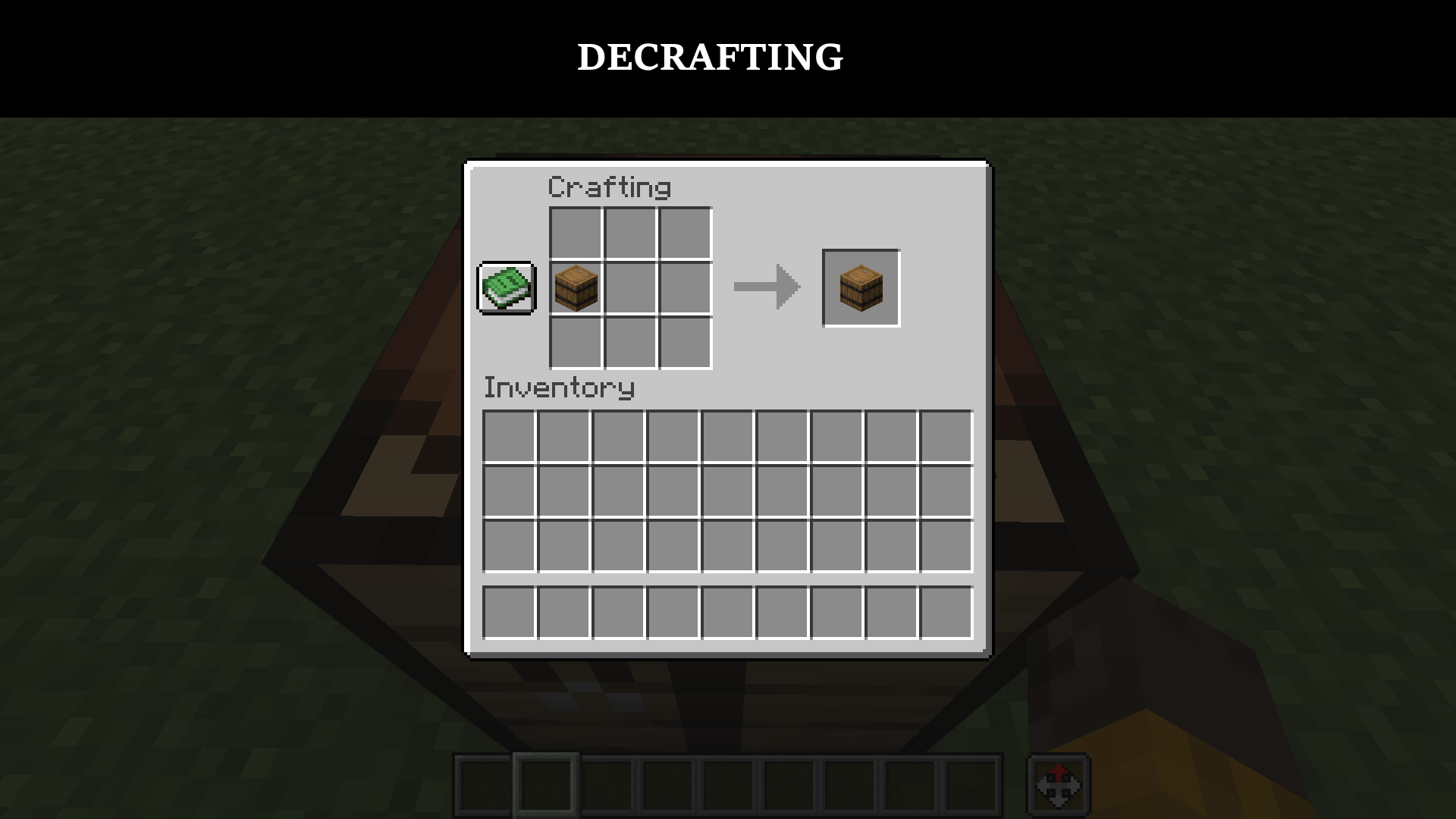 Uncrafting Mechanic
 -
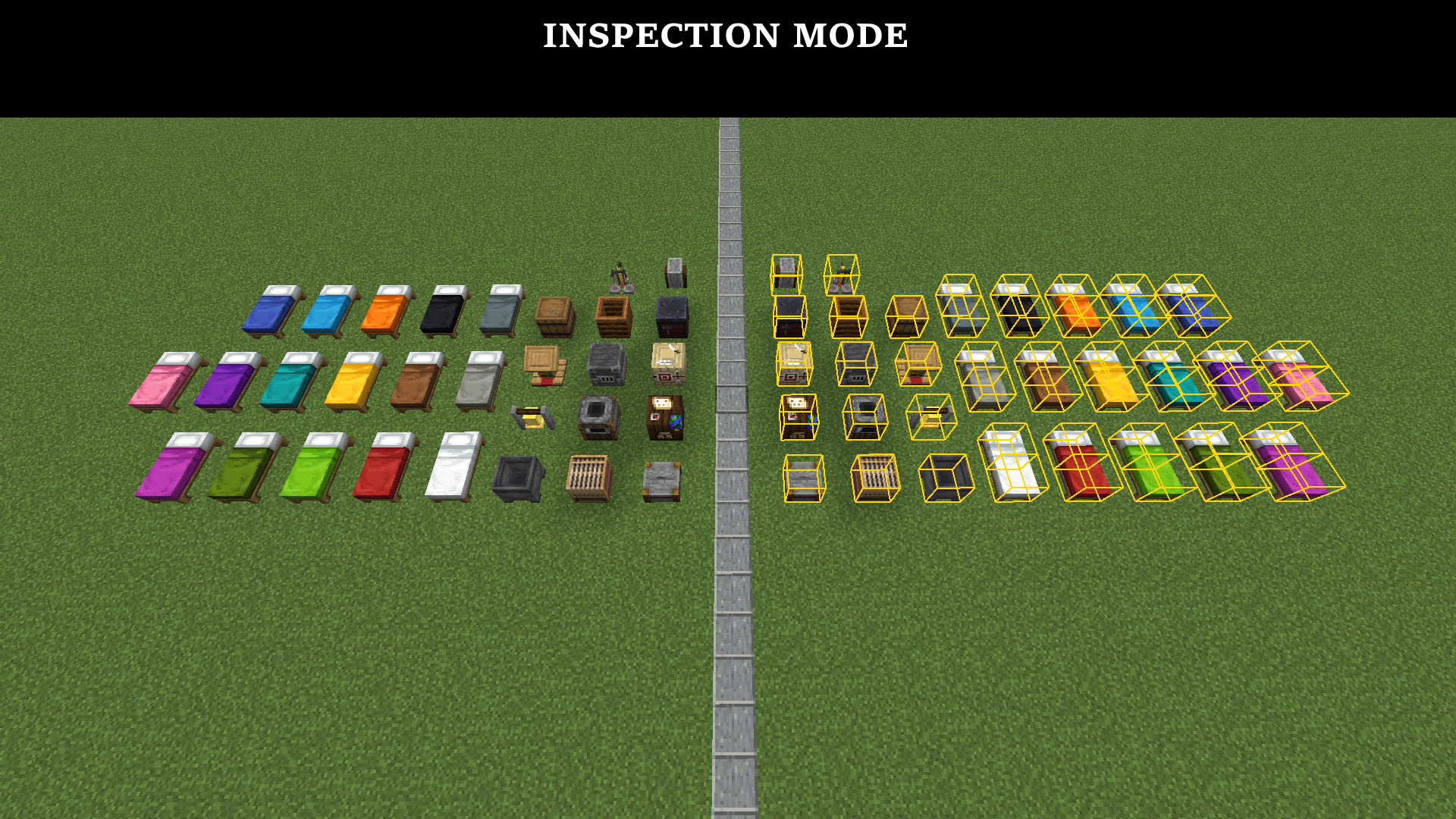 Inspection Mode
 -
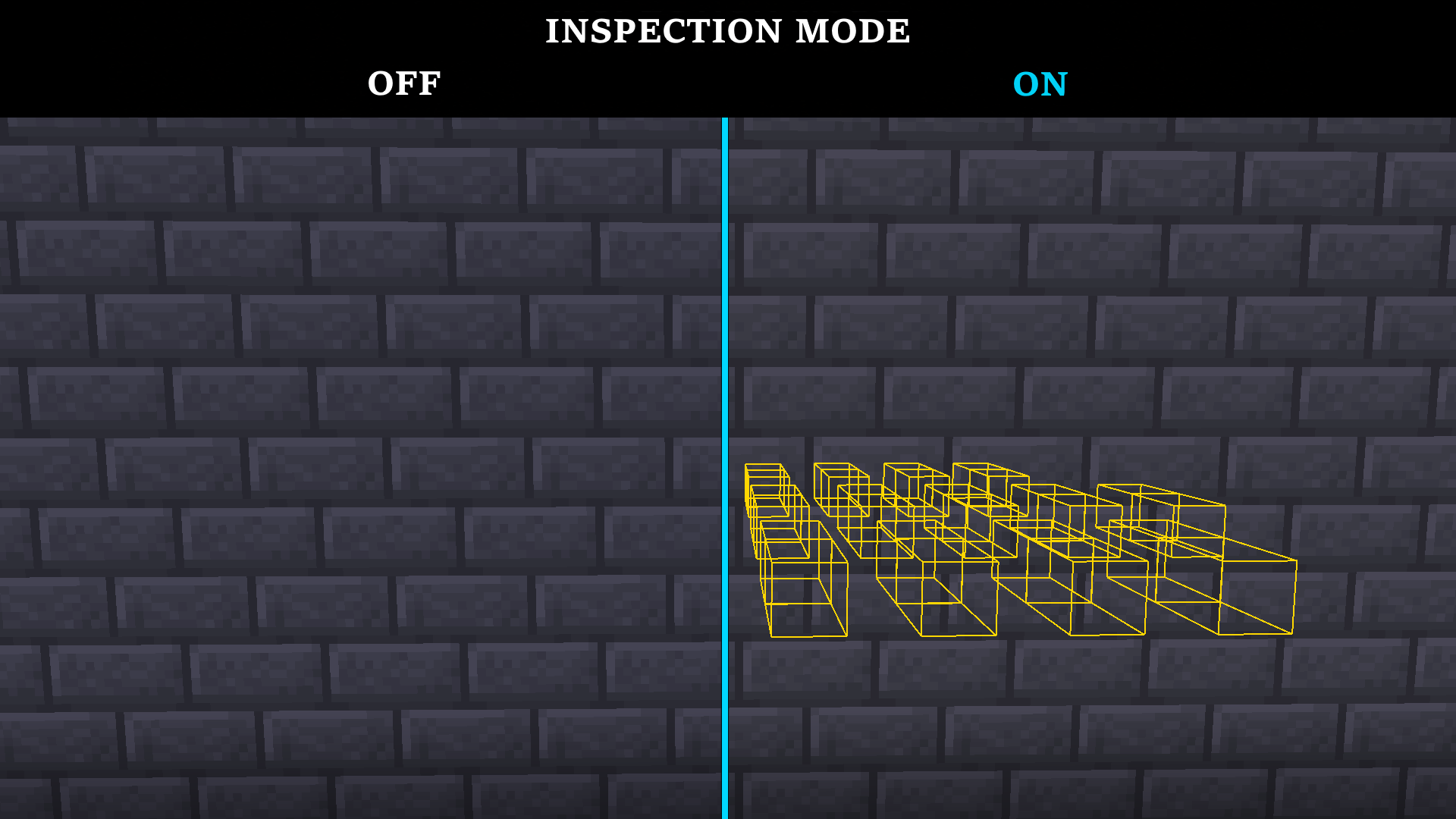 Inspection Through Walls
Versions
Files
Relations
Project Relations
More like this
Similar Mods
Suggestions use data such as tags, dependencies, dependents, descriptions, titles, and more to rank how much they overlap with this mod.
On ModDex
Community snapshot
By the numbers
Statistics

Want to reach Minecraft players?
We're looking for a server hosting partner to feature here and other parts of the site. Interested? Send us a message!
Get in touchGet it on
Available Platforms
On ModDex
Community snapshot
By the numbers
Statistics
Resources