
Defense
No reviews yet
A mod designed to protect players from unwanted PvP interactions while still allowing PvP on servers! Originally designed for the Empty World SMP
Fabric is a mod loader for versions 1.14+ of Minecraft, particularly popular for client side and optimization mods.
Community voices
Reviews
Click once to include, again to exclude, again to clear
No reviews yet. Be the first to review this project!
Get it on
Available Platforms
 Modrinth
Compatibility
Supported Environments
About
Project Details
For authors
Embed Badge
If you're the author of this project, you can embed a live badge anywhere that supports HTML or Markdown. It updates automatically whenever ratings change.
Use HTML for any page that supports it, or Markdown for README files and Markdown-based descriptions.
Identifiers
Platform IDs
About
Description
Defense
A mod designed to protect players from unwanted PvP interactions while still allowing PvP on servers!
Originally created for and tested by the Empty World SMP
SHOWCASE VIDEO:
Features
- This mod adds a PvP toggle button in the survival player inventory.
- When checked on, the player is now immune to all incoming PvP damage. Examples include direct attacks, projectiles, and lit TNT. This also disables the same outgoing attacks from the player. They cannot recieve damage from players or deal damage to players while toggled on.
- When toggled on, Defense lasts for 20 minutes. One minute before the player's immunity runs out, they will be notified with a chat message prompting them to enable it again if they wish. The player may also enable or disable defense anytime they wish to reset the cooldown.
- If a player's defense is toggled on, a shield icon will display next to their nametag.
- You can change the icon you are displaying to others and that shows on your toggle switch in your Skin Customization Settings.
- AFK system that will toggle on Defense after 1 minute to prevent players from attacking you. Use the afkTimerSeconds gamerule to change the time it takes to toggle AFK (set to 0 to disable this feature). Still very early, but improvements and changes will be made over time!
Available Icons:
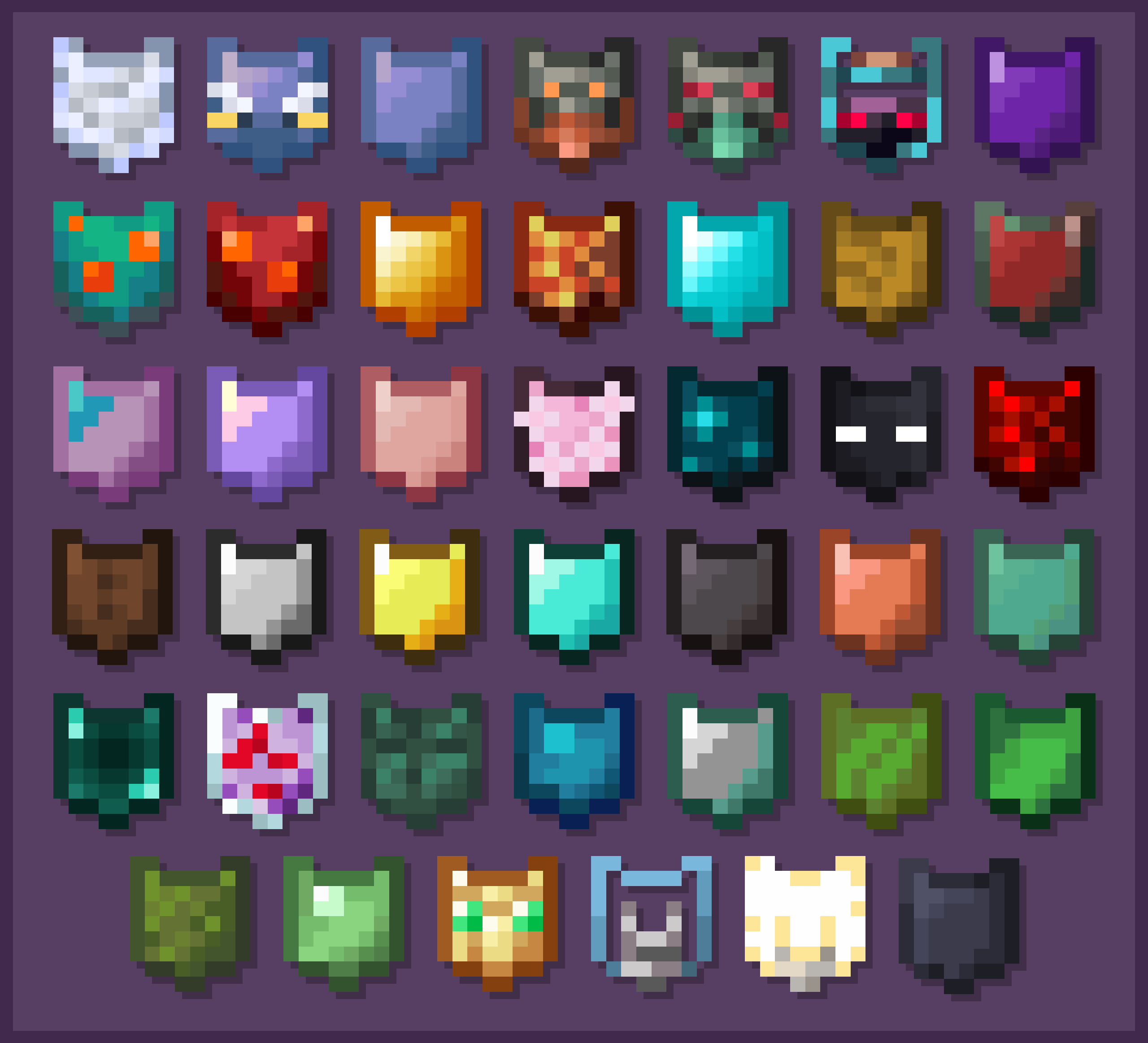
(These Icons are selectable via the Skin Customization Settings within Minecraft)
More features are planned, and updates will add new functionality to the mod, along with quality of life changes to make it even better to use.
Why the 20 Minute Timer?
The 20 minute timer for defense naturally encourages players to keep defense toggled off most of the time. This provides for the occasional funny interaction with another player, like an accidental punch, or for a challenge during a PvE battle to not hit your friends. It is meant to be used as a tool to defend against an unwanted interaction rather than something to give a competitive advantage.
For more information on this mod, and access to the code, go to this mod's GitHub page!
Screenshots
Gallery
-
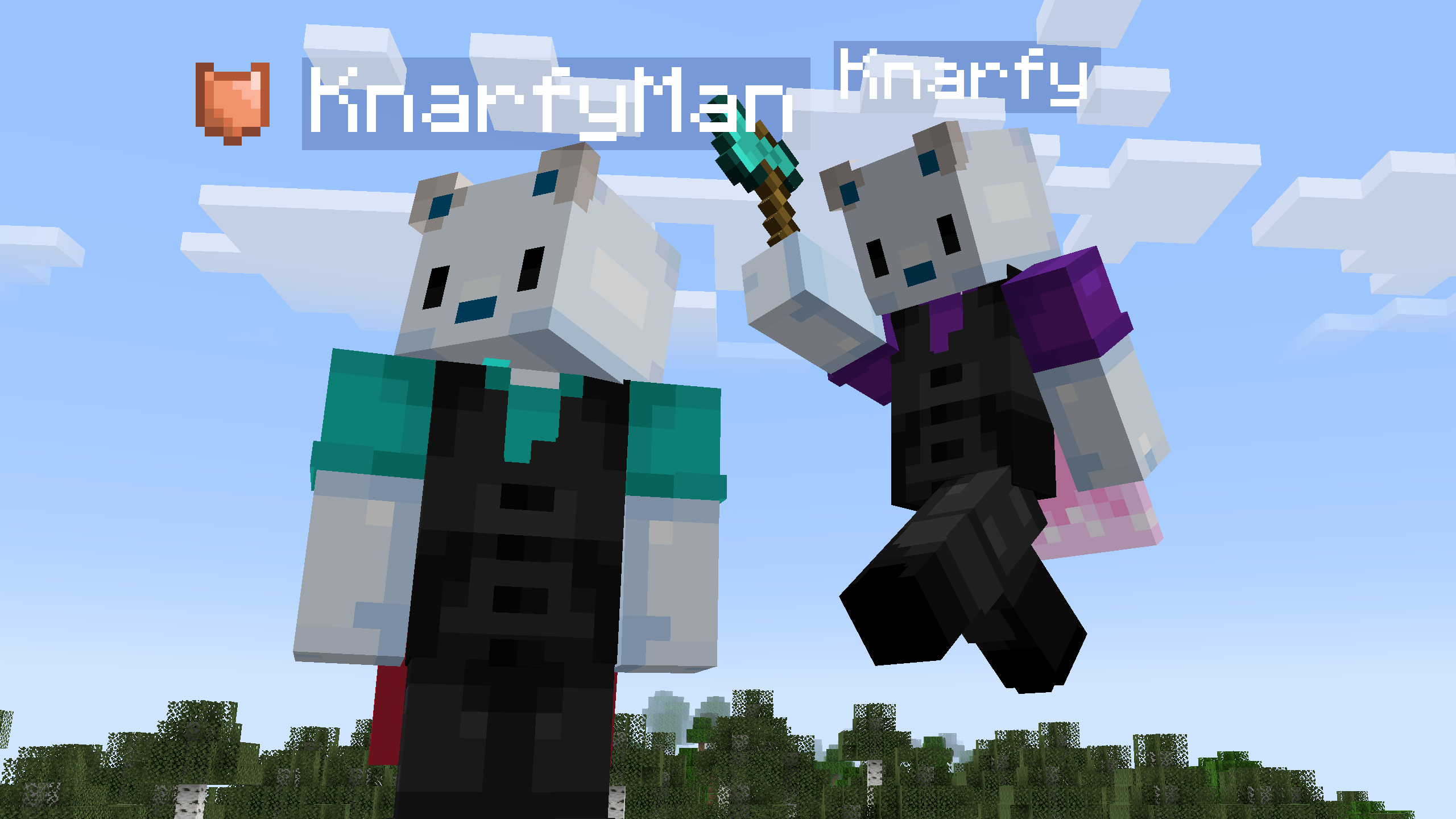 Defense Defends players from unwanted PvP interactions while still allowing for PvP on servers
 -
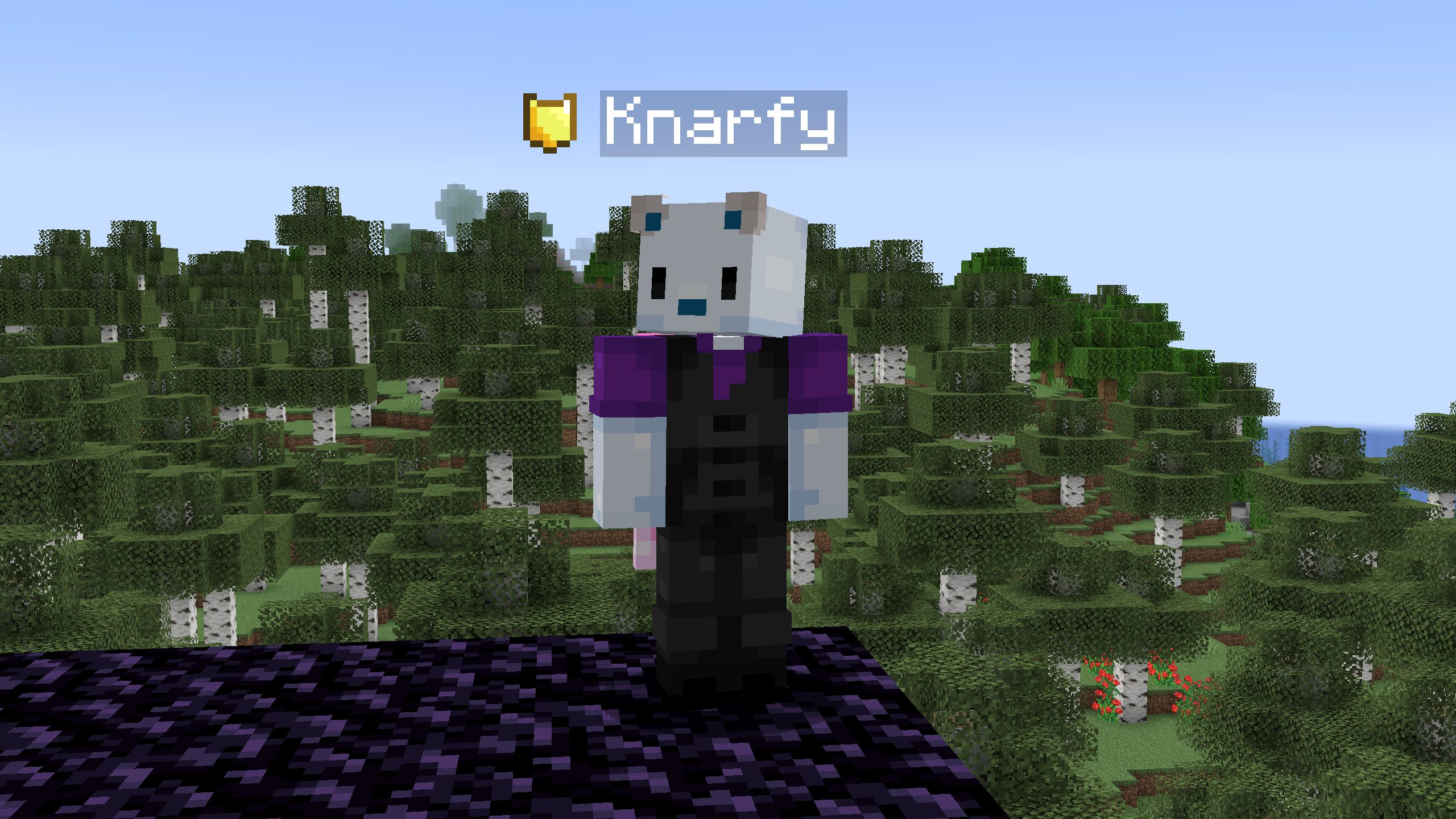 Visual Indicator The icon displayed next to a player nametag with Defense toggled on. Will change based on your selected icon in the Skin Customization Settings.
 -
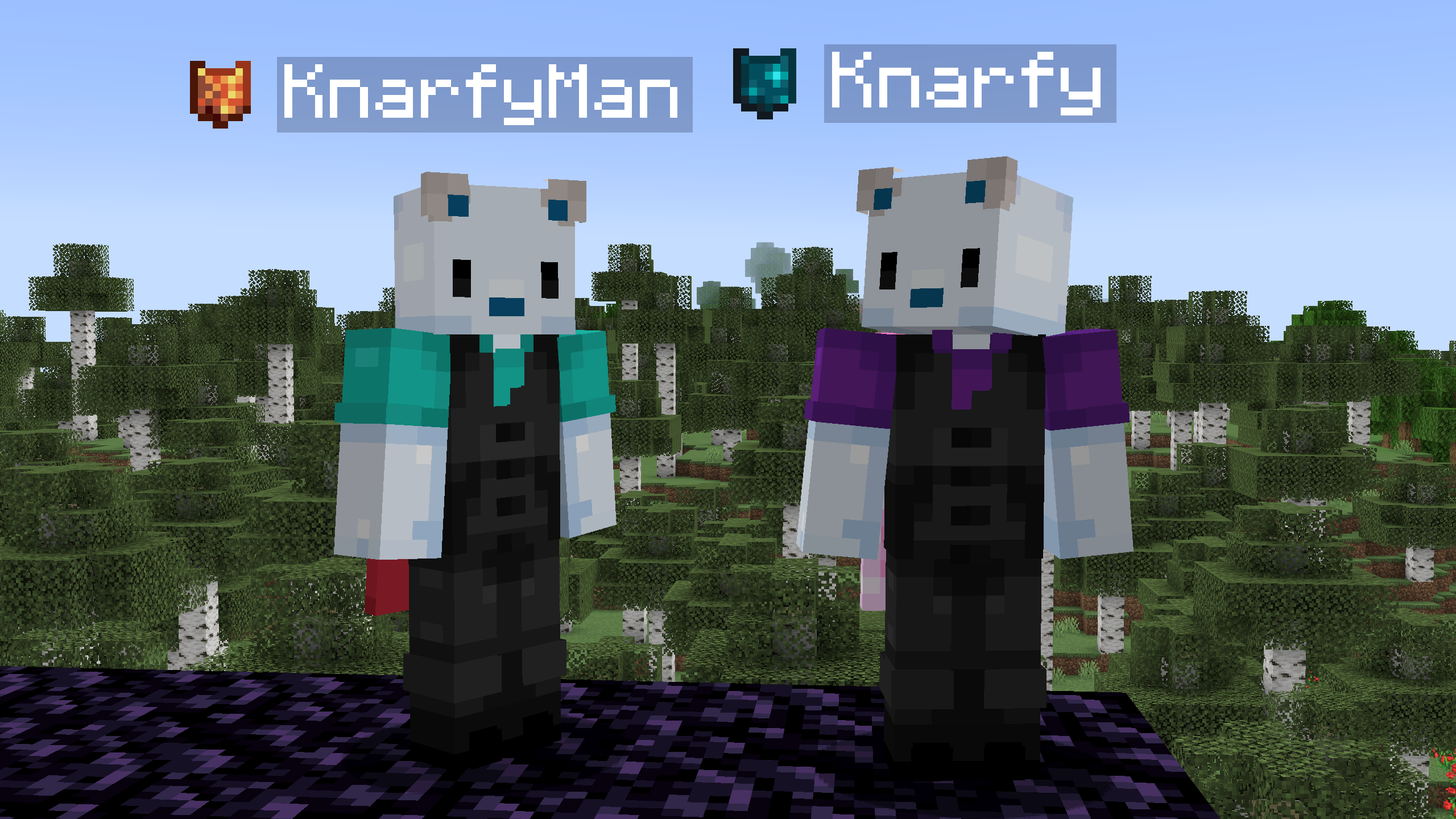 Per-Player Icon Selection Each player will get to select their own icon which will show to other players on their server!
 -
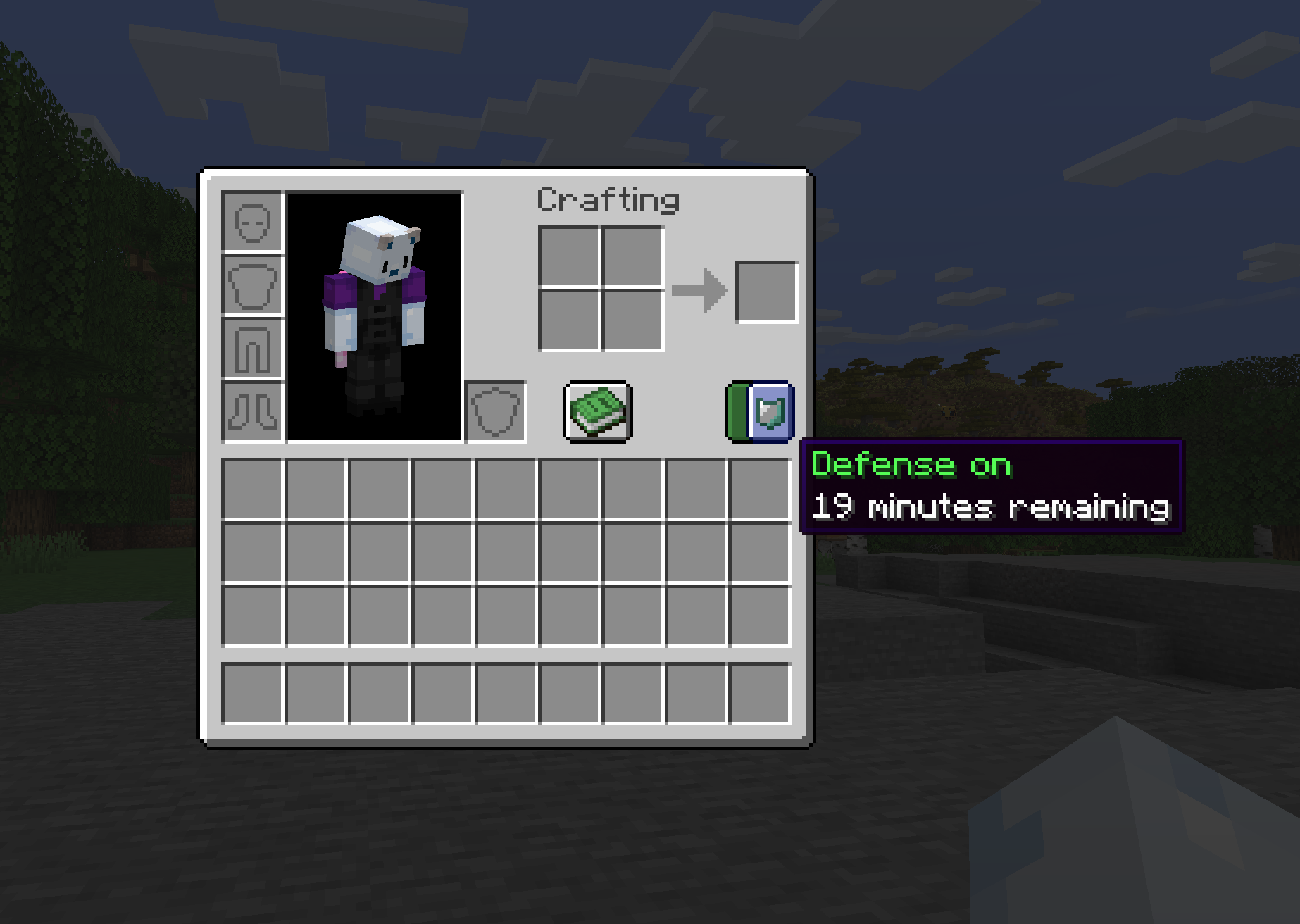 Defense Toggle in Survival Inventory Toggle this switch to enable your immunity
 -
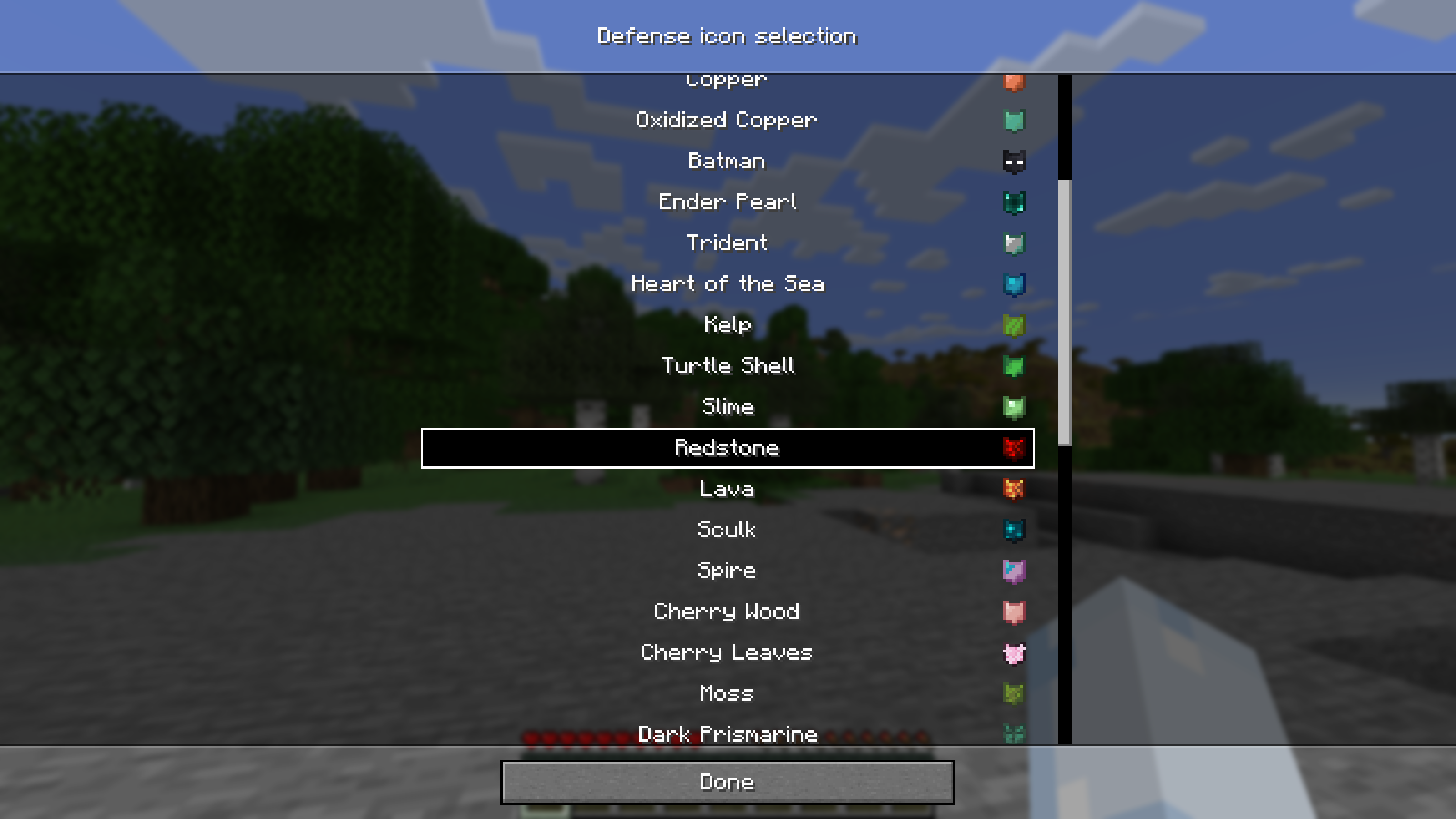 Select your Icon! Choose the icon that will be displayed in your inventory and to other players via the Skin Customization menu
 -
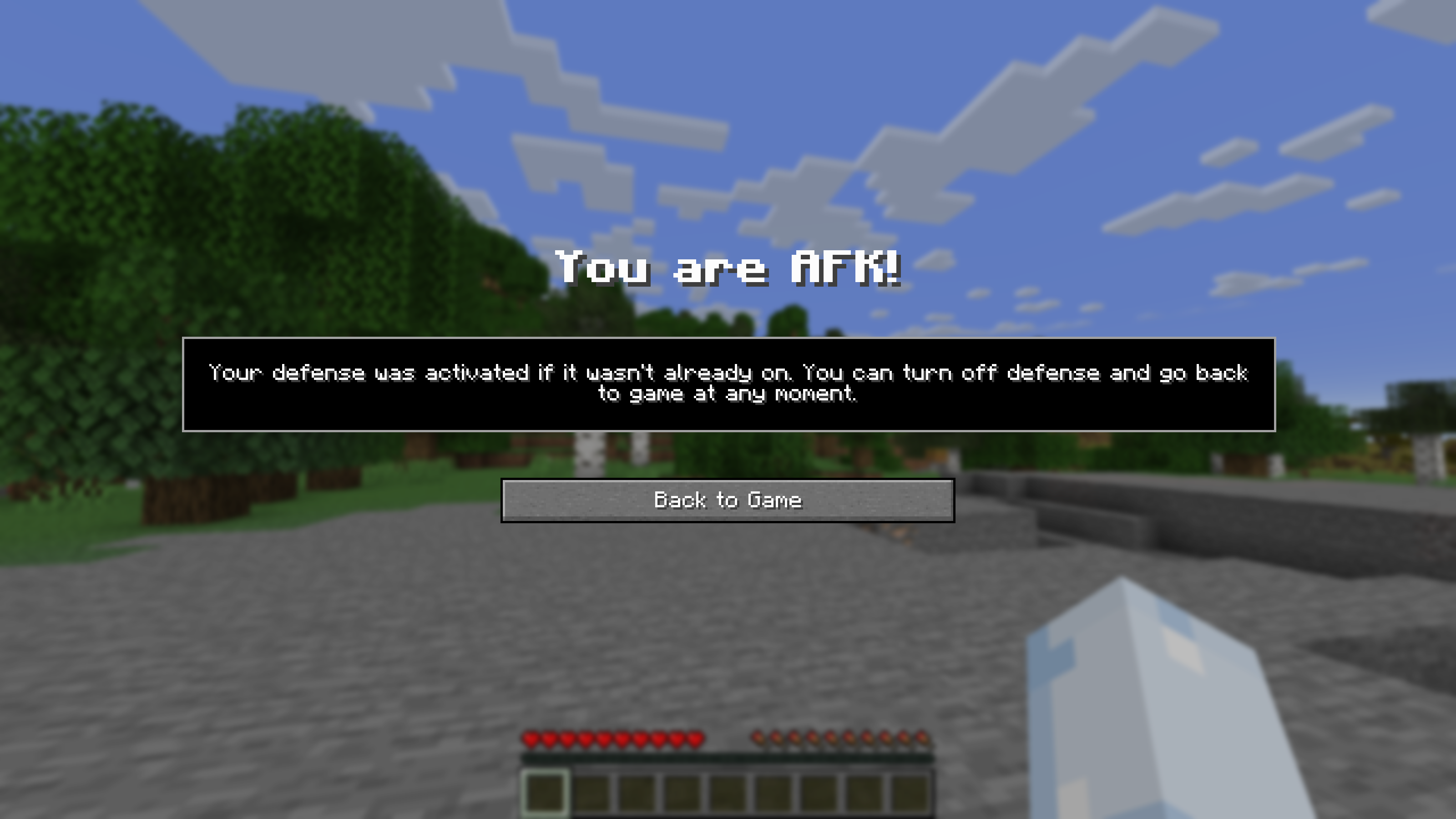 AFK Notification Stand around for a certain amount of time (2 minutes by default) or run /afk to toggle defense on and enter an AFK Mode. This is what you'll see!
 -
Icons Available to You! Choose your icon!
-
 Immunity Notification Messages in chat will notify you when you enable/disable defense, and when defense is about to run out!
Versions
Files
Relations
Project Relations
More like this
Similar Mods
Suggestions use data such as tags, dependencies, dependents, descriptions, titles, and more to rank how much they overlap with this mod.
On ModDex
Community snapshot
By the numbers
Statistics

Want to reach Minecraft players?
We're looking for a server hosting partner to feature here and other parts of the site. Interested? Send us a message!
Get in touchGet it on
Available Platforms
On ModDex
Community snapshot
By the numbers