
DefinitelyMyCoords
No reviews yet
A mod to modify/hide the coordinates shown on the f3 screen.
Fabric is a mod loader for versions 1.14+ of Minecraft, particularly popular for client side and optimization mods.
Community voices
Reviews
Click once to include, again to exclude, again to clear
No reviews yet. Be the first to review this project!
Get it on
Available Platforms
 Modrinth
Compatibility
Supported Environments
About
Project Details
For authors
Embed Badge
If you're the author of this project, you can embed a live badge anywhere that supports HTML or Markdown. It updates automatically whenever ratings change.
Use HTML for any page that supports it, or Markdown for README files and Markdown-based descriptions.
Identifiers
Platform IDs
About
Description
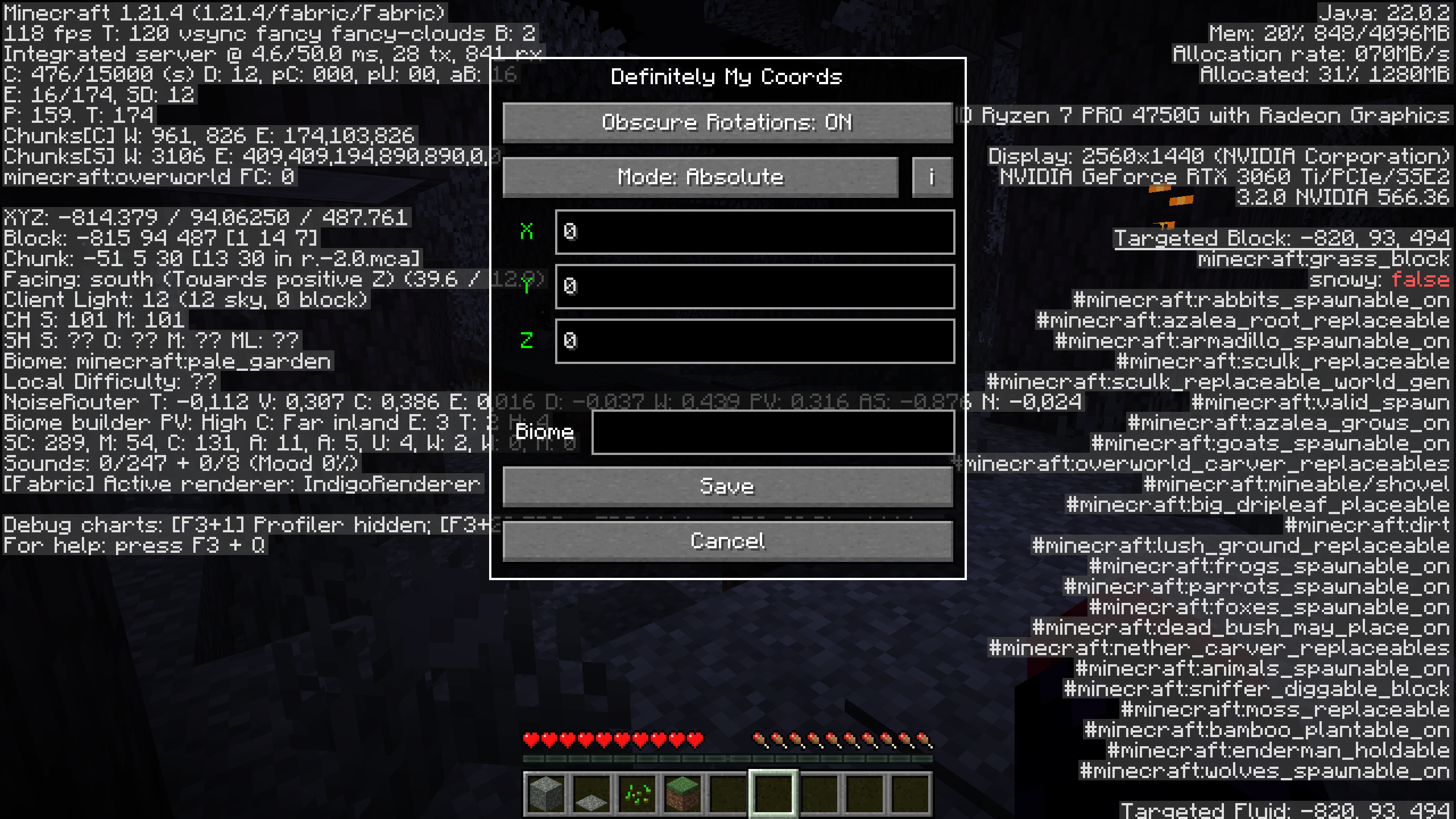 DefinitelyMyCoords helps you hide your coordinates on the F3 screen with 4 different modes.
Why do I want this mod?
If you're a streamer or share your screen with somebody, this mod could save you from leaking your coordinates. While still being able to use F3 to measure distances, check the direction you are facing, etc.
Usage
To open the mods settings, press the F6 key or your configured key.
You can configure the settings key in the keybindings menu.
Compatibility
A non-exhaustive list of compatible mods.
These mods are neither made by me nor affiliated with me.
- BetterF3 (requested by @Omena0)
- Xaero's World Map
- Xaero's Minimap (requested by @kittenvr)
- Xaero's Minimap (Fair-Play)
- Sodium Extra
- Litematica (requested by @NanoBunTV)
You want me to add compatibility for another mod? Create an issue
Modes
Vanilla
Doesn't modify your position at all.
Relative
TLDR: Changes your coords
The coordinates you enter are relative to your current positions. That means if you are standing at 100 60 -30 and enter -10 5 20 your current coordinates will be -10 5 20 and 0 0 0 will have turned into -110 -55 50.
Absolute
TLDR: Changes 0 0 0
The coordinates you enter are relative to 0 0 0. In this case, if you are standing at 100 60 -30 and enter -10 5 20 your current coordinates will turn into 90 65 -10 and 0 0 0 will be -10 5 20.
Custom
This mode sets your coordinates upon opening F3 to 0 0 0.
Biome Spoofing
On
To enable biome spoofing, enter a valid biome id into the text widget.
Off
To disable biome spoofing, simply leave the text empty.
Block Rotations
Obscure Rotations
If enabled, offset block rotations, flower positions, etc. by the same amount as blocks.
Note: This feature doesn't play well with Mode: Custom
Screenshots
Gallery
-
Settings Menu This image displays the settings menu opened by pressing F6 or the key you configured.
Versions
Files
Relations
Project Relations
More like this
Similar Mods
Suggestions use data such as tags, dependencies, dependents, descriptions, titles, and more to rank how much they overlap with this mod.
On ModDex
Community snapshot
By the numbers
Statistics

Want to reach Minecraft players?
We're looking for a server hosting partner to feature here and other parts of the site. Interested? Send us a message!
Get in touchGet it on
Available Platforms
On ModDex
Community snapshot
By the numbers