
Community listing page, reviews here may not be monitored by the author.
Democratic Commands

No reviews yet
A Minecraft Forge mod that brings democracy to server administration! Non-OP players can propose OP commands that are voted on by all online players.
Community voices
Reviews
No reviews yet. Be the first to review this project!
Get it on
Available Platforms
Compatibility
Supported Environments
Runs entirely on the server. Also works in singleplayer.
About
Project Details
For authors
Embed Badge
If you're the author of this project, you can embed a live badge anywhere that supports HTML or Markdown. It updates automatically whenever ratings change.
Use HTML for any page that supports it, or Markdown for README files and Markdown-based descriptions.
Identifiers
Platform IDs
About
Description
Democratic Commands
A Minecraft Forge mod that brings democracy to server administration! Non-OP players can propose OP commands that are voted on by all online players.



Features
- Democratic Voting System - Non-OP players can propose OP commands that require community approval
- Automatic Command Interception - Just type OP commands normally - the mod handles the voting automatically
- Full Autocomplete Support - Non-OP players see command suggestions for all OP commands
- Configurable Voting Rules - Set approval thresholds, minimum voters, timeout periods, and more
- Comprehensive Audit Logging - All votes are logged with timestamps, participants, and results
- Smart Abstention Handling - AFK players won't block votes from completing
Installation
- Download the latest release from the Releases page
- Place the
.jarfile in your server'smodsfolder - Ensure you're running Minecraft Forge 1.20.1 (version 47.2.0 or higher)
- Start your server - the mod will generate a config file on first run
How It Works
- Non-OP player types an OP command (e.g.,
/gamemode creative PlayerName) - Vote initiates automatically - all online players are notified
- Players vote using
/vote yesor/vote no - Vote concludes when:
- Everyone has voted, OR
- The timeout period expires (default: 30 seconds)
- Command executes if the vote passes based on configured thresholds
Example Workflow
Player1: /weather clear
[Server]: ===== VOTE INITIATED =====
[Server]: Player1 wants to execute: /weather clear
[Server]: Vote using: [YES] [NO]
[Server]: Vote expires in 30 seconds

Player2: /vote yes
Player3: /vote yes
Player1: /vote yes

[Server]: ===== VOTE CONCLUDED =====
[Server]: YES: 3 | NO: 0 | Abstained: 0
[Server]: ✓ VOTE PASSED
[Server]: Command executed successfully!
Commands
| Command | Description | Permission Required |
|---|---|---|
/vote |
Shows help and available vote commands | None |
/vote yes |
Vote YES on the current proposal | None |
/vote no |
Vote NO on the current proposal | None |
/vote status |
Check the status of the current vote | None |
Configuration
The configuration file is located at config/democraticcommands-server.toml and is created on first server start.
Voting Settings
| Setting | Default | Description |
|---|---|---|
voteTimeout |
30 | Time in seconds before a vote automatically concludes |
minimumVoters |
2 | Minimum players online required to initiate a vote |
minimumVotesRequired |
2 | Minimum actual votes (not abstentions) for a valid result |
approvalThreshold |
0.5 | Percentage of YES votes required to pass (0.5 = 50%, 0.66 = 66%) |
requireMajorityParticipation |
true | If true, requires >50% of online players to vote (not abstain) |
countAbstentionsAsNo |
false | If true, abstentions count as NO votes |
logVotes |
true | Enable logging of all votes to file |
Command List
| Setting | Default | Description |
|---|---|---|
opCommands |
See below | List of commands that require voting when used by non-ops |
Default OP Commands:
opCommands = [
    "gamemode", "gamerule", "give", "tp", "teleport",
    "kill", "ban", "kick", "op", "deop", "whitelist",
    "difficulty", "stop", "setblock", "fill", "summon",
    "effect", "enchant", "weather", "time", "spawnpoint",
    "setworldspawn"
]
Example Configuration
# Require 66% approval with at least 3 votes
voteTimeout = 45
minimumVoters = 3
minimumVotesRequired = 3
approvalThreshold = 0.66
requireMajorityParticipation = true
countAbstentionsAsNo = false
logVotes = true

# Add more commands to the voting system
opCommands = [
    "gamemode", "gamerule", "give", "tp", "teleport",
    "kill", "ban", "kick", "op", "deop", "whitelist",
    "difficulty", "stop", "setblock", "fill", "summon",
    "effect", "enchant", "weather", "time", "spawnpoint",
    "setworldspawn", "scoreboard", "team", "worldborder",
    "xp", "experience", "particle", "playsound"
]
Vote Resolution Logic
A vote passes when ALL of the following conditions are met:
- ✅ Total votes ≥
minimumVotesRequired - ✅ If
requireMajorityParticipationis true: More than 50% of online players voted - ✅ YES votes ÷ (YES + NO votes) ≥
approvalThreshold - ✅ If
countAbstentionsAsNois true: Abstentions are counted as NO votes
A vote fails if any condition is not met, with clear feedback about why.
Audit Logging
When logVotes is enabled, all votes are logged to world/logs/audit.txt:
[2024-01-15 14:32:45] Vote INITIATED
Command: /gamemode creative Player1
Initiator: Player2
YES votes (2): Player2, Player3
NO votes (1): Player4
Abstained (1): Player5
Result: PASSED
----------------------------------------
Troubleshooting
Players can't see OP command suggestions
- The mod automatically makes whitelisted OP commands visible to all players
- If suggestions aren't showing, check that the command is in the
opCommandslist
Votes aren't triggering
- Ensure the command is in the
opCommandsconfiguration list - Check that minimum voter requirements are met
- Verify the player doesn't already have OP permissions
Commands execute without voting
- The command might not be in the
opCommandslist - The player might have OP permissions (ops bypass voting)
Contributing
Contributions are welcome! Please feel free to submit pull requests or open issues for bugs and feature requests.
Java isn't my first language, but it is my first mod, so there are probably several things that can be improved.
License
This mod is licensed under the MIT License - see the LICENSE file for details.
Credits
- Created by d-pixie
- Built with Minecraft Forge
Screenshots
Gallery
-
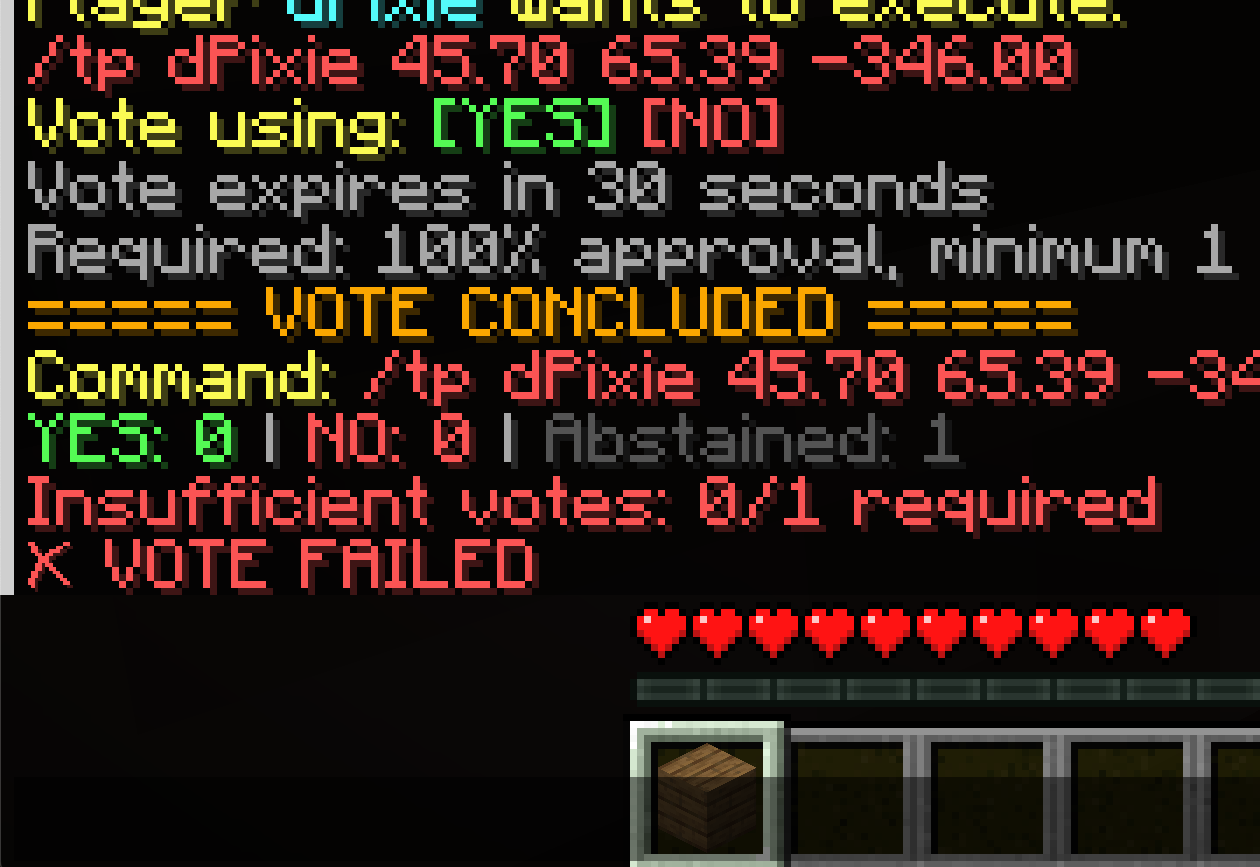 Failing votes block commands If a OP command vote fails the attempted command is not run.
 -
 Voting on OP commands Enables selected OP commands for all players, but requires a passing - configurable - vote to execute OP commands.
 -
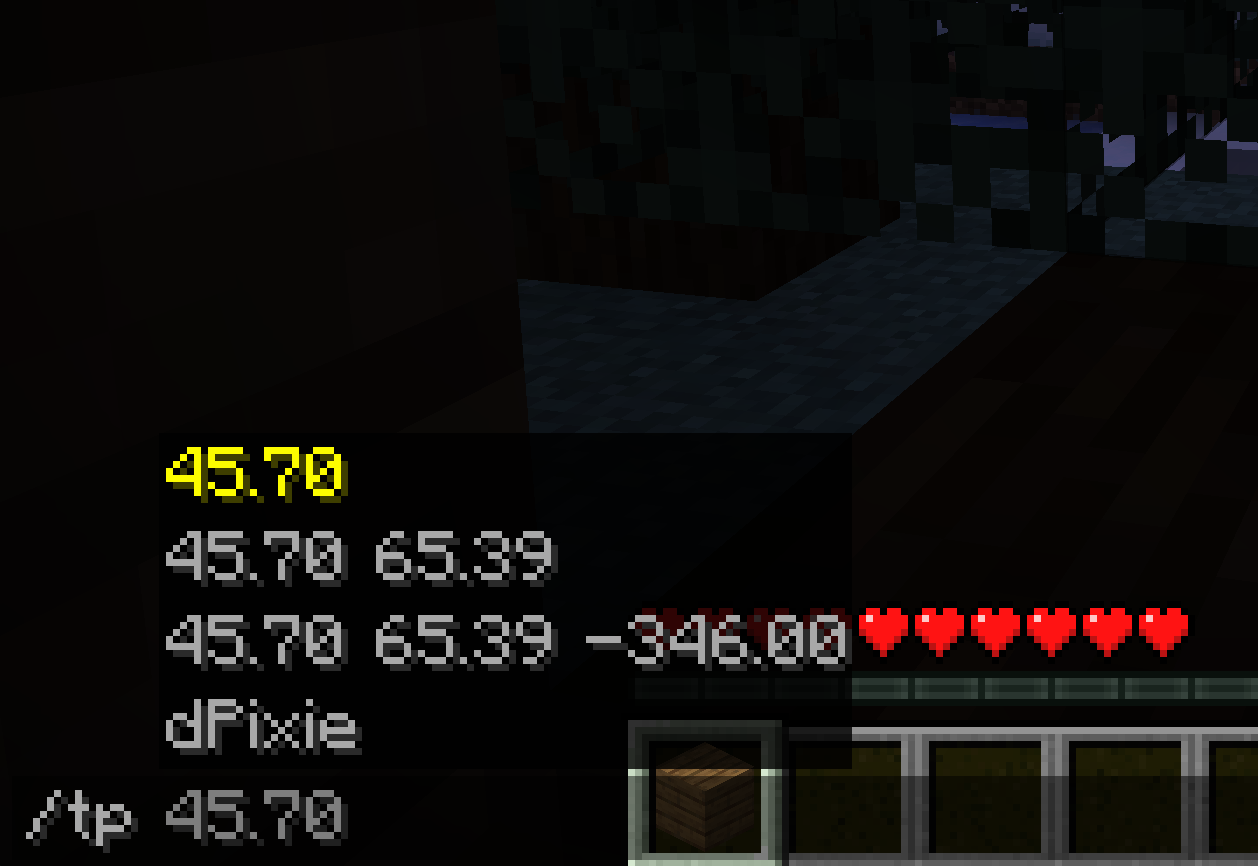 OP command autocomplete Enables autocomplete suggestions for OP commands, even if you are not OP.
Versions
Files
Relations
Project Relations
More like this
Similar Mods
Suggestions use data such as tags, dependencies, dependents, descriptions, titles, and more to rank how much they overlap with this mod.
On ModDex
Community snapshot
By the numbers
Statistics

Want to reach Minecraft players?
We're looking for a server hosting partner to feature here and other parts of the site. Interested? Send us a message!
Get in touchGet it on
Available Platforms
On ModDex
Community snapshot
By the numbers