
Dialog auth
No reviews yet
The mod adds authorization using the dialog system added in 1.21.6!
Provides a framework or library for other mods to use.
Fabric is a mod loader for versions 1.14+ of Minecraft, particularly popular for client side and optimization mods.
Community voices
Reviews
Click once to include, again to exclude, again to clear
No reviews yet. Be the first to review this project!
Get it on
Available Platforms
 Modrinth
Compatibility
Supported Environments
About
Project Details
For authors
Embed Badge
If you're the author of this project, you can embed a live badge anywhere that supports HTML or Markdown. It updates automatically whenever ratings change.
Use HTML for any page that supports it, or Markdown for README files and Markdown-based descriptions.
Identifiers
Platform IDs
About
Description
DialogAuth
A modern, secure authentication system for Minecraft servers using native dialog windows.


 soon on forge and neoforge
Features
✨ Native Dialog Interface - Clean, intuitive authentication using Minecraft's built-in dialog system
🔒 Secure Password Storage - Passwords are hashed using BCrypt (cost factor 12) for maximum security
⏱️ Smart Session Management - Players stay logged in for 12 hours (configurable)
🌐 IP-Based Security - Automatic re-authentication when IP address changes
🎮 Seamless Experience - Players spawn in a void dimension during authentication, then return to their exact location
⚙️ Fully Configurable - Customize session duration, password requirements, and more
Screenshots


How It Works
First Time Players
- Player joins the server
- Teleported to authentication dimension (void space)
- Registration dialog appears
- Enter password twice to confirm
- Automatically returned to spawn location
Returning Players
- Within 12 hours + Same IP: Instant login, no dialog
- After 12 hours OR Different IP: Login dialog appears
- Enter password to authenticate
- Return to your saved location
Commands
/dialogauth changepass- Change your password/dialogauth reload- Reload configuration (admin only)
Configuration
Located in config/dialogauth/config.json:
{
  "authentication": {
    "min_password_length": 4,
    "max_password_length": 32,
    "session_duration_hours": 12,
    "check_ip_address": true
  }
}
Key Settings
session_duration_hours- How long players stay logged in (default: 12 hours)check_ip_address- Require re-login when IP changes (default: true)min_password_length- Minimum password length (default: 4)
Localization
Customize all messages in config/dialogauth/lang.json:
{
  "command": {
    "register": {
      "success": "§aSuccessfully registered!"
    },
    "leave": {
      "disconnect_message": "Disconnected"
    }
  }
}
Dialog Customization
All dialogs can be customized in config/dialogauth/dialogs/:
register/- Registration dialogslogin/- Login dialogschangepass/- Password change dialogs
Note: Dialog changes require server restart.
Security Features
✅ BCrypt password hashing (industry standard)
✅ No plaintext passwords stored
✅ Session-based authentication
✅ IP address verification
✅ Configurable password requirements
✅ Protected authentication dimension
Requirements
- Minecraft 1.21.6+
- Fabric Loader
- Fabric API
Installation
- Download the mod
- Place in your server's
modsfolder - Start the server
- Configuration files will be auto-generated in
config/dialogauth/
Support
Found a bug or have a suggestion? Open an issue on GitHub!
Made with ❤️ for the Minecraft community
Screenshots
Gallery
-
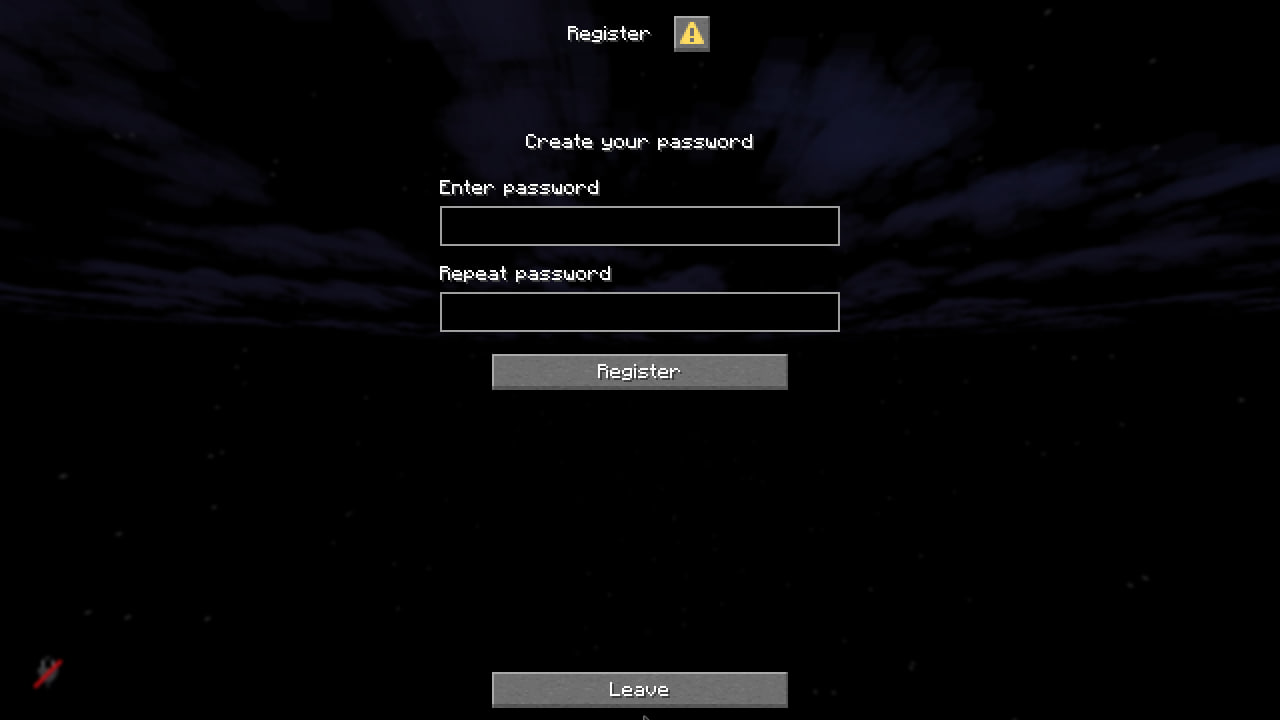 Registration
 -
 Login
Login -
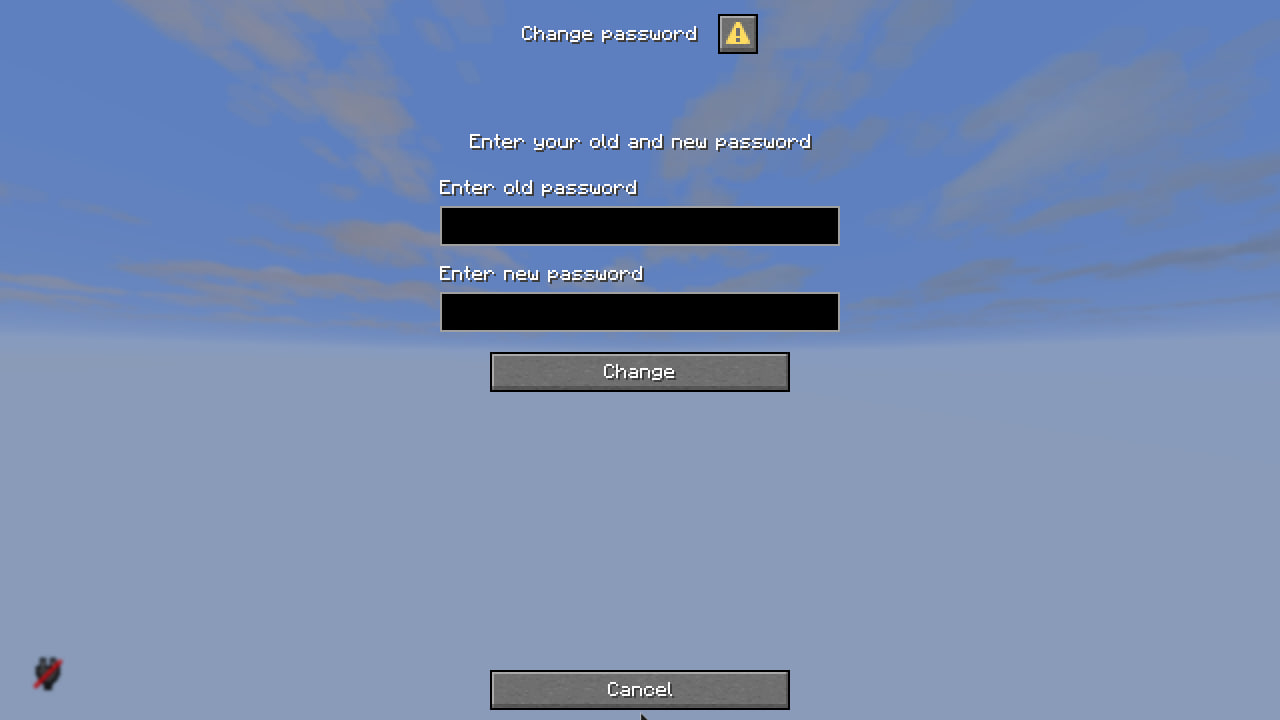 Change password
Versions
Files
Relations
Project Relations
More like this
Similar Mods
Suggestions use data such as tags, dependencies, dependents, descriptions, titles, and more to rank how much they overlap with this mod.
On ModDex
Community snapshot
By the numbers
Statistics

Want to reach Minecraft players?
We're looking for a server hosting partner to feature here and other parts of the site. Interested? Send us a message!
Get in touchGet it on
Available Platforms
On ModDex
Community snapshot
By the numbers