
Community listing page, reviews may not be monitored by the author.


Community voices
Reviews
No reviews yet. Be the first to review this project!
Get it on
Available Platforms
Compatibility
Supported Environments
Runs entirely on the client. Works on vanilla servers.
About
Project Details
For authors
Embed Badge
If you're the author of this project, you can embed a live badge anywhere that supports HTML or Markdown. It updates automatically whenever ratings change.
Use HTML for any page that supports it, or Markdown for README files and Markdown-based descriptions.
Identifiers
Platform IDs
About
Description

Dimension Based Shaders
Automatically switch Iris shader packs per dimension.
Set one shader pack for the Overworld, another for the Nether, and a third for The End—then let the mod handle the rest whenever you join a world or change dimensions.
Features
- Per-dimension shader packs
- Automatic switching
- No manual pack swapping mid-session
- Iris integration
- Applies the selected shader pack through Iris and reloads shaders as needed
- Simple configuration
- Configure once, enjoy consistent visuals everywhere
Configuration
A config file is stored at config/dimension_based_shaders.json, however it is recommended to use ModMenu for an in-game visual settings screen.
ModMenu integration
 The settings page (accesible through ModMenu) contains an input for each dimension. By specifying the exact name of the shader.
However, typing the whole name is tedious and could cause mispellings, so you can click "Get Current" to use to shader pack currently loaded.
Requirements
- Minecraft:
1.21.11 - Mod Loader: Fabric
- Required: Fabric API, Iris (therefore, also Sodium)
- Recommended: Mod Menu
Notes / Known behavior
- Switching shader packs may (and most likely will) cause a brief stutter due to shader reload (depends on pack and hardware).
- If a configured shader pack name is missing or misspelled, Iris will unload all shader packs (other dimensions' packs will still work). Avoid this by clicking "Get Current".
- If you manually switch shaders in a dimension, the mod will switch again when entering another.
Compatibility
- Client-side only (visual change).
- Generally compatible with common rendering/performance mods as long as Iris is present and working.
FAQ
Q: Does this work on servers?
A: Yes—this is client-side visual behavior. Servers don’t need to install anything.
Q: Can I disable shaders in one dimension?
A: You can avoid using a shader by leaving the input field empty.
Q: Do I need Mod Menu?
A: Not required, but recommended for convenient in-game configuration.
Q: Does this mod support custom dimensions? A: Yes, however some dimensions may only appear in the configuration menu only if you are present in that dimension. However, if you change the setting, it will be preserved even when exiting the dimension.
Credits
- Iris Shaders — required dependency and shader system
- Mod Menu — optional settings integration
Support / Issues
If you run into issues, please make sure you're using the correct:
- Minecraft version
- Fabric loader version
- Iris version
Screenshots
Gallery
-
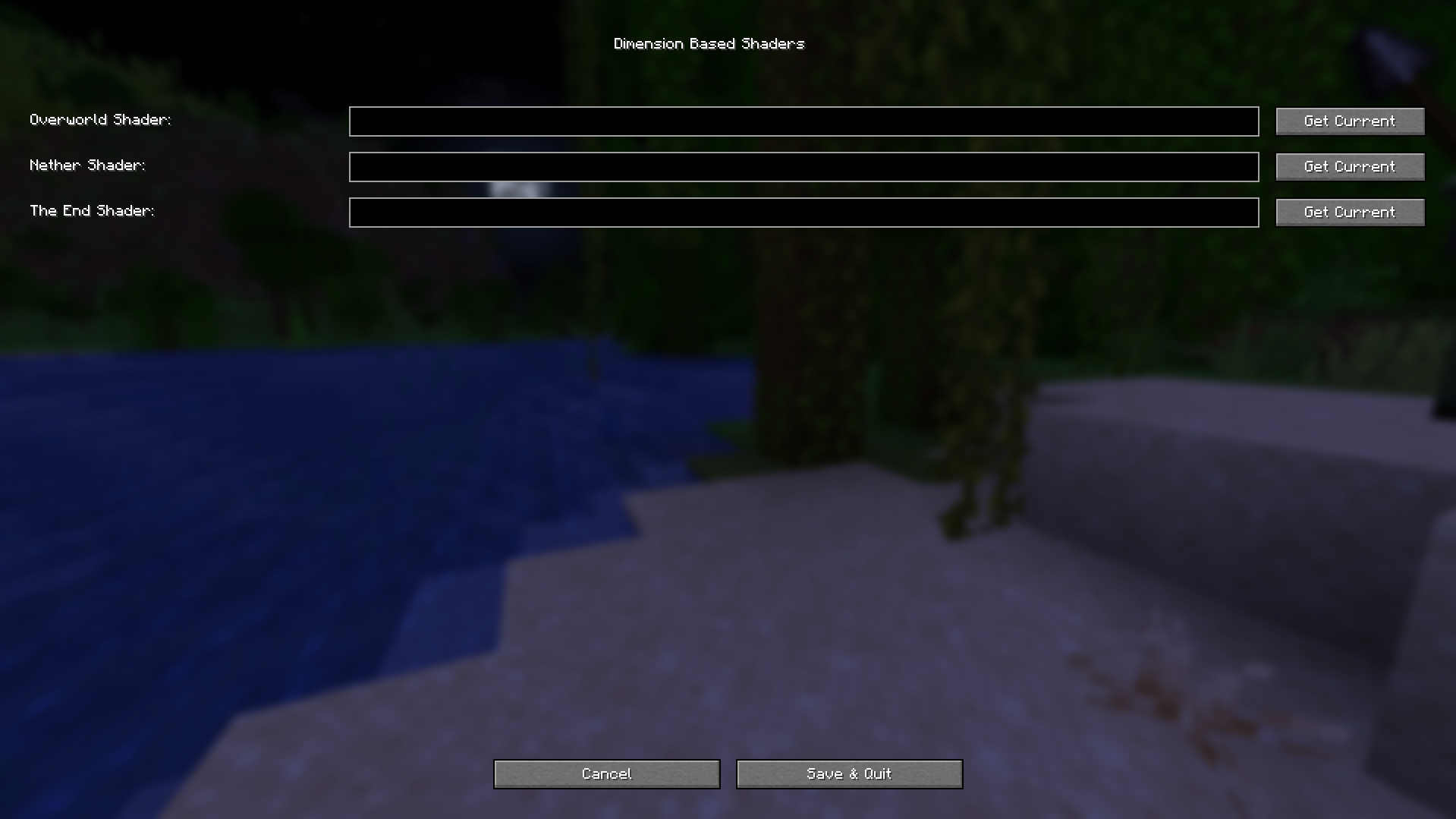 The settings page.
 -
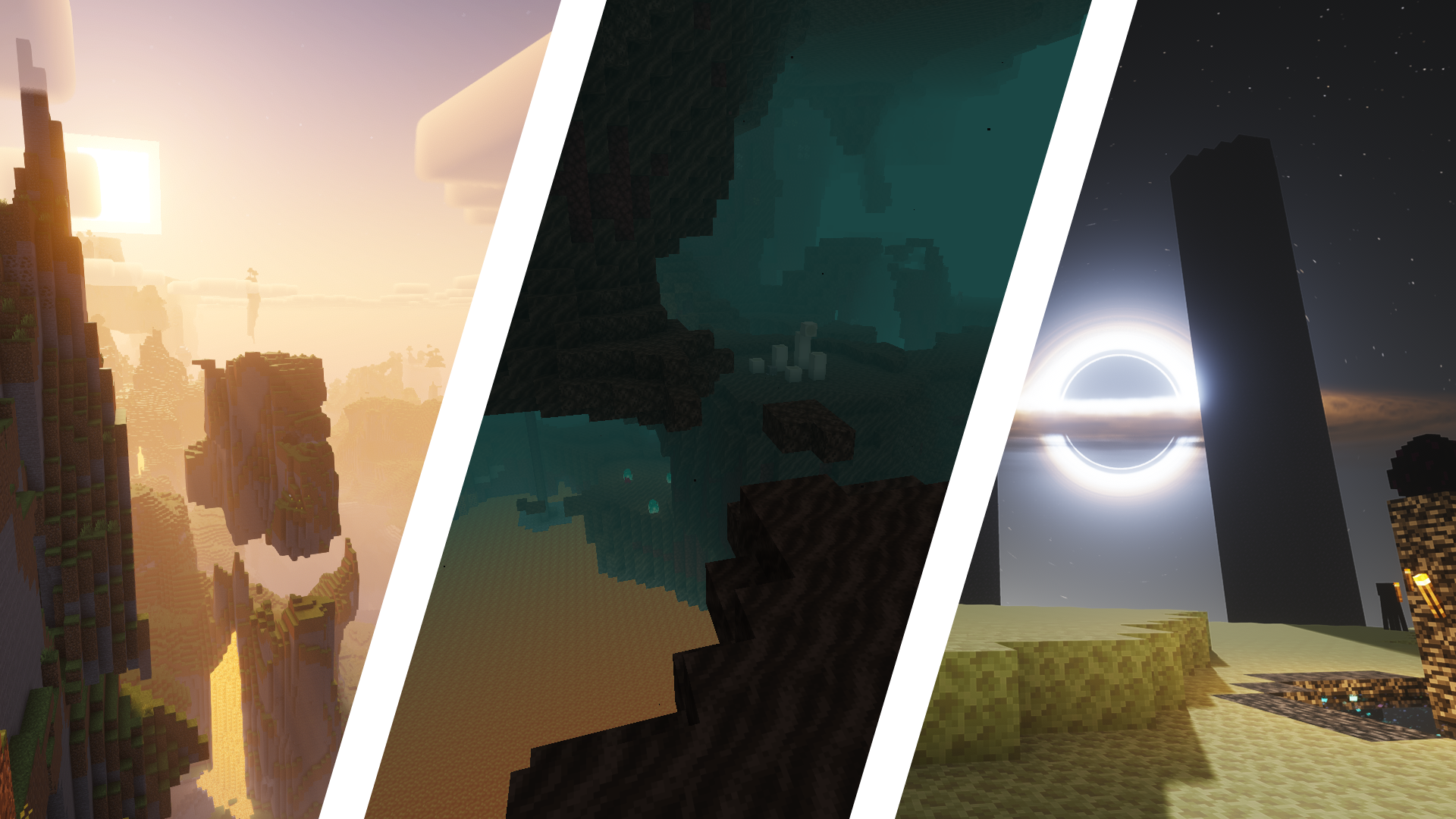 A comparison between the 3 dimensions These screenshots were taken without entering the shader selection menu! Shaders used: - Overworld: Complementary Reimagined - The Nether: None (Off) - The End: IterationT
Versions
Files
Relations
Project Relations
More like this
Similar Mods
Suggestions use data such as tags, dependencies, dependents, descriptions, titles, and more to rank how much they overlap with this mod.
On ModDex
Community snapshot
By the numbers
Statistics


Get it on
Available Platforms
On ModDex
Community snapshot
By the numbers