
Community listing page, reviews may not be monitored by the author.
DimensionalLayers


No reviews yet
Allow you to generate all dimensions in one!

Community voices
Reviews
No reviews yet. Be the first to review this project!
Get it on
Available Platforms
Compatibility
Supported Environments
Must be installed on both the client and the server.
About
Project Details
For authors
Embed Badge
If you're the author of this project, you can embed a live badge anywhere that supports HTML or Markdown. It updates automatically whenever ratings change.
Use HTML for any page that supports it, or Markdown for README files and Markdown-based descriptions.
Identifiers
Platform IDs
About
Description
This is addon for CubicChunks which allow you to generate dimensions from your modpack in one dimension layer by layer.

When you creating new world select world type "DimensionalLayers"
Its possible to configure what dimension will be at what layer, some settings per layer and save preset.


First enter to world may take ~5 mins, so dont worry, just wait. Also recommended to use something like WorldBorder for pre-generate map.
Recommended to use CubicChunks 1271 or later
undefined
Video dev log: https://youtube.com/playlist?list=PLwlzJC9LWHVv9gmAq86vN2b9ABrWdeQEs&si=ZnBxDbl8M8vH8NcW
undefined
If you wanna to register icon of your dimension which named "<modid>:<name>", you should to put texture at assets/<modid>/textures/gui/dimension_layers_background/<name>.png
undefined
Gratitudes:
- Thanks @Foreck for magnificent arts!
- Thanks my friends @WildTan, @virox_t, @liahim85 for early feedback!
- Thanks @Barteks2x for continuing CC development and support!
- Thank you for playing this mod!
Overview
This is addon for CubicChunks which allow you to generate dimensions from your modpack in one dimension layer by layer.
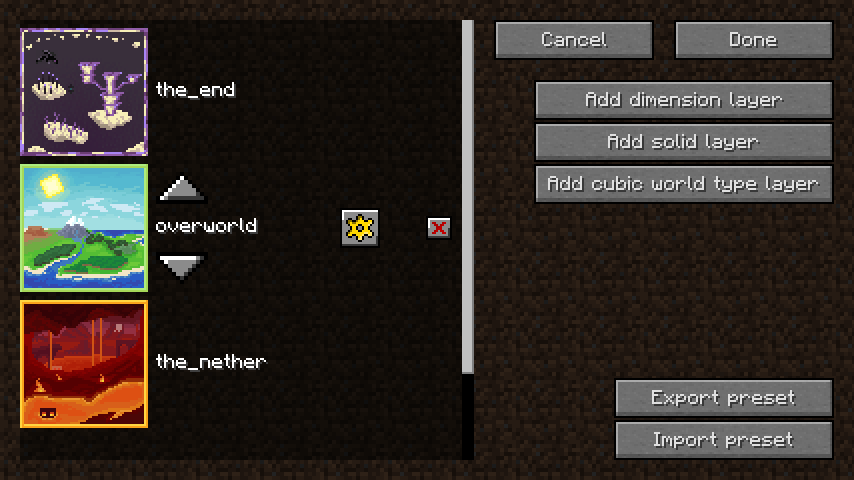
 When you create a new world, select the world type "DimensionalLayers".
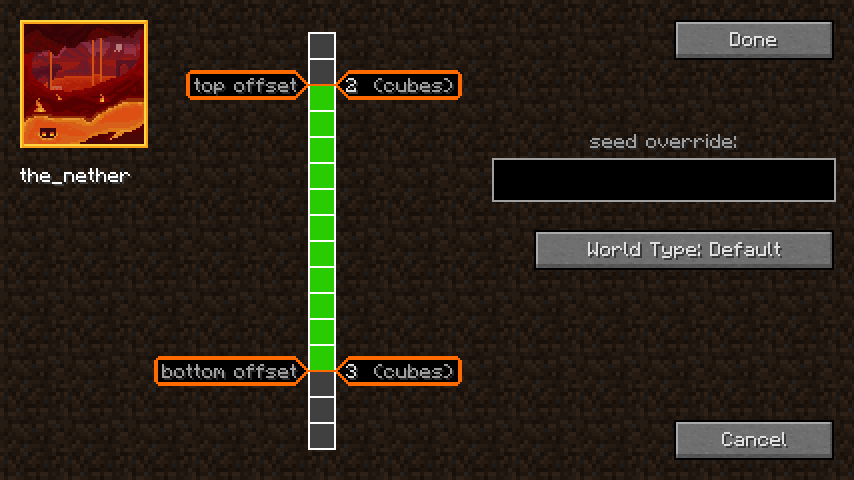
It's possible to configure what dimension will be at what layer, some settings per layer, and save preset.
First entering the world may take ~5 mins, so don't worry, just wait.
It's also recommended to use something like WorldBorder/CCPregen for pre-generate map.
Check out video dev log playlist
Technical details
If you wanna to register icon of your dimension which named ":", you should to put texture at assets/<modid>/textures/gui/dimension_layers_background/<name>.png.
Missed counted as "minecraft".
Gratitudes
- Thanks @Foreck for magnificent arts!
- Thanks my friends @WildTan, @virox_t, @liahim85 for early feedback!
- Thanks @Barteks2x for continuing CC development and support!
- Thank you for playing this mod!
Screenshots
Gallery
-
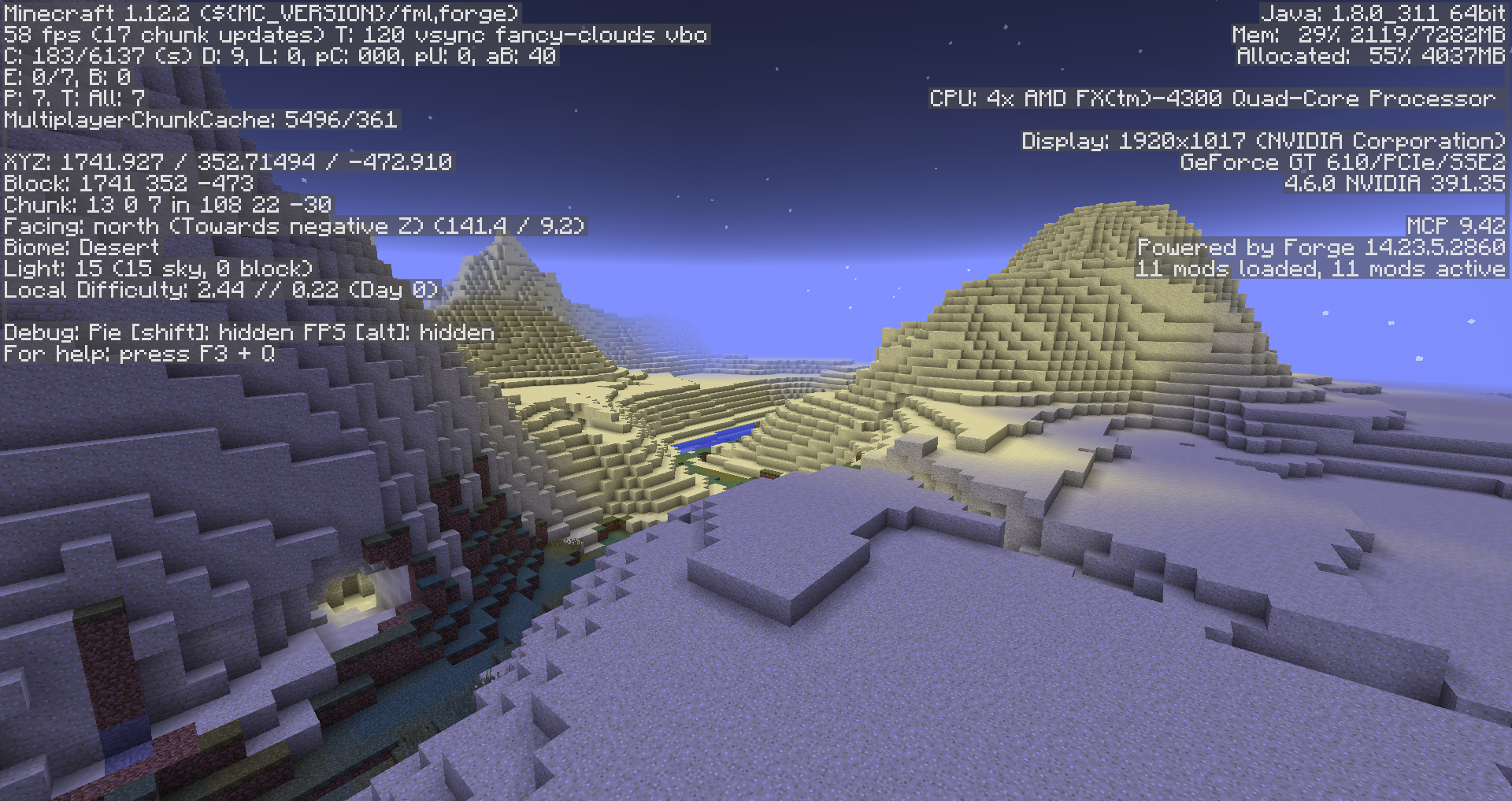 Sky light issue
 -
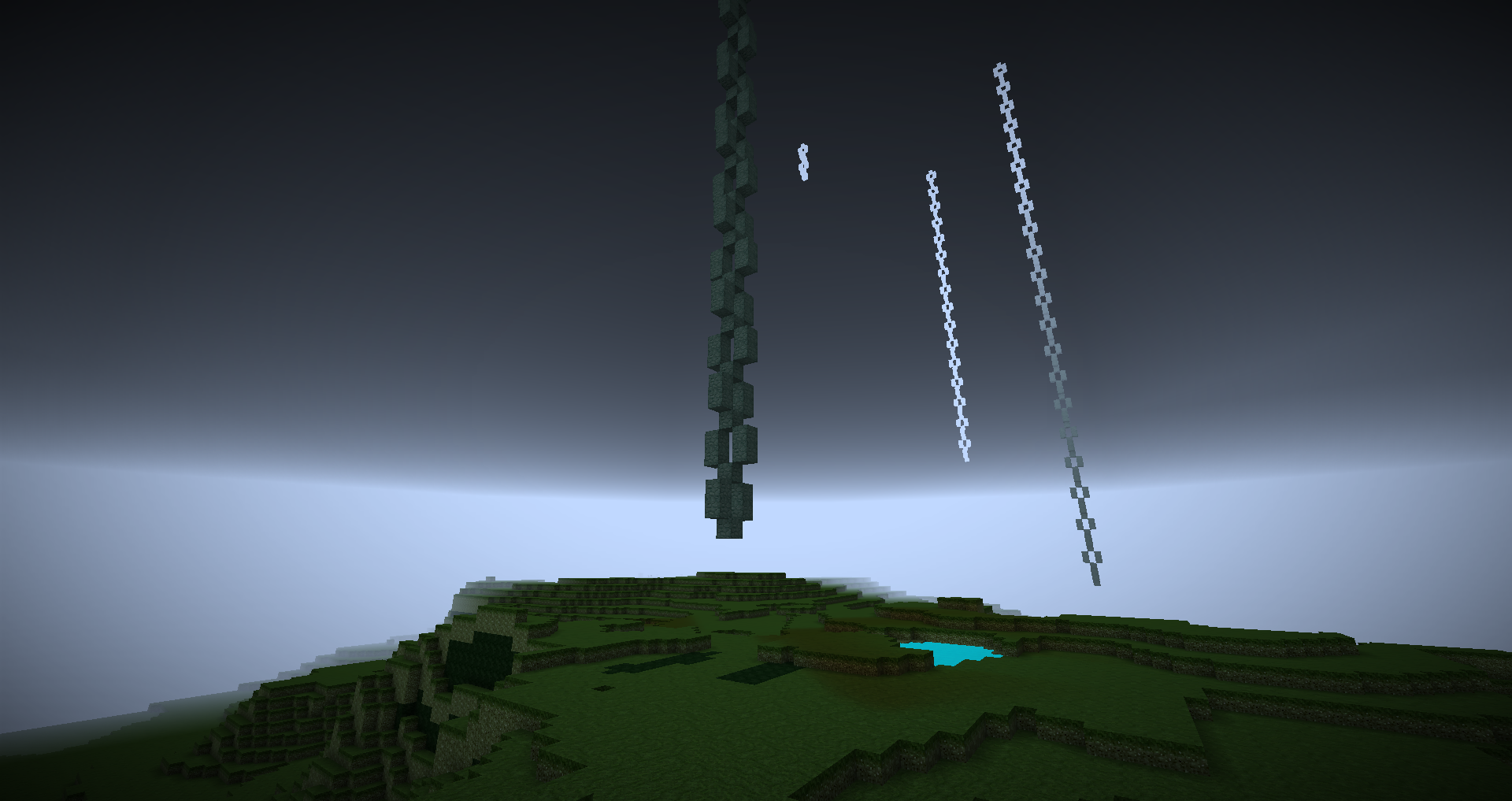 AbyssalCraft, Omothol chains going down to The Abyssal Wasteland
 -
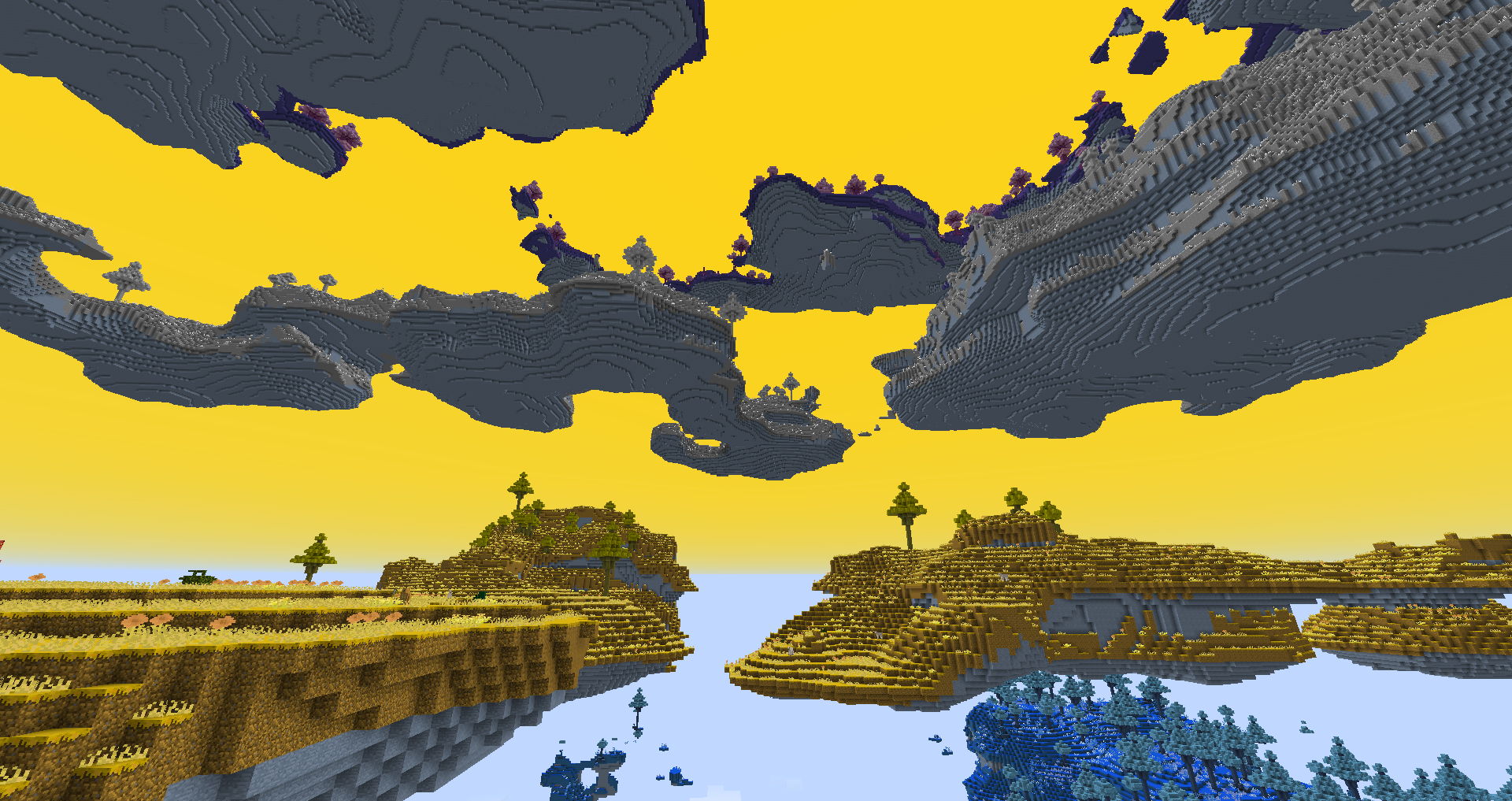 DivineRPG Twilight Islands
 -
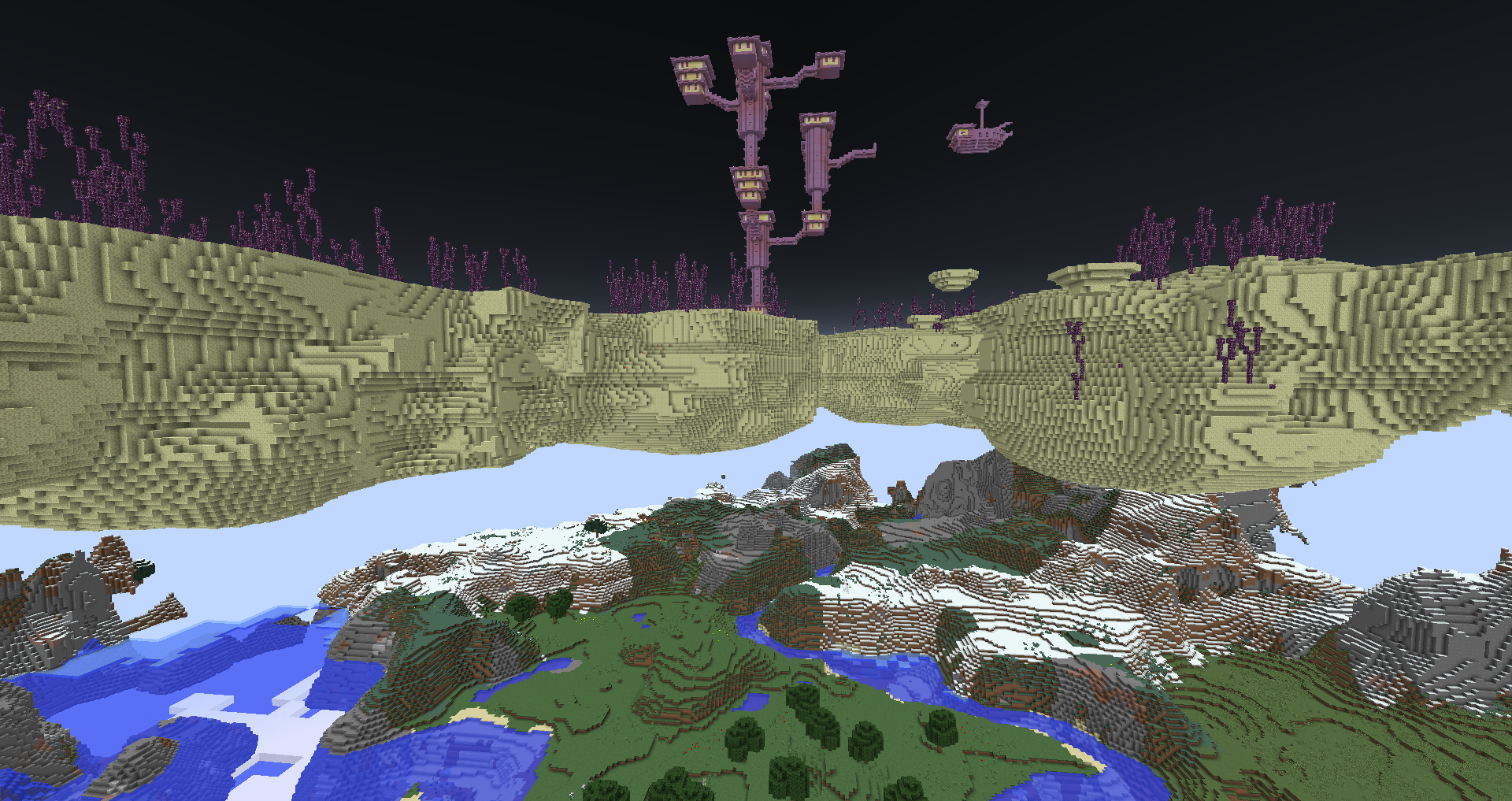
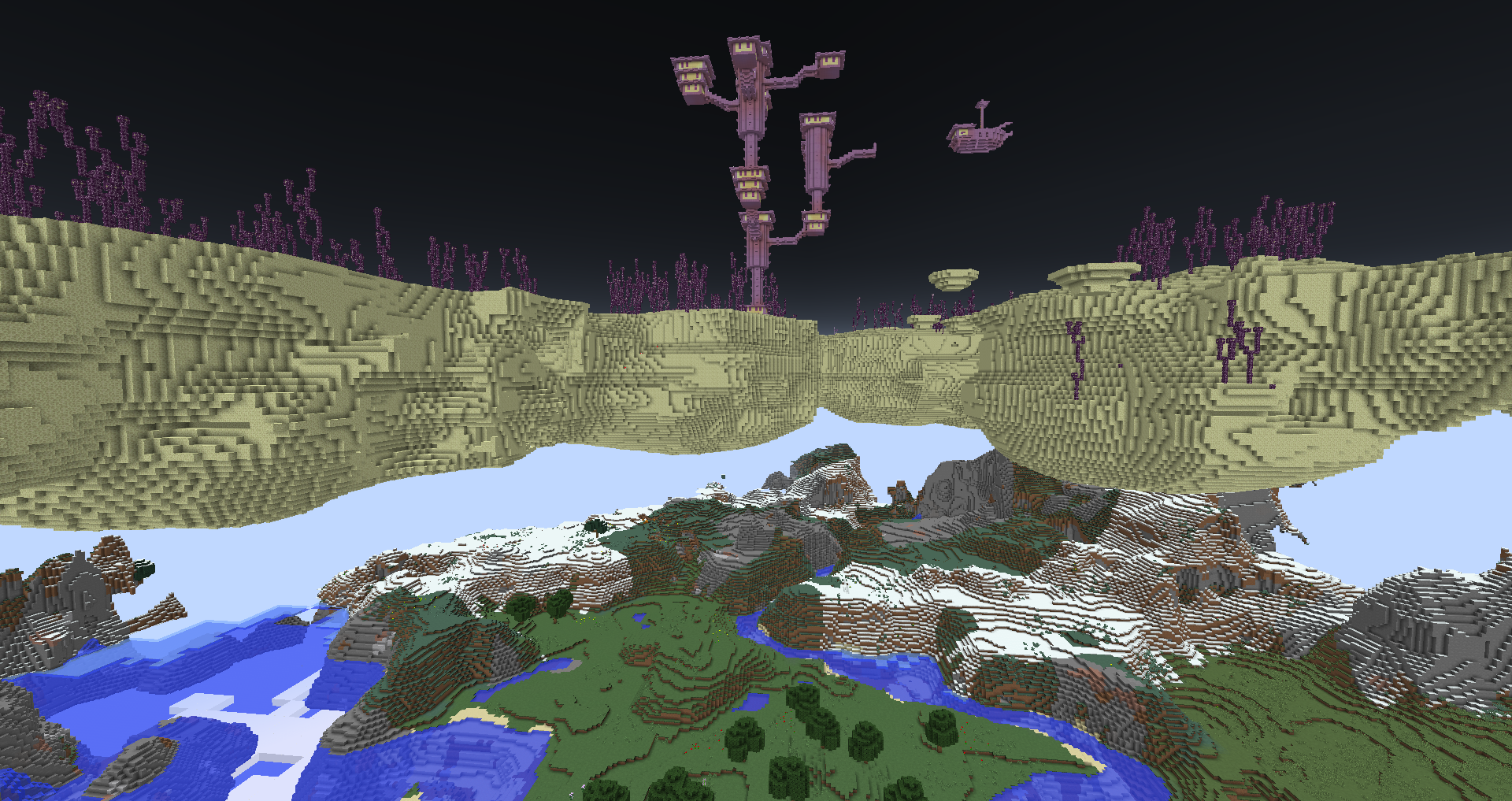 The End near to Overworld due layer offsets
 -
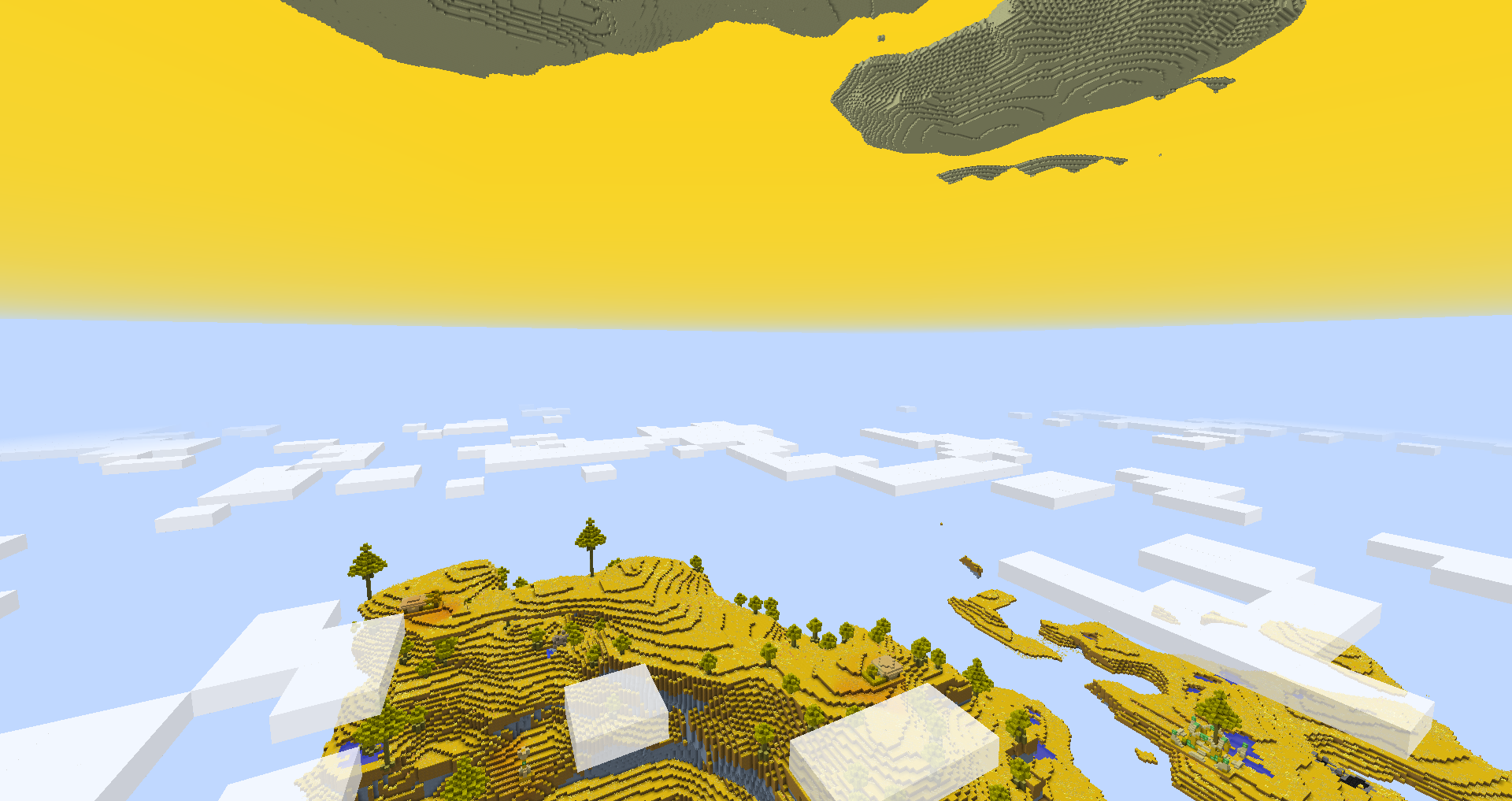 DivineRPG Eden, The End
-
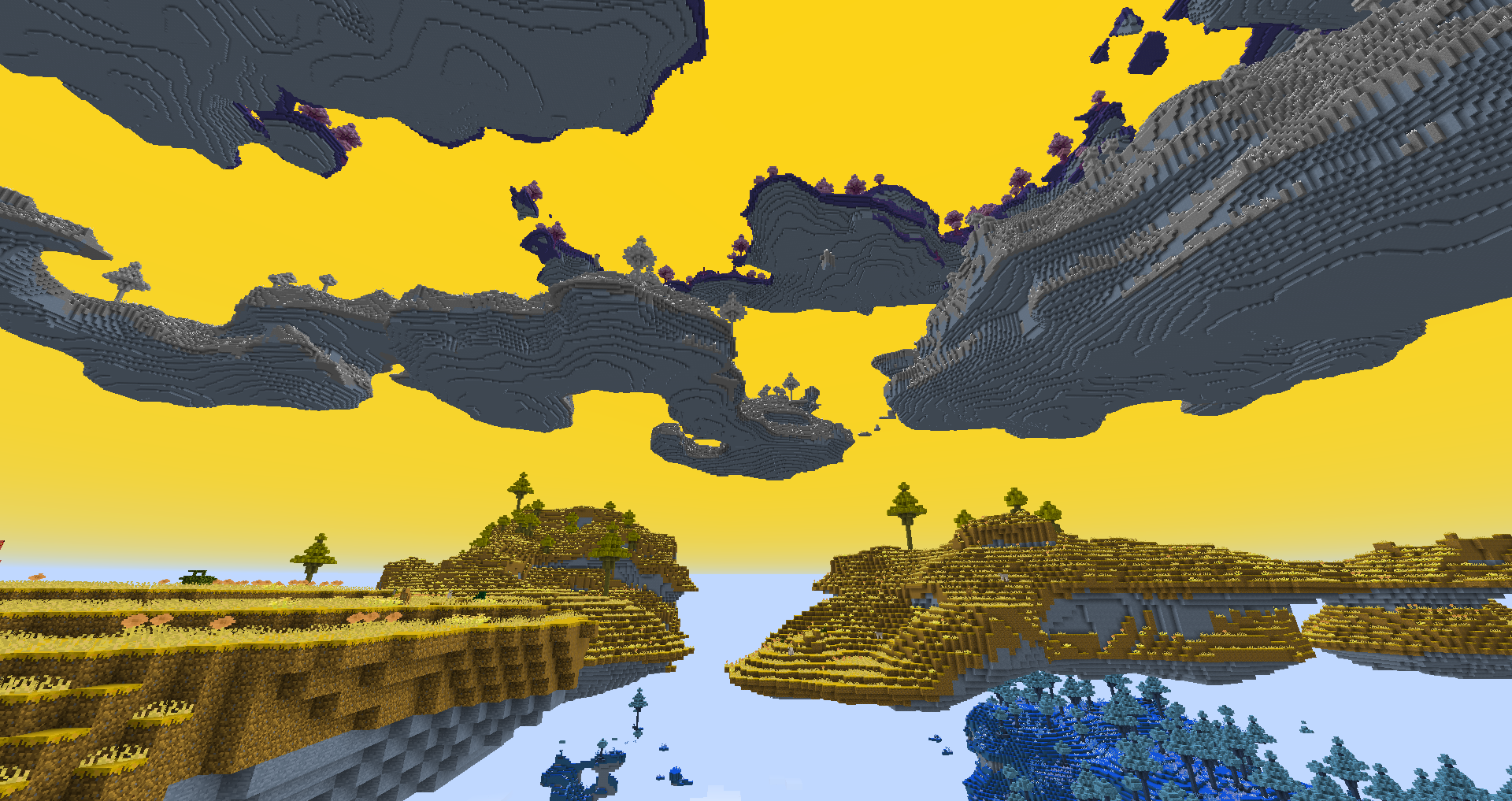 DivineRPG Twilight Islands 4 near layers
 -
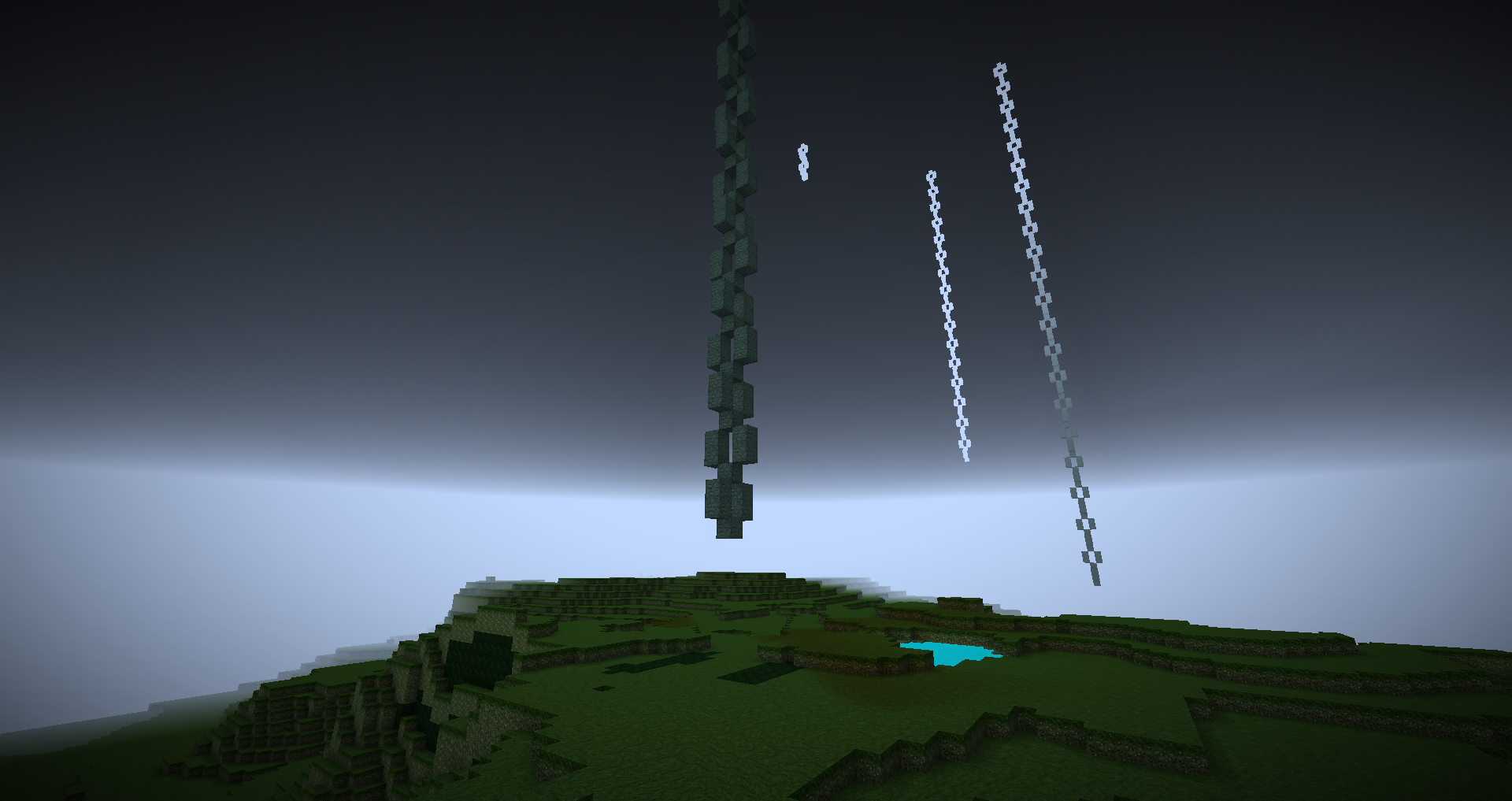 AbyssalCraft, Omothol chains going down to The Abyssal Wasteland
 -
 The End near to Overworld due layer offsets
 -
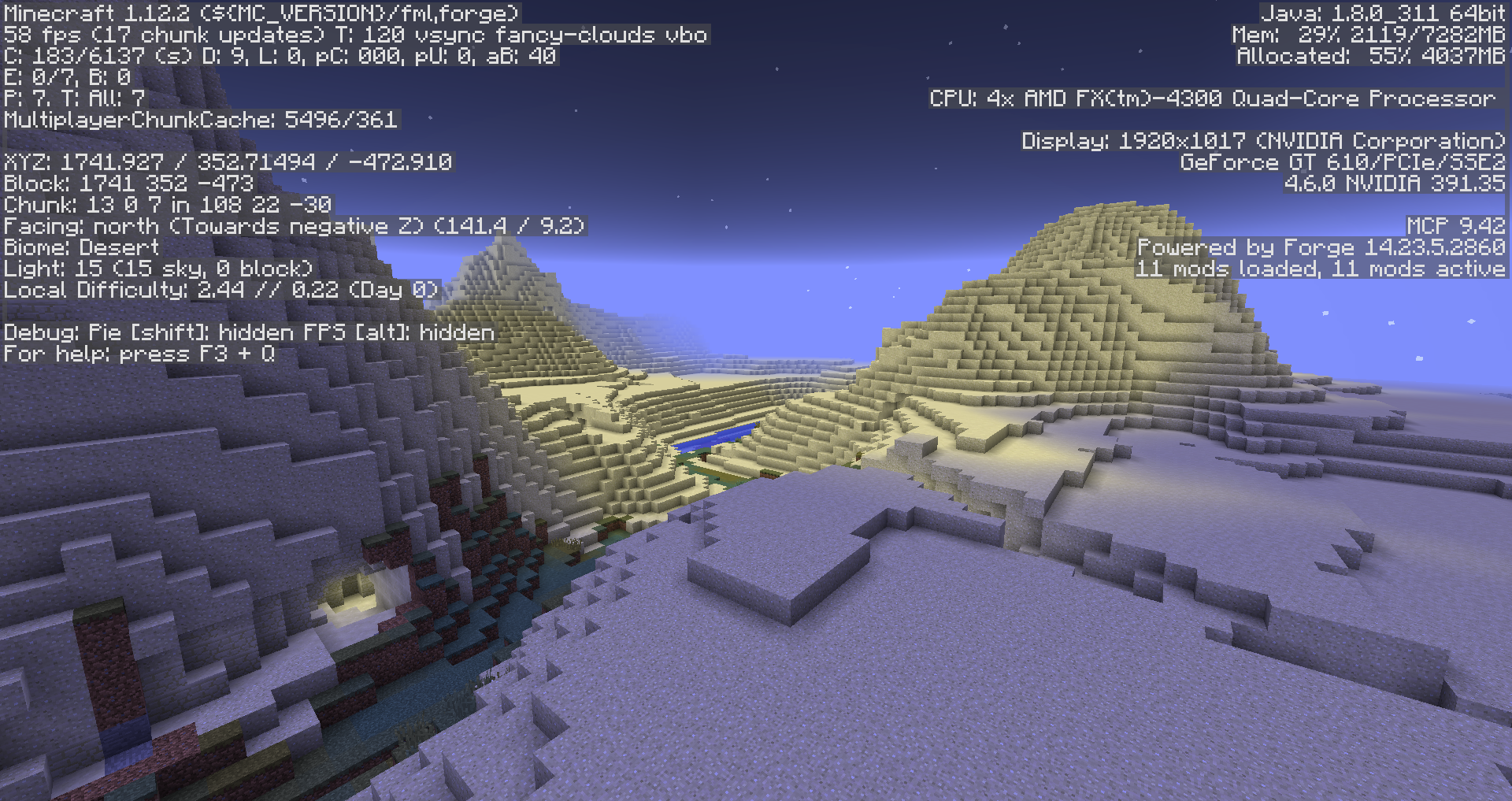 Sky light issue some surface closed from the sky by higher layer terrain, so light look like cave
 -
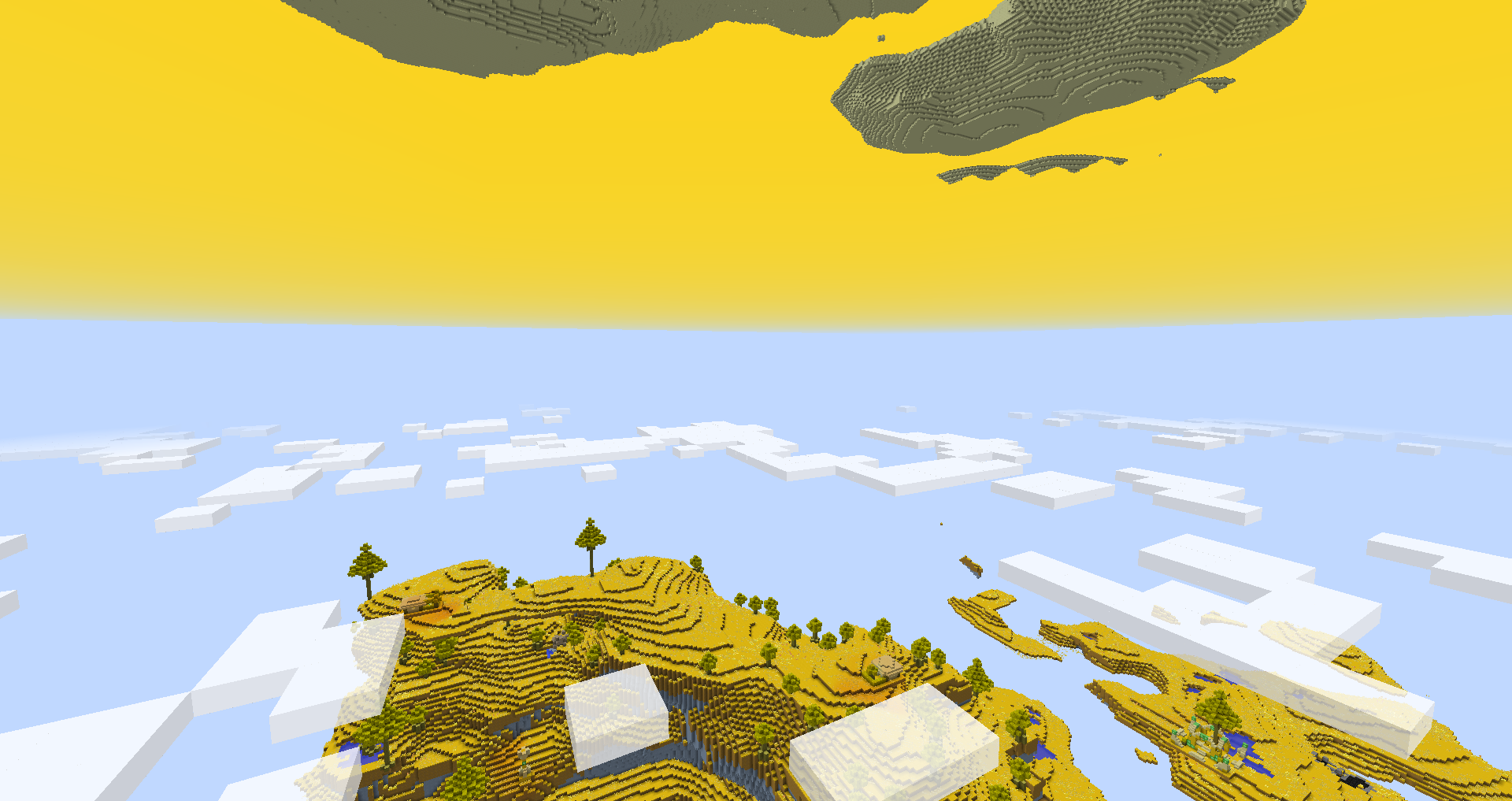 DivineRPG Eden, The End
Versions
Files
Relations
Project Relations
More like this
Similar Mods
Suggestions use data such as tags, dependencies, dependents, descriptions, titles, and more to rank how much they overlap with this mod.
On ModDex
Community snapshot
By the numbers
Statistics

Get it on
Available Platforms
On ModDex
Community snapshot
By the numbers