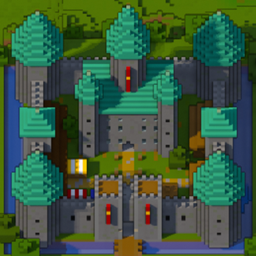
Community listing page, reviews may not be monitored by the author.
Diorama


No reviews yet
A minimap and world map drawn at an angle, like a model of your world on a table. Towers stand up, cliffs have faces and trees cast shadows.

Community voices
Reviews
No reviews yet. Be the first to review this project!
Get it on
Available Platforms
Compatibility
Supported Environments
Runs entirely on the client. Works on vanilla servers.
About
Project Details
For authors
Embed Badge
If you're the author of this project, you can embed a live badge anywhere that supports HTML or Markdown. It updates automatically whenever ratings change.
Use HTML for any page that supports it, or Markdown for README files and Markdown-based descriptions.
Identifiers
Platform IDs
About
Description
Diorama draws your world as a map seen from above at an angle, so it looks like a model on a table. Towers stand up, cliffs have faces, and trees cast shadows. You get a minimap in the corner and a fullscreen map you can pan and zoom.
How the map looks
The map looks north and down at 50°, so you see the tops of blocks and their south faces. Diorama ray traces every pixel through the actual blocks, so overhangs, bridges and tree canopies come out right instead of flattening into their top layer.
- A low sun casts long shadows, and the ground under trees and overhangs is darker.
- Higher ground is a little brighter, so hills still read as hills when you zoom far out.
- Water gets darker the deeper it is.
- If you'd rather have a flatter map, turn off Depth shading in the settings.
Zoom runs from single blocks out to about 10,000 blocks across. Diorama saves everything your game loads, per world and dimension, so the map is still there next time and you can zoom out over everywhere you've been. Places you haven't explored sit under drifting fog.
Caves and the Nether
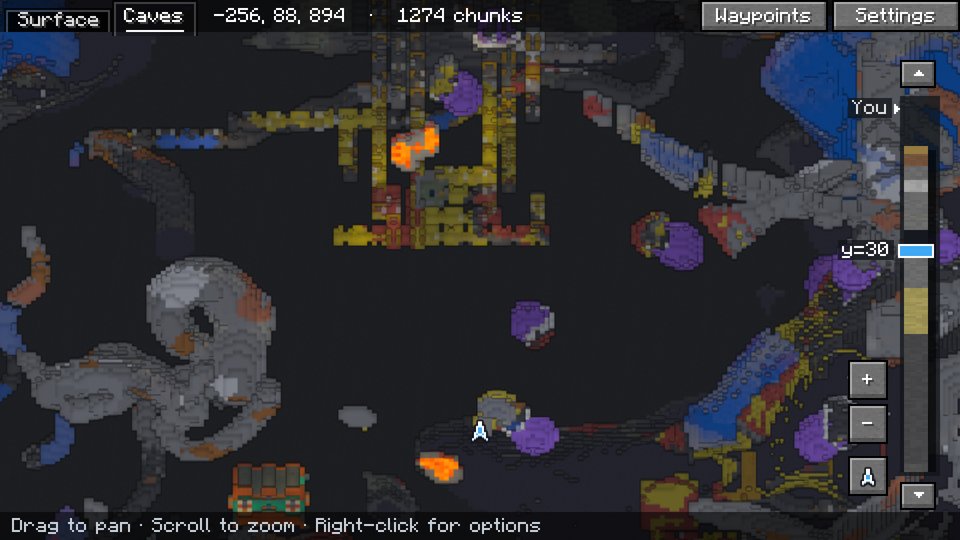
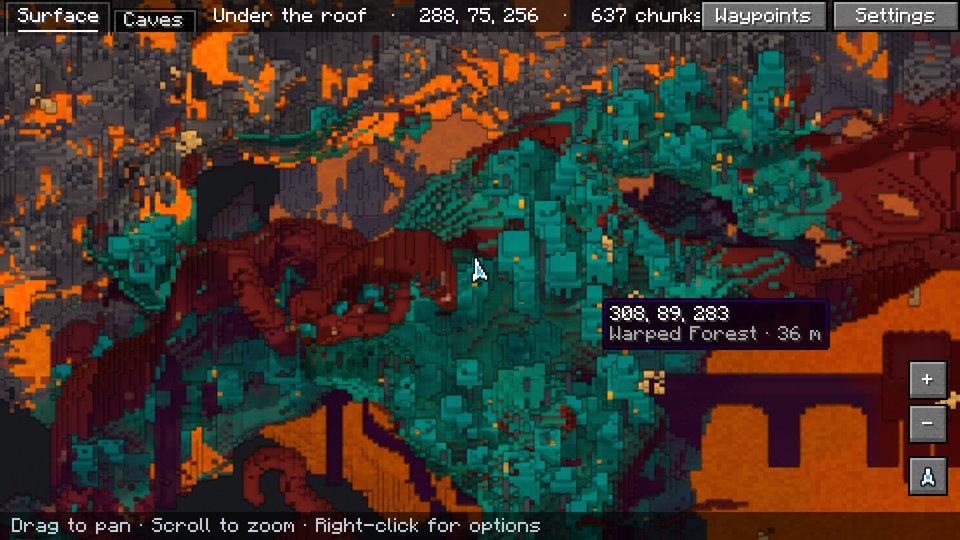
Underground, the map switches to a cave view: a slice through the world a few blocks above your head, lit by torches and other block light. PgUp and PgDn move the slice up and down. In the Nether, the map shows everything under the bedrock roof.
Radar, waypoints and overlays
- Radar. Other players and mobs show on the map as their own faces, framed red, yellow or green for hostile, neutral or passive, with a marker if they're above or below you.
- Waypoints. They show on the map and as labels in the world, and you get one wherever you die. You can share a waypoint in chat. Shared waypoints, including ones from Xaero's Minimap, get an [Add] link. If you're allowed to use
/tp, you can teleport to a waypoint. - Overlays. The fullscreen map can show the chunk grid, slime chunks (singleplayer only) and the spots where monsters can spawn.
Keys
| Key | What it does |
|---|---|
M |
Open the fullscreen map. Drag to pan, scroll to zoom, right-click to add a waypoint. |
B |
Add a waypoint where you're standing |
U |
List your waypoints |
= / - |
Zoom the minimap |
C |
Switch the fullscreen map to the cave view |
Space |
Center the fullscreen map on you again |
Every setting is behind the Settings button on the fullscreen map. On a slower computer, set Quality to Fast: the map fills in faster and the fog costs less to draw.
On servers
Diorama runs entirely on your side. You install it in your game, and servers don't need it. Each world on a server gets its own map and waypoints, even several worlds behind one address, like a network's lobby and survival worlds.
Servers can limit it with the same chat codes Xaero's Minimap uses:
- Fair play turns the radar off, and the cave view only shows blocks you've actually seen.
- No minimap turns the map off.
Requirements
- Minecraft 26.3 or 1.21.11. Download the file for your version.
- Fabric Loader 0.19.5 or newer
- Fabric API
- Java 25 for Minecraft 26.3, Java 21 for 1.21.11. The Minecraft launcher brings the right one.
Bug reports and source code live on GitHub.
Diorama is a minimap and world map that draws your world at an angle, like a little model of it on a table. Towers stand up, cliffs have faces and trees cast shadows.

What you get
- A minimap in the corner of your choice, square or round, with a compass, your coordinates and the biome.
- A fullscreen map you can drag and zoom, from single blocks out to about 10,000 blocks across.
- A map that remembers. Everywhere you've been is saved, so it's still there next time. Places you haven't seen yet sit under drifting fog.
- Caves and the Nether. Underground, the map shows the cave you're in. In the Nether it looks in under the bedrock roof.
- A radar that shows players and mobs as their own faces, outlined red, yellow or green for hostile, neutral or passive.
- Waypoints on the map and floating in the world, a marker where you died, folders to sort them, and an [Add] link when someone shares one in chat.
- A right-click menu on the map to add a waypoint, drop a temporary one, share the spot in chat, or teleport there if you're allowed to use
/tp.
Keys
| Key | What it does |
|---|---|
M |
Open the fullscreen map |
B |
Add a waypoint where you're standing |
U |
List your waypoints |
= / - |
Zoom the minimap in and out |
On the fullscreen map, drag to move around, scroll to zoom, click a waypoint to edit it and right-click for the menu. C switches to the cave view. The map can also show the chunk grid, slime chunks and where monsters can spawn. Every setting is behind the Settings button on the fullscreen map. On a slower computer, set Quality to Fast.
On servers
Diorama only runs in your game, and servers don't need it. Each world on a server gets its own map and waypoints, even several worlds behind one address, as long as their seeds differ. Servers can limit it with the same rules as Xaero's Minimap.
Works with
- Xaero's Minimap. Import your waypoints, add waypoints people share in chat, and see far-away players on servers with Xaero's player tracking.
- Radar icon packs made for Xaero's Minimap work too. You can also make your own.
- Waystones. Waystones you've found show on the map.
- Create copycats show as the block they copy.
Requirements
- Fabric. Minecraft 1.21 to 1.21.11 or 26.1 to 26.3, with Fabric API.
- NeoForge. Minecraft 1.21, 1.21.1, 1.21.3, 1.21.4, 1.21.5, 1.21.8, 1.21.10, 1.21.11, 26.1.2, 26.2 or 26.3.
Download the file for your Minecraft version and loader. Bug reports and source code are on GitHub.
Screenshots
Gallery
-
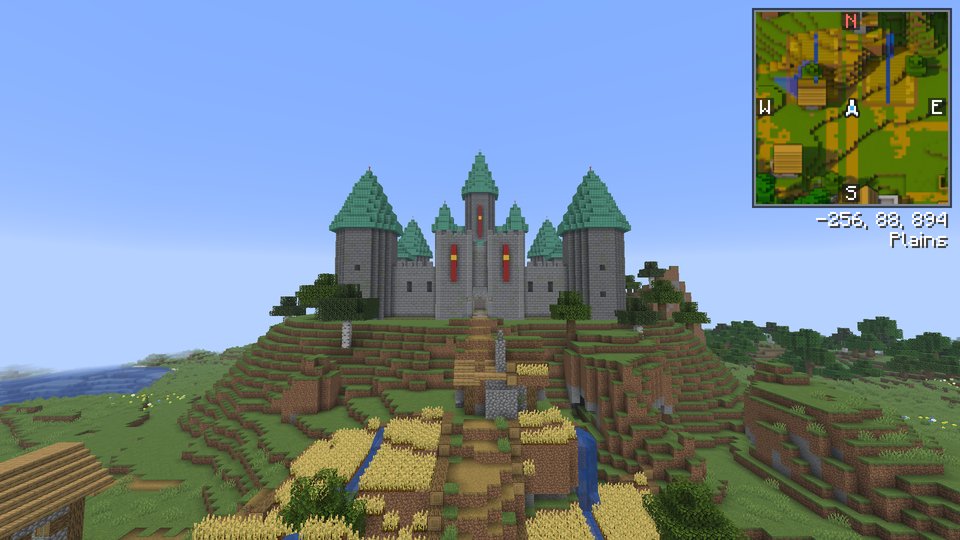
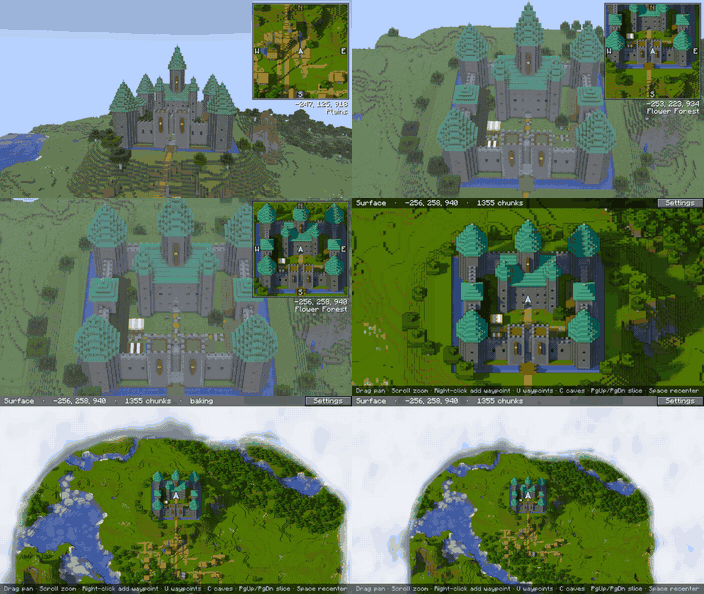 From the game to the map Looking at the castle in the game, the camera rises to the map's angle and the world fades into the map.
 -
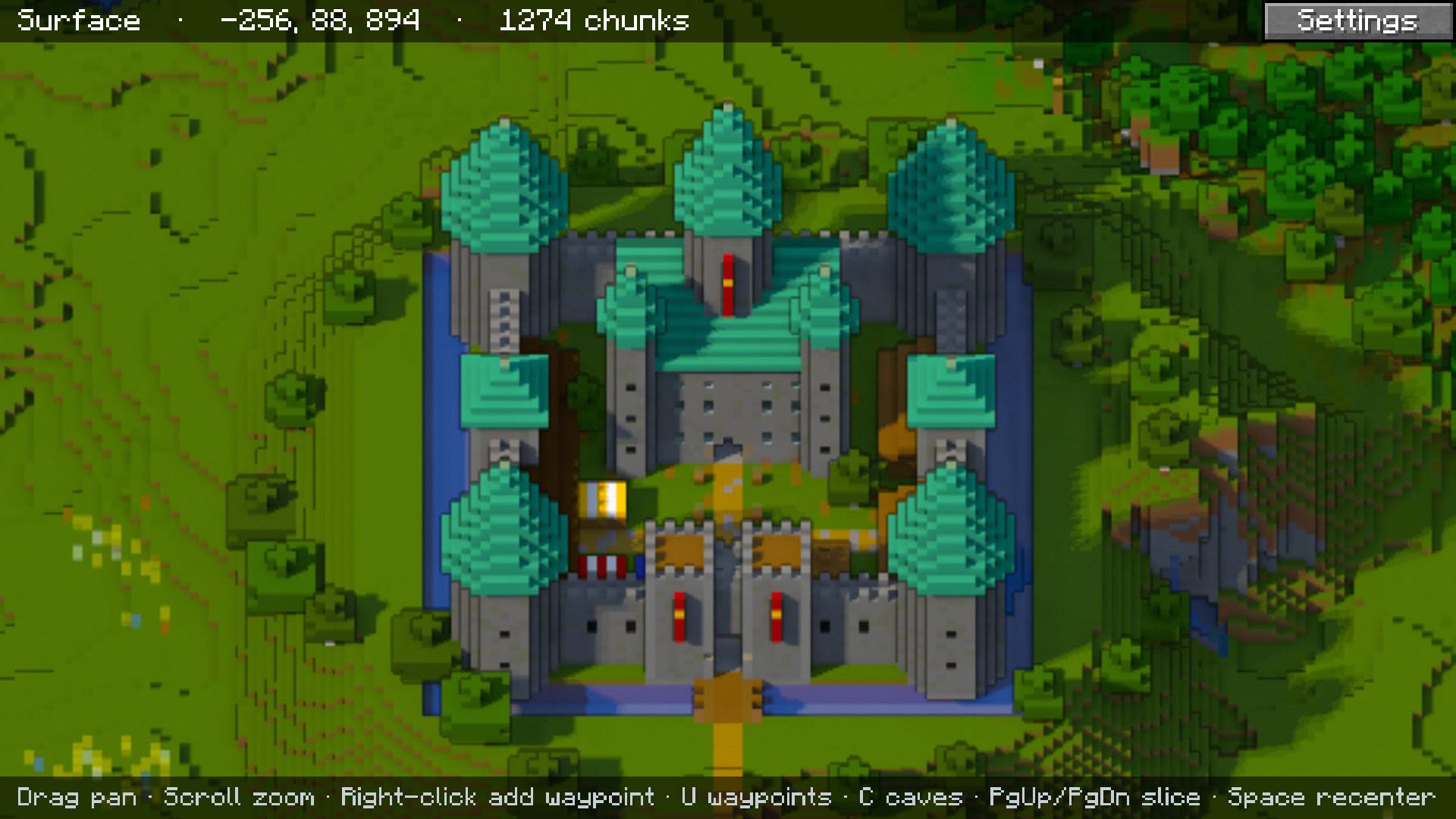 A castle on the fullscreen map The map shows roofs from above and the south faces of walls and towers.
 -
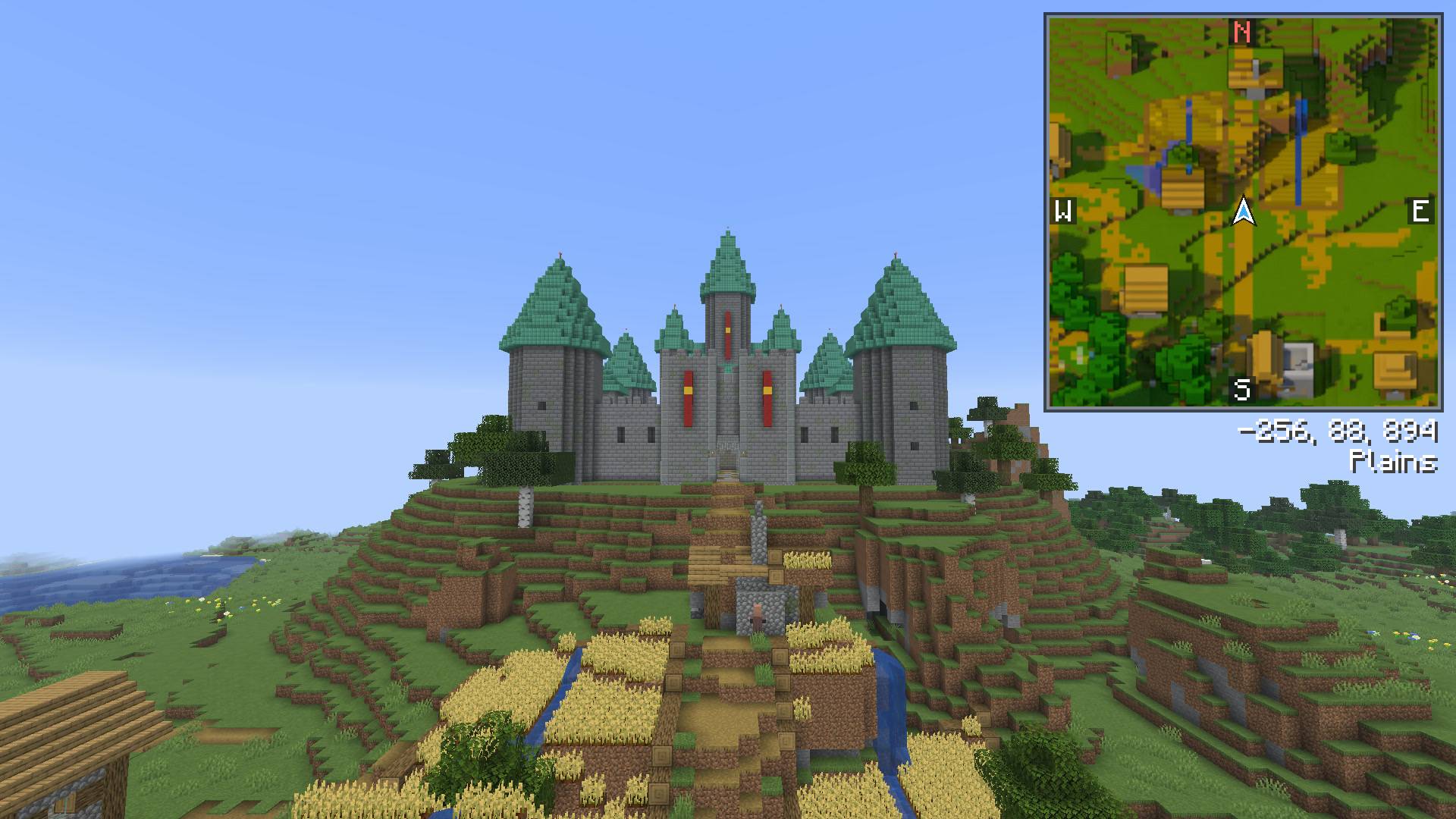 The minimap The minimap in the corner, with compass, coordinates and biome.
 -
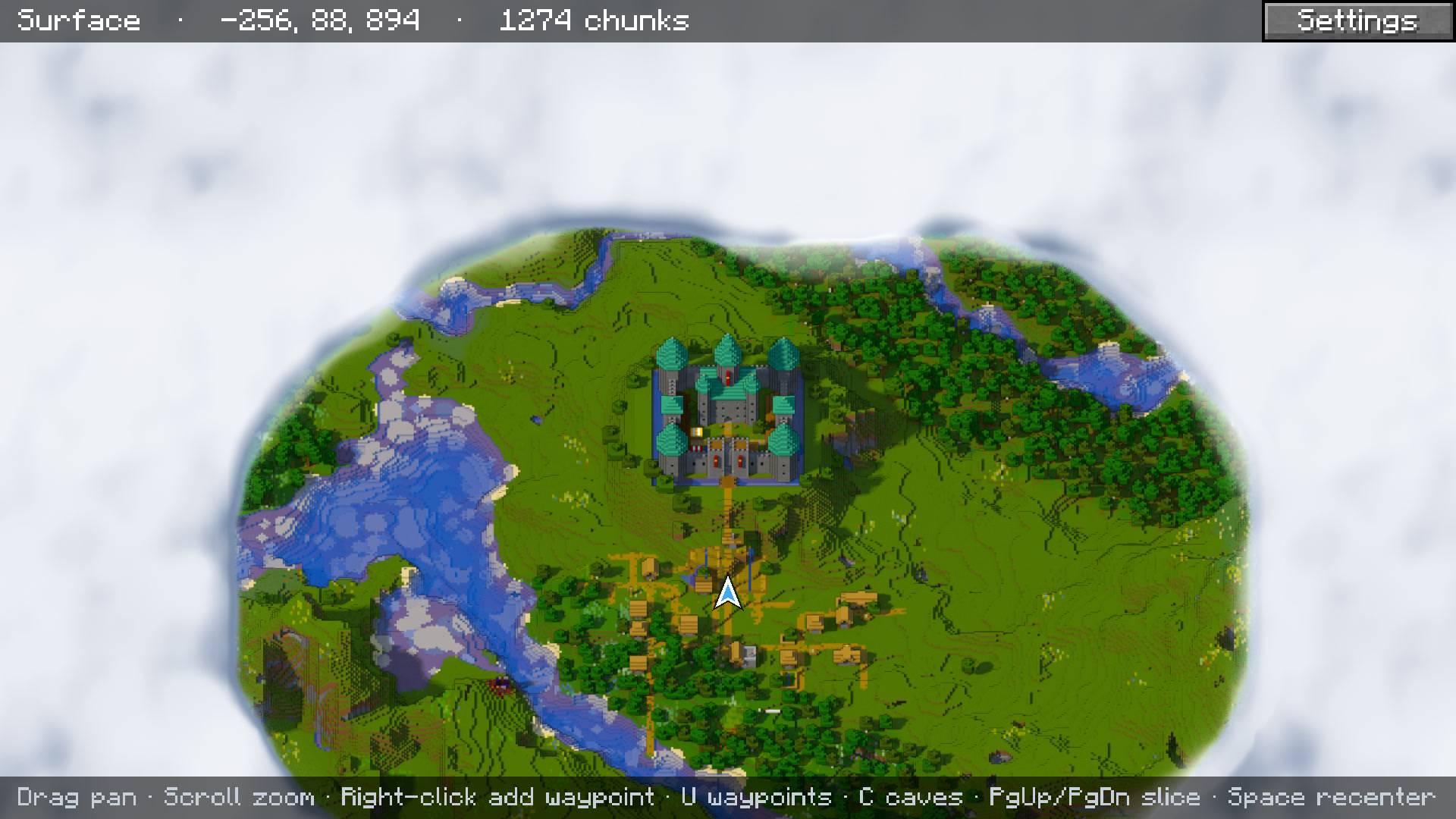 The whole valley Zoomed out over the castle, the village, the river and the forest.
 -
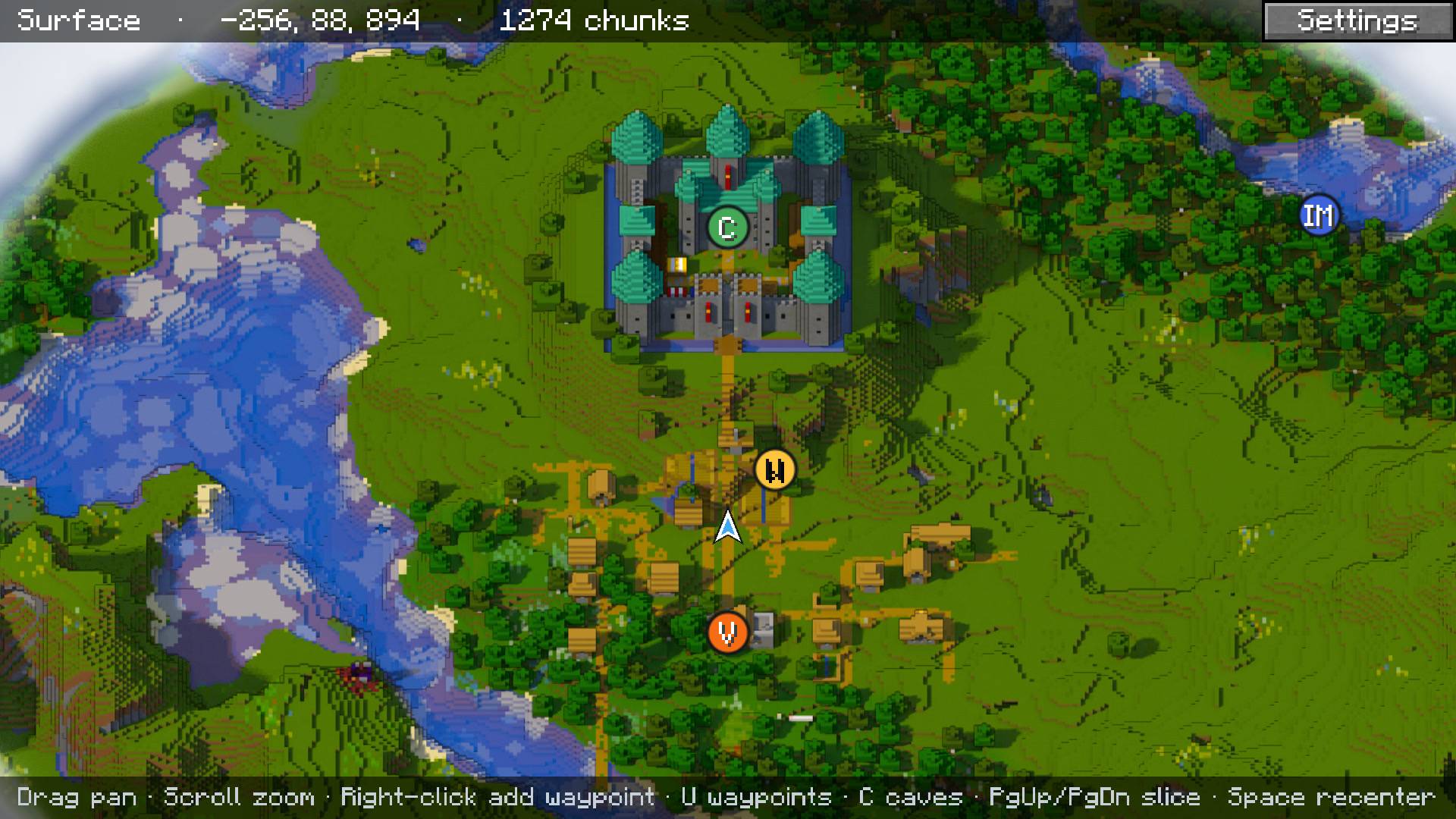 Waypoints Waypoints on the map, marked with their initials.
 -
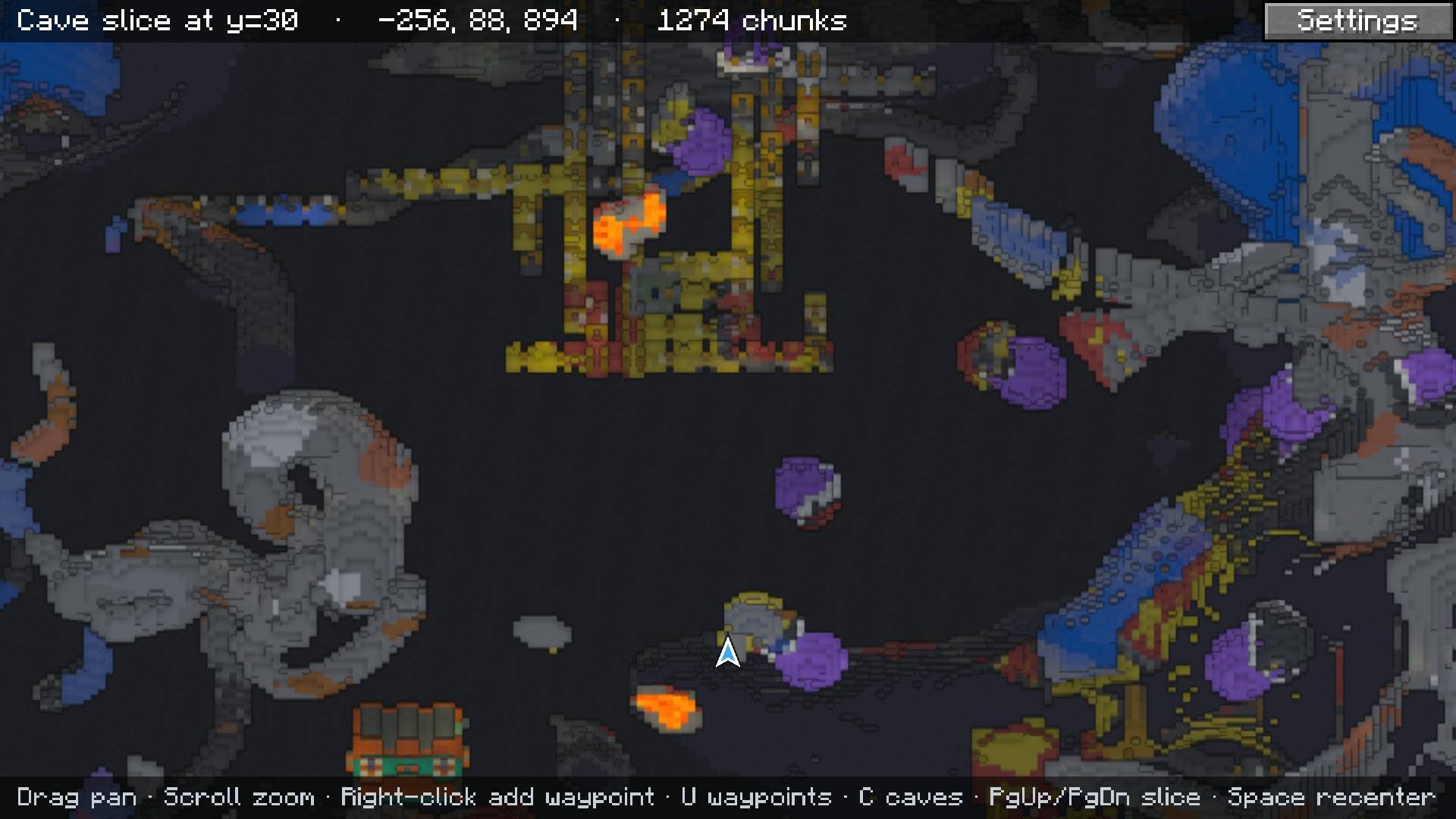 Cave view A slice through the caves under the castle: amethyst geodes, lava and a mineshaft.
 -
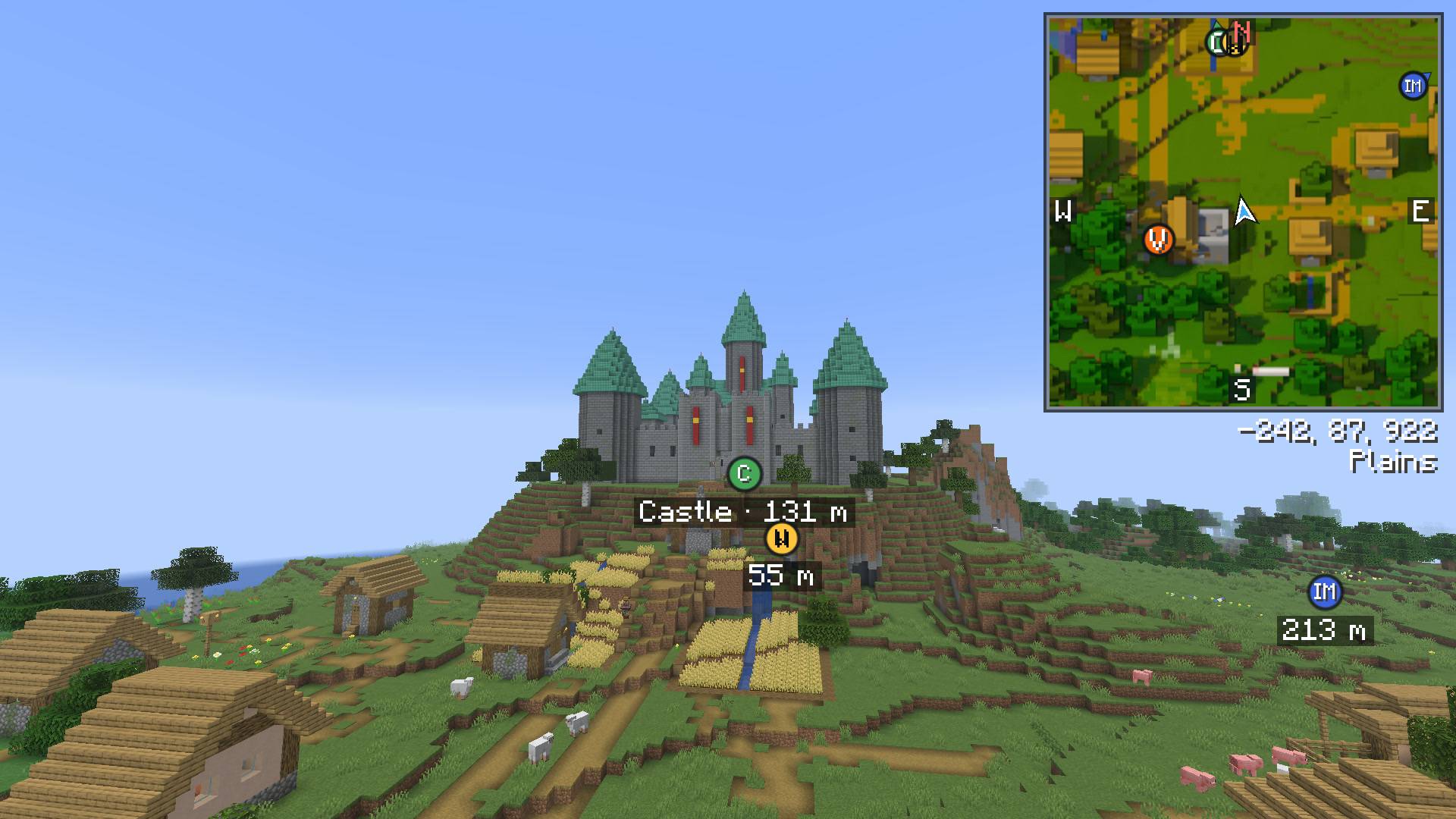 Waypoints in the world Waypoint labels over the castle, seen from the village, with their distances.
 -
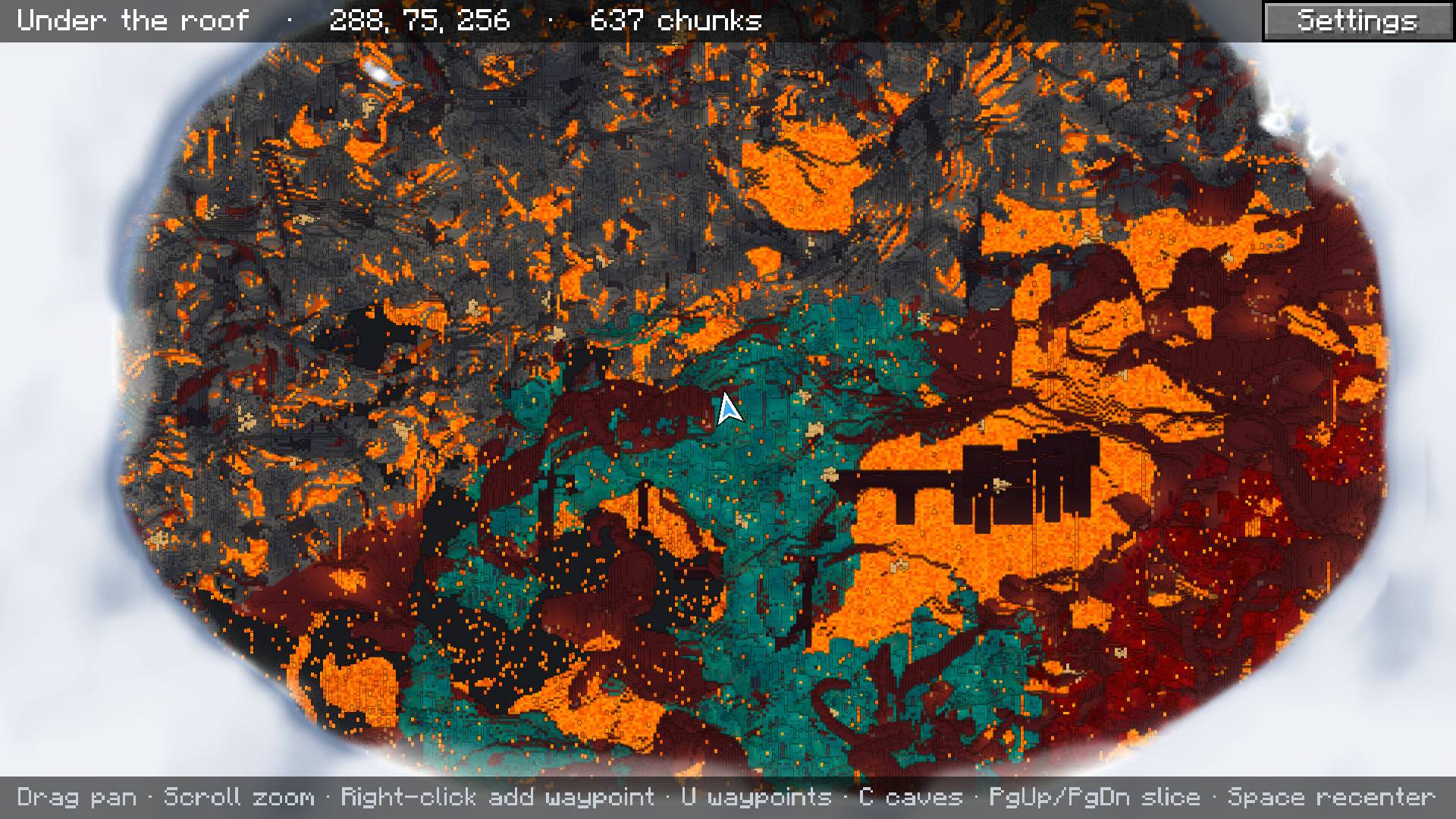 The Nether The Nether from under the bedrock roof: a fortress over a lava lake, beside a warped forest.
-
 A castle on the fullscreen map Zoomed in on a castle. The map shows roofs from above and the south faces of walls and towers.
 -
From the game to the map Looking at the castle in the game, the camera rises to the map's angle and the world fades into the map, which zooms out over the valley.
-
 The minimap The minimap in the corner, with compass, coordinates and biome.
 -
 The whole valley Zoomed out over the castle, the village, the river and the forest.
 -
 Waypoints Waypoints on the map, marked with their initials.
 -
 Cave view A slice through the caves under the castle: amethyst geodes, lava and a mineshaft.
 -
 Waypoints in the world Waypoint labels over the castle, seen from the village, with their distances.
 -
 The Nether The Nether from under the bedrock roof: a fortress over a lava lake, beside a warped forest.
Versions
Files
Relations
Project Relations
More like this
Similar Mods
Suggestions use data such as tags, dependencies, dependents, descriptions, titles, and more to rank how much they overlap with this mod.
On ModDex
Community snapshot
By the numbers
Statistics

Get it on
Available Platforms
On ModDex
Community snapshot
By the numbers