Community listing page, reviews here may not be monitored by the author.
Disable My Mods Please

No reviews yet
Are you tired of mods that you want to disable but you have to restart the launcher and find the mod. well lucky you, with this you can do that all in minecraft itself
Community voices
Reviews
No reviews yet. Be the first to review this project!
Get it on
Available Platforms
Compatibility
Supported Environments
Runs entirely on the client. Works on vanilla servers.
About
Project Details
For authors
Embed Badge
If you're the author of this project, you can embed a live badge anywhere that supports HTML or Markdown. It updates automatically whenever ratings change.
Use HTML for any page that supports it, or Markdown for README files and Markdown-based descriptions.
Identifiers
Platform IDs
Resources
External Links
About
Description
Disable My Mods Please lets you disable and enable mods without searching through your mods folder.
If the mod does well then I shall create a server for bugs and issues and more updates
How it works: it changes the names of the mods from .jar to .jar.disabled
This mod is more useful if you use the normal minecraft launcher, because modrinth already uses has a way to disable mods. that used to be to rename it to .jar.disabled when i created this but now they changed it to something else
Larger modpacks take longer to load ofcourse!
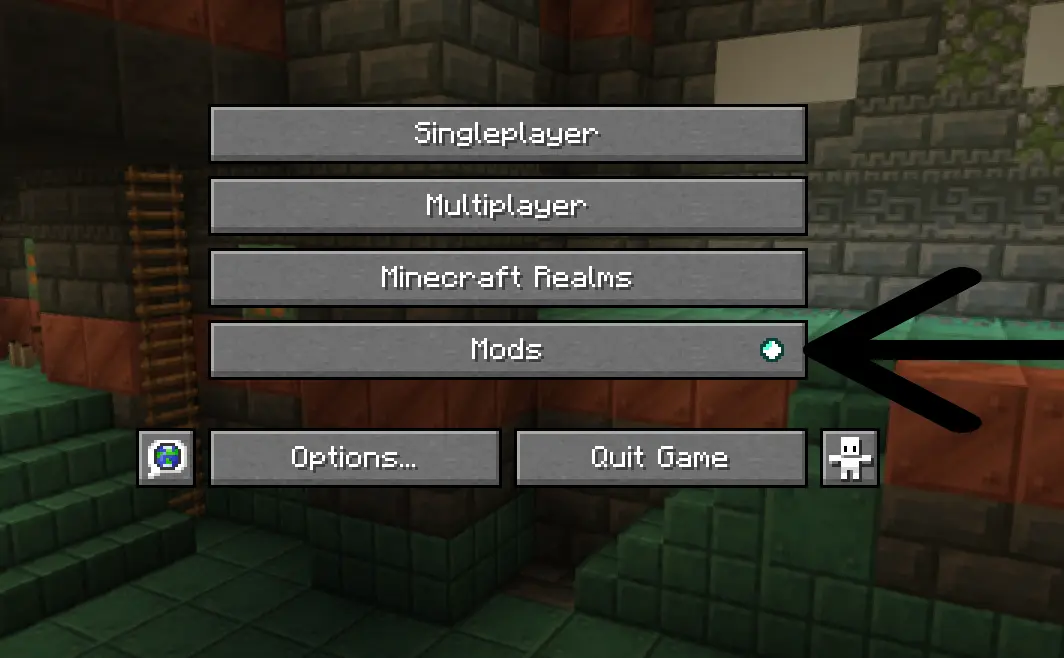
Step 1. Click the mods tab from mod menu in the main menu
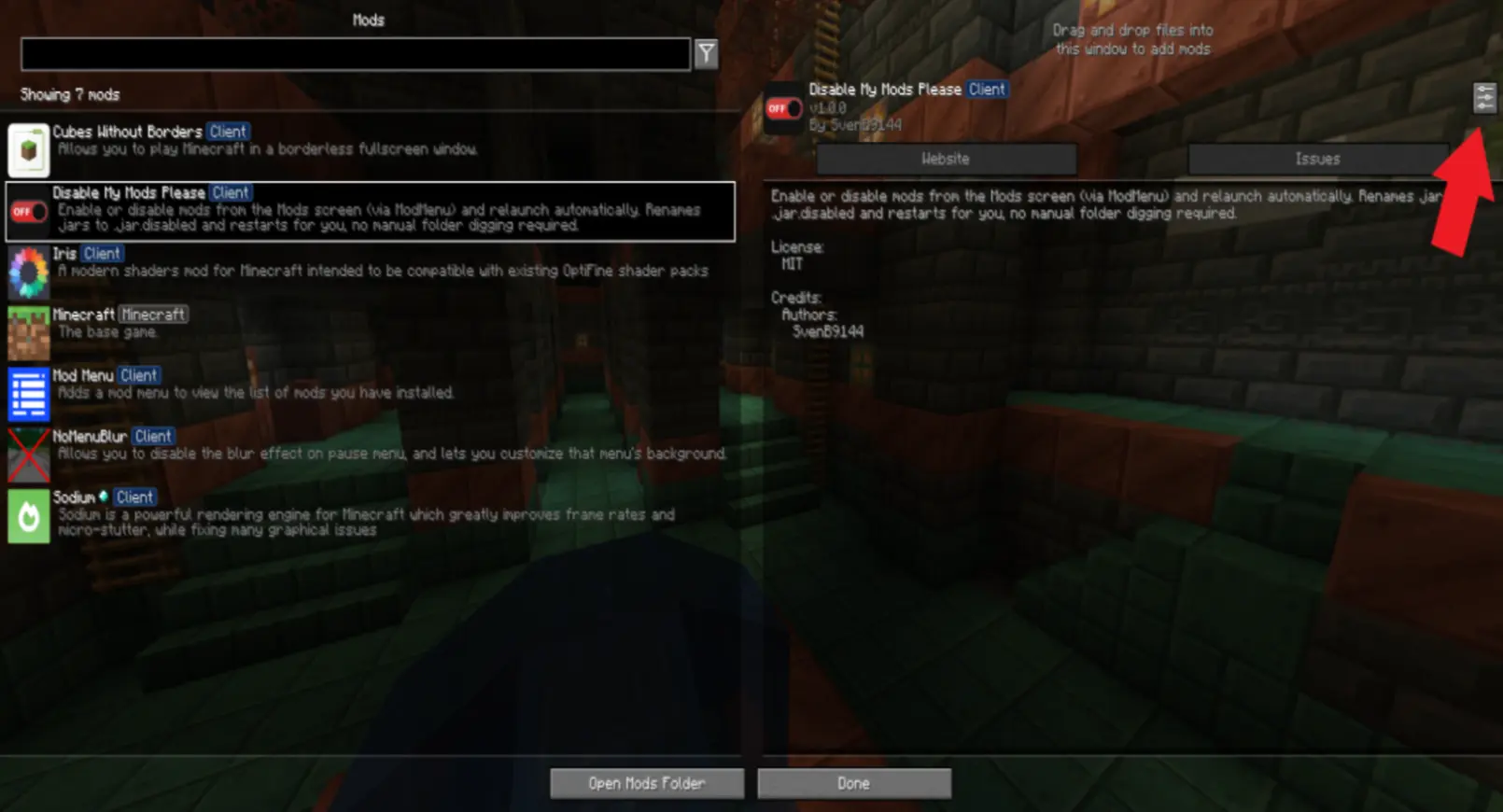
step 2. Look for the Disable My Mods Please mod on the left sidebar and click the config button (I had to make the image blurry because of the image size limit)
step 3. Search for the mod that you want to disable or enable and press the button on the right next to that mod.
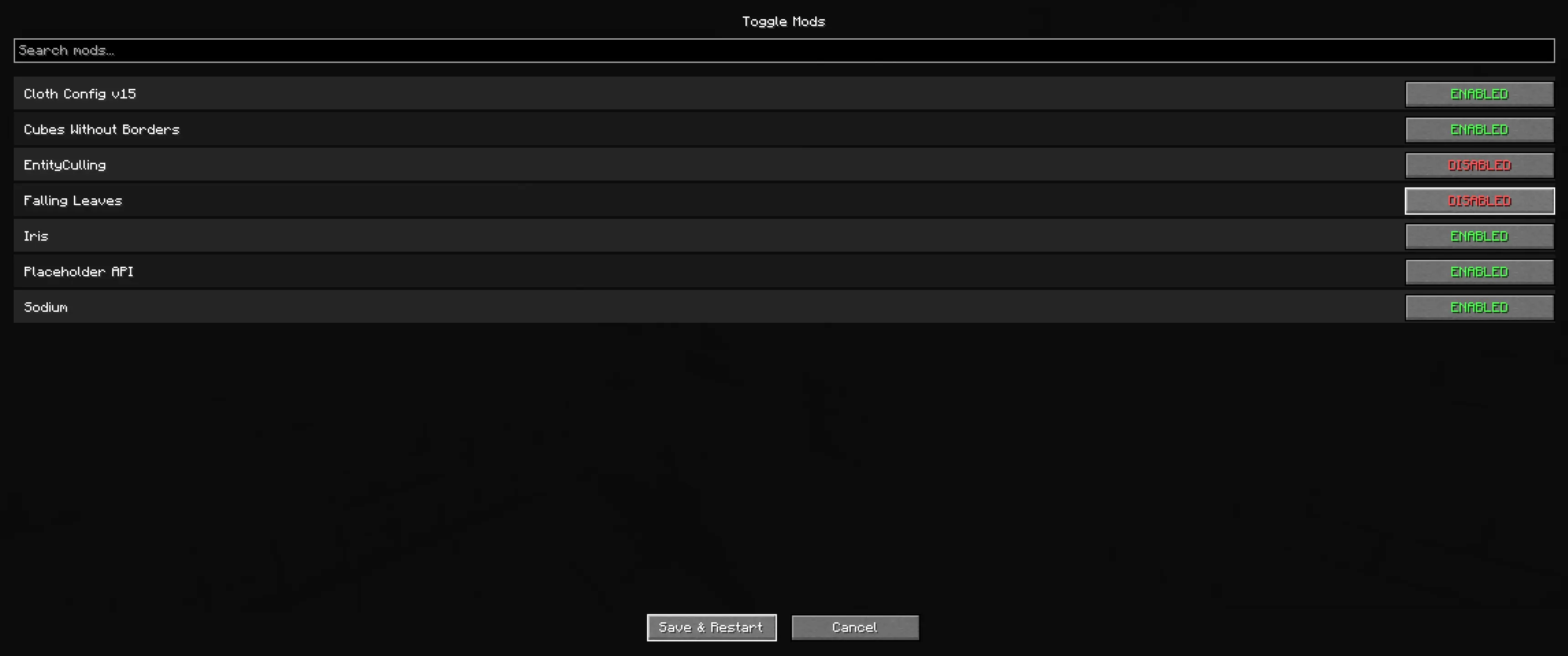
step 4. Press Save and restart
step 5. Watch it restart automatically
Extra features:
- a blur toggle in versions 1.1.0 and higher.
Futre plans
- way to make the instance not restart.
- a warning if disableing the mod breaks other mods.
Thank you for downloading my mod! :)
I found a bug where it doesnt restart with big modpacks, I'm working on a fix rn this bug doesnt appear in the normal minecraft launcher
Screenshots
Gallery
-
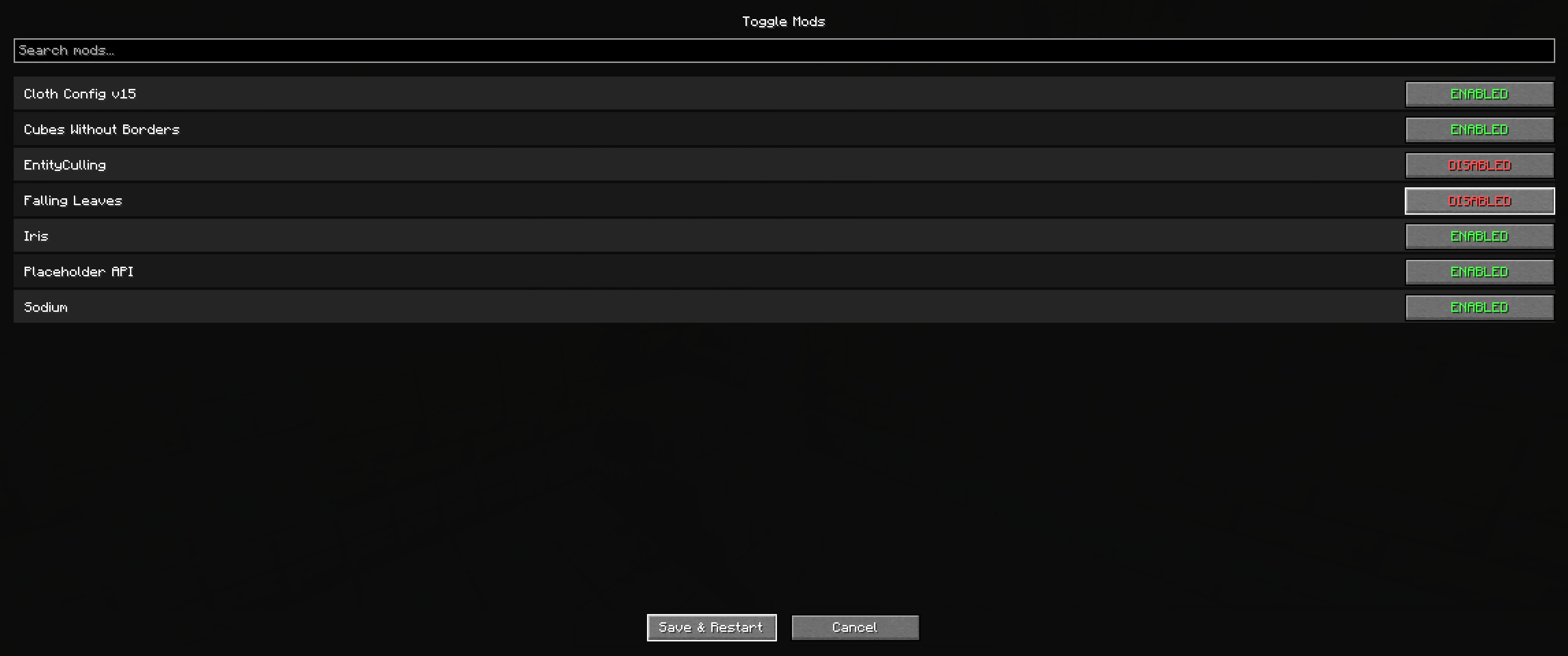 Mod config screen this is the mod config screen
Versions
Files
Relations
Project Relations
More like this
Similar Mods
Suggestions use data such as tags, dependencies, dependents, descriptions, titles, and more to rank how much they overlap with this mod.
On ModDex
Community snapshot
By the numbers
Statistics

Want to reach Minecraft players?
We're looking for a server hosting partner to feature here and other parts of the site. Interested? Send us a message!
Get in touchGet it on
Available Platforms
On ModDex
Community snapshot
By the numbers
Statistics
Resources