Community listing page, reviews may not be monitored by the author.
Discord Scoreboard

No reviews yet
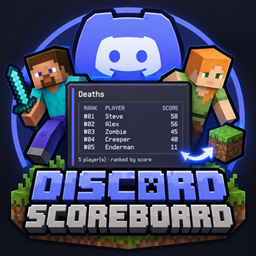
A small server-side mod that allows players to display their server's scoreboards in Discord

Community voices
Reviews
No reviews yet. Be the first to review this project!
Get it on
Available Platforms
About
Project Details
For authors
Embed Badge
If you're the author of this project, you can embed a live badge anywhere that supports HTML or Markdown. It updates automatically whenever ratings change.
Use HTML for any page that supports it, or Markdown for README files and Markdown-based descriptions.
Identifiers
Platform IDs
Resources
External Links
About
Description
Bring your Minecraft scoreboard to Discord with DiscordScoreboard, a server-side NeoForge mod that keeps a live leaderboard embed up to date. Originally developed for the Cognetics SMP to track the deaths scoreboard in Discord.
Choose one or more scoreboard objectives to watch. When scores change, the mod creates or updates an editable Discord message for each objective. Each leaderboard uses the objective’s display name and shows players ranked from highest score to lowest in a clean, aligned layout.
Features
- One editable Discord embed per watched objective
- Automatically refreshes when scoreboard scores change
- Supports multiple objectives
- Add, remove, list, and clear watched objectives in-game
- Persists objective settings and Discord message IDs across restarts
- Configurable with a Discord bot token and channel ID
- Optional Create config-screen integration; Create is not required
Setup
Follow these steps on the Minecraft server. This is a server-side mod; players do not need to install it on their clients.
1. Install the mod
-
- Make sure the server is running Minecraft 1.21.1 with NeoForge 21.1.233 or newer.
- Stop the server and put
scoreboarddiscord-\[version\].jarin the server'smodsfolder. - Start the server once, then stop it again. This creates
world/serverconfig/scoreboarddiscord-server.toml.
2. Create and invite a Discord bot
-
- In the Discord Developer Portal, create an application and add a bot to it.
- Copy the bot token from the bot settings. Treat it like a password; never post it in chat or share it.
- Use the application's OAuth2 installation page to invite the bot to your Discord server.
- Give the bot access to the channel where the leaderboard should appear. It needs View Channel, Send Messages, and Embed Links.
- Enable Developer Mode in Discord's Advanced settings. Right-click the target channel and choose Copy Channel ID.
3. Configure the mod
The safer option is to edit `world/serverconfig/scoreboarddiscord-server.toml` while the Minecraft server is stopped. Set:
botToken = "YOUR_BOT_TOKEN"
channelId = "YOUR_CHANNEL_ID"
objective = "points"
Keep the token private and restrict access to this file. Do not commit it to a repository or include it in a public backup.
Alternatively, a server operator with permission level 4 can run:
/discordScoreboard bot set <token> <channelId>**Warning:** Command input may be recorded in server logs. Prefer editing the config file if command logging is enabled. Do not paste the token into public chat, screenshots, or issue reports. If it is exposed, regenerate it in the Discord Developer Portal and update the config.
Restart the server after editing the config file. Posting is disabled until both `botToken` and `channelId` are set.
4. Choose scoreboard objectives
The default primary objective is `points`. If your world does not already have that objective, create it with `/scoreboard objectives add points dummy`, or change the `objective` value in the server config to the exact internal name of an objective that already exists. To watch another objective as well, an operator with permission level 2 can run:
/discordScoreboard add <objective>For example, to track player deaths, first create the Minecraft objective and then add it to Discord Scoreboard:
/scoreboard objectives add deaths deathCount
/discordScoreboard add deaths
5. Check that it is working
Run `/discordScoreboard list` to see watched objectives. When an objective's score changes, the mod creates an embed in the configured channel. Later changes update that same message. Existing scores are used as the initial baseline, so the mod does not post the whole leaderboard immediately at startup; change a score to trigger its first post.
Each objective has its own editable message. Message IDs are saved in the server config so updates continue after a restart. If a tracked Discord message is deleted, the mod creates a replacement after the next score change.
Objective commands
Operators (permission level 2) can manage watched objectives in-game:
- *
/discordScoreboardor/discordScoreboard listlists watched objectives and reports missing ones./discordScoreboard add <objective>starts watching an existing objective and saves it to the server config./discordScoreboard remove <objective>removes an additional objective. The primary objective is changed in the server config./discordScoreboard clearremoves all additional objectives while keeping the primary objective./discordScoreboard reloadrefreshes watched objective baselines and discards queued updates. It does not reread the config file from disk./discordScoreboard helplists the commands.
Objective arguments have tab completion. Bot settings can be checked or cleared by an operator with permission level 4:
- *
/discordScoreboard bot statusconfirms whether bot settings are configured without showing the token./discordScoreboard bot clearremoves the bot settings and disables posting.
The command suite and server config work without Create. When Create is installed on the client, its optional Catnip config screen is registered for Discord Scoreboard's mod config button; no Create classes are linked at compile time and Create's own settings page is not modified.
Each embed uses the objective's configured display name and shows a monospaced leaderboard sorted from highest score to lowest. Score updates are grouped for about one second before the embed is refreshed. Very large scoreboards may be shortened to fit Discord's embed size limit. Discord mentions are disabled in bot messages.
Total Blocks Mined
Discord Scoreboard registers the server-side `blocksPlaced` scoreboard criterion. Add an objective with `/scoreboard objectives add blocks_mined blocksPlaced`; it adds one for each block a player successfully places and subtracts one for each block they successfully break, including in creative mode. The score is a net placed-minus-broken count and can be negative. Display it with `/scoreboard objectives setdisplay sidebar blocks_mined`, or watch it with `/discordScoreboard add blocks_mined`. The criterion updates objectives automatically, like `deathCount` and `air`.
Keep your bot token private.
Screenshots
Gallery
Versions
Files
Relations
Project Relations
More like this
Similar Mods
Suggestions use data such as tags, dependencies, dependents, descriptions, titles, and more to rank how much they overlap with this mod.
On ModDex
Community snapshot
By the numbers
Statistics

Get it on
Available Platforms
On ModDex
Community snapshot
By the numbers
Statistics
Resources