
DiscordLogin
No reviews yet
This plugin/mod adds so players can authenticate with their Discord accounts
Fabric is a mod loader for versions 1.14+ of Minecraft, particularly popular for client side and optimization mods.
Paper is a fork of Spigot that adds its own plugin API on top of the Bukkit API. All Spigot plugins are compatible with paper, not all paper plugins are compatible with Spigot.
Community voices
Reviews
Click once to include, again to exclude, again to clear
No reviews yet. Be the first to review this project!
Get it on
Available Platforms
 Modrinth
Compatibility
Supported Environments
About
Project Details
For authors
Embed Badge
If you're the author of this project, you can embed a live badge anywhere that supports HTML or Markdown. It updates automatically whenever ratings change.
Use HTML for any page that supports it, or Markdown for README files and Markdown-based descriptions.
Identifiers
Platform IDs
Resources
External Links
About
Description
Discord Login
Allows your members to log in with discord
Configuration:
Config file
# DiscordLogin Configuration

# Your Discord bot token
bot-token: "discord_token"

# Your Discord server (guild) ID
guild-id: 43902483920

# How long (in seconds) to IP-ban a user when they press No (default: 300 = 5 minutes)
ip-ban-duration-seconds: 900

# How long (in seconds) a player has to approve the login before being kicked
login-timeout-seconds: 60

# Chat message prefix (supports & color codes)
message-prefix: "&8[&bDiscordLogin&8]&r "
How to get guild-id?
https://support.discord.com/hc/en-us/articles/206346498-Where-can-I-find-my-User-Server-Message-ID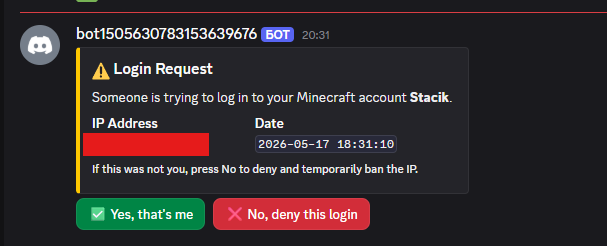
Faq
Where do I see how the plugin works?
Check the gallery tab
How do I unlink mine/a member account
Go into the data file (plugins/DiscordLogin/data.yml for Paper or config/DiscordLogin_data.json), and find the UUID of the person (formatted UUID: DiscordID) and remove the whole line, then restart the server
If you are a member, ask a staff member to do these steps
I wanna suggest an idea/report a problem
Add me on discord: stacik_
How to exclude members?
That's coming soon
Can players chat during the verification?
No
What can players do during verification?
Absolutely nothing
Why did you create this plugin?
To prevent the problem with of forgetting passwords (if using a normal login system) and also to prevent people from accessing your account without your permission
How do I know this plugin won't compromise my Minecraft or Discord account?
It can't. Here's why:
-The plugin never asks for your password, email, or any credentials
-It only sends a one-time code in-game that you paste into a Discord bot command
-The bot only knows your Discord user ID (a public number) and your Minecraft UUID, the same info any server already has
What if I don't put my server guild id?
You will have to wait an hour for discord to register the commands globally
Is there any discord bot commands, like in DMs?
No not yet, but I am absolutely thinking of adding that
Current ideas:
- !account kick - Kicks your account if its online
- !account unlink - Unlinks your account with 2 confirmations
- !account info - Returns some basic account info and possibly the player skin
Credits
dangkhoi6162 - Reporting big issue & ideas
Screenshots
Gallery
-
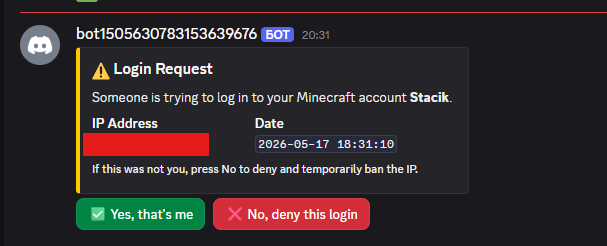 Discord notification What the linked player receives when someone tries to join
 -
 Minecraft Notification The message that will be sent to the linked player
 -
 First time join message The message the player gets the first time they join
 -
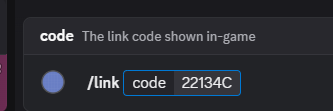 Command in Discord to link your discord account The command that you enter in a channel with commands enabled
 -
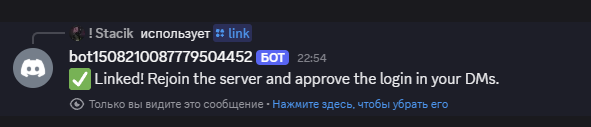 Successful link When you successfully link your minecraft account
 -
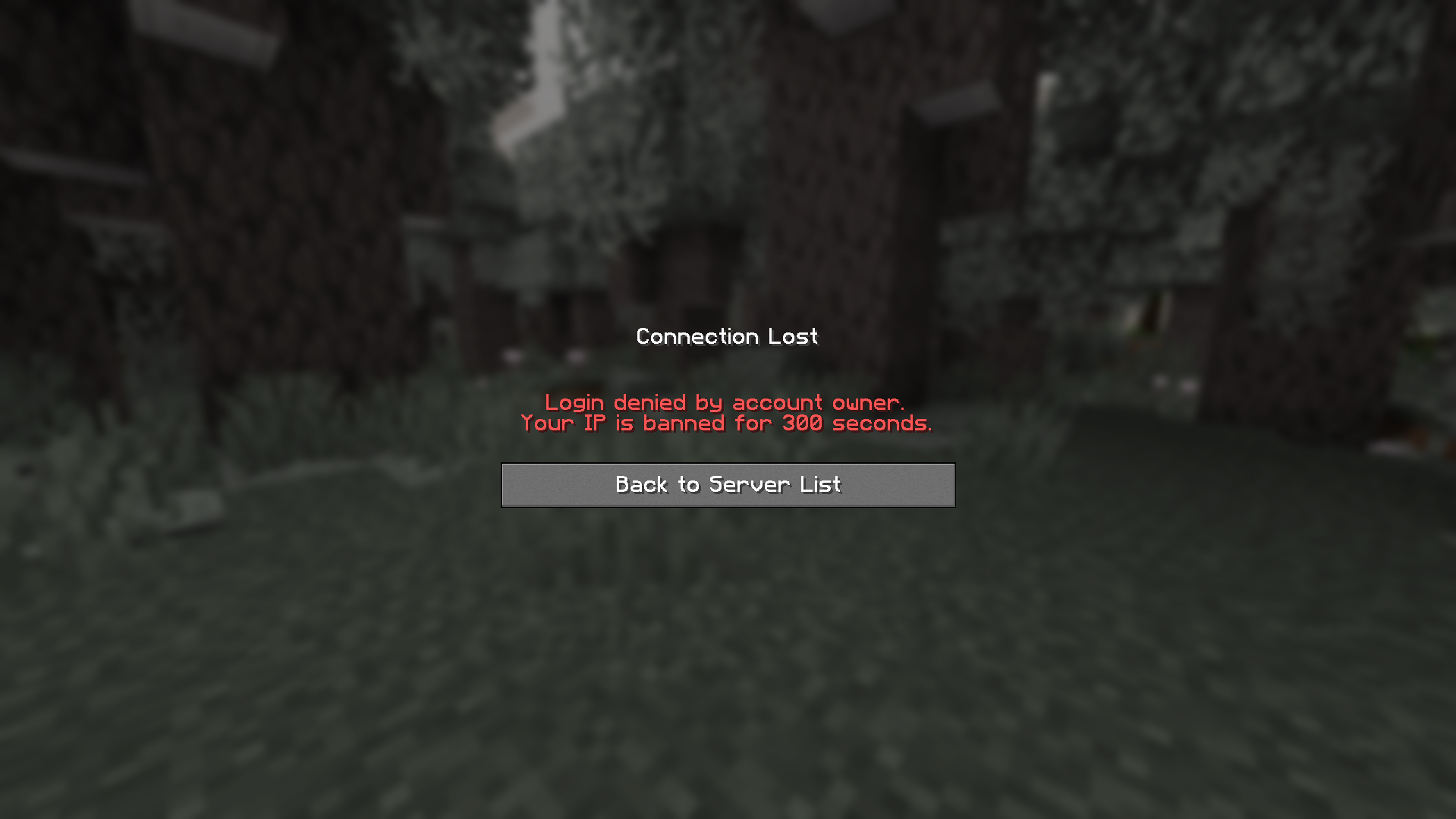 Denial ban If you deny the login request
Versions
Files
Relations
Project Relations
More like this
Similar Mods
Suggestions use data such as tags, dependencies, dependents, descriptions, titles, and more to rank how much they overlap with this mod.
On ModDex
Community snapshot
By the numbers
Statistics

Want to reach Minecraft players?
We're looking for a server hosting partner to feature here and other parts of the site. Interested? Send us a message!
Get in touchGet it on
Available Platforms
On ModDex
Community snapshot
By the numbers
Statistics
Resources