Community listing page, reviews here may not be monitored by the author.
DispenSeeds

No reviews yet
Add sowing behaviors to Dispensers
Community voices
Reviews
No reviews yet. Be the first to review this project!
Get it on
Available Platforms
About
Project Details
For authors
Embed Badge
If you're the author of this project, you can embed a live badge anywhere that supports HTML or Markdown. It updates automatically whenever ratings change.
Use HTML for any page that supports it, or Markdown for README files and Markdown-based descriptions.
Identifiers
Platform IDs
Resources
External Links
About
Description
DispenSeeds [BETA]
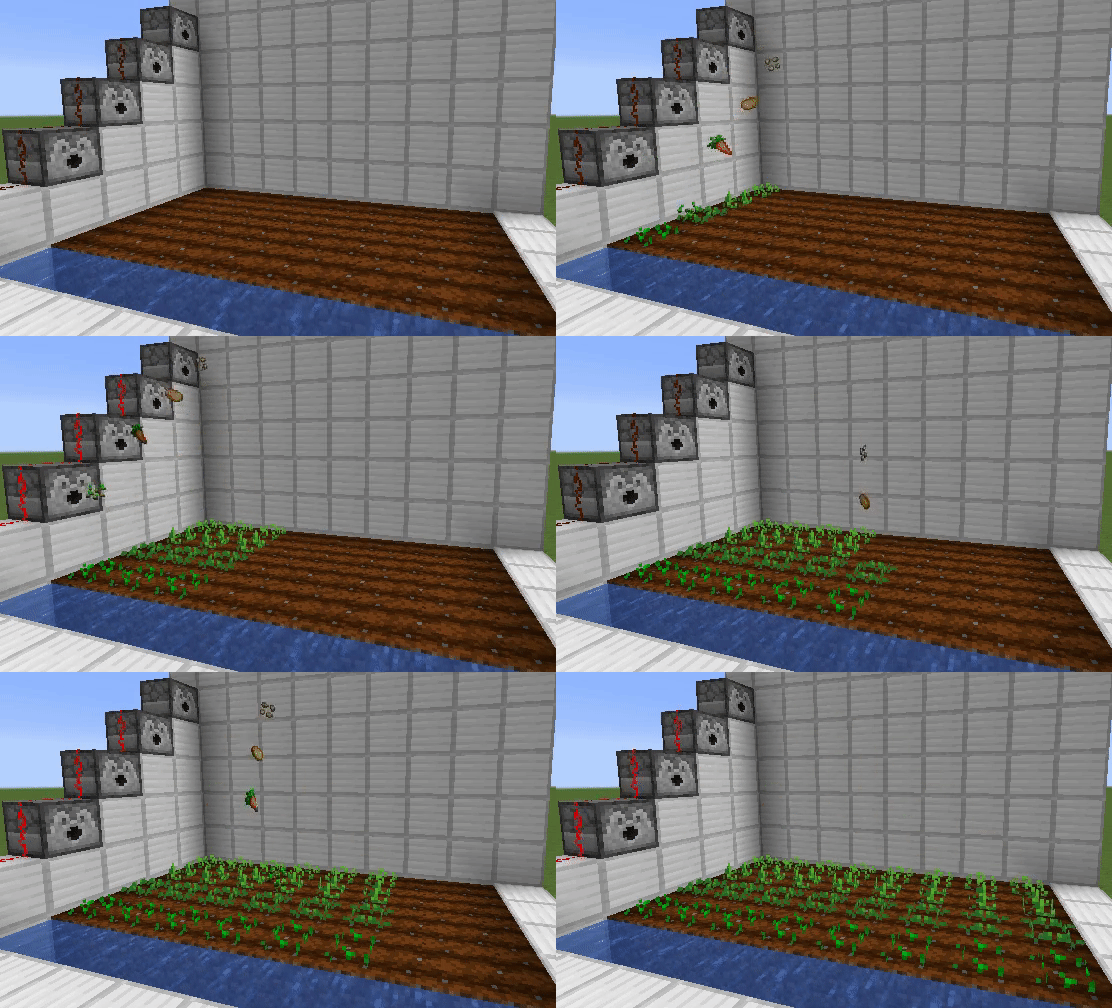
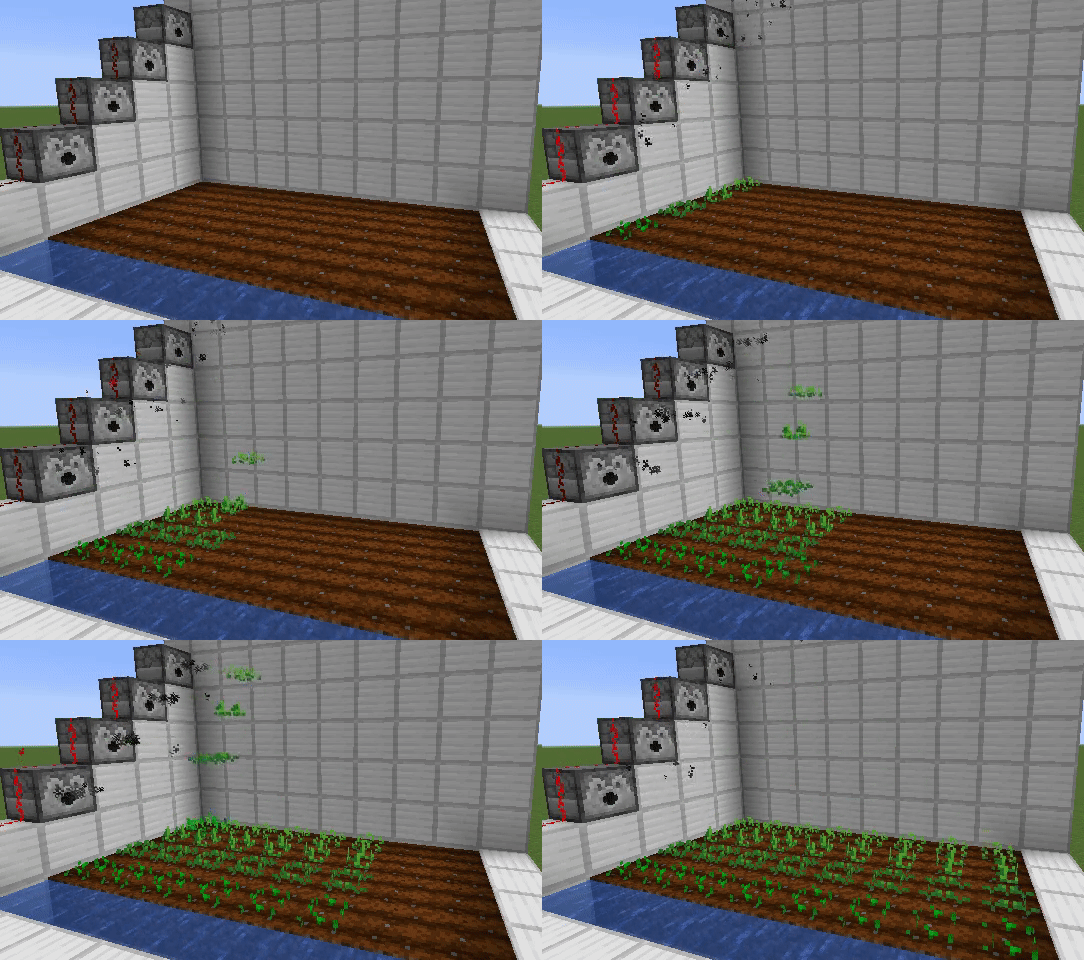
This mod adds sowing behaviors to Dispensers.
MODE 2 (default)
MODE 1 ( available on 1.16.x )
Supported seeds/crops by default
- Wheat seeds
- Carrot
- Potato
- Beetroot
- Nether wart
You can change which seeds/crops handled by dispensers (by editing config file)
How to use
1: Place a dispenser in front of your farmland.
2: Put seeds into the dispenser.
3: Activate it!
Restrictions
Horizontal distance between a dispenser to farmland must be within 1 to 8 blocks.
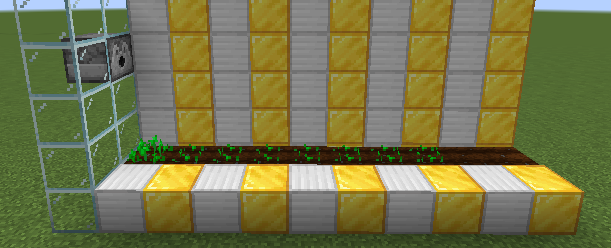
Vertical distance between a dispenser to farmland must be within 2 to 5 blocks.
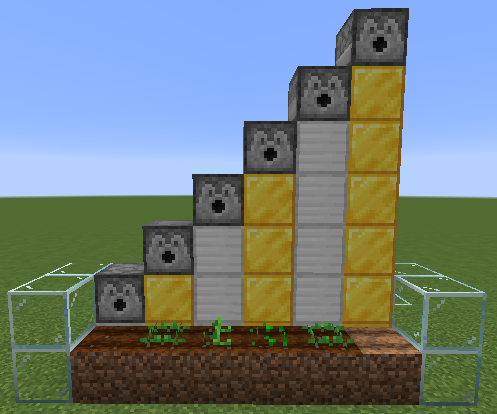
Tips
1: Period of pulses sent to a dispensers should be 8 or more redstone ticks.
If a dispenser is activated too quickly, dispenser will shoot seeds to the same farmland block... because until the falling seeds reach the farmlands, that is considered as "available" farmland.
Warning: Seeds that fallen on the "invalid" blocks (= farmland block that already have crops on it, or not suitable block for the seeds) won't drop items! They'll be lost!
2: This mod doesn't add any new blocks, items, enities....
So if you want to uninstall this mod, just remove the jar file. Actually, falling seeds entity is "Vanilla FallingBlock" entitiy customized by NBT tags.
Config options
SMART_BEHAVIOR (true/false, default is false)
If enabled, dispensers won't do the normal behavior if they could not find any farmlands so you don't have to manage the number of pulses sent to dispensers. (easy mode)
Progress
1.16.4: 75% BETA / Next version will be uploaded soon.
1.15.2: 75% BETA
1.14.4: 75% BETA
1.12.2: 25% not uploaded yet
How to install
1: Install forge
2: Put a jar file of this mod into the 'mods' folder.
3: Re-launch Minecraft.
FAQ
Can I add MOD seeds/crops?
Yes, just add the "Namespaced ID" of the item to config file and relaunch Minecraft... but I don't know if it works or not.
How to add seeds/crops?
1: Press F3+H in game. A system message will be sent to you that says "[Debug]: Advanced tooltips: shown".
2: Open your inventory
3: Hover the mouse over the item then the namespaced id will appear. Its format is modid:itemname, like minecraft:wheat_seeds.
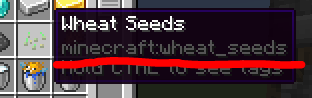
4: Append the namespaced id into DispenSeeds-SeedConfig.txt and save it.
5: Re-launch Minecraft.
It crashed after editing seed-config !!
Open the crash report and search Failure message.
If it says Could not find a block of 'somemod:someitem', that item doesn't exist or this mod couldn't find a block of that item.
Or if it says 'somemod:someitem' is not supported., that item is not supported by this mod because that item is not registered as a plant (not an instance of IPlantable).
Screenshots
Gallery
-
 DispenSeeds-MODE2
 -
 How to check the namespaced id How to check the namespaced id
 -
vertical
-
horizontal
-
DispenSeeds-MODE1
Versions
Files
Relations
Project Relations
More like this
Similar Mods
Suggestions use data such as tags, dependencies, dependents, descriptions, titles, and more to rank how much they overlap with this mod.
On ModDex
Community snapshot
By the numbers
Statistics
Want to reach Minecraft players?
We're looking for a server hosting partner to feature here and other parts of the site. Interested? Send us a message!
Get in touchGet it on
Available Platforms
On ModDex
Community snapshot
By the numbers
Statistics
Resources