Community listing page, reviews here may not be monitored by the author.
Distant Friends Plus

No reviews yet
Silent player-shaped figures appear in the dark, watch you from a distance, and vanish before you can reach them.
Community voices
Reviews
No reviews yet. Be the first to review this project!
Get it on
Available Platforms
About
Project Details
For authors
Embed Badge
If you're the author of this project, you can embed a live badge anywhere that supports HTML or Markdown. It updates automatically whenever ratings change.
Use HTML for any page that supports it, or Markdown for README files and Markdown-based descriptions.
Identifiers
Platform IDs
Resources
External Links
About
Description
Distant Friends Plus
Player-shaped figures that watch you from a distance
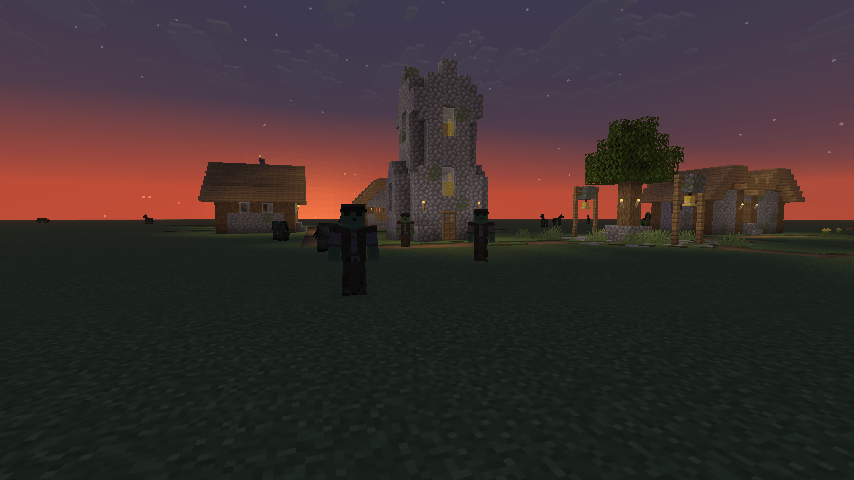
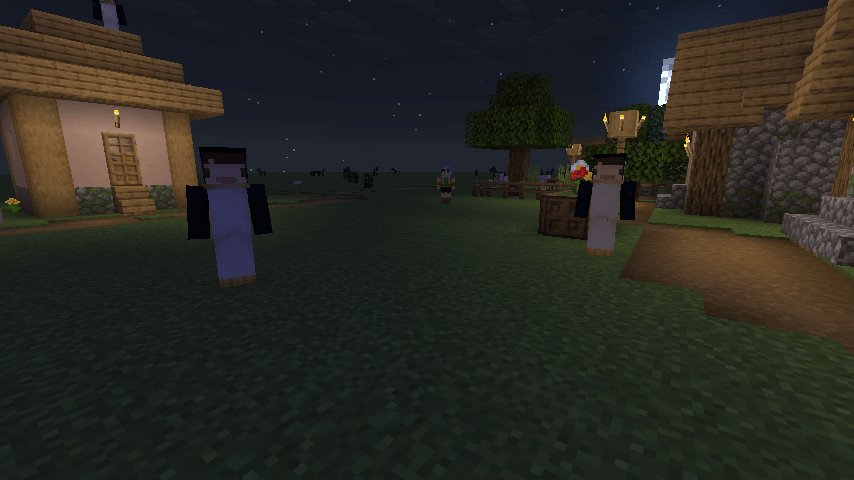
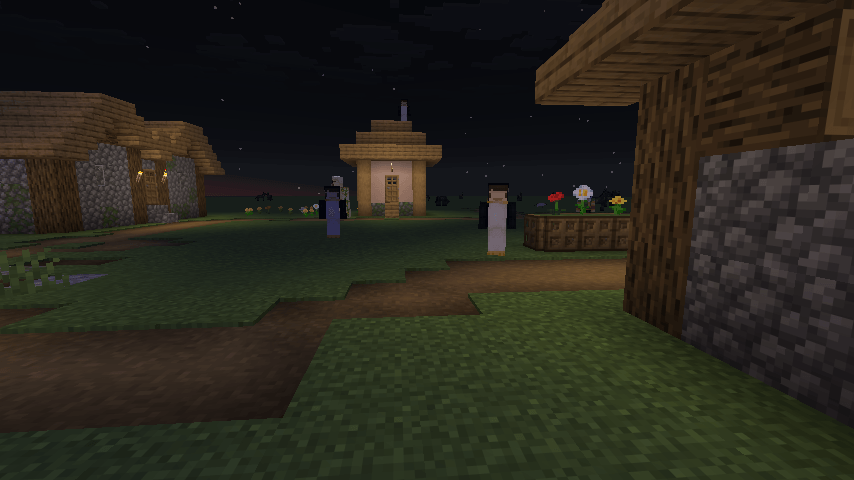
Distant Friends adds silent, motionless figures into the dark parts of your world. They appear behind you at a distance, stand there, and turn their heads to follow you. Get close and they puff away in a cloud of smoke before you ever reach them.
They are harmless. They cannot attack you, they cannot chase you, and hitting one just makes it disappear.
Every figure wears a skin you put there yourself. Drop PNGs into the folder so you can fill your world with whatever you think will get to you.
This port is fully client-side. Nothing is installed on the server.

Adding Skins
Nothing will spawn until you give it skins. None are bundled.
- Open your game folder and go to
distantfriends/skins/. It is created the first time you launch with the mod installed. - Drop in any Minecraft skin PNG. Both 64x64 and old 64x32 skins work.
- Press
F3 + Tin game, or restart, to load them.
A few things worth knowing:
- The filename becomes the figure's name, so
Herobrine.pngshows up as Herobrine. - End the filename with
_slimfor slim arms, likeAlex_slim.png.
this works offline and works for skins that were never on a real account.
Configuration
Everything is adjustable through Mod Menu, or by editing config/distantfriends.json.
Spawning
- Max Friends At Once, from 0 to 10. Set it to 0 to switch them off.
- Minimum and Maximum Spawn Delay, in ticks.
- Minimum and Maximum Spawn Distance, in blocks.
- Maximum Light Level. Raise it to 15 if you want them in broad daylight.
- Only Spawn Out Of Sight, so one never materialises while you are looking.
Behaviour
- Always Watching keeps their heads locked on you even when you are not looking at them. Turn it off and they only turn once you look their way.
- Leave When Seen makes them go the moment you look directly at one, instead of waiting for you to walk over. Delay After Being Seen controls how long that takes.
- Walk Away Before Leaving makes them turn and walk off before they puff, rather than blinking out on the spot.
- Vanish Range sets how close you have to get before they leave.
About This Project
Distant Friends is a fork of the mod by Mrbysco, rewritten to run entirely on the client, with additional configs and some behavioral changes.
Mrbysco still maintains his version and if you play singleplayer or run your own server you may well prefer his. This fork exists because I wanted the mod on servers I do not control.
It is not an official continuation and is not affiliated with or endorsed by the original author.
Known Issues
- Figures are placed on the ground below the height you are standing at, so on uneven terrain one can end up on a roof or a ledge you did not expect.
- They can occasionally walk into water or off a drop while leaving.
- Every PNG in the skins folder is loaded into memory at startup, so a folder with hundreds of skins will cost you some performance.
If you hit a problem, report it with as much detail as you can in my discord so it can be reproduced properly.

- Requires: Cloth Config
- Optional: Mod Menu, for the in-game config screen

Q: Do I need this on the server?
No, and that is the point of this port. It runs entirely on your client, so it works on servers that have never heard of it.
Q: Will I get banned for this on a server?
It adds no packets, sends nothing to the server, and does not touch gameplay. It is a rendering mod. That said, server rules are server rules, so check yours if you are unsure.
Q: Nothing is spawning.
You probably have no skins in distantfriends/skins/, or Max Friends At Once is set to 0. Check the log, it says how many skins loaded on startup.
Q: Can they hurt me?
No. They have no attack goal and cannot damage you. Hit one and it vanishes.
Q: Can other players see them?
No. They only exist on your client.
Q: How is this different from the original?
client-side instead of server-side, local skin files instead of usernames, and a lot more config.
Q: Can I use your mod in a modpack?
Yes, feel free to include it.

- Mrbysco — original author of the mod this fork is based on


Screenshots
Gallery
-
 2026-09-15_00.00.08.png 2026-09-15_00.00.08.png
 -
 2026-09-14_23.59.49.png 2026-09-14_23.59.49.png
 -
 2026-09-14_23.59.42.png 2026-09-14_23.59.42.png
Versions
Files
Relations
Project Relations
More like this
Similar Mods
Suggestions use data such as tags, dependencies, dependents, descriptions, titles, and more to rank how much they overlap with this mod.
On ModDex
Community snapshot
By the numbers
Statistics
Want to reach Minecraft players?
We're looking for a server hosting partner to feature here and other parts of the site. Interested? Send us a message!
Get in touchGet it on
Available Platforms
On ModDex
Community snapshot
By the numbers
Statistics
Resources