Community listing page, reviews may not be monitored by the author.
Distant Ores

No reviews yet
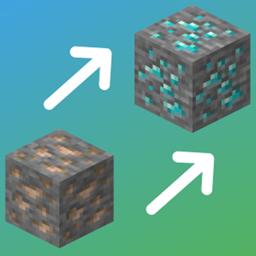
A custom ore generation mod that distributes ores based on distance from spawn, rather than depth. Fully customisable with datapacks.

Community voices
Reviews
No reviews yet. Be the first to review this project!
Get it on
Available Platforms
About
Project Details
For authors
Embed Badge
If you're the author of this project, you can embed a live badge anywhere that supports HTML or Markdown. It updates automatically whenever ratings change.
Use HTML for any page that supports it, or Markdown for README files and Markdown-based descriptions.
Identifiers
Platform IDs
Resources
External Links
About
Description
Distant Ores
What is Distant Ores?
Distant Ores is a NeoForge mod for Minecraft 1.21.1 that adds a custom placement modifier: distantores:distance_from_origin. This modifier controls whether an ore vein spawns based on how far the chunk is from world origin (0,0,0).
It works with any modded ores, you just need to make a datapack for it. I've included all you need to know below to make your own.
This can be installed just on the server if you need, clients do not need it installed for it to work.
The mod ships with no ore generation of its own. All ore behaviour is defined by datapacks, which you choose based on your world type.
Preset Datapacks
Three presets are available on my page, and linked below:
Sky Islands, designed for sky island worlds. Removes vanilla underground ore generation and replaces it with sky-altitude ore generation (Y 60–350). If you have a sky island world with terrain underneath, coal, iron, and copper still generates underground for players who dig below the islands.
Vanilla Terrain, designed for standard overworld terrain (vanilla or modded terrain). Keeps vanilla Y ranges but applies the distance modifier, so rarer ores become more common the further you travel from spawn. Note that this meaningfully changes early game progression — digging straight down at spawn will yield coal and iron as normal, but diamonds, gold, redstone, and lapis will not appear until you've travelled outward. Exploration unlocks depth, rather than depth being a given from the start.
Create Addon, adds zinc ore (from Create) to the distance system. Works alongside either preset. Requires Create to be installed. This is a good pack to show you how you can add support for any other modded ores!
Distance Scaling
The distantores:distance_from_origin modifier controls spawn chance based on horizontal distance from (0, 0). Three values define the curve:
| Field | Description |
|---|---|
base_chance |
Probability of spawning at or before min_distance. 0.0 = never, 1.0 = always. |
min_distance |
Distance at which scaling begins. |
max_distance |
Distance at which the ore reaches 100% spawn chance. |
Between min_distance and max_distance, the chance scales linearly from base_chance to 1.0.
Default Values
| Ore | Base chance | Starts scaling | Fully unlocked |
|---|---|---|---|
| Coal | 1.0 | Always | Always |
| Iron | 1.0 | Always | Always |
| Copper | 0.6 | 0 blocks | 1,000 blocks |
| Redstone | 0.0 | 1,000 blocks | 4,500 blocks |
| Gold | 0.0 | 1,000 blocks | 5,000 blocks |
| Lapis | 0.0 | 1,000 blocks | 5,000 blocks |
| Emerald | 0.15 | 0 blocks | 5,000 blocks |
| Diamond | 0.0 | 4,000 blocks | 10,000 blocks |
Adding a Custom Ore
You can add any ore to the Distant Ores system with a simple datapack - no modding required. The Create Addon datapack is a working example you can copy from.
A datapack needs three things for each ore:
1. Configured Feature
Defines what block to place and how big the vein is.
data/<yourmod>/worldgen/configured_feature/myore.json
{
  "type": "minecraft:ore",
  "config": {
    "discard_chance_on_air_exposure": 0.0,
    "size": 9,
    "targets": [
      {
        "state": { "Name": "yourmod:my_ore" },
        "target": {
          "predicate_type": "minecraft:tag_match",
          "tag": "minecraft:stone_ore_replaceables"
        }
      }
    ]
  }
}
Increase size for larger veins (vanilla iron is 9, coal is 17).
2. Placed Feature
Defines where the ore spawns, how often, and the distance modifier.
data/<yourmod>/worldgen/placed_feature/myore_sky.json
{
  "feature": "<yourmod>:myore",
  "placement": [
    {
      "type": "minecraft:count",
      "count": 8
    },
    {
      "type": "minecraft:in_square"
    },
    {
      "type": "minecraft:height_range",
      "height": {
        "type": "minecraft:uniform",
        "min_inclusive": { "absolute": 60 },
        "max_inclusive": { "absolute": 350 }
      }
    },
    {
      "type": "distantores:distance_from_origin",
      "min_distance": 2000.0,
      "max_distance": 7000.0,
      "base_chance": 0.0
    },
    {
      "type": "minecraft:biome"
    }
  ]
}
count is how many vein attempts per chunk. height_range sets the Y band. Remove the distantores:distance_from_origin block entirely if you want the ore to ignore distance.
Use "type": "minecraft:trapezoid" instead of "minecraft:uniform" for a bell-curve distribution (more ore near the middle of the range).
3. Biome Modifier
Tells NeoForge to inject your feature into the world.
data/<yourmod>/neoforge/biome_modifier/add_myore.json
{
  "type": "neoforge:add_features",
  "biomes": "#minecraft:is_overworld",
  "features": [ "<yourmod>:myore_sky" ],
  "step": "underground_ores"
}
If the ore already generates in the world through vanilla or another mod, you should also remove that existing generation - otherwise you'll end up with two versions of the ore spawning at once. For completely new ores with no pre-existing generation, skip this step.
data/<yourmod>/neoforge/biome_modifier/remove_vanilla_myore.json
{
  "type": "neoforge:remove_features",
  "biomes": "#minecraft:is_overworld",
  "features": [ "<vanillamod>:ore_myore" ],
  "steps": "underground_ores"
}
Overriding Distance Values
If you want to change when an ore unlocks - for example, making diamonds require 20,000 blocks instead of 10,000 - you can override the placed feature with a datapack.
Create a file at the exact same path as the original:
data/distantores/worldgen/placed_feature/diamond_sky.json
Copy the original content and change the distance values:
{
  "feature": "distantores:diamond",
  "placement": [
    { "type": "minecraft:count", "count": 7 },
    { "type": "minecraft:in_square" },
    {
      "type": "minecraft:height_range",
      "height": {
        "type": "minecraft:uniform",
        "min_inclusive": { "absolute": 60 },
        "max_inclusive": { "absolute": 350 }
      }
    },
    {
      "type": "distantores:distance_from_origin",
      "min_distance": 10000.0,
      "max_distance": 20000.0,
      "base_chance": 0.0
    },
    { "type": "minecraft:biome" }
  ]
}
Datapacks loaded later take priority, so your override will replace the preset's version.
Notes
- The distance modifier works in any dimension, not just the overworld. A datapack targeting
#minecraft:is_netheror#minecraft:is_endwill work just as well. - Only newly generated chunks are affected. Existing chunks will not change.
- Y generation and distance are independent. An ore's height range is always respected regardless of distance - there is no situation where diamonds appear on the surface.
- The mod does nothing with no datapack installed - it registers the placement modifier but changes nothing about world generation on its own.
Thanks for checking out the mod! If you have any questions or issues just leave a comment.
Screenshots
Gallery
Versions
Files
Relations
Project Relations
More like this
Similar Mods
Suggestions use data such as tags, dependencies, dependents, descriptions, titles, and more to rank how much they overlap with this mod.
- Sacred Logistics Tweaks
- Sky's Overworld Netherite
- Extended Tools and Ores
- CobbleCapsule [Cobblemon Addon]
- MinecraftAdditionsOddities
- Sky Orchards
- Netherite Tweaks & Fixes
- Biome Makeover - Naturalist Compat
- Treasure2 Block Mining Fix
- Philip's Biome Features
- Farmer's Delight Compat
- Supreme Mining Dimensions
On ModDex
Community snapshot
By the numbers
Statistics
 (opens in a new tab)
Get it on
Available Platforms
On ModDex
Community snapshot
By the numbers
Statistics
Resources