Community listing page, reviews may not be monitored by the author.
DJ Nightclub

No reviews yet
A real DJ booth for Minecraft: two-deck mixer with scratching, RGB lights, lasers, pyro and server-wide song sharing.

Community voices
Reviews
No reviews yet. Be the first to review this project!
Get it on
Available Platforms
About
Project Details
For authors
Embed Badge
If you're the author of this project, you can embed a live badge anywhere that supports HTML or Markdown. It updates automatically whenever ratings change.
Use HTML for any page that supports it, or Markdown for README files and Markdown-based descriptions.
Identifiers
Platform IDs
Resources
External Links
About
Description
DJ Nightclub — DJ booth, lights & pyro
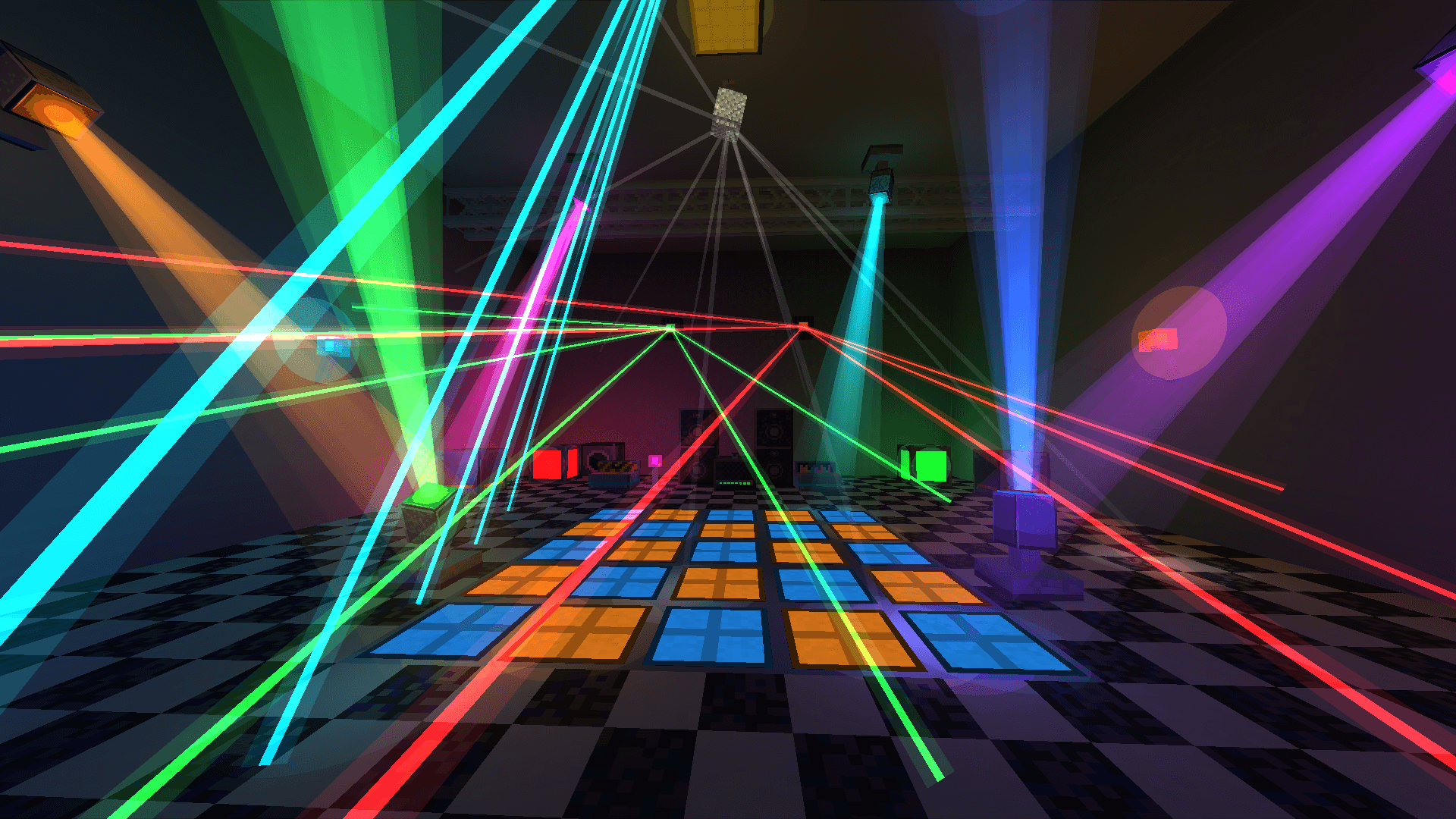
Throw a party in Minecraft. Mix your own music on a real two-deck DJ table, scratch the records, light the club with RGB spotlights and lasers that move to the beat, and fire smoke, flames and confetti from a pyro desk. Everyone on the server hears the same mix in sync — even if they don't have your songs.

Beta (0.9.5) — Minecraft 1.21.1, Forge 52.1.x or NeoForge 21.1.x (download the file for your loader). Install on the client and the server. Back up your worlds and please report bugs.
🎧 The DJ Table
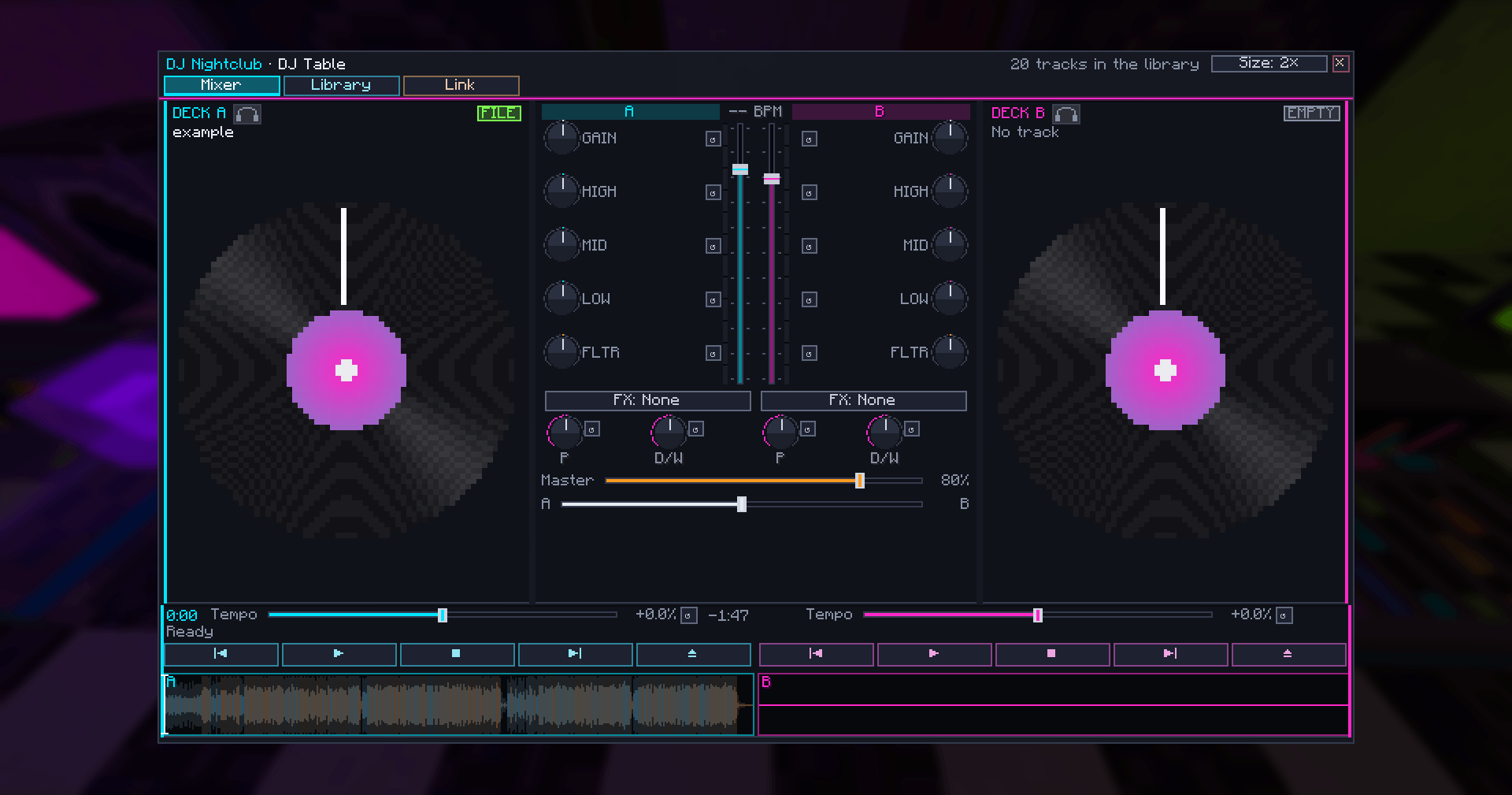
- Two decks playing at the same time, with play/pause, stop, previous/next and eject.
- A real mixer per channel: gain, 3-band EQ with full kill, low/high-pass filter, and effects (echo, flanger, reverb, gate, bitcrusher) with parameter and dry/wet. Channel faders, master and a constant-power crossfader.
- Tempo slider on each deck (±25 %).
- Grab the record and scratch it — you hear the track forwards, backwards, faster and slower, like vinyl. Throw it and it keeps spinning with that momentum. Other players hear your scratch live.
- Headphone cue: preview a deck that only you can hear, find the spot, then drop it for the room.
- Full-song waveform for each deck — click or drag to jump.
- Plays OGG, MP3 and WAV from your
config/dj_nightclub/musicfolder, plus direct audio links and MP3 Internet radio. - Real-time FFT analysis: BPM, beats and spectrum drive the lights.

🔊 Songs are shared with the whole server
When you load a song from your folder, the server keeps a copy and sends it to players who don't have it.
No more "I can't hear anything". Files are identified by their SHA-256 hash, size-limited and format-checked.
Server owners can turn it off (shareTracks = false). Only share music you have the right to share.
💡 Lights that actually color the world
- RGB lamps, torches, light panels that tint walls, floors and players with real colored light (screen-space lighting; no white light unless you want it).
- Disco spotlights with volumetric beams — on the floor, the ceiling or the walls.
- Lasers with fans of up to 16 rays, including a synchronized Fast scan mode.
- Floor pads that draw patterns across the whole dance floor, and a mirror ball that throws light spots.
- Color modes: Fixed, Cycle, Music, Strobe, Blink (custom interval) and Music strobe.

🎛️ Lighting Desk
- Controls every light in a 51×51×51 area, with a Show area border.
- One tab per light type, numbered lights, an ALL editor and per-light settings.
- Scenes: Chill, Disco, Rave and Rave + Music (every light flashes a new color on each beat).
- Personal presets: save the whole show and recall it with one click.
- Light Remote: see every light's number in the world and renumber them.

🔥 Pyrotechnics
- Smoke machine — thick white stage fog that rolls over the floor.
- Flame machine — a 6-block fire jet that lights the room orange (and burns mobs).
- Confetti machine — colorful bursts.
- Pyrotechnics Desk to fire all machines or one type: on, off, 1/2/5/10 s. Redstone works too.
🧱 Club decoration
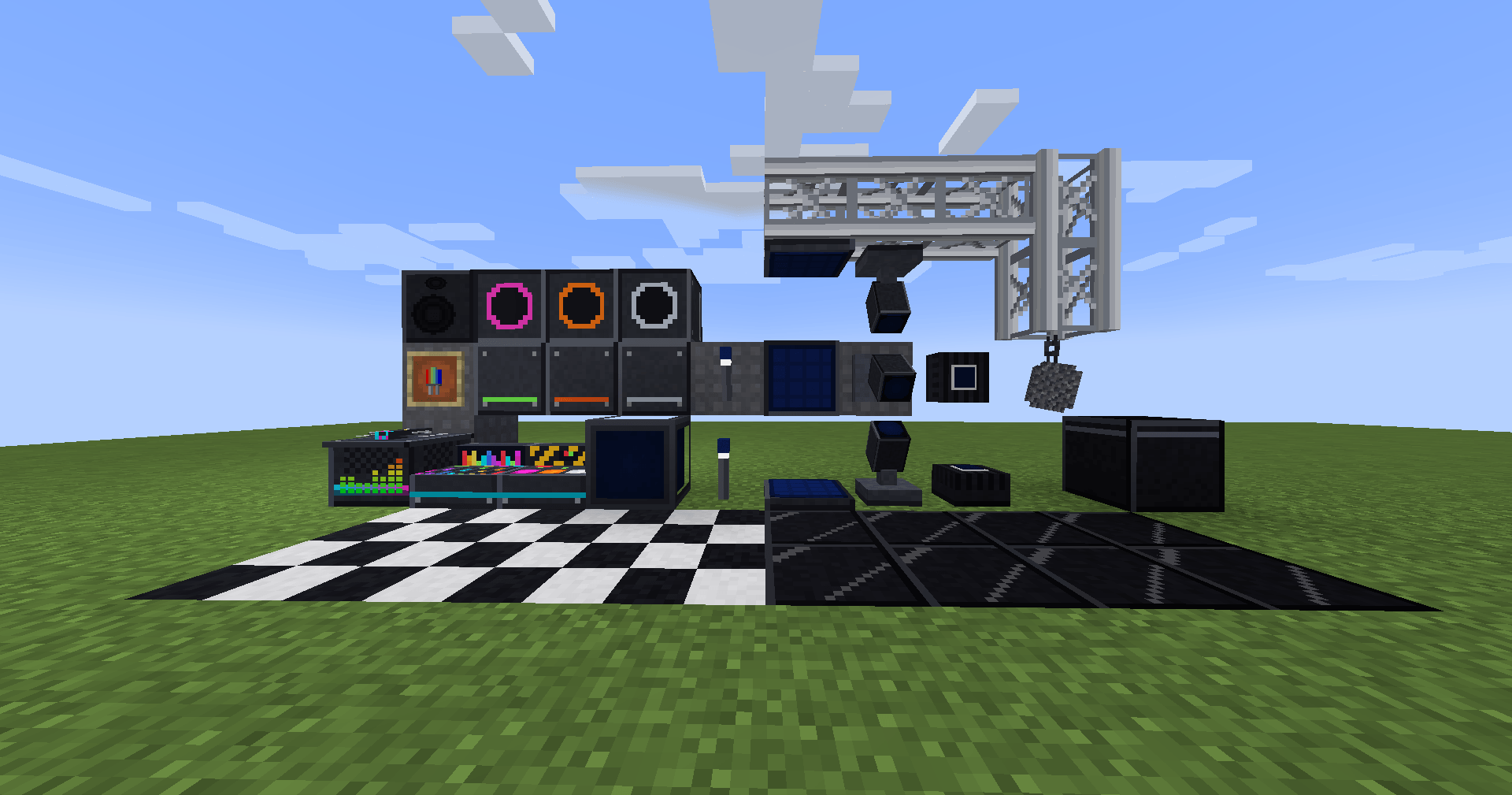
Stage truss, disco and checker tiles, acoustic panels (they're wool — shears break them fast) and speakers whose cones pump with the bass.
Getting started
- Install Forge or NeoForge for 1.21.1 and drop the matching file (
-forge-or-neoforge-) inmods(client and server). - Start the game once, then copy your songs into
.minecraft/config/dj_nightclub/music. - Craft a DJ Table, open it, load a song from the Library tab and press ▶.
- Want a ready-made club?
/dj-nightclub demo(operator) builds one with every block.
All recipes and settings are in the project's README.
FAQ
Can it play YouTube? No. YouTube's terms forbid extracting audio from its videos, so this mod doesn't do it. Use your own files, royalty-free music, or direct links/radio streams you're allowed to play.
My friends hear nothing. Make sure everyone has the same mod version. Songs from your folder are sent to them automatically; for links they have to click [Allow] once (the server they download from sees their IP).
Shader packs? Colored light turns itself off with Oculus/Iris; beams, emissive parts and everything else still work.
Performance? A club with 40+ lights, lasers and two decks ran at 60–110 FPS in testing.
You can lower maxLights or disable rgbLighting in the client config.
No music is included with the mod. Audio: OGG decoding via LWJGL stb_vorbis, MP3 via JLayer 1.0.1 (LGPL-2.1).
Screenshots
Gallery
-
 example.png
 -
 All-blocks.png
 -
 dj-deck.png
Versions
Files
Relations
Project Relations
More like this
Similar Mods
Suggestions use data such as tags, dependencies, dependents, descriptions, titles, and more to rank how much they overlap with this mod.
On ModDex
Community snapshot
By the numbers
Statistics

Get it on
Available Platforms
On ModDex
Community snapshot
By the numbers
Statistics
Resources