Community listing page, reviews here may not be monitored by the author.
DMZEnchants+

No reviews yet
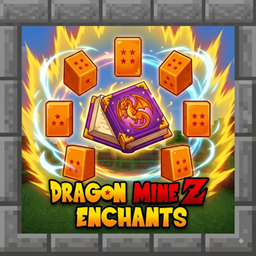
Dragon Mine Z Enchants introduces powerful new enchantments inspired by Dragon Ball Z to enhance your combat and survival in Minecraft.
Community voices
Reviews
No reviews yet. Be the first to review this project!
Get it on
Available Platforms
About
Project Details
For authors
Embed Badge
If you're the author of this project, you can embed a live badge anywhere that supports HTML or Markdown. It updates automatically whenever ratings change.
Use HTML for any page that supports it, or Markdown for README files and Markdown-based descriptions.
Identifiers
Platform IDs
Resources
External Links
About
Description
Dragon Mine Z Enchants
Bring the power of the Saiyans and Z Fighters to your Minecraft world with Dragon Mine Z Enchants! This mod adds a unique set of seven powerful enchantments to enhance your character's capabilities, defense, and power, inspired by iconic abilities from Dragon Ball Z. Whether you're a warrior looking for more melee power or a Ki user wanting better protection, this mod has you covered.
All enchantments are fully configurable to suit your modpack's balance!
Features
This mod adds the following custom enchantments, which can be applied to various pieces of gear:
-
dmzenchants:ki_protection– Reduces damage taken from Ki-based attacks (designed to work with compatible DBZ-themed mods). -
dmzenchants:melee_protection– Provides focused protection against all incoming melee damage. -
dmzenchants:ki_power– Increases the damage and effectiveness of your Ki attacks. -
dmzenchants:tp_boost– Enhances teleportation abilities (from compatible sources), increasing range and reducing cooldowns. -
dmzenchants:vitality– Passively increases your maximum health while the enchanted gear is worn. -
dmzenchants:stamina– Passively increases your max stamina or reduces physical exhaustion. -
dmzenchants:melee_power– Signficantly boosts the damage dealt by all your melee attacks.
Configuration
The mod generates a server configuration file. This allows you to adjust enchantment rarities, max levels, and power multipliers to your liking.
How to find and edit the configuration:
-
Navigate to your Minecraft game directory.
-
Open the
savesfolder. -
Enter your specific world folder (e.g.,
New World). -
Inside your world folder, find and open the
serverconfigfolder. -
Edit the file named
dmzenchants-server.tomlwith any text editor.
Changes to this file require a server restart to take effect. If you are playing in single-player, this file is located within your world save and only affects that specific world.
Screenshots
Gallery
Versions
Files
Relations
Project Relations
More like this
Similar Mods
Suggestions use data such as tags, dependencies, dependents, descriptions, titles, and more to rank how much they overlap with this mod.
On ModDex
Community snapshot
By the numbers
Statistics
Want to reach Minecraft players?
We're looking for a server hosting partner to feature here and other parts of the site. Interested? Send us a message!
Get in touchGet it on
Available Platforms
On ModDex
Community snapshot
By the numbers
Statistics
Resources