Community listing page, reviews may not be monitored by the author.
Dnz Schematics

No reviews yet
Build any schematic without a single mistake. See the whole build as ghost blocks, and every wrong or missing block lights up instantly.

Community voices
Reviews
No reviews yet. Be the first to review this project!
Get it on
Available Platforms
About
Project Details
For authors
Embed Badge
If you're the author of this project, you can embed a live badge anywhere that supports HTML or Markdown. It updates automatically whenever ratings change.
Use HTML for any page that supports it, or Markdown for README files and Markdown-based descriptions.
Identifiers
Platform IDs
About
Description
DNZ Schematic
Build anything from a schematic – and never place a wrong block again.
DNZ Schematic loads .litematic building files and shows them right in your world as see-through ghost blocks. As you build, it checks every single block and tells you exactly what is missing, what is wrong and what doesn't belong there. One key (M) opens everything.
🔒 Safe by design
In 2026, some schematic mods that share files between server and client were found to let a malicious server place files outside the schematics folder – a way to sneak malware onto players' computers. DNZ Schematic has no networking at all: it never receives anything from a server and only reads the .litematic files you put into your own folder. Joining any server with it is safe.Open-Source on: Github
✨ Features
👻 Ghost blocks in your world
- Your schematic appears as see-through blocks exactly where the building should stand.
- Blocks you still need to place are shown as blue ghost blocks.
- Ghost block strength and draw distance can be changed in the settings.
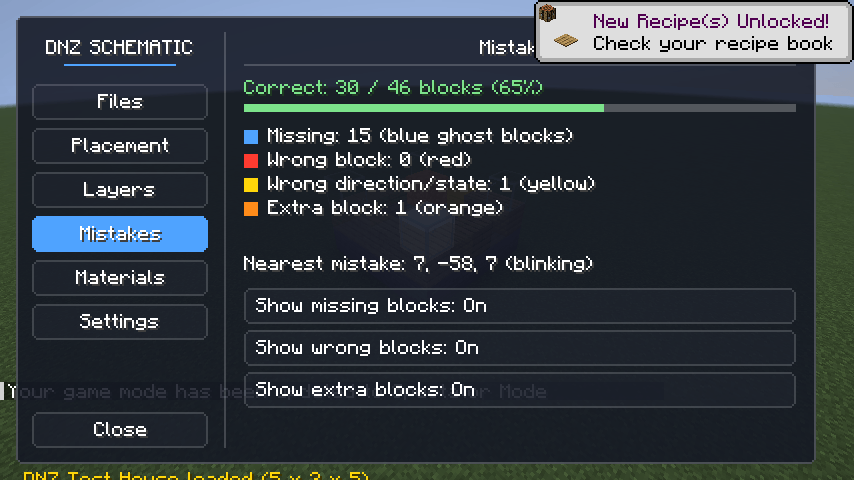
✅ Live mistake checker
Every block is compared with the schematic while you build:
- 🔴 Red – wrong block
- 🟡 Yellow – right block, wrong direction or state (stairs facing the other way, open trapdoor...)
- 🟠 Orange – extra block that shouldn't be there
- The nearest mistake blinks and its coordinates are shown, so you find it instantly.
- Look at any block to see what it should be and what it is now.
🧱 Layer by layer
- Show all layers, one layer or everything up to a layer.
- Page Up / Page Down change the layer while you play.
- My Layer jumps to the layer you are standing on.
📦 Material list
- How many of each block the building needs, how many are already placed and how many you have in your inventory.
- "Only what's left" shows just what you still need to gather.
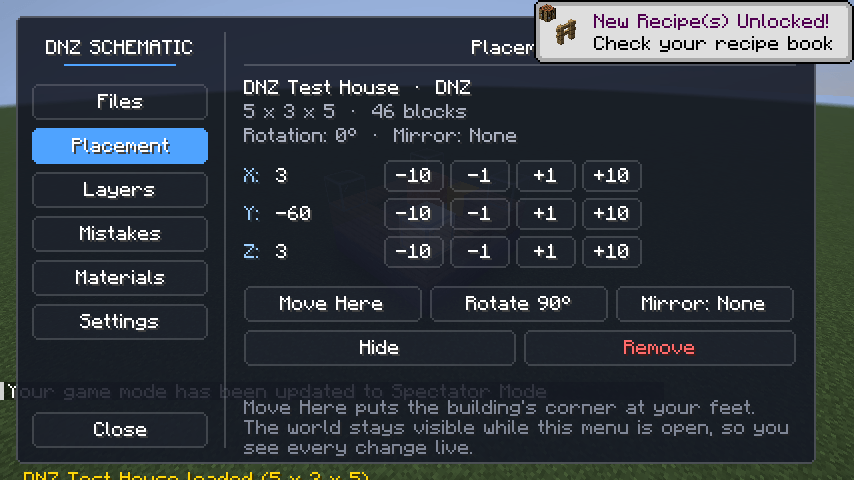
🧭 Easy placement
- Move Here puts the building's corner at your feet.
- Rotate 90° and Mirror (X / Z).
- The menu sits on the side of the screen and the world stays visible, so you watch every change live.
- Your placement is saved and comes back the next time you play.
📊 Info panel
A small panel on the right shows the schematic name, current layer, progress (correct blocks / total and %), the nearest mistake and the looked-at block. It can be turned off.
⚡ Built for performance
- The whole schematic is checked a small slice per tick, so even huge buildings never cause lag.
- Blocks right around you are checked every tick, so building feels instant.
- What to draw is prepared a few times per second; each frame only sends the ready list to the graphics card.
- Blocks are stored very compactly, so big schematics use little memory.
- Old block names from older Minecraft versions are updated automatically when a file is loaded.
🎮 How to use
- Put your
.litematicfiles into the schematics folder (M → Files → Open Folder). - Press Refresh and click your schematic.
- Go to Placement and press Move Here. Rotate or mirror if needed.
- Start building – mistakes show up immediately.
Keys: M – menu · Page Up / Page Down – layer. Change them in Options → Controls → DNZ Schematic.
📋 Details
- Client side only – works on any server, nothing to install on the server.
- Requires Fabric API.
- Works on its own, and is also included in DNZ Client.
- English and Turkish.
Made by DNZ · dnzclient.com
Screenshots
Gallery
-
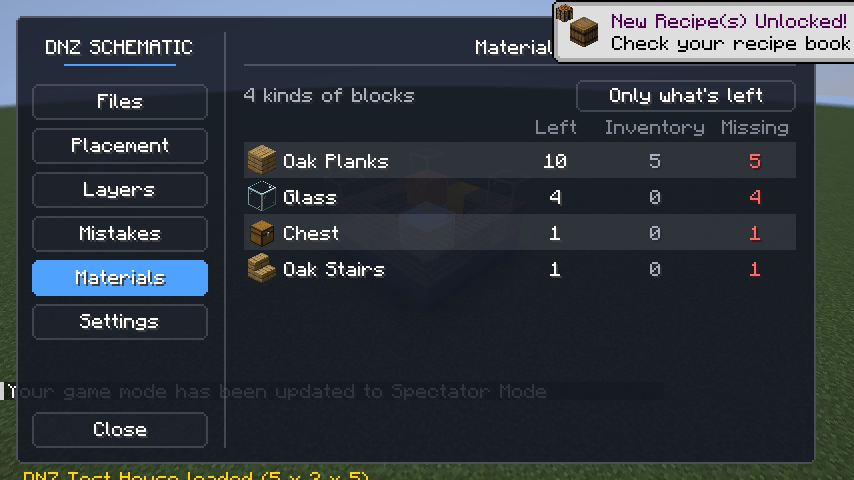 image-attachment_bb7f8851-b297-4c6a-b2b8-c8ebda9ce621.png
 -
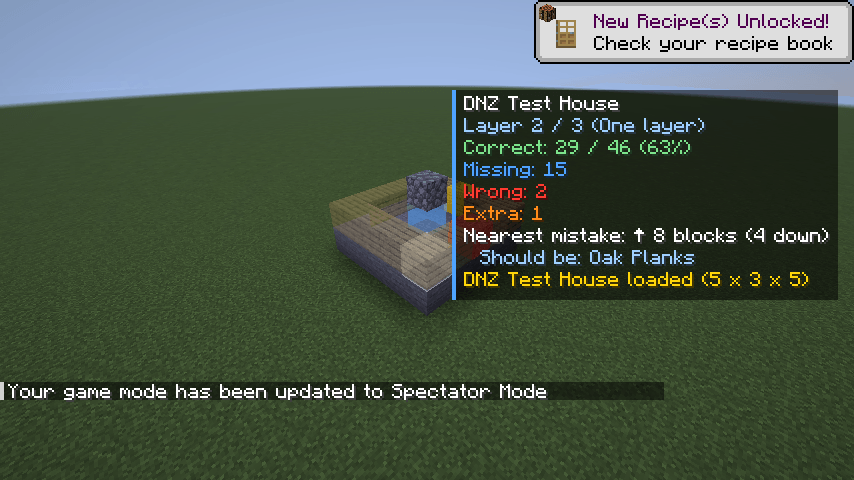 image-attachment_ac1f122f-7aa8-4118-a57a-d215d706a64d.png
 -
 0003_schematic-menu-1.png 0003_schematic-menu-1.png
 -
 0004_schematic-menu-3.png 0004_schematic-menu-3.png
Versions
Files
Relations
Project Relations
More like this
Similar Mods
Suggestions use data such as tags, dependencies, dependents, descriptions, titles, and more to rank how much they overlap with this mod.
On ModDex
Community snapshot
By the numbers
Statistics

Get it on
Available Platforms
On ModDex
Community snapshot
By the numbers