Dochi RPG Maker

Quick rating

Dochi RPG Maker

No reviews yet

Build dialogue, GUI layouts, CustomNPCs shops, item-based currencies, HUDs, and NPC tools in-game.

Mod Loaders
Forge
Fabric
Minecraft

Community voices

Reviews

Versions
Loading versions…
Match includes

Click once to include, again to exclude, again to clear

Rating Any
Any 0.5 1.0 1.5 2.0 2.5 3.0 3.5 4.0 4.5 5.0
Min
Max
Play Status
Reviews
Time Played
hrs+
Verified developers only
Has developer response
List view
Grid view
Compact view
Sort by
Date
Rating
Helpful
Unhelpful
Edited
Sort ascending
Delete this review?

This removes your review from the project. You can write a new review after.

Review submitted for moderation

Your review has been sent to moderators, who will check that it meets our guidelines before it appears publicly.

No reviews yet. Be the first to review this project!

Get it on

Available Platforms

About

Project Details

Type
Mod
Latest Version
dochi_rpg_maker-0.1.5-fabric-1.21.1.jar
Authors

For authors

Embed Badge

If you're the author of this project, you can embed a live badge anywhere that supports HTML or Markdown. It updates automatically whenever ratings change.

Custom banner text
ModDex rating badge preview

Use HTML for any page that supports it, or Markdown for README files and Markdown-based descriptions.

Identifiers

Platform IDs

CurseForge ID

Resources

External Links

Source Issues Wiki Discord

About

Description

Dochi RPG Maker

Dochi RPG Maker is an in-game RPG creation toolkit for Minecraft Forge 1.20.1. It is made for modpack makers, server creators, and adventure map makers who want to build RPG content directly inside Minecraft.

The mod focuses on practical RPG systems: dialogue, custom GUI layouts, NPC shops, item-based currencies, HUD overlays, NPC basic editing, and world message tools. Most workflows can be created through in-game editor screens and saved as JSON, so you do not need to write scripts for the basic setup.

Advanced creators can still combine the generated JSON data with commands, CustomNPCs behavior, FTB quest checks, advancements, tags, and other mod integrations.

Main Features

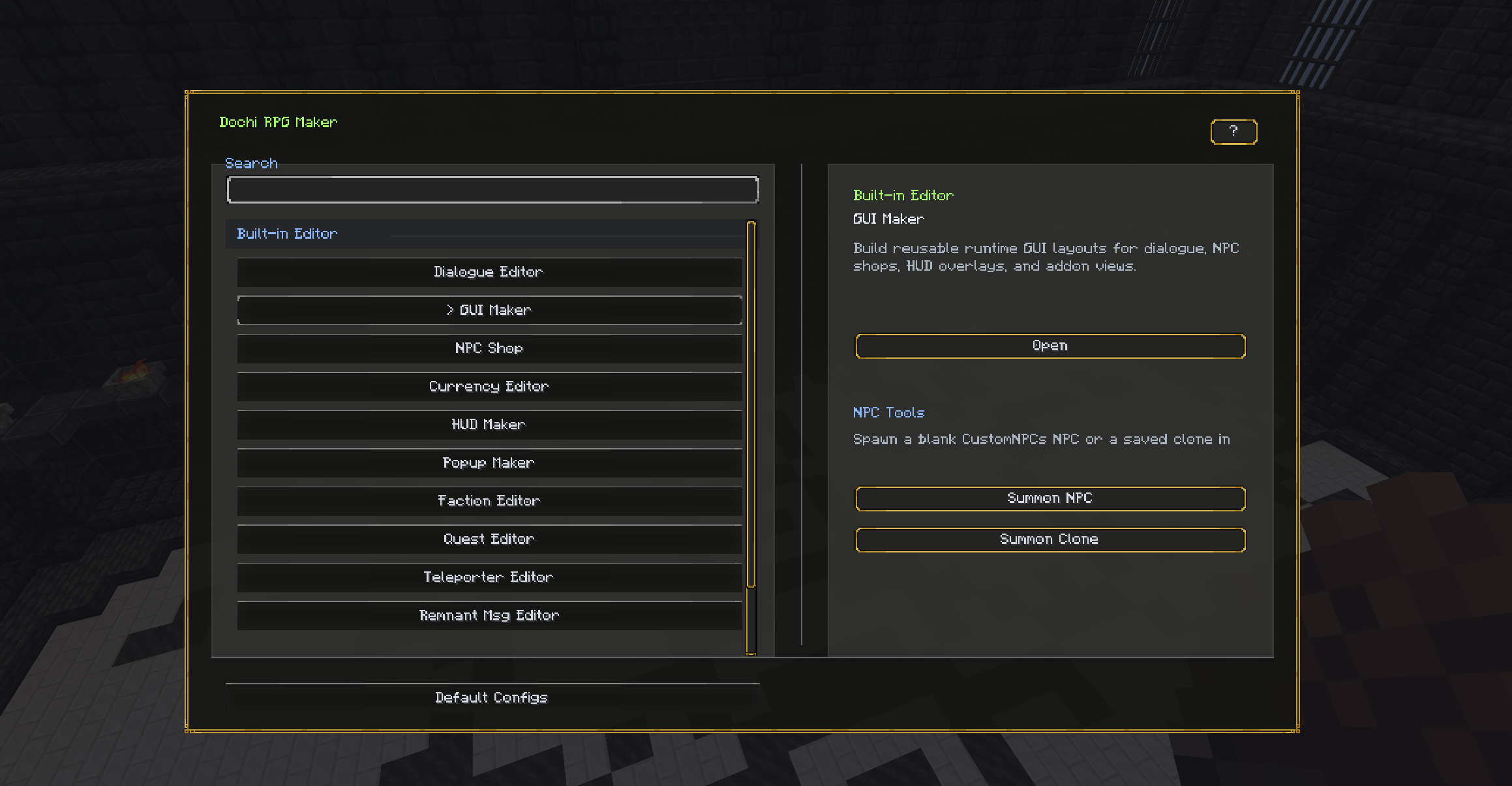
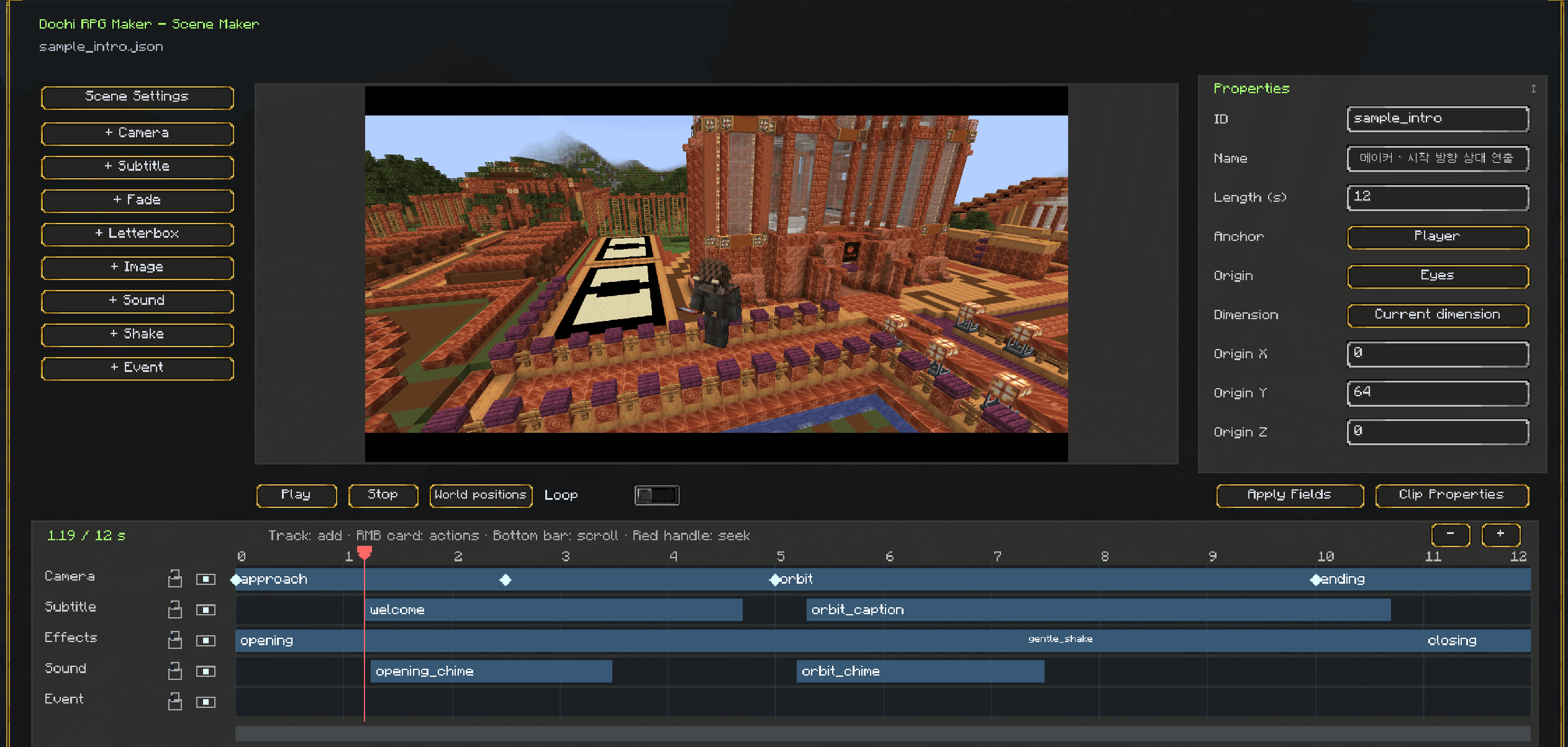
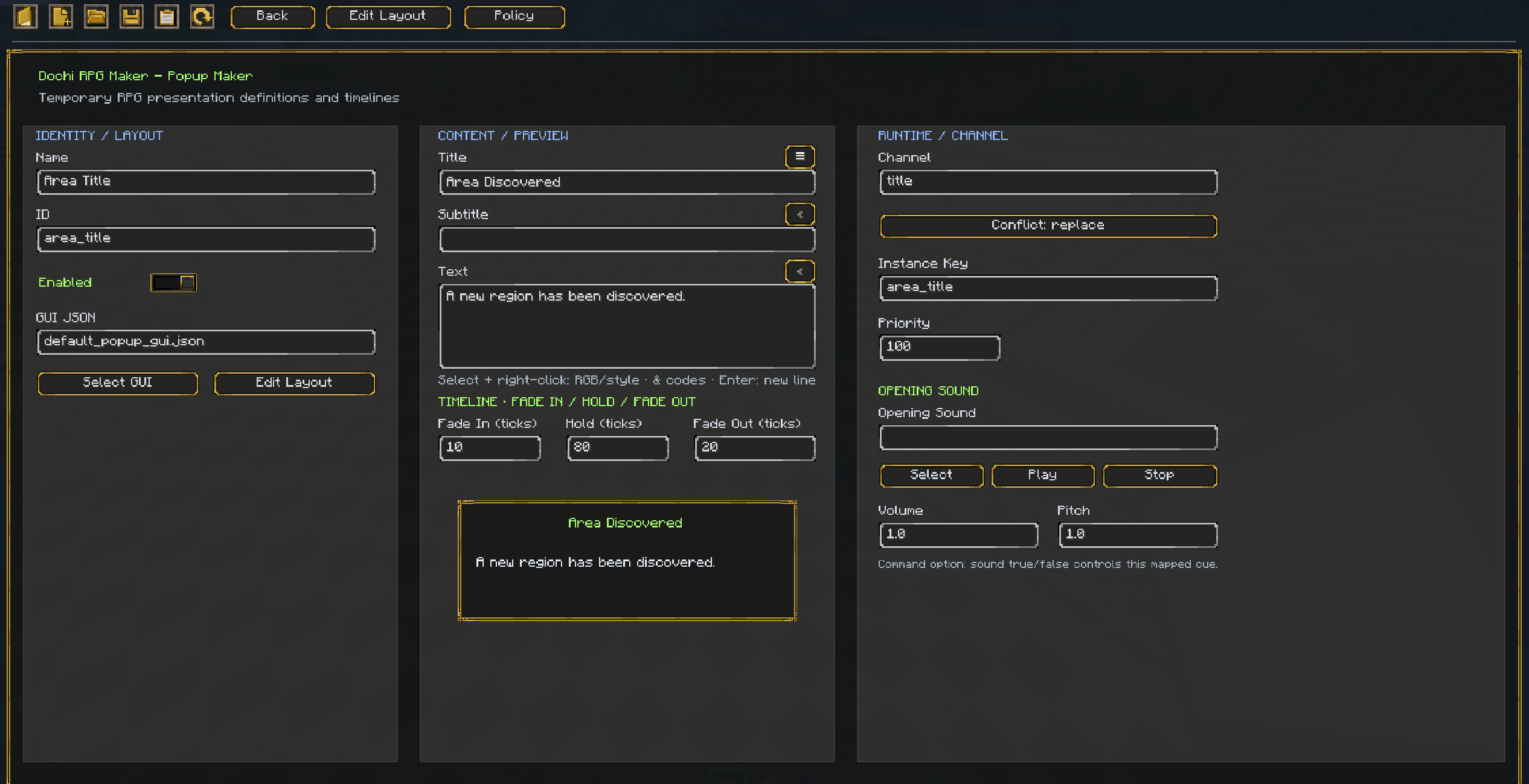
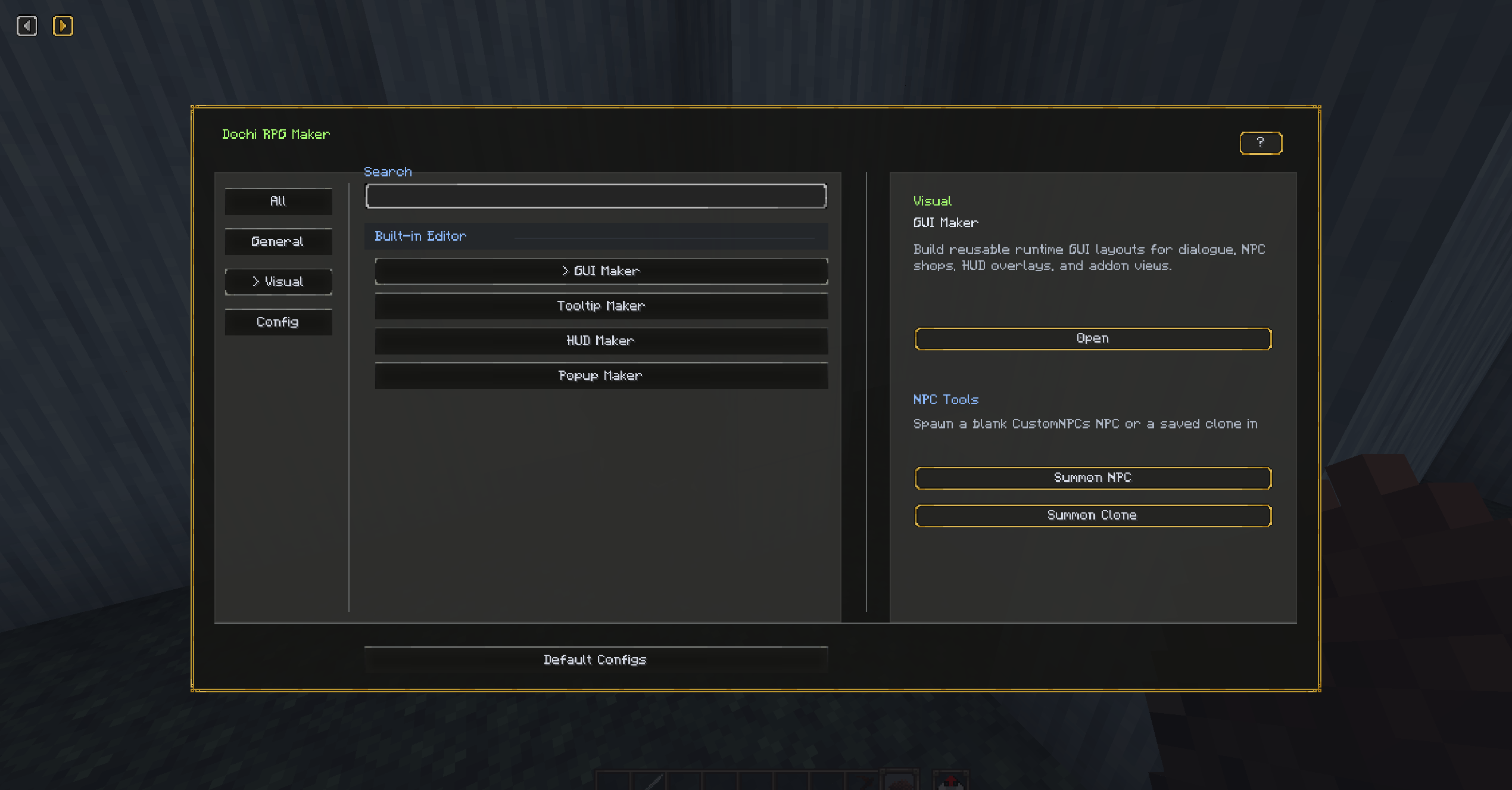
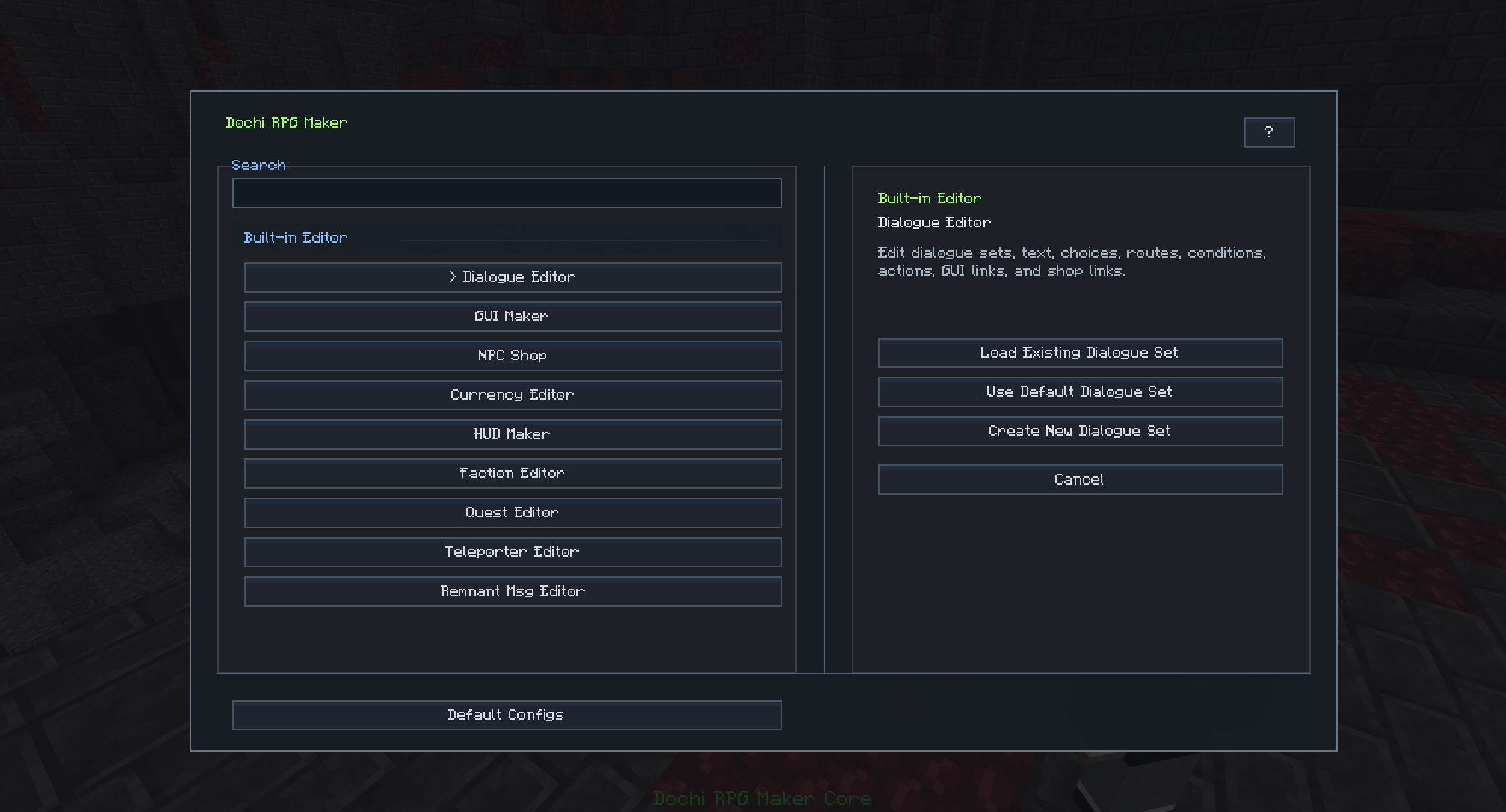
Editor Hub

  • Open major RPG tools from an in-game editor selector.
  • Create, load, save, and manage server-side JSON data where supported.
  • Use built-in default templates for dialogue, GUI layouts, shops, currencies, HUDs, and message tools.
  • Includes helper screens, previews, pickers, and workflow buttons for faster in-game editing.

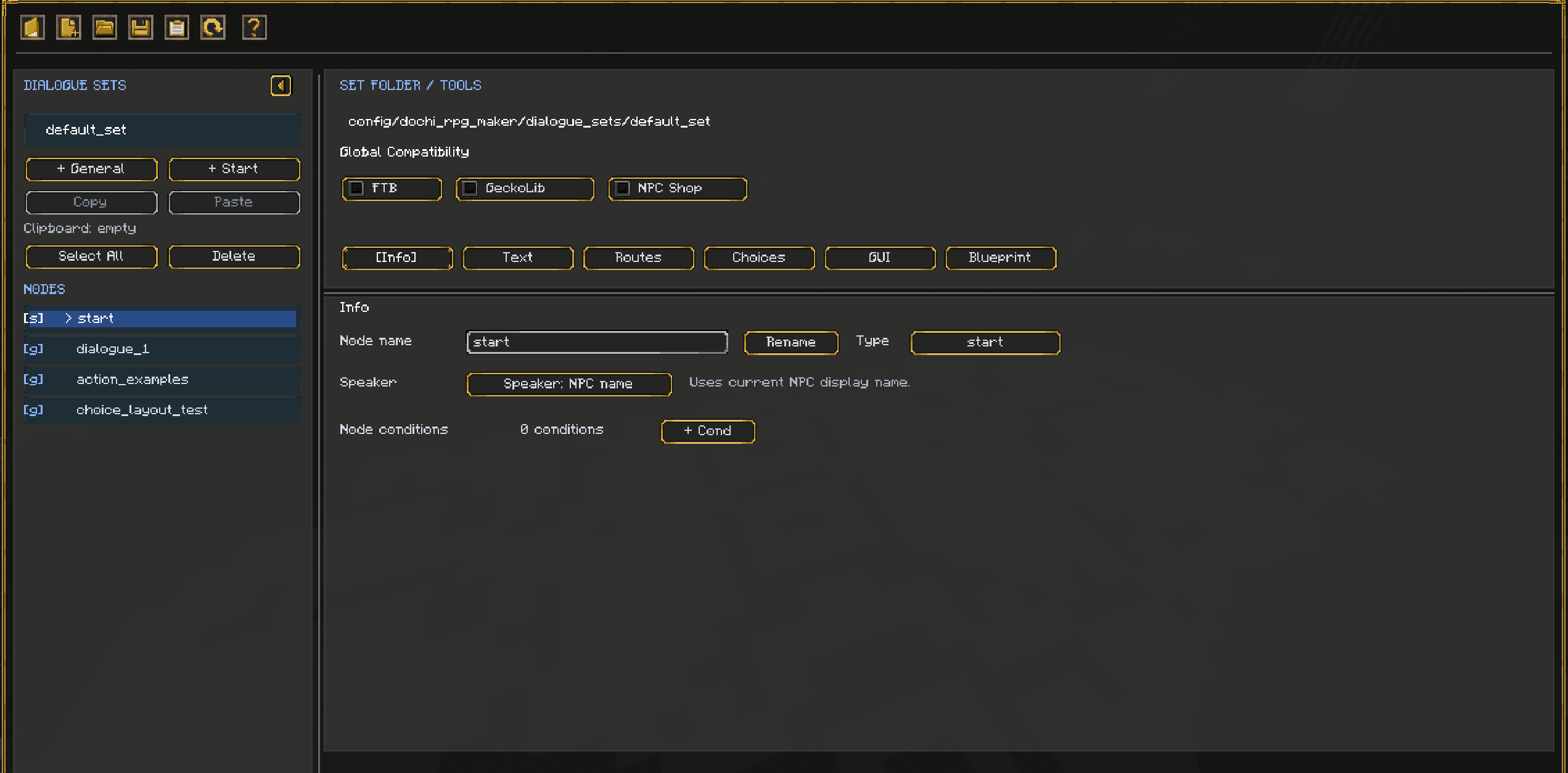
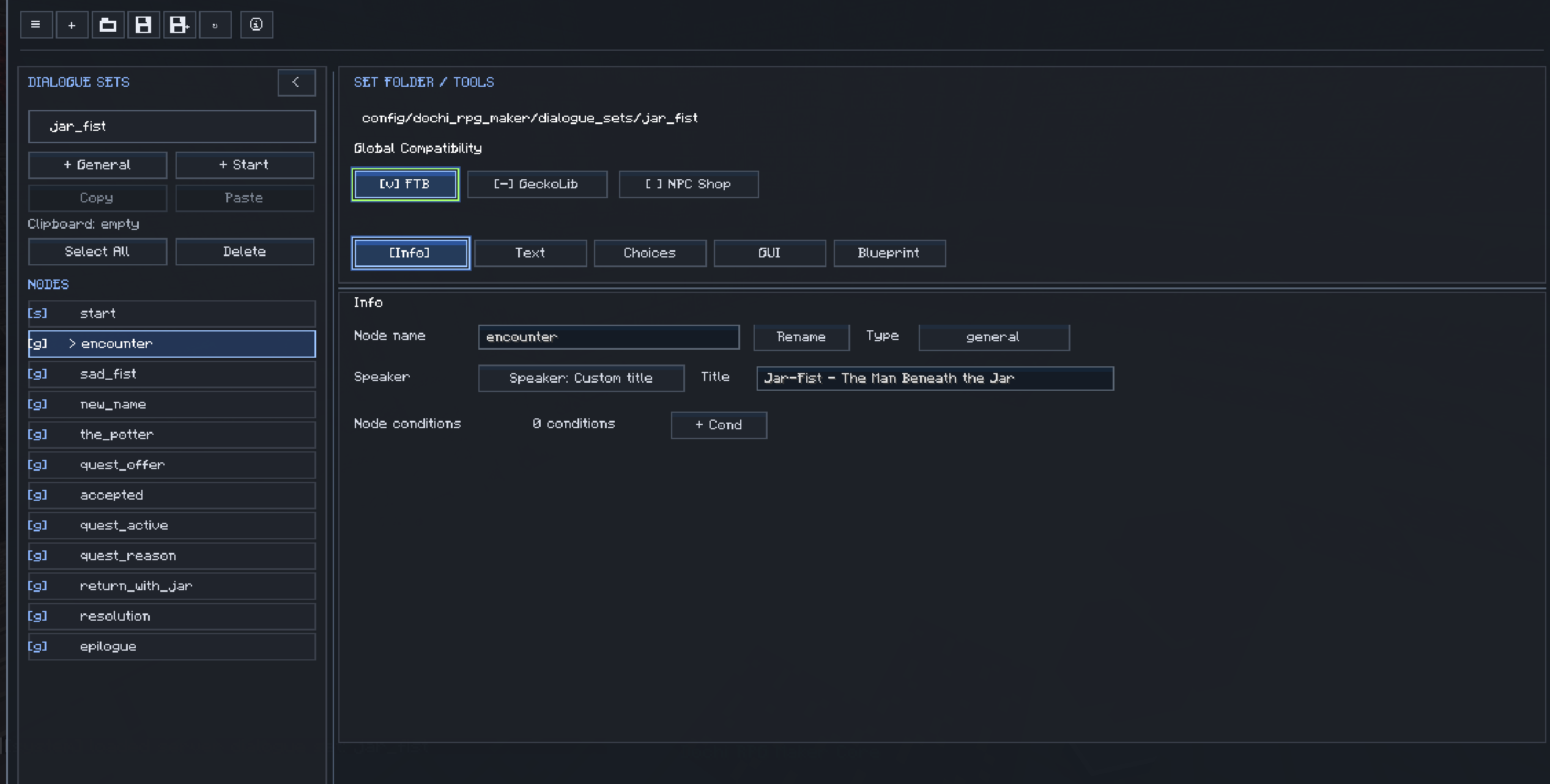
Dialogue Editor

  • Create and edit dialogue sets in-game.
  • Build dialogue nodes, routes, choices, conditions, and actions.
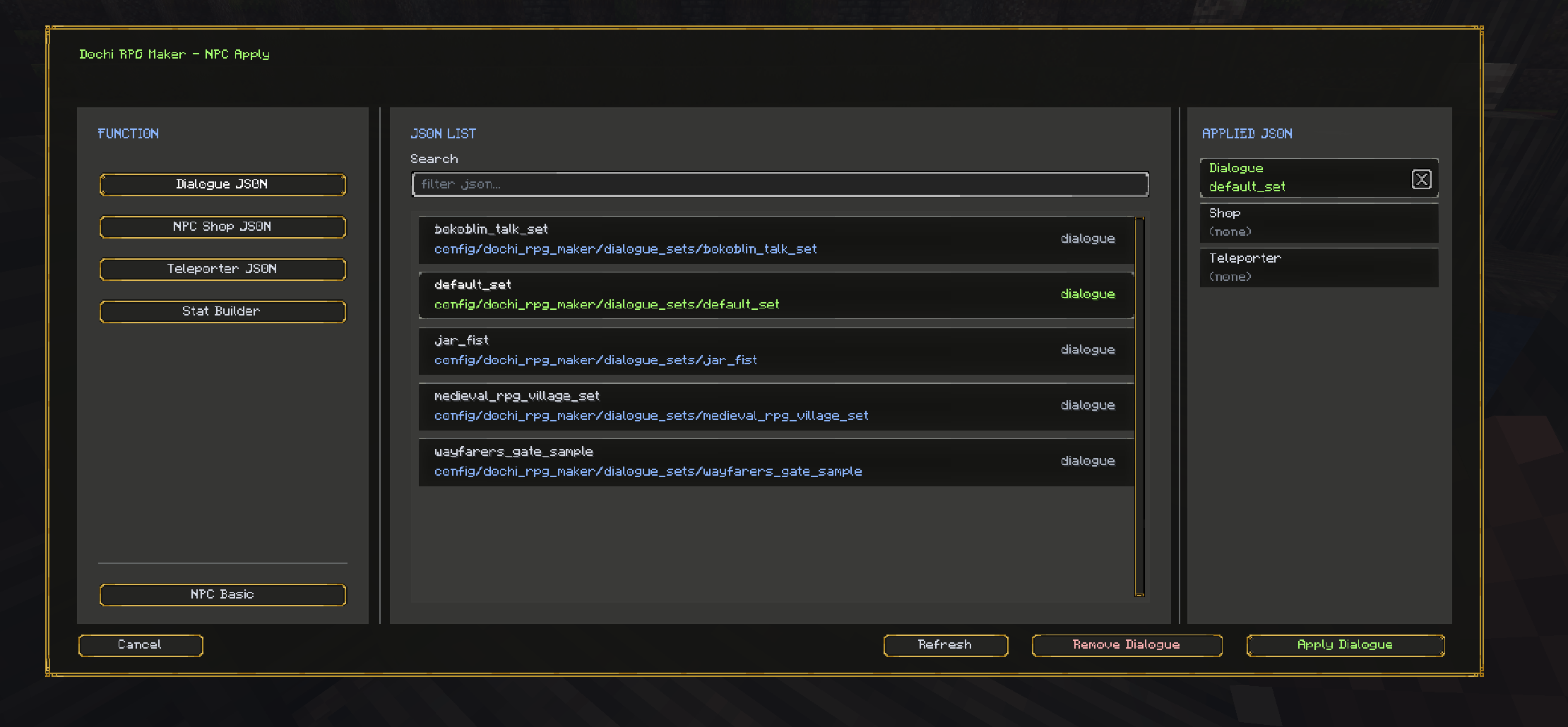
  • Bind dialogue JSON to CustomNPCs NPCs.
  • Use visible-choice logic so only valid player choices appear.
  • Add conditions based on tags, items, faction score, advancements, and optional FTB quest/task checks.
  • Add actions such as going to another node, running commands, opening shops, changing tags, closing dialogue, giving or taking items, changing faction score, granting advancements, or updating optional FTB quest/task progress.
  • Store dialogue data as server-side JSON for multiplayer packs and servers.

GUI Maker

  • Build reusable GUI layouts directly in-game.
  • Edit layouts on a canvas or over the live Minecraft background.
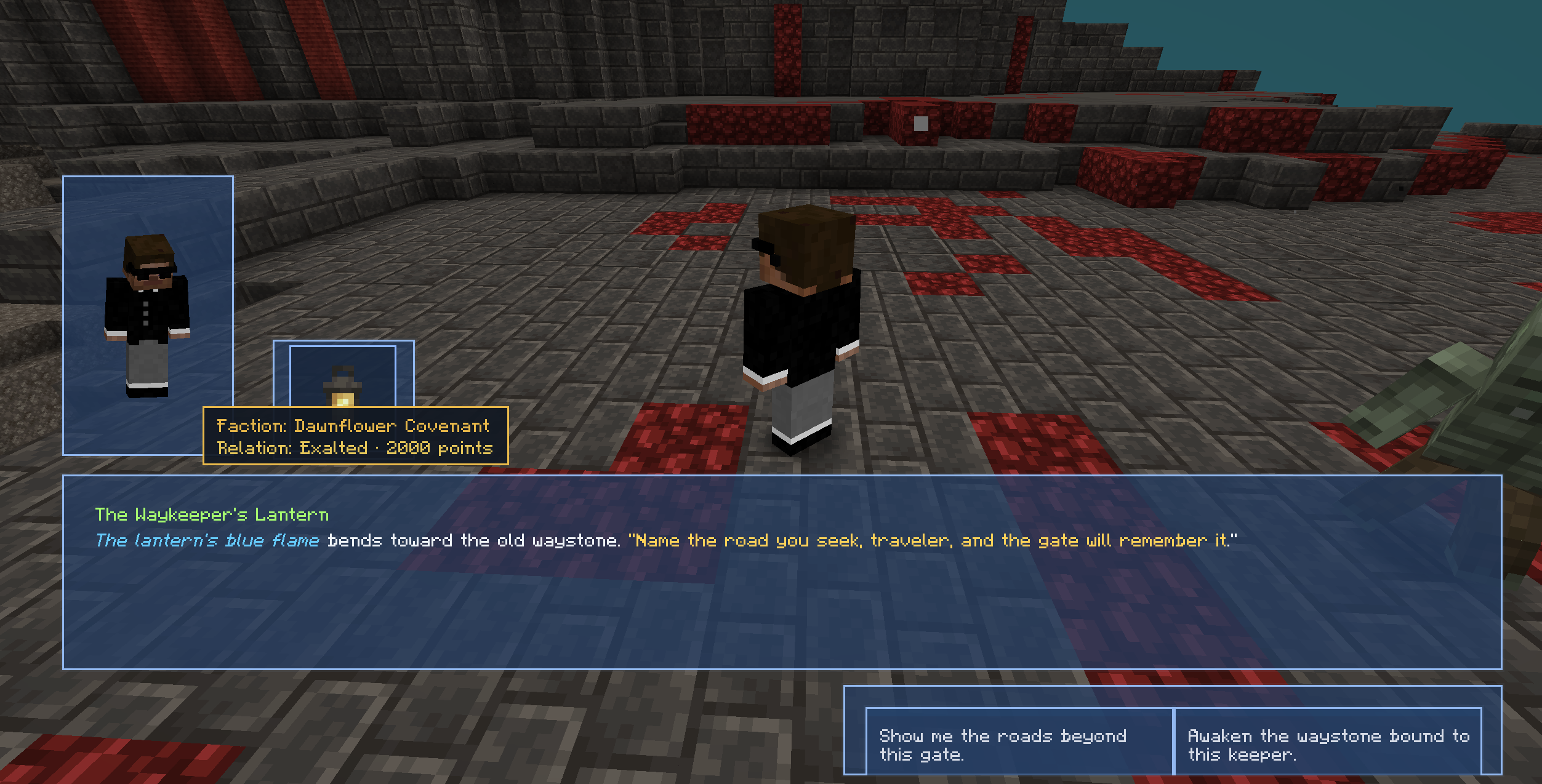
  • Create layouts for dialogue screens, NPC shops, currency HUDs, Remnant Msg views, and addon-driven screens.
  • Add panels, images, cropped resource images, entity previews, item displays, dialogue text, choices, pagers, shop rows, player inventory panels, currency displays, transaction previews, search bars, page selectors, HUD placeholders, and message components.
  • Save GUI layouts as shared JSON files under the DRM GUI folder so multiple systems can reuse them.
  • Use preview and apply workflows to test layouts while editing.

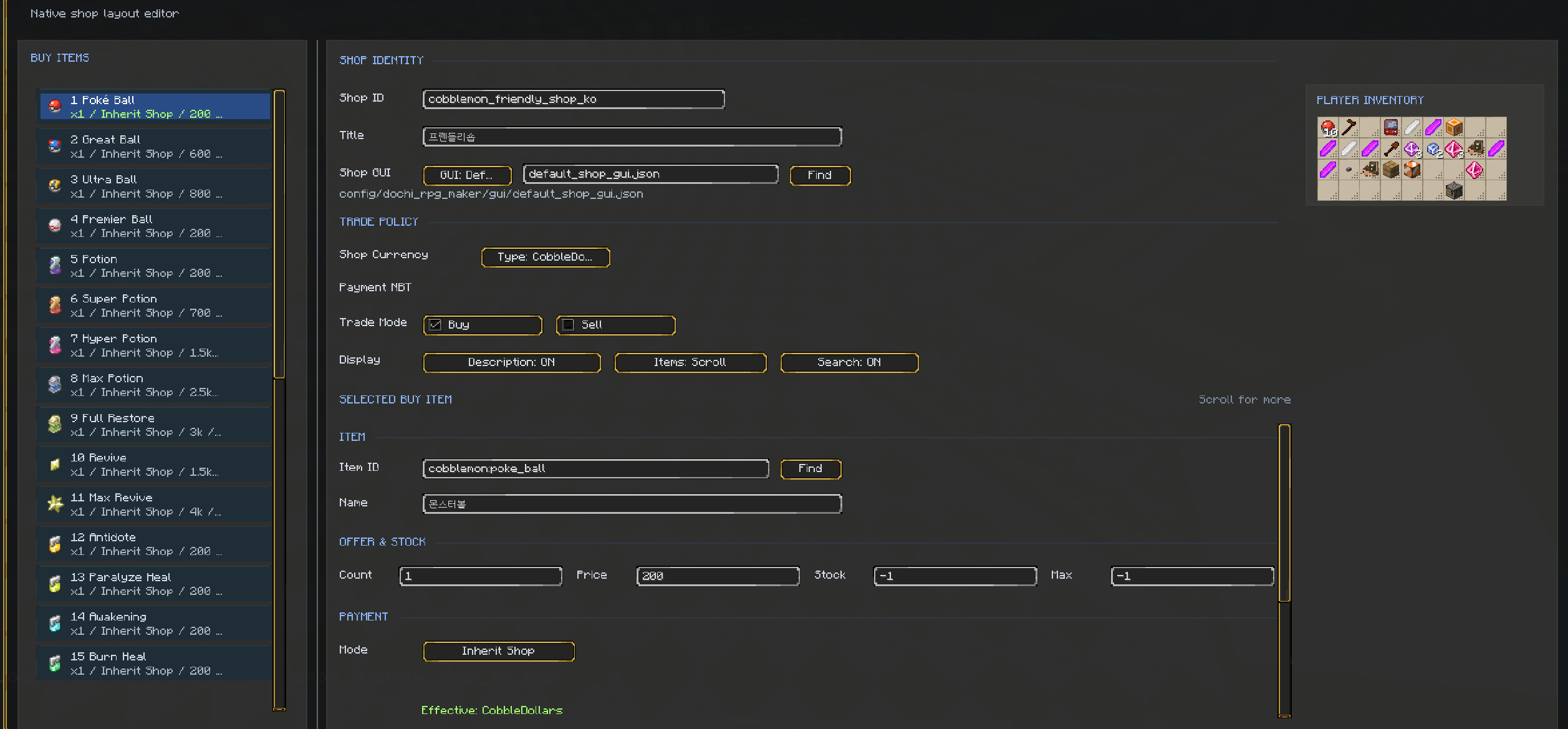
NPC Shop Tools

  • Create buy shops, sell shops, or combined buy/sell shops for CustomNPCs NPCs.
  • Choose the shop GUI layout used by each shop.
  • Use normal item currency or a Dochi RPG Maker currency definition.
  • Register shop items with item count, price, NBT data, and stock settings.
  • Support infinite stock or limited stock.
  • Sell-mode shops can match player items, including NBT-aware entries.
  • Shop screens can render player inventory, item descriptions, currency display, search controls, page controls, and transaction previews.
  • Runtime trades are handled server-side so currency payments, refunds, stock updates, and inventory checks stay consistent in multiplayer.

Currency Editor

  • Define item-based currencies, such as emerald money or custom item currencies.
  • Configure currency name, display format, icon item, matching item data, and pickup behavior.
  • Automatically absorb matching currency items into a player balance when pickup conversion is enabled.
  • Control whether balances are shown in inventory and HUD systems.
  • Configure death-loss behavior, including keeping currency or losing a percentage on death.
  • Use DRM currency balances in NPC shops instead of relying only on physical item stacks.
  • Currency balances are stored and synced server-side.

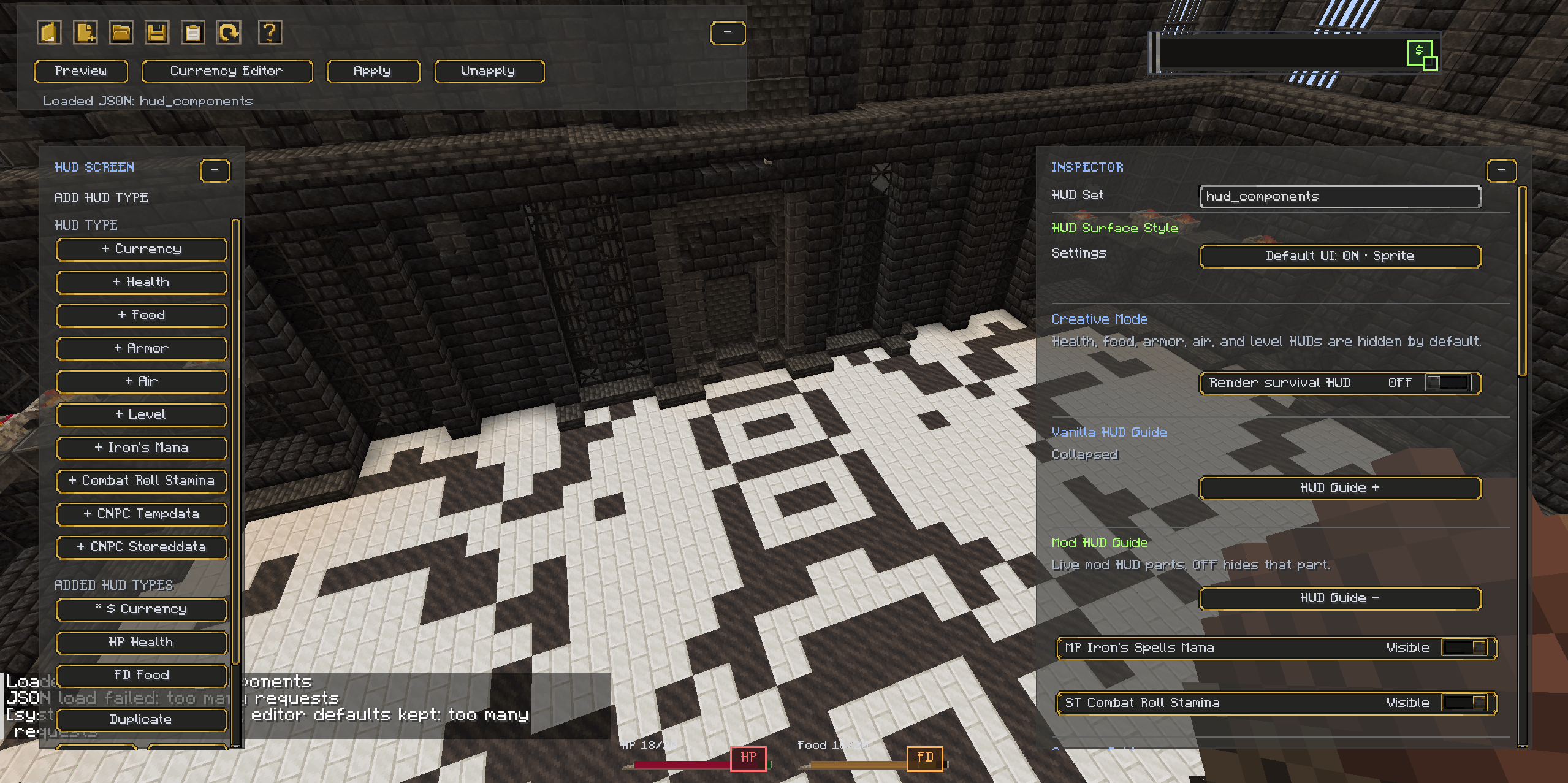
HUD Maker And Currency HUD

  • Build custom HUD definitions and currency HUD layouts in-game.
  • Edit HUD position, visibility, text display, icon display, amount display, pickup flash, and delta labels.
  • Create HUD elements for currency, player health, food, armor, air, and XP level.
  • Preview HUD layouts before applying them.
  • Configure vanilla HUD override behavior for elements such as health, armor, food, air, XP, hotbar, crosshair, and boss bar.
  • Use JSON-based HUD definitions for reusable pack and server setups.

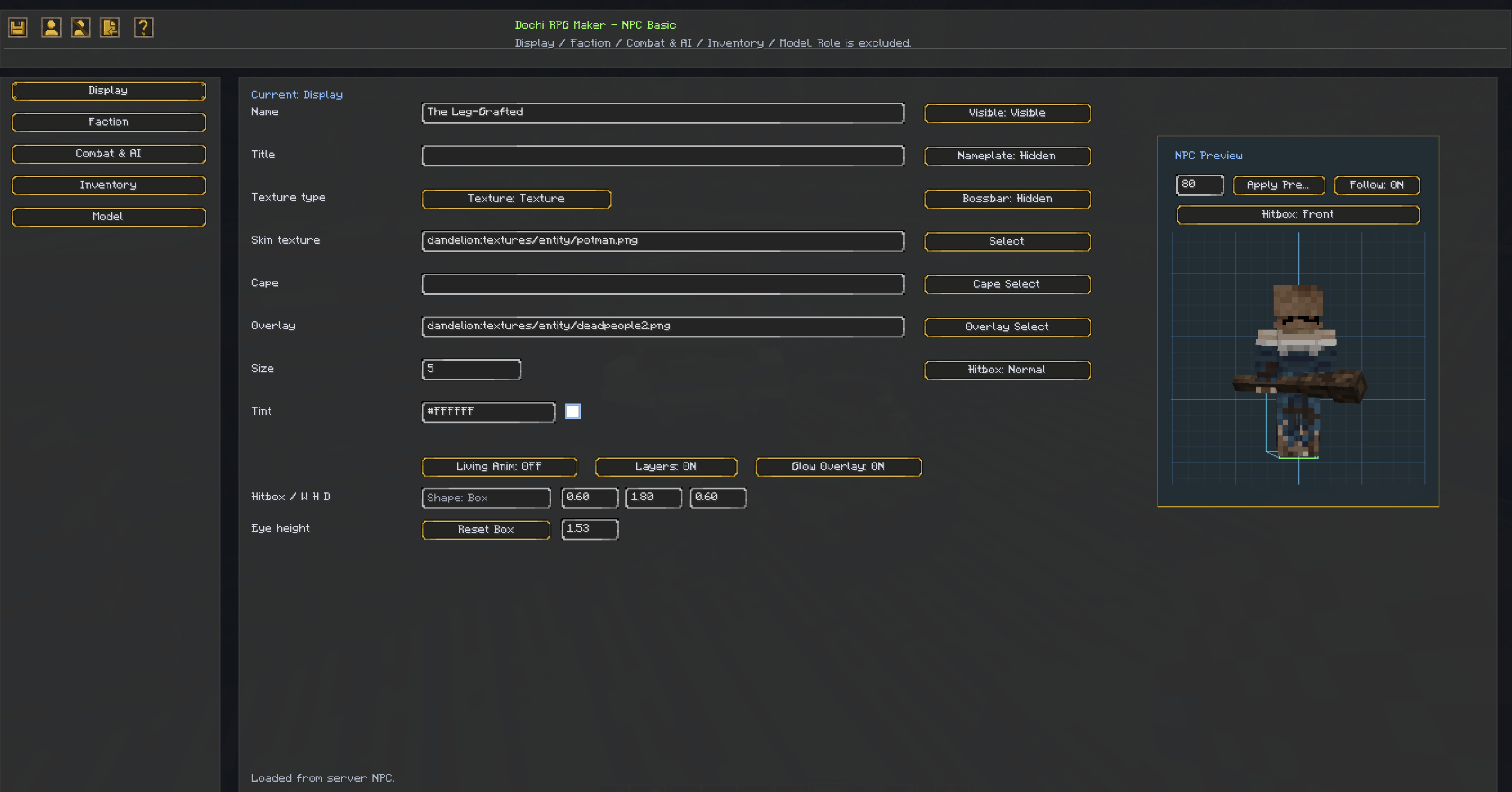
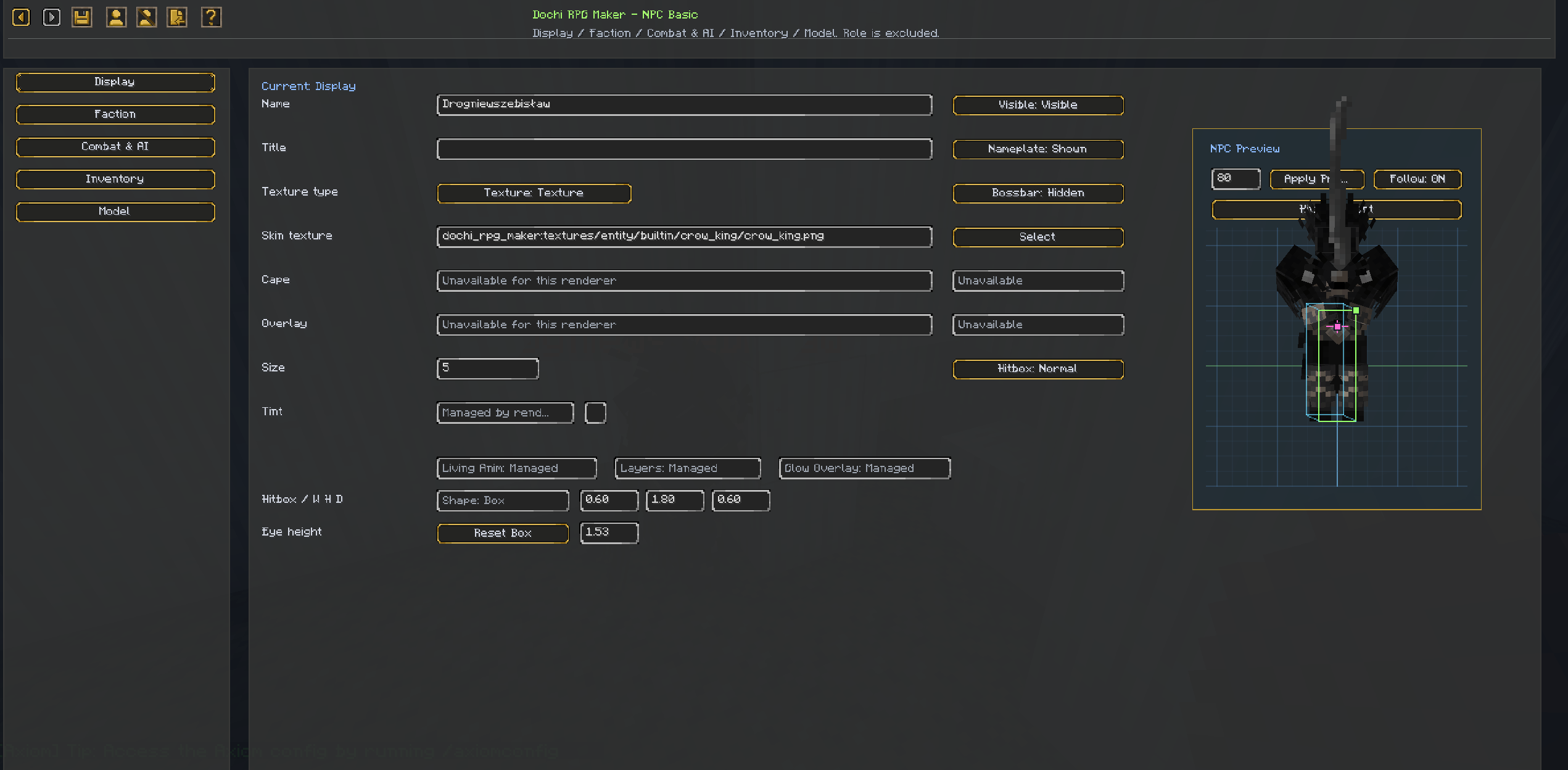
NPC Basic Editor

  • Edit selected CustomNPCs NPCs from an in-game screen.
  • Manage display settings such as name, title, skin, cape, overlays, visibility, name rendering, size, tint, boss bar, hitbox, and visual layers.
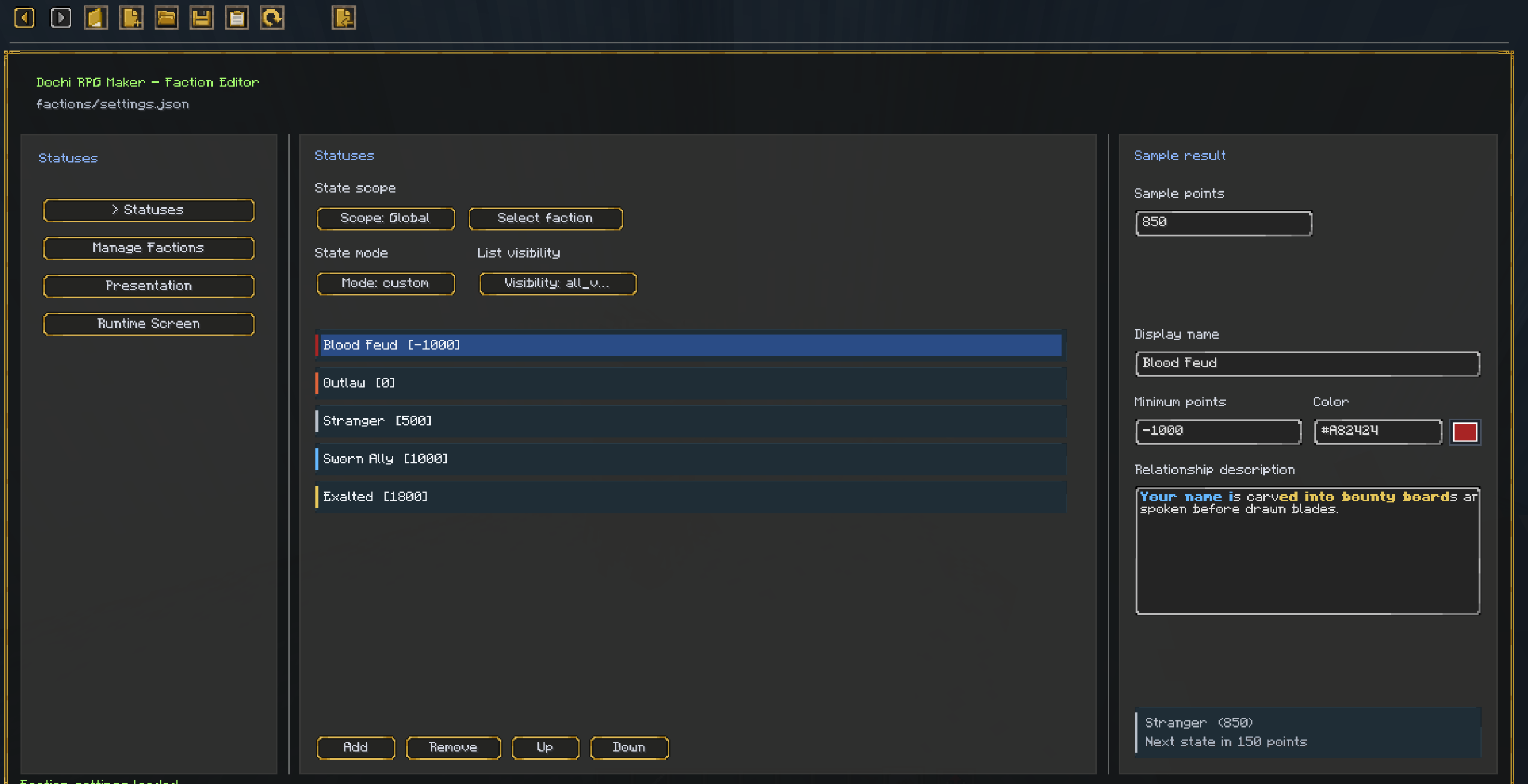
  • Edit faction assignment, faction behavior, hostile-faction targeting, faction defense behavior, and death faction point rules.
  • Adjust combat values, health, aggro range, regeneration, respawn behavior, creature type, immunities, melee settings, and ranged settings.
  • Configure AI options, movement behavior, tactical behavior, inventory, equipment, and drop table data.
  • Includes NPC delete, clone save, clone list, NPC summon, and clone summon workflows.
  • Designed for CustomNPCs-based RPG packs that need faster NPC setup without leaving the world.

Remnant Msg Tools

  • Place and manage world message markers through the Remnant Msg system.
  • Create message JSON data with text, style, conditions, and view actions.
  • Configure policy JSON for interaction rules, permissions, marker behavior, lifetime, and message limits.
  • Use a dedicated message GUI layout for viewing messages in-game.
  • Manage placed world messages through in-game tools, including list, edit, teleport, and delete workflows where available.

Server JSON Workflow

  • Multiplayer servers read and write DRM data from the server-side config folder.
  • Editing actions are permission-protected and normally require OP or the proper server permission.
  • JSON data can be loaded, saved, deleted, refreshed, and reused by multiple NPCs or systems where supported.
  • Built-in defaults are copied into the data folders so new packs have working examples to start from.

Data Folder

Runtime data is stored under:

config/dochi_rpg_maker/

Common data areas include:

config/dochi_rpg_maker/dialogue_sets/
config/dochi_rpg_maker/gui/
config/dochi_rpg_maker/npc_shops/
config/dochi_rpg_maker/currency/definitions/
config/dochi_rpg_maker/currency/hud_layouts/
config/dochi_rpg_maker/hud/
config/dochi_rpg_maker/hud/definitions/
config/dochi_rpg_maker/remnant_msg/messages/
config/dochi_rpg_maker/remnant_msg/policies/
config/dochi_rpg_maker/settings/

Older builds may have used different internal names or older folder layouts, but current user-facing runtime data is organized under config/dochi_rpg_maker/.

Requirements

  • Minecraft Forge 1.20.1
  • CustomNPCs is optional as a dependency, but most NPC binding, shop, and NPC Basic workflows are designed for CustomNPCs NPCs.
  • Optional quest-related checks and actions require the matching quest integration mods to be installed.
  • Multiplayer editing requires the correct server-side permission, usually OP.

Current Status

Dochi RPG Maker is an early RPG maker core release with a broad in-game editor workflow. The current focus is dialogue, GUI layout creation, NPC shops, item-based currencies, HUD editing, NPC basic editing, server JSON workflows, and Remnant Msg tools.

Because the mod is still growing, some editor screens, JSON formats, and advanced tools may continue to change between versions. Back up your server config data before updating important packs.

Who Is This For?

Dochi RPG Maker is intended for:

  • Modpack creators building story-driven RPG packs.
  • Server owners who want NPC dialogue, shops, currencies, and HUD tools.
  • Adventure map makers using modded Minecraft.
  • CustomNPCs users who want faster in-game NPC setup.
  • Creators who prefer editing RPG content through GUI tools instead of manually writing every JSON file.

Screenshots

Gallery

  • 스크린샷 2026-06-15 211650.png
    스크린샷 2026-06-15 211650.png 스크린샷 2026-06-15 211650.png
  • 스크린샷 2026-06-15 211545.png
    스크린샷 2026-06-15 211545.png 스크린샷 2026-06-15 211545.png
  • 스크린샷 2026-06-15 211604.png
    스크린샷 2026-06-15 211604.png 스크린샷 2026-06-15 211604.png
  • 스크린샷 2026-06-15 211619.png
    스크린샷 2026-06-15 211619.png 스크린샷 2026-06-15 211619.png
  • 스크린샷 2026-06-15 211640.png
    스크린샷 2026-06-15 211640.png 스크린샷 2026-06-15 211640.png
  • 스크린샷 2026-06-15 211514.png
    스크린샷 2026-06-15 211514.png 스크린샷 2026-06-15 211514.png
  • 스크린샷 2026-06-15 211528.png
    스크린샷 2026-06-15 211528.png 스크린샷 2026-06-15 211528.png

Versions

Files

Relations

Project Relations

More like this

Similar Mods

Suggestions use data such as tags, dependencies, dependents, descriptions, titles, and more to rank how much they overlap with this mod.

On ModDex

Community snapshot

0
Ratings
0
Followers
0
In stacks

By the numbers

Statistics

<1,000
Downloads
Last Updated
Created
Last synced
When ModDex last fetched this project from CurseForge or Modrinth. Every project is re-checked on a schedule, and any project that ships a new file is synced automatically within hours of the release.
New file updates sync automatically
How syncing works