Community listing page, reviews may not be monitored by the author.
Donation Alerts Integrate


No reviews yet
The modification allows to accept and process donations from the Donation Alerts system

Community voices
Reviews
No reviews yet. Be the first to review this project!
Get it on
Available Platforms
Compatibility
Supported Environments
Runs entirely on the client. Works on vanilla servers.
About
Project Details
For authors
Embed Badge
If you're the author of this project, you can embed a live badge anywhere that supports HTML or Markdown. It updates automatically whenever ratings change.
Use HTML for any page that supports it, or Markdown for README files and Markdown-based descriptions.
Identifiers
Platform IDs
About
Description
DonationAlerts-Minecraft
A modification that allows you to receive events from DonationAlerts
Supports:
- Donation
- Twitch Bits
- Subscriptions to YouTube and Twitch
Allows to:
- Send message to the chat
- Execute any Minecraft commands (include mods)
Learn more to configure DA Integrate
DonationAlerts-Minecraft
A modification that allows you to receive events from DonationAlerts
Supports:
- Donation
- Twitch Bits
- Twitch Points
- Subscriptions to YouTube and Twitch
Allows to:
- Send message to the chat
- Execute any Minecraft commands (include mods)
Setup
Setup your token
There are several ways to set your token here.
With minecraft command
- Copy the token to the clipboard from DonationAlerts service
- Execute command in your minecraft chat
NO NEED to insert a token into the chat! The token will be taken from your clipboard./da set
With file
- Open the file
Windows:C:\Users\<your user>\.donation-alerts-token
Linux:~/.donation-alerts-token - Paste your token to the file
- Save
Connect to the Donation Alerts
To connect to Donation Alerts, use the command in Minecraft
/da connect
To check connection status you can use command
/da status
And there is the command to disconnect
/da disconnect
Configuration
The settings file is in .minecraft/donation-alerts-integrate/settings.yaml
The file format is yaml, example:
disableSettingsUpdateMessage: false
disableWelcomeMessage: false
triggers:
- name: default
  description: example trigger
  isActive: true
  sensitives:
  - properties:
      type: daintegrate/sensitive/donate
      value:
        from: 5
        to: 10
        currency: USD
  handlers:
  - delay: 0 # Any comment you can type here!
    properties:
      type: daintegrate/handler/message
      value:
        message: Hello, <donation_username>! This is an example message for all events from Donation Alerts
  - delay: 10
    properties:
      type: daintegrate/handler/command
      value:
        command: time set day # The sun is rising
- name: Subscribtion
  isActive: true
  sensitives:
  - properties:
      type: daintegrate/sensitive/subscribe
      value:
        type: YouTubeSubscription
  handlers:
  - properties:
      type: daintegrate/handler/message
      value:
        message: <donation_username> just subscribe to YouTube!
triggers is a list of events that can trigger by each message from donation alerts
| Property | Description |
|---|---|
| name | Just a name of trigger |
| description | Description of trigger |
| isActive | Enables or disables the trigger. If isActive = false, the trigger will not be activated |
| sensitive | Conditions for trigger activation see #Sensitive for learn more |
| handlers | Handlers inside the trigger, execute any registered commands. You can create your own mod that will add a custom handler See #Handlers for lean more |
Sensitive
Conditions for trigger activation.
The DonationAlertsIntegrate provides multiple sensitive
| Type | Description |
|---|---|
daintegrate/sensitive/always |
Activates for any event |
daintegrate/sensitive/donate |
Activates for specific donation |
daintegrate/sensitive/subscribe |
Activates for subscribe |
daintegrate/sensitive/twitch/bits |
Activates for specific bits |
Always
Parameters
Has no parameters
Example
sensitives:
- properties:
    type: daintegrate/sensitive/always
Donate
Activates if the amount falls within the specified range (from <= amount <= to).
And the currency matches.
Parameters
| Name | Type | Description |
|---|---|---|
from |
number | Left side number |
to |
number | Right side number |
currency |
text | Currency in the ISO 4217 code |
Example
sensitives:
- properties:
    type: daintegrate/sensitive/donate
    value:
      from: 5
      to: 10
      currency: USD
Subscribe
Activates if the type is matches
Parameters
| Name | Type | Description |
|---|---|---|
type |
enum | Type to match, see below for available types |
Available types
- YouTubeSubscription
- TwitchSubscription
- TwitchFreeFollow
- TwitchGiftSubscription
- TwitchPrimeSubscription
Example
sensitives:
- properties:
    type: daintegrate/sensitive/subscribe
    value:
      type: YouTubeSubscription
Twitch points
Activates if the amount of Twitch points falls within the specified range (from <= amount <= to).
Parameters
| Name | Type | Description |
|---|---|---|
from |
number | Left side of the Twitch bits amount |
to |
number | Right side of the Twitch bits amount |
Example
sensitives:
- properties:
    type: daintegrate/sensitive/twitch/points
    value:
      from: 0
      to: 1000
Twitch bits
Activates if the amount of Twitch bits falls within the specified range (from <= amount <= to).
Parameters
| Name | Type | Description |
|---|---|---|
from |
number | Left side of the Twitch bits amount |
to |
number | Right side of the Twitch bits amount |
Example
sensitives:
- properties:
    type: daintegrate/sensitive/twitch/bits
    value:
      from: 0
      to: 2000
Handlers
Handlers for the trigger.
Perform actions when the trigger is activated.
| Type | Description |
|---|---|
daintegrate/handler/message |
Adds a message to your chat |
daintegrate/handler/command |
Sends a command to the server on your behalf |
Delay
Each handler, in addition to the properties object, has a delay property, it indicates after how many ticks the command will be executed.
By default, 1 second in minecraft is 20 ticks
Replace patterns
In commands and messages, you can specify patterns that will be replaced with the corresponding values.
<donation_message>
<donation_amount>
<donation_currency>
<donation_username>
<minecraft_playername>
Message
Adds a message to your chat
Parameters
| Name | Type | Description |
|---|---|---|
message |
text | A message which will be added to the chat |
Example
handlers:
- delay: 10
  properties:
    type: daintegrate/handler/message
    value:
      message: Hello! It's day time!
Command
Sends a command to the server on your behalf
Parameters
| Name | Type | Description |
|---|---|---|
command |
text | A command which will be send to the server (without slash /) |
Example
handlers:
- delay: 10
  properties:
    type: daintegrate/handler/command
    value:
      command: time set day
Screenshots
Gallery
-
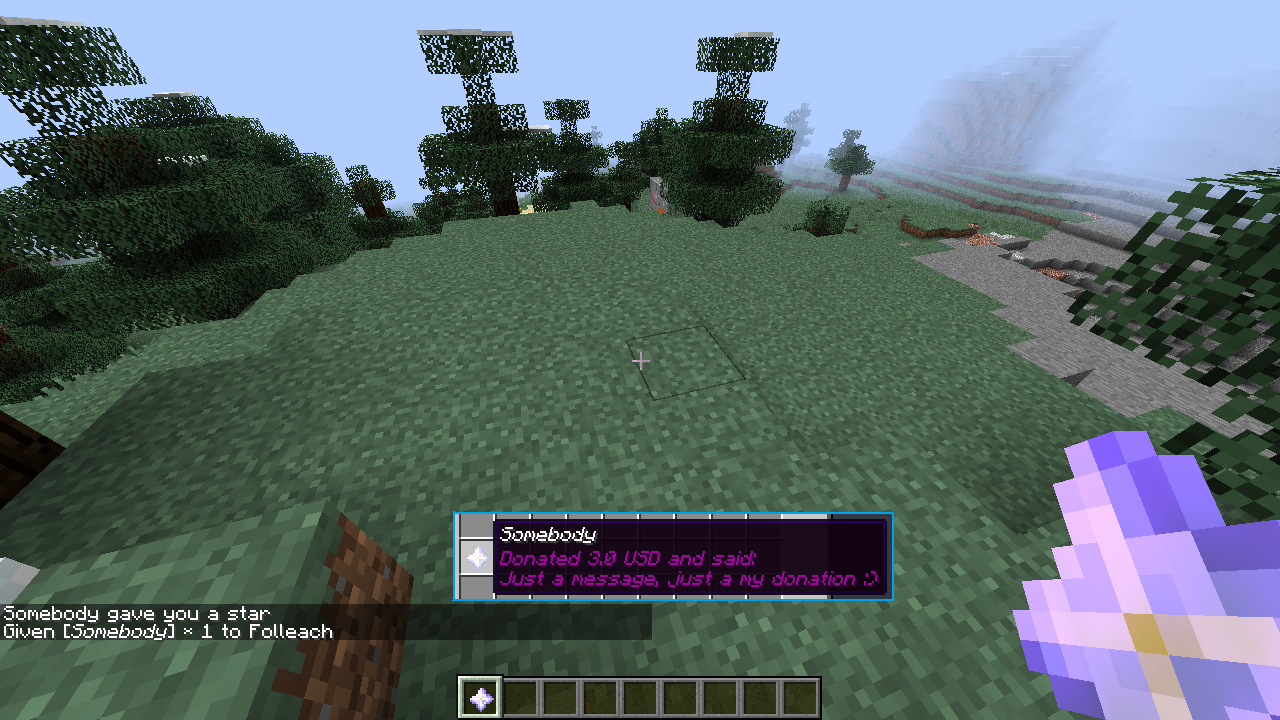 Items on your server And other things that can be done by commands
 -
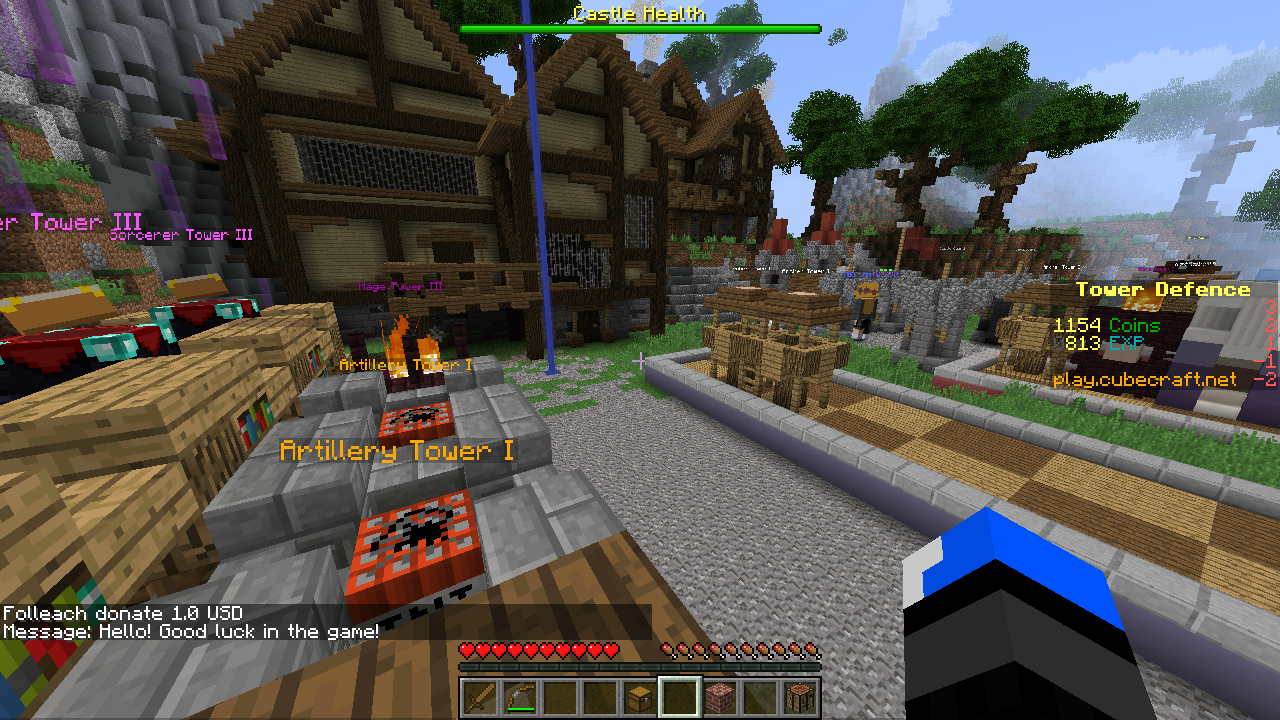 Chat on the public server
 -
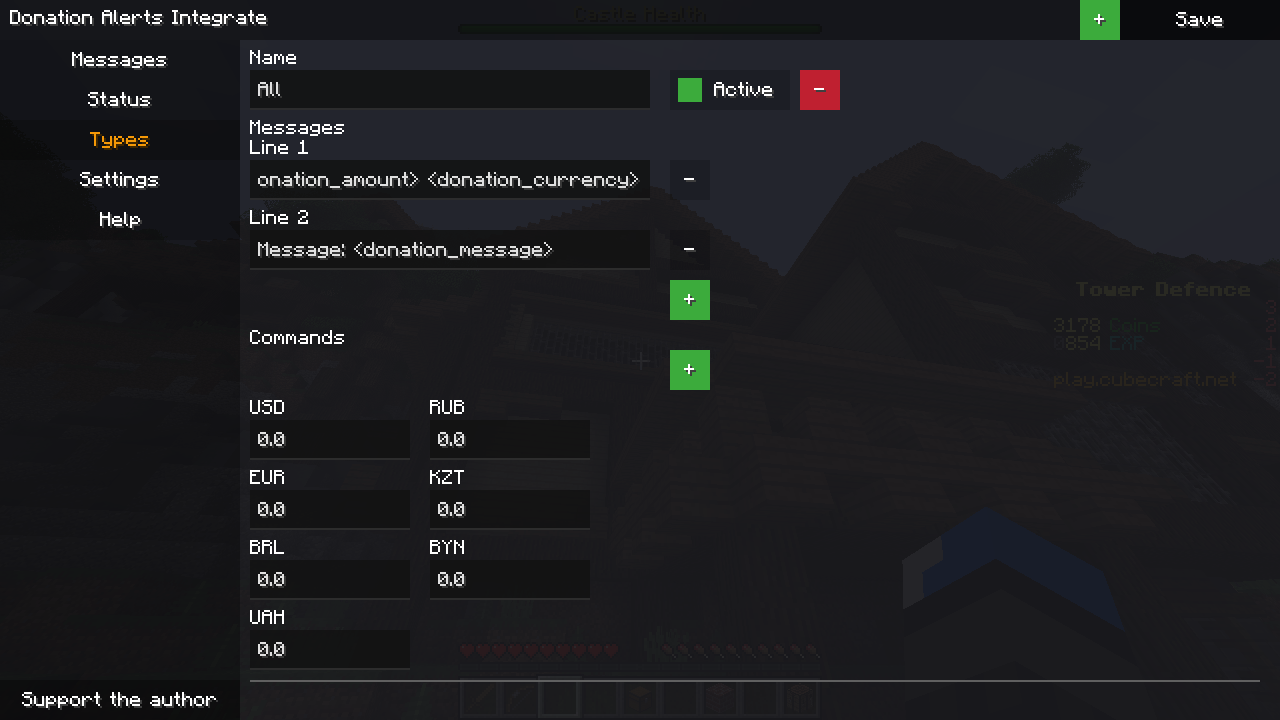 Types tab
 -
 Status tab
 -
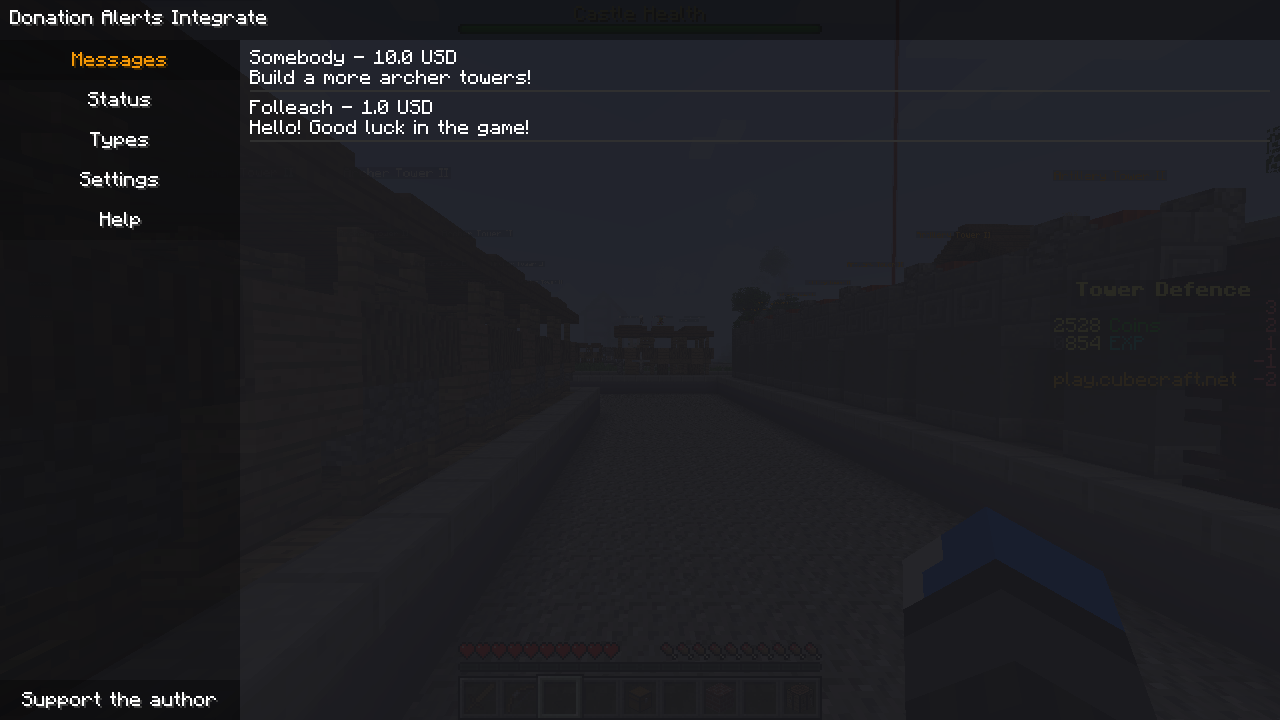 Messages tab
Versions
Files
Relations
Project Relations
More like this
Similar Mods
Suggestions use data such as tags, dependencies, dependents, descriptions, titles, and more to rank how much they overlap with this mod.
On ModDex
Community snapshot
By the numbers
Statistics

Get it on
Available Platforms
On ModDex
Community snapshot
By the numbers