
Community listing page, reviews here may not be monitored by the author.
LogiGraph Factory Manager


No reviews yet
First feature of Doole’s Tools, Build a powered logistics network, connect your machines, and drive a live factory graph from it. Scan connected endpoints, watch power and throughput, then let Logi Factory Manager move resources along the graph.
Community voices
Reviews
No reviews yet. Be the first to review this project!
Get it on
Available Platforms
Compatibility
Supported Environments
Must be installed on both the client and the server.
About
Project Details
For authors
Embed Badge
If you're the author of this project, you can embed a live badge anywhere that supports HTML or Markdown. It updates automatically whenever ratings change.
Use HTML for any page that supports it, or Markdown for README files and Markdown-based descriptions.
Identifiers
Platform IDs
About
Description
LogiGraph Factory Manager by Doole's Tools
Turn your Minecraft base into a proper high-tech factory control room.
Build computers, run wires, place wireless gadgets, connect your machines, and watch your whole base come alive on a giant flowgraph screen. Chests, furnaces, tanks, machines, power blocks, and storage systems can all become part of your own smart logistics network.
No more guessing where your items are going. No more running around checking every chest. No more messy factory spaghetti.
With LogiGraph, you build the network, scan your connected machines, draw the routes, and let your factory start thinking for itself.
Why You’ll Want It
Ever wanted your Minecraft base to feel like a real control centre?
LogiGraph lets you:
- Build a computer-powered factory network
- Connect machines using wires or wireless devices
- See your base as a live node graph
- Watch items, fluids, power, warnings, and machine progress
- Create smart routes for moving resources
- Display your factory on monitors
- Share graph layouts between worlds
- Build cleaner, smarter, cooler-looking tech bases
It is perfect for players who like automation, storage rooms, big factories, tech mods, base control systems, and making machines work together.
The Big Idea
Your Logistics Computer becomes the brain of your factory.
You connect machines to the network, scan them, then place them on a flowgraph. From there, you can draw links between machines, storage, filters, splitters, and other logic nodes.
Want ore to go into a furnace? Want finished items to go into storage? Want fluids, energy, or items to follow specific routes? Want to see when something is full, empty, blocked, or not working?
That is what LogiGraph is built for.
What Makes It Cool
Build a Real Factory Network
Use wires, sockets, routers, dongles, and extenders to connect your machines. Your base starts to feel like a real computer-controlled factory.
See Everything on a Graph
Instead of digging through menus, you can see machines as nodes on a canvas. Connect them together and build your own factory map.
Watch Your Base Live
See storage, machine progress, power demand, warnings, and throughput stats from the computer screen.
Move Items, Fluids, and Energy
Logi Factory Manager can move resources through saved graph links when server config allows it.
Use Big Monitors
Place external monitor blocks to show your factory network outside the computer.
Works with Other Tech Mods
LogiGraph is designed for compatibility with mods like AE2, Mekanism, Create, Storage Drawers, Refined Storage, and CC:Tweaked where supported.
How It Works
- Place a Logistics Computer.
- Connect machines and storage to the network.
- Use Network Wire and Sockets for wired setups.
- Use a Wireless Router, Dongles, and Extenders for wireless setups.
- Open the Logistics Computer and scan the network.
- Add connected machines to the graph.
- Draw links between ports.
- Save the graph.
- Let Logi Factory Manager route items, fluids, or energy.
Important: LogiGraph does not magically scan every nearby block. A machine must be connected with a Socket, Wireless Dongle, or linked network before it appears.
Good For
- Tech mod players
- Factory builders
- Storage room fans
- Automation lovers
- Players who like ComputerCraft-style systems
- Players who enjoy node graphs and visual logic
- Big base builders who want better control
Beta Notice
This is a beta testing build. Back up your worlds before testing.
Please report scanning, routing, UI, graph, and automation issues with clear steps so they can be fixed.
Textures are to be redone.
Requirements
- Minecraft 26.1.2
- NeoForge 26.1.2.76+
- Java 25
LogiGraph Factory Manager by Doole's Tools
Turn your Minecraft base into a proper high-tech factory control room.
Build computers, run wires, place wireless gadgets, connect your machines, and watch your whole base come alive on a giant flowgraph screen. Chests, furnaces, tanks, machines, power blocks, and storage systems can all become part of your own smart logistics network.
No more guessing where your items are going. No more running around checking every chest. No more messy factory spaghetti.
With LogiGraph, you build the network, scan your connected machines, draw the routes, and let your factory start thinking for itself.
Why You’ll Want It
Ever wanted your Minecraft base to feel like a real control centre?
LogiGraph lets you:
- Build a computer-powered factory network
- Connect machines using wires or wireless devices
- See your base as a live node graph
- Watch items, fluids, power, warnings, and machine progress
- Create smart routes for moving resources
- Display your factory on monitors
- Share graph layouts between worlds
- Build cleaner, smarter, cooler-looking tech bases
It is perfect for players who like automation, storage rooms, big factories, tech mods, base control systems, and making machines work together.
The Big Idea
Your Logistics Computer becomes the brain of your factory.
You connect machines to the network, scan them, then place them on a flowgraph. From there, you can draw links between machines, storage, filters, splitters, and other logic nodes.
Want ore to go into a furnace? Want finished items to go into storage? Want fluids, energy, or items to follow specific routes? Want to see when something is full, empty, blocked, or not working?
That is what LogiGraph is built for.
What Makes It Cool
Build a Real Factory Network
Use wires, sockets, routers, dongles, and extenders to connect your machines. Your base starts to feel like a real computer-controlled factory.
See Everything on a Graph
Instead of digging through menus, you can see machines as nodes on a canvas. Connect them together and build your own factory map.
Watch Your Base Live
See storage, machine progress, power demand, warnings, and throughput stats from the computer screen.
Move Items, Fluids, and Energy
Logi Factory Manager can move resources through saved graph links when server config allows it.
Use Big Monitors
Place external monitor blocks to show your factory network outside the computer.
Works with Other Tech Mods
LogiGraph is designed for compatibility with mods like AE2, Mekanism, Create, Storage Drawers, Refined Storage, and CC:Tweaked where supported.
How It Works
- Place a Logistics Computer.
- Connect machines and storage to the network.
- Use Network Wire and Sockets for wired setups.
- Use a Wireless Router, Dongles, and Extenders for wireless setups.
- Open the Logistics Computer and scan the network.
- Add connected machines to the graph.
- Draw links between ports.
- Save the graph.
- Let Logi Factory Manager route items, fluids, or energy.
Important: LogiGraph does not magically scan every nearby block. A machine must be connected with a Socket, Wireless Dongle, or linked network before it appears.
Good For
- Tech mod players
- Factory builders
- Storage room fans
- Automation lovers
- Players who like ComputerCraft-style systems
- Players who enjoy node graphs and visual logic
- Big base builders who want better control
Beta Notice
This is a beta testing build. Back up your worlds before testing.
Please report scanning, routing, UI, graph, and automation issues with clear steps so they can be fixed.
Requirements
- Minecraft 26.1.2
- NeoForge 26.1.2.76+
- Java 25
Screenshots
Gallery
-
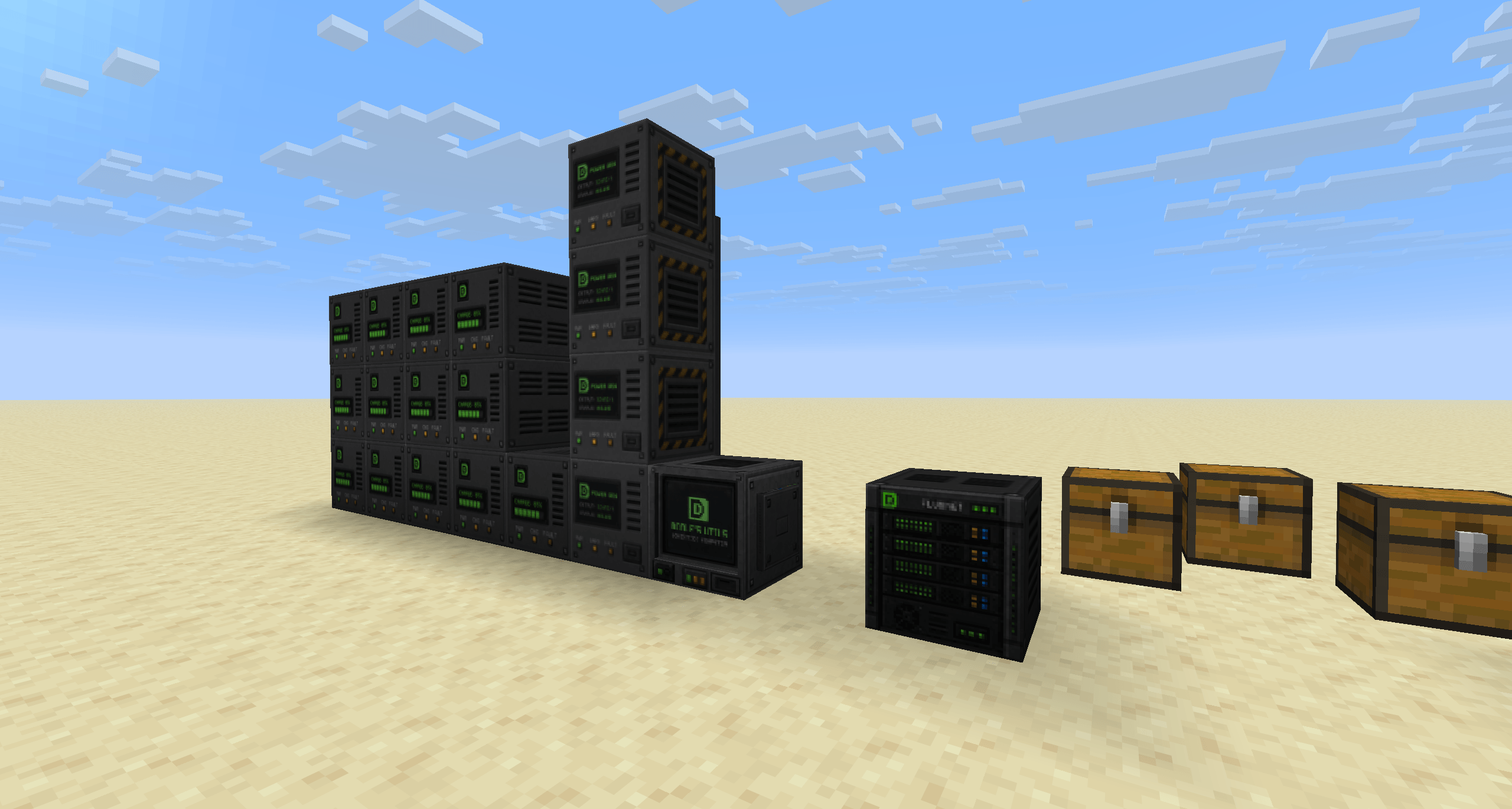 2026-06-17_17.06.11.png 2026-06-17_17.06.11.png
 -
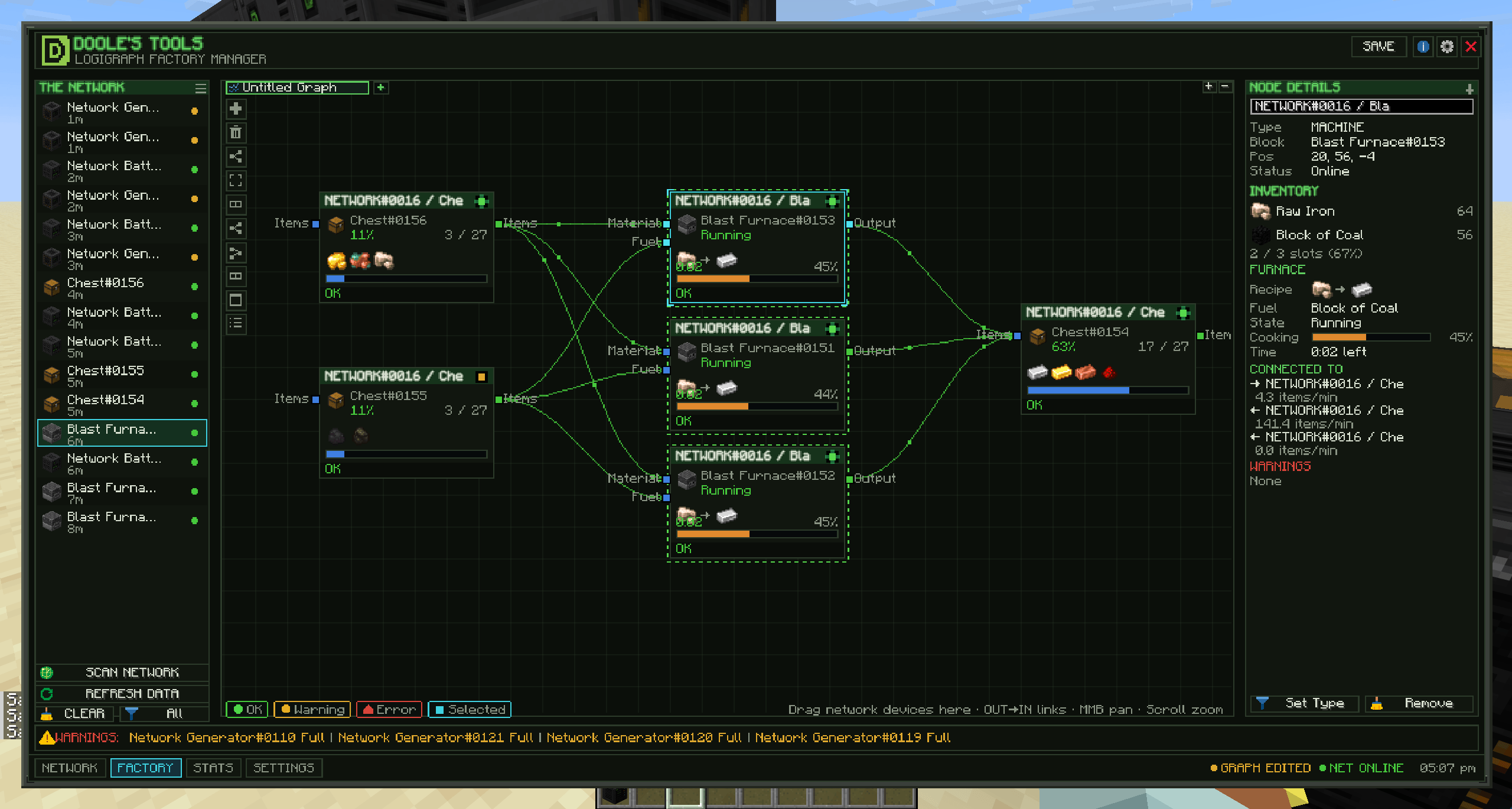 2026-06-17_17.07.25.png 2026-06-17_17.07.25.png
 -
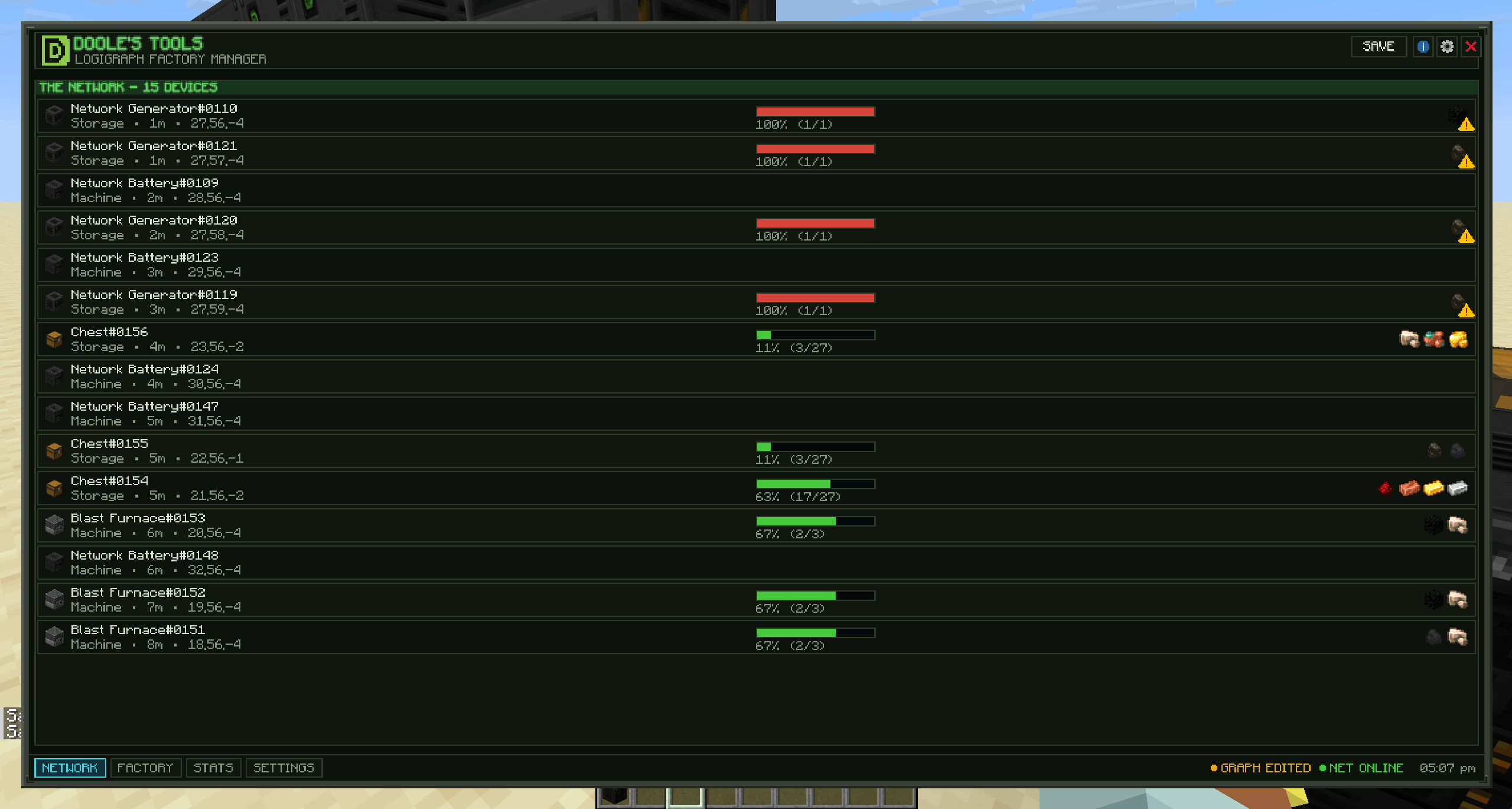 2026-06-17_17.07.29.png 2026-06-17_17.07.29.png
 -
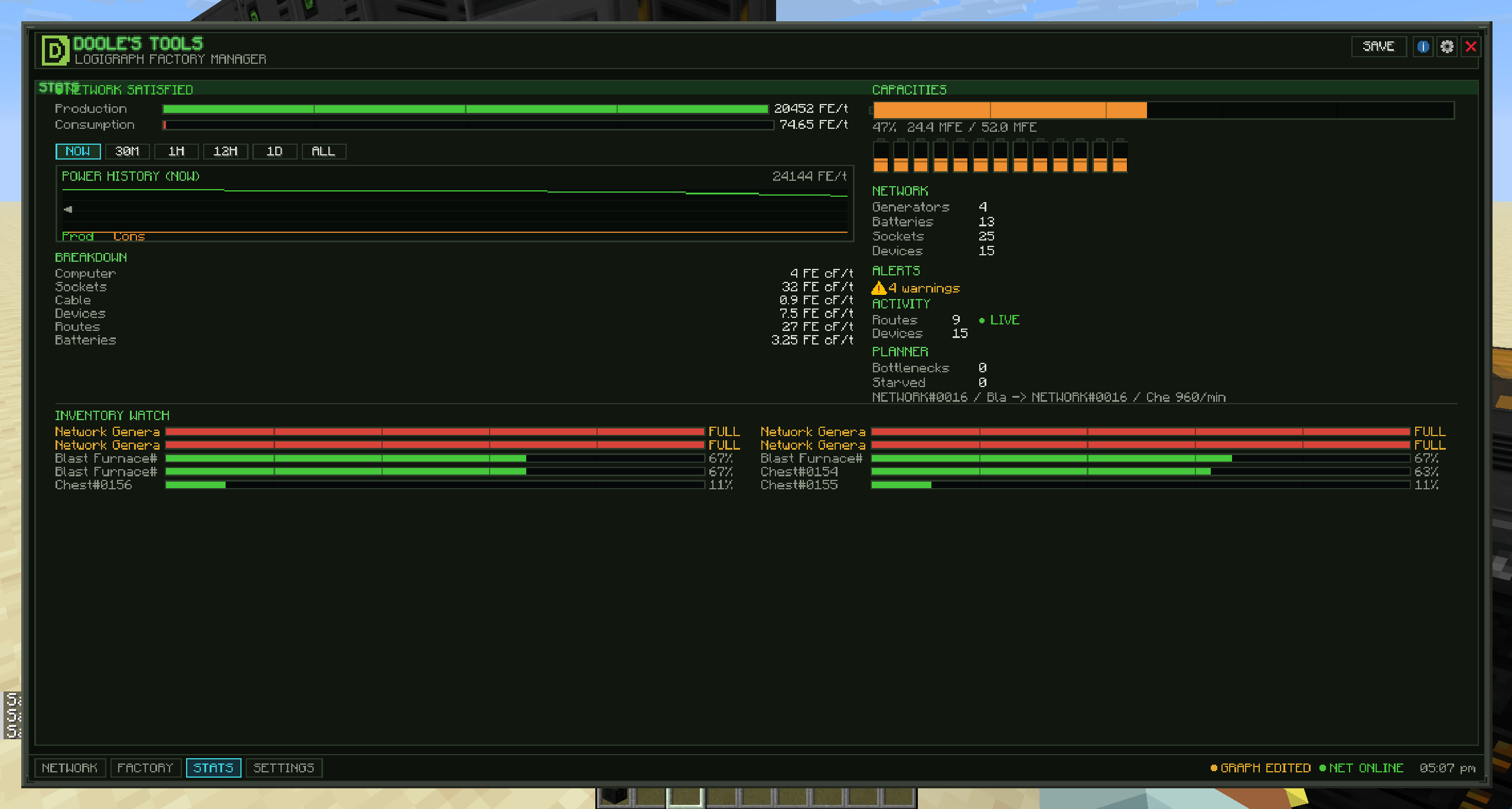 2026-06-17_17.07.31.png 2026-06-17_17.07.31.png
 -
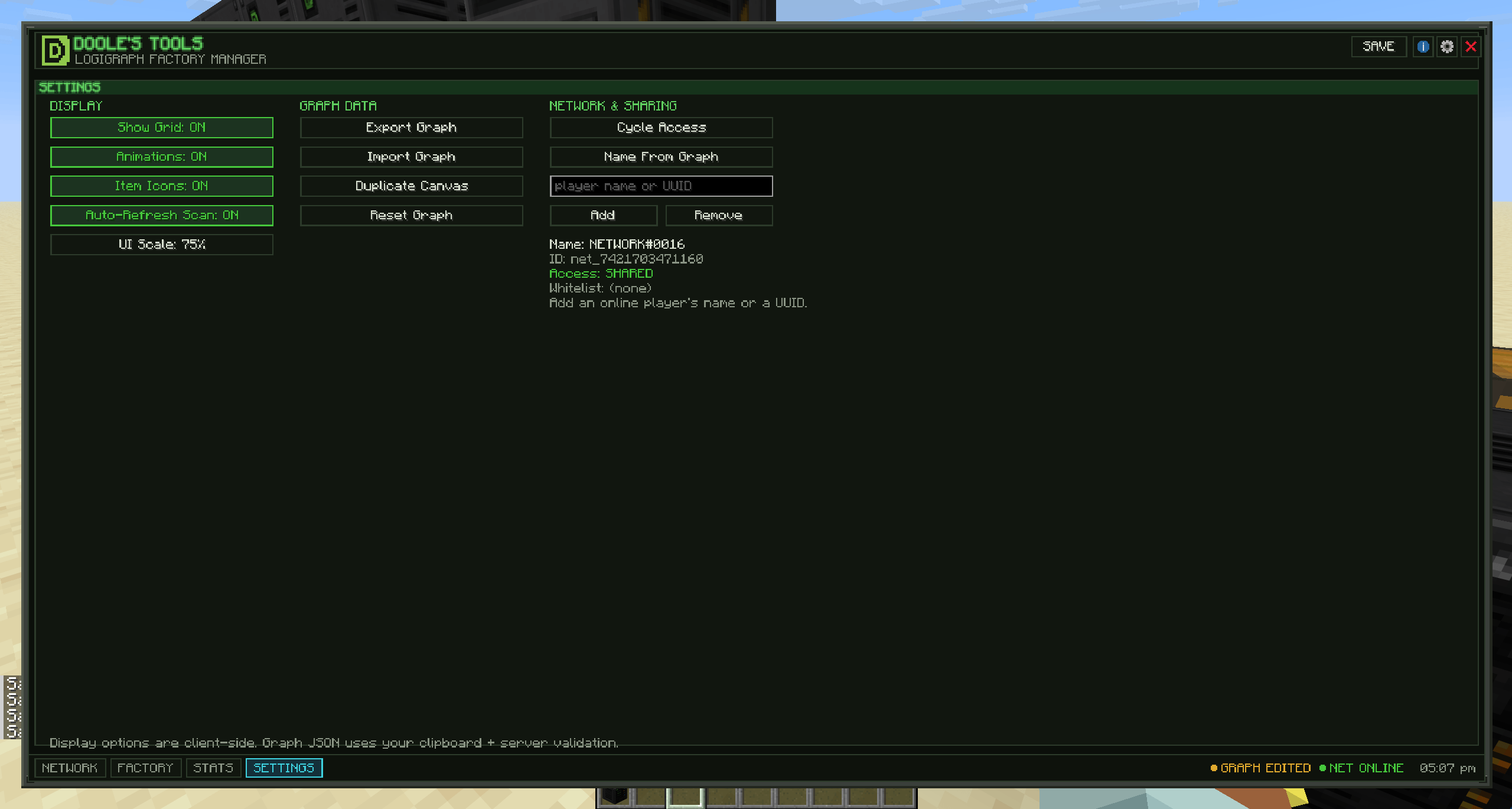 2026-06-17_17.07.32.png 2026-06-17_17.07.32.png
 -
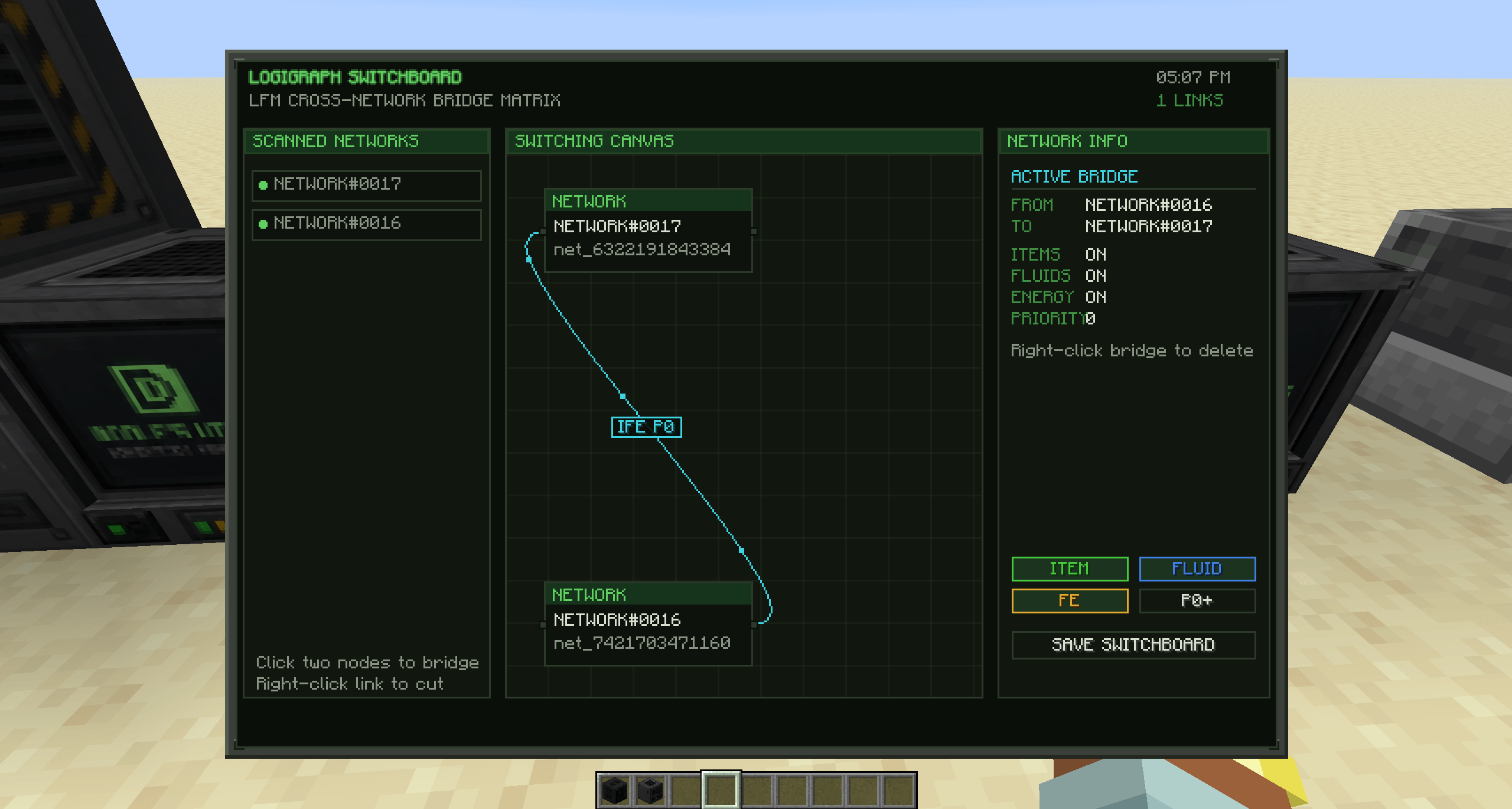 2026-06-17_17.07.51.png 2026-06-17_17.07.51.png
 -
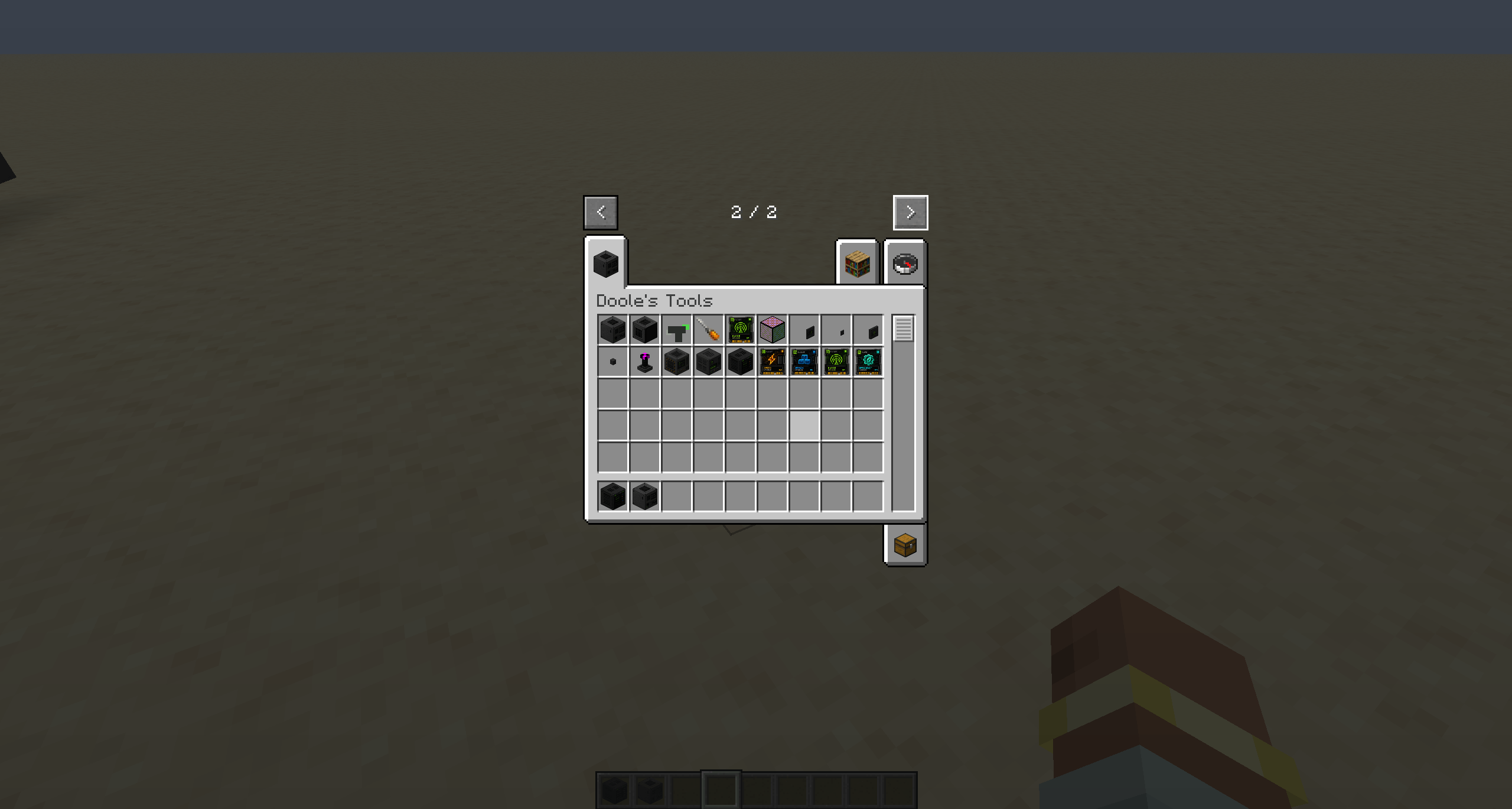 2026-06-17_17.08.17.png 2026-06-17_17.08.17.png
-
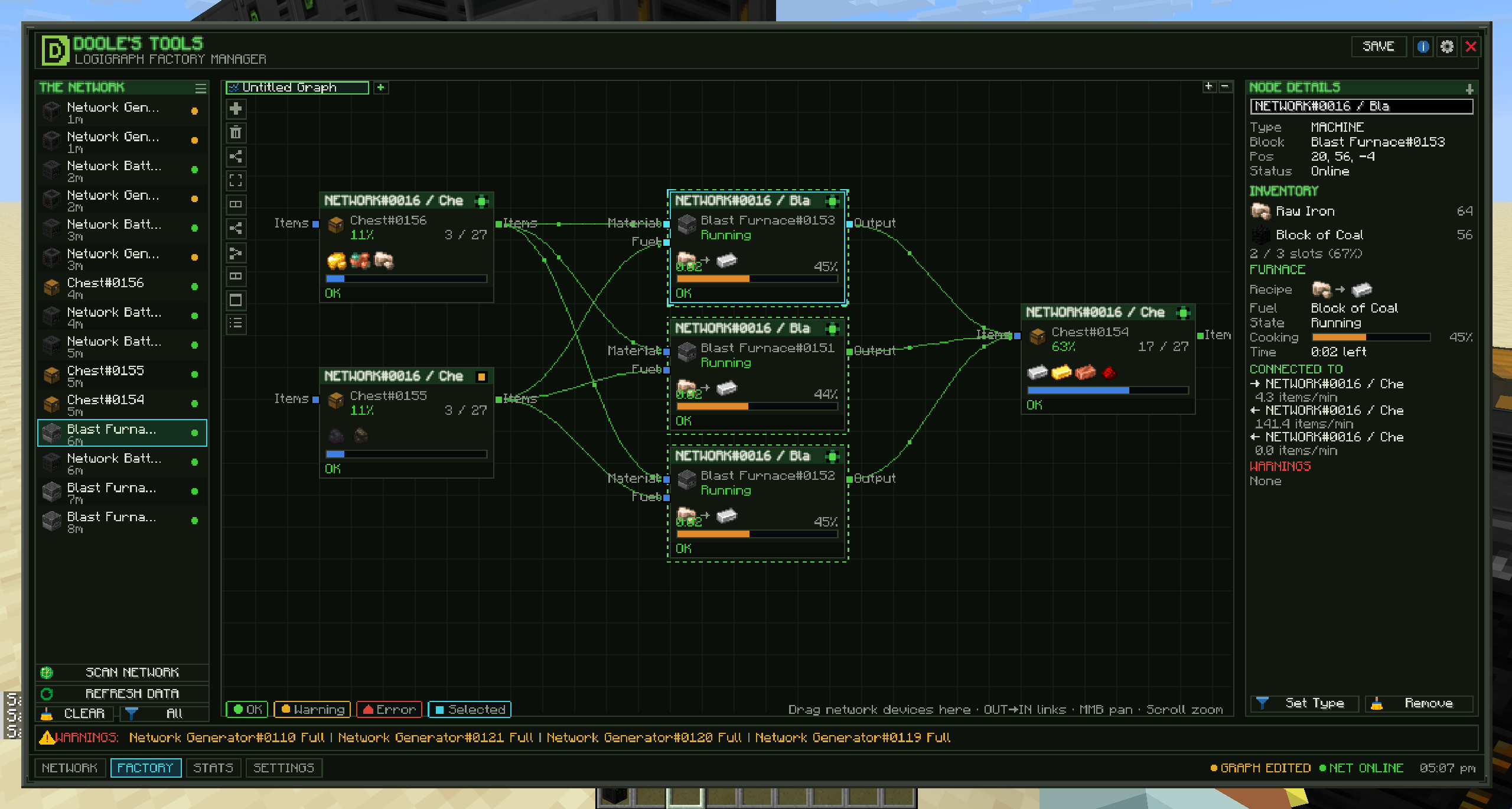 LogiGraph The main workplace of the computer
 -
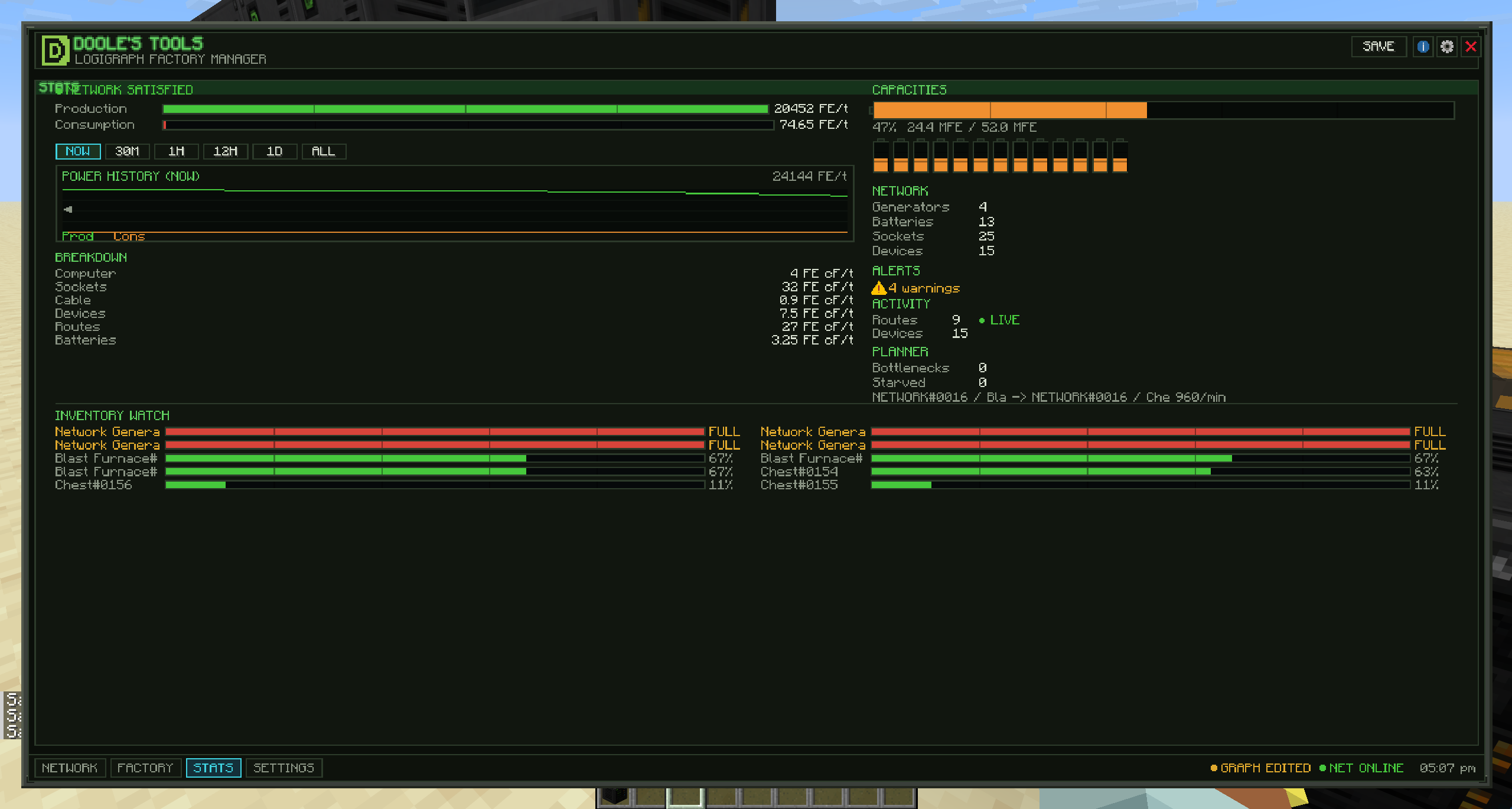 Stats Page This is where you see power and inventory network stats
 -
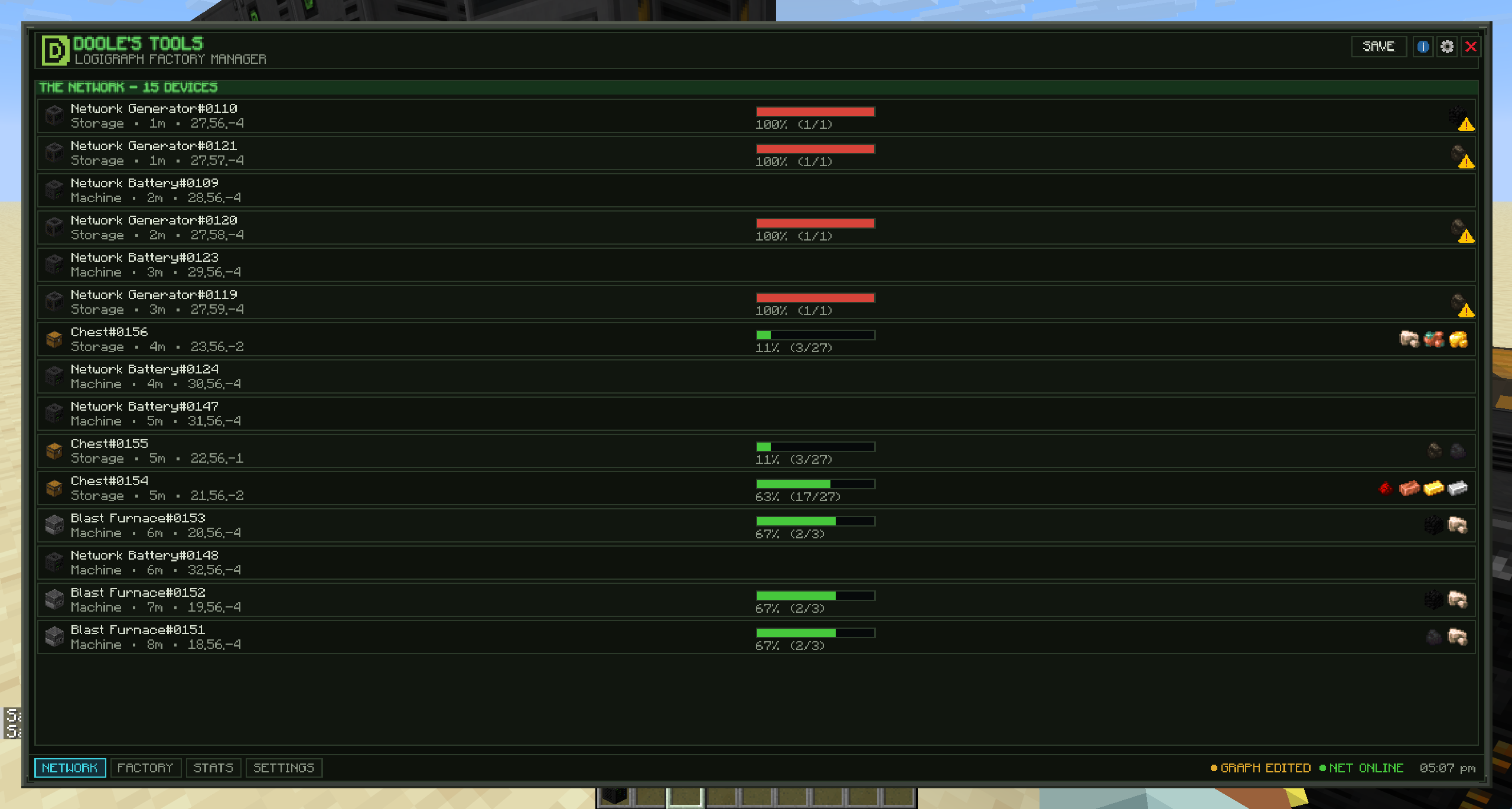 Network
 -
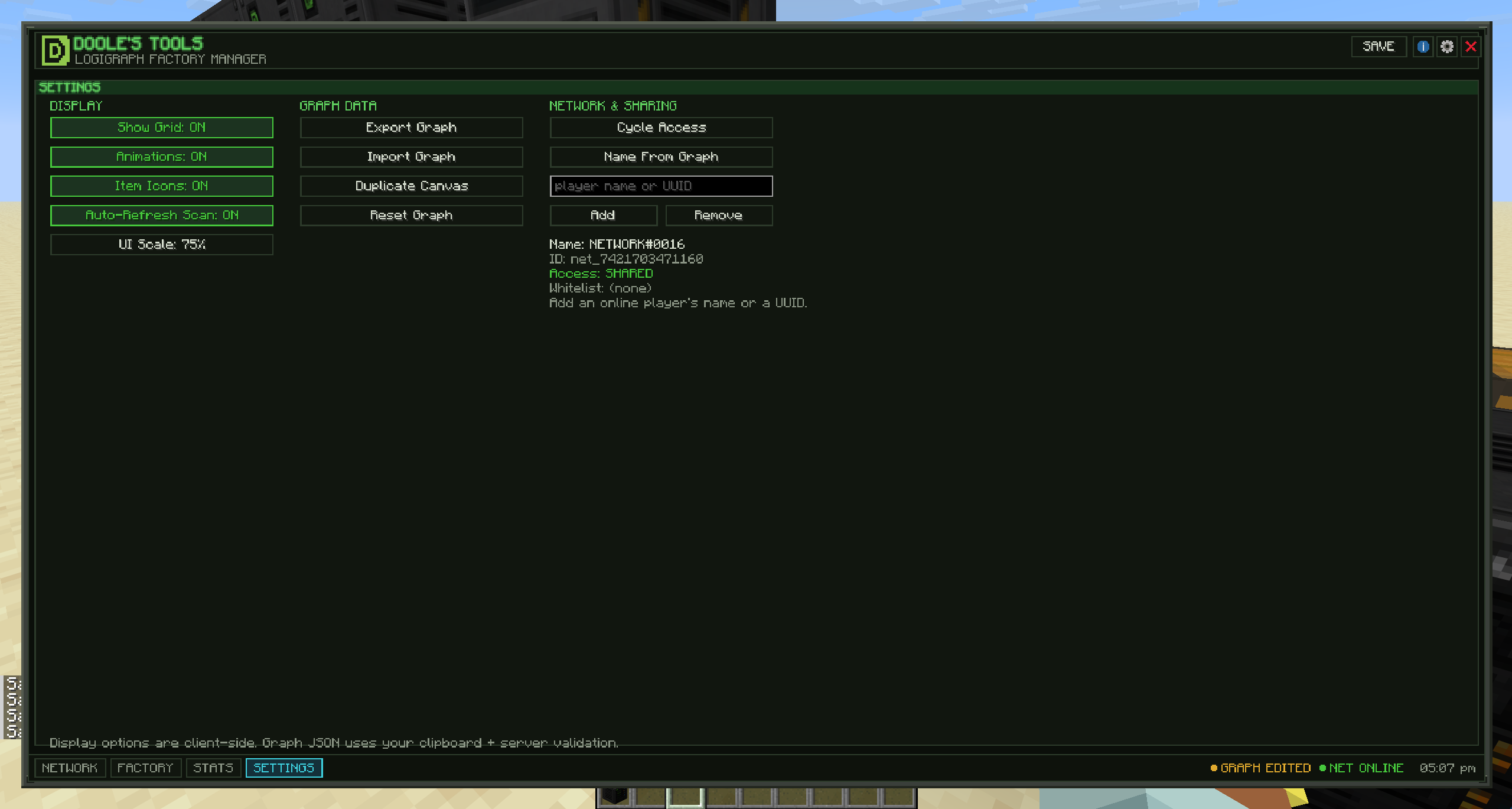 Settings
 -
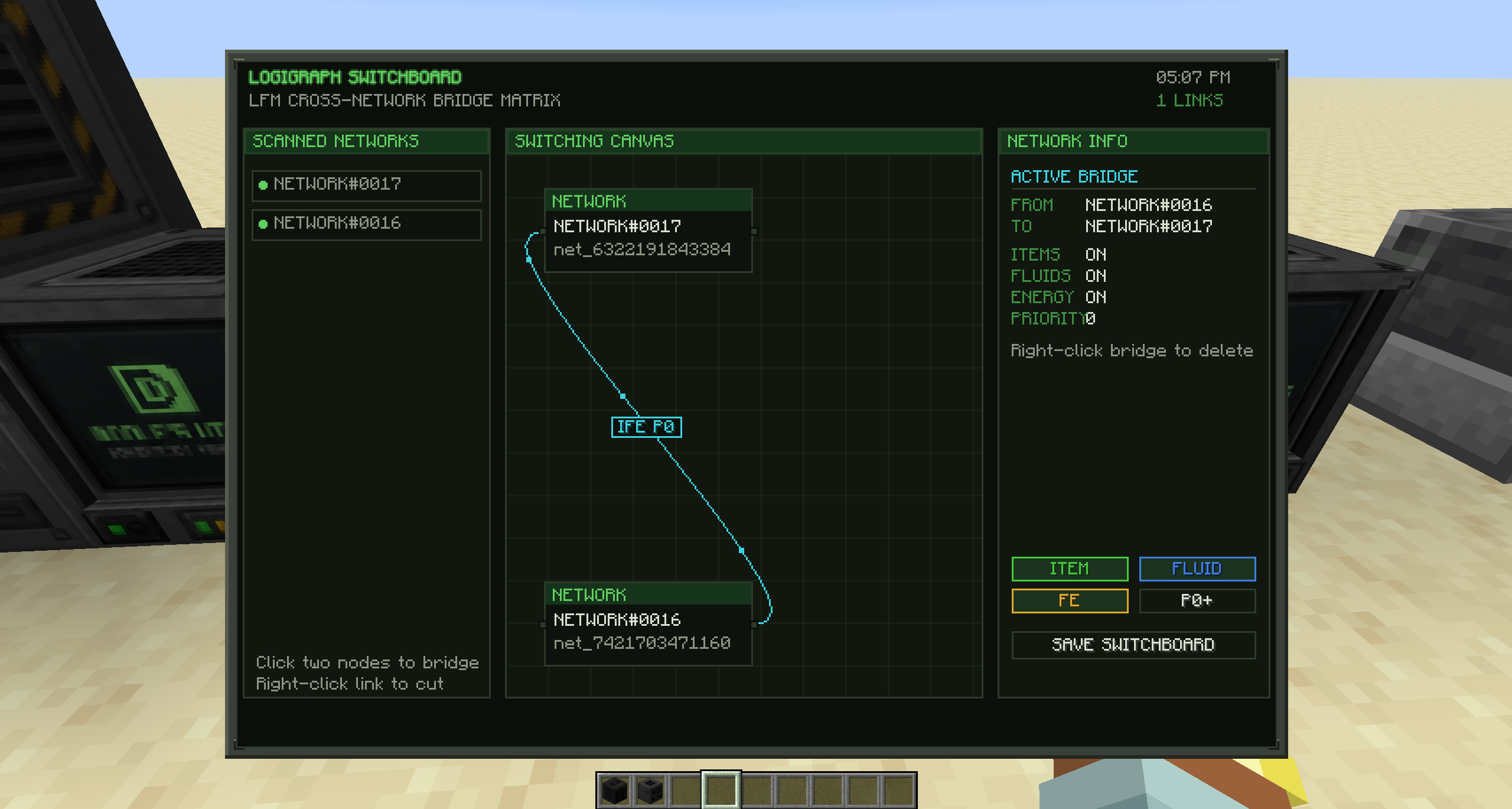 Switchboard
 -
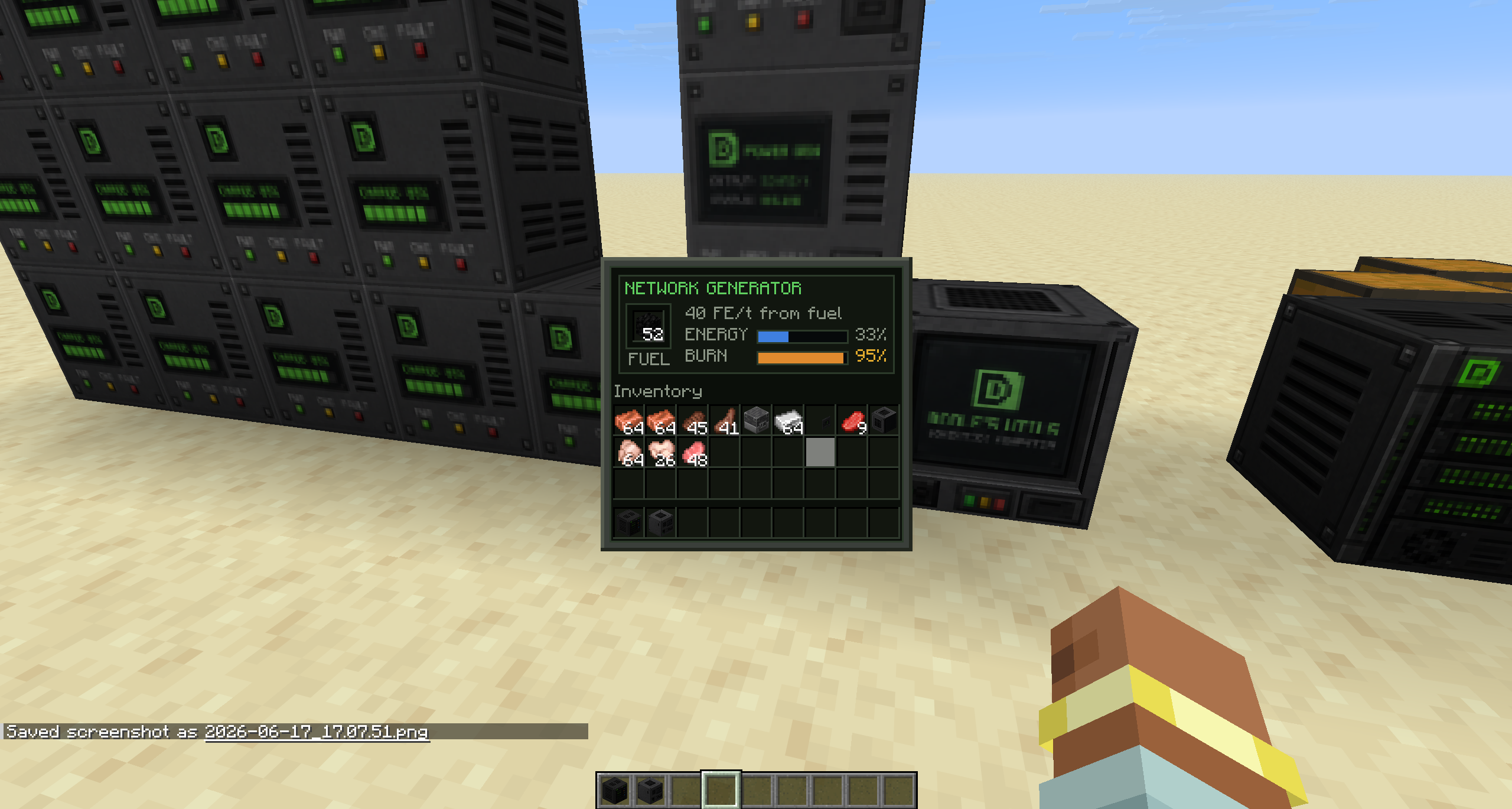 Generator
 -
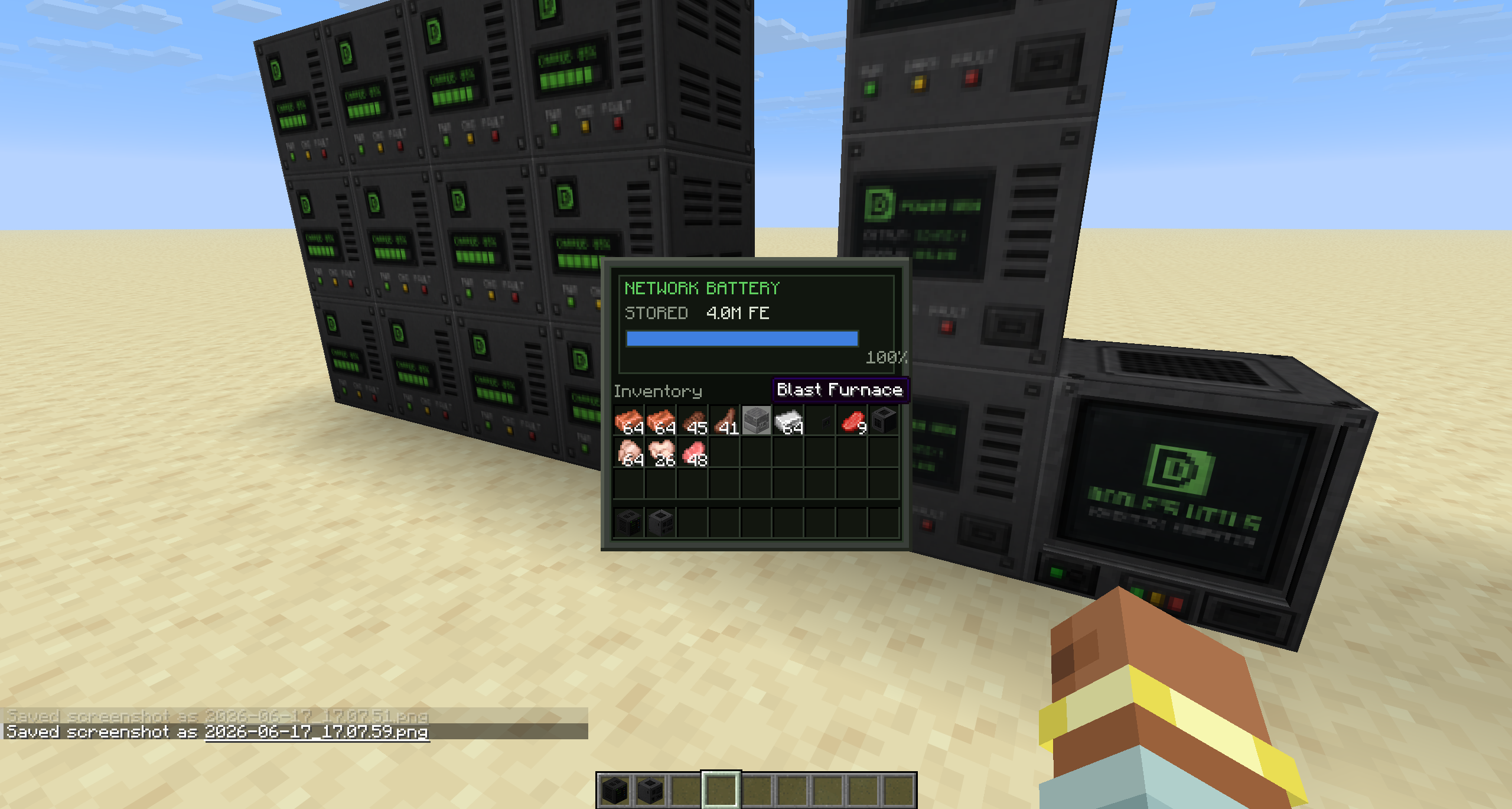 Battery
 -
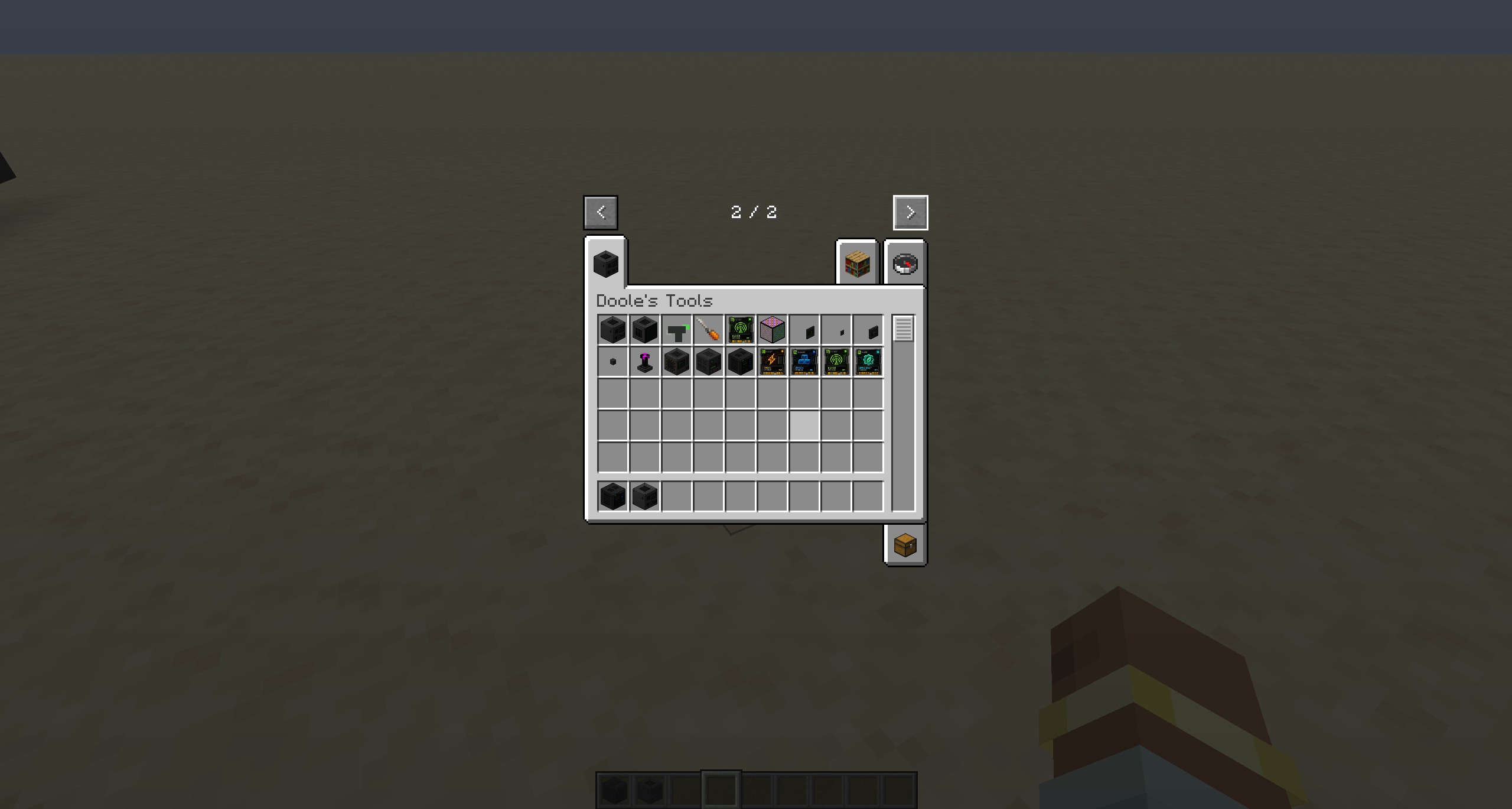 Items
Items -
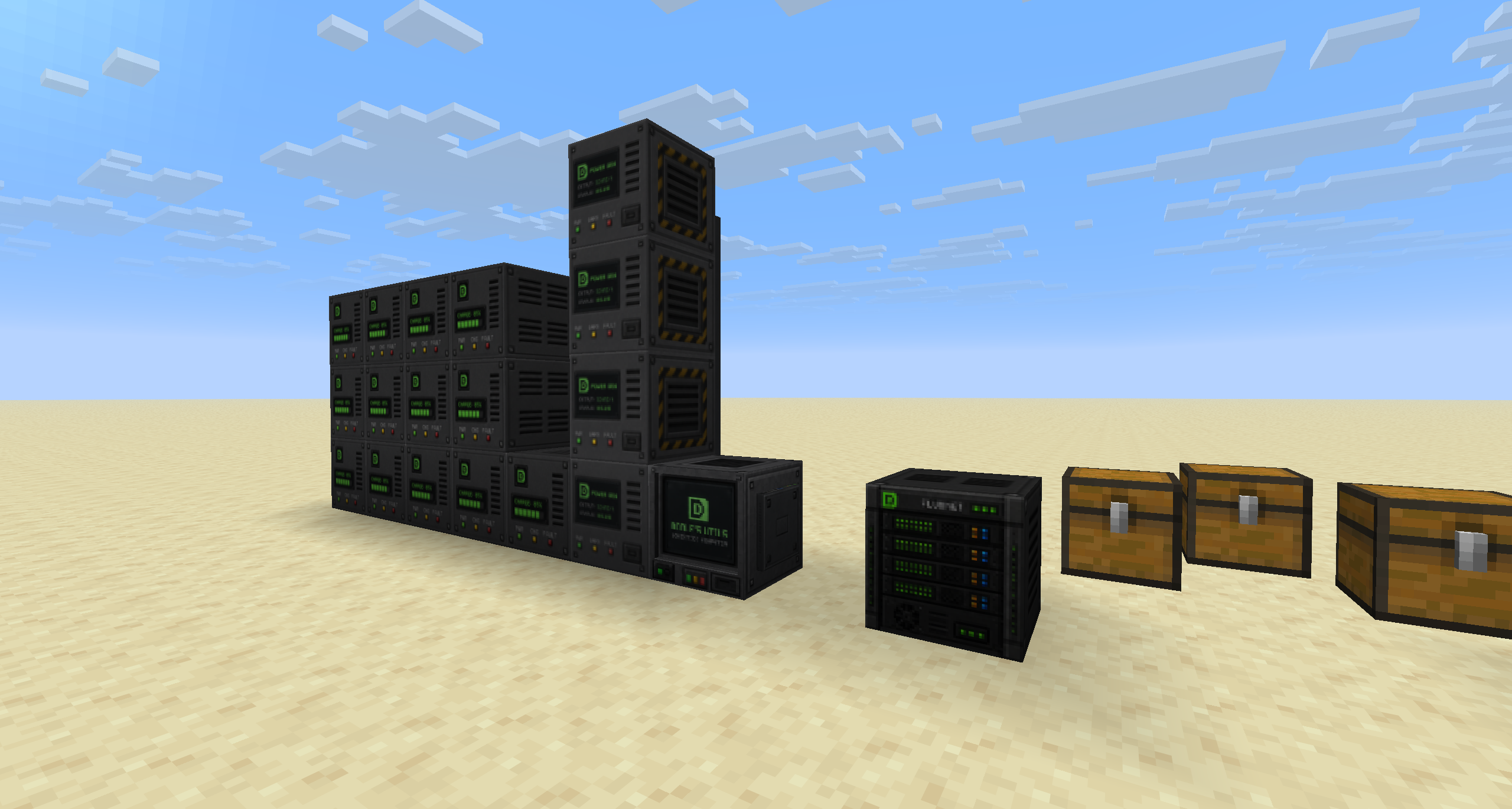 Blocks
Versions
Files
Relations
Project Relations
More like this
Similar Mods
Suggestions use data such as tags, dependencies, dependents, descriptions, titles, and more to rank how much they overlap with this mod.
On ModDex
Community snapshot
By the numbers
Statistics
Want to reach Minecraft players?
We're looking for a server hosting partner to feature here and other parts of the site. Interested? Send us a message!
Get in touchGet it on
Available Platforms
On ModDex
Community snapshot
By the numbers