
Datapack Installer
No reviews yet
A mod which allows you to select datapacks, compressed or as a folder, inside a folder during world creation without having to copy them.
Does not follow a specific thematic focus apart from vanilla Minecraft.
Used for mods with little to no gameplay elements.
Includes quality of life improvements and small tweaks to enhance and customize gameplay.
Fabric is a mod loader for versions 1.14+ of Minecraft, particularly popular for client side and optimization mods.
Community voices
Reviews
Click once to include, again to exclude, again to clear
No reviews yet. Be the first to review this project!
Get it on
Available Platforms
 Modrinth
Compatibility
Supported Environments
About
Project Details
For authors
Embed Badge
If you're the author of this project, you can embed a live badge anywhere that supports HTML or Markdown. It updates automatically whenever ratings change.
Use HTML for any page that supports it, or Markdown for README files and Markdown-based descriptions.
Identifiers
Platform IDs
About
Description
Datapack Installer
A Minecraft (Fabric) mod. When installed on the client, data packs put into the data pack folder will be available for selection during world creation as well as while paused in Singleplayer. When installed on the server, data packs put into the data pack folder will be copied to the active world when the server starts.
Advantages
On the client, this mod works with the ingame resource and data pack selector. While creating a world, or while paused in Singleplayer, you can choose which data packs to enable or disable with an interactive screen.
On the server, all that happens is that the data packs are copied from the mod's data pack folder to the world data pack folder whenever the server starts. If you are switching worlds or deleting them to regenerate often, all you will need to do is switch or delete the world, and the data packs will carry on if you leave the mod's folder intact.
Disadvantages
This mod cannot keep data packs that require feature flags enabled or disabled. For example, if you did not create a world with the built-in bundle data pack enabled, and you enable the data pack with the mod, the data pack will only be temporarily enabled until you quit the world.
Usage
Client
- Insert your desired data pack(s) into
datapacksin the game's data folder- If you have started the game with this mod installed, it should already be present.
- Begin world creation
- In the game, click Singleplayer, then click Create New World.
- Alternatively, if you already have a world, open and pause the game.
- Manage data packs
- Click the Data Packs button. On later versions, you may need to check the 'More' tab.
- The data packs should be available on the selector!
Server
- Insert your desired data pack(s) into
datapacksin the server data folder.- This is probably the root, where eula.txt and server.properties are located.
- Start the server
- The data packs will be copied to the active world.
Screenshots
Gallery
-
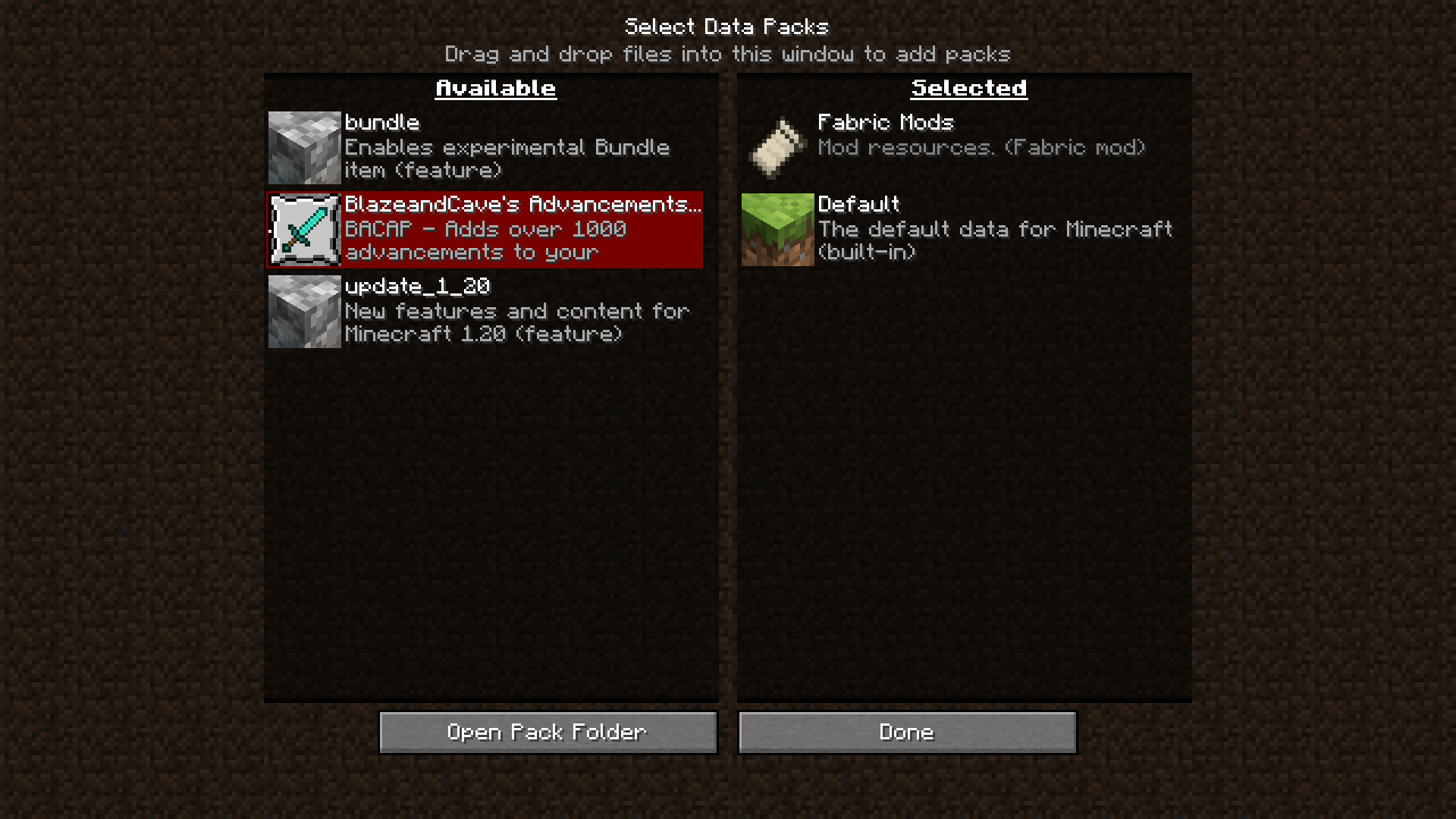 BlazeandCave's Advancements Pack available to be selected. Here's the datapack: https://modrinth.com/datapack/blazeandcaves-advancements-pack
Versions
Files
Relations
Project Relations
More like this
Similar Mods
Suggestions use data such as tags, dependencies, dependents, descriptions, titles, and more to rank how much they overlap with this mod.
On ModDex
Community snapshot
By the numbers
Statistics

Want to reach Minecraft players?
We're looking for a server hosting partner to feature here and other parts of the site. Interested? Send us a message!
Get in touchGet it on
Available Platforms
On ModDex
Community snapshot
By the numbers