Community listing page, reviews may not be monitored by the author.
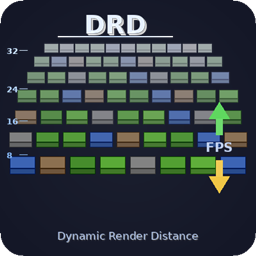
[DRD] Dynamic Render Distance


No reviews yet
Lowers your render distance only when FPS really drop, then brings it back to your own setting. VSync-aware, flicker-free, settings in Video Settings.

Community voices
Reviews
No reviews yet. Be the first to review this project!
Get it on
Available Platforms
Compatibility
Supported Environments
Runs entirely on the client. Works on vanilla servers.
About
Project Details
For authors
Embed Badge
If you're the author of this project, you can embed a live badge anywhere that supports HTML or Markdown. It updates automatically whenever ratings change.
Use HTML for any page that supports it, or Markdown for README files and Markdown-based descriptions.
Identifiers
Platform IDs
Resources
External Links
About
Description
Dynamic Render Distance
Keeps your game smooth by lowering the render distance only when your FPS really drop, then bringing it back up to your own Render Distance as soon as your PC can handle it. No flicker, no world reload, no manual tweaking.
Why DRD
- Your setting is never touched. The Render Distance you pick in Video Settings stays as it is. DRD only limits what is drawn, and your own distance is always the maximum.
- No flicker. A change never makes the world disappear and reload. Drops slide one chunk at a time.
- VSync and FPS limits handled. DRD reads the real cap of your game: your Max Framerate, and your screen refresh rate when VSync is on. With VSync at 60 Hz, 60 FPS is perfect, not "too low".
- No false alarms. DRD pauses when the game itself limits FPS: minimized or unfocused window, loading screens, and the game's AFK limiter on versions that have one. FPS measured while chunks rebuild after a change are ignored.
- No yo-yo. If raising the distance makes FPS fall again, that level is blocked for 5 minutes.
- Client-side only. Nothing to install on servers. The server keeps sending chunks up to your own distance, so they are already there when DRD raises it again.
How it works
Every 5 seconds, DRD averages your FPS and compares it to your target.
- Target = the lowest of your Target FPS, your Max Framerate, and your screen refresh rate if VSync is on.
- Below the target minus the Tolerance: the distance goes down. The further below, the bigger the drop (about 1 chunk per 7% under the target, up to Max Drop).
- At 97% of the target or more: the distance goes up by 1 chunk, up to your own Render Distance.
- In between: nothing changes.
- After each change, DRD waits 10 seconds before measuring again.
Example with the defaults (Target 60 FPS, Tolerance 15%): an average of 48 FPS is 20% under the target, so the distance drops by 3 chunks. Between 51 and 58 FPS, nothing changes. From 58 FPS, it climbs back one chunk at a time.
Settings
All settings are in Options > Video Settings: at the end of the vanilla screen, or on DRD's own page in Sodium's video settings. The config button in Mod Menu (Fabric) or in the Mods list (Forge / NeoForge) opens the same screen.
| Setting | Default | Range | What it does |
|---|---|---|---|
| Enabled | ON | Turns DRD on or off. Off = your own Render Distance, always. | |
| Target FPS | 60 | 30 - 240 | The FPS you want to keep. Lowered automatically to your Max Framerate, or to your refresh rate with VSync. |
| Tolerance | 15% | 5 - 30% | How far below the target the average may fall before the distance is lowered. |
| Min Distance | 6 | 2 - 32 | DRD never renders less than this. |
| Max Drop | 8 | 1 - 8 | Most chunks removed at once. |
| DRD Messages | ON | Shows each change in the action bar (old and new distance, with your FPS). |
Advanced settings (only in config/dynamic-render-distance.json): checkIntervalTicks (100 = 5 s), cooldownTicks (200 = 10 s), increaseStep (1). Out-of-range values are corrected automatically.
Updating from an older version
The old settings (Min FPS, Max FPS, Max RD, Decrease Step) are gone. Your config file is rewritten with the new settings on first launch. Your maximum is now simply the Render Distance you choose in Video Settings.
Compatibility
- Fabric, Forge and NeoForge, Minecraft 1.18.2 to 26.3 (see the Versions tab for each loader). NeoForge 1.20.1 uses the Forge file.
- No required dependency. Optional: Sodium, Mod Menu.
- Tested with the vanilla renderer, Sodium, and Iris shaders.
- If another mod replaces the world renderer in a way DRD cannot handle safely, DRD stays idle instead of risking a flicker.
Used in the Legends Reborn: Medieval modpack.
One big base, a crowded village or a storm of mobs is enough to drag your FPS down. The usual fix is to lower your render distance for the whole game, or to stop and move the slider every time.
Dynamic Render Distance does it for you. When FPS drop below your target, it shortens what the game renders. When FPS come back, it brings the distance back up to your own setting. Nothing reloads, nothing flashes.
What it does
- Keeps your target FPS: you choose the FPS you want (60 by default). If VSync or your Max Framerate is lower, that cap is used instead.
- Reacts to how bad it is: the drop follows how far FPS are below the target, about 1 chunk per 7%, up to 8 chunks at once. It slides one chunk at a time so it stays smooth.
- Comes back on its own: the distance goes up again once FPS reach 97% of your target.
- Leaves your setting alone: your Render Distance slider and options.txt are never changed. Your setting is the ceiling, and the mod only works below it.
- Reloads nothing: a distance change rebuilds no chunks, with or without Sodium.
- Waits when you are away: it pauses while the window is minimized, unfocused or AFK-limited.
Works with
- Sodium and Embeddium: optional. Without them the mod works the same way.
- Bobby: the limit also applies to Bobby's chunks, on servers too.
- Distant Horizons: far LODs follow the same limit, through the Distant Horizons API. Its own settings are not changed.
- Servers and ServerCore: a distance changed from outside no longer reloads your chunks. In singleplayer, ServerCore no longer overwrites your slider. On a dedicated server, ServerCore keeps all its features.
Settings
In Options > Video Settings. On Fabric, also in a Dynamic RD tab with Sodium, and in Mod Menu.
| Setting | Default | Range | What it does |
|---|---|---|---|
| Enabled | ON | Turns the mod on or off | |
| Target FPS | 60 | 30 to 240 | The FPS you want to keep |
| Tolerance | 15% | 5 to 30% | How far below the target FPS may drop (average over 5 s) before the distance is lowered |
| Min Distance | 6 | 2 to 32 | Never render less than this |
| Max Drop | 8 | 1 to 8 | Most chunks removed at once |
| DRD Messages | ON | Shows each change in the action bar |
Advanced values are in config/dynamic-render-distance.json: checkIntervalTicks (100), cooldownTicks (200) and increaseStep (1).
Compatibility
- Fabric: Minecraft 1.18.2 to 26.3. Requires Fabric Loader 0.16.14 or newer.
- Forge: Minecraft 1.18.2 to 26.3.
- NeoForge: Minecraft 1.20.2 to 26.3. On 1.20.1, use the Forge file: it runs on NeoForge too.
- Install it on the client only. A server does not need it.
Used in the Legends Reborn: Medieval modpack.
Screenshots
Gallery
Versions
Files
Relations
Project Relations
More like this
Similar Mods
Suggestions use data such as tags, dependencies, dependents, descriptions, titles, and more to rank how much they overlap with this mod.
On ModDex
Community snapshot
By the numbers
Statistics

Get it on
Available Platforms
On ModDex
Community snapshot
By the numbers
Statistics
Resources