
Community listing page, reviews here may not be monitored by the author.
Drone Logistics


No reviews yet
Automate item hauling with flying drones. Place terminals, link a storage and a drone, then order items from another storage; the drone flies over, grabs the cargo and delivers it with a live map and ETA.
Community voices
Reviews
No reviews yet. Be the first to review this project!
Get it on
Available Platforms
Compatibility
Supported Environments
Must be installed on both the client and the server.
About
Project Details
For authors
Embed Badge
If you're the author of this project, you can embed a live badge anywhere that supports HTML or Markdown. It updates automatically whenever ratings change.
Use HTML for any page that supports it, or Markdown for README files and Markdown-based descriptions.
Identifiers
Platform IDs
Resources
External Links
About
Description
Drone Logistics
Automated item delivery between your storages using flying delivery drones. Built for Minecraft Forge 1.20.1.
Overview
Drone Logistics turns hauling resources between bases into an automated task. Instead of running chests back and forth, you build a network of terminals, attach storages and a drone to them, and order the items you need. A drone then flies to the other storage, picks up the cargo and brings it back to you.
Core parts
- Logistics Terminal. A control block where you browse your storages, place orders and collect deliveries.
- Linking Tool. Used to select a storage area (any chests and containers inside it) and to attach the storage and the drone to a terminal.
- Delivery Drone. A flying entity that physically travels from your terminal to the target storage and back.
How to play
- Craft and place terminals where you need them.
- With the Linking Tool, middle-click two blocks to mark the storage area, then Shift plus right-click a terminal to create and attach the storage.
- Right-click a drone with the Linking Tool to select it, then right-click your terminal to attach the drone.
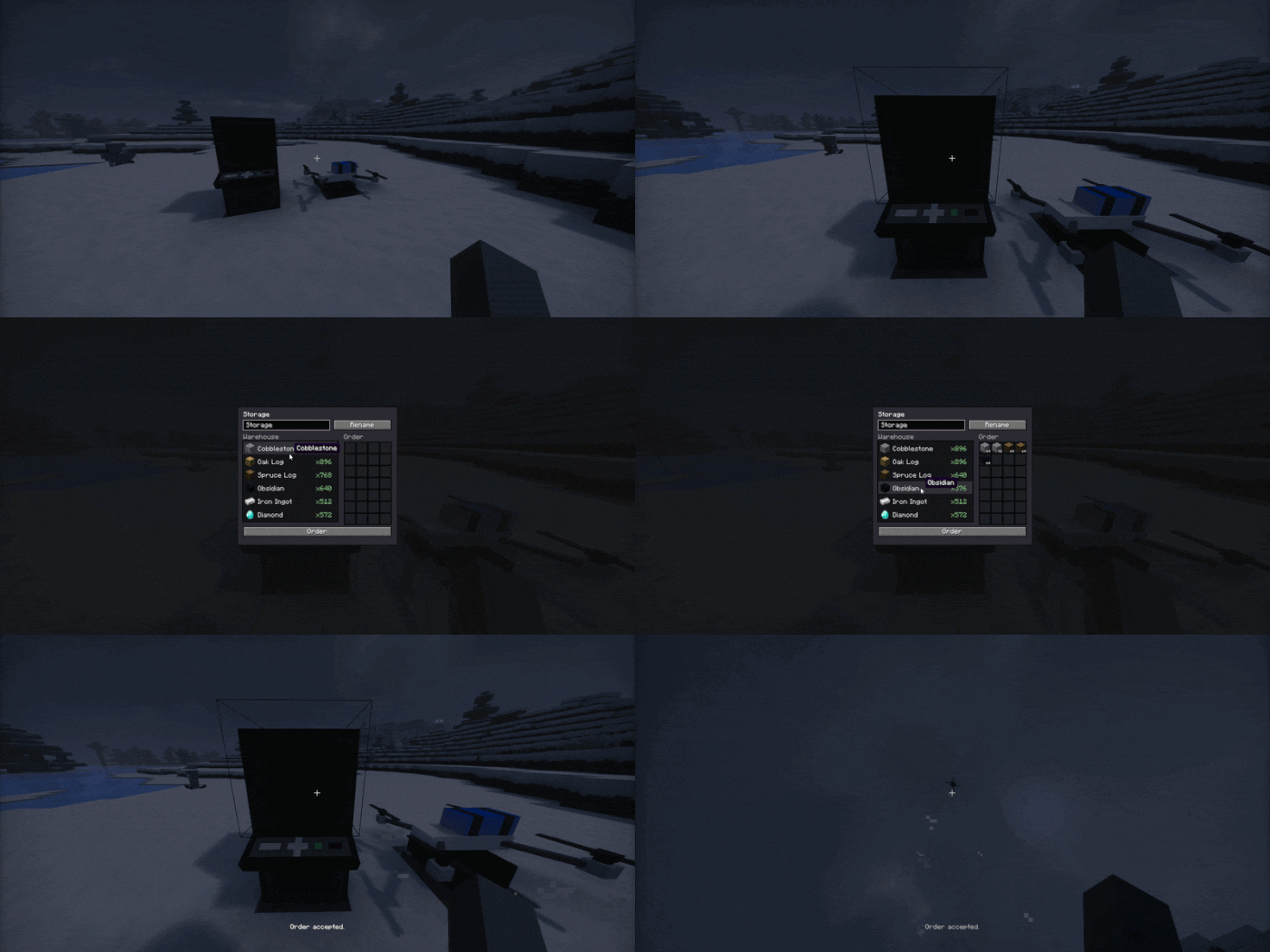
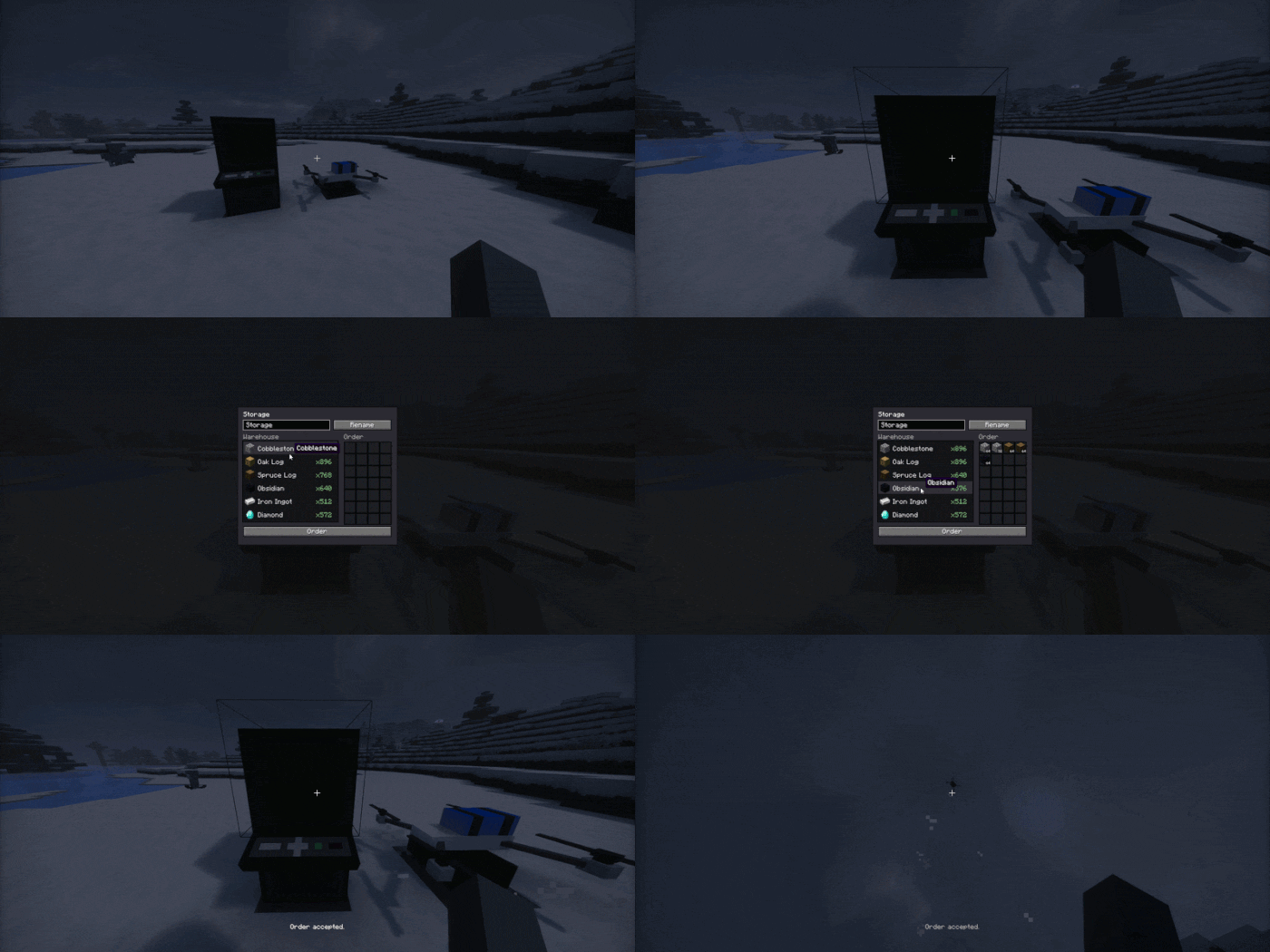
- Open the terminal, pick another of your storages, add the items you want to the order and press Order.
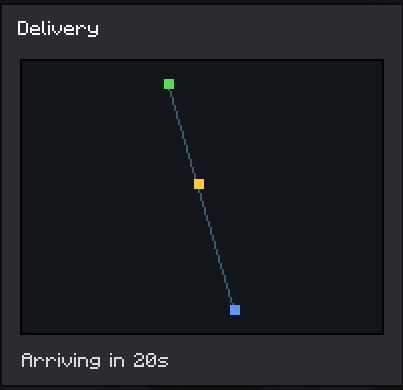
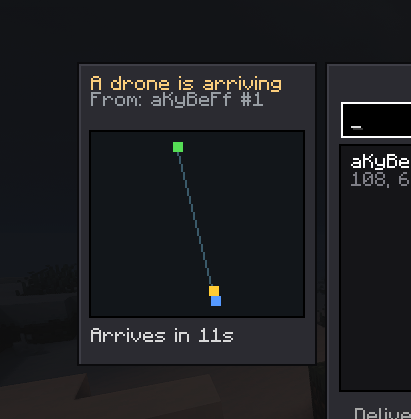
- The drone flies out, collects the cargo and brings it to your terminal buffer. You can watch the route and the arrival time on the map, and the receiving storage shows an incoming drone panel.
Anti dupe and reservation
When you place an order, the items are immediately taken out of the target storage and held by the order, so they cannot be stolen while the drone is in transit. A terminal that has an active delivery cannot be broken until the delivery finishes.
Crafting
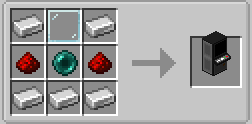
Logistics Terminal:
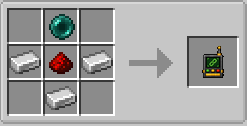
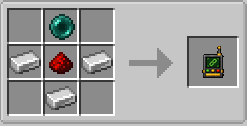
Linking Tool:
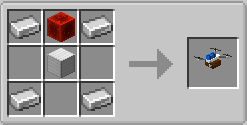
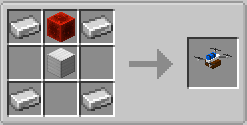
Delivery Drone:
Languages
English and Russian are included.
Drone Logistics
Automated item delivery between your storages using flying delivery drones. Built for Minecraft Forge 1.20.1.
Overview
Drone Logistics turns hauling resources between bases into an automated task. Instead of running chests back and forth, you build a network of terminals, attach storages and a drone to them, and order the items you need. A drone then flies to the other storage, picks up the cargo and brings it back to you.
Core parts
- Logistics Terminal. A control block where you browse your storages, place orders and collect deliveries.
- Linking Tool. Used to select a storage area (any chests and containers inside it) and to attach the storage and the drone to a terminal.
- Delivery Drone. A flying entity that physically travels from your terminal to the target storage and back.
How to play
- Craft and place terminals where you need them.
- With the Linking Tool, middle-click two blocks to mark the storage area, then Shift plus right-click a terminal to create and attach the storage.
- Right-click a drone with the Linking Tool to select it, then right-click your terminal to attach the drone.
- Open the terminal, pick another of your storages, add the items you want to the order and press Order.
- The drone flies out, collects the cargo and brings it to your terminal buffer. You can watch the route and the arrival time on the map, and the receiving storage shows an incoming drone panel.
Anti dupe and reservation
When you place an order, the items are immediately taken out of the target storage and held by the order, so they cannot be stolen while the drone is in transit. A terminal that has an active delivery cannot be broken until the delivery finishes.
Crafting
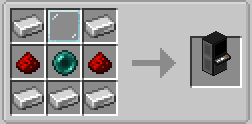
Logistics Terminal:
Linking Tool:
Delivery Drone:
Languages
English and Russian are included.
Screenshots
Gallery
-
 DroneLogistics.gif DroneLogistics.gif
 -
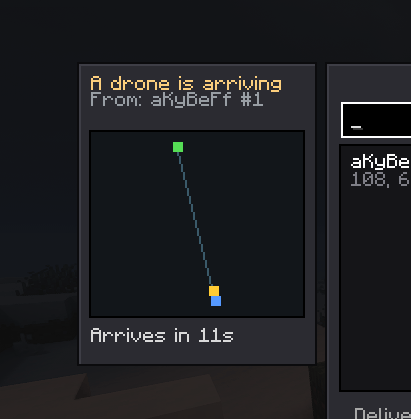 TwoTerminalDelivery.png TwoTerminalDelivery.png
 -
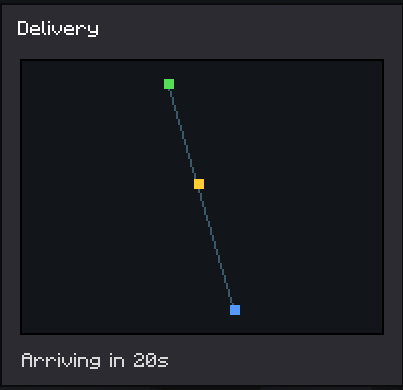 MapDelivery.png MapDelivery.png

Versions
Files
Relations
Project Relations
More like this
Similar Mods
Suggestions use data such as tags, dependencies, dependents, descriptions, titles, and more to rank how much they overlap with this mod.
On ModDex
Community snapshot
By the numbers
Statistics
Want to reach Minecraft players?
We're looking for a server hosting partner to feature here and other parts of the site. Interested? Send us a message!
Get in touchGet it on
Available Platforms
On ModDex
Community snapshot
By the numbers
Statistics
Resources