
Community listing page, reviews may not be monitored by the author.
DropGuard

No reviews yet
Prevent important items from being accidentally dropped with configurable item protection that follows them between inventory slots.

Community voices
Reviews
No reviews yet. Be the first to review this project!
Get it on
Available Platforms
Compatibility
Supported Environments
Runs entirely on the client. Works on vanilla servers.
About
Project Details
For authors
Embed Badge
If you're the author of this project, you can embed a live badge anywhere that supports HTML or Markdown. It updates automatically whenever ratings change.
Use HTML for any page that supports it, or Markdown for README files and Markdown-based descriptions.
Identifiers
Platform IDs
Resources
External Links
About
Description
Drop Guard
Drop Guard is a client-side Fabric mod that prevents you from accidentally dropping important items. Protect your tools, weapons, armor, building materials or any other items you want to keep safe.
Features
- Prevents protected items from being dropped with the drop key
- Blocks dropping protected items from inventory screens
- Protect an exact stack or an entire item type
- Configure items directly through your inventory, hotbar, armor and offhand slots
- Browse and search the complete item list
- Display protection using a lock icon or a customizable color
- Customize the lock color, position and pulse animation
- Quickly remove protection rules using reset buttons with confirmation
- First-launch welcome screen and visual walkthrough, replayable with How it works
- A Protected items list with item icons and individual removal buttons
- One configurable two-key combination to intentionally drop a protected item; both inputs must be held together
- Opens through the configurable Open menu keybind
- Optional integration with Mod Menu
- Saves your settings between game sessions
How to use
- Press I to open the Drop Guard menu. The key can be changed under Minecraft's Controls settings. Existing installations keep their saved keybind.
- Choose Configure inventory to click items currently in your inventory, hotbar, armor or offhand slots.
- Open Choose individual items to search through all available items.
- Click an item to enable or disable drop protection.
- Open Settings to customize how protected items are displayed.
Selection modes
- Exact stack: protects the selected item variant, including identical copies, while ignoring stack size and durability changes.
- Entire item type: protects every stack of that item type.
Since version 2.8.2, protection follows the matching item between inventory slots. A different item placed in its former slot is not automatically protected. Existing slot-based rules are migrated automatically.
Requirements
- Minecraft 1.21–1.21.11, 26.1–26.1.2 or 26.2 (use the matching download)
- Fabric Loader
- Fabric API
- Mod Menu is optional
Compatibility
Drop Guard is completely client-side. It works in singleplayer and on multiplayer servers without requiring the server to install the mod.
Drop Guard prevents manual item dropping. It does not prevent items from being lost through death, lava, commands or other server-side actions.
Screenshots
Gallery
-
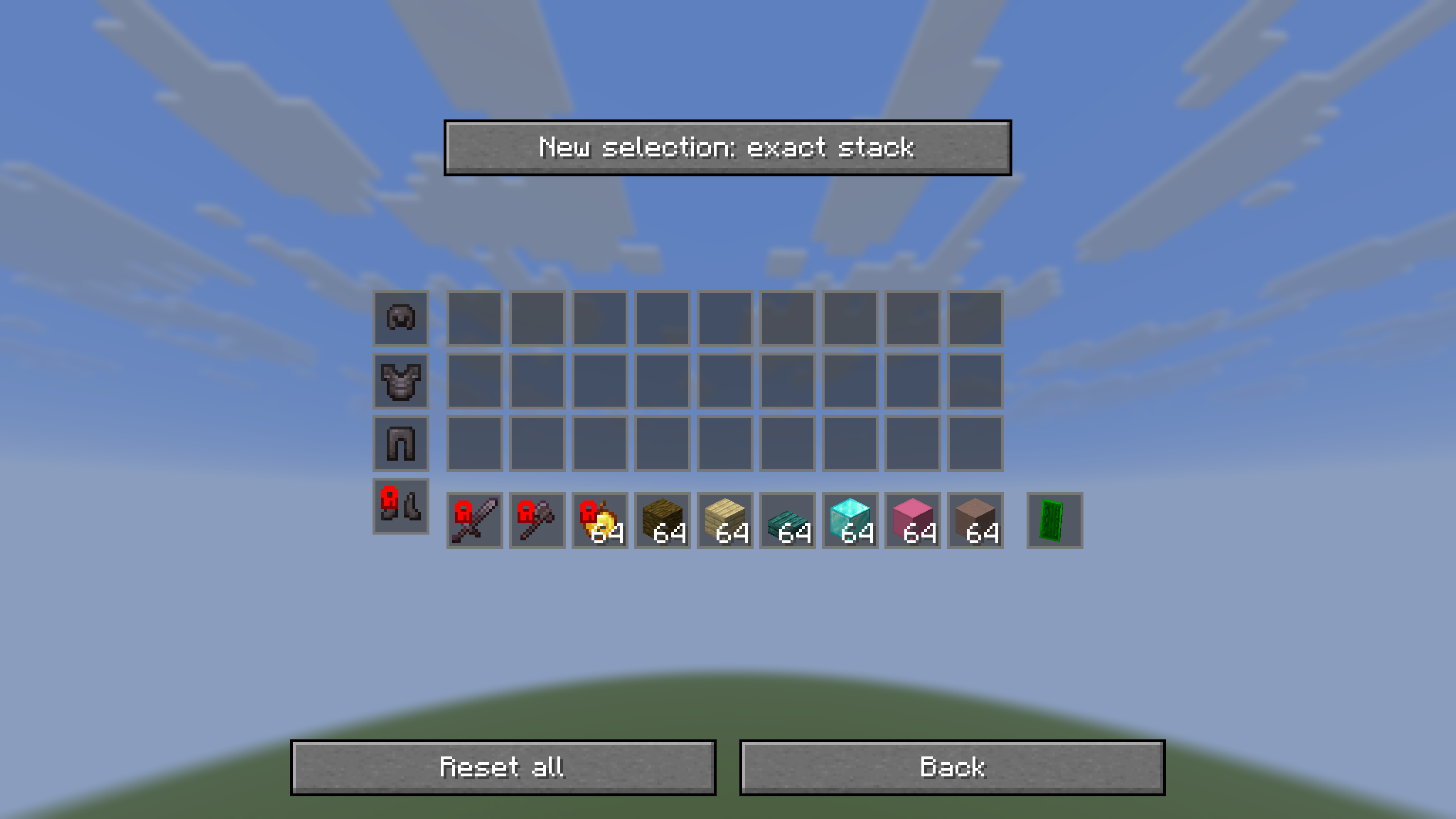 Configure your inventory Click items in your inventory, hotbar, armor or offhand slots to protect them from being dropped.
-
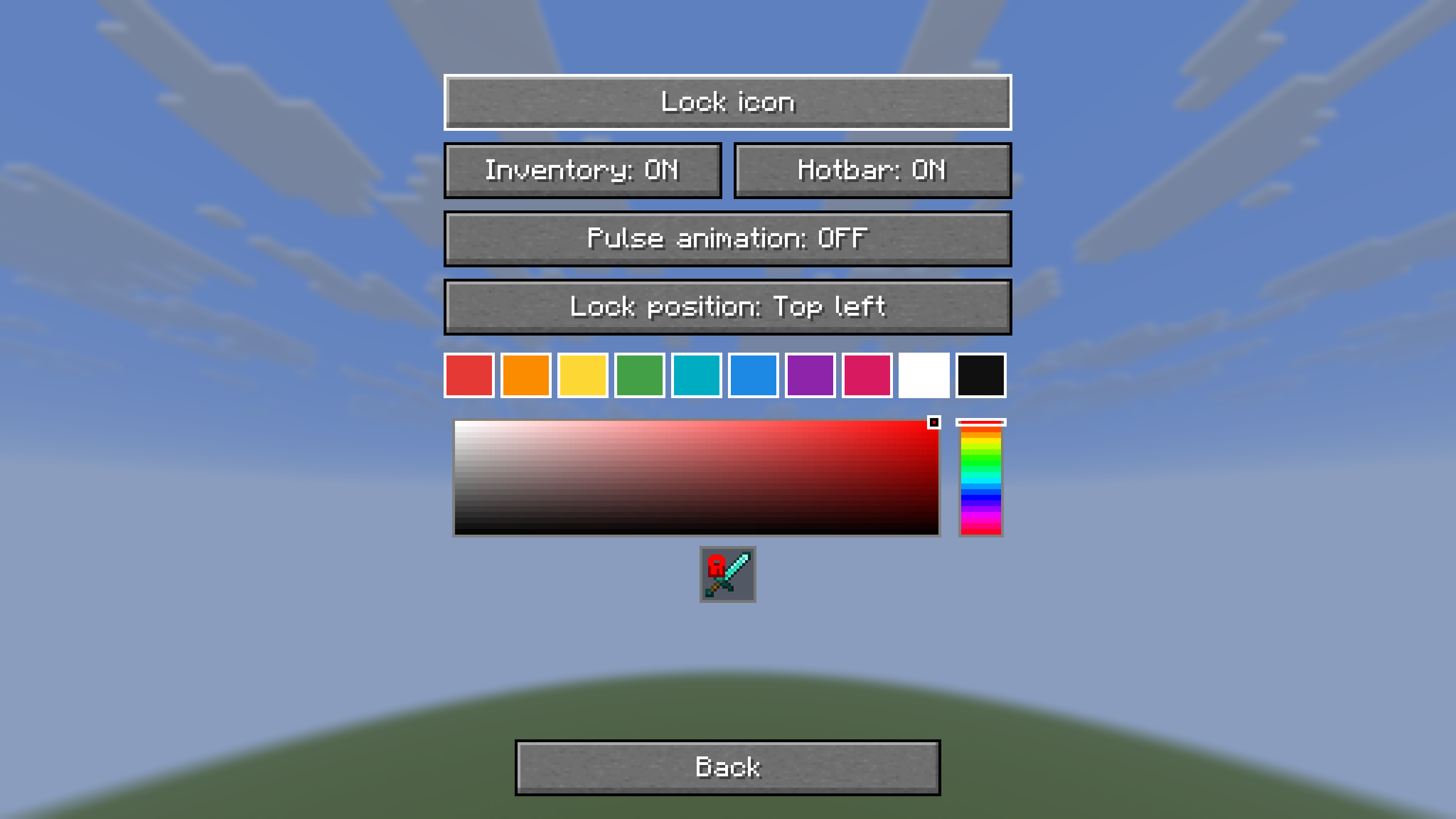 Customize your lock indicator Customize where protection icons appear and choose their color, position and animation.
Versions
Files
Relations
Project Relations
More like this
Similar Mods
Suggestions use data such as tags, dependencies, dependents, descriptions, titles, and more to rank how much they overlap with this mod.
On ModDex
Community snapshot
By the numbers
Statistics


Get it on
Available Platforms
On ModDex
Community snapshot
By the numbers
Statistics
Resources