
Community listing page, reviews here may not be monitored by the author.
Dropper Utils

No reviews yet
This mod adds a bunch of PvP and QoL mods and customizations.
Community voices
Reviews
No reviews yet. Be the first to review this project!
Get it on
Available Platforms
Compatibility
Supported Environments
Runs entirely on the client. Works on vanilla servers.
About
Project Details
For authors
Embed Badge
If you're the author of this project, you can embed a live badge anywhere that supports HTML or Markdown. It updates automatically whenever ratings change.
Use HTML for any page that supports it, or Markdown for README files and Markdown-based descriptions.
Identifiers
Platform IDs
About
Description
DropperUtils
DropperUtils is a lightweight, client-side Fabric mod focused on PvP quality-of-life and useful HUD improvements. Instead of trying to become another all-in-one client with hundreds of modules, DropperUtils focuses on polished features that improve gameplay without clutter.
The goal is simple: quality over quantity.
Features
⚔️ Anchor Optimizer
A client-side anchor prediction system designed to make anchor PvP feel smoother, especially on higher ping.
Current features:
- Client-side anchor prediction
- Instant visual anchor removal before server confirmation
- Automatic rollback if the server disagrees
- Lightweight prediction system
- Designed to avoid packet manipulation or packet spoofing
This feature only changes your local rendering and does not modify, duplicate, or spoof packets sent to the server.
🔥 Low Fire
Reduces the height of the fire overlay while burning, making combat much easier without removing the visual completely.
💥 No Explosion Effects
Removes explosion particles for cleaner visuals during intense PvP fights.
🌙 Fullbright
Provides full brightness without needing shaders or changing your world's lighting settings.
🔍 Zoom
Simple built-in zoom with smooth rendering.
Future improvements planned:
- Hold / Toggle mode
- Scroll wheel zoom levels
- Additional customization
HUD Features
All HUD elements are fully movable using the built-in HUD editor.
Current HUDs:
- 🛡️ Armor HUD
- 🟢 Totem Counter
- 🧪 Potion Effects HUD
- 🍗 Saturation HUD
More polished HUDs are planned in future versions.
Performance
DropperUtils is built to stay lightweight.
Many rendering-heavy systems are intentionally avoided in favor of efficient client-side logic.
Current optimization examples include:
- Direction-based anchor scanning
- Lightweight prediction systems
- Minimal rendering overhead
- No unnecessary background processing
Keybinds
Default keybinds:
- M (ClickGUI menu)
- Right Shift (HUD Editor)
- C (Zoom)
- K (Toggle Fullbright On/Off)
Feel free to change these in the keybinds menu in Esc - Options
Philosophy
DropperUtils is not intended to compete by having the most features.
Instead, every feature aims to be:
- Well designed
- Fast
- Clean
- Easy to use
- Fully configurable
Future development prioritizes improving existing systems before adding entirely new modules.
Planned Features
The current roadmap focuses on improving the mod's architecture rather than rushing new features.
Planned improvements include:
- Generic feature settings system
- Better ClickGUI customization
- Profiles (save, load, import, export)
- Cleaner rendering framework
- Improved HUD customization
- Additional polished PvP utilities
Compatibility
- Minecraft 1.21.11 + 26.1x
- Fabric Loader
- Fabric API
DropperUtils is client-side only.
Open Source
Source code:
https://github.com/ItsDropper/Dropper-Utils
Issues, suggestions, and contributions are always welcome.
Screenshots
Gallery
-
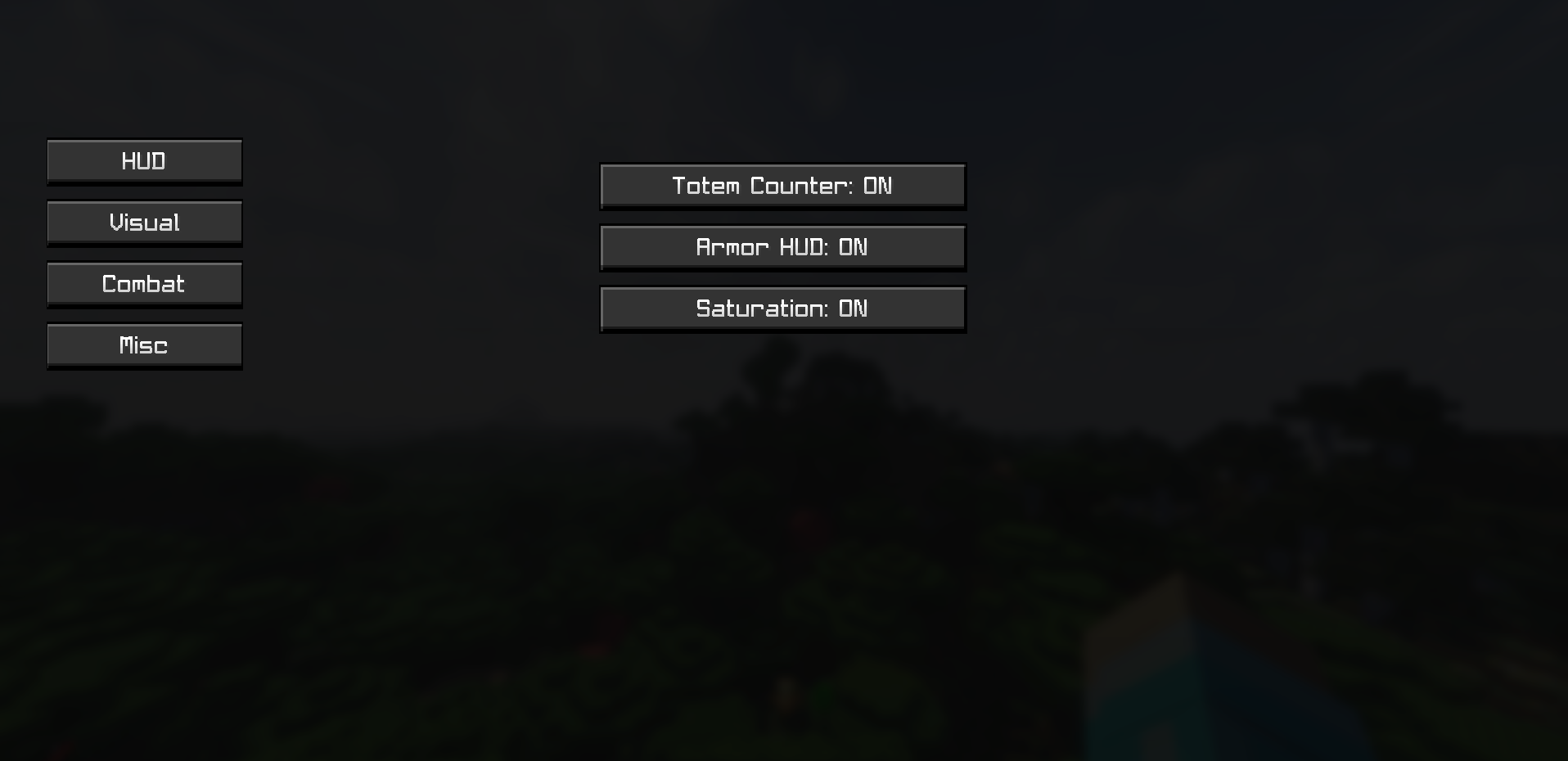 Menu Has 4 Categories.
 -
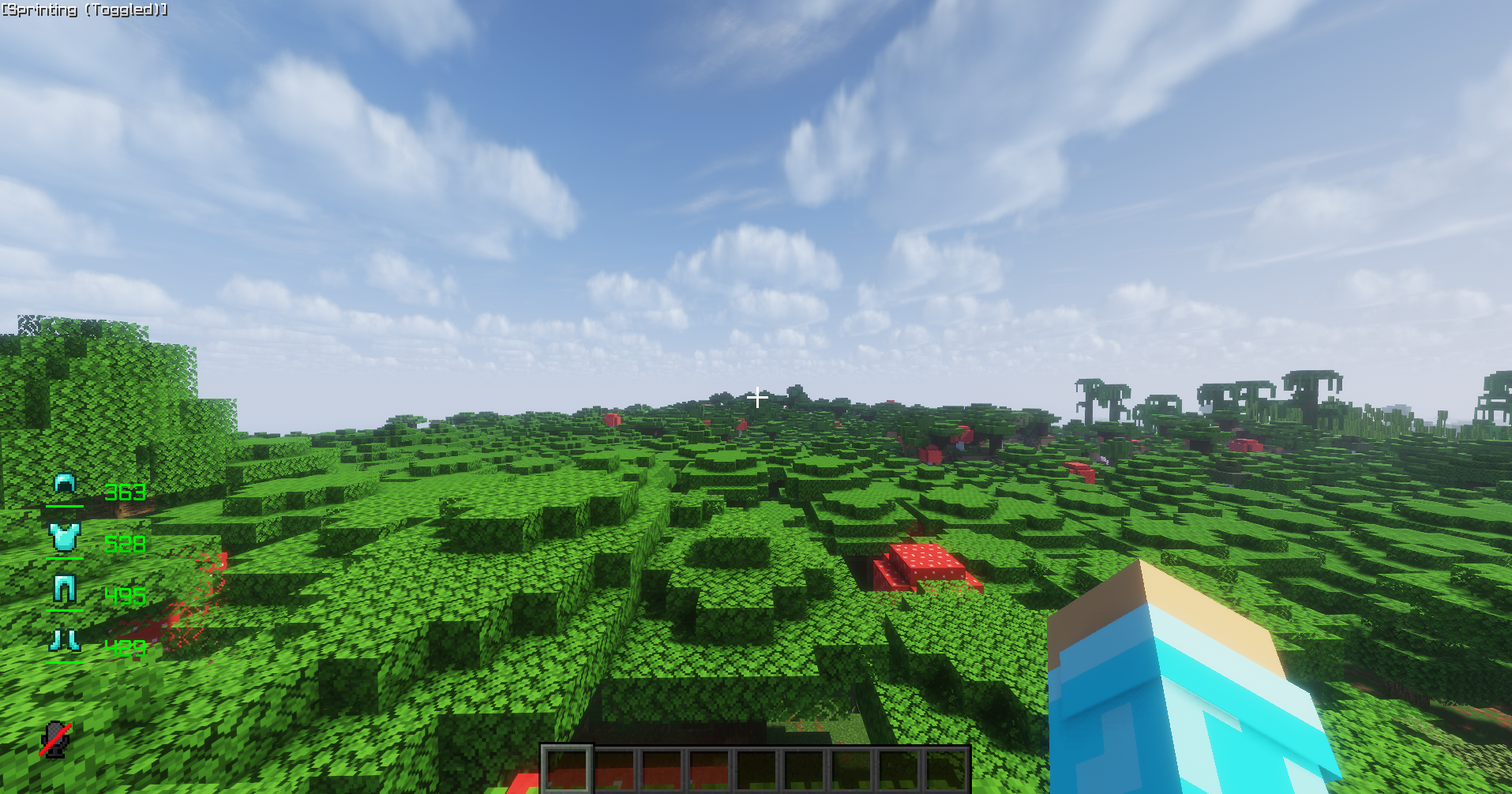 Armor Hud This is what Armor Hud looks like in-game.
 -
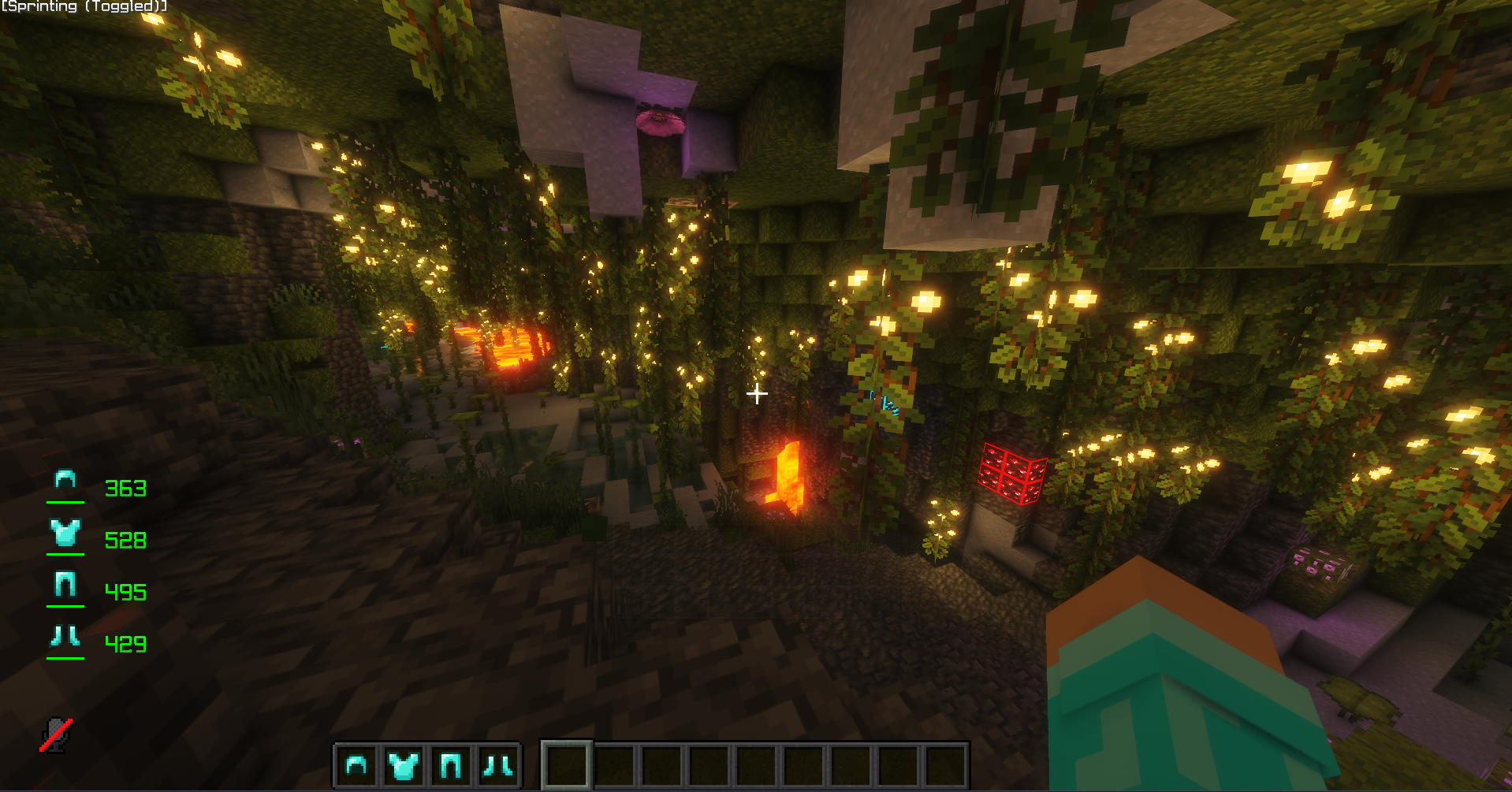 Fullbright: Off This is what Fullbright looks like when its off.
 -
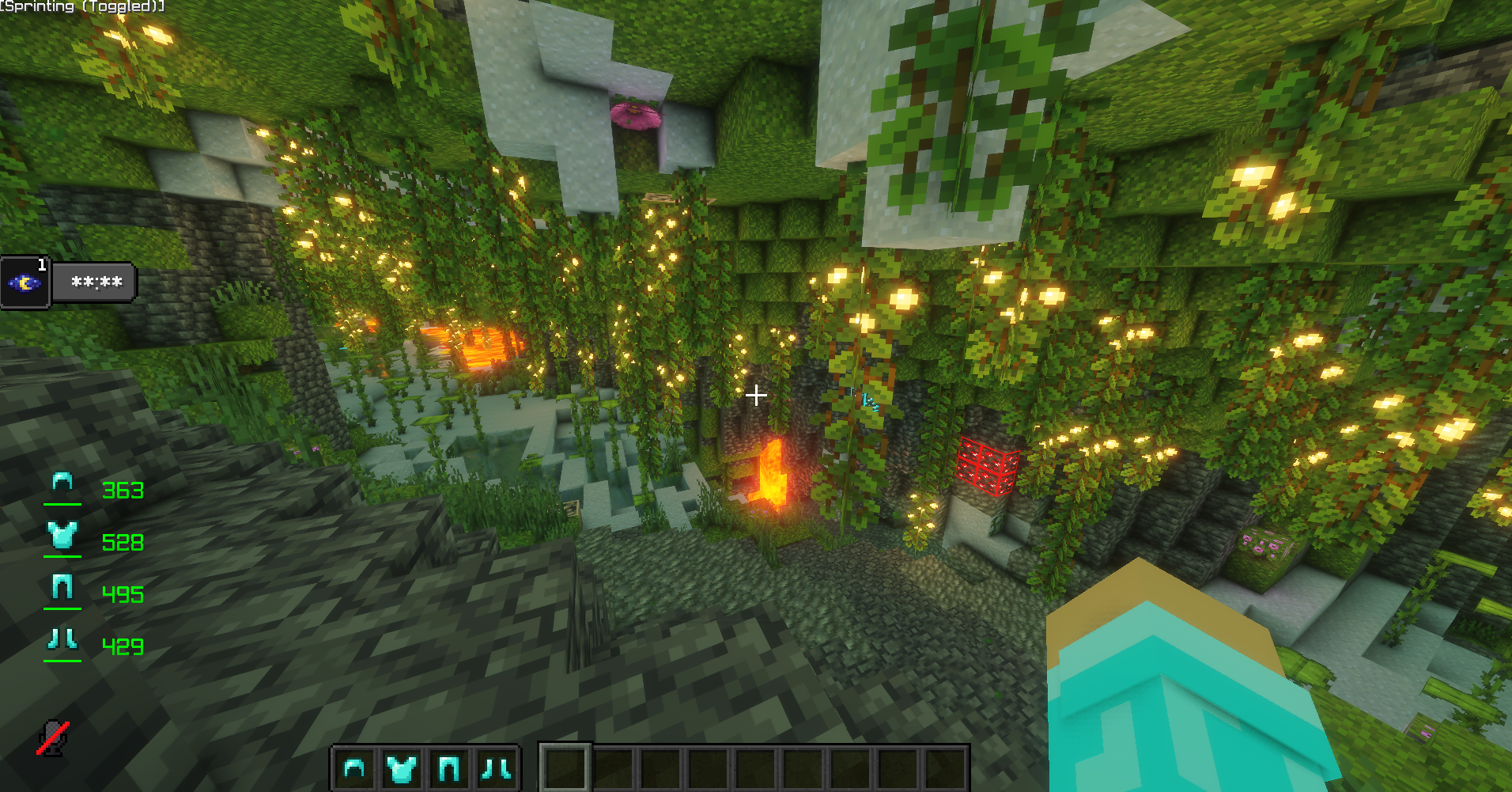 Fullbright: On This is what it looks like when Fullbright is on.
 -
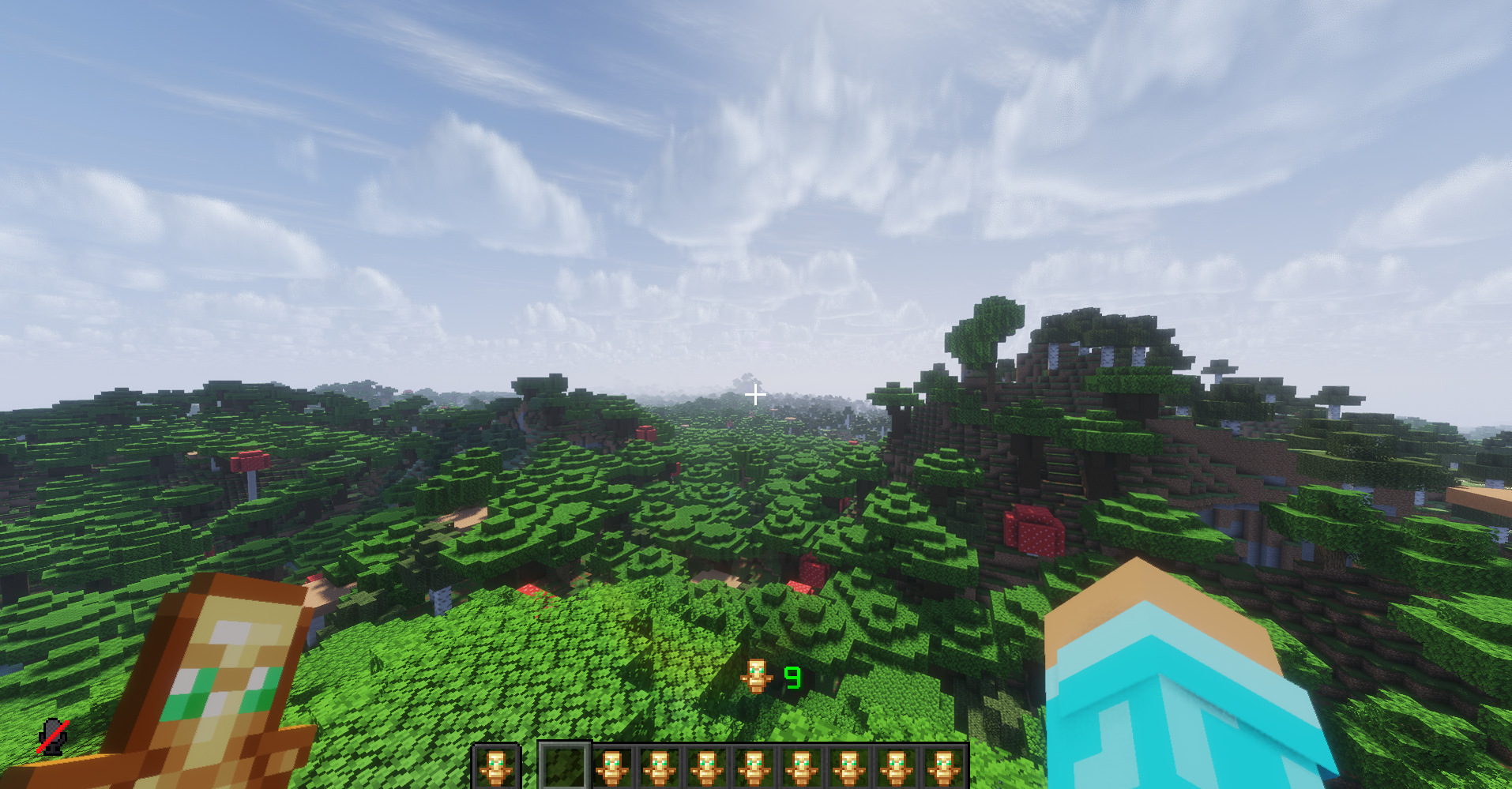 Totem Counter This is what Totem Counter looks like in-game.
 -
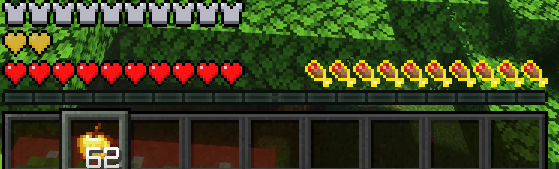 Saturation This is what the Saturation feature looks like in-game.
 -
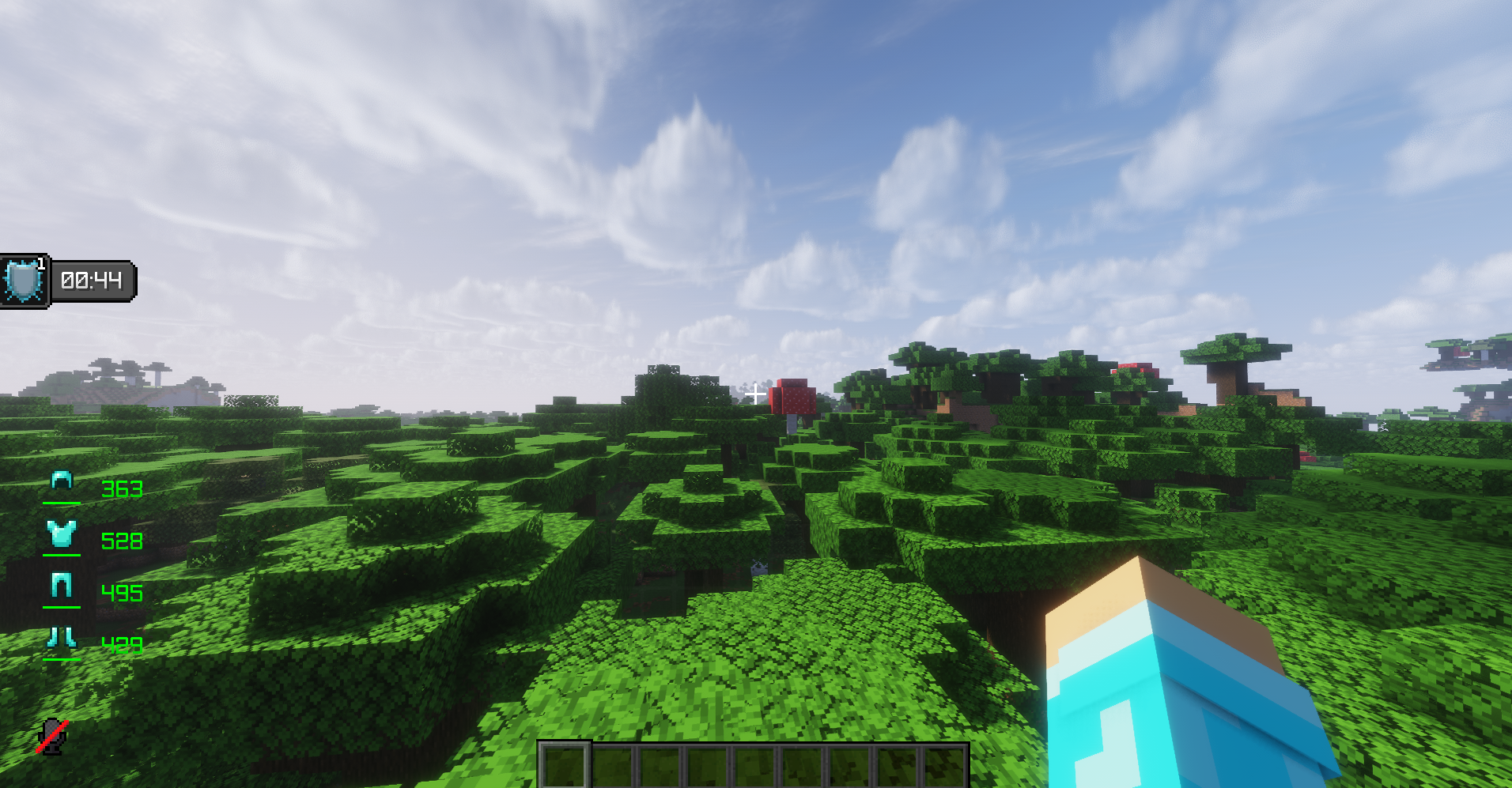 Zoom: Off This is what it looks like without zoom.
 -
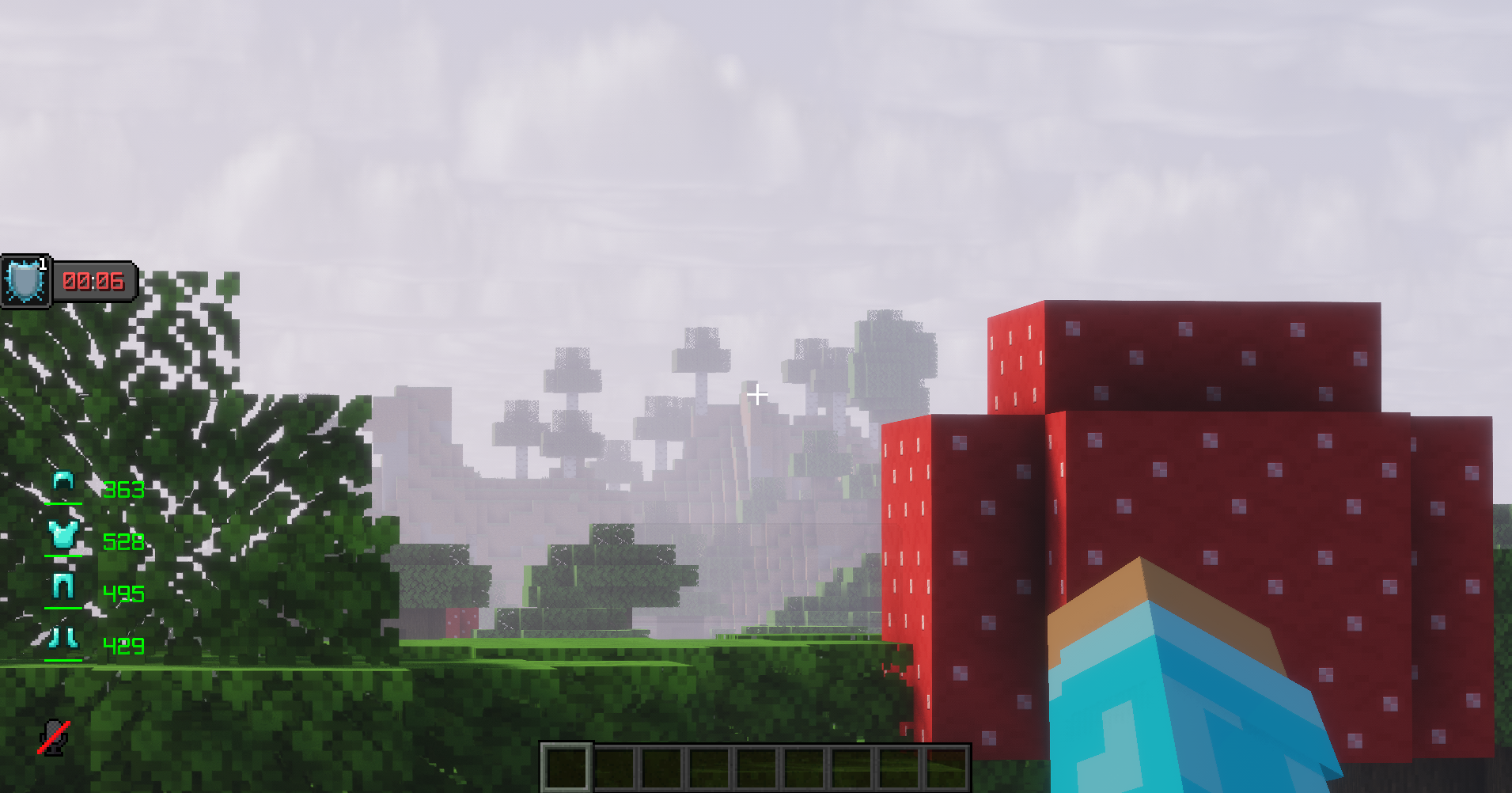 Zoom: On This is what it looks like when Zoom is on.
 -
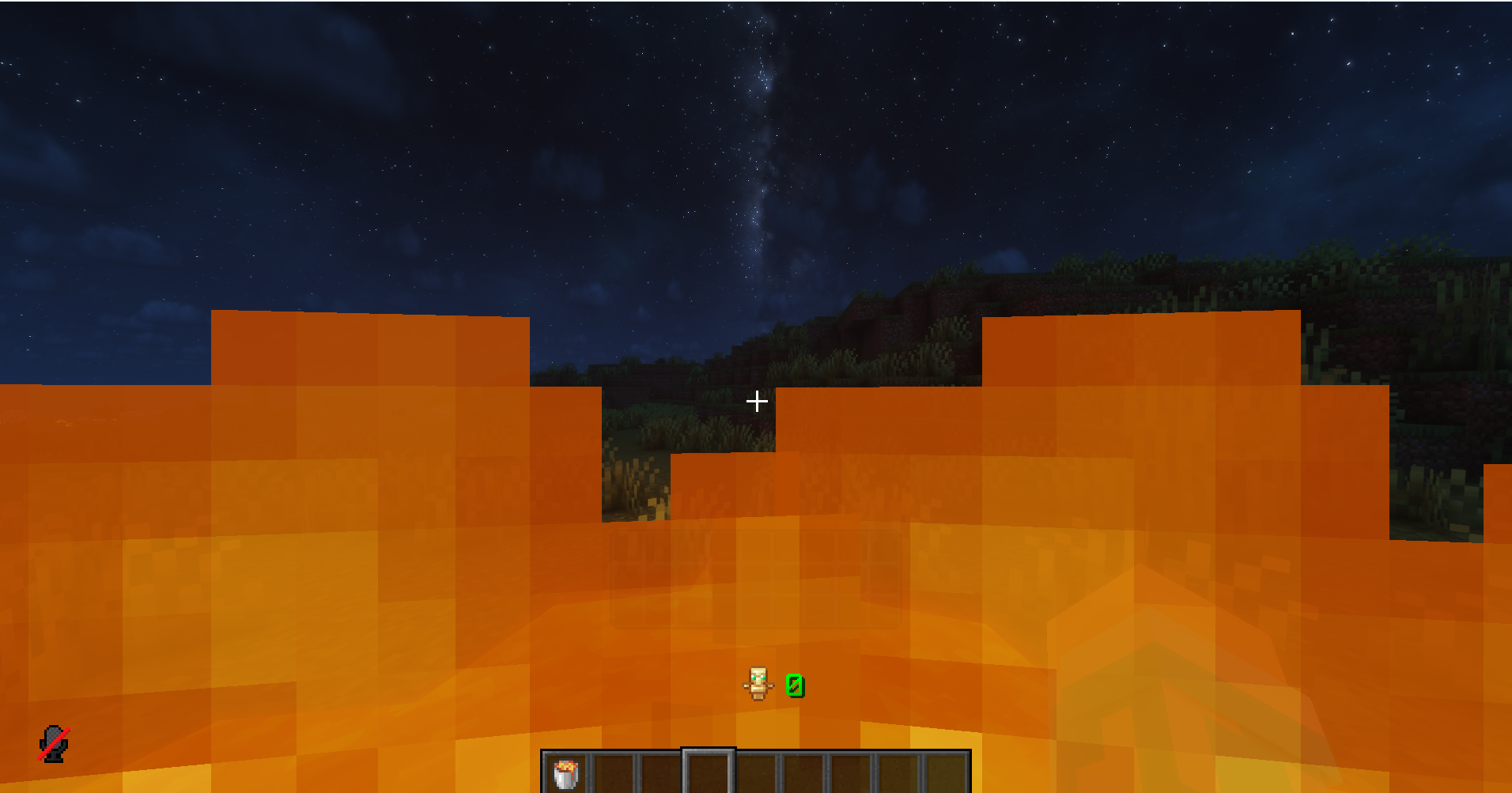 Low Fire Overlay: Off
 -
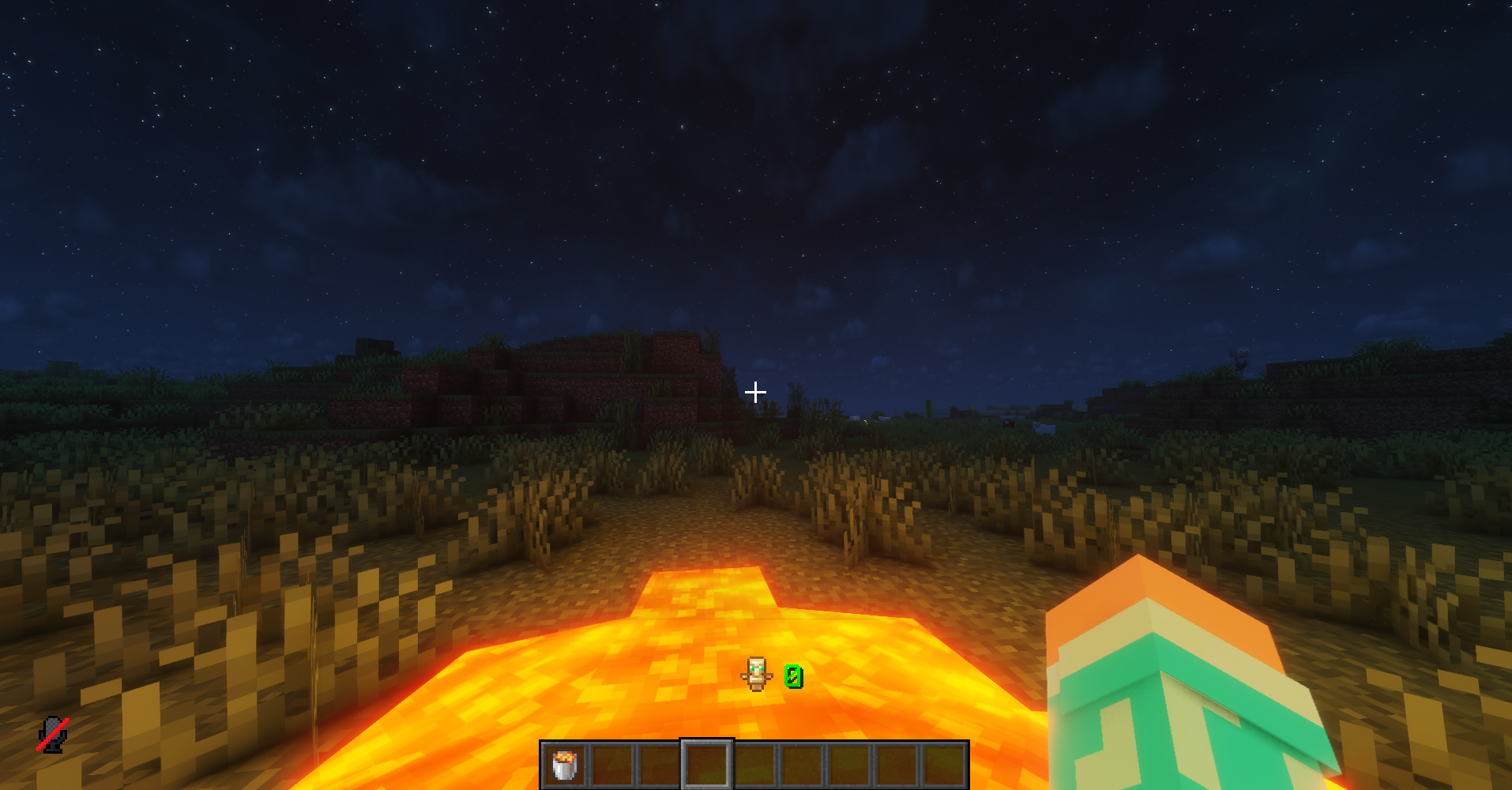 Low Fire Overlay: On
 -
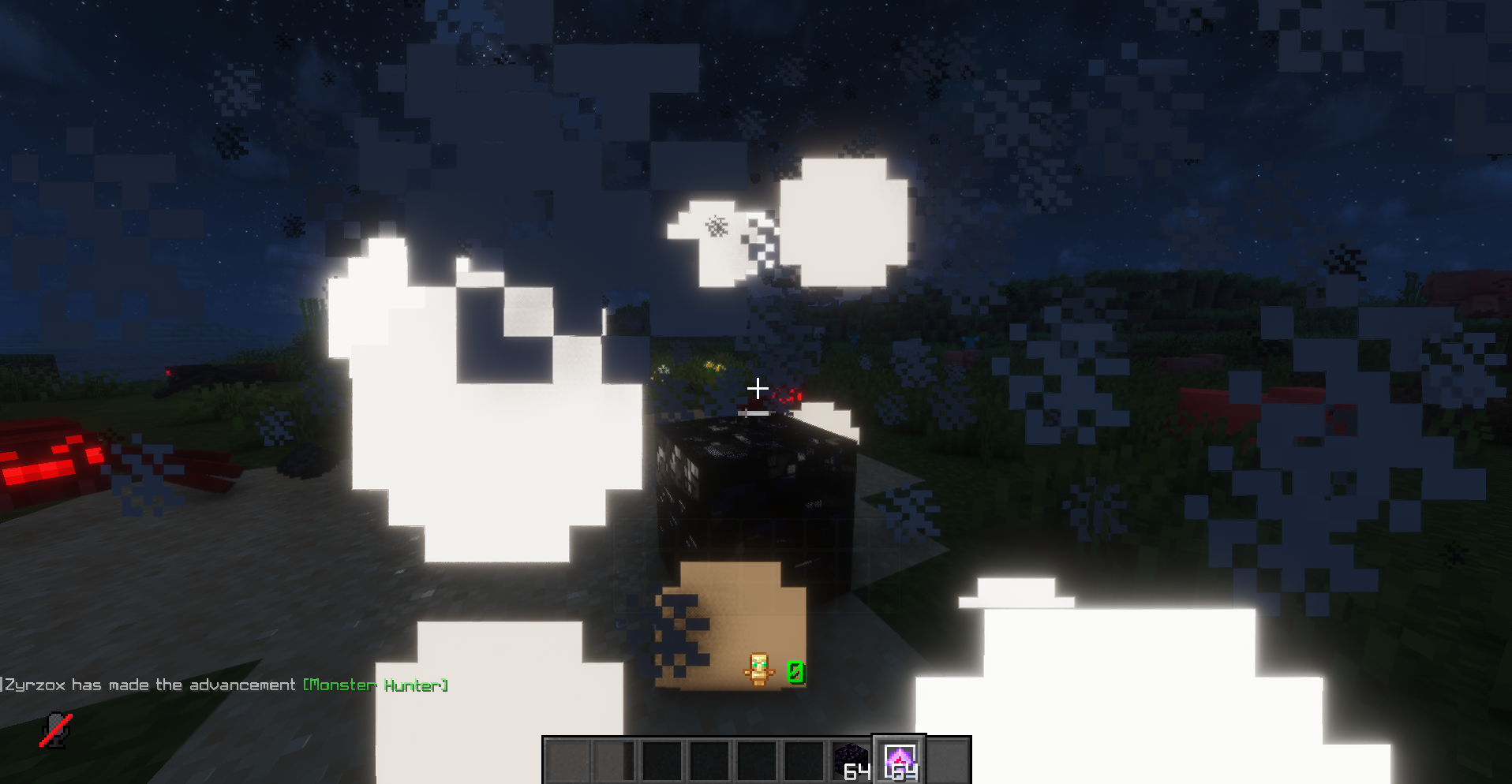 No Explosion Effects: Off
 -
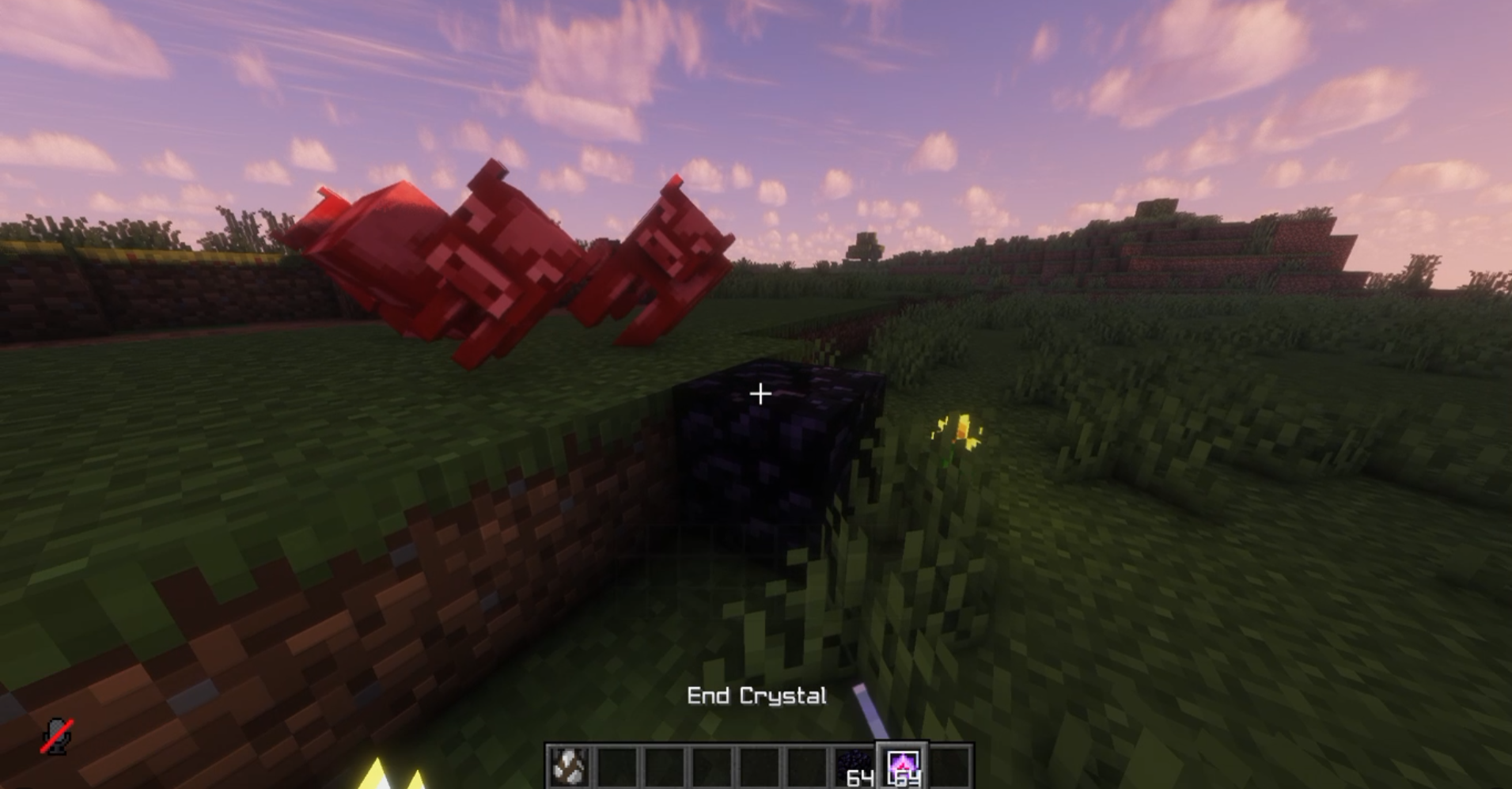 No Explosion Effects: On
Versions
Files
Relations
Project Relations
More like this
Similar Mods
Suggestions use data such as tags, dependencies, dependents, descriptions, titles, and more to rank how much they overlap with this mod.
On ModDex
Community snapshot
By the numbers
Statistics

Want to reach Minecraft players?
We're looking for a server hosting partner to feature here and other parts of the site. Interested? Send us a message!
Get in touchGet it on
Available Platforms
On ModDex
Community snapshot
By the numbers