Community listing page, reviews may not be monitored by the author.
Dual Screen Hud (PC)

No reviews yet
Add dual screen support for Java Minecraft on PC!!!

Community voices
Reviews
No reviews yet. Be the first to review this project!
Get it on
Available Platforms
About
Project Details
For authors
Embed Badge
If you're the author of this project, you can embed a live badge anywhere that supports HTML or Markdown. It updates automatically whenever ratings change.
Use HTML for any page that supports it, or Markdown for README files and Markdown-based descriptions.
Identifiers
Platform IDs
Resources
External Links
About
Description
Dual Screen HUD PC
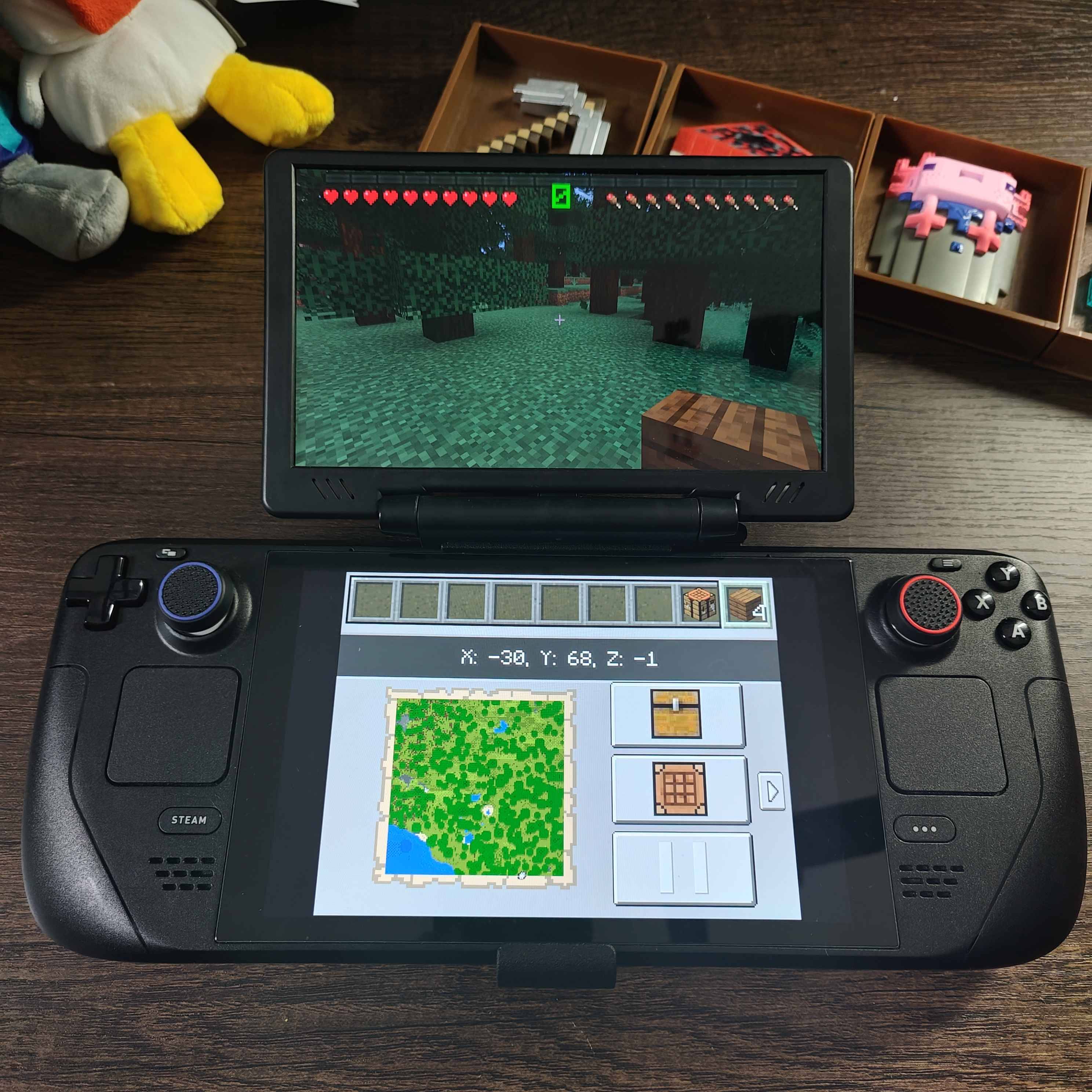
**Dual Screen HUD PC** is the companion mod for turning Java Minecraft into a dual screen experience on PC!. Just like the version for Android, this mod was built completely from the ground up while learning the basics of jframes and creating a secondary window that runs alongside Java Minecraft so it can render the Hud, Map, Player Info, and more! Grab a touch device as your main device OR if you're on PC grab a touch monitor as the second screen and interact with it while playing Java Minecraft on your main screen!
What it does
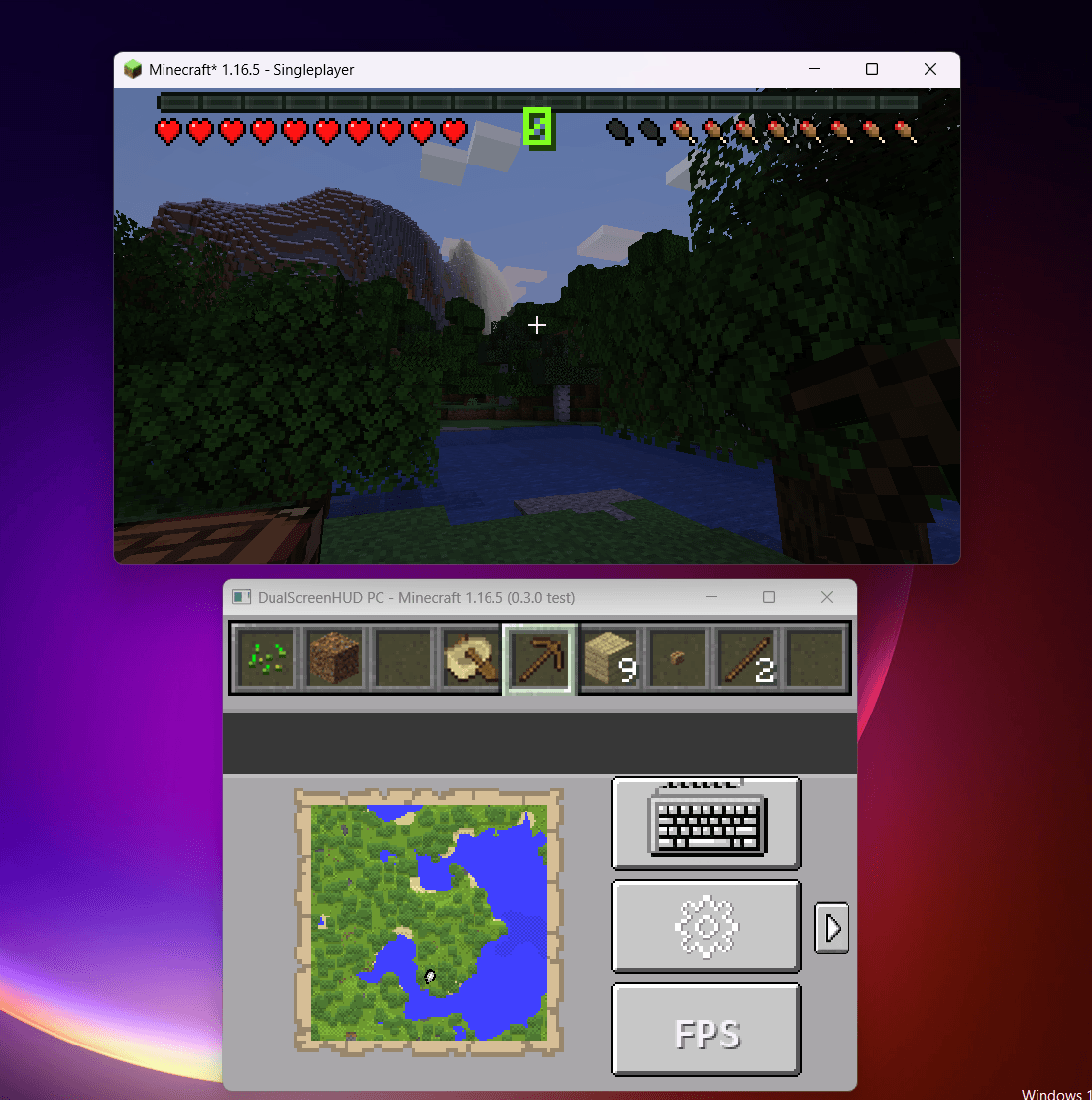
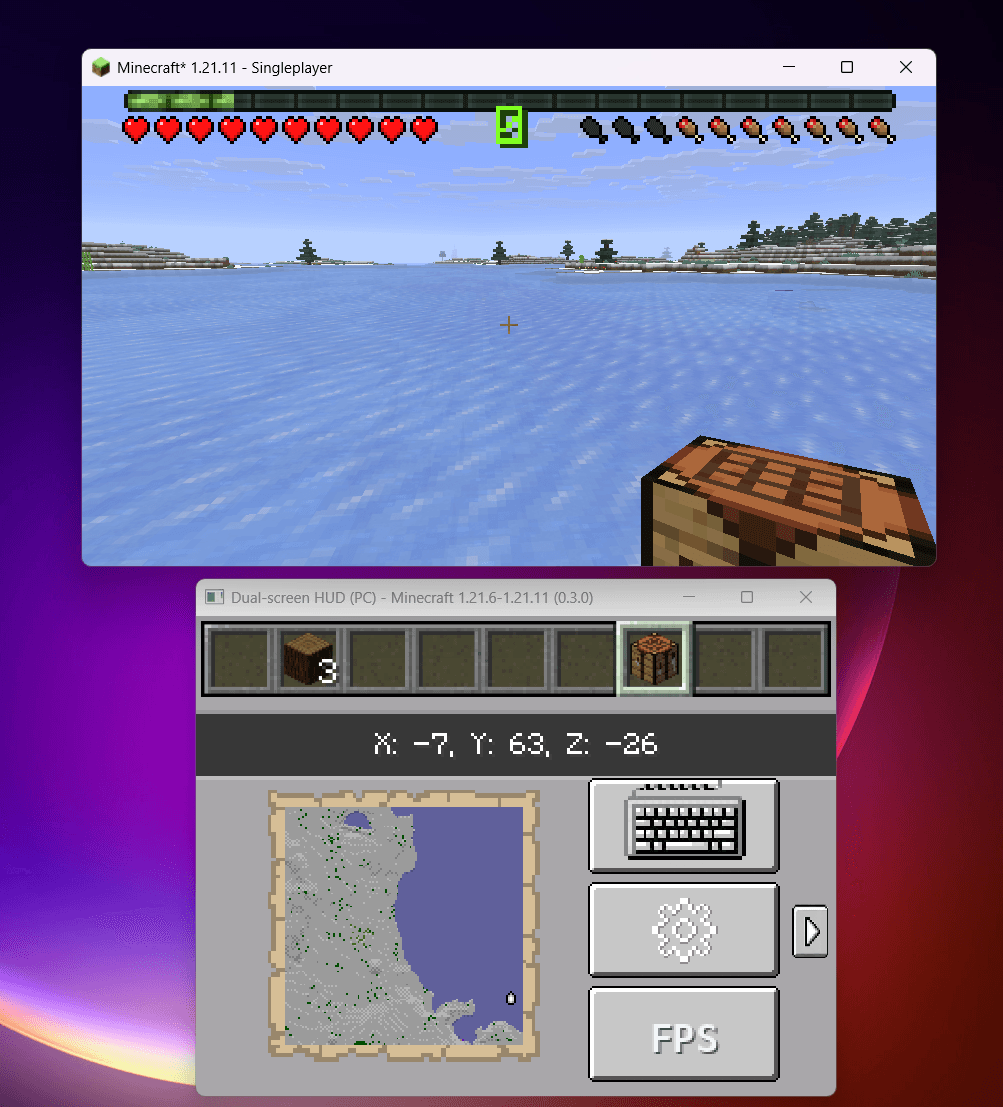
This mod creates a secondary window that currently looks like the layout from the 3DS version of Minecraft that you can touch to interact with the hud, settings, crafting menu, and pause play menu.
Compatibility
This release is currently only for:
- DroidBridge 0.8.3 + Launcher on Android
- Fabric (currently)
- Minecraft 1.21.6 and newer
- DroidBridge Launcher dual-screen mode
- Client-side use
It is **not currently for Forge, NeoForge, Quilt-only setups, Minecraft versions older than 1.21.6, desktop launchers, or other Android launchers that aren't listed**.
The current code targets the newer Minecraft/Fabric HUD and item-definition pipeline used by Minecraft 1.21.6+ / newer DroidBridge 26.x-style builds. Older Minecraft versions use different rendering and HUD internals, so they are not supported by this release.
Requirements
- Fabric API
- Mod Menu is optional but recommended as there's lots of configurations!
Install
Place the jar in the instance `mods` folder inside DroidBridge Launcher, launch through DroidBridge Launcher on Android, and enable/use dual-screen mode. Mod Menu is optional but recommended for changing the external HUD setting in-game.
How-To
Video showcasing the mod working https://youtu.be/o_uP6hu7Gmg
Screenshots
Gallery
-
 IMG_20260915_160024.jpg IMG_20260915_160024.jpg
 -
 Screenshot 2026-09-14 184558.png Screenshot 2026-09-14 184558.png
 -
 Screenshot 2026-09-14 184948.png Screenshot 2026-09-14 184948.png
 -
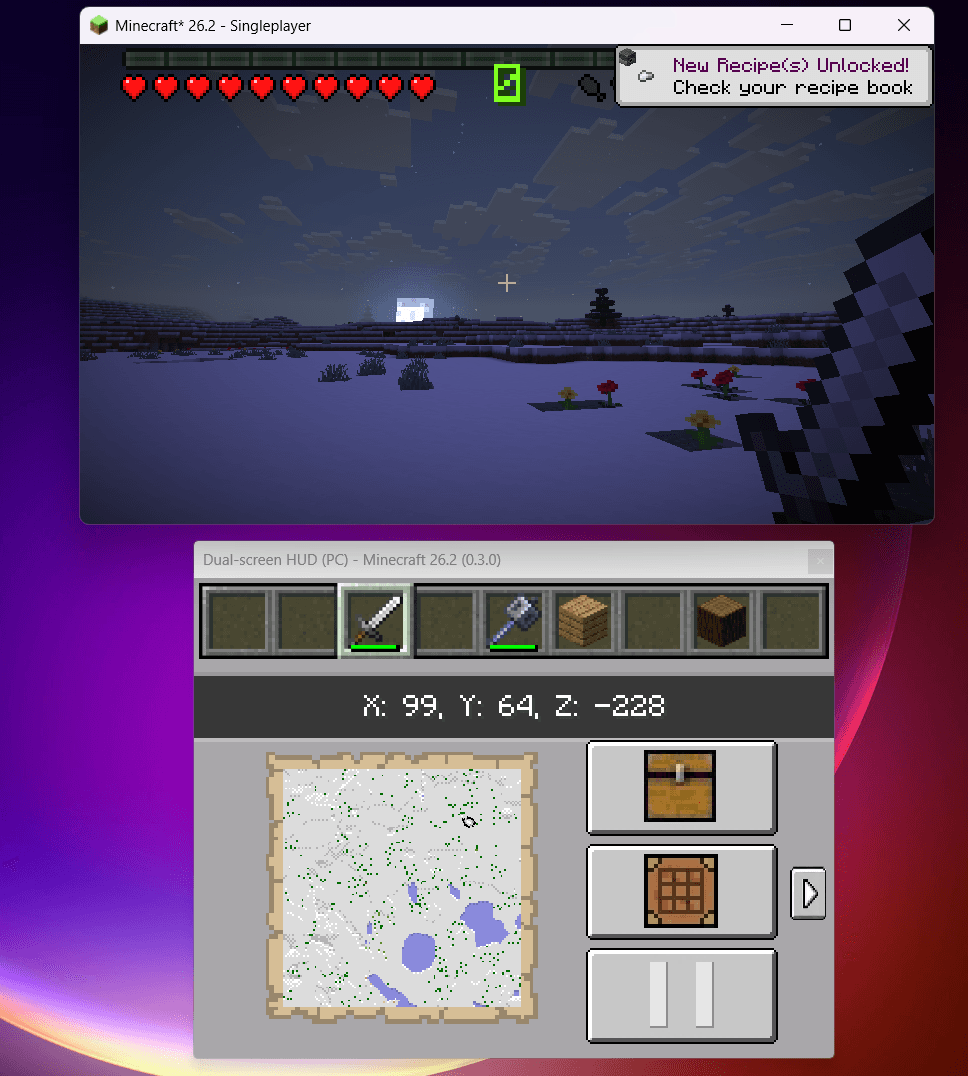 Screenshot 2026-09-14 185614.png Screenshot 2026-09-14 185614.png
 -
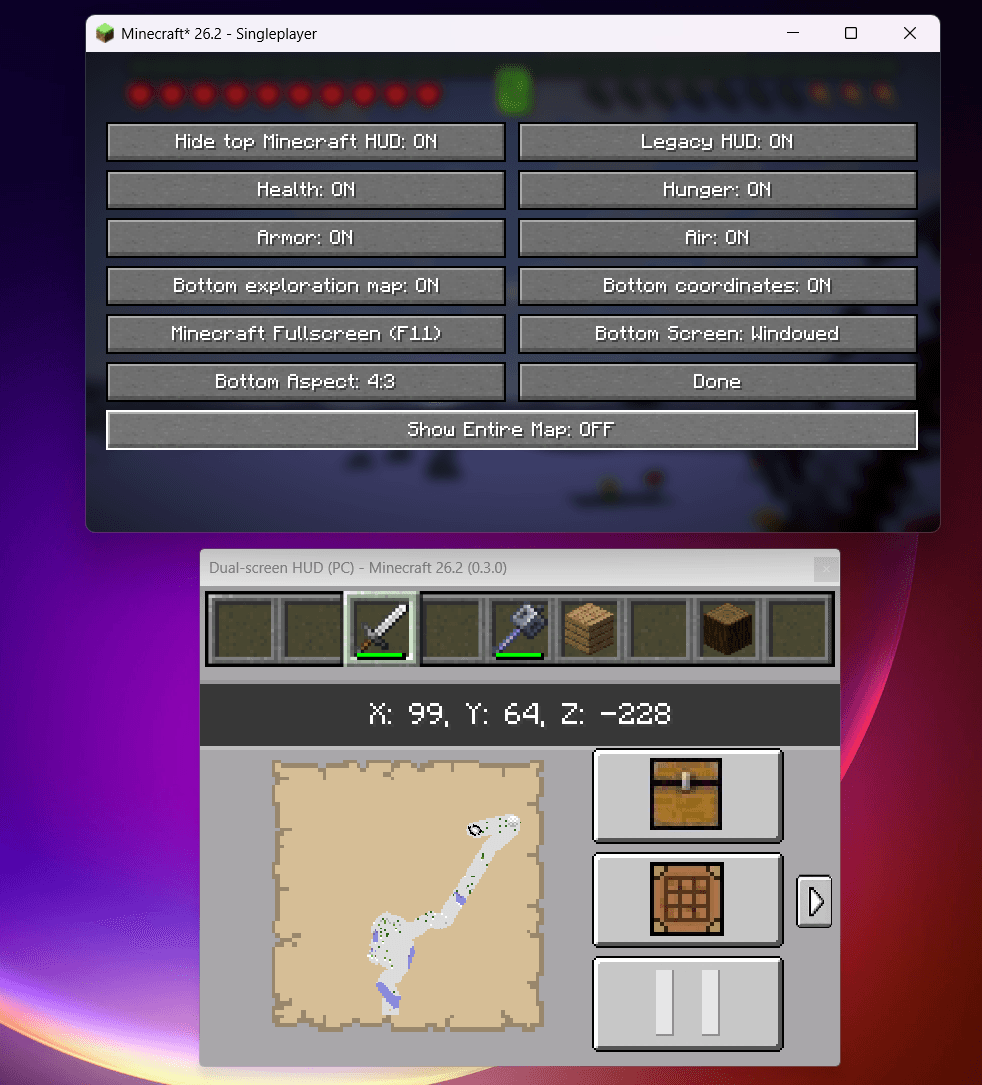 Screenshot 2026-09-14 185633.png Screenshot 2026-09-14 185633.png
Versions
Files
Relations
Project Relations
More like this
Similar Mods
Suggestions use data such as tags, dependencies, dependents, descriptions, titles, and more to rank how much they overlap with this mod.
On ModDex
Community snapshot
By the numbers
Statistics

Get it on
Available Platforms
On ModDex
Community snapshot
By the numbers
Statistics
Resources