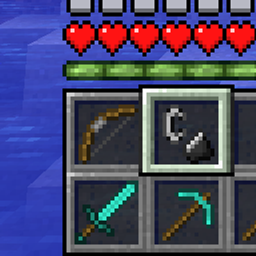
Community listing page, reviews here may not be monitored by the author.
DualHotbar Reworked


No reviews yet
Use multiple rows of your inventory as hotbars at the same time.
Community voices
Reviews
No reviews yet. Be the first to review this project!
Get it on
Available Platforms
Compatibility
Supported Environments
Must be installed on both the client and the server.
About
Project Details
For authors
Embed Badge
If you're the author of this project, you can embed a live badge anywhere that supports HTML or Markdown. It updates automatically whenever ratings change.
Use HTML for any page that supports it, or Markdown for README files and Markdown-based descriptions.
Identifiers
Platform IDs
About
Description
DualHotbar Reworked
This is a fork of RebelKeithy's DualHotbar that attempts to fix all the issues present in the 1.12.2 ChrisLane port.
About DualHotbar
This mod allows you to use multiple rows of your inventory as hotbars at the same time. It can be configured in different ways to render them stacked and/or next to each other.
The slots are taken from the top row of your inventory going downwards.
There are 3 ways to select an item from the new slots:
- You can simply scroll with the mouse wheel and cycle to items
- You can double tap the number key to cycle to the same slot between hotbars
- You can hold a configurable modifier key (ctrl by default) and the slot number
You can also use the mouse wheel and a configurable modifier key (ctrl by default) to swap full hotbar rows while in stacked mode.
Bug fixes & Improvements
- Fixed rendering issues with offhand items and widget slots
- Fixed hotbar rendering not being disabled while in spectator mode
- Fixed a crash when picking a block using the mouse wheel (#6)
- Fixed duplicated ghost items appearing when picking blocks in creative mode (#8)
- Fixed incorrectly positioned items when picking blocks in creative mode (#8)
- Improved offhand item rendering to align on the same row when hotbars are not stacked
- Fixed chat interaction hotspots (like click to execute/copy) when the hotbar is shifted up (#5)
- Disabled slot switching and hotkeys while in GUIs to prevent unintended actions
New features & Enhancements
- Added support for config synchronization when joining multiplayer servers
- Enabled in-place config updates without rejoining world or restarting the game
- Added compatibility with LemonSkin
- Saturation, food, and health overlays are now rendered at the correct height
- Added compatibility with SimpleDifficulty
- Temperature HUD is now rendered at the correct height
Technical changes
- Replaced ASM with Mixins for better compatibility and maintainability
- Updated the config system and its validation
- Cleaned up and refactored most of the old messy code (probably fixed #7)
- Migrated to Cleanroom's modern ForgeDevEnv
Screenshots
1x2 configuration

1x3 configuration

1x4 configuration

2x1 configuration

2x2 configuration

Hotbar swapping

Inventory

DualHotbar Reworked
This is a fork of RebelKeithy's DualHotbar that attempts to fix all the issues present in the 1.12.2 ChrisLane port.
About DualHotbar
This mod allows you to use multiple rows of your inventory as hotbars at the same time. It can be configured in different ways to render them stacked and/or next to each other.
The slots are taken from the top row of your inventory going downwards.
There are 3 ways to select an item from the new slots:
- You can simply scroll with the mouse wheel and cycle to items
- You can double tap the number key to cycle to the same slot between hotbars
- You can hold a configurable modifier key (ctrl by default) and the slot number
You can also use the mouse wheel and a configurable modifier key (ctrl by default) to swap full hotbar rows while in stacked mode.
Bug fixes & Improvements
- Fixed rendering issues with offhand items and widget slots
- Fixed hotbar rendering not being disabled while in spectator mode
- Fixed a crash when picking a block using the mouse wheel (#6)
- Fixed duplicated ghost items appearing when picking blocks in creative mode (#8)
- Fixed incorrectly positioned items when picking blocks in creative mode (#8)
- Improved offhand item rendering to align on the same row when hotbars are not stacked
- Fixed chat interaction hotspots (like click to execute/copy) when the hotbar is shifted up (#5)
- Disabled slot switching and hotkeys while in GUIs to prevent unintended actions
New features & Enhancements
- Added support for config synchronization when joining multiplayer servers
- Enabled in-place config updates without rejoining world or restarting the game
- Added compatibility with LemonSkin
- Saturation, food, and health overlays are now rendered at the correct height
- Added compatibility with SimpleDifficulty
- Temperature HUD is now rendered at the correct height
Technical changes
- Replaced ASM with Mixins for better compatibility and maintainability
- Updated the config system and its validation
- Cleaned up and refactored most of the old messy code (probably fixed #7)
- Migrated to Cleanroom's modern ForgeDevEnv
Screenshots
1x2 configuration
1x3 configuration
1x4 configuration
2x1 configuration
2x2 configuration
Hotbar swapping
Inventory
Screenshots
Gallery
-
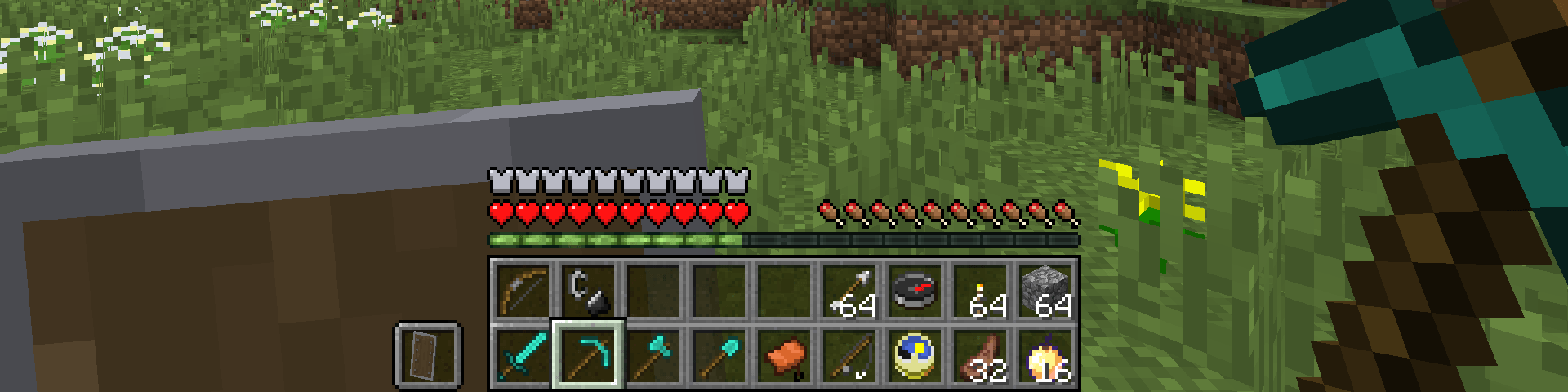 1x2.png 1x2.png
 -
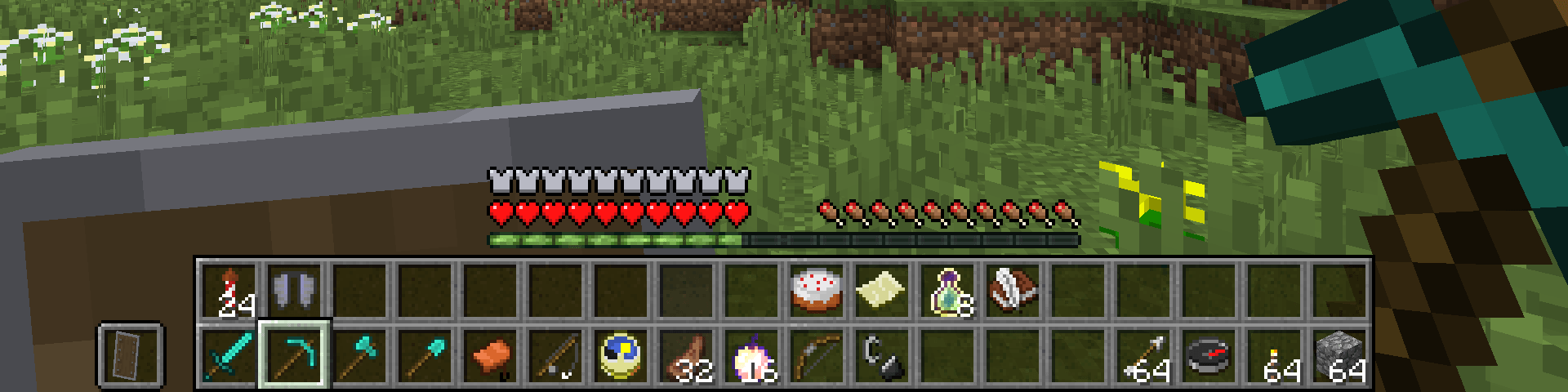 2x2.png 2x2.png
 -
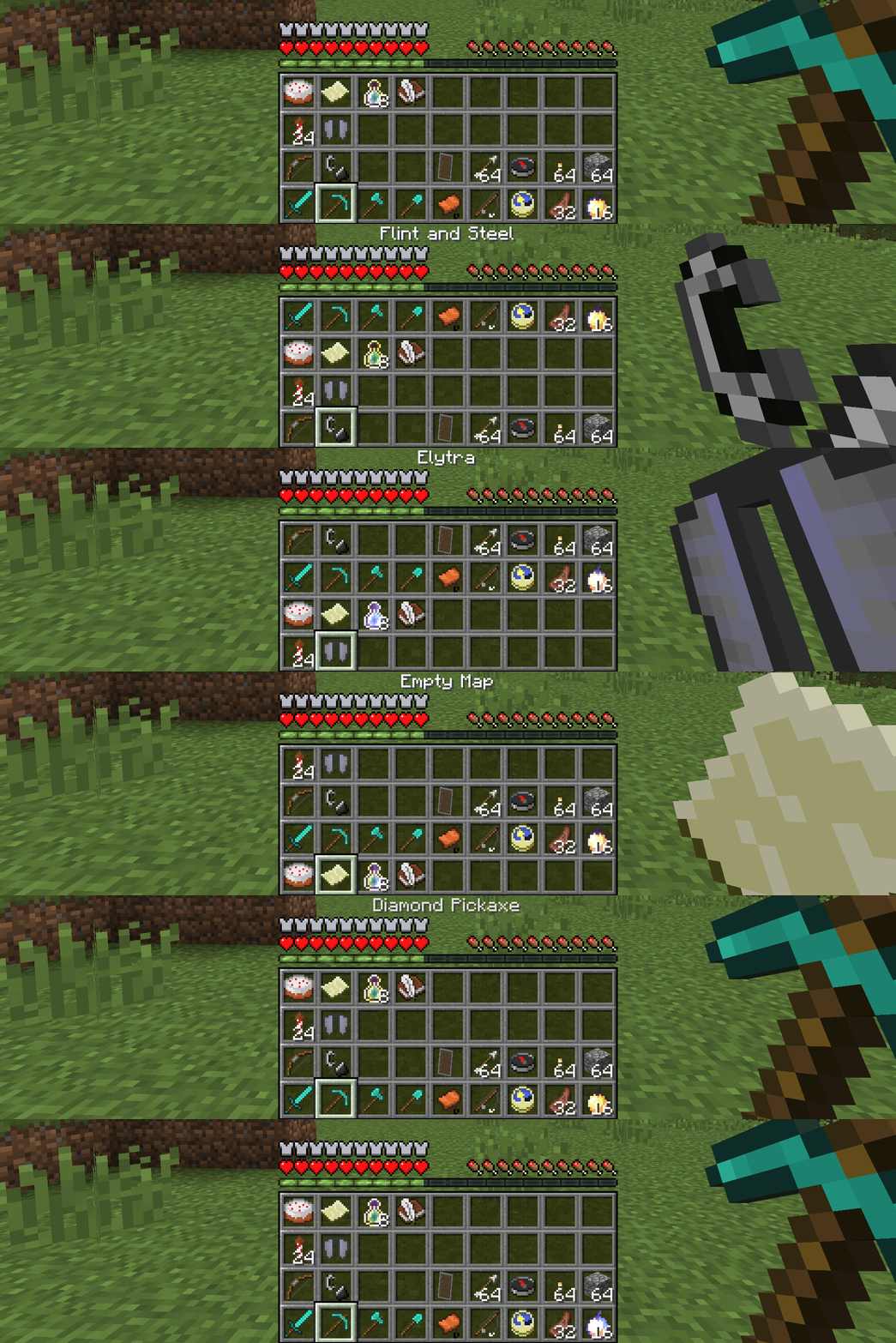 swap.gif swap.gif
 -
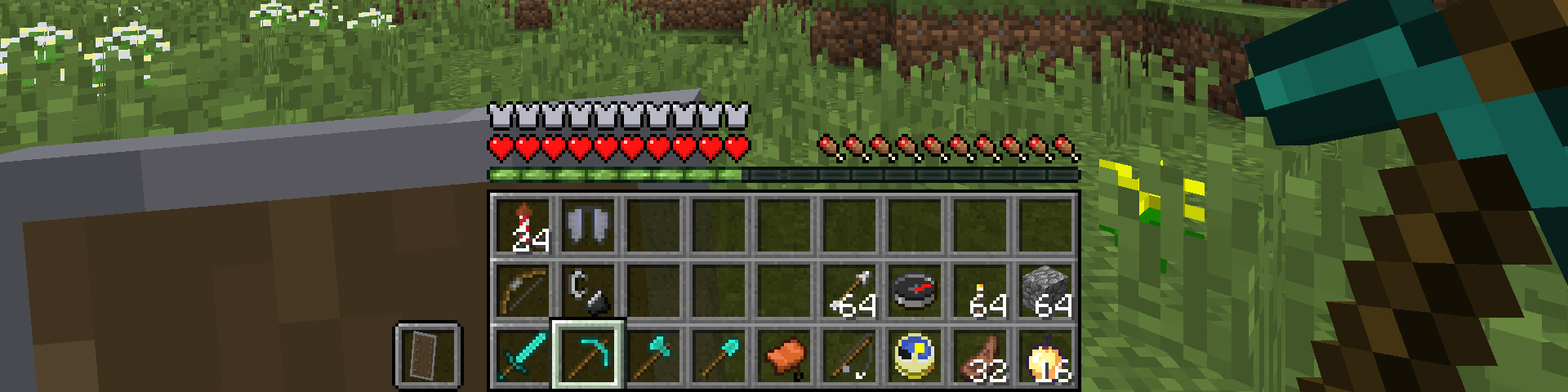 1x3.png 1x3.png
 -
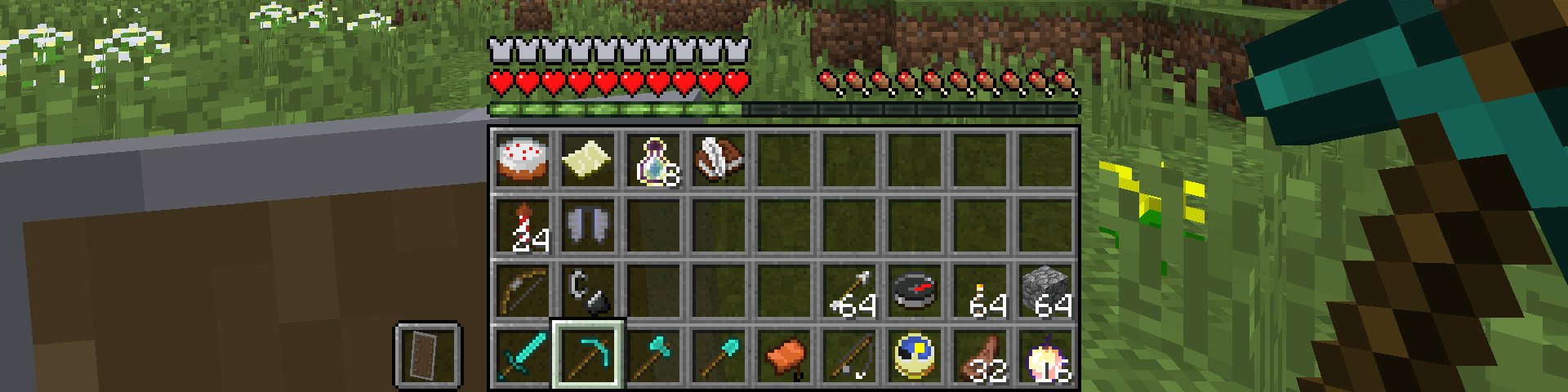 1x4.png 1x4.png
 -
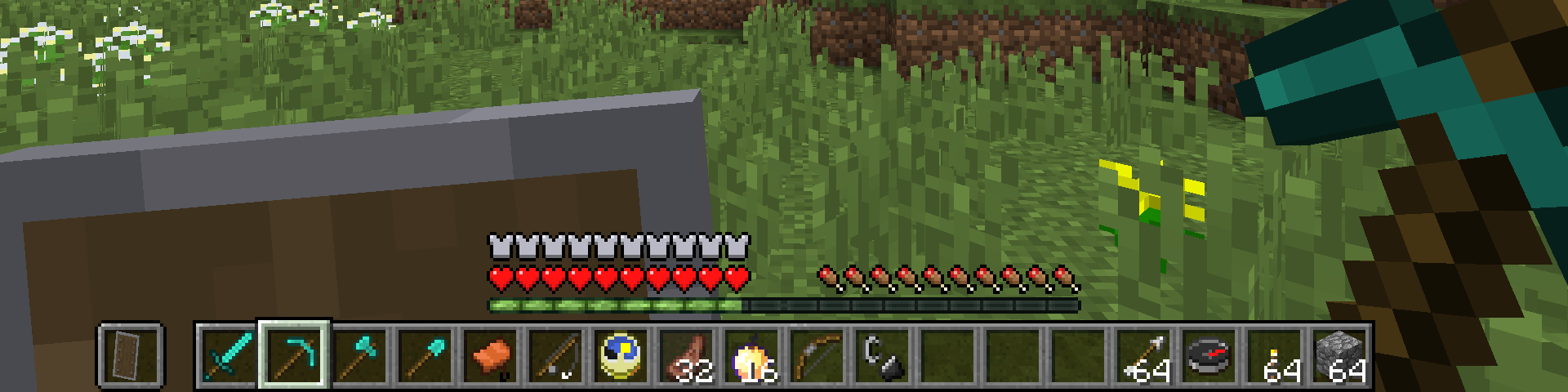 2x1.png 2x1.png
 -
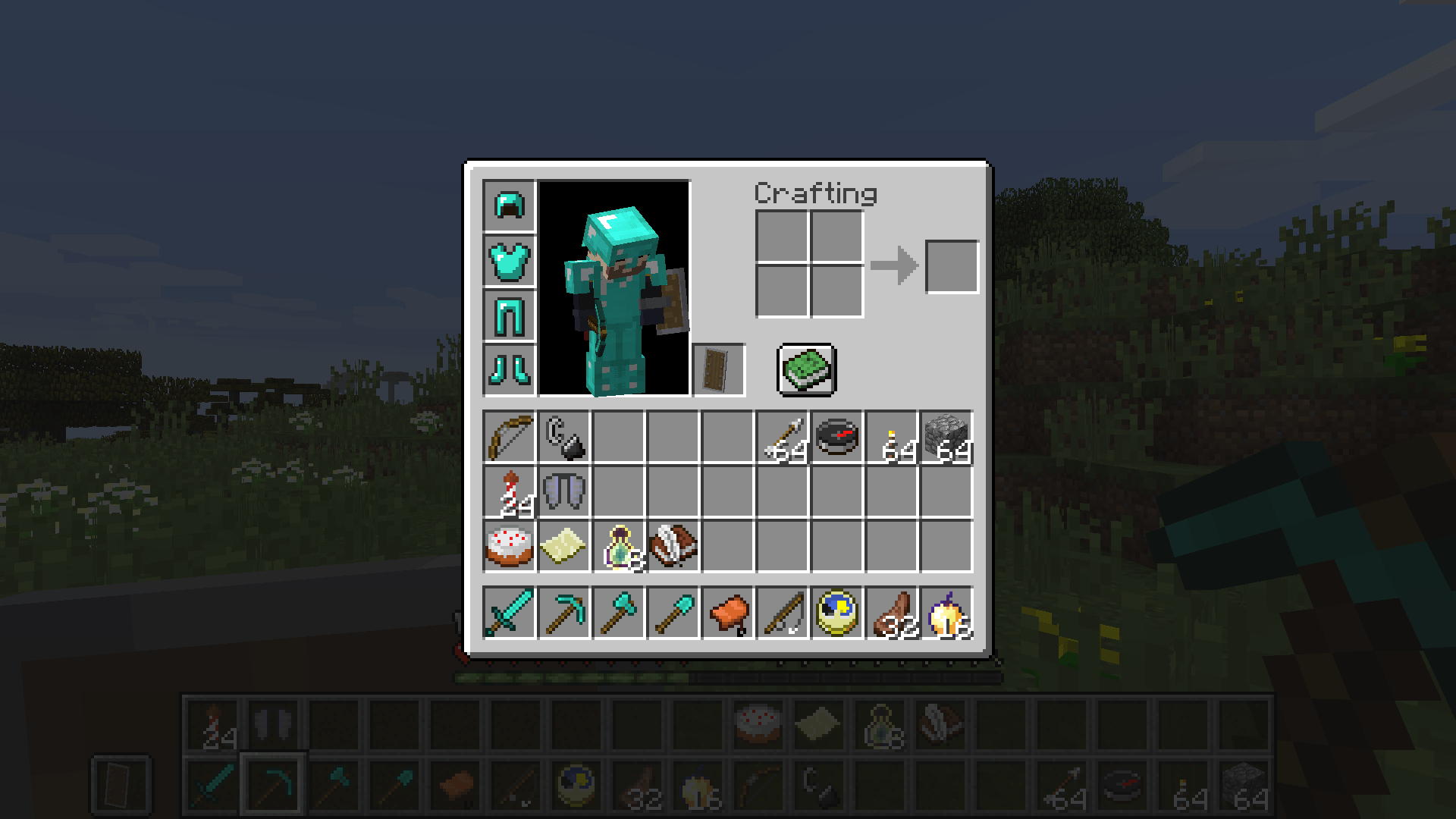 inventory.png inventory.png
-
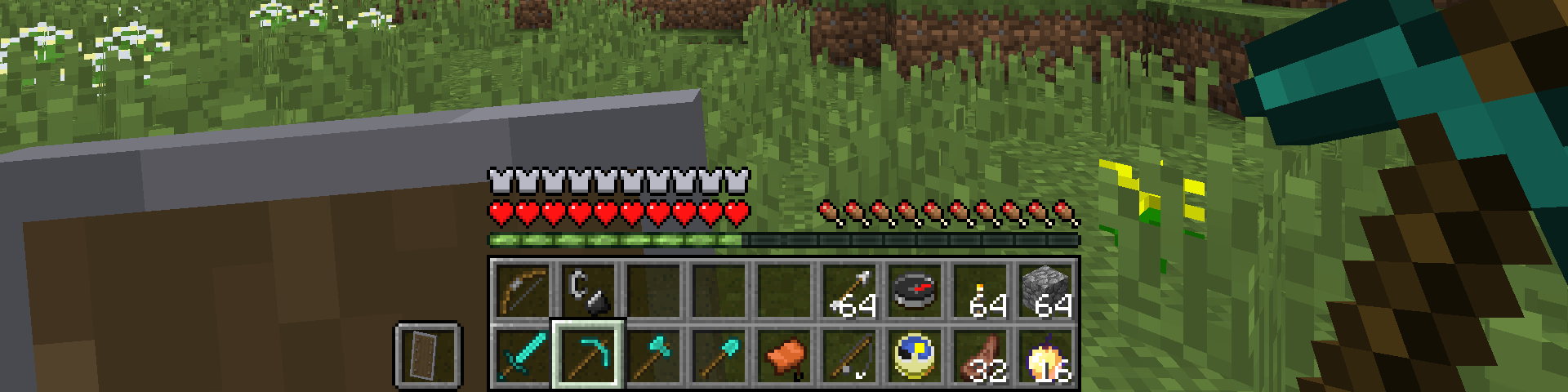 1x2 hotbar configuration
 -
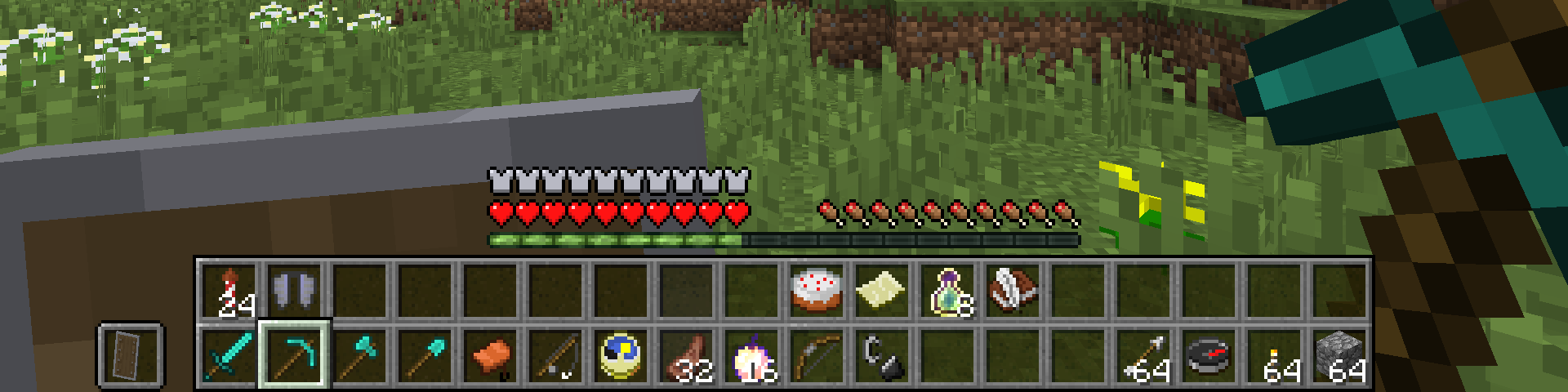 2x2 hotbar configuration
 -
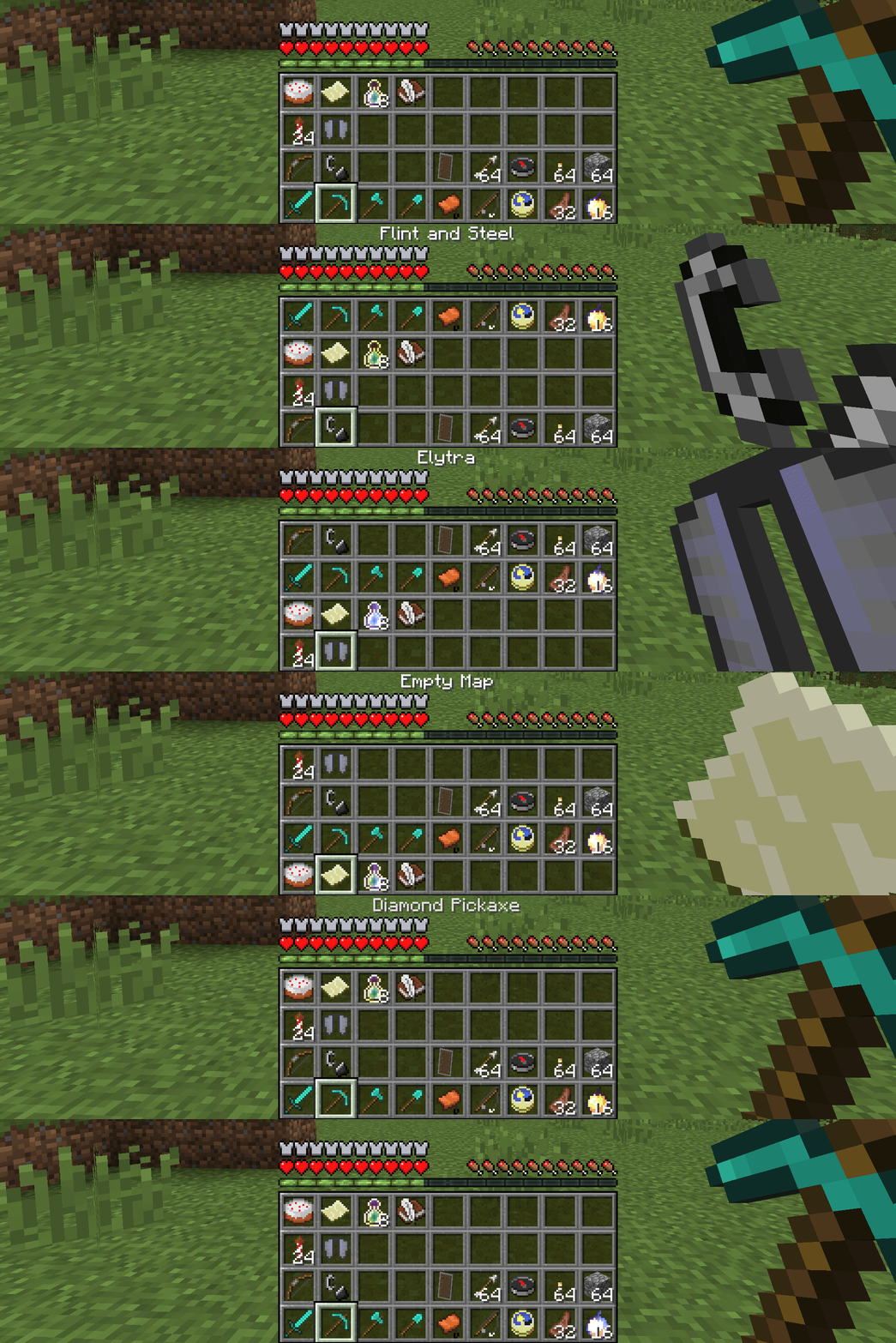 Hotbar swapping
 -
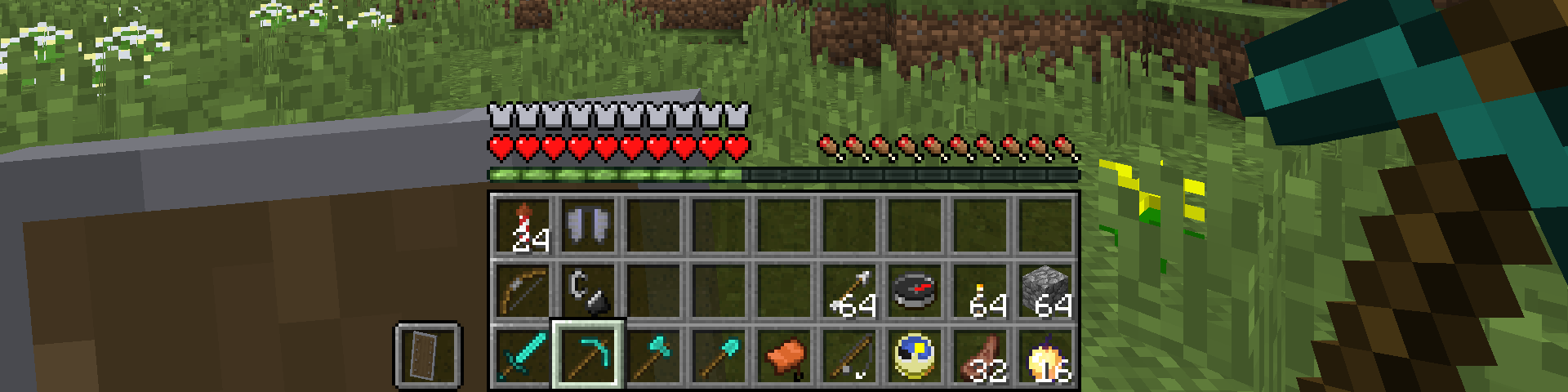 1x3 hotbar configuration
 -
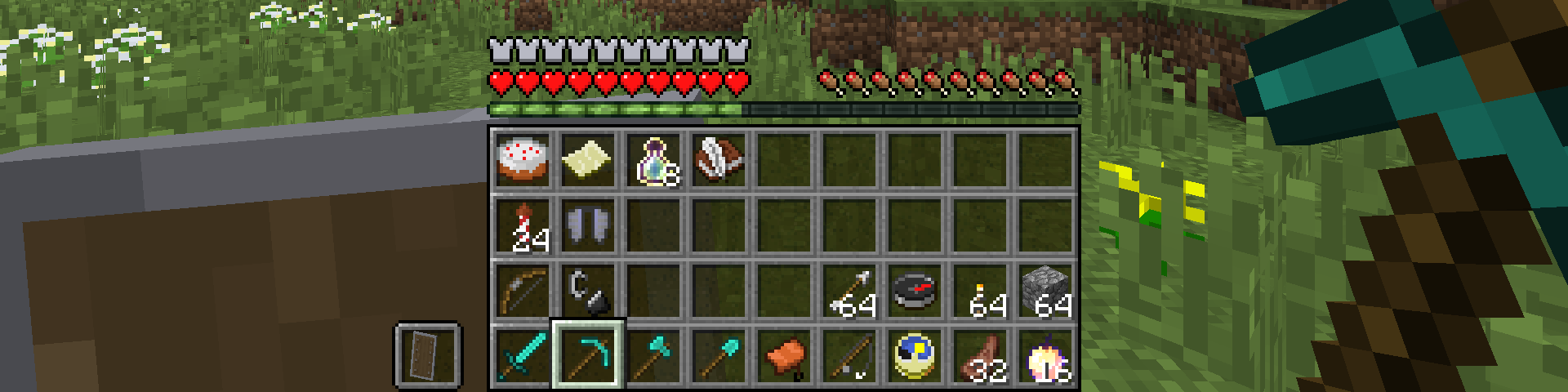 1x4 hotbar configuration
 -
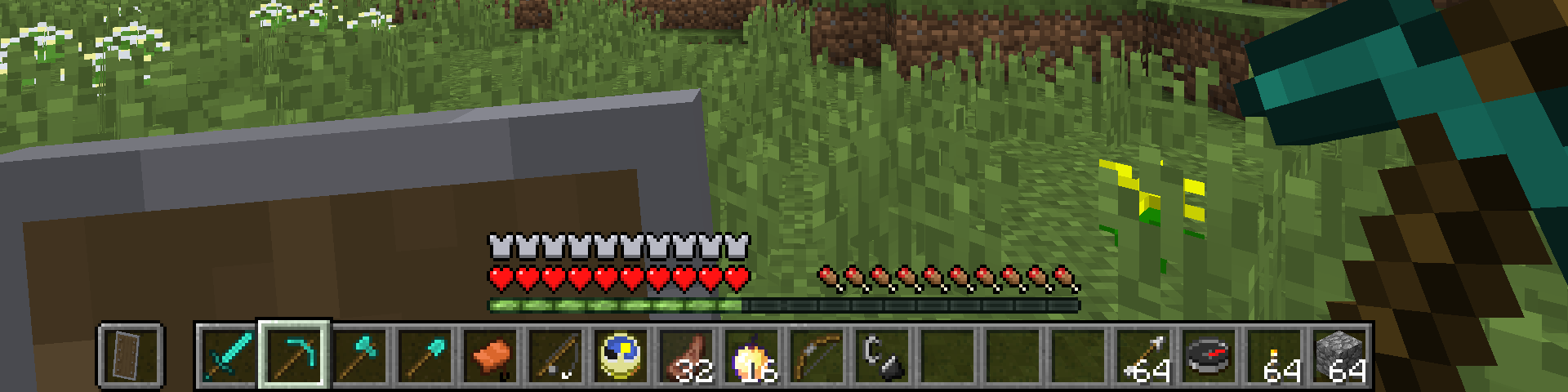 2x1 hotbar configuration
 -
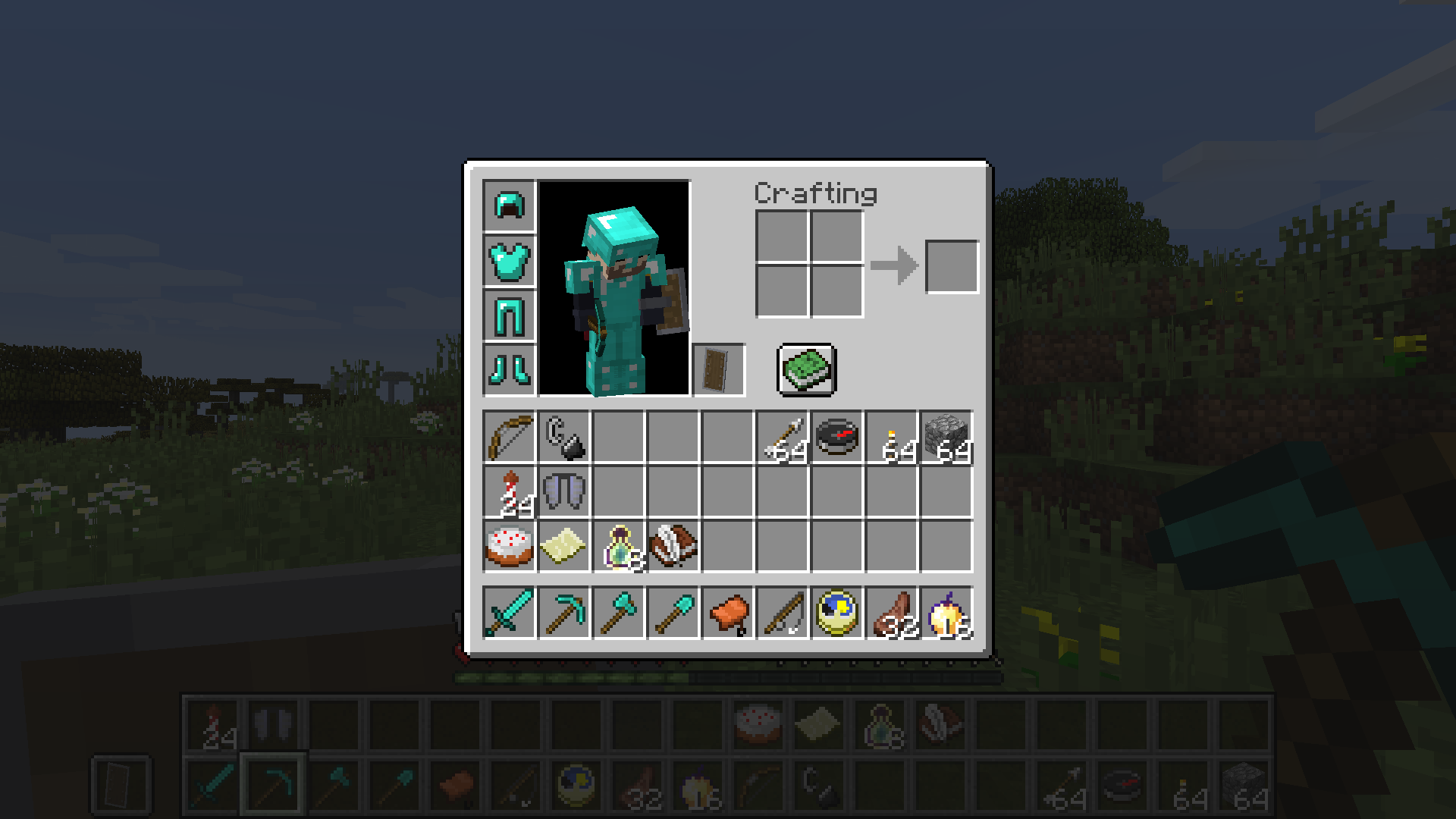 Inventory item placement
Versions
Files
Relations
Project Relations
More like this
Similar Mods
Suggestions use data such as tags, dependencies, dependents, descriptions, titles, and more to rank how much they overlap with this mod.
On ModDex
Community snapshot
By the numbers
Statistics
Want to reach Minecraft players?
We're looking for a server hosting partner to feature here and other parts of the site. Interested? Send us a message!
Get in touchGet it on
Available Platforms
On ModDex
Community snapshot
By the numbers