
Community listing page, reviews here may not be monitored by the author.
DuelHUD

No reviews yet
A lightweight client-side combat HUD for PvP — keystrokes, CPS, ping, cooldowns, armor durability, and potion effects, all drag-and-drop repositionable.
Community voices
Reviews
No reviews yet. Be the first to review this project!
Get it on
Available Platforms
Compatibility
Supported Environments
Runs entirely on the client. Works on vanilla servers.
About
Project Details
For authors
Embed Badge
If you're the author of this project, you can embed a live badge anywhere that supports HTML or Markdown. It updates automatically whenever ratings change.
Use HTML for any page that supports it, or Markdown for README files and Markdown-based descriptions.
Identifiers
Platform IDs
Resources
External Links
About
Description
DuelHUD
A lightweight, fully client-side combat HUD for competitive PvP and duels. DuelHUD surfaces the stats you actually watch mid-fight — keystrokes, CPS, ping, cooldowns, armor durability, and active potion effects — in clean, repositionable panels that stay out of your way.
Features
- ⌨️ Keystroke display — WASD + mouse buttons, live as you play
- 🖱️ CPS counter — track your click speed in real time
- 📶 Ping display — always know your connection
- ⏱️ Cooldown tracker — item/ability cooldowns at a glance
- 🛡️ Armor durability — spot cracked armor before it breaks
- 🧪 Potion effect panel — active effects and remaining duration
- 🎯 Live drag-and-drop HUD editor — press
[in-game to freely reposition every panel exactly where you want it, no config file editing required - ⚙️ Cloth Config + Mod Menu support — tweak every panel from an in-game settings screen if Mod Menu is installed
- 🪶 Zero server-side footprint — 100% client-side, safe for any server, no server mod required
Installation
- Install Fabric Loader for Minecraft 1.21.11
- Download and install Fabric API
- Download and install Cloth Config (required)
- (Optional) Install Mod Menu for an in-game config screen
- Drop the DuelHUD
.jarinto yourmodsfolder
Configuration
Open the HUD editor in-game with [ (rebindable in Controls) to drag panels wherever you like. Toggle individual panels and tweak scale/detail from the Mod Menu config screen, or edit the generated config file directly.
Compatibility
| Loader | Fabric |
| Minecraft | 1.21.11 |
| Side | Client-only |
| Requires | Fabric API, Cloth Config |
| Optional | Mod Menu |
Notes
DuelHUD only reads client-side information that's already available to your game (keys pressed, ping, your own armor/effects/cooldowns) — it doesn't modify gameplay, give any competitive advantage beyond visibility of your own state, or send/receive anything from the server. It should be safe on anti-cheat-protected servers, but as always, check your server's mod policy first.
License: MIT
Screenshots
Gallery
-
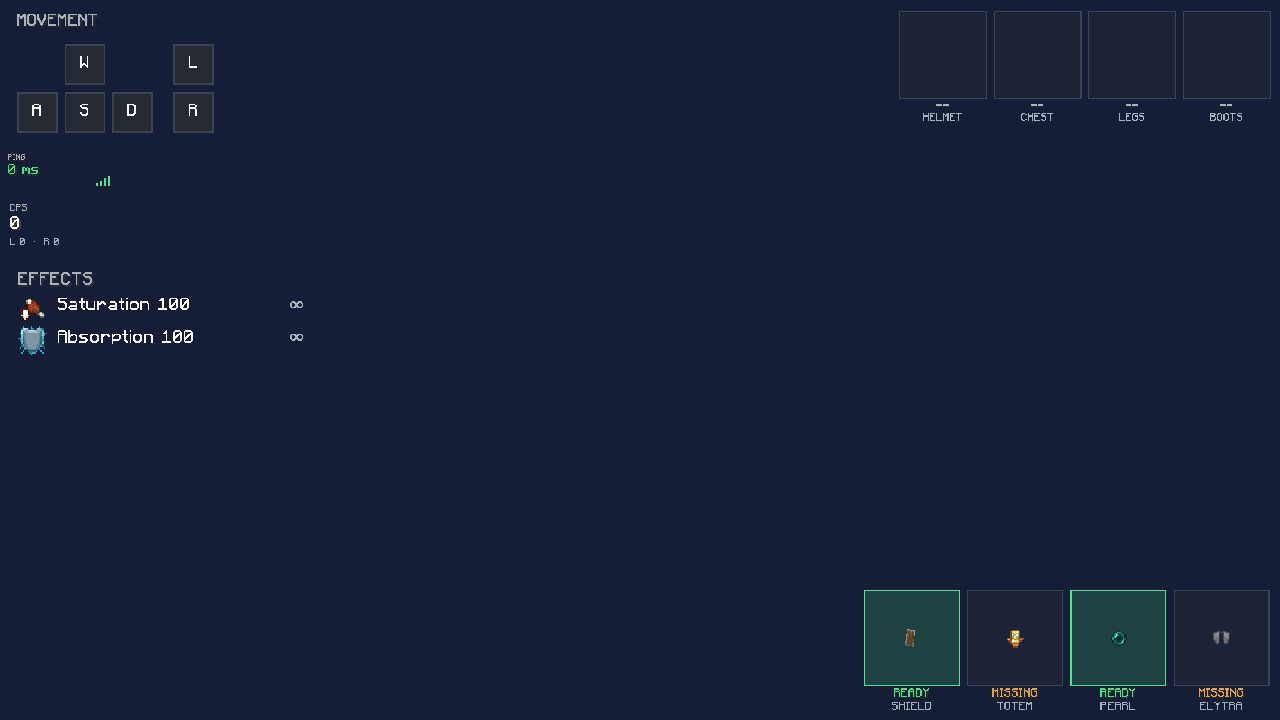 Transperent
 -
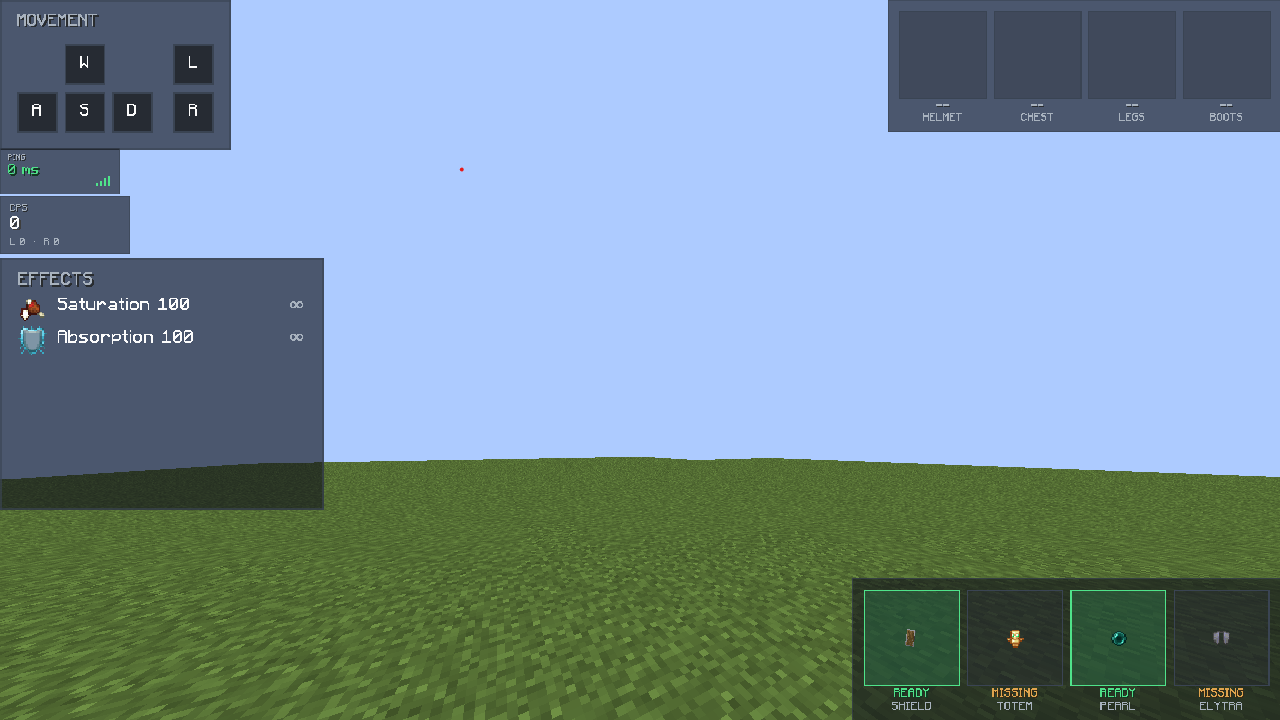 Normal Hud
 -
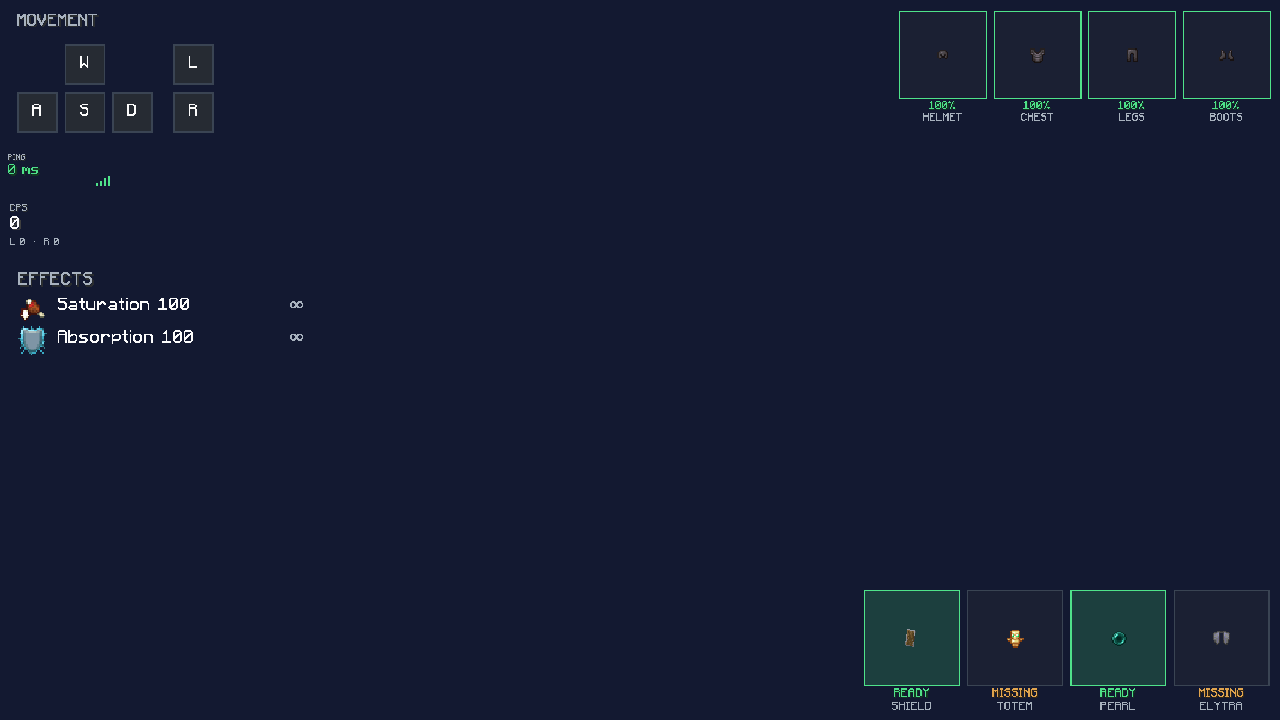 Armor Hud With Transperent
 -
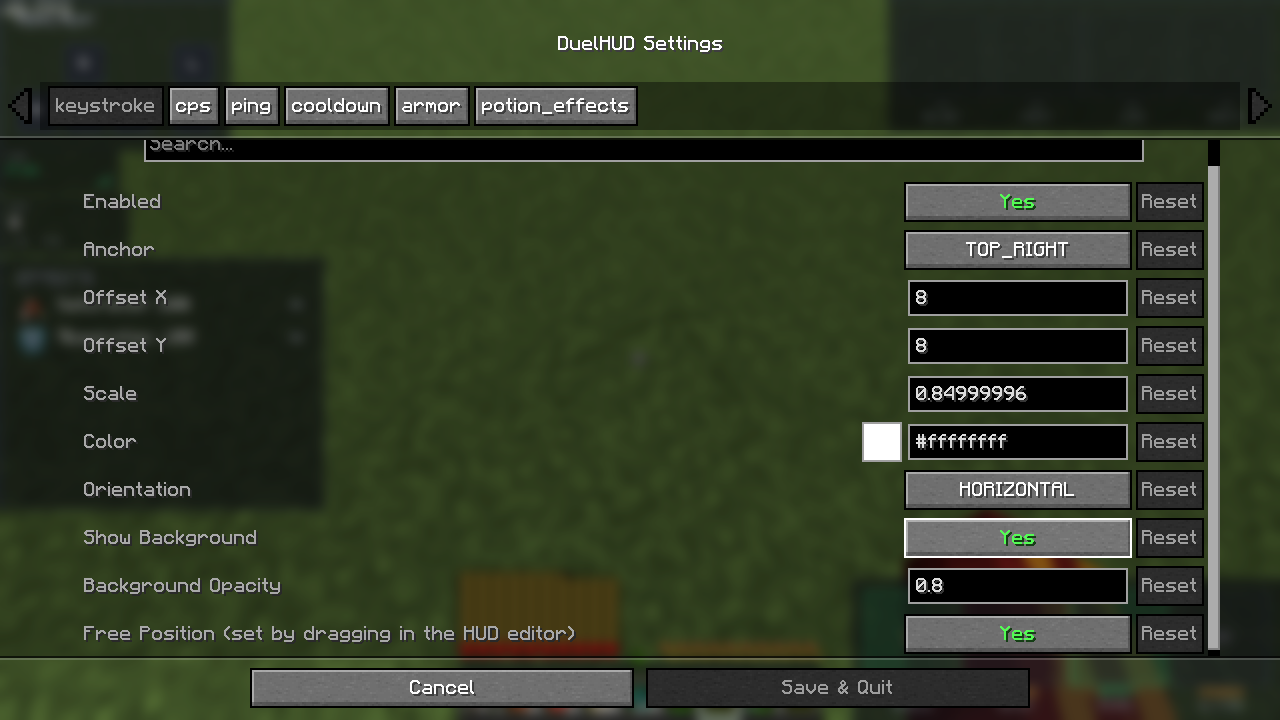 Settings
Versions
Files
Relations
Project Relations
More like this
Similar Mods
Suggestions use data such as tags, dependencies, dependents, descriptions, titles, and more to rank how much they overlap with this mod.
On ModDex
Community snapshot
By the numbers
Statistics

Want to reach Minecraft players?
We're looking for a server hosting partner to feature here and other parts of the site. Interested? Send us a message!
Get in touchGet it on
Available Platforms
On ModDex
Community snapshot
By the numbers
Statistics
Resources