Community listing page, reviews here may not be monitored by the author.

Community voices
Reviews
No reviews yet. Be the first to review this project!
Get it on
Available Platforms
About
Project Details
For authors
Embed Badge
If you're the author of this project, you can embed a live badge anywhere that supports HTML or Markdown. It updates automatically whenever ratings change.
Use HTML for any page that supports it, or Markdown for README files and Markdown-based descriptions.
Identifiers
Platform IDs
Resources
External Links
About
Description
This is not a dupehack for multiplayer!
This only works in SINGLEPLAYER!!
You see, vanilla minecraft has a famous little glitch, that allows you to duplicate items in singleplayer
Also this has nothing to do with mods that enable book duping or chunk duping!
and today, this glitch is oftentimes used in speedrunning, to duplicate your items.
Here is the current Mc Random Seed Glitched WR by Illumina...
(Minecraft Speedrunning discord: https://discord.gg/jmdFn3C )
However, this glitch does not work in MC Forge, since there is an integrated server running.
This mod fixes this issue by recreating how this glitch happens in the first place.
How it works:
1. Throw the item(s) you want to dupe on the ground.
2. Press Esc and "Save and quit" to menu ->This saves the inventory of the player and the world.
3. Reenter the world and pick up the item(s)
4. Alt+F4 the game immediately when you picked up the items ->This saves the inventory but not the world.
5. Open up MC and enter the world.
Result: The Items are in your inventory and a copy of the items are on the ground.
Now you might ask: Why is it so bad if you can't do it in forge? Speedrunns are done in vanilla.
Well turns out you can make a Tool-Assisted-Speedrun (TAS) of minecraft, but for this, you need forge! (If you want to make it good.)
An old outdated TAS of mine:
You see here that I do duping with forge... (This was without this mod so I had to manually copy playerdatas between worlds ._. )
This TAS is not done the usual way, like in emulator TASsing... There are multiple segments in this video cut together as one, keep that in mind!
Duping can be done without this mod, but you have to manually copy playerdata across worlds which is really tedious if you have to do it like 30 times across a TAS... It's also not that accurate...
What the mod does:
-When saving and quitting it saves the surrounding items on the ground in a file in your world directory called "latest_dupe.txt" (PlayerLoggedOut event used)
-When logging into the world, it loads the file and fills the chest and spawns items. (PlayerLoggedIn event used)
Features:
Can dupe:
-Items on the ground
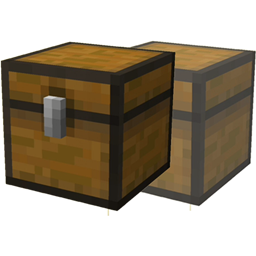
-Items inside a chest
(Those are the most common duping methods, chestduping is faster)
-Items inside a trapped chest
The radius in which the chests get saved, is 5 blocks in every direction
The radius of items is around 10 blocks around the player
Commands:
/dupe -> loads the items from latest_dupe.txt.
This is basically a way to skip pressing Alt+F4
So the dupe would go:
1. Throw the item(s) you want to dupe on the ground.
2. Press Esc and "Save and quit" to menu ->This saves the inventory of the player and the world.
3. Reenter the world and pick up the item(s)
4. Enter /dupe
Alt+F4 the game immediately when you picked up the items ->This saves the inventory but not the world.
Open up MC and enter the world.
Result: Items are duped correctly like doing Alt+F4
Keybinds:
Press "I" for the same effect as /dupe.
When entering /dupe your inputs will get eaten and your momentum will be cancelled
This is to simulate the Alt+F4 press... After pressing Alt+F4 you cannot have momentum when joining the world...
Latest_dupe.txt
DO NOT EDIT THIS FILE. EDITING THIS FILE DURING A TAS IS CONSIDERED CHEATING.
Also editing it with wrong formatting can crash your game... If that happens, just delete the file...
If you want to know what the values stand for:
This is the file for 1.12.2. They change across versions but it functions the same
Slot;0;12;(tile.sand.default);3;0;null;[]
0=Slot of the Chest
12= Item ID
(tile.sand.default)= Unlocalized Name (Isn't actually used when loading, is just a visual representation so you can see what item this resembles
3=Item count
0= Item damage
null=Custom Name (If you put the item in an anvil and change the name, that name would be there instead of null... Oh yeah, and don't name your item "null"...)
[]=Enchantments (If there are none it will be displayed as []
Item;0;88.5767276066086;76.0;-215.10442291743513;294;(item.hoeGold);1;16;I'm a custom name;[{lvl:2s,id:34s}];13;ScribbleLP
0=Slot of the EntityId List (Unused)
88.5767276066086=X-Coordinate of the item
76.0=Y-Coordinate...
-215.10442291743513=Guess what this does...
294=ItemID
(item.hoeGold)=Unlocalized Name, still unused
1=Item count (When you throw 3 blocks out of the inventory at oce the count would be 3)
16=Item damage
I'm a custom name=Custom Name, this time it's not null!
[{lvl:2s,id:34s}]=Enchantments
13=Age of the item in ticks. Appearently an item lasts 6000 ticks before it despawns.
ScribbleLP=Name of the thrower. If you e.g. break a block, the thrower will be "null"
Chest:
x=92, y=76, z=-218
Position of a chest
Items:87:76:-214
87:76:-214=Position where the player left the world
Why did you pick only a handfull of versions?
Because for these versions, the Tickratechanger-Mod is available too (The main mod for TASsing)
Any questions? Hit me up on https://discord.gg/jGhNxpd or post them here although I won't be as active as on discord!
-ScribbleLP
Screenshots
Gallery
Versions
Files
Relations
Project Relations
More like this
Similar Mods
Suggestions use data such as tags, dependencies, dependents, descriptions, titles, and more to rank how much they overlap with this mod.
On ModDex
Community snapshot
By the numbers
Statistics
Want to reach Minecraft players?
We're looking for a server hosting partner to feature here and other parts of the site. Interested? Send us a message!
Get in touchGet it on
Available Platforms
On ModDex
Community snapshot
By the numbers
Statistics
Resources