
Community listing page, reviews here may not be monitored by the author.
DURA PULSE


No reviews yet
DuraPulse is a purely client-side Minecraft mod that causes your hotbar slots to subtly pulse red whenever a tool or armor piece drops below 10% durability. At a critical 2%, a brief crack sound gives you a final warning before it breaks.
Community voices
Reviews
No reviews yet. Be the first to review this project!
Get it on
Available Platforms
Compatibility
Supported Environments
Runs entirely on the client. Works on vanilla servers.
About
Project Details
For authors
Embed Badge
If you're the author of this project, you can embed a live badge anywhere that supports HTML or Markdown. It updates automatically whenever ratings change.
Use HTML for any page that supports it, or Markdown for README files and Markdown-based descriptions.
Identifiers
Platform IDs
Resources
External Links
About
Description
📋 Mod Information: What does DuraPulse do?
DuraPulse is a lightweight, purely client-side Quality-of-Life (QoL) mod designed to save your valuable gear from accidental destruction. Instead of constantly staring at durability bars during intense fights, the mod intuitively alerts you:
Visual Pulse (Below 10% Durability): As soon as a tool, weapon, or armor piece in your hotbar drops below 10% durability, its slot will subtly and smoothly pulse red.
Audio Alert (Below 2% Durability):
When things get critical (below 2%), the mod plays a subtle yet distinct "crack" sound once-acting as the ultimate warning to put your item away immediately.
100% Client-side:
You can easily add this mod to your personal modpack and use it on any server.
The server doesn't need to have it installed!
DuraPulse is a client-side that tracks your equipped gear and actively steps in to prevent your items from breaking. With an interactive, in-game HUD editor, you can drag, drop, and scale every element to fit your exact setup. It works entirely on your end, meaning no server-side installation is ever required.
At a glance
| Feature | Description |
|---|---|
| 🛠️ Interactive HUD Editor | Press [U] (or your custom bind) to move and scale all HUD elements on the fly. |
| 💔 Safe Mode (Break Protection) | Hard-blocks item usage at exactly 1 durability to save your rare gear. |
| 🔄 Auto-Refill & Totem | Automatically swaps in fresh tools, shields, or totems from your inventory. |
| 🎨 Dynamic HUD Layouts | Track durability, armor status, and active effects with custom color scales and animations. |
| 🔊 Adaptive Audio Alerts | High-precision warning sounds that change pitch depending on how broken an item is. |
| 🚨 Elytra Panic Alert | Low-durability Elytra triggers massive on-screen visual warnings and sound loops. |
| 🌐 Purely Client-Side | Fully compatible with vanilla servers, realms, and singleplayer worlds. |
Features
1. Advanced In-Game HUD
- Interactive Layout Editor (
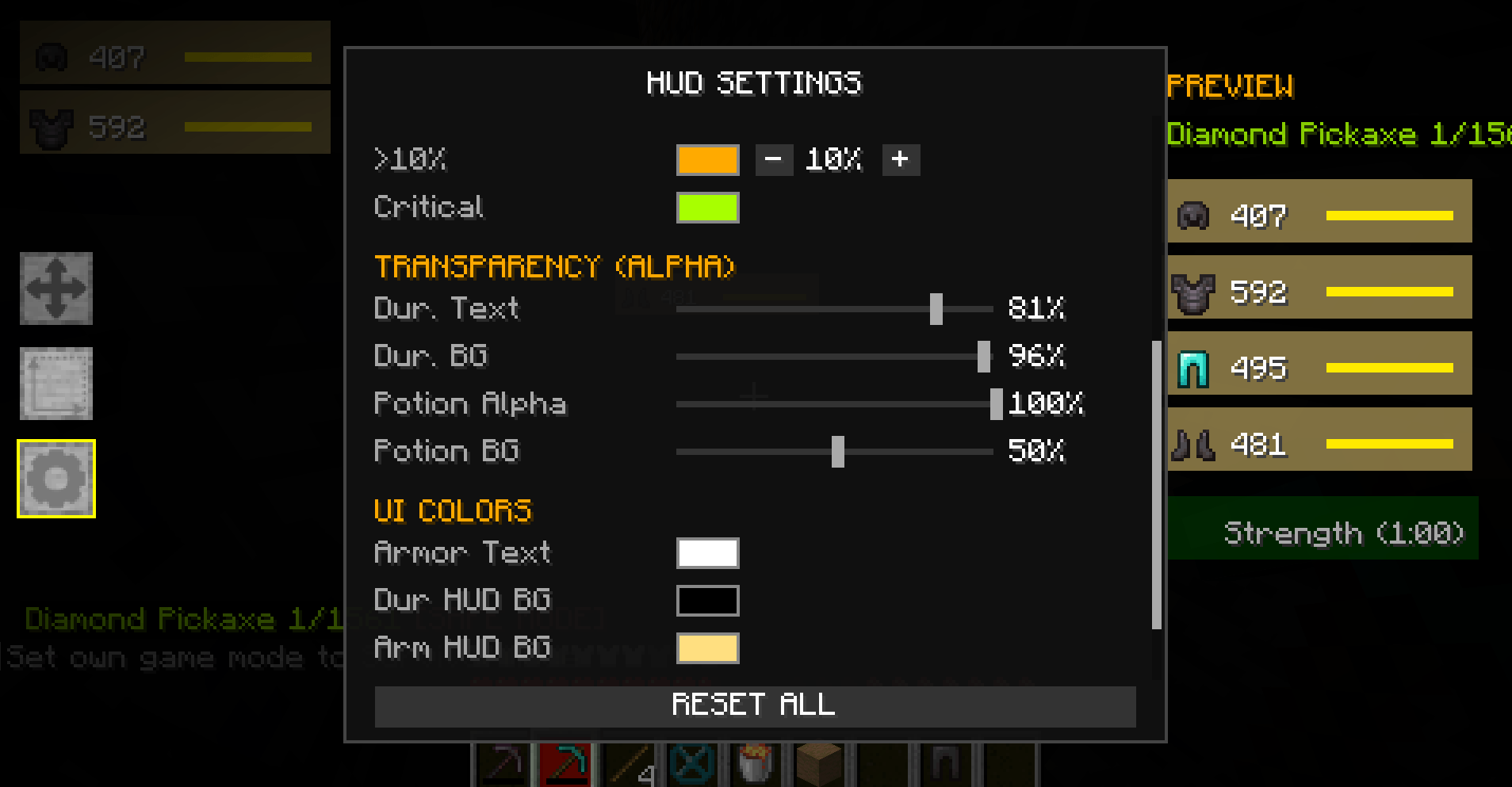
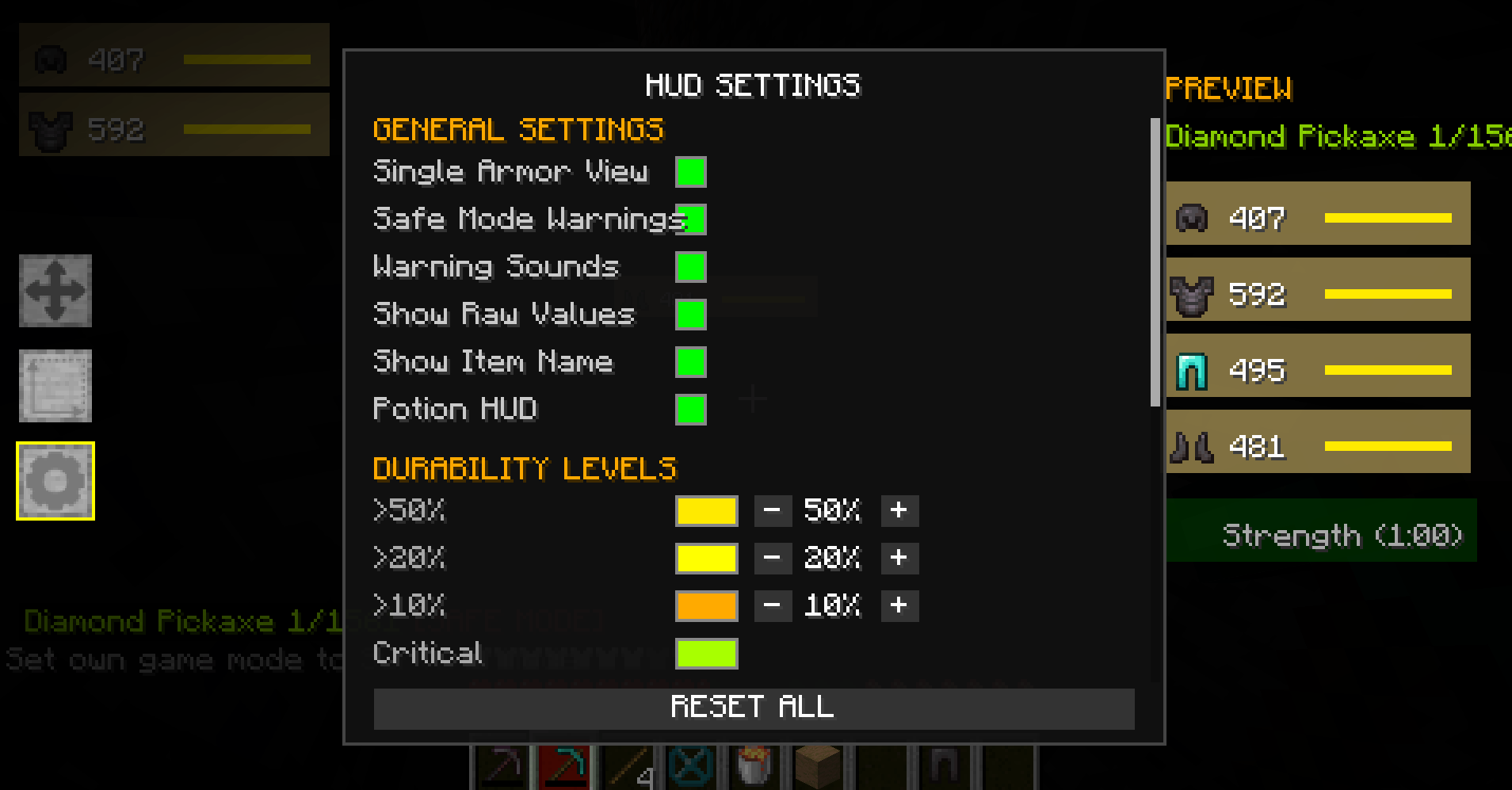
Default Key: U): Open the layout screen to customize your UI. Click and drag elements freely (MOVE), tweak their size (SCALE), or open the scrollable settings panel (SETTINGS). Note: The [U] hotkey can be rebound to any key in your standard Minecraft controls menu. - Durability HUD (Main & Offhand): Display durability as raw numbers or exact percentages. Colors scale dynamically (Green ➔ Yellow ➔ Orange ➔ Red). Includes a sleek progress bar, soft background glow, and subtle pulsing when an item hits critical status. Uses Smart Visibility to hide itself when your tools are above 90% durability. Stackable offhand items (like Totems) show their exact count.
- Flexible Armor HUD: Keeps an eye on your helmet, chestplate, leggings, and boots. Move and scale them independently (Single Armor View) or group them vertically with adjustable spacing (Grouped View).
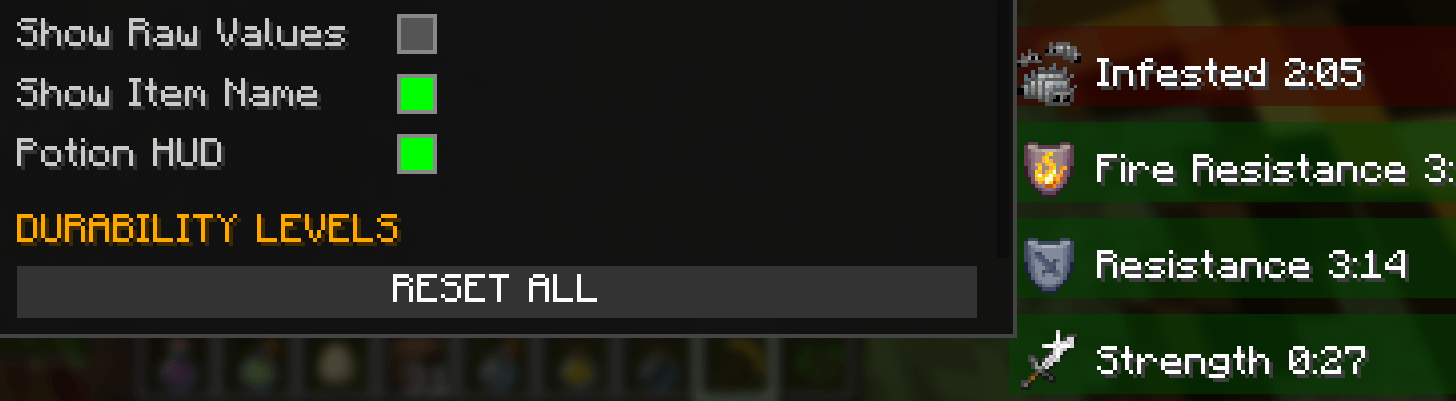
- Status Effect HUD: A clean list of your active potions and effects, displaying names, icons, and remaining durations. Uses colored backgrounds (greenish for buffs like Strength/Haste, reddish for debuffs like Poison/Weakness). Infinite effects show up as
**:**. - Hotbar Overlays & Slot Flashing: Draws small, color-coded percentages right over your hotbar items. If an item drops to 3 durability or lower, its slot will flash bright red.
2. Smart Protection & Automation
- Safe Mode: The second a tool or weapon drops to 1 durability, the mod blocks all actions with it (mining, attacking, interactions) to prevent accidental loss. A prominent red
[SAFE MODE]tag will show up on your HUD. - Auto-Refill: Instantly scans your inventory for an intact replacement of the same item type (durability > 5) and equips it automatically.
- Auto-Totem & Auto-Shield: Pops a fresh Totem of Undying or Shield into your offhand from your inventory the moment your current one pops or breaks.
3. Dynamic Warning Systems
- Audio Alerts: When a hotbar item drops below 10 durability, you'll hear a warning chime that dynamically raises its pitch the lower the durability gets, followed by a second confirmation ping 200ms later. If a damaged item ($\le 30$ durability) takes more damage, a subtle click sound plays (capped at 1x/sec). Choose between: Bell, XP Bottle, Anvil, or Click.
- Elytra Disaster Warning: If your equipped Elytra drops to 10 durability or below while you fly, an anvil-landing sound loops every 1.5 seconds, and a massive red alert flashes across the center of your screen:
[WARNING: ELYTRA NEARLY BROKEN (X)].
4. Admin & Testing Tools
- /durapulse test: Instantly gives you pre-damaged tools to test out all HUD features, pulse animations, and sound triggers (requires OP permissions or Creative Mode).
Technical Details & Requirements
- Mod ID:
durapulse - Version:
1.21.3-1.21.11 - Platform: Fabric
- Java Version: 21
- Dependencies:
fabricloader >=0.16.10,fabric-api - License: All Rights Reserved
Multiplayer Compatibility
DuraPulse is 100% client-side. It only reads your own local inventory data and never sends packets to the server. You can use it safely on vanilla servers, public multiplayer networks, and singleplayer worlds without needing any server-side setup or admin permissions.
Bug Reports & Feature Suggestions
Ran into an issue or have a cool feature idea? hop onto our Discord for quick questions and feedback!
Screenshots
Gallery
-
 f6de420590db4d5e164c0dff69737d5a8c3a76e9.png f6de420590db4d5e164c0dff69737d5a8c3a76e9.png
 -
 85445f1fbe206ebc8f588a93f9d57aa6282df2f3.png 85445f1fbe206ebc8f588a93f9d57aa6282df2f3.png
 -
 35d50fb37076e3f6efbe8529790a3b6da743131e.png 35d50fb37076e3f6efbe8529790a3b6da743131e.png
-
 Settings
 -
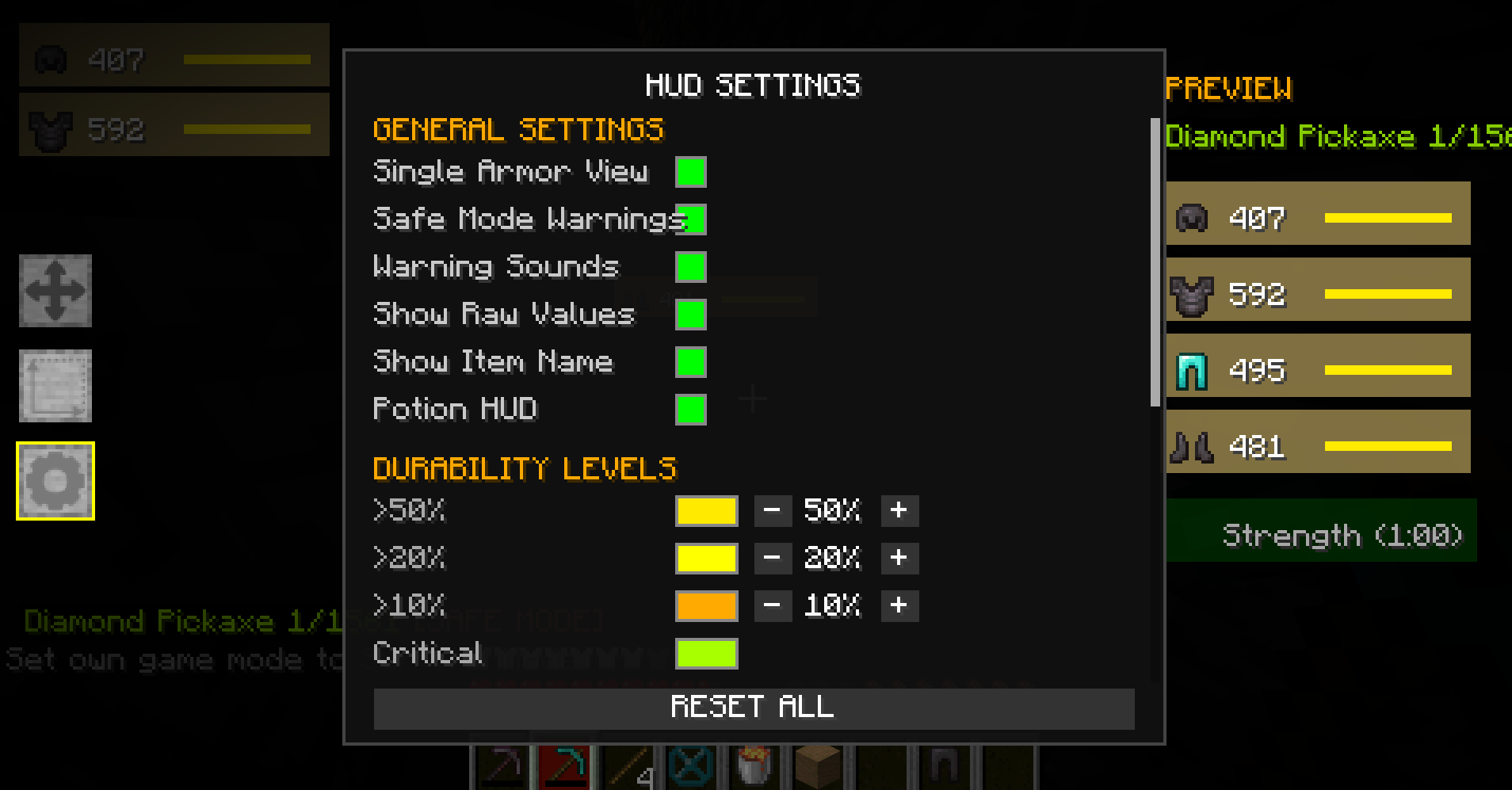
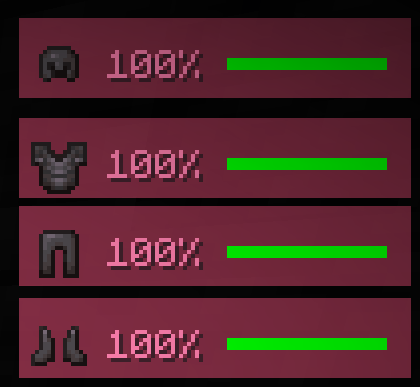 Armor Status You can adjust everything: text color, background color, and alert area colors
 -
 Druability Text You can adjust everything: text color, background color, and alert area colors
 -
 DRUABILITY DIA
 -
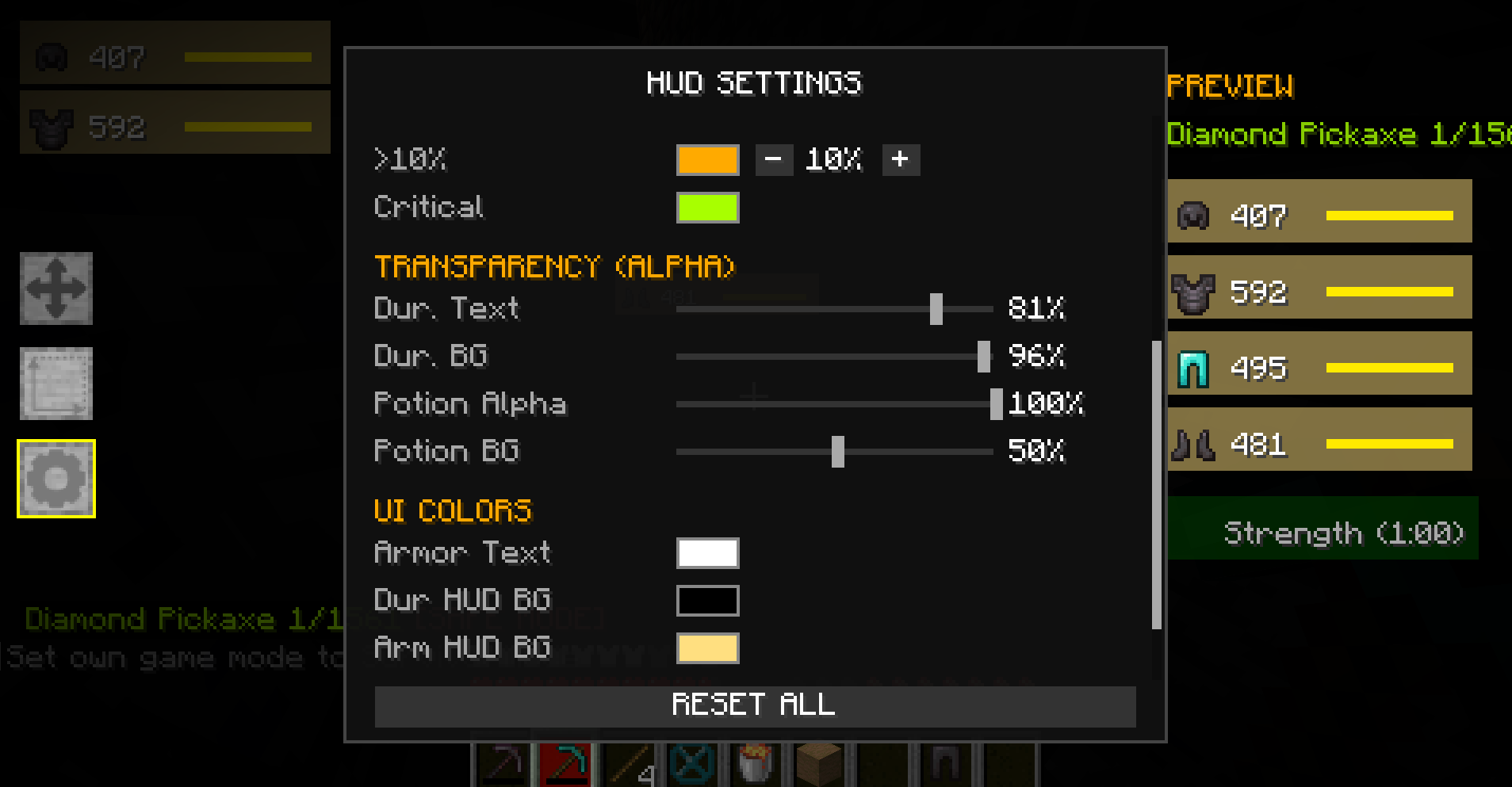 Settings 2
Versions
Files
Relations
Project Relations
More like this
Similar Mods
Suggestions use data such as tags, dependencies, dependents, descriptions, titles, and more to rank how much they overlap with this mod.
On ModDex
Community snapshot
By the numbers
Statistics
Want to reach Minecraft players?
We're looking for a server hosting partner to feature here and other parts of the site. Interested? Send us a message!
Get in touchGet it on
Available Platforms
On ModDex
Community snapshot
By the numbers
Statistics
Resources