DurabRing
No reviews yet
Draws a thin durability ring around your crosshair for the held tool, weapon, or armor piece. Full green circle that shrinks and turns red as the item wears out, so you see the warning in your line of sight. Toggle with V.
Fabric is a mod loader for versions 1.14+ of Minecraft, particularly popular for client side and optimization mods.
Community voices
Reviews
Click once to include, again to exclude, again to clear
No reviews yet. Be the first to review this project!
Get it on
Available Platforms
 Modrinth
Compatibility
Supported Environments
About
Project Details
For authors
Embed Badge
If you're the author of this project, you can embed a live badge anywhere that supports HTML or Markdown. It updates automatically whenever ratings change.
Use HTML for any page that supports it, or Markdown for README files and Markdown-based descriptions.
Identifiers
Platform IDs
Resources
External Links
About
Description
DurabRing puts your held item's durability where your eyes already are: as a thin colored ring drawn around the crosshair. While you're holding a tool, weapon, or any item with finite durability, a full green ring traces around the crosshair. As the item takes damage, the arc shrinks (clockwise from the top) and shifts through yellow to red. Below 10% remaining, a small red percentage appears just under the crosshair so you don't get caught mid-swing.
What it shows
- Full green ring = item near full durability.
- Shrinking yellow arc = item is halfway gone.
- Tiny red arc + "8%" label = item is about to break - switch out or repair.
- Nothing on screen when you're empty-handed or holding something that doesn't take damage.
Why it's different
The vanilla durability bar lives at the bottom of the hotbar - fine when standing still, useless when you're swinging a sword in combat or mining a vein with your eyes locked on the crosshair. DurabRing keeps the information in your line of sight, exactly where you're already looking, and only when it's relevant (held damageable items).
Controls
- V - toggle the ring on / off (default: on)
Compatibility
Works on Minecraft 1.21.8, 1.21.9, 1.21.10, and 1.21.11 (Fabric Loader 0.16+). One JAR for all four versions - install alongside Fabric API and drop into your mods/ folder.
- Pure client-side - install only on the client, works on any server, no anti-cheat impact.
- Hides automatically when you press F1 or open any screen.
- Zero config files; nothing to set up.
Screenshots
Gallery
-
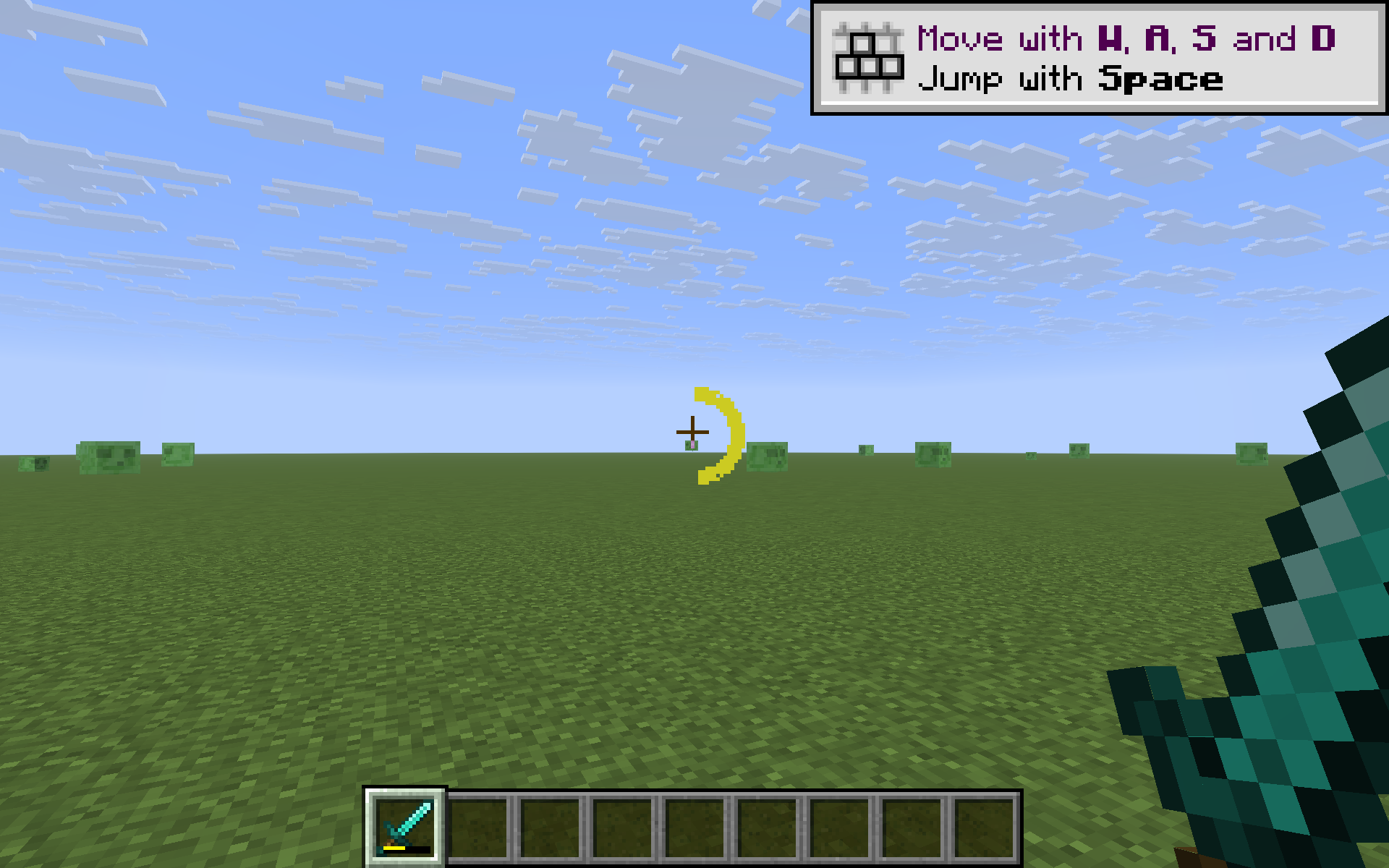 Yellow arc - halfway worn
 -
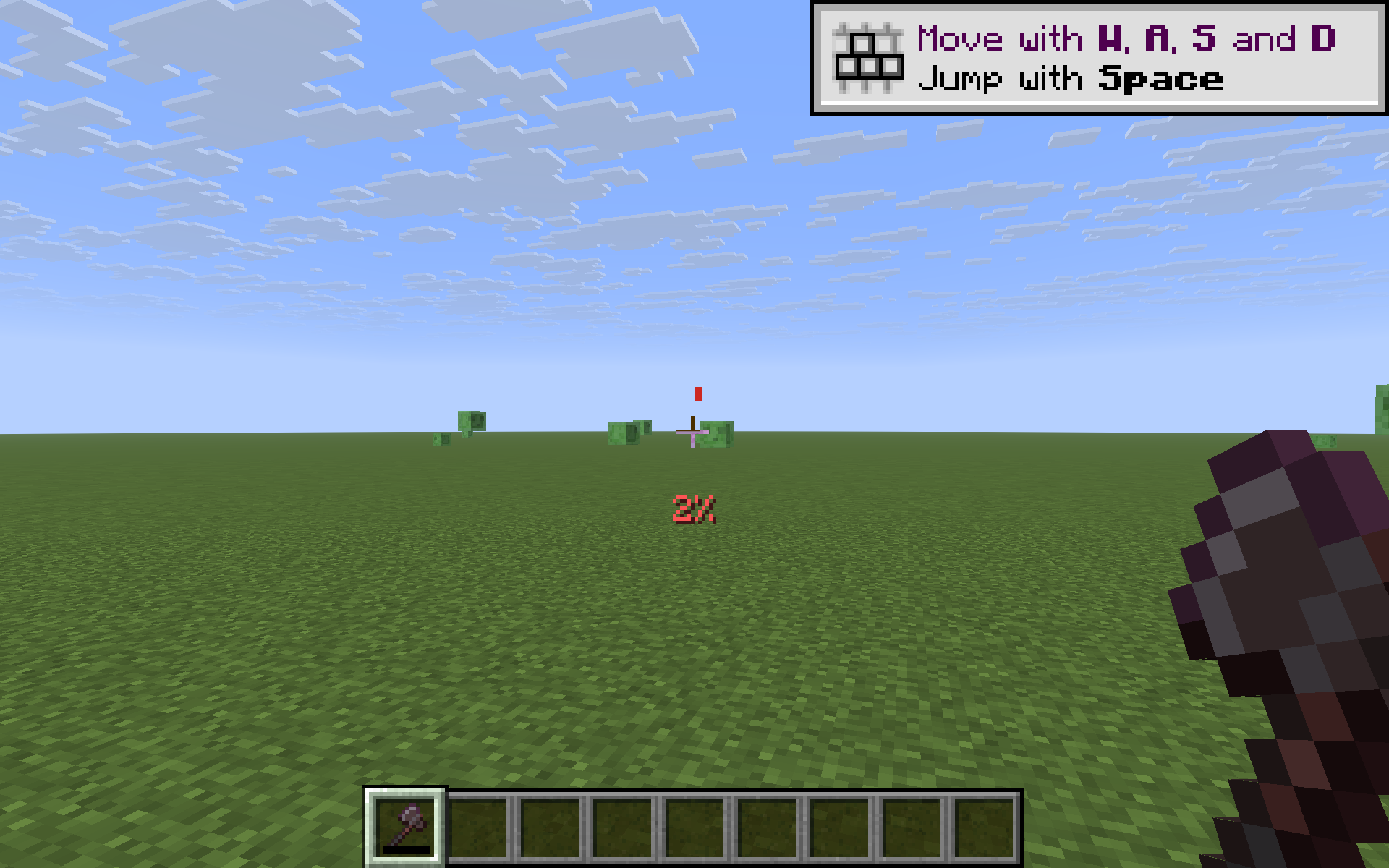 Red arc + percent - about to break
 -
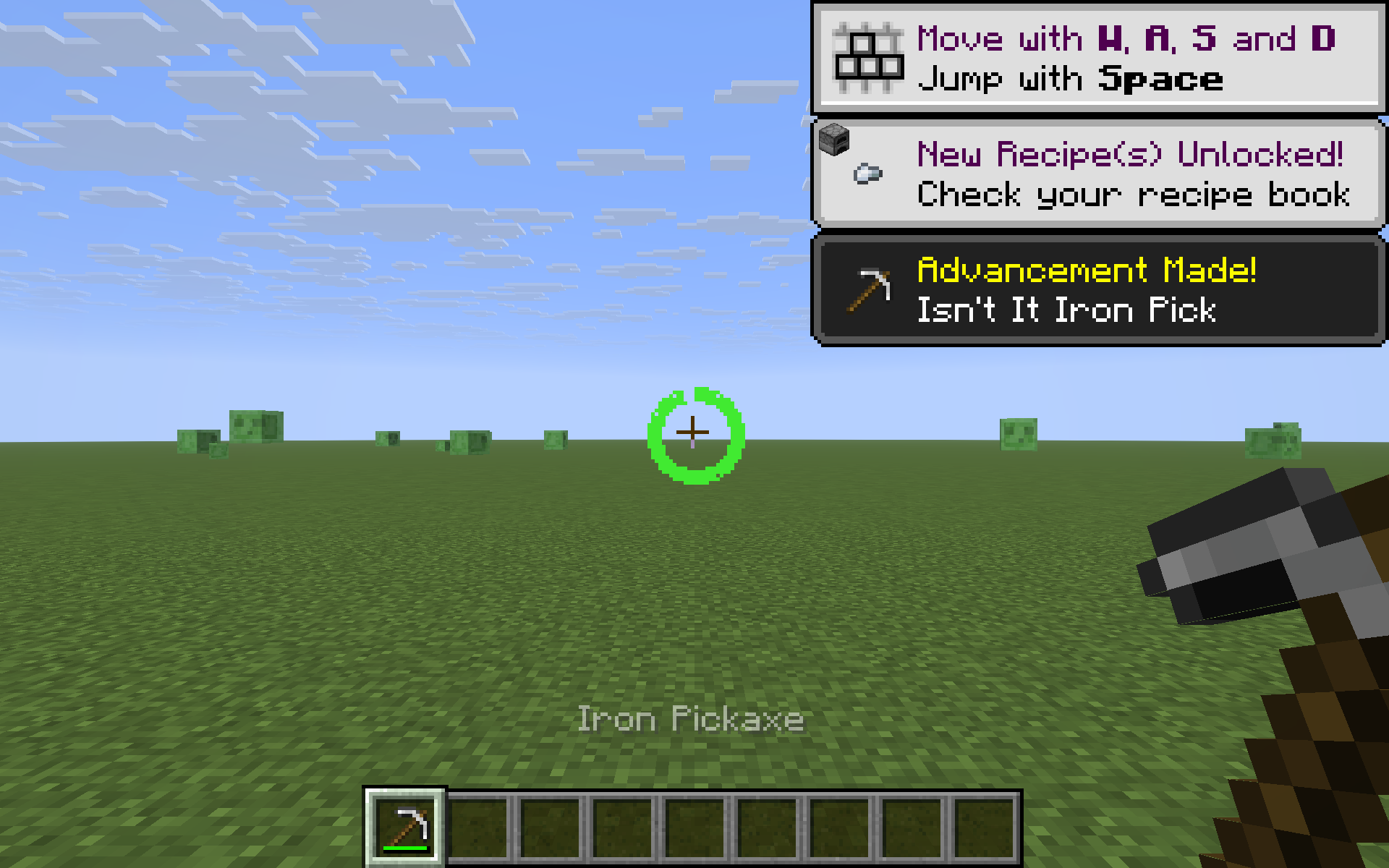 Full green ring - near full durability
Versions
Files
Relations
Project Relations
More like this
Similar Mods
Suggestions use data such as tags, dependencies, dependents, descriptions, titles, and more to rank how much they overlap with this mod.
On ModDex
Community snapshot
By the numbers
Statistics

Want to reach Minecraft players?
We're looking for a server hosting partner to feature here and other parts of the site. Interested? Send us a message!
Get in touchGet it on
Available Platforms
On ModDex
Community snapshot
By the numbers
Statistics
Resources