
Community listing page, reviews may not be monitored by the author.
Dye All

No reviews yet
Recolor blocks and mobs with vanilla dyes while keeping their textures and behavior. Painted block drops keep their color when placed again.

Community voices
Reviews
No reviews yet. Be the first to review this project!
Get it on
Available Platforms
About
Project Details
For authors
Embed Badge
If you're the author of this project, you can embed a live badge anywhere that supports HTML or Markdown. It updates automatically whenever ratings change.
Use HTML for any page that supports it, or Markdown for README files and Markdown-based descriptions.
Identifiers
Platform IDs
Resources
External Links
About
Description
Dye All
Give familiar blocks and mobs a new palette. Dye All lets you right-click with any of the 16 vanilla dyes to tint their original textures while keeping their shape and behavior.
Build with red cobblestone, add a blue chest to your room, or give a cow a colorful new look. The texture details remain visible, and the color stays with the world when you leave and return.
How to use
- Hold a vanilla dye and right-click a block or mob.
- Use another dye to replace its previous tint. Recoloring updates immediately.
- Mine an ordinary painted block and place the dropped block again: it keeps its color.
Survival uses one dye per successful color change. Applying the same color again costs nothing. Creative mode does not consume dyes.
Features
- All 16 vanilla dye colors, applied over the original texture.
- Painted block items show their color in your inventory and hand.
- Chests retain their contents and function; doors and beds color both halves together.
- Pistons move painted blocks with their color intact.
- Falling sand and gravel keep their color when landing or dropping as an item.
- Block and mob colors survive saving and reopening the world.
- Forge and NeoForge need no additional libraries; Fabric and Quilt require Fabric API. See installation below.
Installation
Choose the JAR for your exact Minecraft version and loader:
| Minecraft Java | Forge | Fabric | NeoForge | Quilt (Fabric JAR) | Java |
|---|---|---|---|---|---|
| 1.16.5 | Yes | Yes | — | Yes | 8 |
| 1.18.2 | Yes | Yes | — | Yes | 17 |
| 1.19.2 | Yes | Yes | — | Yes | 17 |
| 1.20.1 | Yes | Yes | — | Yes | 17 |
| 1.21.1 | Yes | Yes | Yes | Yes | 21 |
| 26.3 | Yes | Yes | Yes | Yes | 25 |
Put one matching mod JAR in your instance's mods folder. For multiplayer, install the same version on the server and every player's client. Use the Fabric JAR for Quilt. Compatibility with other Minecraft versions or patches is not claimed.
Forge and NeoForge: no additional library mods are required.
Fabric and Quilt: install Fabric API for the same Minecraft version.
Tested Fabric API versions: 0.42.0+1.16 for 1.16.5; 0.77.0+1.18.2 for 1.18.2; 0.77.0+1.19.2 for 1.19.2; 0.92.12+1.20.1 for 1.20.1; 0.116.17+1.21.1 for 1.21.1; 0.164.0+26.3 for 26.3.
Dye All 26.3 on Quilt: also install MixinExtras Fabric 0.5.5. Fabric Loader 0.19.5 already bundles this library, so a separate JAR is not needed with that loader. Older Minecraft versions do not need a separate MixinExtras JAR.
Quilt Loader 0.30.1 was tested on dedicated servers for all six Minecraft versions. The Quilt client was not tested separately.
Color and compatibility notes
The dye applies a multiplicative color tint. Results depend on the original texture: white barely changes it, dark areas stay dark, and an already colored texture may look different from the dye itself. A second dye replaces the saved tint rather than layering another tint onto it.
Normal loot rules still apply. Color transfers to dropped block items, not to diamonds, dust, seeds or container contents. Liquids and block-breaking particles currently keep their normal colors.
The Forge, Fabric and NeoForge builds were checked with their standard rendering paths. Compatibility with other mods, shaders and replacement renderers has not been established.
Dye All
Добавь привычным блокам и мобам новые цвета. Dye All позволяет нажать ПКМ с любым из 16 обычных красителей и окрасить исходную текстуру, сохранив форму и поведение объекта.
Строй из красного булыжника, поставь синий сундук или перекрась корову. Детали текстуры остаются видны, а цвет сохраняется после выхода из мира и возвращения в него.
Как пользоваться
- Возьми обычный краситель и нажми ПКМ по блоку или мобу.
- Другим красителем замени предыдущий оттенок. Изменение видно сразу.
- Добудь обычный окрашенный блок и поставь выпавший блок снова: цвет сохранится.
В выживании успешная смена цвета расходует один краситель. Повторное нанесение того же цвета ничего не расходует. В творческом режиме красители не тратятся.
Возможности
- Все 16 обычных красителей с сохранением рисунка исходной текстуры.
- Цветные блоки отображаются в инвентаре и в руке.
- Сундуки сохраняют содержимое и работу; двери и кровати окрашиваются целиком.
- Поршни перемещают блоки вместе с их цветом.
- Песок и гравий сохраняют цвет при приземлении и выпадении предметом.
- Цвет блоков и мобов сохраняется в мире.
- Для Forge и NeoForge дополнительные библиотеки не нужны; Fabric и Quilt требуют Fabric API. Подробности ниже.
Установка
Выбери JAR для точной версии Minecraft и своего загрузчика:
| Minecraft Java | Forge | Fabric | NeoForge | Quilt (JAR Fabric) | Java |
|---|---|---|---|---|---|
| 1.16.5 | Да | Да | — | Да | 8 |
| 1.18.2 | Да | Да | — | Да | 17 |
| 1.19.2 | Да | Да | — | Да | 17 |
| 1.20.1 | Да | Да | — | Да | 17 |
| 1.21.1 | Да | Да | Да | Да | 21 |
| 26.3 | Да | Да | Да | Да | 25 |
Помести один подходящий JAR мода в папку mods своего профиля. Для совместной игры установи одинаковую версию на сервер и клиент каждого игрока. Для Quilt используй JAR Fabric. Совместимость с другими версиями и патчами Minecraft отдельно не заявляется.
Forge и NeoForge: дополнительные библиотеки и моды не нужны.
Fabric и Quilt: установи Fabric API для той же версии Minecraft.
Проверенные версии Fabric API: 0.42.0+1.16 для 1.16.5; 0.77.0+1.18.2 для 1.18.2; 0.77.0+1.19.2 для 1.19.2; 0.92.12+1.20.1 для 1.20.1; 0.116.17+1.21.1 для 1.21.1; 0.164.0+26.3 для 26.3.
Dye All 26.3 на Quilt: дополнительно установи MixinExtras Fabric 0.5.5. Fabric Loader 0.19.5 уже включает эту библиотеку, поэтому при его использовании отдельный JAR не нужен. Старые версии Minecraft не требуют отдельного JAR MixinExtras.
Quilt Loader 0.30.1 проверен на выделенных серверах для всех шести версий Minecraft. Клиент Quilt отдельно не проверялся.
Особенности цвета и совместимости
Краситель накладывает мультипликативный цветовой фильтр. Результат зависит от исходной текстуры: белый почти её не меняет, тёмные участки остаются тёмными, а цветная текстура может получить оттенок, отличающийся от самого красителя. Новый краситель заменяет сохранённый оттенок, а не накладывает ещё один фильтр поверх старого.
Обычные правила добычи действуют. Цвет переносится на выпавшие блоки, но не на алмазы, пыль, семена и содержимое контейнеров. Жидкости и частицы разрушения пока сохраняют обычные цвета.
Сборки Forge, Fabric и NeoForge проверялись со штатной отрисовкой этих загрузчиков. Совместимость со сторонними модами, шейдерами и заменами рендера отдельно не установлена.
Screenshots
Gallery
-
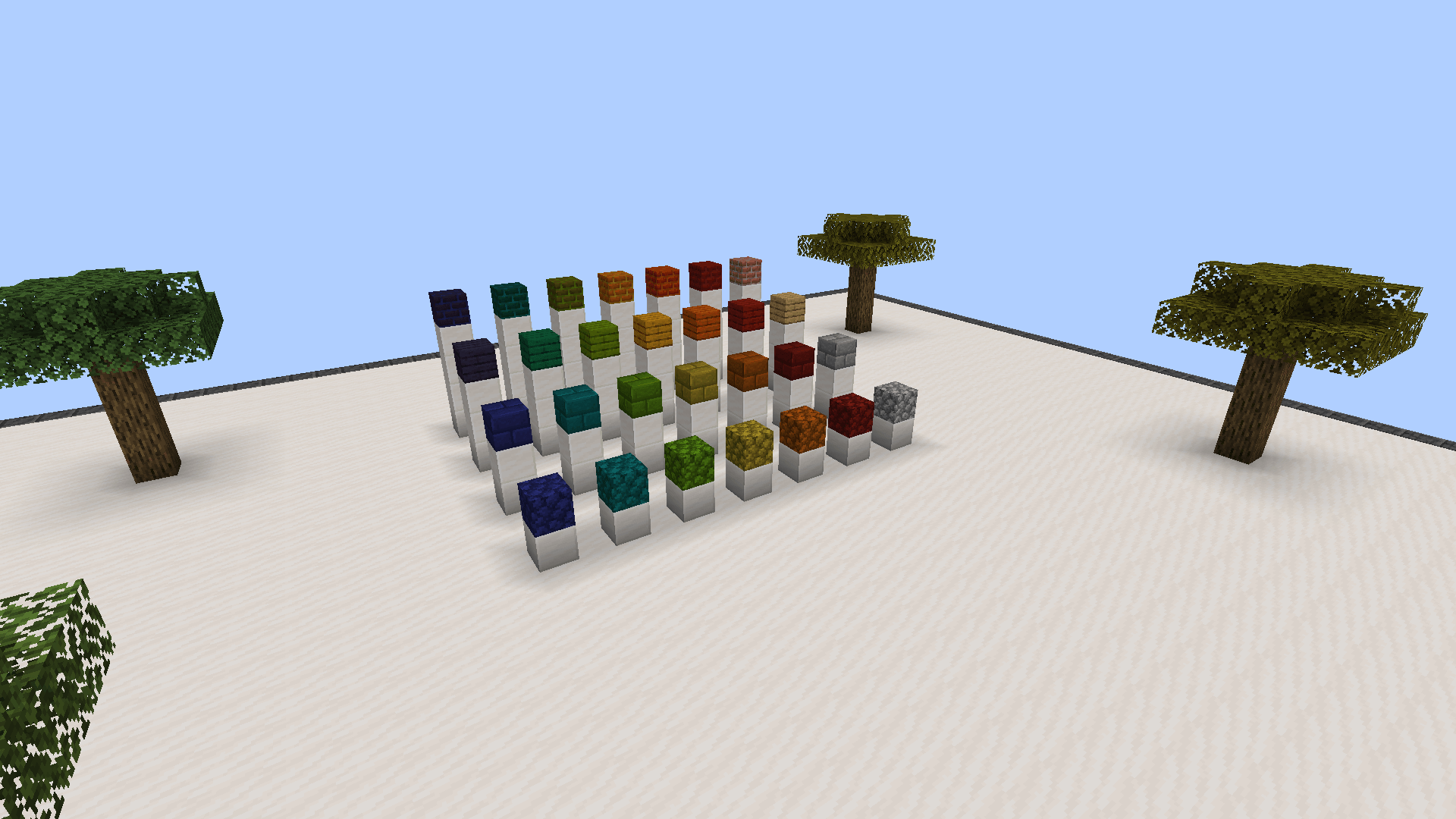 Blocks and textures Different materials, the same dye colors. The rightmost column shows the original blocks for comparison.
 -
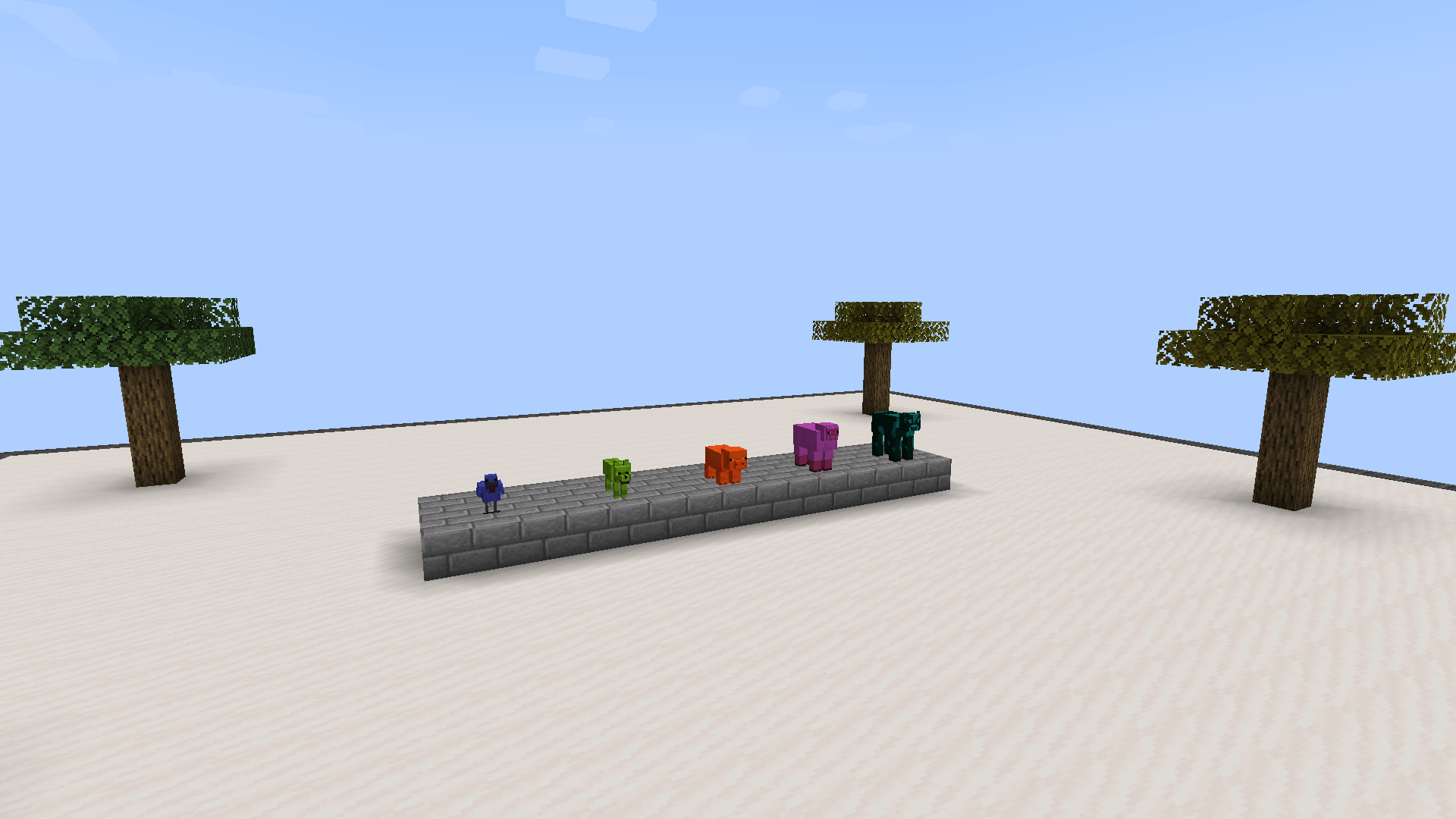 Colored mobs A colorful lineup: cow, sheep, pig, wolf and chicken with their original textures.
 -
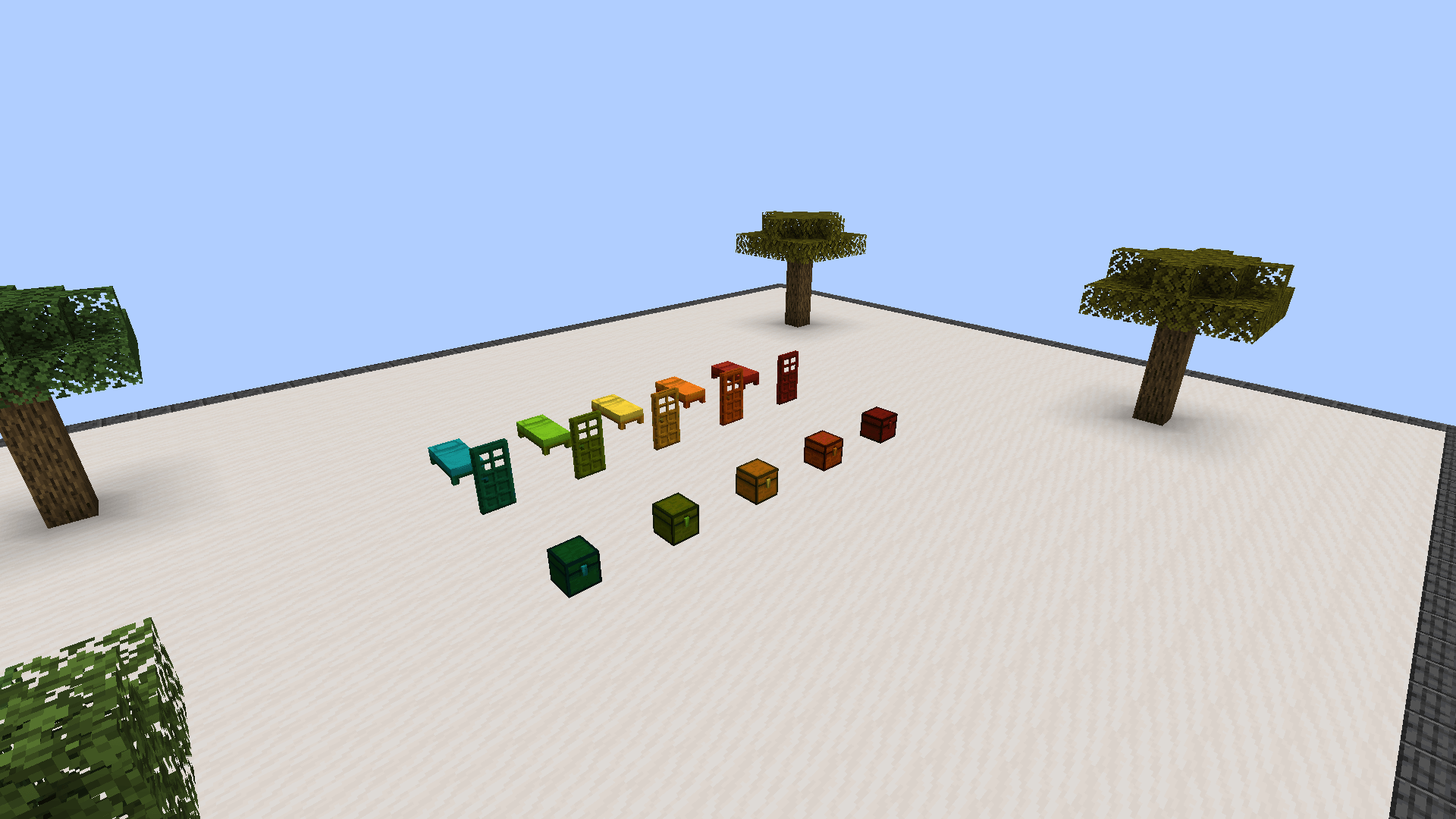 Functional blocks Color chests, doors and beds while retaining their original block types.
 -
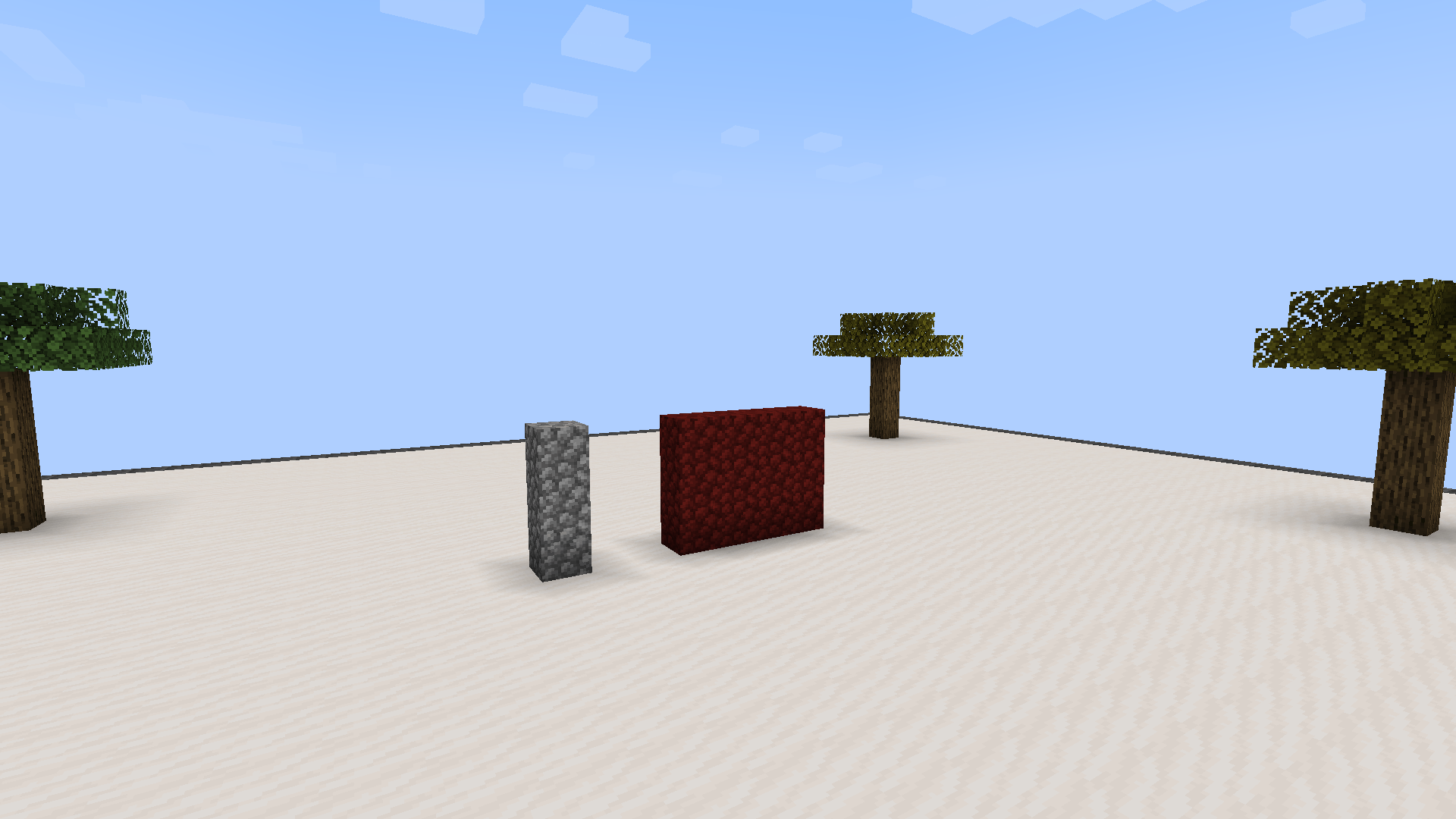 Recoloring - before Recoloring, before: red cobblestone beside an unpainted reference column.
 -
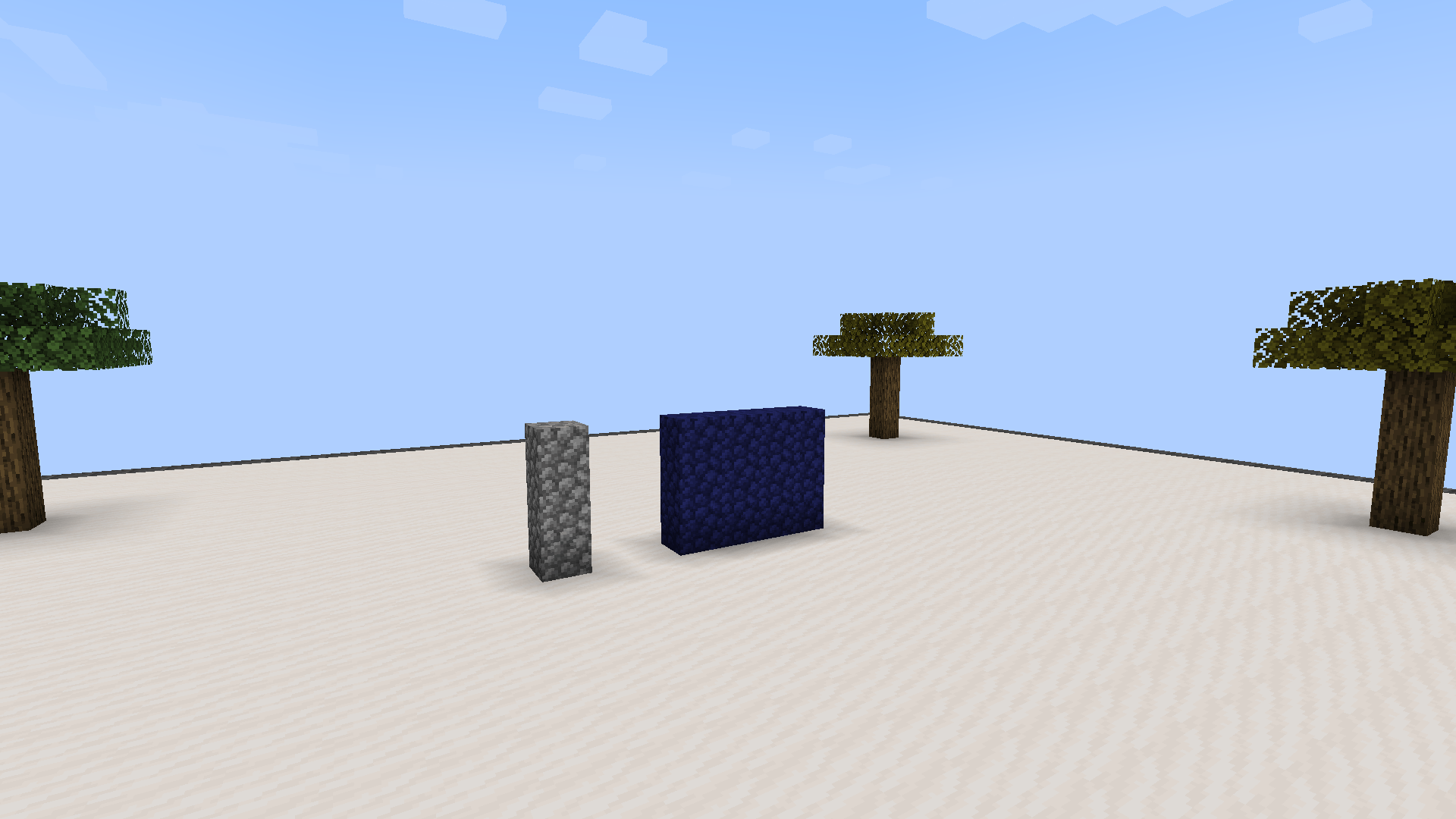 Recoloring - after Recoloring, after: the same wall turns blue immediately, with no world reload.
Versions
Files
Relations
Project Relations
More like this
Similar Mods
Suggestions use data such as tags, dependencies, dependents, descriptions, titles, and more to rank how much they overlap with this mod.
On ModDex
Community snapshot
By the numbers
Statistics

Get it on
Available Platforms
On ModDex
Community snapshot
By the numbers
Statistics
Resources