Community listing page, reviews here may not be monitored by the author.
DynRes


No reviews yet
Host a resource pack directly on your server
Community voices
Reviews
No reviews yet. Be the first to review this project!
Get it on
Available Platforms
Compatibility
Supported Environments
Runs on a dedicated server only; does not work in singleplayer.
About
Project Details
For authors
Embed Badge
If you're the author of this project, you can embed a live badge anywhere that supports HTML or Markdown. It updates automatically whenever ratings change.
Use HTML for any page that supports it, or Markdown for README files and Markdown-based descriptions.
Identifiers
Platform IDs
About
Description
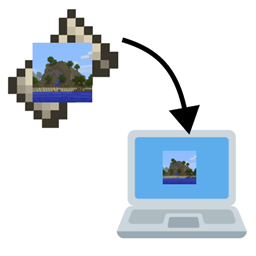
DynRes uses an integrated web server to serve a resourcepack directly from the install directory. It also modifies the server to specify that pack as the default (overwrites resource-pack and resource-pack-sha1 in server.properties) You can configure the port for the web server, the file to host and whether to provide a hash in the config.
To use this mod on your server you need to place your resource pack in the configured place (default: server/resources.zip) and change baseLink in the config to your public address (what players will enter)
This mod is only required on your server. If added to a client the only thing it will do is log some information about server connections

DynRes uses an integrated web server to serve a resource pack directly from the server directory. It also modifies the server to specify that pack as the default (overwrites resource-pack and resource-pack-sha1 in server.properties). You can configure the port for the web server, the file to host and whether to provide a hash in the config.
To use this mod on your server you need to place your resource pack in the configured place (default: server/resources.zip) and change baseLink in the config to your public address (what players will enter)
This mod is only required on your server. If added to a client the only thing it will do is log some information about server connections
Configuration
A user recently contacted me about how they can configure the mod to work with their server. Below is my (slightly modified) response to them, added here in the hope that it may help others as well.The resource pack hosting functionality of DynRes is actually provided by a common library, namely libjf-web-v1. As such, the configuration for the actual hosting needs to be done there.
It should also be noted that, if you want to host the pack using the same port that Minecraft uses, libjf-web-v1 delegates to libjf-mainhttp-v0 for the receiving logic. The unfortunate consequence of this is that the config is spread out across two files and, since libjf-web is more general purpose, its configuration provides additional features not relevant to DynRes. I will try to explain a setup that works here, but please do ask if you have any further questions or requests.
First, resourcesFile in DynRes should be the relative path of the resource pack that should be served.
The option hashResources provides clients with a checksum they can use to cache packs, so it should improve performance. In older versions, this prevented the pack from being changed while the server is running. That is now fixed.
Assuming you want to host the pack on the same port as the game (this is the easiest to set up so it is what I would recommend. Note that it shouldn't impact performance as the HTTP handler is removed as soon as it detects a non-HTTP connection), set the port and portOverride options in the libjf-web config to -1.
Then, set the serverIp option to the address (not necessarily an IP) users will use to connect to your Minecraft server. Note that you shouldn't need to append the port to this address, as the mod will do so automatically.
If the port that is appended is wrong (this shouldn't ever happen. Note that 25565 is equivalent to entering no port in Minecraft), you can adjust it using portOverride. When the server is starting up, the log should include a message that looks like this: "Initialized DynRes at http://127.0.0.1:25565/resources.zip" where instead of 127.0.0.1 you have your address. Try navigating to this in your browser and watch the game log as you do so. If the file is downloaded, everything should be set up correctly.

Screenshots
Gallery
Versions
Files
Relations
Project Relations
More like this
Similar Mods
Suggestions use data such as tags, dependencies, dependents, descriptions, titles, and more to rank how much they overlap with this mod.
On ModDex
Community snapshot
By the numbers
Statistics
Want to reach Minecraft players?
We're looking for a server hosting partner to feature here and other parts of the site. Interested? Send us a message!
Get in touchGet it on
Available Platforms
On ModDex
Community snapshot
By the numbers