
Community listing page, reviews here may not be monitored by the author.
e4steam

No reviews yet
e4steam is an e4mc fork that lets you play Minecraft with friends over the Steam network.
Community voices
Reviews
No reviews yet. Be the first to review this project!
Get it on
Available Platforms
About
Project Details
For authors
Embed Badge
If you're the author of this project, you can embed a live badge anywhere that supports HTML or Markdown. It updates automatically whenever ratings change.
Use HTML for any page that supports it, or Markdown for README files and Markdown-based descriptions.
Identifiers
Platform IDs
About
Description
e4steam
Play Minecraft with friends through Steam — no port forwarding.





English
e4steam opens a singleplayer Minecraft world or a dedicated server to friends through Steam P2P and Valve relays.
- Choose Steam Friends or Invite Only.
- Invite through Steam or share a short
s-...steamaddress. - No router setup, public IP, or port forwarding is required.
- TCP and UDP traffic are supported.
How to play
- Install the matching e4steam JAR on both computers. Fabric and Quilt also require Fabric API.
- Start Steam, sign in, and launch Minecraft normally.
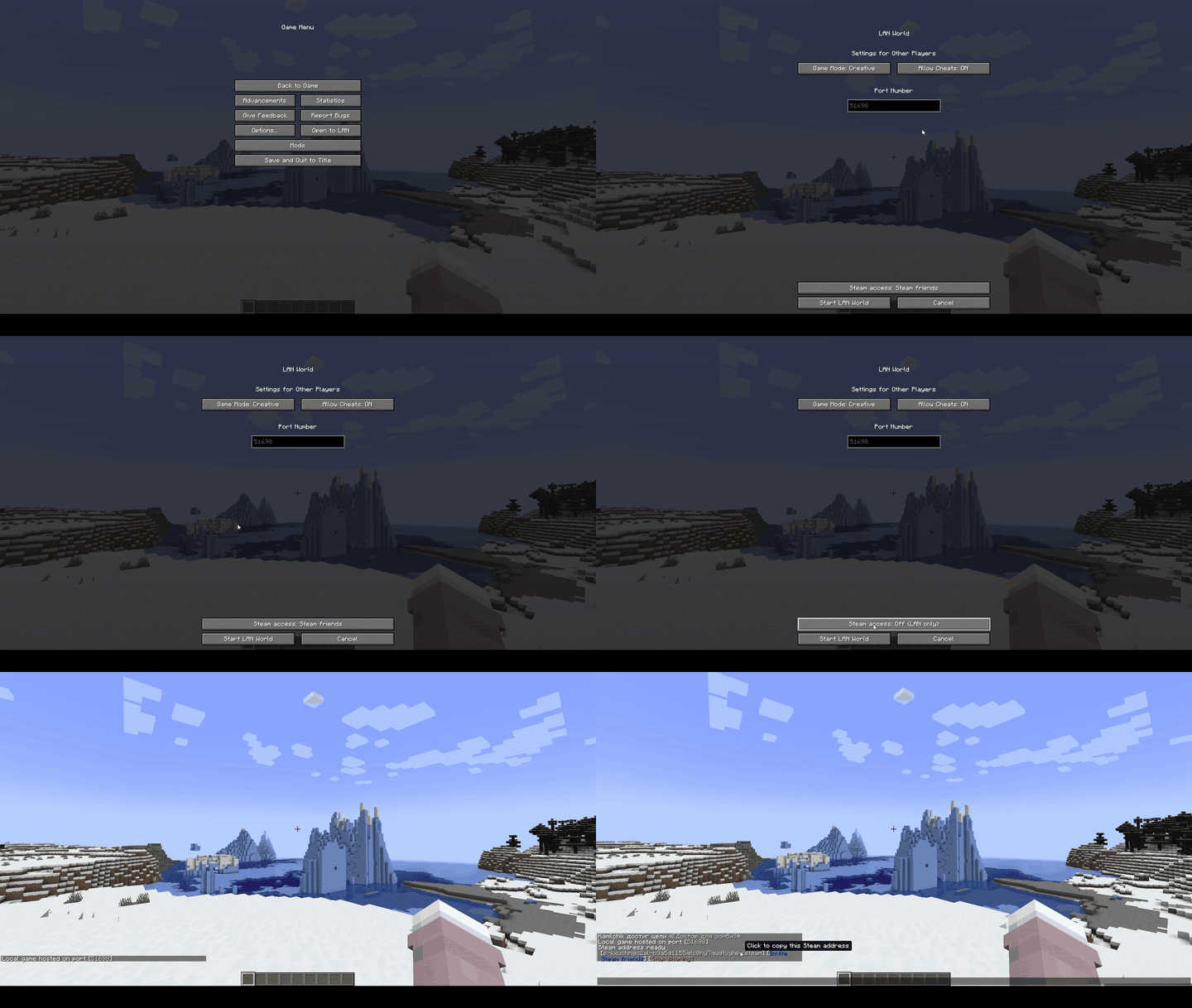
- Enter a singleplayer world and choose Open to LAN → Steam Friends or Invite Only.
- Press Invite friends, or copy the green address and send it to your friend.
Both players must use matching Minecraft, loader, and e4steam versions.
Dedicated servers use the normal matching JAR and a d-...steam address. See the dedicated-server guide.
Русский
e4steam открывает одиночный мир Minecraft или выделенный сервер друзьям через Steam P2P и ретрансляторы Valve.
- Режимы «Для друзей Steam» и «Только по приглашению».
- Приглашение через Steam или короткий адрес
s-...steam. - Не нужен проброс портов, публичный IP или настройка роутера.
- Поддерживается TCP- и UDP-трафик.
Как играть
- Установите подходящий JAR e4steam на оба компьютера. Для Fabric и Quilt также нужен Fabric API.
- Запустите Steam, войдите в аккаунт и откройте Minecraft обычным способом.
- Зайдите в одиночный мир и выберите «Открыть для сети → Для друзей Steam» или «Только по приглашению».
- Нажмите «Пригласить друзей» либо скопируйте зелёный адрес и отправьте его другу.
У обоих игроков должны совпадать версии Minecraft, загрузчика и e4steam.
Для выделенного сервера используется обычный подходящий JAR и адрес d-...steam. Подробности есть в инструкции.
Demonstration / Демонстрация
Open Server / Открытие мира
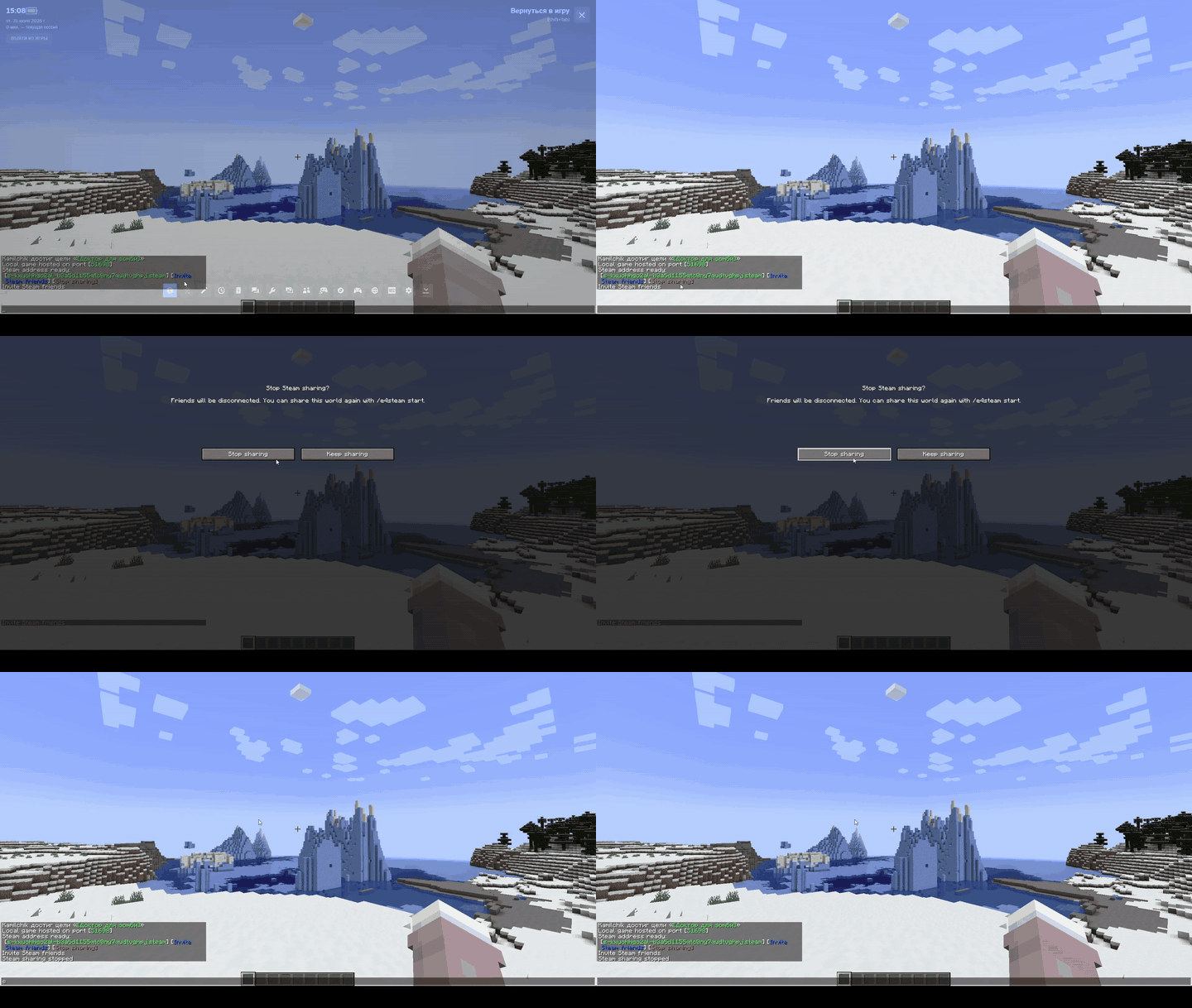
Close Server / Закрытие мира
Add-ons / Аддоны
| Icon | Add-on | Description / Описание |
|---|---|---|
 CLIENT |
e4steam Friends Minecraft 26.2 · Fabric / NeoForge |
Minecraft-style Steam friends screen. Экран друзей Steam в стиле Minecraft. |
Addon API
For developers / Для разработчиков:
compileOnly("io.github.kamilhik:e4steam-api:1.1.0")
Maven Central · Documentation · Документация
Created and maintained by Kamilchik. e4steam is an unofficial derivative of e4mc, distributed under the Apache License 2.0.
Screenshots
Gallery
Versions
Files
Relations
Project Relations
More like this
Similar Mods
Suggestions use data such as tags, dependencies, dependents, descriptions, titles, and more to rank how much they overlap with this mod.
On ModDex
Community snapshot
By the numbers
Statistics
Want to reach Minecraft players?
We're looking for a server hosting partner to feature here and other parts of the site. Interested? Send us a message!
Get in touchGet it on
Available Platforms
On ModDex
Community snapshot
By the numbers