
Easy Shop Mod
No reviews yet
Adds an NPC that lets you trade whatever you want with other players.
Fabric is a mod loader for versions 1.14+ of Minecraft, particularly popular for client side and optimization mods.
Community voices
Reviews
Click once to include, again to exclude, again to clear
No reviews yet. Be the first to review this project!
Get it on
Available Platforms
 Modrinth
Compatibility
Supported Environments
About
Project Details
For authors
Embed Badge
If you're the author of this project, you can embed a live badge anywhere that supports HTML or Markdown. It updates automatically whenever ratings change.
Use HTML for any page that supports it, or Markdown for README files and Markdown-based descriptions.
Identifiers
Platform IDs
Resources
External Links
About
Description
📦 Easy-Shop-Mod – Official Description
🎯 Overview
Easy-Shop-Mod introduces a complete player-driven trading system in Minecraft, allowing each player to create and manage their own personal shop using a custom NPC (villager).
Other players can interact with these shops to browse and purchase items based on offers defined by the shop owner, creating a seamless and immersive trading experience within the game world.
📥 Download / Source
-
Yarn Version (V5.0.0):
This is the last stable release using Yarn mappings.
-
Official Mapping Versions (Starting from V6.7.2+):
Beginning from version V6.7.2 and above, the mod has been fully migrated to Official Mappings. These versions are designed to:
- Ensure compatibility with newer Minecraft versions (beyond 1.21.11)
- Provide better long-term support and maintainability
⚙️ Core Features
- Create a personal shop using a dedicated NPC
- Player-to-player trading system
- Advanced shop management (add / remove offers)
- Persistent storage system for earned items
- Multiple intuitive graphical interfaces
- Fully synchronized client-server system
/shop create (or /create_shop in Legacy Versions)
Legacy Versions
- Minecraft 1.21.11 → Easy Shop Mod v7.1.7 and earlier
- Minecraft 26.1.x → Easy Shop Mod v8.0.2 and earlier
Starting with versions released after the Legacy versions listed above, the command is
/shop create.
Creates a new shop for the player.
- Spawns an NPC named
[PlayerName]'s Shop - NPC is stationary (AI disabled)
- NPC is invulnerable
- Prevents duplicate shop creation
/shop close (or /close_shop in Legacy Versions)
Legacy Versions
- Minecraft 1.21.11 → Easy Shop Mod v7.1.7 and earlier
- Minecraft 26.1.x → Easy Shop Mod v8.0.2 and earlier
Starting with versions released after the Legacy versions listed above, the command is
/shop close.
Closes the current shop and removes the NPC from the world.
- All shop offers are preserved.
- Storage contents are preserved.
- The shop can be reopened later without losing data.
/shops
Opens a UI displaying all available shops along with the number of active offers.
/shop recover
Allows a player to recover all items saved from a deleted shop.
Available starting from:
- Minecraft 1.21.11 → Easy Shop Mod v7.2.1 and above
- Minecraft 26.1.x → Easy Shop Mod v8.1.5 and above
- Minecraft 26.2 → Easy Shop Mod v9.0.0 and above
A recovery window will open containing:
- All items that were listed as shop offers.
- All items that were stored in the shop Storage.
This ensures that no items are lost after a shop has been deleted.
👑 Operator Commands
The following commands are Operator (OP) only.
Available starting from:
- Minecraft 1.21.11 → Easy Shop Mod v7.2.1 and above
- Minecraft 26.1.x → Easy Shop Mod v8.1.5 and above
- Minecraft 26.2 → Easy Shop Mod v9.0.0 and above
/shopadmin transfer <Old Owner Name> <New Owner Name>
Transfers ownership of a shop to another player.
Requirements:
- The new owner must not already own a shop.
- If the new owner previously had a shop, it must be deleted first.
When ownership is transferred:
- All shop offers are transferred.
- All Storage contents are transferred.
- The new owner becomes the full owner of the shop and has complete control over it.
/shopadmin delete <Player Name>
Deletes the specified player's shop.
This command:
- Permanently removes the shop and its NPC.
- Does not delete the player's items.
- All items from shop offers and Storage are preserved for later recovery.
👆 In-World Interaction
Right-clicking the shop NPC:
- Owner → Opens shop management interface
- Other players → Opens shop purchase interface
🌍 Language Support — Available from v7.1.4+
-
Added full multi-language support to the mod.
-
The mod now automatically updates its language based on the game's selected language in real-time.
-
🌐 Supported Languages:
- 🇬🇧 English (
en_us) - 🇫🇷 French (
fr_fr) - 🇪🇸 Spanish (
es_es) - 🇩🇪 German (
de_de) - 🇮🇹 Italian (
it_it) - 🇧🇷 Portuguese (
pt_br) - 🇷🇺 Russian (
ru_ru) - 🇨🇳 Chinese (
zh_cn) - 🇯🇵 Japanese (
ja_jp)
-
🔁 Right-to-Left (RTL) Support:
- 🇸🇦 Arabic (
ar_sa) is now supported with proper RTL rendering.
- 🇸🇦 Arabic (
- 🇬🇧 English (
🧑🖼️ Player Skin Requirement (Important)
Starting from:
- Minecraft 1.21.11 → Easy Shop Mod v7.1.6 and above
- Minecraft 26.1.x → Easy Shop Mod v8.0.1 and above
- Minecraft 26.2 → Easy Shop Mod v9.0.0 and above
To ensure that your player face appears correctly in:
Shops List (All)
You must manually place your skin file in the following path:
\config\Easy Shop Mod\My Skin
📏 Skin Requirements
- The skin must be in
.pngformat. - Resolution must be exactly 64×64.
🖼️ Behavior
- If the skin is placed correctly → your face will appear normally to all players.
- If no skin is found → the default Steve face will be used.
📂 Quick Folder Access (New)
Starting from:
- Minecraft 1.21.11 → Easy Shop Mod v7.2.1 and above
- Minecraft 26.1.x → Easy Shop Mod v8.1.5 and above
- Minecraft 26.2 → Easy Shop Mod v9.0.0 and above
If no skin is found, the chat message will display the path:
\config\Easy Shop Mod\My Skin
Clicking this path in the chat will automatically open the My Skin folder, allowing you to quickly place your skin file in the correct location.
Note: This clickable folder shortcut is only available in the versions listed above.
⚠️ This system is required for proper face rendering in these versions.
🖥️ User Interfaces
🧩 Shop Owner Interface
Allows full control over the shop:
- Add items for sale
- Set prices
- View and manage offers
- Remove offers
- Access storage
- Shop Move — Available from v7.1.4+
🎒 Inventory Selection
Lets the player choose items from their inventory to sell.
🔎 Item Picker
Used to select any item in the game as a price:
- Search functionality
- Multi-page navigation
- Supports all enchanted books with levels
🔢 Amount Input
Allows specifying the quantity required for the price.
🛒 Buyer Interface
Simple and user-friendly interface:
- Browse available offers
- Select an offer
- Execute purchase
📦 Storage Interface
Displays all items received from trades:
- Automatically stores payments
- Owner can retrieve items anytime
💾 Data System
ShopData
- Owner name
- List of trades
- Storage contents
ShopTrade
- Item being sold
- Required item (price)
ShopManager
- Handles all shops globally
- Saves data persistently
- Stores NPC UUIDs
- Data saved in world files
🌐 Network System
The mod uses a structured packet system to synchronize data:
- Add / remove trades
- Execute purchases
- Open interfaces
- Sync shop data in real-time
🔒 Security & Validation
- NPC cannot be killed
- NPC movement is disabled
- Ownership verification for editing
- Item validation before completing trades
📊 Summary
- 3 Commands
- 8 User Interfaces
- Fully persistent data system
- Player-based economy
- Smooth and intuitive UI
- Multiplayer trading support
✅ Conclusion
Easy-Shop-Mod provides a robust and user-friendly trading system that enhances multiplayer interaction in Minecraft. Players can easily create, manage, and interact with shops, making in-game trading more dynamic and engaging.
Screenshots
Gallery
-
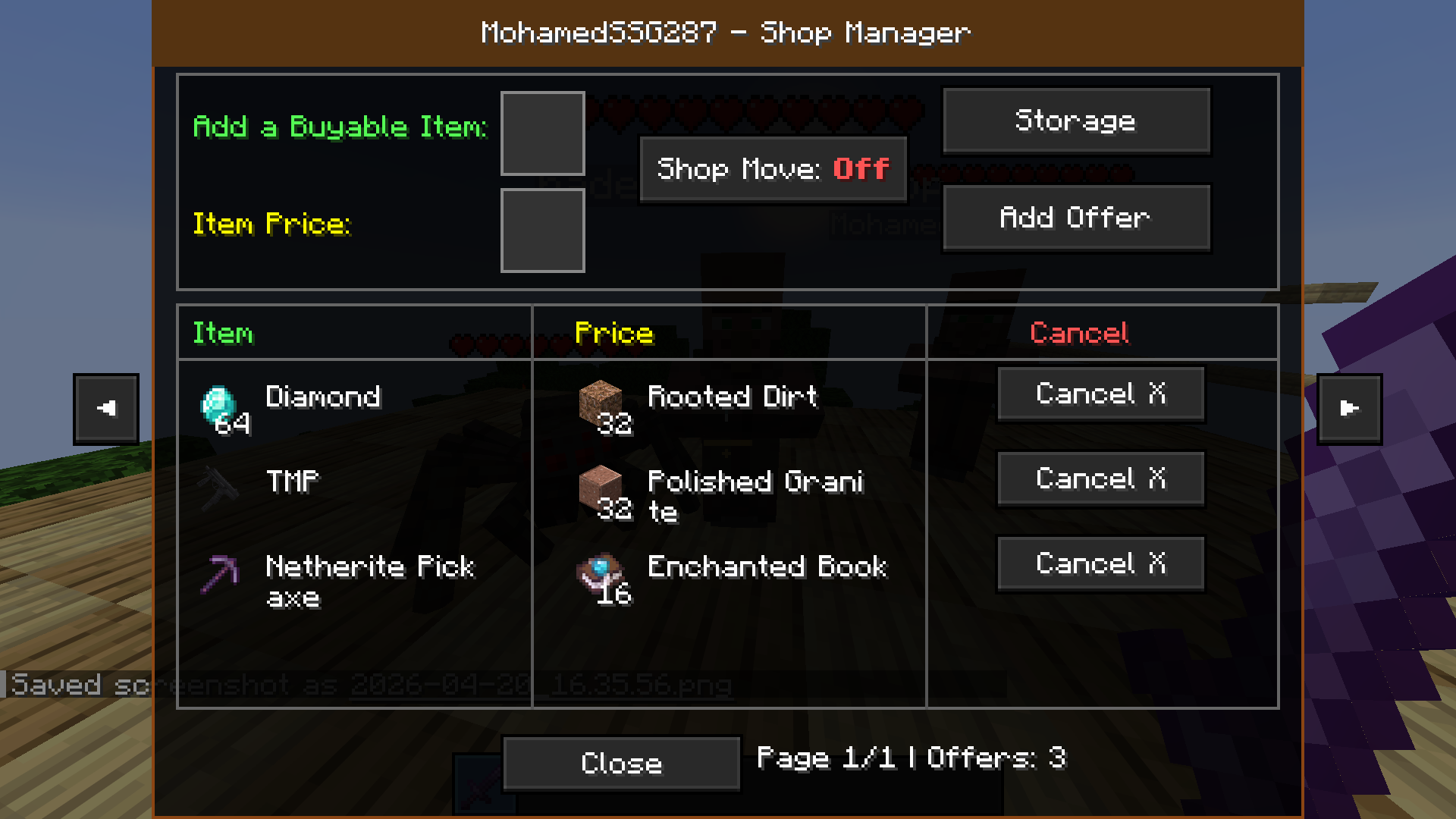 Shop Manager (Owner) This is the main interface for the shop owner only. For the Owner of NPC (Shop).
 -
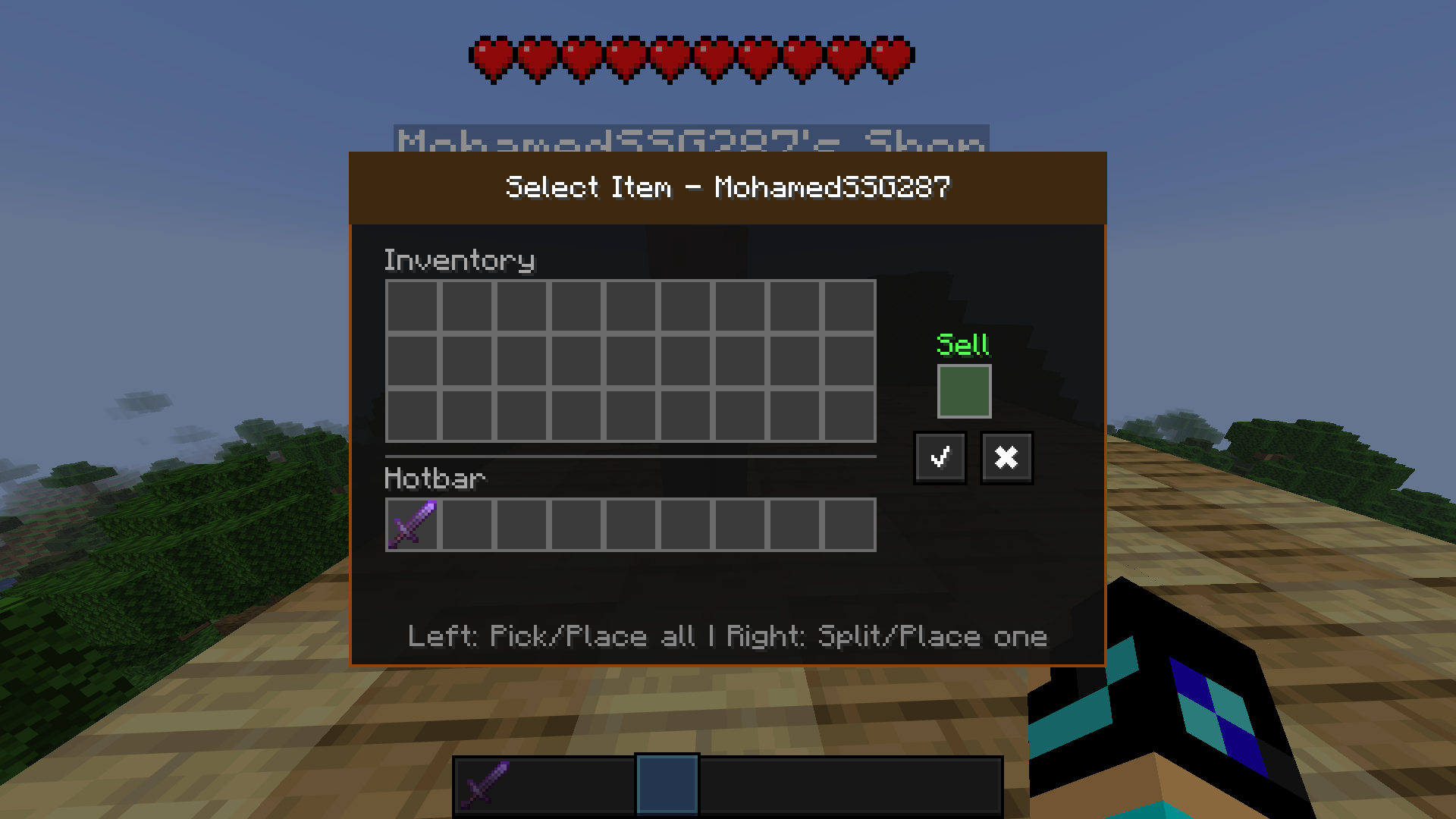 Select Item (Owner) You Can Enter This For Items By Clicking On The Slot Next To "Add a Buyable Item".
 -
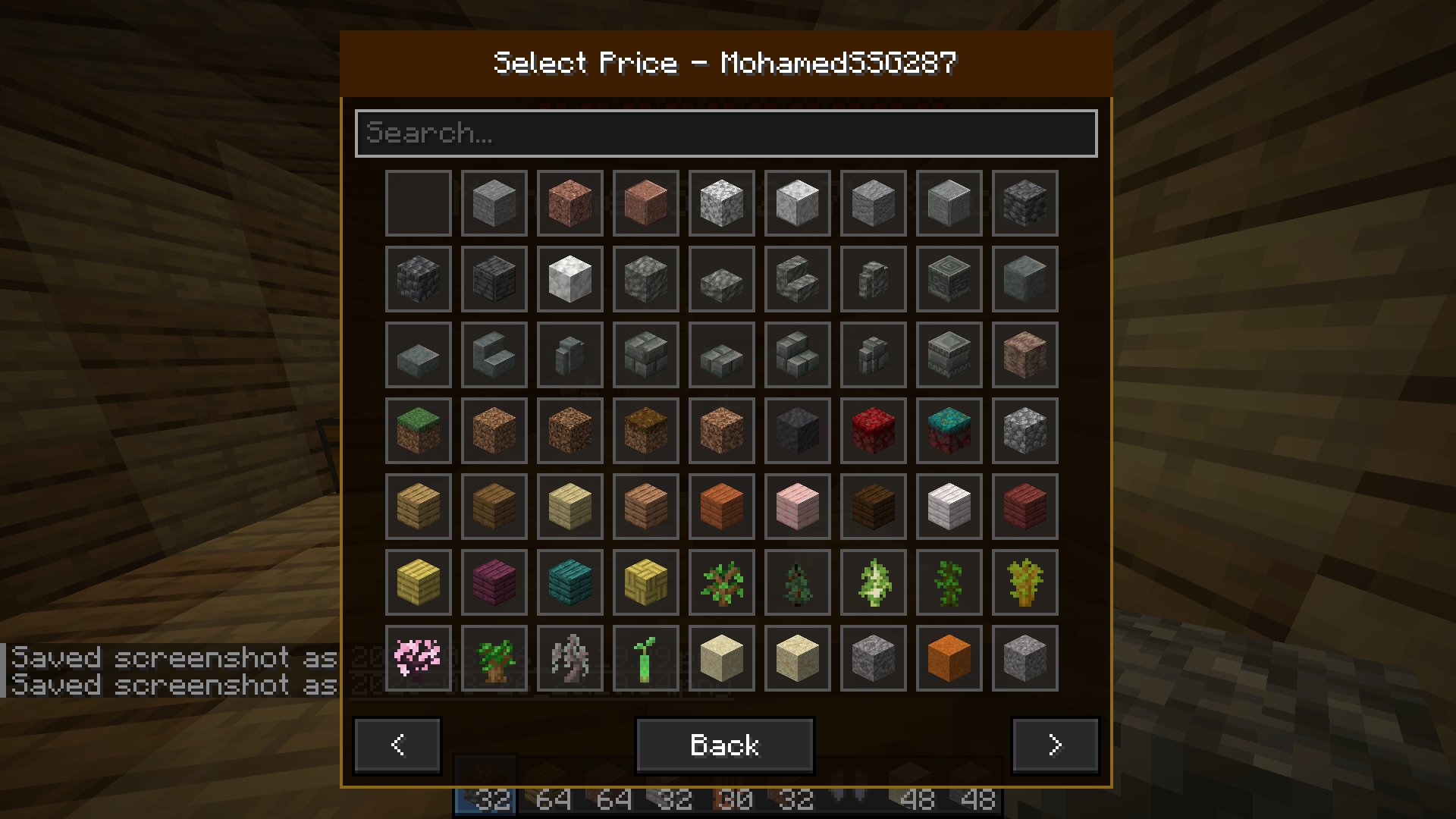 Select Price (Owner) You Can Enter This For Items By Clicking On The Slot Next To "Item Price".
 -
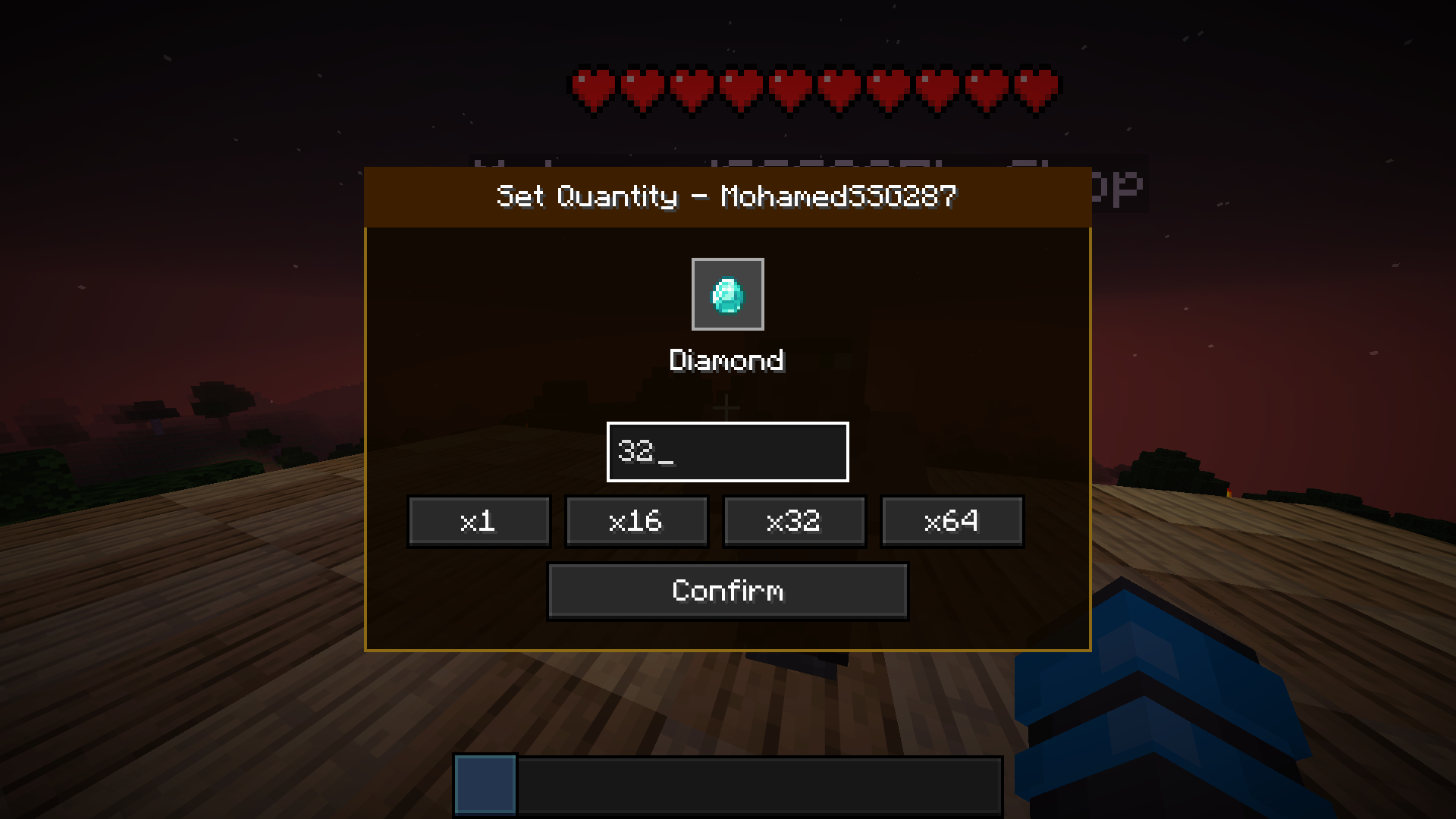 Set Quantity (Owner) This is for setting the quantity you want to trade (the amount you require in return to complete your trade, based on the set price). You can access it by selecting the item you want from Select Price (Owner).
 -
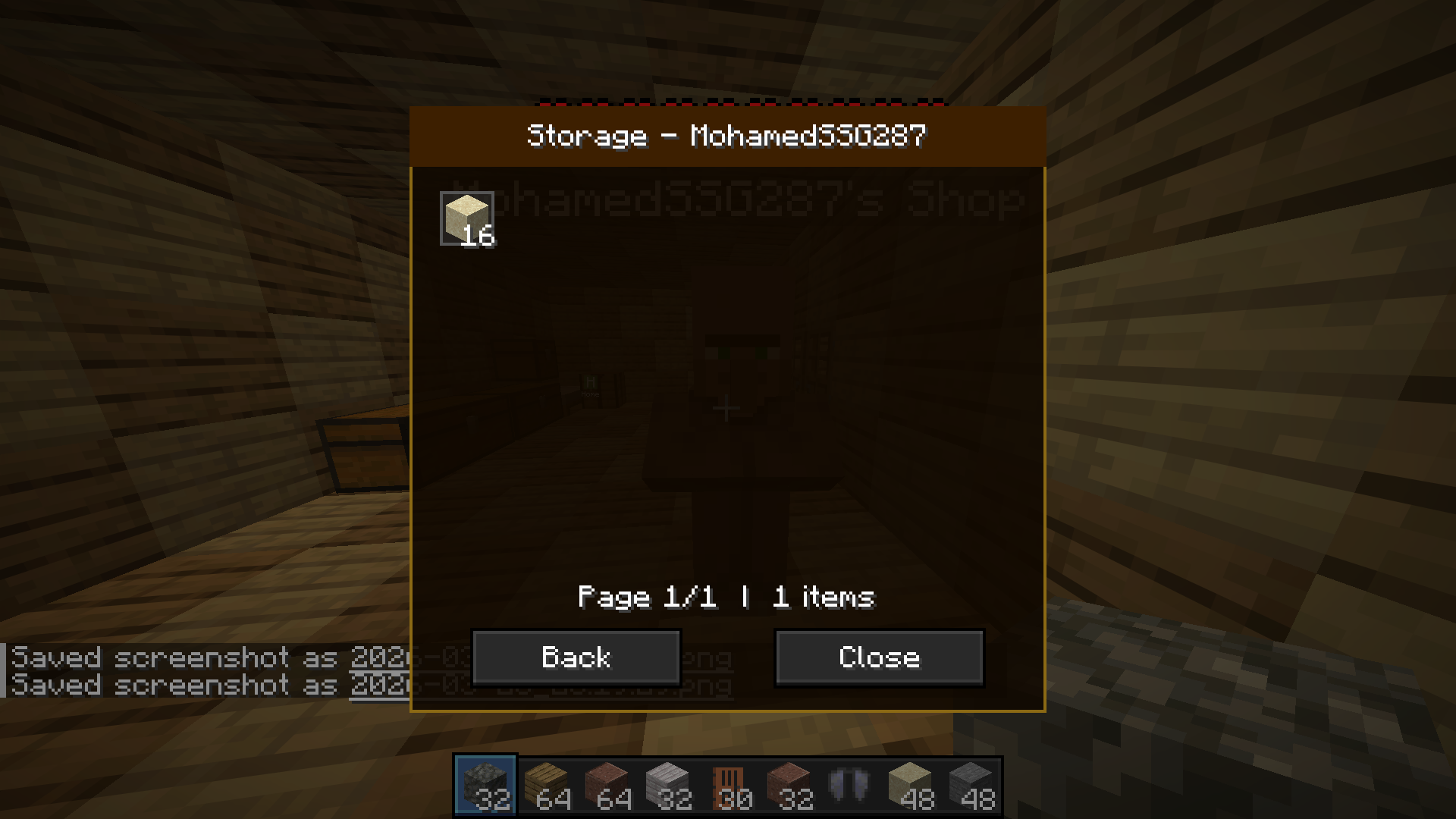 Storage (Owner) You Can Enter It By Pressing Storage Button (This is where the items returned to you from trading are stored, and only you can access it)
 -
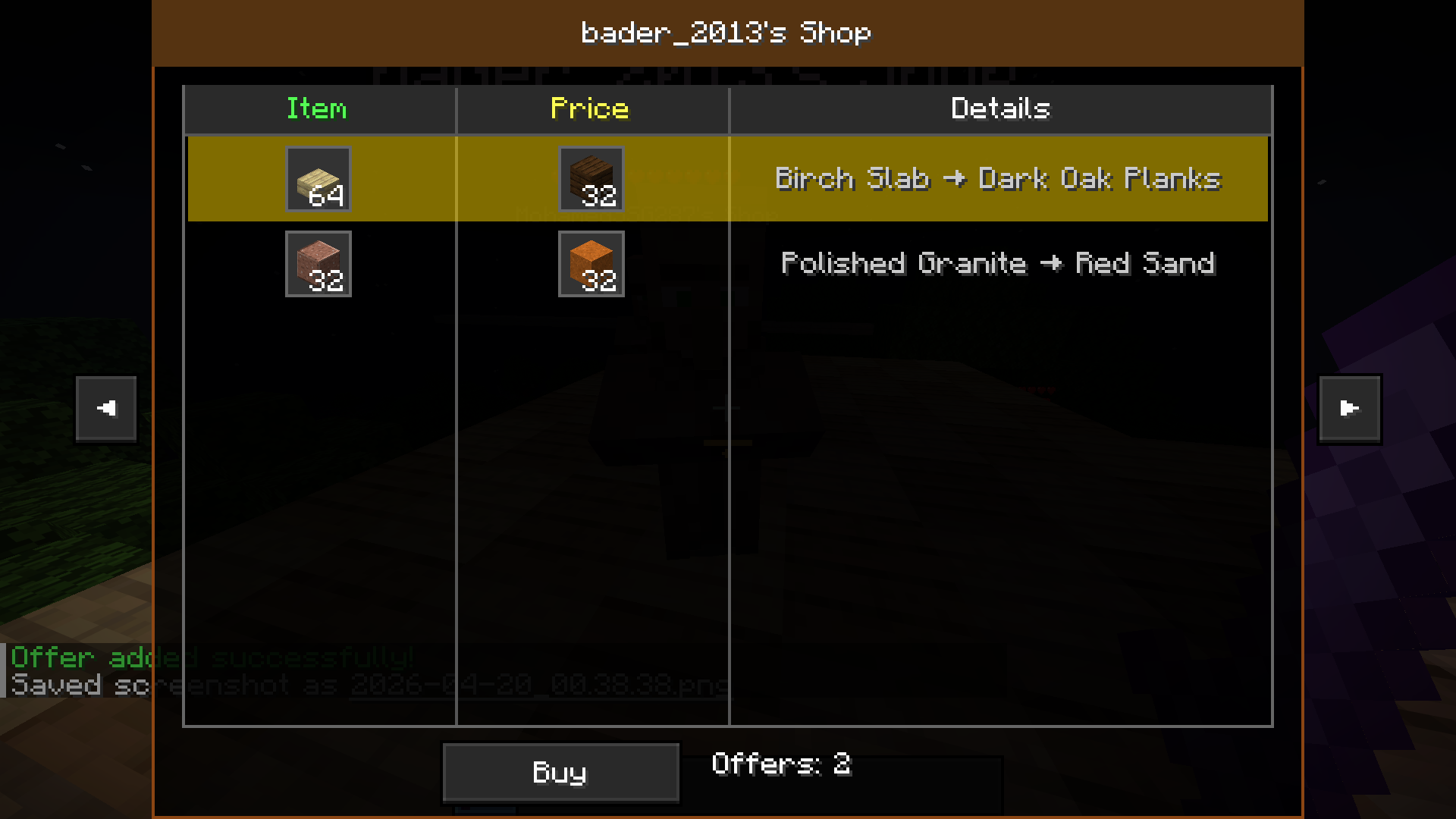 Owner's Shop (Buyer) You can access it by right-clicking other players' NPCs (Villagers).
 -
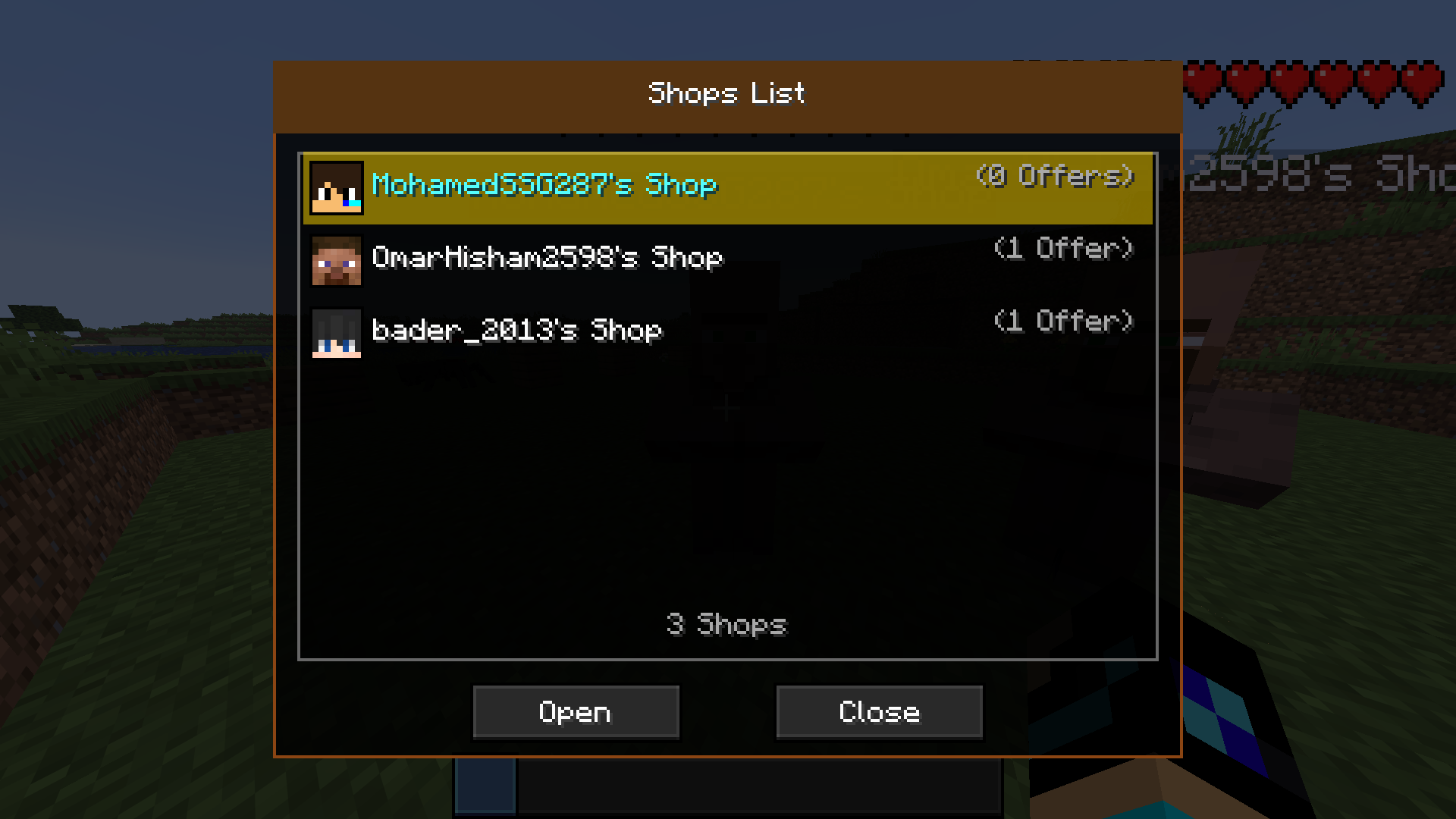 Shops List (All) This window can be accessed using the `/shops` command. Through this window, you can select the shop you want from the available players.
 -
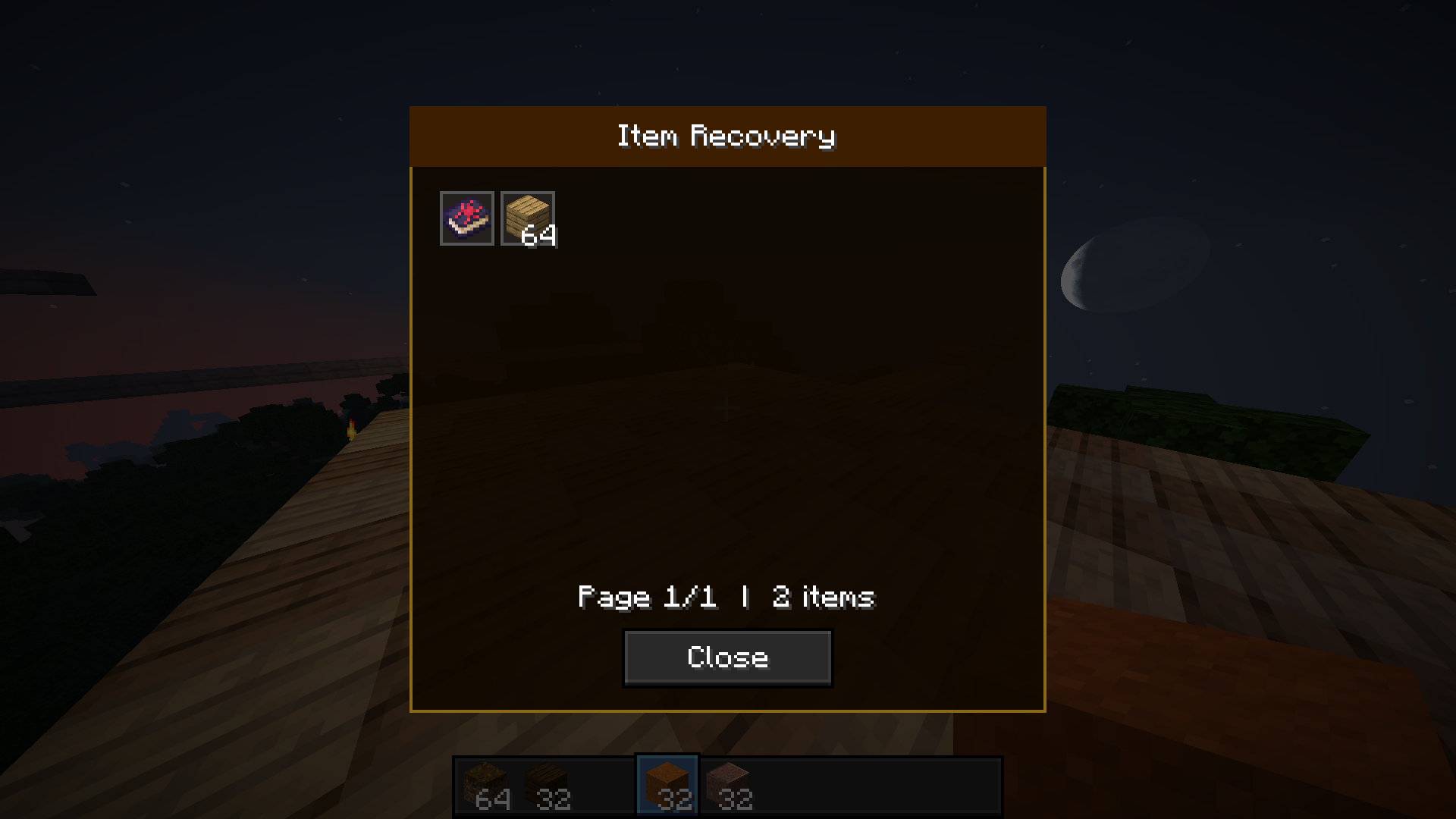 Item Recovery (All) If your shop is deleted by a server administrator, all offers and Storage items in your shop are safely moved to **Items Recovery**. You will receive a chat message when your shop is deleted.
Versions
Files
Relations
Project Relations
More like this
Similar Mods
Suggestions use data such as tags, dependencies, dependents, descriptions, titles, and more to rank how much they overlap with this mod.
On ModDex
Community snapshot
By the numbers
Statistics

Want to reach Minecraft players?
We're looking for a server hosting partner to feature here and other parts of the site. Interested? Send us a message!
Get in touchGet it on
Available Platforms
On ModDex
Community snapshot
By the numbers
Statistics
Resources