![Easy Shulker Boxes [Legacy Fabric]](https://media.forgecdn.net/avatars/thumbnails/513/816/256/256/637833639017940743.png)
Community listing page, reviews here may not be monitored by the author.
Easy Shulker Boxes [Legacy Fabric]

No reviews yet
Manage shulker boxes directly from your inventory. Easy peasy lemon squeezy!
Does not follow a specific thematic focus apart from vanilla Minecraft.
Used for mods with little to no gameplay elements.
Includes quality of life improvements and small tweaks to enhance and customize gameplay.
Features systems for better item storage and organization.
Fabric is a mod loader for versions 1.14+ of Minecraft, particularly popular for client side and optimization mods.
Community voices
Reviews
Filters
Click once to include, again to exclude, again to clear
No reviews yet. Be the first to review this project!
Get it on
Available Platforms
About
Project Details
For authors
Embed Badge
If you're the author of this project, you can embed a live badge anywhere that supports HTML or Markdown. It updates automatically whenever ratings change.
Use HTML for any page that supports it, or Markdown for README files and Markdown-based descriptions.
Identifiers
Platform IDs
About
Description
Download for 1.19+: https://www.curseforge.com/minecraft/mc-mods/easy-shulker-boxes





📖 About:
Easy Shulker Boxes brings some extremely useful changes to shulker boxes, making them usable from directly within your inventory. No need for placing the whole box on the ground for checking contents or adding a few item stacks!
📚 Contents:
Shulker boxes are so damn useful for storing and transporting many items. But why do you always have to place them on the floor to use them? Time to change that!
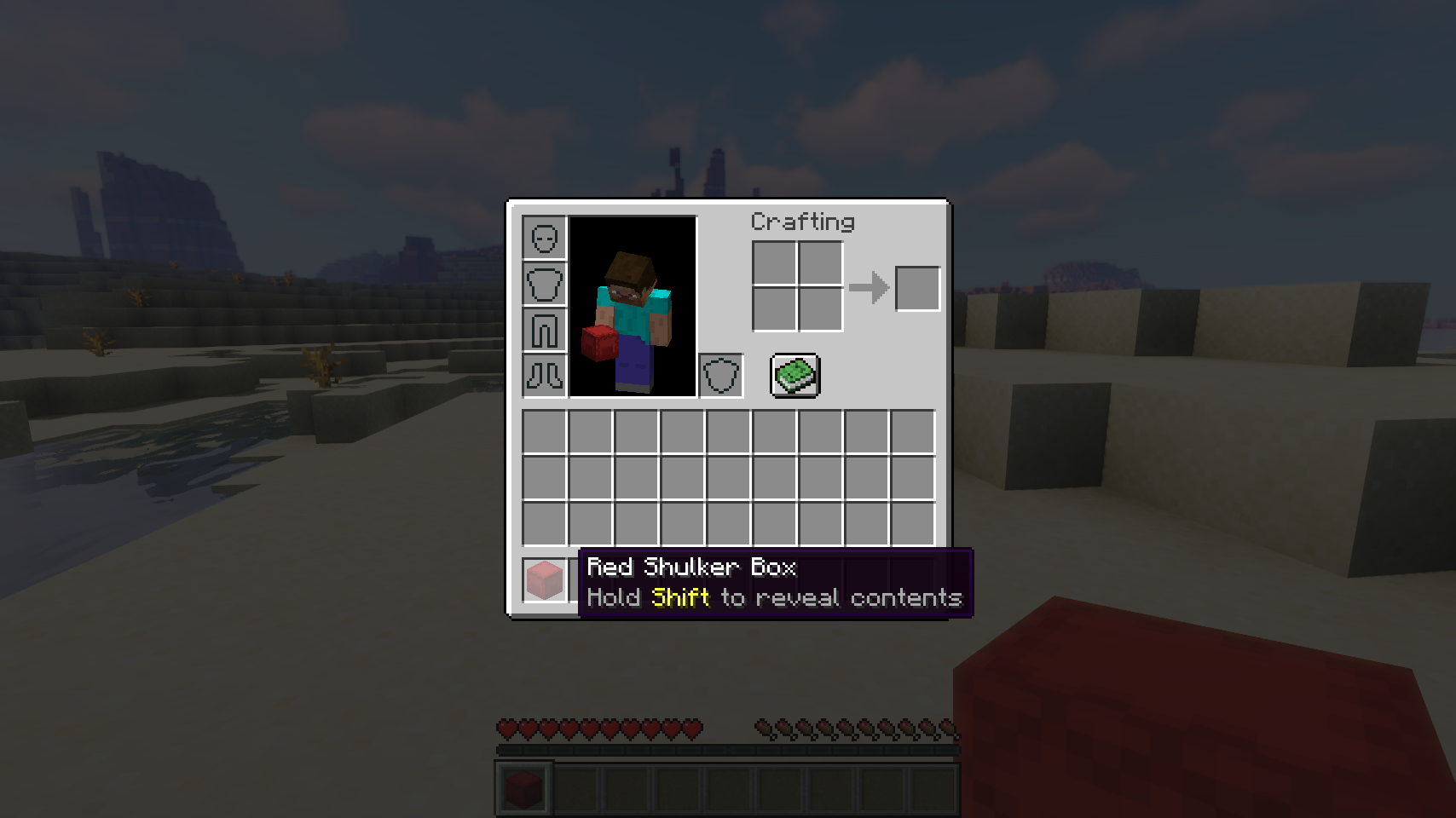
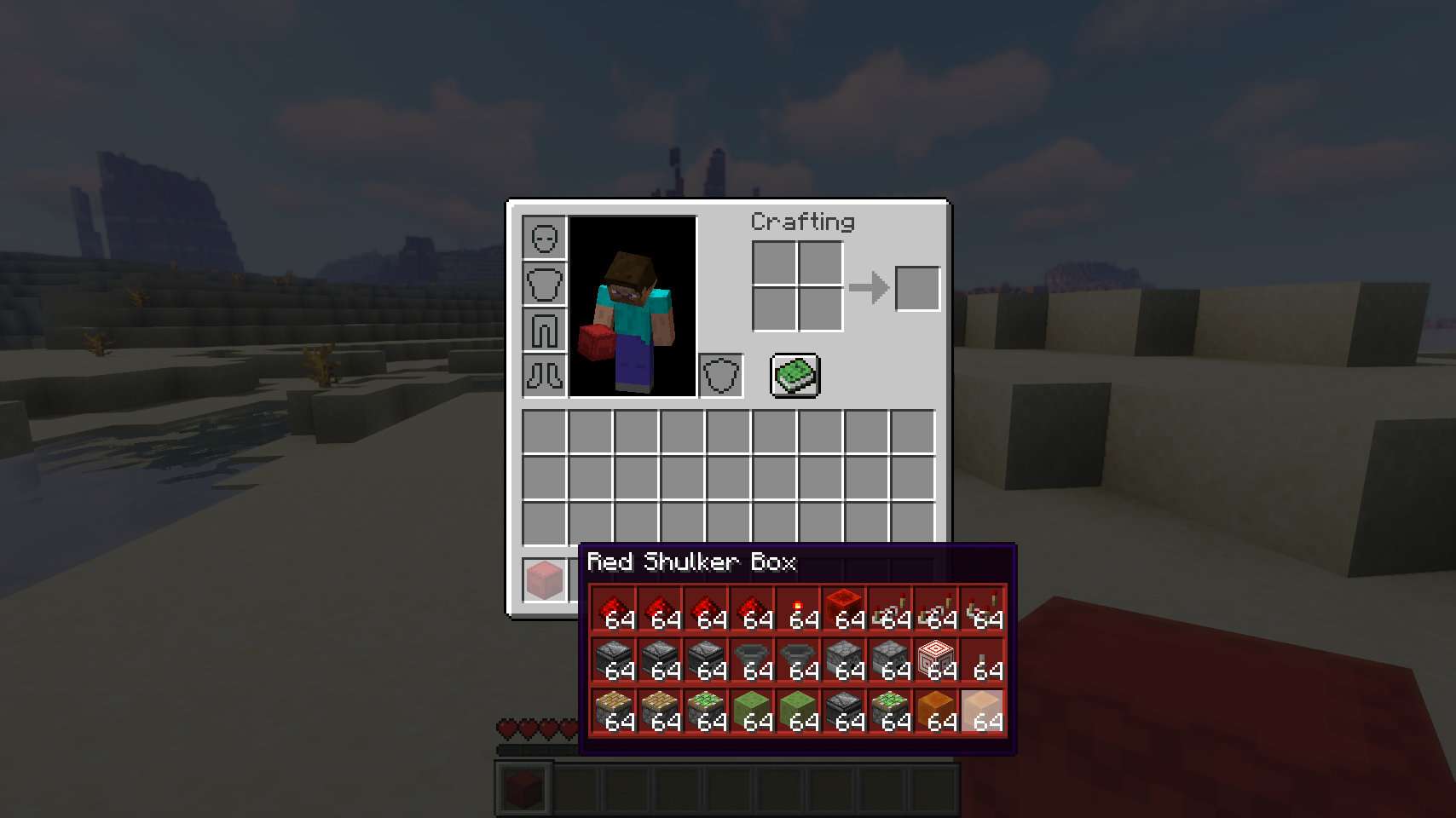
In any interface, simply hold shift when hovering a shulker box and you'll see all of its contents in the item tooltip. And if you just quickly want to add a few items, simply right-click them on the box item in your inventory. You can do the same without holding an item to extract items from a box. Very useful!
📷 Media:
 |
 |
|
| Right-click a shulker box item to extract contents stack by stack | Hold shift to see contents of a shulker box in your inventory | |
💡 FAQ:
Q: How do I configure this mod?
A: Editing configs directly in-game has not yet been implemented. Instead when in a world run the /config showfile <modid> command by choosing either CLIENT or SERVER (depending on the mod), then click the file name (ending with .toml) that appears in chat to be able to manually edit the config file in a separate editor. After saving the file, the config will automatically reload in-game after a couple of seconds, so no game restart required.







 |
 |
|
 |
 |
|
 |
 |
|
 |
 |
|
 |
 |
|
Screenshots
Gallery
Versions
Files
Relations
Project Relations
More like this
Similar Mods
Suggestions use data such as tags, dependencies, dependents, descriptions, titles, and more to rank how much they overlap with this mod.
On ModDex
Community snapshot
By the numbers
Statistics
Want to reach Minecraft players?
We're looking for a server hosting partner to feature here and other parts of the site. Interested? Send us a message!
Get in touchGet it on
Available Platforms
On ModDex
Community snapshot
By the numbers