EasyVillagerTrade
No reviews yet
Enhance your Minecraft trading experience with librarians.
Does not follow a specific thematic focus apart from vanilla Minecraft.
Used for mods with little to no gameplay elements.
Includes quality of life improvements and small tweaks to enhance and customize gameplay.
Adds client-side tools and features to enhance the user experience.
Fabric is a mod loader for versions 1.14+ of Minecraft, particularly popular for client side and optimization mods.
Community voices
Reviews
Click once to include, again to exclude, again to clear
No reviews yet. Be the first to review this project!
Get it on
Available Platforms
 Modrinth
Compatibility
Supported Environments
Runs entirely on the client. Works on vanilla servers.
About
Project Details
For authors
Embed Badge
If you're the author of this project, you can embed a live badge anywhere that supports HTML or Markdown. It updates automatically whenever ratings change.
Use HTML for any page that supports it, or Markdown for README files and Markdown-based descriptions.
Identifiers
Platform IDs
About
Description
EasyVillagerTrade
A Fabric mod that automates enchanted book trading with librarians
What is EasyVillagerTrade?
EasyVillagerTrade (EVT) is a client-side Fabric mod that automates the process of cycling through librarian trades to find specific enchanted books. Set your targets, select your villager and let the mod do the rest — it breaks the lectern, places it again, checks the new offer and buys the book the moment it finds a match.
Setup
Before starting, equip an axe in your main hand and hold lecterns in your offhand.
A redstone or water contraption beneath the lectern position can be useful to guarantee all dropped lecterns are collected automatically.
Usage
Via commands:
- /evt search add <maxPrice> [level] — add an enchantment to your search queue
- /evt search remove — remove an enchantment from the queue
- /evt search list — list all queued enchantments
- /evt select — enter selection mode and manually click your librarian and lectern
- /evt select close — automatically select the closest valid librarian and lectern pair
- /evt execute — start the mod
- /evt stop — stop the mod
Via the screen (F6, rebindable):
Open the EVT screen directly from the game without typing any commands. Add enchantments with your desired level and max price, remove them via the Remove button or by clicking an entry, then hit Select and Start.
- Autocomplete enchantment names with Enter or Tab
- Use * as the level argument to queue all levels of an enchantment at once
How it works
Once started, EVT runs a full automatic cycle:
- Breaks the lectern
- Places it again to reset the villager's trade offer
- Checks the new offer against your queue
- Buys the book automatically once a match is found — as long as you have enough emeralds and books in your inventory
Debug output showing each checked trade can be enabled in config/evt.
Example video (older version)
Reporting Issues
If you run into a problem:
- Open a new issue on the Github Repository using the provided template
- Or join the Discord Server and post in the support channel
Your feedback helps keep the project moving — thank you!
Screenshots
Gallery
-
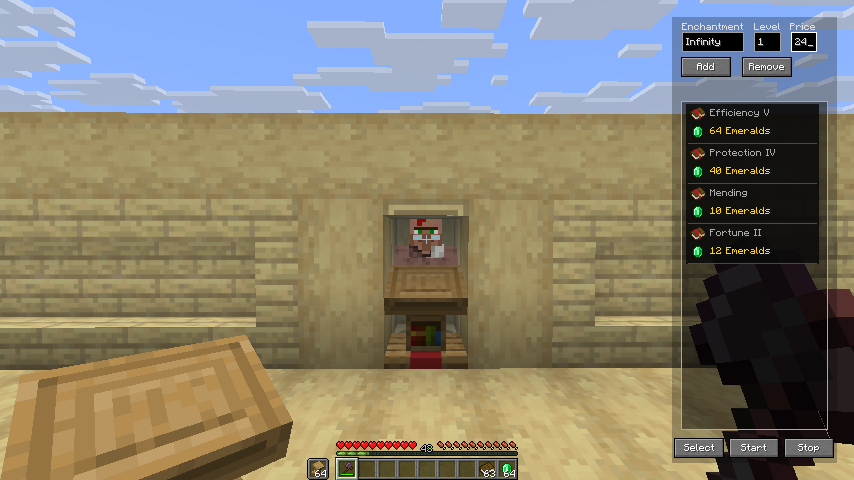 Clean & Simple UI ccessible via the F6 key (changeable). Add your target enchantments with a max price. Remove any at any time via the Remove button or by clicking the entry directly. Hit Select & Start and let the mod do the work.
 -
 Configurable Keybinding Change the keybinding for the EVT screen anytime under Options → Controls → Key Binds.
 -
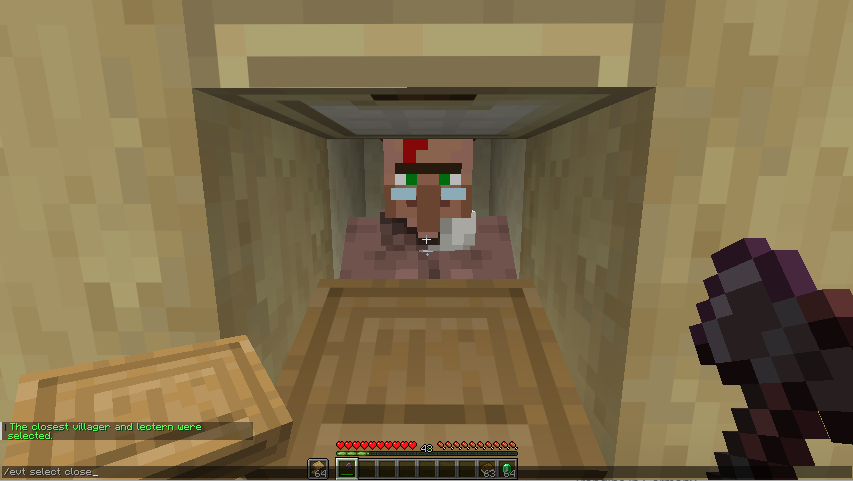 Selecting Your Librarian se /evt select to enter selection mode and click your librarian and lectern manually. Or run /evt select close to automatically select the closest valid pair. Alternatively use the Select button directly in the screen.
 -
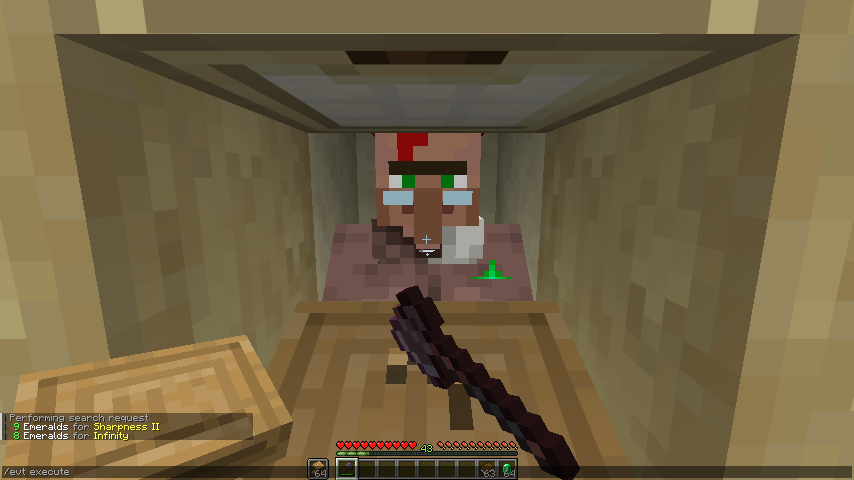 The Mod in Action After executing /evt execute or hitting Start in the screen, the mod cycles automatically — breaking the lectern, placing it again and checking the new trade. Debug output can be enabled in config/evt.
 -
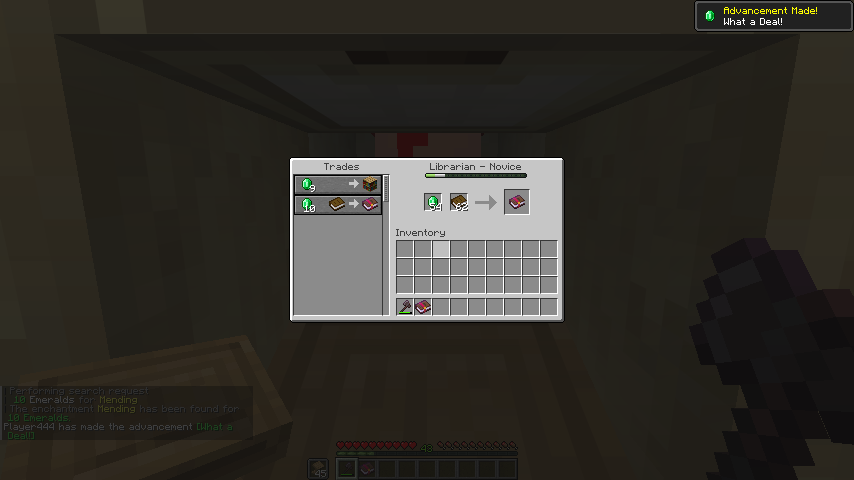 Automatic Trade Completion Once a matching trade is found and you have enough emeralds and books in your inventory, the mod buys the enchanted book automatically.
Versions
Files
Relations
Project Relations
More like this
Similar Mods
Suggestions use data such as tags, dependencies, dependents, descriptions, titles, and more to rank how much they overlap with this mod.
On ModDex
Community snapshot
By the numbers
Statistics

Want to reach Minecraft players?
We're looking for a server hosting partner to feature here and other parts of the site. Interested? Send us a message!
Get in touchGet it on
Available Platforms
On ModDex
Community snapshot
By the numbers