
Community listing page, reviews here may not be monitored by the author.
Ecosy

No reviews yet
This pack adds a economic system to you're server
Community voices
Reviews
No reviews yet. Be the first to review this project!
Get it on
Available Platforms
About
Project Details
For authors
Embed Badge
If you're the author of this project, you can embed a live badge anywhere that supports HTML or Markdown. It updates automatically whenever ratings change.
Use HTML for any page that supports it, or Markdown for README files and Markdown-based descriptions.
Identifiers
Platform IDs
Resources
External Links
About
Description
🚀 Mattyou Studios™ — Economy System Installation Guide
Thank you for downloading this official economy framework release from Mattyou Studios™. Please follow the steps below carefully to extract, install, and activate the system on your Minecraft server.
📋 Prerequisites
Before installation, ensure your server setup matches these requirements:
- Server Software: Paper, Purpur, or Spigot.
- Required Plugin: The latest version of the Skript plugin must be installed and active on your server.
🛠️ Step-by-Step Installation
Step 1: Extracting the Files
- Download and open the
Ecosy.zippackage. - Inside, you will find the following 5 core modules:
- 📂
admin-system.sk— Server administration controls. - 📂
Money.sk— Base currency and balance management. - 📂
sell.sk— Item selling engine. - 📂
shop.sk— The main server shop interface. - 📂
utils.sk— Essential utility functions.
- 📂
- Extract/drag all 5 of these
.skfiles to a temporary folder on your desktop. (Note: You can ignorepack.mcmetaandREADME.txt).
Step 2: Transferring to Your Server
- Access your Minecraft server files via an FTP client (like FileZilla) or your server hosting web panel.
- Navigate to the exact folder path:
👉 /plugins/Skript/scripts/(if not existed install the skript plug-in to you're server and restart it) - Drop all 5 extracted
.skfiles directly into thisscriptsfolder.
Step 3: Activating the Modules In-Game
- Log into your Minecraft server as an operator (
/op). - To load and activate the entire system instantly, execute this command in chat:
👉 /sk reload all(Alternatively, you can reload modules individually, for example:/sk reload shopor/sk reload Money).
⚖️ License & Terms
This ecosystem is legally protected under the Mattyou Studios™ Proprietary License.
- You are permitted to use this network system on your server and customize configurations (such as modifying shop item names, price values, or local messaging).
- You are strictly prohibited from copying, cloning, or distributing this code package under your own name or brand, or utilizing these code files within other publicly released scripts.
For official support or inquiries, please check our primary Mattyou Studios™ community channels.
Screenshots
Gallery
-
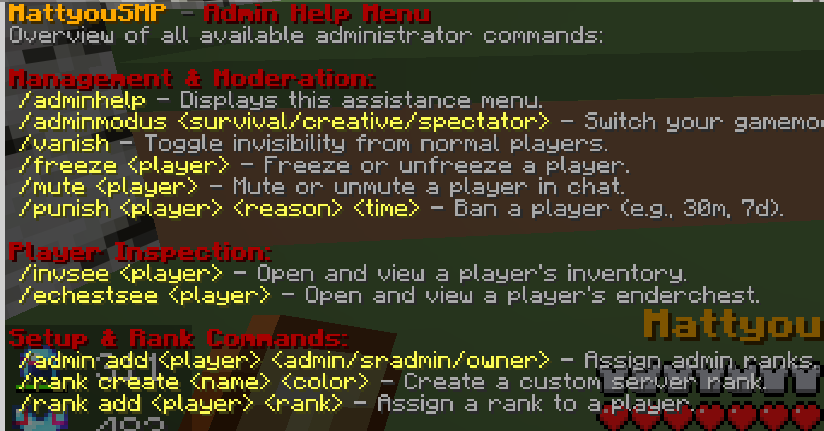 Admin system/commands Admin system/commands
 -
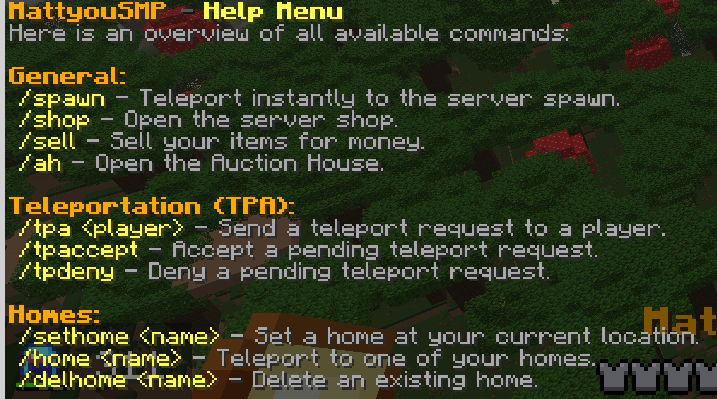 Commands for all players Commands for all players
 -
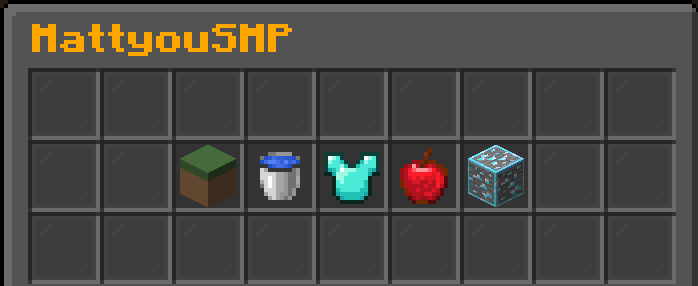 Custom shop system change the title to the name of you're server Custom shop system change the title to the name of you're server or just a shop name!
 -
 Custom money system Custom money system
 -
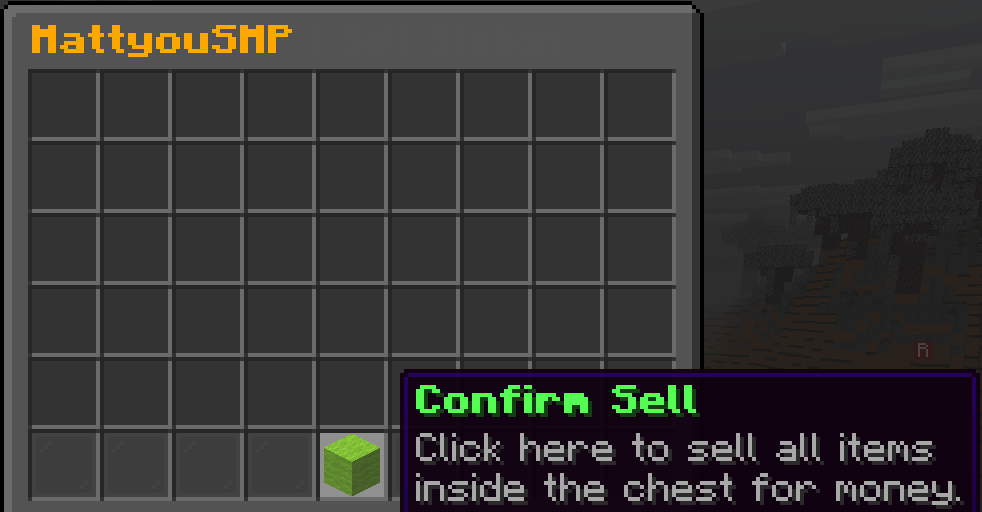 Custom sell system Custom sell system
Versions
Files
Relations
Project Relations
More like this
Similar Mods
Suggestions use data such as tags, dependencies, dependents, descriptions, titles, and more to rank how much they overlap with this mod.
On ModDex
Community snapshot
By the numbers
Statistics

Want to reach Minecraft players?
We're looking for a server hosting partner to feature here and other parts of the site. Interested? Send us a message!
Get in touchGet it on
Available Platforms
On ModDex
Community snapshot
By the numbers
Statistics
Resources