Community listing page, reviews here may not be monitored by the author.
Elytra Slot Compat


No reviews yet
A mod that adds compatibility with ElytraSlot via configuration.
Community voices
Reviews
No reviews yet. Be the first to review this project!
Get it on
Available Platforms
Compatibility
Supported Environments
Must be installed on both the client and the server.
About
Project Details
For authors
Embed Badge
If you're the author of this project, you can embed a live badge anywhere that supports HTML or Markdown. It updates automatically whenever ratings change.
Use HTML for any page that supports it, or Markdown for README files and Markdown-based descriptions.
Identifiers
Platform IDs
About
Description
About
This mod allows users to add mods that support the Elytra Slot. By its nature, simply installing this mod does nothing; you must customize it via the configuration.
Use
When you launch the game with this MOD installed, a file named “elytraslot_compat.json” will be added to the “config” directory. Opening that file will reveal the following contents:
{
    "compatList": {
    "netherite_ext:netherite_elytra": "netherite_ext:textures/entity/netherite_elytra.png",
    "netherite_plated_elytra:netherite_elytra": "netherite_plated_elytra:textures/item/netherite_elytra_model.png",
    "reimaginingpotatoes:poisonous_polytra": "reimaginingpotatoes:textures/entity/poisonous_polytra.png"
  },
  "enableArmorValue": true,
  "enableAnotherSlot": true
}
By entering the Elytra item ID you wish to map on the left side and the target Elytra's texture ID on the right side (leave blank if no texture exists), you can map the target Elytra to the Elytra Slot.
By default, it supports the Netherite Elytra from the Netherite Extension ,the Poisonous Polytra from the Poisonous Potato Update and the Netherite Plated Elytra from Netherite Plated Elytra.
Other
Back Slot
Only in Fabric will allow you to equip elytra in the back slot. (After 1.1.0)
If enableAnotherSlot is false, you cannot use one of the slots. (After 1.2.0)
Cape Slot
Only in NeoForge can you simultaneously install Accessories, and the Accessories Compatibility Layer to equip Elytra compatible with the Elytra Slot in the Accessories's Cape slot.
If enableAnotherSlot is false, you cannot use one of the slots. (After 1.2.0)
In Minecraft version 1.20.1, it can be added as-is.
Custom Elytra Function
Even if the elytra has custom functionality, it will still function as a regular elytra. Therefore, please note that even if the elytra has custom features, you will not be able to benefit from them.
Elytra Armor Values
Elytra with armor values may not display their equipped texture, regardless of whether a texture is specified. Starting with version 1.1.0, setting “enableArmorValue” to true (Default: true) now applies the durability of elytra equipped in the Cape or Back slots.
In Minecraft version 1.20.1, armor values are not applied regardless of settings.
About
This mod allows users to add mods that support the Elytra Slot. By its nature, simply installing this mod does nothing; you must customize it via the configuration.
Use
When you launch the game with this MOD installed, a file named “elytraslot_compat.json” will be added to the “config” directory. Opening that file will reveal the following contents:
{
  "compatList": {
    "netherite_ext:netherite_elytra": "netherite_ext:textures/entity/netherite_elytra.png",
    "netherite_plated_elytra:netherite_elytra": "netherite_plated_elytra:textures/item/netherite_elytra_model.png",
    "reimaginingpotatoes:poisonous_polytra": "reimaginingpotatoes:textures/entity/poisonous_polytra.png"
  },
  "enableArmorValue": true,
  "enableAnotherSlot": true
}
By entering the Elytra item ID you wish to map on the left side and the target Elytra's texture ID on the right side (leave blank if no texture exists), you can map the target Elytra to the Elytra Slot.
By default, it supports the Netherite Elytra from the Netherite Extension, the Poisonous Polytra from the Poisonous Potato Update and the Netherite Plated Elytra from Netherite Plated Elytra..
Other
Back Slot
Only in Fabric will allow you to equip elytra in the back slot. (After 1.1.0)
If enableAnotherSlot is false, you cannot use one of the slots. (After 1.2.0)
Cape Slot
Only in NeoForge can you simultaneously install Accessories, and the Accessories Compatibility Layer to equip Elytra compatible with the Elytra Slot in the Accessories's Cape slot.
In Minecraft version 1.20.1, it can be added as-is.
If enableAnotherSlot is false, you cannot use one of the slots. (After 1.2.0)
Custom Elytra Function
Even if the elytra has custom functionality, it will still function as a regular elytra. Therefore, please note that even if the elytra has custom features, you will not be able to benefit from them.
Elytra Armor Values
Elytra with armor values may not display their equipped texture, regardless of whether a texture is specified.
Starting with version 1.1.0, setting “enableArmorValue” to true (Default: true) now applies the durability of elytra equipped in the Cape or Back slots.
In Minecraft version 1.20.1, armor values are not applied regardless of settings.
Screenshots
Gallery
-
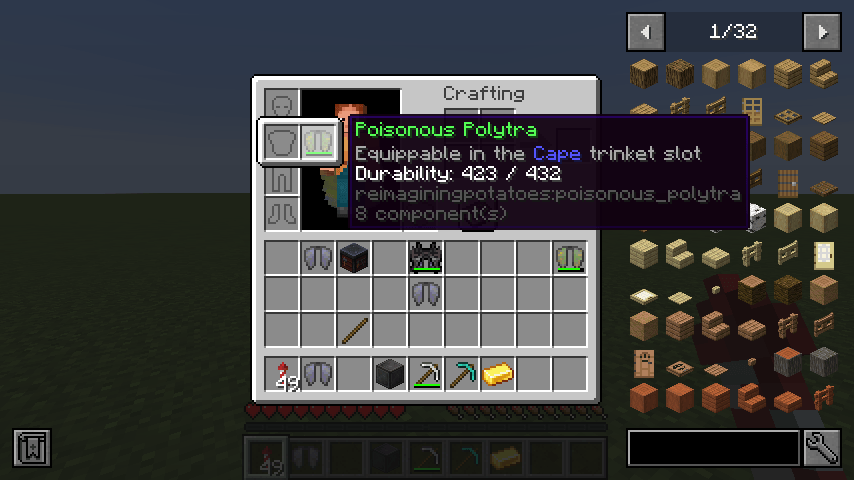 Equippable Poisonous Polytra Equippable Poisonous Polytra
 -
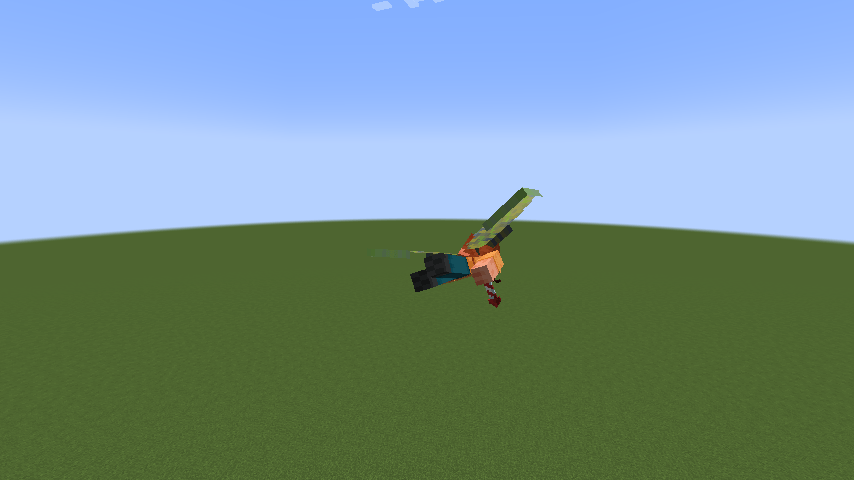 Poisonous Polytra Compats Poisonous Polytra Compats
-
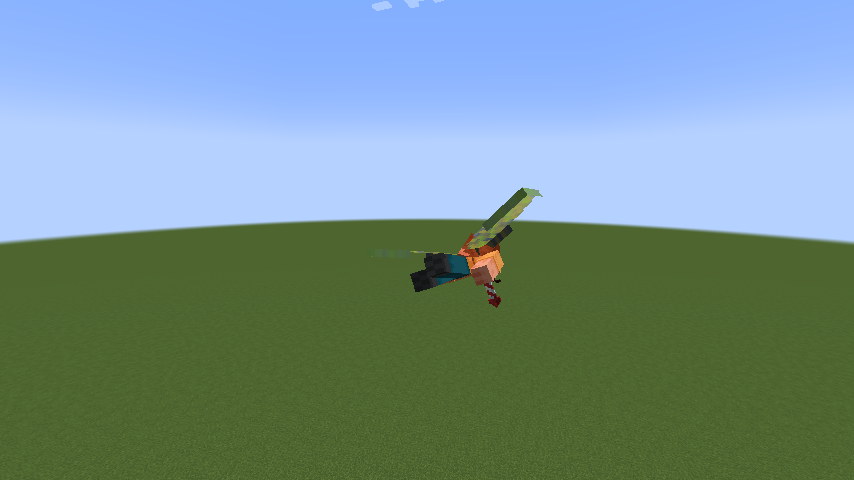 Poisonous Polytra Compats
 -
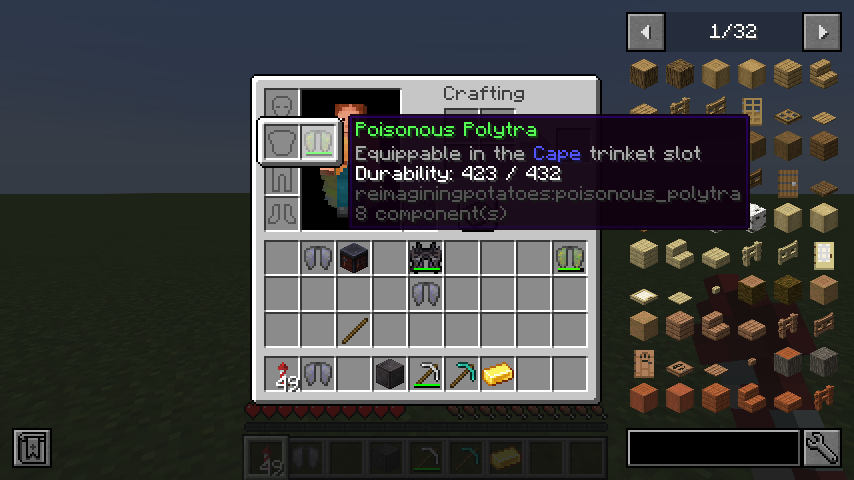 Equippable Poisonous Polytra
Versions
Files
Relations
Project Relations
More like this
Similar Mods
Suggestions use data such as tags, dependencies, dependents, descriptions, titles, and more to rank how much they overlap with this mod.
On ModDex
Community snapshot
By the numbers
Statistics
Want to reach Minecraft players?
We're looking for a server hosting partner to feature here and other parts of the site. Interested? Send us a message!
Get in touchGet it on
Available Platforms
On ModDex
Community snapshot
By the numbers