Community listing page, reviews may not be monitored by the author.
EMERALD_LIFE

No reviews yet
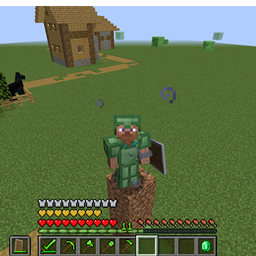
Adds *NEW* Emerald Armor and Tools, WHICH IS BETTER THAN NETHERITE IN DURABILITY AS WELL AS ATTACK DAMAGE / SPEED!

Community voices
Reviews
No reviews yet. Be the first to review this project!
Get it on
Available Platforms
About
Project Details
For authors
Embed Badge
If you're the author of this project, you can embed a live badge anywhere that supports HTML or Markdown. It updates automatically whenever ratings change.
Use HTML for any page that supports it, or Markdown for README files and Markdown-based descriptions.
Identifiers
Platform IDs
Resources
External Links
About
Description
--------------
About the mod:
--------------
This is a new mod made for Forge Minecraft 1.16.5.
This mod adds new emerald armor and tools,
WHICH IS BETTER THAN NETHERITE IN DURABILITY AS WELL AS ATTACK DAMAGE / SPEED!
Please do check the image gallery for additional details...
Also, please, comment if there are any issues/bugs.
Thanks For Using the mod,
TAMOA_GAMING
======================================================================
Planet Minecraft: www.planetminecraft.com/member/tamoa_gaming/
Curseforge: www.curseforge.com/members/tamoa_gaming/projects
Youtube: www.youtube.com/channel/UCNDwZozKg-rW0r-sjMFJ8sQ
======================================================================
===============================
HOW TO INSTALL MINECRAFT FORGE
You can install Minecraft Forge in these three easy steps:
*Download Minecraft Forge at the files.minecraftforge.net/net/minecraftforge/forge/ (official website).
Make sure you double-check your version, so you download the correct one. The list of versions can be found along the left-hand side.
*Open the downloaded installer, which will bring up the installation process. Be sure to confirm with ‘Install Client’ still selected and click ‘OK.
*Open the Minecraft Launcher and change the profile to ‘forge’. When the game loads, you’ll see a new ‘Mods’ menu available at the start.
Now, you’ll be able to access the ‘Mods’ folder and install all your favorite addons to the game using Minecraft Forge.
--------------------------------------------------------------------------------------------------------------------------
HOW TO INSTALL MINECRAFT FORGE MODS:
Downloading mods
You need to get the mods from the mod author’s official site. Doing this ensures that you won’t get corrupted files or viruses.
Once you decide on a mod you want, click the name to open the mod page.
Open the Files tab to view the versions. To the right of the version you want, press download. It’s best to download the latest recommended update for your version of Minecraft.
Head back to the mods page and open the Relations tab. This is very important as these are the mods you need for it to work correctly. If you don’t download the dependencies, the mod will not function properly or can cause the game to crash.
Windows
Make sure your Minecraft client is closed.
Press the Windows Key (Start)
Type in %appdata% and press enter.
Open the .minecraft folder and then enter the mods folder.
From here, just drag in the mods that you wish to add.
Open Minecraft again and click Play, and the mods should now be loaded. You can check this by clicking the Mods tab on the Minecraft homepage.
Mac
Make sure your Minecraft client is closed.
At the top of your Mac, click the Go tab and then “Go to Folder…”.
Type in ~/Library/Application Support/minecraft and click Go.
Enter the mods folder and then drag in the mods.
Open Minecraft and click Play, and the mods should now be loaded.
------------------------------------------------------------------
Screenshots
Gallery
-
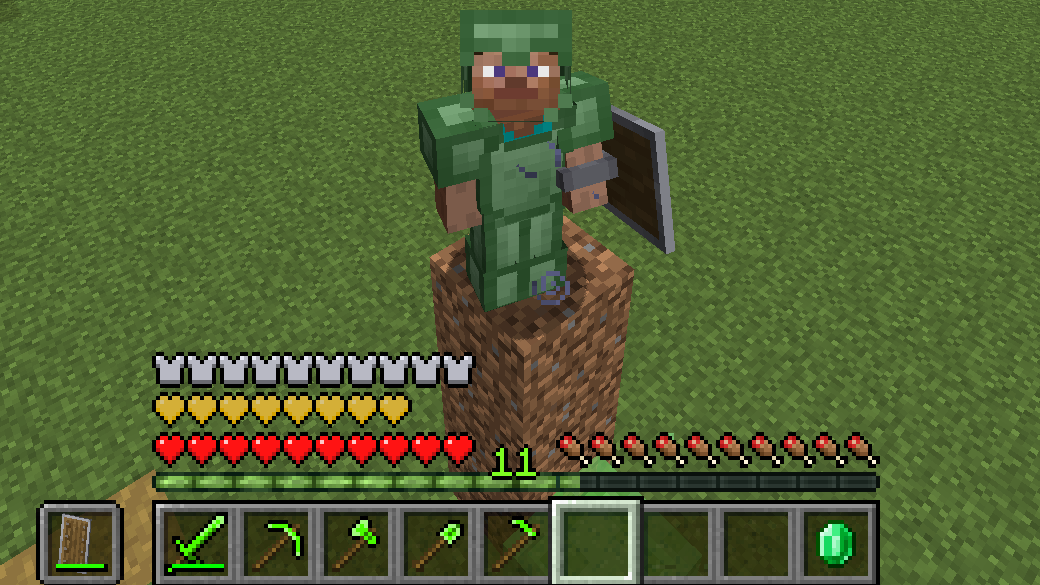 ARMOUR
Versions
Files
Relations
Project Relations
More like this
Similar Mods
Suggestions use data such as tags, dependencies, dependents, descriptions, titles, and more to rank how much they overlap with this mod.
On ModDex
Community snapshot
By the numbers
Statistics
 (opens in a new tab)
Get it on
Available Platforms
On ModDex
Community snapshot
By the numbers
Statistics
Resources