Community listing page, reviews may not be monitored by the author.
EMF Compat: Core


No reviews yet
Shared framework for the EMF Compat family.

Community voices
Reviews
No reviews yet. Be the first to review this project!
Get it on
Available Platforms
Compatibility
Supported Environments
Runs entirely on the client. Works on vanilla servers.
Required on the client. Installing it on the server adds functionality.
Varies by version.
About
Project Details
For authors
Embed Badge
If you're the author of this project, you can embed a live badge anywhere that supports HTML or Markdown. It updates automatically whenever ratings change.
Use HTML for any page that supports it, or Markdown for README files and Markdown-based descriptions.
Identifiers
Platform IDs
About
Description
EMF Compat: Core
A shared client-side library that lets all EMF Compat addons fix animation conflicts with Entity Model Features.
This mod does not add visible gameplay features on its own, but it is required by every EMF Compat addon.
What it does
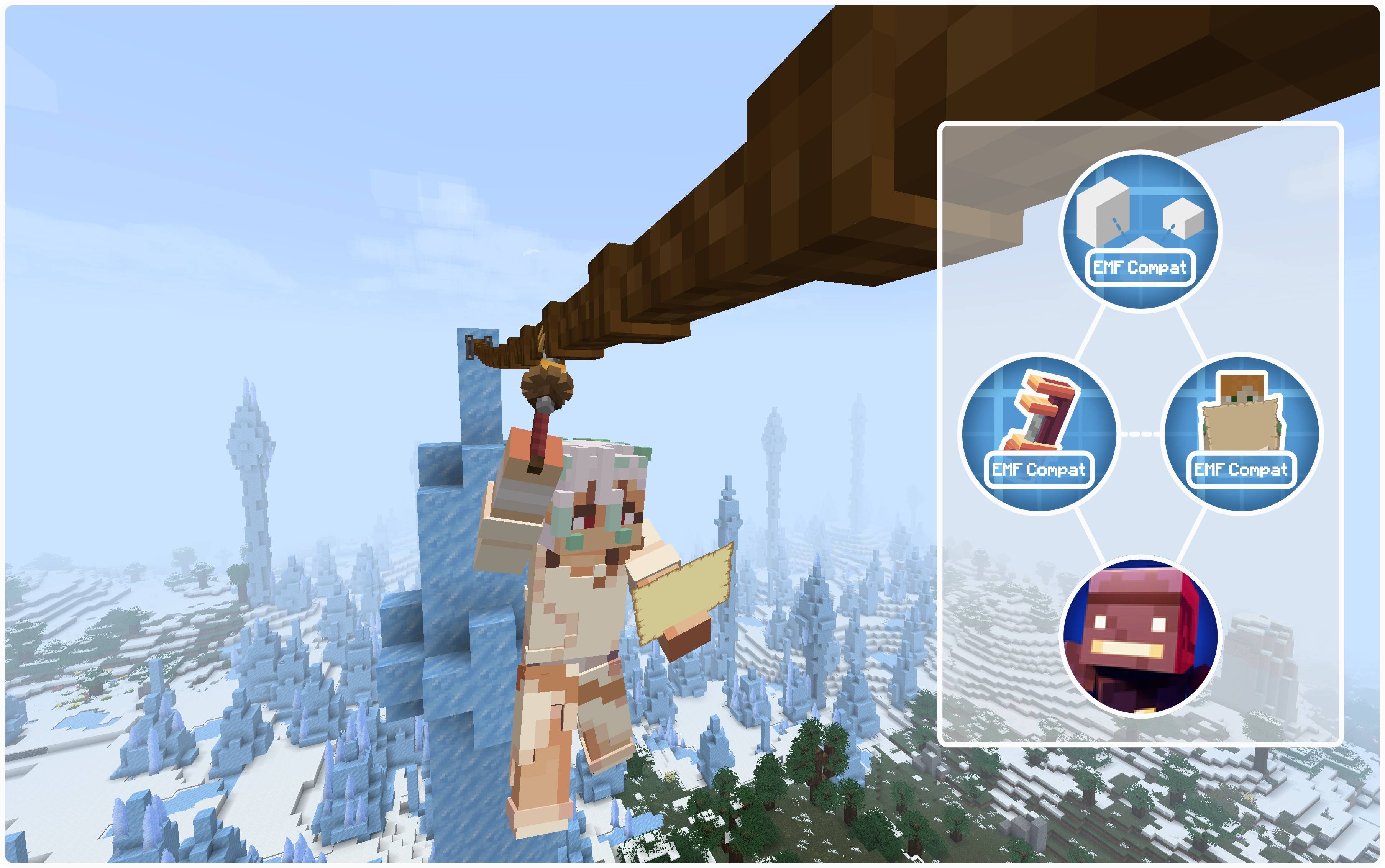
When another mod plays its own player animation — such as Create's Skyhook, Better Combat attacks or Carry On carrying — the addon captures the current body, arms or head pose before EMF overrides it, then restores that pose so the external animation stays visible instead of being replaced by the resource-pack animation.
Features
- Required shared library for all EMF Compat addons.
- Lets addon animations show correctly on animated EMF player models.
- Handles pose capture and restore behind the scenes.
- Keeps first-person and third-person poses consistent.
- Poses blend smoothly into your resource pack's animation instead of snapping to it in one frame. Armour follows the blend.
- Fixes crouching while a mod animates the player — no more sinking into the ground or jumping up with every attack from a crouch.
- Keeps your pack animating while another mod plays an animation through Player Animation Library, instead of freezing the whole model.
- One settings screen for every addon, with a global compatibility switch, smooth pose transitions and a crouch fix.
- Shared support for the foot placement and hand contacts used by Touch'n Motion.
Settings
All addons share one settings screen, with a tab per addon: Mods → EMF Compat Core → Config.
Each installed addon also has a Config button in its own mod-list entry. It opens this shared screen directly on that addon's tab; Done returns to the mod list. Fabric requires Mod Menu to show the buttons; Forge and NeoForge use their built-in mod lists.
Settings and addon tabs scroll with the mouse wheel. Click a category heading to fold or unfold it; child options appear under their parent. Numeric options use fixed steps. Hover over an option to read its description, and use Reset to restore the selected tab's defaults. Changes apply without restarting the game.
The Core tab controls EMF compatibility, Smooth pose transitions and Crouch fix. The global compatibility switch disables all installed addons while keeping their individual settings.
Projects
- Touch'n Motion
- EMF Compat: Not Enough Animations
- EMF Compat: Create
- EMF Compat: Better Combat
- EMF Compat: Carry On
- EMF Compat: Immersive Melodies
- EMF Compat: Quark
- EMF Compat: Supplementaries
- EMF Compat: Exposure
- EMF Compat: Gliders
- EMF Compat: Iron's Spells 'n Spellbooks
- EMF Compat: TACZ
- EMF Compat: Take a Seat
- EMF Compat: WATUT
undefined


enjoy ^_^
EMF Compat: Core
A shared client-side library that lets all EMF Compat addons fix animation conflicts with Entity Model Features.
This mod does not add visible gameplay features on its own, but it is required by every EMF Compat addon.
What it does
When another mod plays its own player animation — such as Create's Skyhook, Better Combat attacks or Carry On carrying — the addon captures the current body, arms or head pose before EMF overrides it, then restores that pose so the external animation stays visible instead of being replaced by the resource-pack animation.
Features
- Required shared library for all EMF Compat addons.
- Lets addon animations show correctly on animated EMF player models.
- Handles pose capture and restore behind the scenes.
- Keeps first-person and third-person poses consistent.
- Poses blend smoothly into your resource pack's animation instead of snapping to it in one frame. Armour follows the blend.
- Fixes crouching while a mod animates the player — no more sinking into the ground or jumping up with every attack from a crouch.
- Keeps your pack animating while another mod plays an animation through Player Animation Library, instead of freezing the whole model.
- One settings screen for every addon, with a global compatibility switch, smooth pose transitions and a crouch fix.
- Shared support for the foot placement and hand contacts used by Touch'n Motion.
Settings
All addons share one settings screen, with a tab per addon: Mods → EMF Compat Core → Config.
Each installed addon also has a Config button in its own mod-list entry. It opens this shared screen directly on that addon's tab; Done returns to the mod list. Fabric requires Mod Menu to show the buttons; Forge and NeoForge use their built-in mod lists.
Settings and addon tabs scroll with the mouse wheel. Click a category heading to fold or unfold it; child options appear under their parent. Numeric options use fixed steps. Hover over an option to read its description, and use Reset to restore the selected tab's defaults. Changes apply without restarting the game.
The Core tab controls EMF compatibility, Smooth pose transitions and Crouch fix. The global compatibility switch disables all installed addons while keeping their individual settings.
Projects
- Touch'n Motion
- EMF Compat: Not Enough Animations
- EMF Compat: Create
- EMF Compat: Better Combat
- EMF Compat: Carry On
- EMF Compat: Immersive Melodies
- EMF Compat: Quark
- EMF Compat: Supplementaries
- EMF Compat: Exposure
- EMF Compat: Gliders
- EMF Compat: Iron's Spells 'n Spellbooks
- EMF Compat: TACZ
- EMF Compat: Take a Seat
- EMF Compat: WATUT
- EMF Compat: Parcool Currently unavailable
- EMF Compat: Hackers 'n Slashers Currently unavailable
Spoiler


enjoy ^_^
Screenshots
Gallery
-
 page.jpeg page.jpeg
-

-
 Core and Addons
Versions
Files
Relations
Project Relations
More like this
Similar Mods
Suggestions use data such as tags, dependencies, dependents, descriptions, titles, and more to rank how much they overlap with this mod.
On ModDex
Community snapshot
By the numbers
Statistics

Get it on
Available Platforms
On ModDex
Community snapshot
By the numbers