
Community listing page, reviews here may not be monitored by the author.
Emogg


No reviews yet
Adds emoji (emote) support to the chat and to most of the Minecraft interface. New emojis (emotes) can be added by texturepacks
Community voices
Reviews
No reviews yet. Be the first to review this project!
Get it on
Available Platforms
Compatibility
Supported Environments
Required on the client. Installing it on the server adds functionality.
About
Project Details
For authors
Embed Badge
If you're the author of this project, you can embed a live badge anywhere that supports HTML or Markdown. It updates automatically whenever ratings change.
Use HTML for any page that supports it, or Markdown for README files and Markdown-based descriptions.
Identifiers
Platform IDs
About
Description
Language: [English] | [Русский] | [中文]
Emogg for better chatting experienсe!
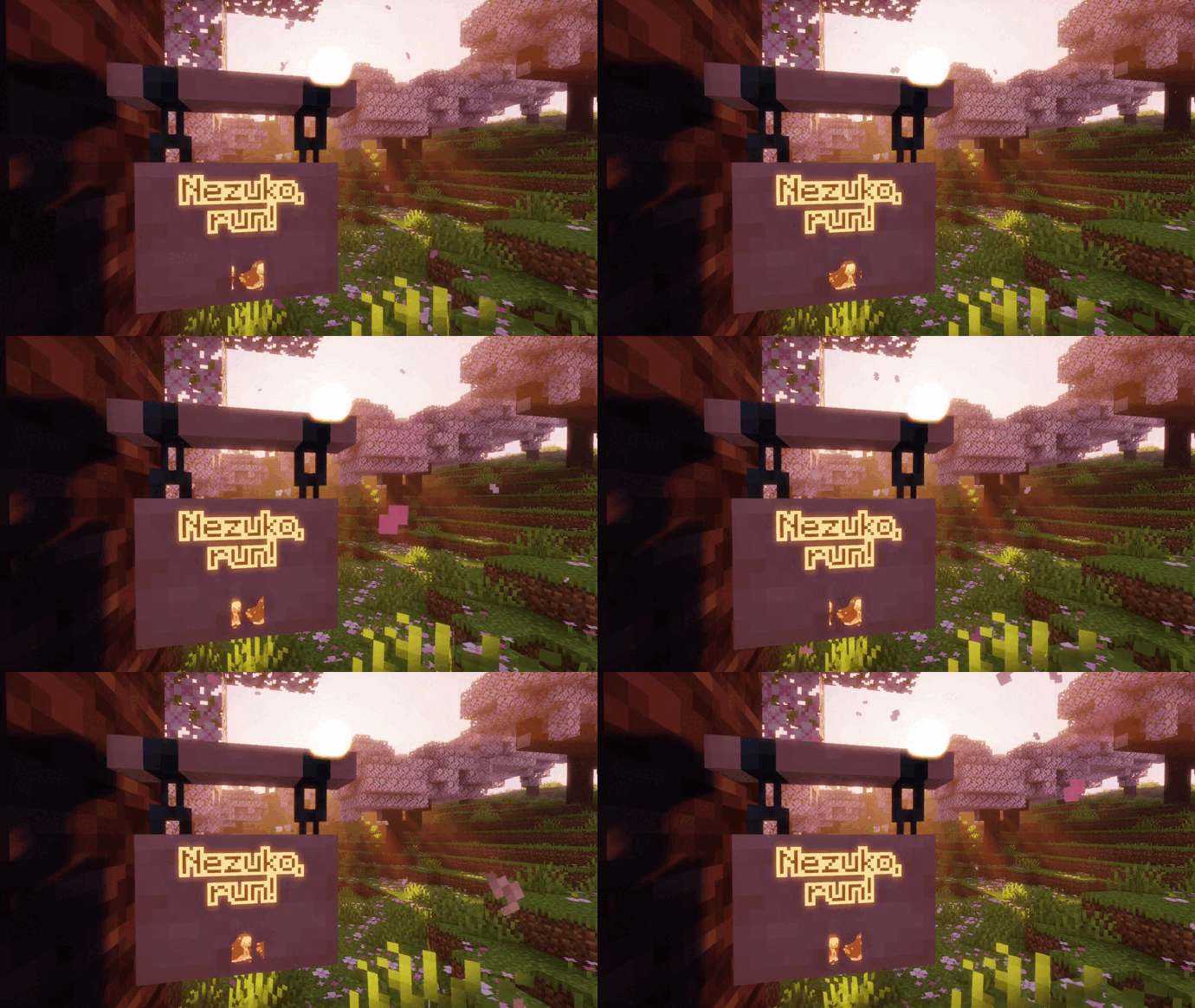
Adds emoji (emote) support to the chat and to most of the Minecraft interface!

Features
- support for both static and animated emojis
- custom emojis via resource packs, by simply put your emoji images in
assets/emogg/emoji. You can also generate the resource pack from discord server emojis using our website - emojis will be shown in chat, on signs, in item names, on entity name tags, in container names, etc. (It might not work in plain texts yet)
- emoji suggestions and completion (available only for chat)
- an emoji selection menu (available only for chat)
- two built-in emoji packs
How to use emojis?
To use emoji, you need to type :emoji_name:.
If you start typing this on the chat screen, Emogg will show you the autocomplete suggestions.
The emoji selection menu is also available for the chat,
which opens by clicking on the button in the lower right corner,
or by clicking middle mouse button or by pressing Shift + Esc.
You can also copy the name of emojis from chat or books by clicking them.
If you play on the server or over the network,
then in addition to the fact that you and other players must have this mod installed,
everyone must have the same resource packs added.
Or else, other players will see :emoji_name:.
If you don't want the emoji name to be transformed into an emoji, you can escape it like this: \:emoji_name:
How can I add my own emojis?
You can easily convert emojis from any discord server into a resource pack on our website!
Details about these resource packs is also provided below for more advanced users.
To add your emojis to the game,
just add pictures in the format .gif or .png to the assets/emogg/emoji folder inside your resource pack.
Each picture added in this way will be automatically added to the game as an emoji.
The optimal resolution for emojis will be approximately 128x128 pixels (this is not a rule, but a recommendation). There is not much point in a higher resolution. Emoji will look better in the game if there is not too much empty space between the edges of the picture and the content. It is better to avoid adding emojis with too small details, because they can be difficult to distinguish.
Non-square emojis are also supported, they will be scaled to fit the text height.
The name of the image file, without extension, will be used as the name of the emoji, which can consist only of lowercase Latin characters a-z, numbers 0-9, underscores _. Moreover, the underscores cannot stand at the beginning or at the end of the emoji name. The name of the image file can be anything, however, when loading emojis, all names are modified as follows:
- all spaces, dots and dashes will be replaced with underscores
- the underscores at the beginning and at the end of the name will be removed
- unsupported characters will be removed from the name
- uppercase Latin characters will be converted to lowercase characters
The same rules apply to the names of the categories in which your emojis will be listed. By default, all emojis added to the main catalog will be listed in the other category. To link your emojis to a certain category, it is enough to create a folder with the name of the category inside the main folder and transfer there the emojis that will be attributed to this category. There can be any number of folders with any name between the main folder and the category folder, because the name of the pack in which your emojis are directly located (except the main folder) will be taken as the name of the category. This can be used to create a namespace. So if another resource pack has an emoji with the same name as yours, both your and the emoji from another resource pack will be added to the game.
By default, the following category names are already registered in the mod:
animememespeoplenaturefoodactivitiestravelobjectssymbolsflagsother
You can add your emojis to these categories or create your own. Also, for these categories, translation into six languages has already been implemented: English, German, Japanese, Chinese, Ukrainian, Russian. You can help with translating the mod into other languages. If you don't add a translation for your new categories using the resource pack language files, the folder name with a capital letter will be used. To add a translation of your category, you need to use the translation key emogg.category.your_category_name, where it is necessary to replace your_category_name with the name of your category. Each new category you add will be displayed in the selection menu above those already built into the mod.
If the mod detects two or more emojis with the same name. A digit will be added to the end of their names to distinguish them.
You can find more detailed information on how to create your own resource packs on the Internet, or you can download one of the built-in resource packs as an example. You can find more detailed information on how to create your own resource packs on the Internet, or you can download one of the resource packs built into the mod as an example.
Language: [English] | [Русский] | [中文]
Emogg for better chatting experienсe! 
Adds emoji support to the chat and to most of the Minecraft interface!

Features
- support for both static and animated emojis
- custom emojis via resource packs, by simply put your emoji images in
assets/emogg/emoji. You can also generate the resource pack from discord server emojis using our website - emojis will be shown in chat, on signs, in item names, on entity name tags, in container names, etc. (It might not work in plain texts yet)
- emoji suggestions and completion (available only for chat)
- an emoji selection menu (available only for chat)
- two built-in emoji packs
How to use emojis?
To use emoji, you need to type :emoji_name:.
If you start typing this on the chat screen, Emogg will show you the autocomplete suggestions.
The emoji selection menu is also available for the chat,
which opens by clicking on the button in the lower right corner,
or by clicking middle mouse button or by pressing Shift + Esc.
You can also copy the name of emojis from chat or books by clicking them.
If you play on the server or over the network,
then in addition to the fact that you and other players must have this mod installed,
everyone must have the same resource packs added.
Or else, other players will see :emoji_name:.
If you don't want the emoji name to be transformed into an emoji, you can escape it like this: \:emoji_name:
How can I add my own emojis?
You can easily convert emojis from any discord server into a resource pack on our website!
Details about these resource packs is also provided below for more advanced users.
To add your emojis to the game,
just add pictures in the format .gif or .png to the assets/emogg/emoji folder inside your resource pack.
Each picture added in this way will be automatically added to the game as an emoji.
The optimal resolution for emojis will be approximately 128x128 pixels (this is not a rule, but a recommendation). There is not much point in a higher resolution. Emoji will look better in the game if there is not too much empty space between the edges of the picture and the content. It is better to avoid adding emojis with too small details, because they can be difficult to distinguish.
Non-square emojis are also supported, they will be scaled to fit the text height.
The name of the image file, without extension, will be used as the name of the emoji, which can consist only of lowercase Latin characters a-z, numbers 0-9, underscores _. Moreover, the underscores cannot stand at the beginning or at the end of the emoji name. The name of the image file can be anything, however, when loading emojis, all names are modified as follows:
- all spaces, dots and dashes will be replaced with underscores
- the underscores at the beginning and at the end of the name will be removed
- unsupported characters will be removed from the name
- uppercase Latin characters will be converted to lowercase characters
The same rules apply to the names of the categories in which your emojis will be listed. By default, all emojis added to the main catalog will be listed in the other category. To link your emojis to a certain category, it is enough to create a folder with the name of the category inside the main folder and transfer there the emojis that will be attributed to this category. There can be any number of folders with any name between the main folder and the category folder, because the name of the pack in which your emojis are directly located (except the main folder) will be taken as the name of the category. This can be used to create a namespace. So if another resource pack has an emoji with the same name as yours, both your and the emoji from another resource pack will be added to the game.
By default, the following category names are already registered in the mod:
animememespeoplenaturefoodactivitiestravelobjectssymbolsflagsother
You can add your emojis to these categories or create your own. Also, for these categories, translation into six languages has already been implemented: English, German, Japanese, Chinese, Ukrainian, Russian. You can help with translating the mod into other languages. If you don't add a translation for your new categories using the resource pack language files, the folder name with a capital letter will be used. To add a translation of your category, you need to use the translation key emogg.category.your_category_name, where it is necessary to replace your_category_name with the name of your category. Each new category you add will be displayed in the selection menu above those already built into the mod.
If the mod detects two or more emojis with the same name. A digit will be added to the end of their names to distinguish them.
You can find more detailed information on how to create your own resource packs on the Internet, or you can download one of the built-in resource packs as an example. You can find more detailed information on how to create your own resource packs on the Internet, or you can download one of the resource packs built into the mod as an example.
Screenshots
Gallery
-
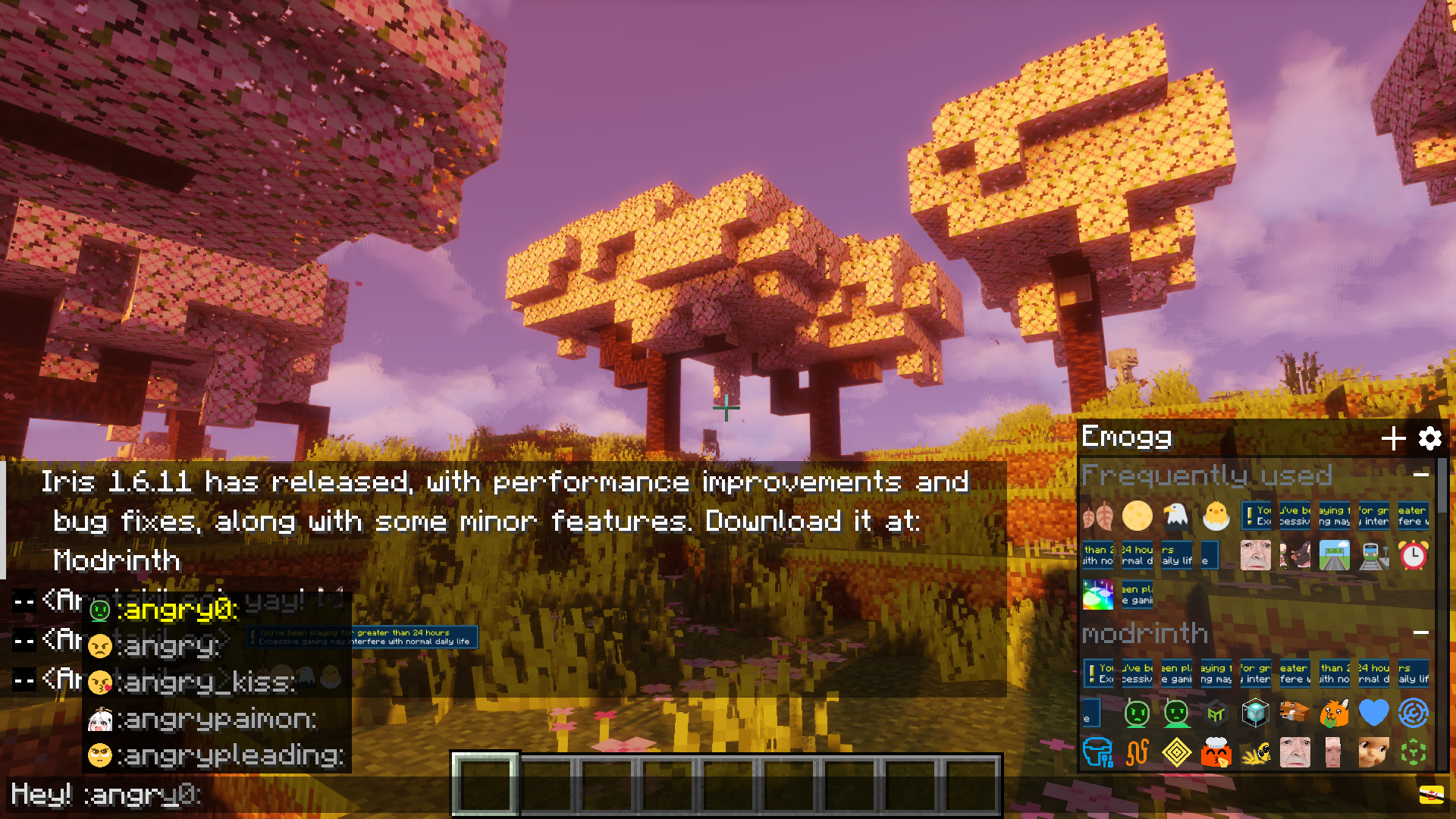 Demonstration GUI for chat: emoji selection menu, emoji suggestions
-
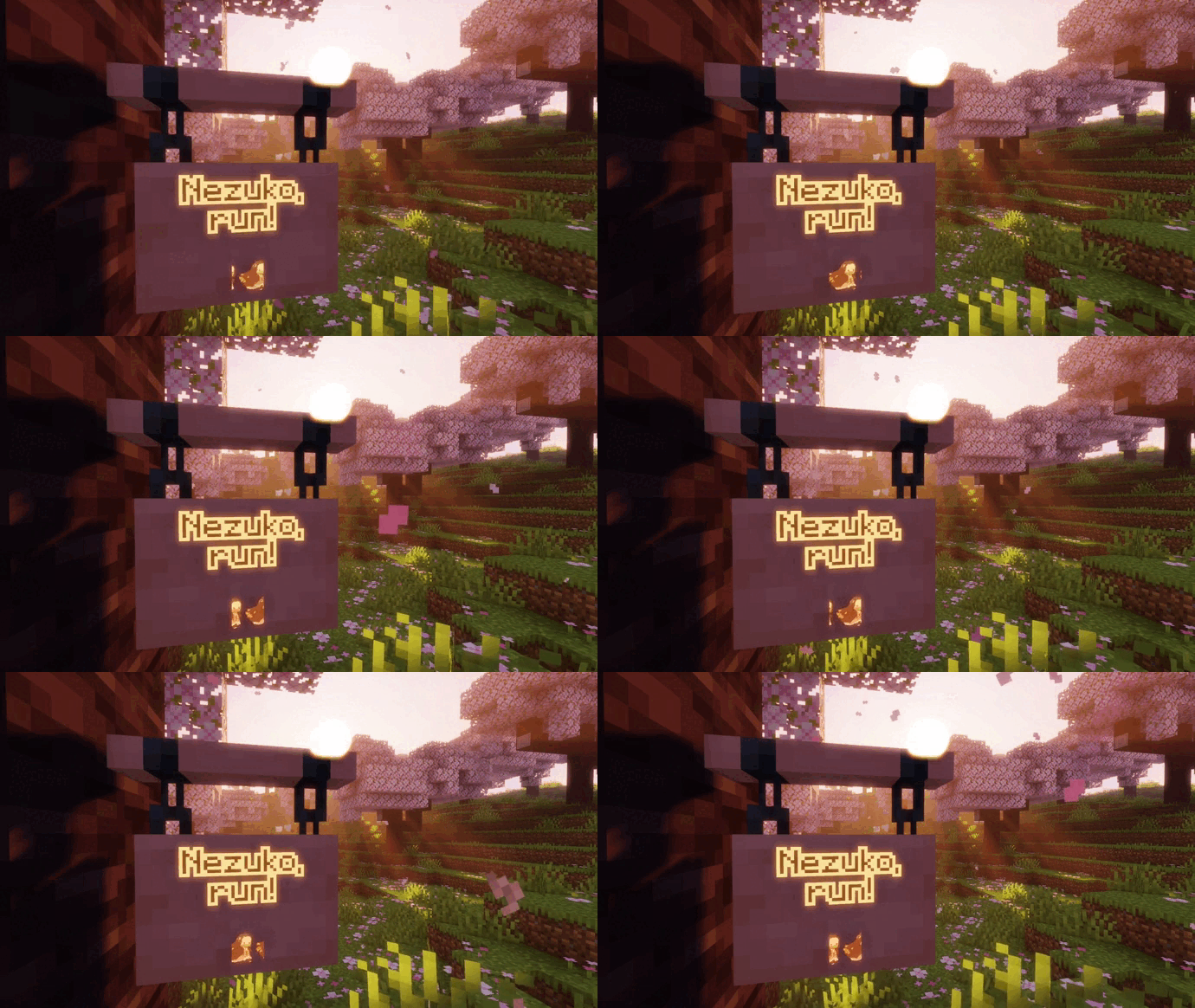 Emoji on the sign
 -
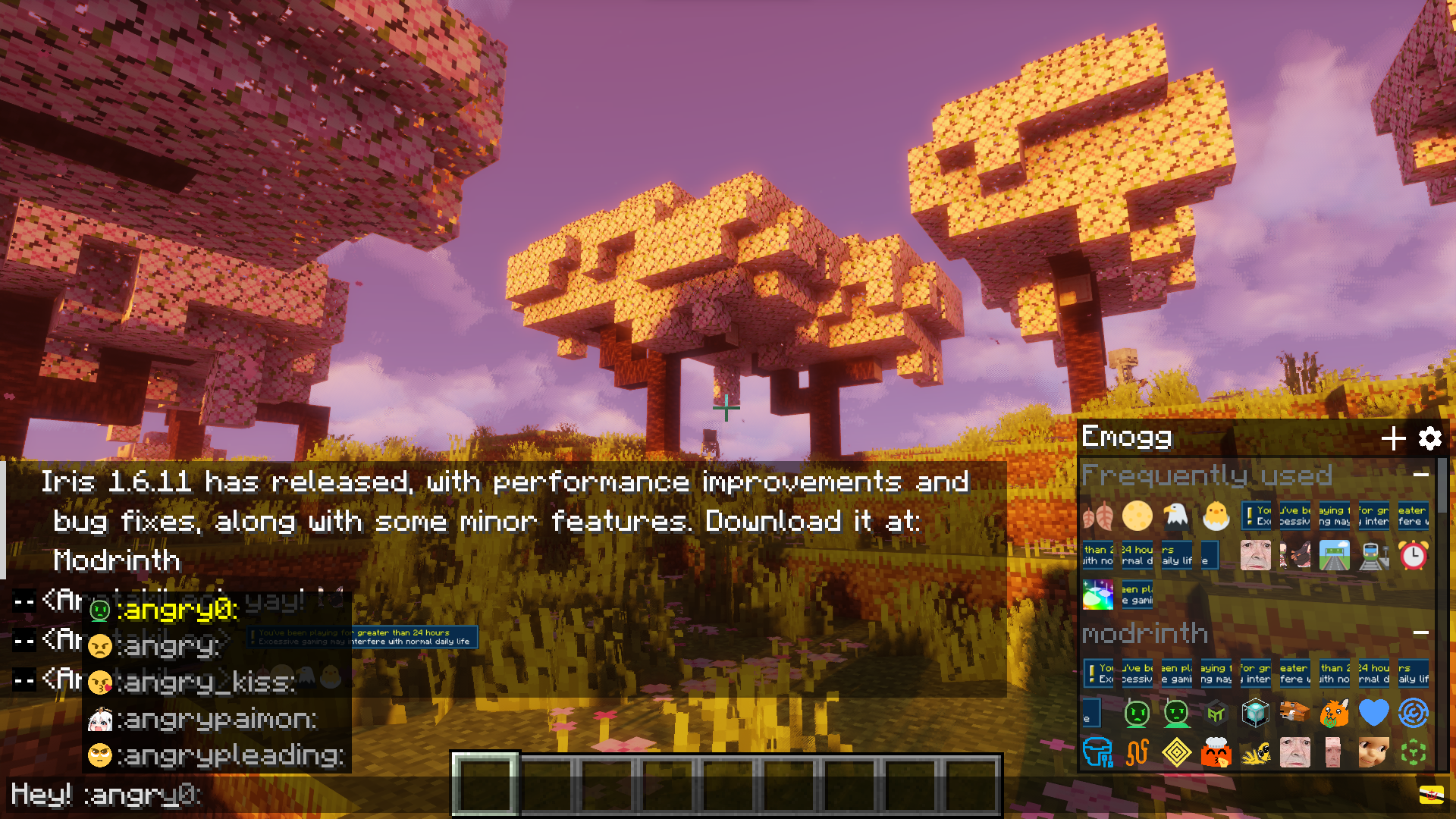 Demonstration GUI for chat: emoji selection menu, emoji suggestions
Versions
Files
Relations
Project Relations
More like this
Similar Mods
Suggestions use data such as tags, dependencies, dependents, descriptions, titles, and more to rank how much they overlap with this mod.
On ModDex
Community snapshot
By the numbers
Statistics
Want to reach Minecraft players?
We're looking for a server hosting partner to feature here and other parts of the site. Interested? Send us a message!
Get in touchGet it on
Available Platforms
On ModDex
Community snapshot
By the numbers