
Community listing page, reviews here may not be monitored by the author.
Enchant Calculator

No reviews yet
Find the cheapest way to combine enchantments on your items
Community voices
Reviews
No reviews yet. Be the first to review this project!
Get it on
Available Platforms
Compatibility
Supported Environments
Runs entirely on the client. Works on vanilla servers.
About
Project Details
For authors
Embed Badge
If you're the author of this project, you can embed a live badge anywhere that supports HTML or Markdown. It updates automatically whenever ratings change.
Use HTML for any page that supports it, or Markdown for README files and Markdown-based descriptions.
Identifiers
Platform IDs
About
Description
Enchant Calculator
Find the cheapest way to put enchantments on an item. Open an anvil, pick the enchantments you want, and the mod shows the exact order to combine your books, so you spend as few levels as possible and never hit "Too Expensive!".
This mod is heavily inspired by the Enchantment Calculator mod created by FanyaOff. All credit goes to them for the original concept and design.
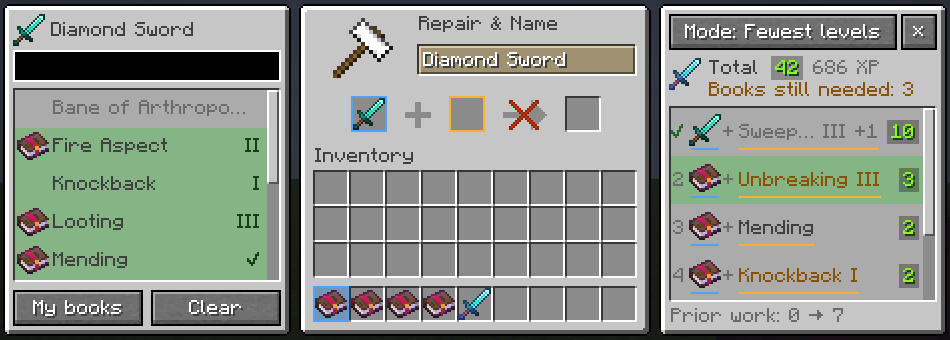
How to use
- Put an item in the first anvil slot. A panel on the left lists every enchantment that fits it. A book icon means you already have that book.
- Pick enchantments. Click to raise the level, right-click to lower it. Shift-click jumps to the max level, Shift-right-click removes it. My books selects everything you have a book for, at the level of your best book (curses excepted). Enchantments that conflict with your choice are greyed out.
- Follow the plan on the right. It updates as you click. Each row is one anvil use: the item that goes in the first slot, the book that goes in the second, and the cost in levels. Hover a row for the details.
- Do the steps. The items for the current step light up in your inventory, and the anvil slots show where each one goes: blue for the first slot, orange for the second. Finished steps get a check mark and the next one is highlighted automatically.
Features
- Truly the cheapest order. An exact search over every way to combine your books, not a rule of thumb, and it never plans a step that costs 40 levels or more in survival. If no order fits, it tells you.
- Uses the books you have, including books with several enchantments and books that were combined before (their prior work penalty counts).
- Knows your item: enchantments already on it and its prior work penalty are part of the plan. You can also plan for an enchanted book, to combine books into one before applying them.
- Works with modded and datapack enchantments, with their real costs and conflicts.
- Creative mode has no "Too Expensive!" limit, and the plan knows it.
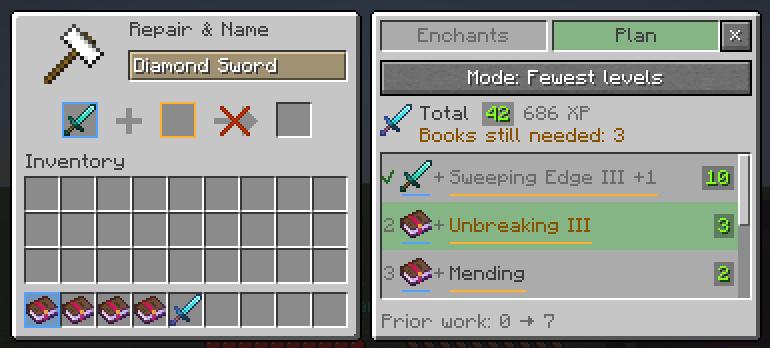
- Fits any screen. On narrow screens or large GUI scales the panels become one tabbed panel and the anvil moves aside. You can hide the panels, and they stay hidden until you show them again.
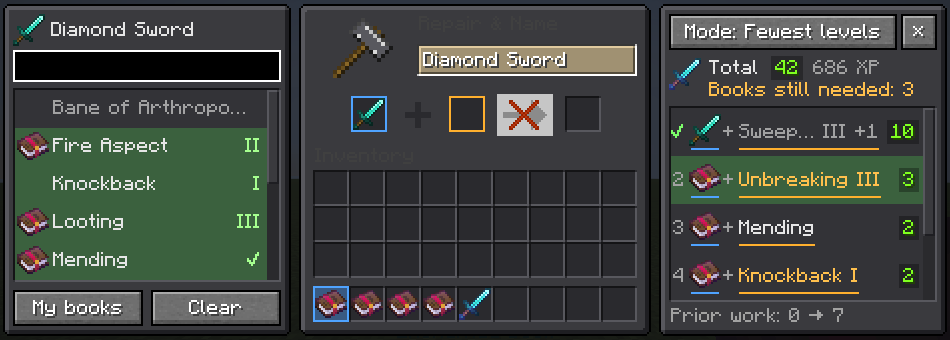
- Matches your resource pack. The panels take their colours from the anvil texture, so dark packs get dark panels.
- Remembers your choices for each item type, so the next sword gets the same plan.
- Client-side only: works on any server. English and Dutch.
Modes
The mode button above the plan changes what the plan minimises:
- Fewest levels (default): the fewest experience levels in total.
- Least XP: the fewest experience points, assuming you collect the levels for each step separately. Cheap steps cost relatively little XP, so this can prefer more, smaller steps.
- Lowest penalty: the lowest prior work penalty on the finished item, so later repairs and renames stay cheap.
How anvil costs work
Every anvil use costs the enchantments on the book in the second slot, plus a prior work penalty for both items. That penalty doubles (plus one) each time an item goes through an anvil. The order you combine books in therefore matters a lot, and a survival anvil refuses anything that costs 40 levels or more. The mod plans around both.
Supported versions
Fabric, with Fabric API. Download the file for your Minecraft version:
| Minecraft | Minecraft | ||
|---|---|---|---|
| 26.3 | ✔ | 1.21.9 – 1.21.10 | ✔ |
| 26.2 | ✔ | 1.21.6 – 1.21.8 | ✔ |
| 26.1 – 26.1.2 | ✔ | 1.21.5 | ✔ |
| 1.21.11 | ✔ | 1.21.4 | ✔ |
| 1.21 – 1.21.3 | ✔ |
License
MIT
Screenshots
Gallery
-
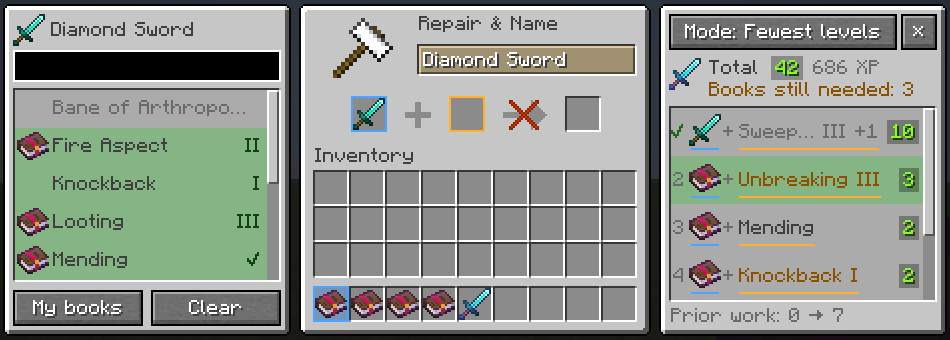 Next to the anvil Pick enchantments on the left. The plan on the right lists every anvil use in order, with its cost.
 -
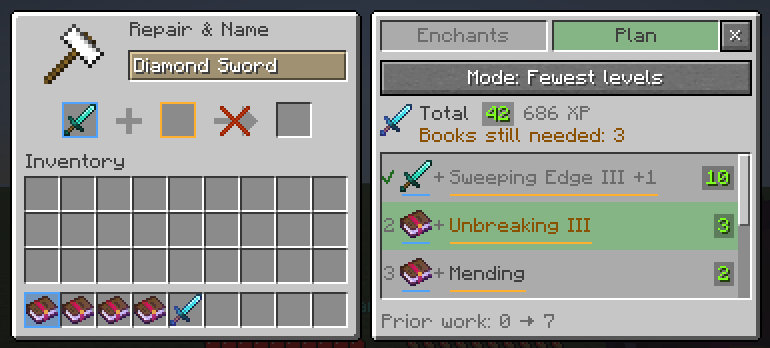 Compact layout On small windows and large GUI scales the panels become one tabbed panel, and the anvil moves aside.
 -
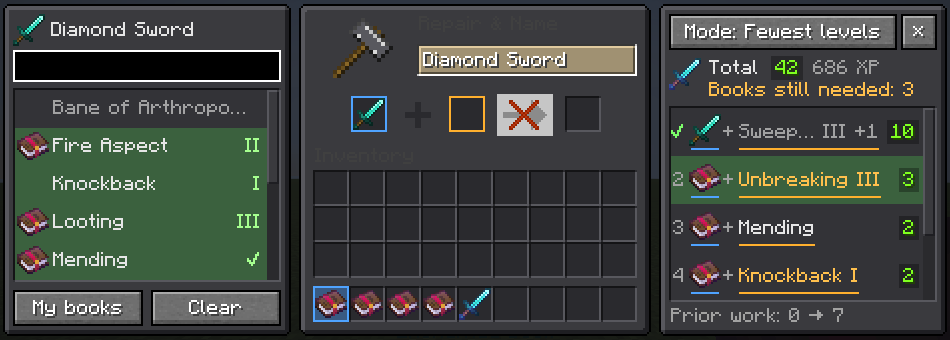 Dark resource packs The panels take their colours from your resource pack.
Versions
Files
Relations
Project Relations
More like this
Similar Mods
Suggestions use data such as tags, dependencies, dependents, descriptions, titles, and more to rank how much they overlap with this mod.
On ModDex
Community snapshot
By the numbers
Statistics

Want to reach Minecraft players?
We're looking for a server hosting partner to feature here and other parts of the site. Interested? Send us a message!
Get in touchGet it on
Available Platforms
On ModDex
Community snapshot
By the numbers