
Community listing page, reviews here may not be monitored by the author.
Enchant Faker


No reviews yet
Allows you to assign enchantment effects to mob/potion/status effects using tags.

Community voices
Reviews
No reviews yet. Be the first to review this project!
Get it on
Available Platforms
Compatibility
Supported Environments
Runs entirely on the server. Also works in singleplayer.
About
Project Details
For authors
Embed Badge
If you're the author of this project, you can embed a live badge anywhere that supports HTML or Markdown. It updates automatically whenever ratings change.
Use HTML for any page that supports it, or Markdown for README files and Markdown-based descriptions.
Identifiers
Platform IDs
About
Description
Lets you apply enchantments to entities based on their current status effects. The enchantments to apply are determined by mob_effect tags.
Usage
Add tags via data pack at data/minecraft/tags/mob_effect/.
Example
data/minecraft/tags/mob_effect/gives_respiration.json:
{
    "replace": true,
    "values": [
        "spectral_seas:amphibious"
    ]
}
Add mappings to the configuration:
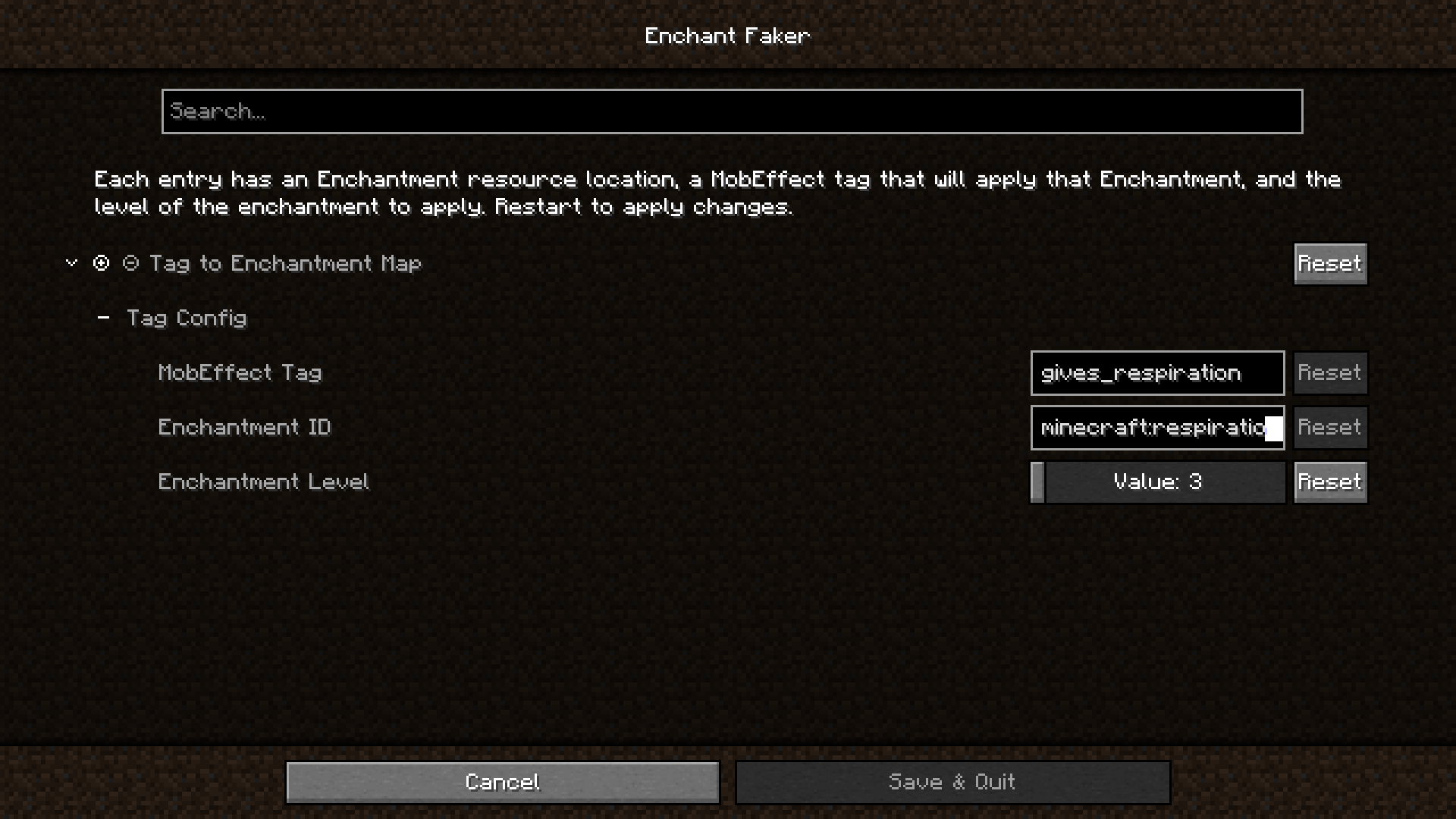
The resulting enchant_faker.json5 config file:
{
	// Tag To Enchantment Mappings
	"tagConfig": [
		{
			"tag": "gives_respiration",
			"enchantment": "minecraft:respiration",
			"level": 3
		}
	]
}
Now, whenever an entity has the spectral_seas:amphibious effect, they will also get the Respiration III
enchantment as if they were wearing a helmet enchanted with it.
You will need to restart Minecraft after any config changes.
Acknowledgements
Inspired by Lilligant
Icon: magic hat by ridhobadal from Noun Project (CC BY 3.0)
Lets you apply enchantments to entities based on their current status effects. The enchantments to apply are determined by mob_effect tags.
Usage
Add tags via data pack at data/minecraft/tags/mob_effect/.
Example
data/minecraft/tags/mob_effect/gives_respiration.json:
{
    "replace": true,
    "values": [
        "spectral_seas:amphibious"
    ]
}
Add mappings to the configuration:
The resulting enchant_faker.json5 config file:
{
	// Tag To Enchantment Mappings
	"tagConfig": [
		{
			"tag": "gives_respiration",
			"enchantment": "minecraft:respiration",
			"level": 3
		}
	]
}
Now, whenever an entity has the spectral_seas:amphibious effect, they will also get the Respiration III
enchantment as if they were wearing a helmet enchanted with it.
You will need to restart Minecraft after any config changes.
Acknowledgements
Inspired by Lilligant
Icon: magic hat by ridhobadal from Noun Project (CC BY 3.0)
Screenshots
Gallery
-
Config Screen
Versions
Files
Relations
Project Relations
More like this
Similar Mods
Suggestions use data such as tags, dependencies, dependents, descriptions, titles, and more to rank how much they overlap with this mod.
On ModDex
Community snapshot
By the numbers
Statistics
 (opens in a new tab)
Get it on
Available Platforms
On ModDex
Community snapshot
By the numbers