Community listing page, reviews here may not be monitored by the author.
Enchantment Shifter


No reviews yet
Enchantment Shifter is a Minecraft mod that allows players to freely move enchantments between items using the anvil. Transfer enchantments to books for storage, shift enchantments between tools, and customize XP costs and limits.
Community voices
Reviews
No reviews yet. Be the first to review this project!
Get it on
Available Platforms
Compatibility
Supported Environments
Must be installed on both the client and the server.
About
Project Details
For authors
Embed Badge
If you're the author of this project, you can embed a live badge anywhere that supports HTML or Markdown. It updates automatically whenever ratings change.
Use HTML for any page that supports it, or Markdown for README files and Markdown-based descriptions.
Identifiers
Platform IDs
Resources
External Links
About
Description
Enchantment Shifter
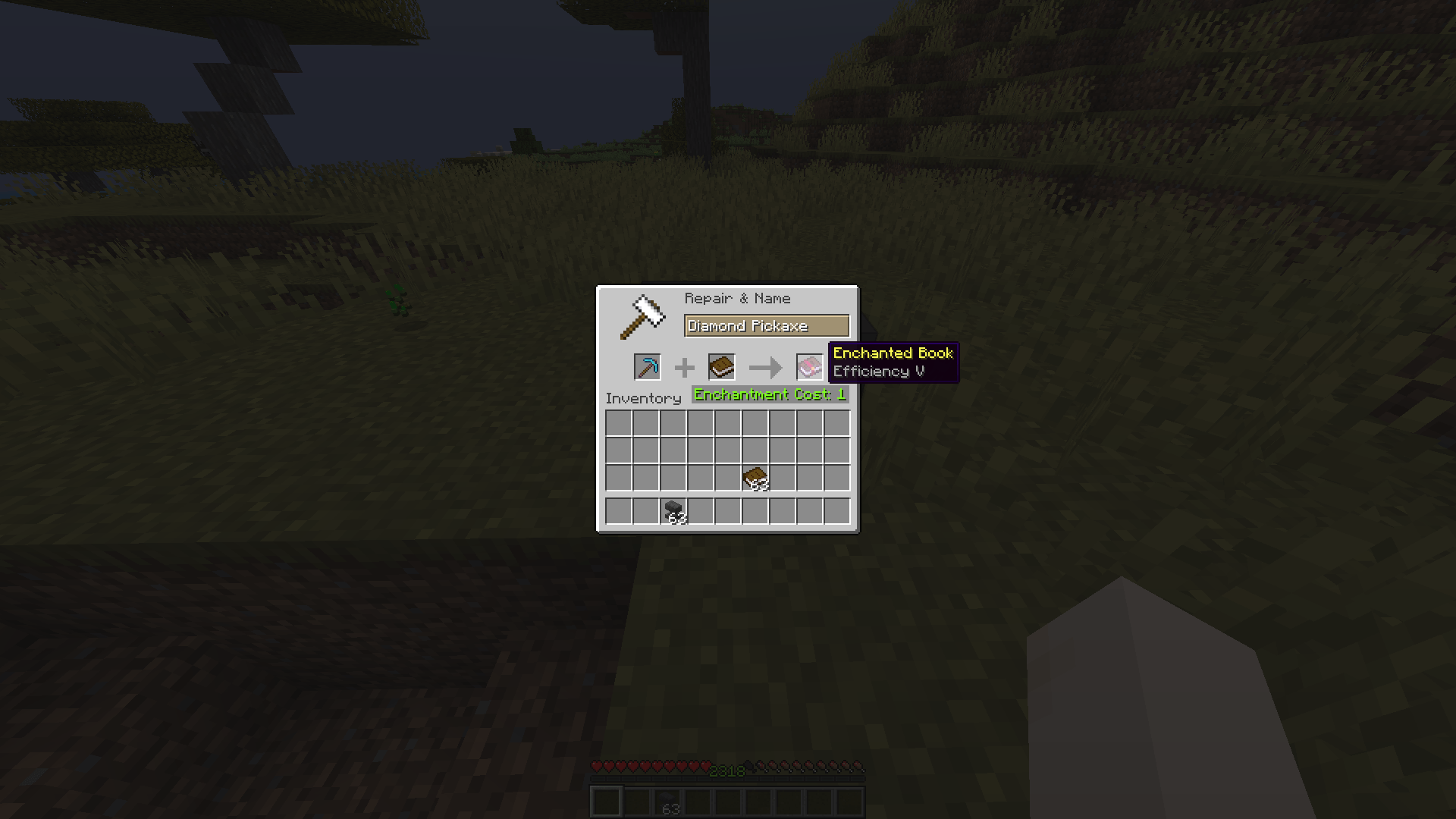
Tired of being stuck with enchantments on items you don't need? Want to move that Fortune III from your old pickaxe to a new one, or turn your enchanted sword into a shiny enchanted book? Enchantment Shifter lets you shift enchantments between items using just an anvil and some XP—no grindstone needed!
What Does It Do?
This mod lets you:
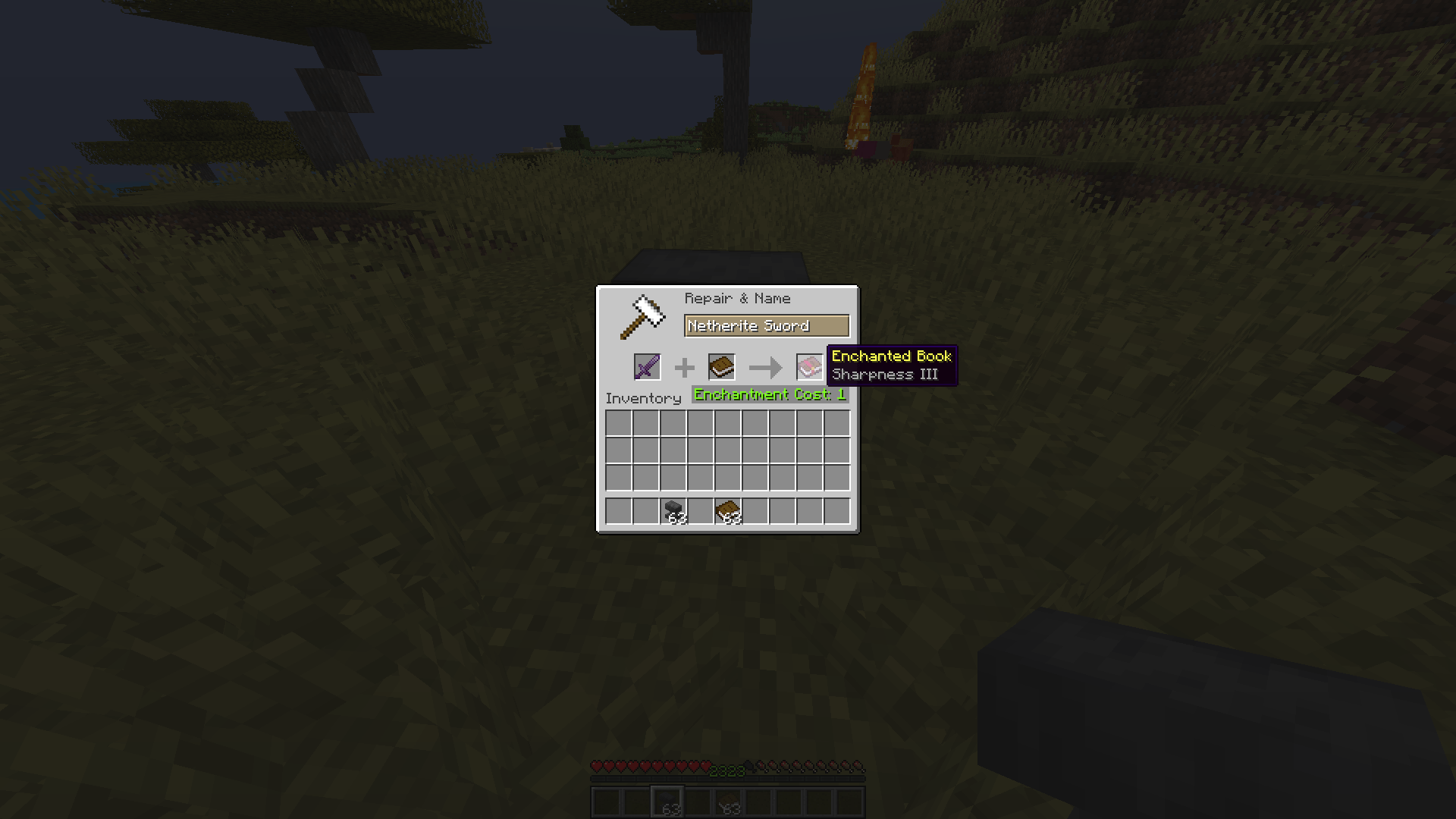
- Extract enchantments from items and turn them into enchanted books
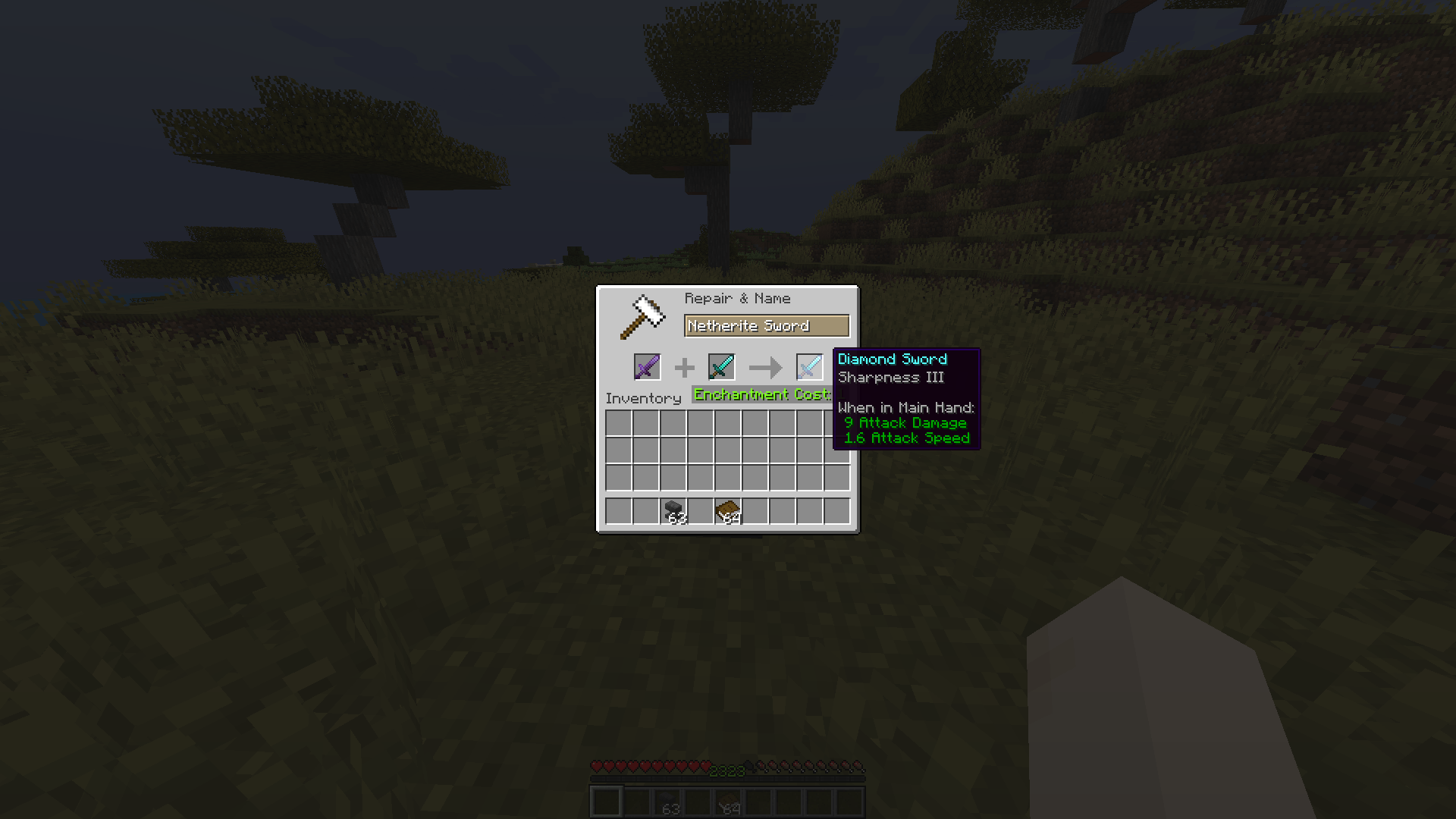
- Transfer enchantments directly from one item to another (if they're compatible)
- Customize the process with your own XP costs and rules
Just place your enchanted item in the first slot, a book or target item in the second slot, and watch the magic happen!
Why You'll Love It
- Balanced & Fair: Uses vanilla anvil XP calculations as a base, but fully tweakable
- No New Blocks or Items: Fits seamlessly into your existing Minecraft world
- Server & Client: Works on servers (install on server for multiplayer)
- Modpack Friendly: Free to use in any modpack
How to Install
- Download the latest version of Enchantment Shifter for your Minecraft version
- Install Fabric Loader for your Minecraft version
- Place the mod JAR file in your
modsfolder - Launch Minecraft with Fabric
How to Configure
Enchantment Shifter uses a simple configuration file. Here's how to set it up:
Step 1: Locate Your Config Folder
Navigate to your Minecraft installation directory:
- Windows:
%APPDATA%\.minecraft\config\ - Mac:
~/Library/Application Support/minecraft/config/ - Linux:
~/.minecraft/config/
Step 2: Find the Config File
Look for a file named enchantment-transfer-config.properties in the config folder.
Step 3: Edit the Configuration
Open the file with any text editor. It should look something like this:
# Enchantment Shifter Configuration
# Last updated: 2024-01-15

# Cost Setting (Default: 1000)
# This sets a fixed XP cost for all enchantment transfers.
# Set to 1000 to disable fixed cost and use the default vanilla calculation.
cost=1000

# Cost Factor (Default: 1.0)
# Multiplies the XP cost by this value.
# Set to 0.5 for half cost, 2.0 for double cost, etc.
factor=1.0

# Enchantment Limit (Default: 0)
# Limits how many enchantments can be transferred at once.
# Set to 0 to disable the limit (transfer all enchantments).
limit=0

# Return Item Setting (Default: 1)
# Controls what happens to the source item after transfer:
#   0 = Source item vanishes (is consumed)
#   1 = Source item returns to you (with enchantments removed)
return=1
Configuration Options Explained
| Setting | Default | Description |
|---|---|---|
cost |
1000 | Fixed XP cost for transfers. Set to 1000 to use vanilla calculation. |
factor |
1.0 | Multiplier for XP cost. 0.5 = half cost, 2.0 = double cost. |
limit |
0 | Max enchantments to transfer per operation. 0 = no limit. |
return |
1 | Source item behavior: 0 = vanish, 1 = return with enchantments removed. |
Example Configurations
Budget-Friendly Mode:
cost=1000
factor=0.5
limit=0
return=1
How to Use
- Place an enchanted item in the first anvil slot
- Place a book (for extraction) or another item (for transfer) in the second slot
- Take the result from the output slot
- Receive your modified item based on your
returnsetting
Compatibility Notes
- Item-to-Book: Works with any enchanted item and a regular book
- Item-to-Item: Only works if the enchantments are compatible with the target item
- Enchanted Books: Cannot be used as source items (use grindstone instead)
- Vanilla Enchanting: This mod doesn't interfere with regular enchanting
Support & Feedback
Found a bug? Have a suggestion? Open an issue on the GitHub repository.
Enchantment Shifter
Tired of being stuck with enchantments on items you don't need? Want to move that Fortune III from your old pickaxe to a new one, or turn your enchanted sword into a shiny enchanted book? Enchantment Shifter lets you shift enchantments between items using just an anvil and some XP—no grindstone needed!
What Does It Do?
This mod lets you:
- Extract enchantments from items and turn them into enchanted books
- Transfer enchantments directly from one item to another (if they're compatible)
- Customize the process with your own XP costs and rules
Just place your enchanted item in the first slot, a book or target item in the second slot, and watch the magic happen!
Why You'll Love It
- Balanced & Fair: Uses vanilla anvil XP calculations as a base, but fully tweakable
- No New Blocks or Items: Fits seamlessly into your existing Minecraft world
- Server & Client: Works on servers (install on server for multiplayer)
- Modpack Friendly: Free to use in any modpack
How to Install
- Download the latest version of Enchantment Shifter for your Minecraft version
- Install Fabric Loader for your Minecraft version
- Place the mod JAR file in your
modsfolder - Launch Minecraft with Fabric
How to Configure
Enchantment Shifter uses a simple configuration file. Here's how to set it up:
Step 1: Locate Your Config Folder
Navigate to your Minecraft installation directory:
- Windows:
%APPDATA%\.minecraft\config\ - Mac:
~/Library/Application Support/minecraft/config/ - Linux:
~/.minecraft/config/
Step 2: Find the Config File
Look for a file named enchantment-transfer-config.properties in the config folder.
Step 3: Edit the Configuration
Open the file with any text editor. It should look something like this:
# Enchantment Shifter Configuration
# Last updated: 2024-01-15

# Cost Setting (Default: 1000)
# This sets a fixed XP cost for all enchantment transfers.
# Set to 1000 to disable fixed cost and use the default vanilla calculation.
cost=1000

# Cost Factor (Default: 1.0)
# Multiplies the XP cost by this value.
# Set to 0.5 for half cost, 2.0 for double cost, etc.
factor=1.0

# Enchantment Limit (Default: 0)
# Limits how many enchantments can be transferred at once.
# Set to 0 to disable the limit (transfer all enchantments).
limit=0

# Return Item Setting (Default: 1)
# Controls what happens to the source item after transfer:
#   0 = Source item vanishes (is consumed)
#   1 = Source item returns to you (with enchantments removed)
return=1
Configuration Options Explained
| Setting | Default | Description |
|---|---|---|
cost |
1000 | Fixed XP cost for transfers. Set to 1000 to use vanilla calculation. |
factor |
1.0 | Multiplier for XP cost. 0.5 = half cost, 2.0 = double cost. |
limit |
0 | Max enchantments to transfer per operation. 0 = no limit. |
return |
1 | Source item behavior: 0 = vanish, 1 = return with enchantments removed. |
Example Configurations
Budget-Friendly Mode:
cost=1000
factor=0.5
limit=0
return=1
How to Use
- Place an enchanted item in the first anvil slot
- Place a book (for extraction) or another item (for transfer) in the second slot
- Take the result from the output slot
- Receive your modified item based on your
returnsetting
Compatibility Notes
- Item-to-Book: Works with any enchanted item and a regular book
- Item-to-Item: Only works if the enchantments are compatible with the target item
- Enchanted Books: Cannot be used as source items (use grindstone instead)
- Vanilla Enchanting: This mod doesn't interfere with regular enchanting
Support & Feedback
Found a bug? Have a suggestion? Open an issue on the GitHub repository.
Screenshots
Gallery
-
 showcase 1
 -
 showcase 2
 -
 showcase 3
-
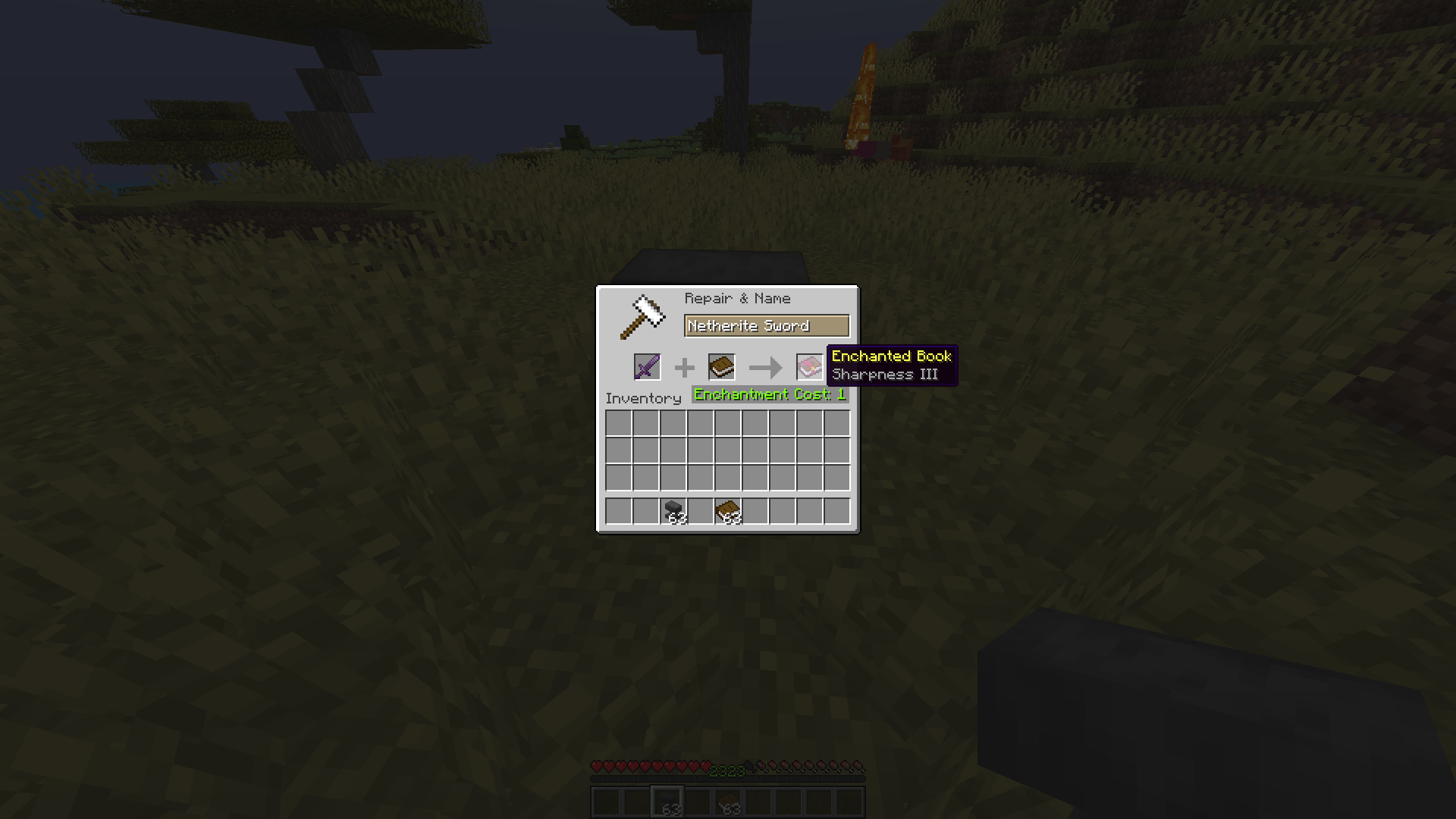 Item to book
 -
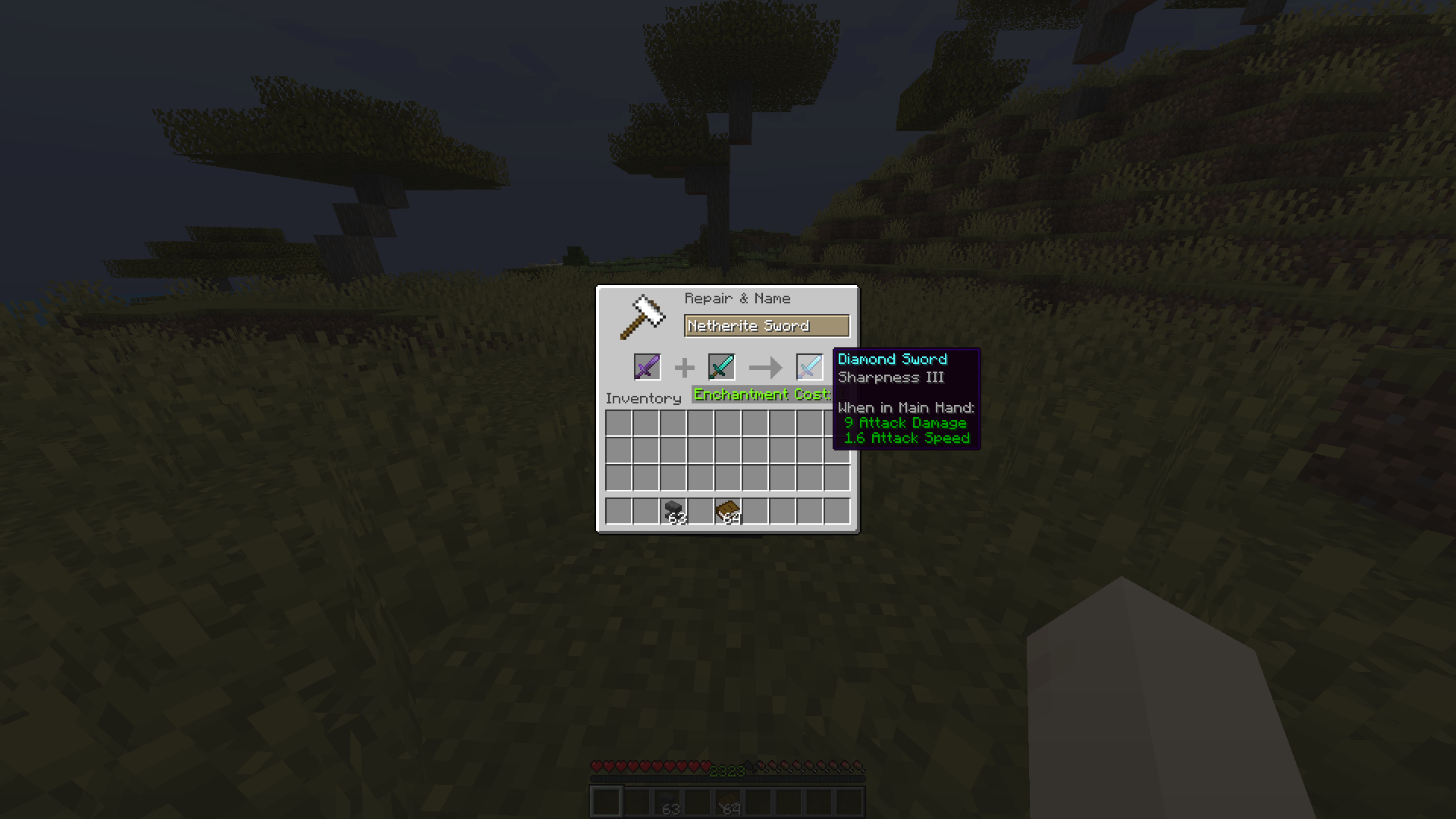 Item to Item
 -
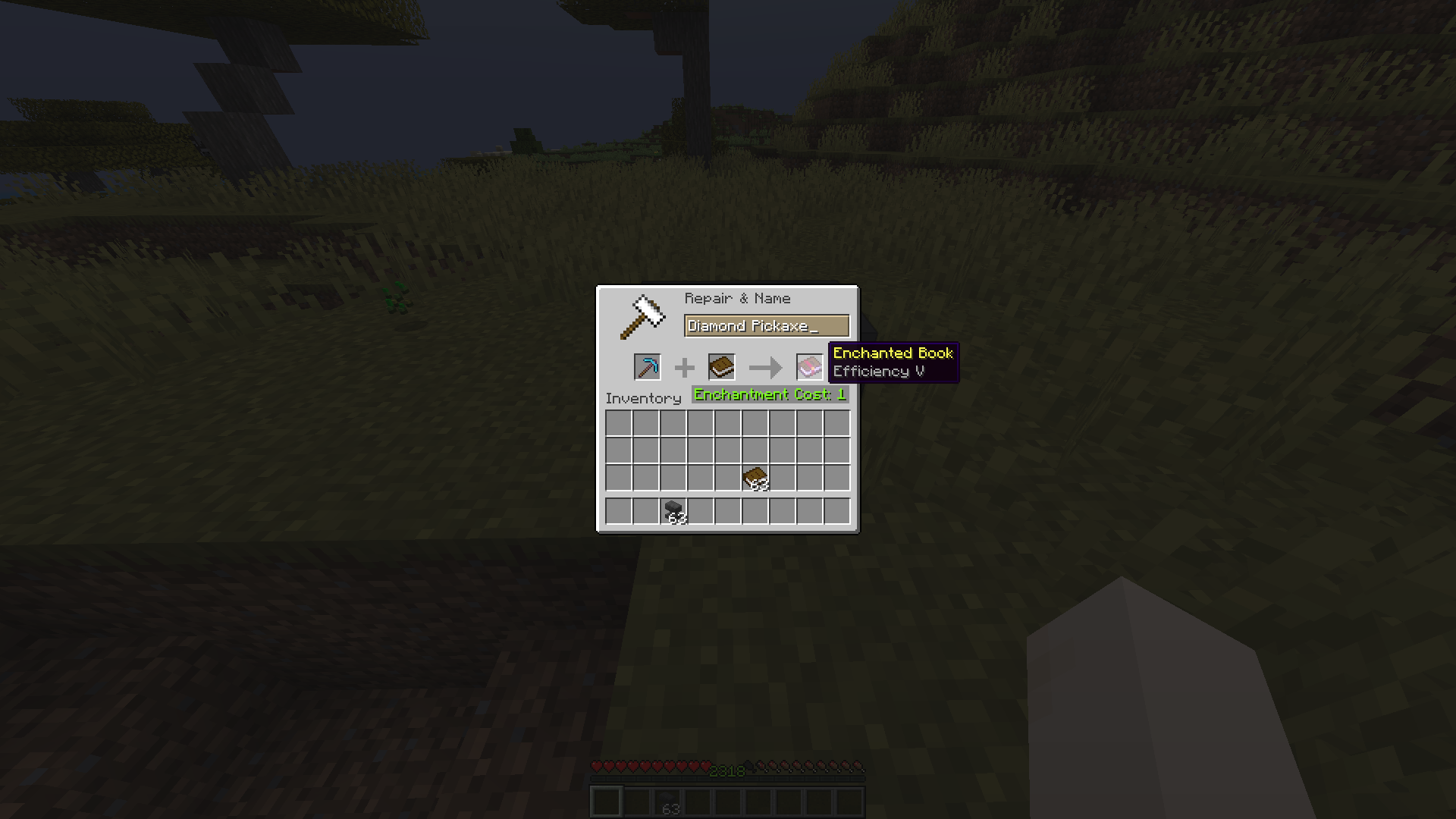 Item to book
Versions
Files
Relations
Project Relations
More like this
Similar Mods
Suggestions use data such as tags, dependencies, dependents, descriptions, titles, and more to rank how much they overlap with this mod.
- Enchantment Descriptions
- Enchantment Limiter
- Enchantment Transfer (Fabric/Forge/NeoForge)
- Enchantment Lore
- Enchantment Level Language Patch
- Enchantment Library at Home
- Enchantment Sort
- Enchantment Requirements
- Enchantment Glint Outline
- Enchantment Machine
- Enchantment Reveal
- Enchantment Level Cap Indicator
On ModDex
Community snapshot
By the numbers
Statistics
Want to reach Minecraft players?
We're looking for a server hosting partner to feature here and other parts of the site. Interested? Send us a message!
Get in touchGet it on
Available Platforms
On ModDex
Community snapshot
By the numbers
Statistics
Resources