Community listing page, reviews may not be monitored by the author.
Ender Energy Telepads

No reviews yet
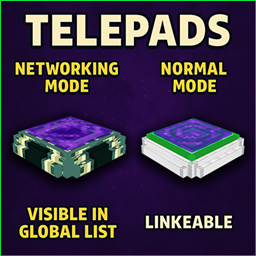
Link Telepads for private travel or list them on the Network Screen. Control global visibility and access for public hubs or private networked points.

Community voices
Reviews
No reviews yet. Be the first to review this project!
Get it on
Available Platforms
About
Project Details
For authors
Embed Badge
If you're the author of this project, you can embed a live badge anywhere that supports HTML or Markdown. It updates automatically whenever ratings change.
Use HTML for any page that supports it, or Markdown for README files and Markdown-based descriptions.
Identifiers
Platform IDs
Resources
External Links
About
Description
✨ Ender Energy Telepads ✨
Networked Travel, Vanilla Feel!
Tired of slow, tedious travel across your vast Minecraft world? Ender Energy Telepads introduces a powerful yet balanced way to instantly connect your bases, farms, and discoveries!
Craft intricate networks of Telepads, manage them globally, and maintain that precious vanilla gameplay feel.
🛠️ Crafting Your Telepad 🛠️
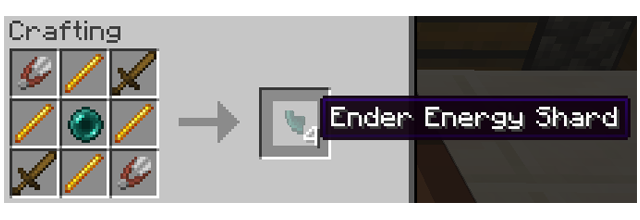
Crafting Telepads requires significant investment, reflecting their power. You'll first need Ender Energy Shards.
Ender Energy Shard Recipe:
Telepad Recipe: (Requires 4 Shards) 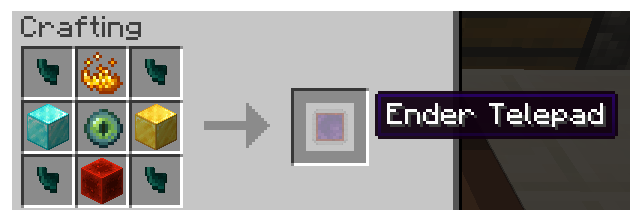
⚙️ How to Use Your Telepad ⚙️
* Opening Configuration: To configure your Telepad (linking, networking, permissions, name, etc.), sneak (crouch) and right-click the Telepad block with an empty main hand. This opens the Configuration Screen.
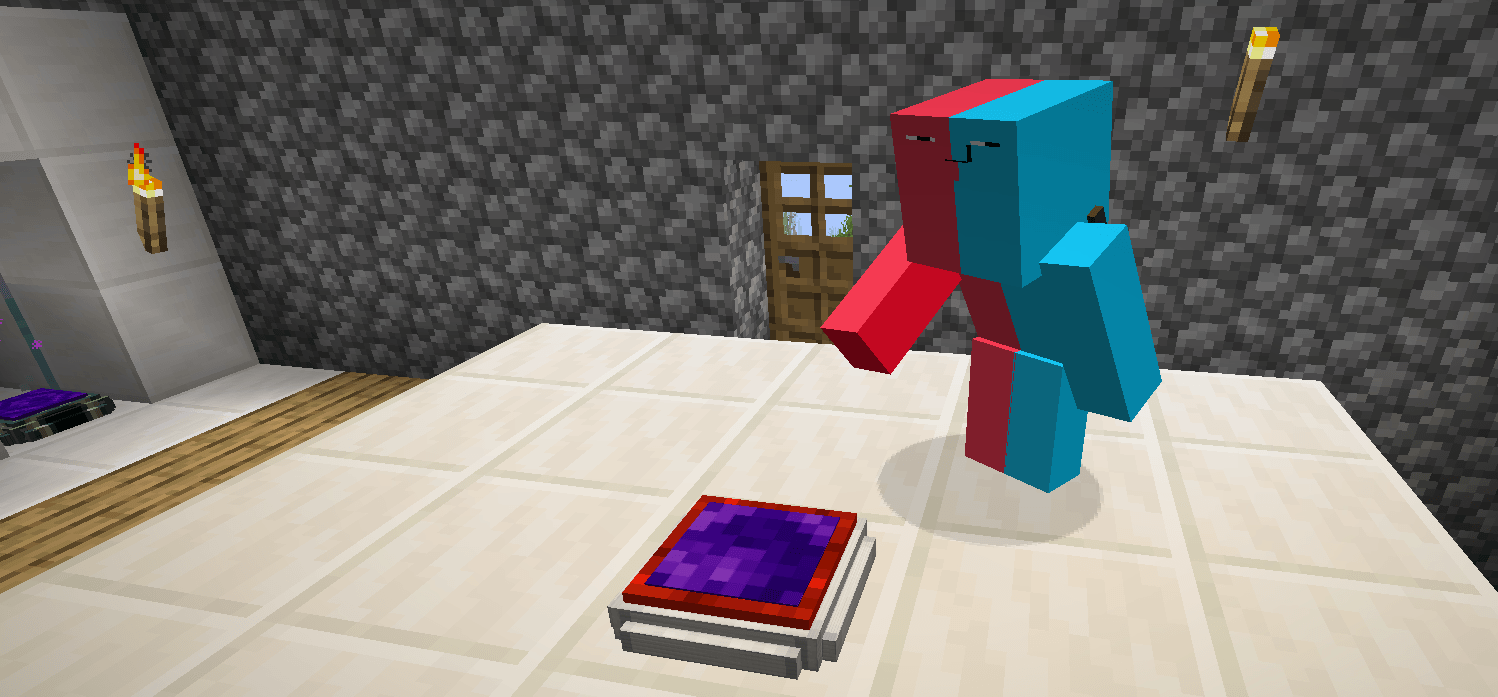
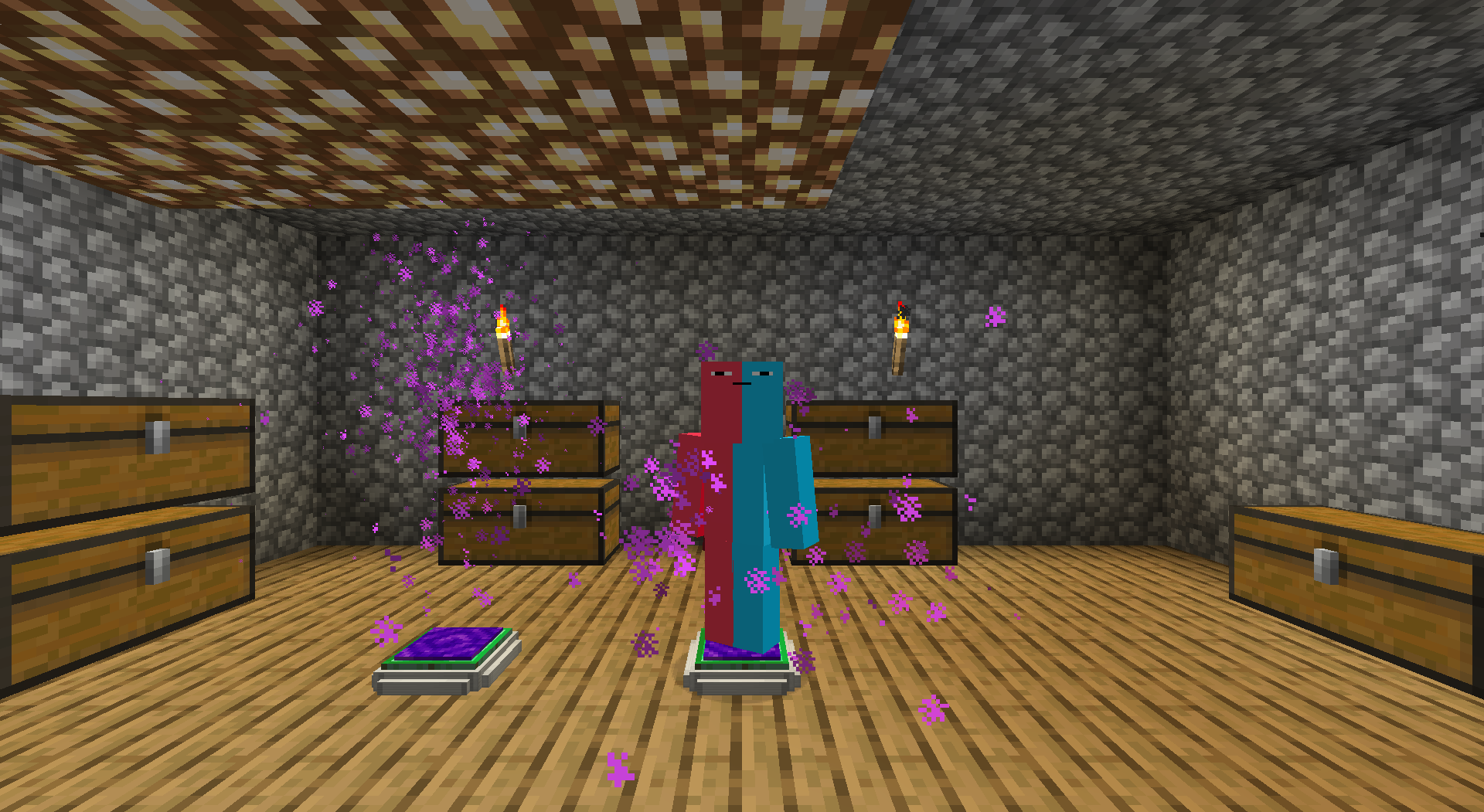
* Direct Teleport: Once linked to another Telepad (via the Config Screen), simply step onto the platform. Wait for the activation sequence (particles and sound!). You will be teleported to the linked pad.
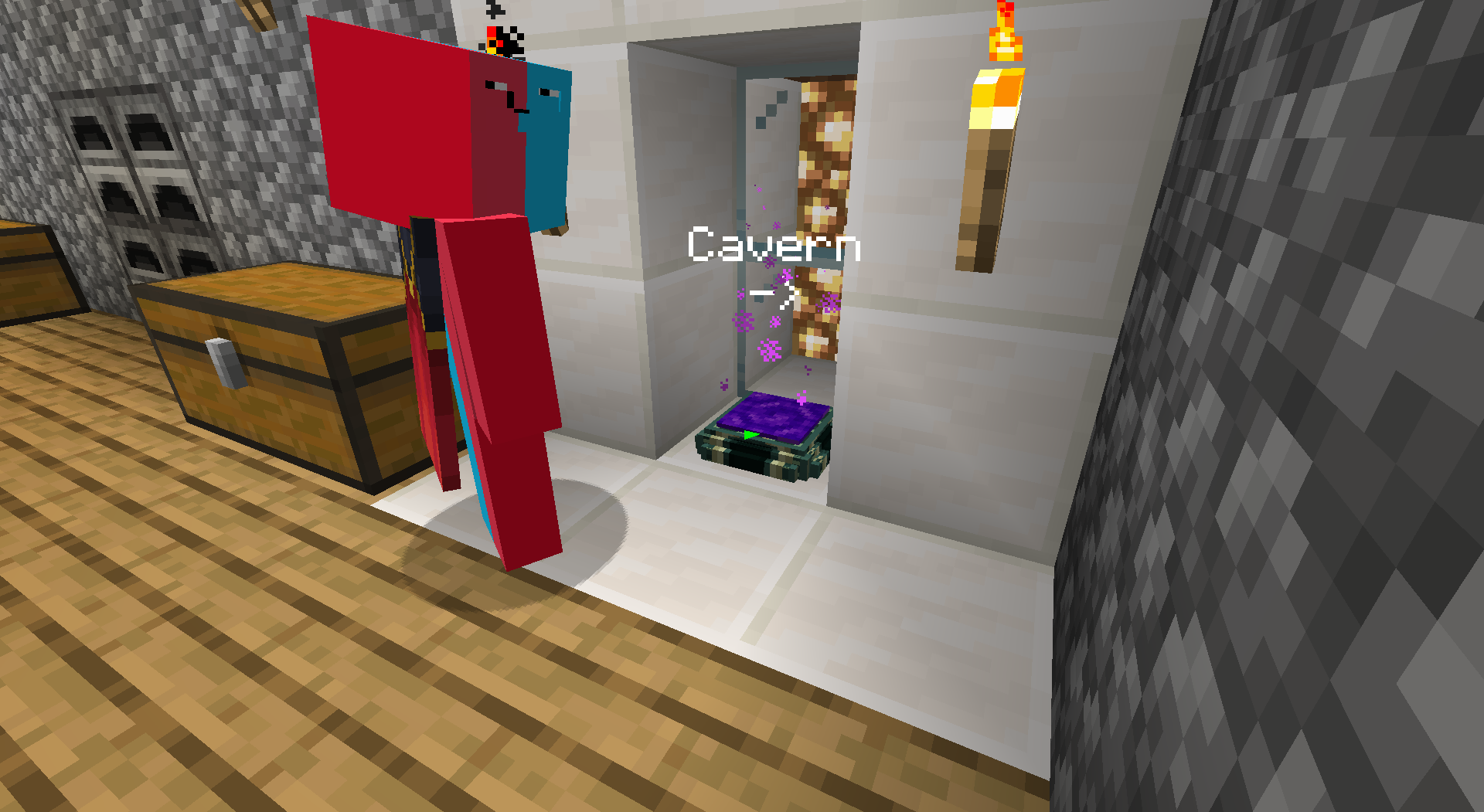
* Network Teleport: If a Telepad is set to 'Networking' Mode (via the Config Screen), stepping on it will open the Global Network Screen instead of teleporting directly. From there, select your destination!
✅ Key Features ✅
* Craft & Link Telepads: Create sophisticated Telepads and link them for point-to-point instant travel.
* Server Ready: Designed from the ground up to work flawlessly on multiplayer servers.
* Share & Secure: Configure permissions for each Telepad you own. Decide who can use or modify them.
* Individual Configuration: Fine-tune settings for every Telepad via its dedicated screen.
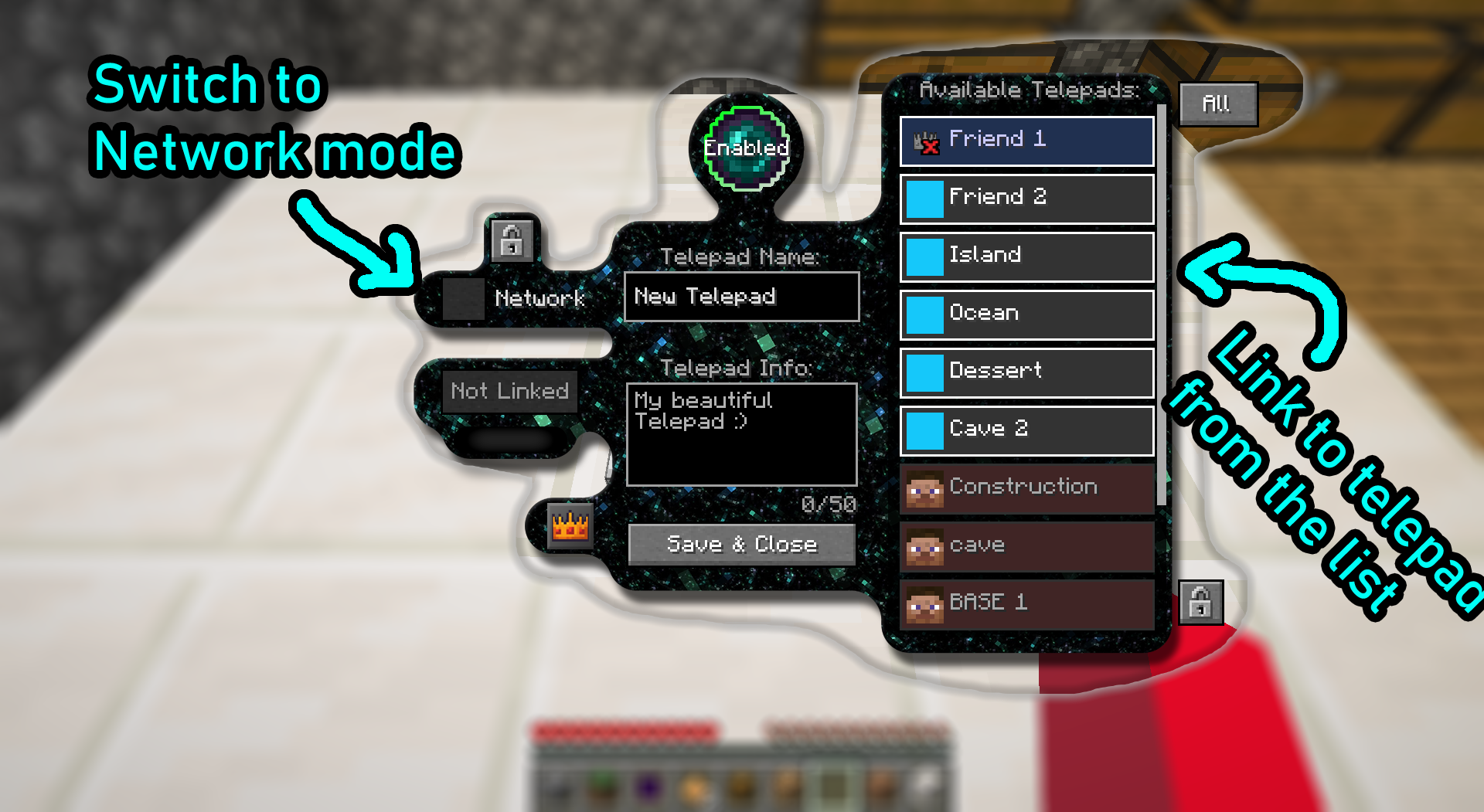
🌐 NETWORK YOUR WORLD! (Core Feature) 🌐
* Activate 'Networking' Mode: Makes your Telepad appear on the Global Network Screen.
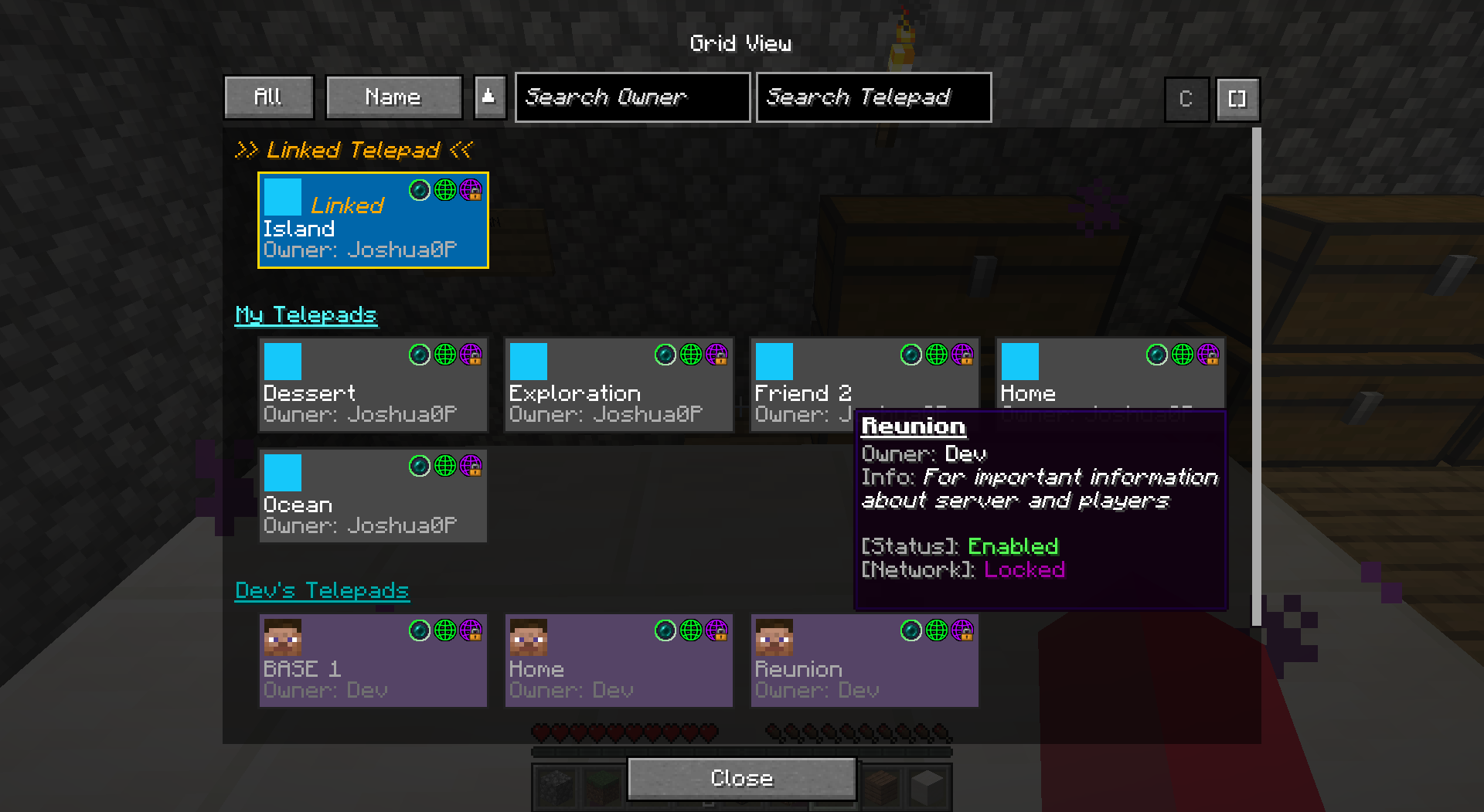
* THE Global Network Screen: This is the heart of the mod! Access a unique screen listing ALL Telepads currently in 'Networking' mode.
* Discover & Travel: Easily find and teleport to any listed networked Telepad – perfect for community hubs!
📡 SCANNER (Optional Convenience Item) 📡
(Not Required!) While you can always access the Global Network Screen by interacting with a networked Telepad block, the Telepad Scanner offers ultimate remote convenience!
Scanner Recipe:
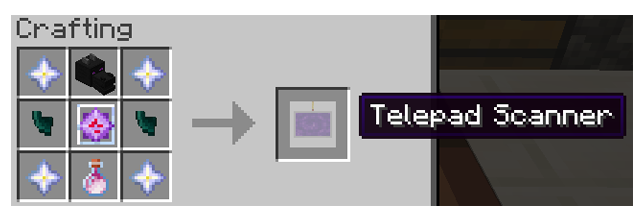
This powerful (and resource-intensive!) handheld device lets you:
* 🛰️ Access the Global Network Screen remotely, from absolutely anywhere!
* 🚀 Select any networked Telepad directly from the list and teleport instantly.
Provides powerful remote access for those who invest in crafting it.
💡 Vanilla+ Design & Balance 💡
Ender Energy Teleport aims to feel like a natural, balanced extension of vanilla Minecraft.
* Meaningful Cost: Both Telepads and the Scanner have expensive recipes. Powerful travel comes at a cost, respecting vanilla progression.
* Vanilla Integration: Custom textures add a unique look, but the mechanics integrate smoothly.
🚀 Future Plans 🚀
This is just the beginning! Planned features include:
* ⚡ Energy System: Telepads will eventually require energy/resources per use, adding another layer of vanilla-friendly balance.
⭐ Feedback Welcome! ⭐
Thank you for trying Ender Energy Teleport!
Screenshots
Gallery
-
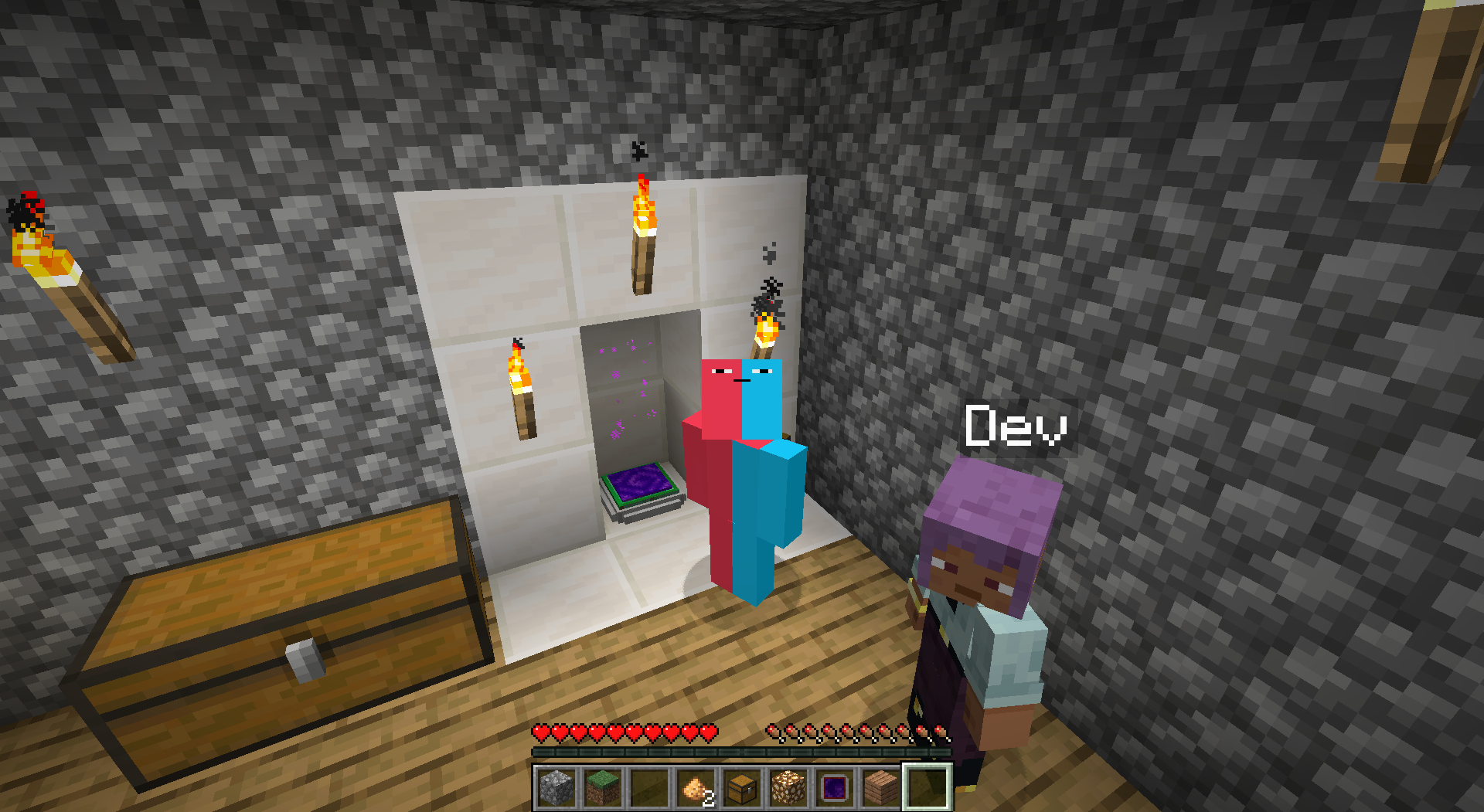
Me and My Telepad This is me, and my beautiful Networking Telepad
-
Network Screen From here, you can teleport to any telepad currently in Networking mode.
-
Config Screen This is a Telepad Config Screen
-
Teleporting particles Look at this beautiful effects
-
Telepad Recipe How to craft a Telepad
-
Ender Shard Recipe Required to craft a Telepad and Scanner
-
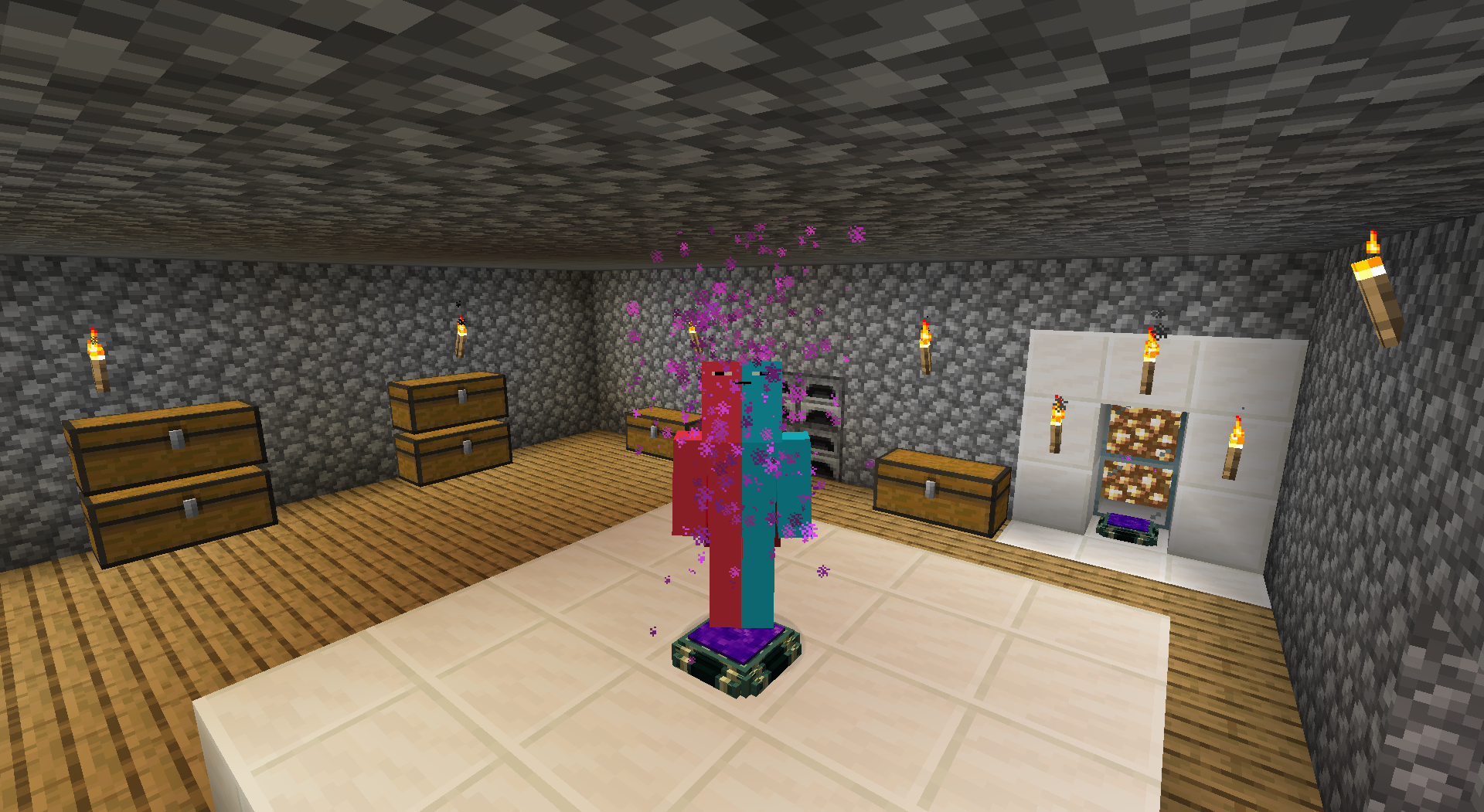 Step On example
 -
Chill
-
Use example (sneak and right-click) example_use.png
-
Telepads Scanner This powerful scanner allows you to access the Telepad Network remotely. Simply right-click while holding the Scanner to open the Network Screen.
-
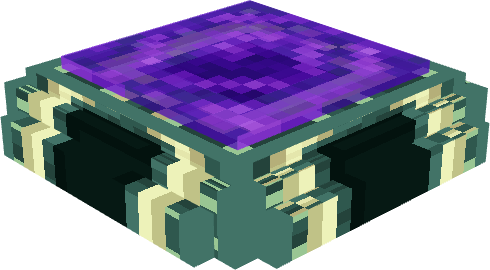 Networking Telepad Enabled
 -
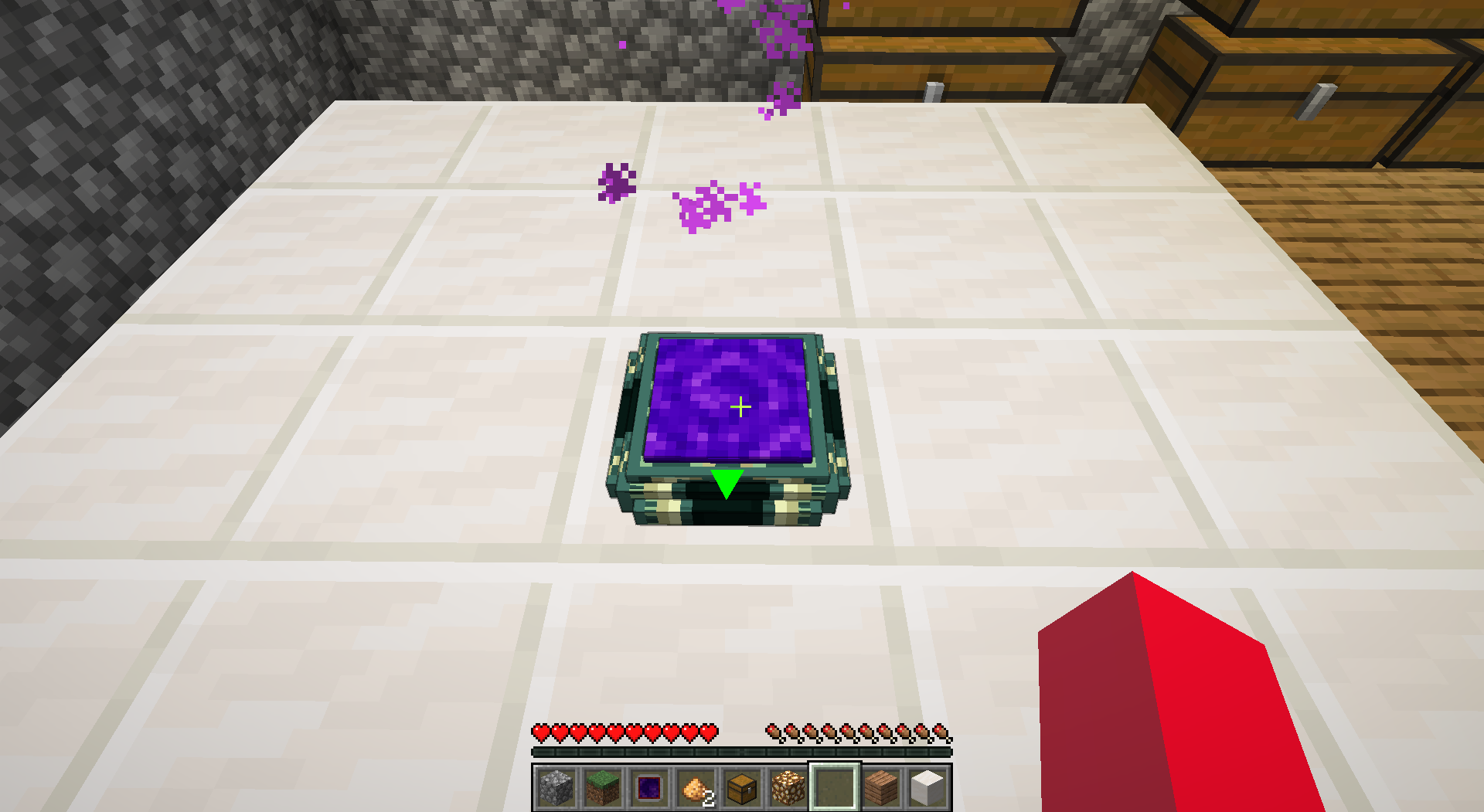 Network ENABLED This is the design of a telepad with Network System enabled
 -
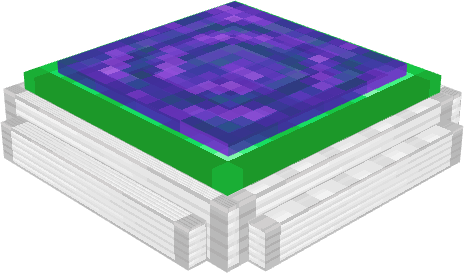 Telepad Enabled
 -
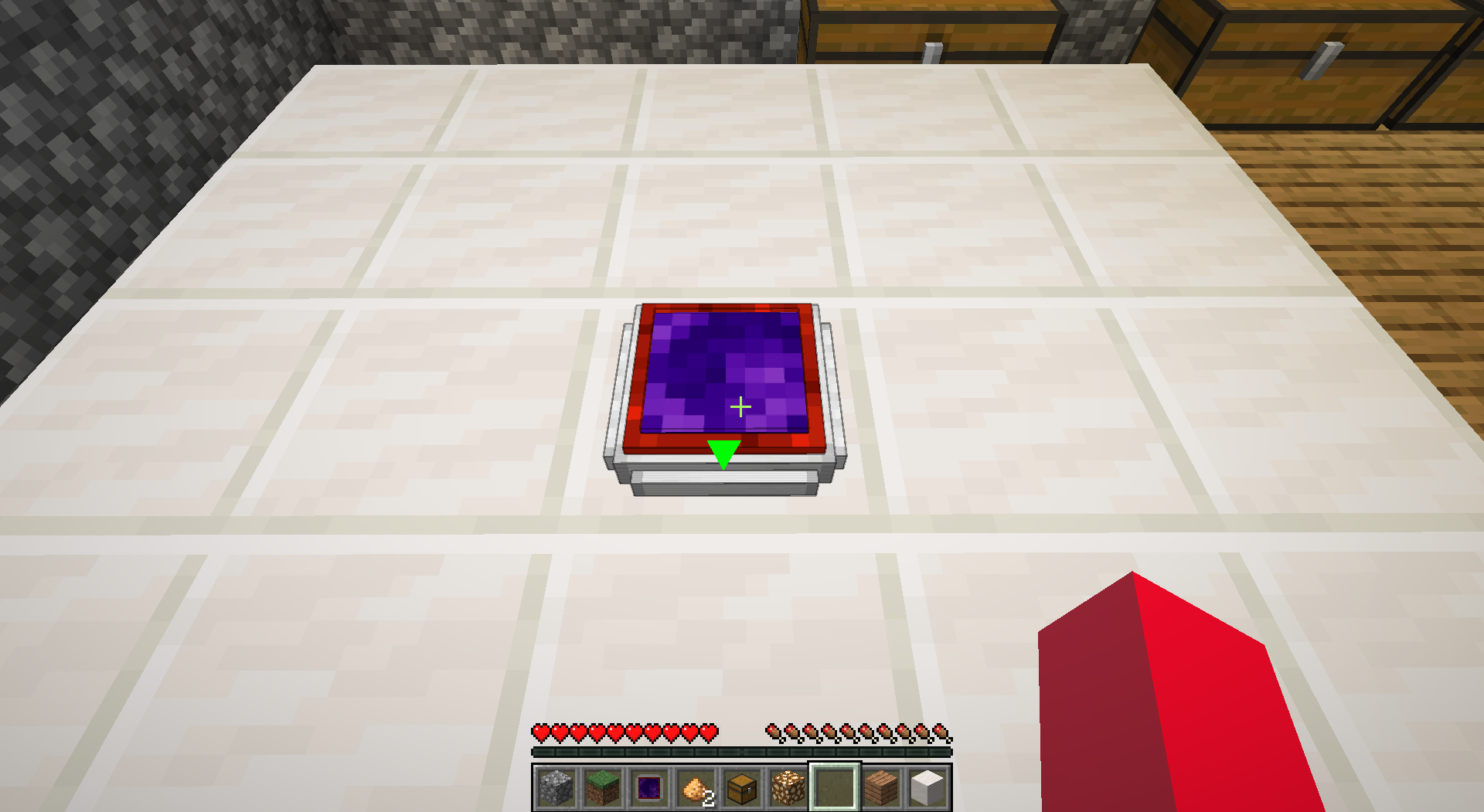 Telepad DISABLED this is the design of a telepad when disabled
Versions
Files
Relations
Project Relations
More like this
Similar Mods
Suggestions use data such as tags, dependencies, dependents, descriptions, titles, and more to rank how much they overlap with this mod.
On ModDex
Community snapshot
By the numbers
Statistics

Get it on
Available Platforms
On ModDex
Community snapshot
By the numbers
Statistics
Resources