
Community listing page, reviews here may not be monitored by the author.
Ender pearl Landing Time (Ender Pearl ETA)

No reviews yet
Displays a real time HUD above pearls, players and armor bar showing when your ender pearl will land.

Community voices
Reviews
No reviews yet. Be the first to review this project!
Get it on
Available Platforms
About
Project Details
For authors
Embed Badge
If you're the author of this project, you can embed a live badge anywhere that supports HTML or Markdown. It updates automatically whenever ratings change.
Use HTML for any page that supports it, or Markdown for README files and Markdown-based descriptions.
Identifiers
Platform IDs
Resources
External Links
About
Description
Ender Pearl ETA
Never lose track of an ender pearl again.
Ender Pearl ETA is a fully client-side Fabric mod that shows live, customizable countdowns for flying ender pearls.
Track your own pearls on the HUD, display information directly above flying pearls, and see active pearl timers above the players who threw them.
Version 2.0 transforms the mod from a simple HUD countdown into a complete ender pearl tracking system powered by an advanced prediction engine that recalculates trajectories in real time.
Whether you are playing PvP, SMP, minigames, speedrunning, or practicing movement, Ender Pearl ETA helps you know exactly when a pearl is predicted to land or hit an entity.
✨ Main Features
⏱ Live Information Above Flying Ender Pearls
Every loaded ender pearl can display live information directly above the projectile while it flies.
The floating display can show the thrower’s username, the predicted landing countdown, or the entity the pearl is expected to hit.
Multiple flying pearls can be displayed at the same time, and every countdown updates whenever the pearl’s trajectory changes.
When an entity collision is predicted, the display can show messages such as:
Pearl will hit PlayerName in: 1.23s
Hit Zombie in: 0.74s
If a pearl has no usable future trajectory for several ticks, the display shows Pearl Stuck instead of remaining permanently on a calculating message.
The display remains attached to the pearl and moves with it throughout its flight.
👤 Timers Above Players
Players with active ender pearls can automatically display a live countdown above their head.
At the default position, the countdown is attached to the player’s normal name tag:
PlayerName | 1.23s
This makes it easy to see which players currently have pearls in the air and how much time remains before their earliest active pearl lands.
Multiple players can display pearl timers at the same time.
Each player displays the timer for their earliest active pearl.
For invisible players whose normal name tag is hidden, the pearl countdown can remain visible by itself.
The timer can also be moved higher above the player using the customizable vertical-position setting.
🖥 Customizable Personal HUD
Your own active pearls to see which players currently have pearls in the air and how much time remains before their earliest active pearl lands.
Multiple players can display pearl timers at the same time.
Each can be tracked using the normal HUD.
The HUD supports one or two active pearl timers.
Pearl 1 and Pearl 2 can have independent positions and styles, or their appearance can be synchronized.
Available display modes:
Full Text
Pearl will land in: 1.23s
Short Text
ETA: 1.23s
Time Only
1.23s
The second-pearl timer is optional and can be enabled using the settings menu or a command.
HUD elements can also be repositioned using drag-and-drop controls.
🎯 Advanced Prediction Engine
Ender Pearl ETA recalculates pearl trajectories every client tick.
The prediction system is designed to closely follow Minecraft’s projectile behavior and account for changes during the pearl’s flight.
The engine supports:
Block collisions
Player and mob collisions
Moving entities
Water gravity and drag
Bubble columns
Honey-block sliding
Wind charges
Breeze wind charges
Changes to pearl velocity
Vanilla-style collision raycasts
The pearl clearing its owner before owner collisions become possible
Wind charges and moving entities are simulated alongside the pearl, allowing the countdown to update when another entity enters or leaves the predicted path.
The mod also listens for synchronized velocity updates so that the prediction can safely switch to the pearl’s real post-impact trajectory.
🌐 Off-Screen Countdown Support
When one of your pearls leaves the client’s entity-tracking or rendering distance, the HUD can continue counting down using the last valid predicted impact time.
The saved countdown automatically disappears when the predicted impact time is reached.
Above-player timers can also remain active after the pearl itself leaves local tracking distance, provided that the player who threw it is still loaded and rendered.
🎨 Extensive Customization
The mod includes separate settings for:
The normal HUD
Information above flying ender pearls
Timers above players
You can customize:
Text color
Text size
Decimal precision
Text outlines
Display mode
Thrower username visibility
HUD position
Above-player timer height
Second-pearl tracking
Synchronized pearl styles
Text Size Limits
Normal HUD
Full Text supports sizes from 50% to 200%.
Short Text supports sizes from 50% to 300%.
Time Only supports sizes from 50% to 300%.
Above Flying Ender Pearls
Full Text supports sizes from 50% to 300%.
Short Text supports sizes from 50% to 500%.
Time Only supports sizes from 50% to 500%.
Above-Player Timer
The above-player timer supports sizes from 50% to 500%.
Changing to a display mode with a lower maximum automatically adjusts an oversized value to the supported limit.
⚙ Settings Menu
Open the complete settings hub using:
/EnderPearlETA_Settings_Menu
The main settings hub contains:
HUD Settings
Above Thrown Ender Pearls Settings
Above Player Pearl HUD Settings
The mod also supports Mod Menu, allowing the settings hub to be opened through Minecraft’s installed-mods screen.
Mod Menu is optional.
💬 Commands
All commands are client-side and case-sensitive.
Enter them exactly as shown.
Changes made using commands are saved immediately.
⚙ Main Settings Menu
/EnderPearlETA_Settings_Menu
Opens the main Ender Pearl ETA settings menu.
🖥 HUD Settings
/EnderPearlETA_HUD_Settings
Opens the complete HUD settings screen.
/EnderPearlETA_HUD_Settings color [both pearls|pearl 1|pearl 2]
Changes the timer color.
/EnderPearlETA_HUD_Settings size [both pearls|pearl 1|pearl 2]
Changes the timer size.
/EnderPearlETA_HUD_Settings mode <full|short|time> [both pearls|pearl 1|pearl 2]
Changes the display mode.
/EnderPearlETA_HUD_Settings precision <0-3> [both pearls|pearl 1|pearl 2]
Changes the number of displayed decimal places.
/EnderPearlETA_HUD_Settings outline <true|false> [both pearls|pearl 1|pearl 2]
Enables or disables the text outline.
/EnderPearlETA_HUD_Settings secondpearl <true|false>
Enables or disables the second-pearl HUD timer.
/EnderPearlETA_HUD_Settings syncstyle <true|false>
Synchronizes the appearance of both HUD timers.
/EnderPearlETA_HUD_Settings reset
Resets all HUD settings.
When Sync Style is enabled, changes made to Pearl 1’s color, size, mode, precision, or outline are also applied to Pearl 2.
Disable Sync Style to customize Pearl 2 independently.
⏱ Above Thrown Ender Pearl Settings
/EnderPearlETA_Above_Thrown_Ender_Pearls_Settings
Opens the complete above-pearl settings screen.
/EnderPearlETA_Above_Thrown_Ender_Pearls_Settings enabled <true|false>
Enables or disables information above flying ender pearls.
/EnderPearlETA_Above_Thrown_Ender_Pearls_Settings color
Changes the floating text color.
/EnderPearlETA_Above_Thrown_Ender_Pearls_Settings size
Changes the floating text size.
/EnderPearlETA_Above_Thrown_Ender_Pearls_Settings precision <0-3>
Changes the number of displayed decimal places.
/EnderPearlETA_Above_Thrown_Ender_Pearls_Settings mode <full|short|time>
Changes the display mode.
/EnderPearlETA_Above_Thrown_Ender_Pearls_Settings show_owner <true|false>
Shows or hides the username of the player who threw the pearl.
/EnderPearlETA_Above_Thrown_Ender_Pearls_Settings outline <true|false>
Enables or disables the text outline.
/EnderPearlETA_Above_Thrown_Ender_Pearls_Settings reset
Resets all above-pearl settings.
Full Text supports sizes up to 300%.
Short Text and Time Only support sizes up to 500%.
👤 Above Player Pearl Timer Settings
/EnderPearlETA_Above_Player_Pearl_Settings
Opens the complete above-player timer settings screen.
/EnderPearlETA_Above_Player_Pearl_Settings enabled <true|false>
Enables or disables pearl timers above players.
/EnderPearlETA_Above_Player_Pearl_Settings color
Changes the timer color.
/EnderPearlETA_Above_Player_Pearl_Settings size <50-500>
Changes the timer size.
/EnderPearlETA_Above_Player_Pearl_Settings precision <0-3>
Changes the number of displayed decimal places.
/EnderPearlETA_Above_Player_Pearl_Settings y <100-150>
Changes the vertical position of the timer.
/EnderPearlETA_Above_Player_Pearl_Settings outline <true|false>
Enables or disables the text outline.
/EnderPearlETA_Above_Player_Pearl_Settings reset
Resets all above-player timer settings.
A Y value of 100 attaches the countdown to the player’s normal name tag.
Values from 101 to 150 move the countdown higher above the player.
🌍 Supported Minecraft Versions
Minecraft 1.21.1
Minecraft 1.21.11
More Minecraft versions are planned for future updates.
Make sure you download the file created for your exact Minecraft version.
📦 Requirements
Fabric Loader 0.18.4 or newer
Fabric API
Java 21
Mod Menu is optional
Ender Pearl ETA is completely client-side.
The Minecraft server does not need to install the mod.
⚡ Why Ender Pearl ETA?
✔ Live landing predictions
✔ Predicted entity-hit countdowns
✔ Information above flying ender pearls
✔ Active pearl timers above players
✔ Support for two personal HUD timers
✔ Real-time trajectory recalculation
✔ Water, bubble-column, honey-block, entity, and wind-charge handling
✔ Off-screen HUD countdowns
✔ Multiple display modes
✔ Text sizes up to 500%
✔ Extensive menu and command customization
✔ Lightweight and completely client-side
Ender Pearl ETA 2.0
Ender Pearl ETA 2.0 is the biggest update in the mod’s history.
What began as a simple HUD countdown is now a complete ender pearl tracking and prediction system.
Once you try it, you will never want to throw another pearl without it.
Screenshots
Gallery
-
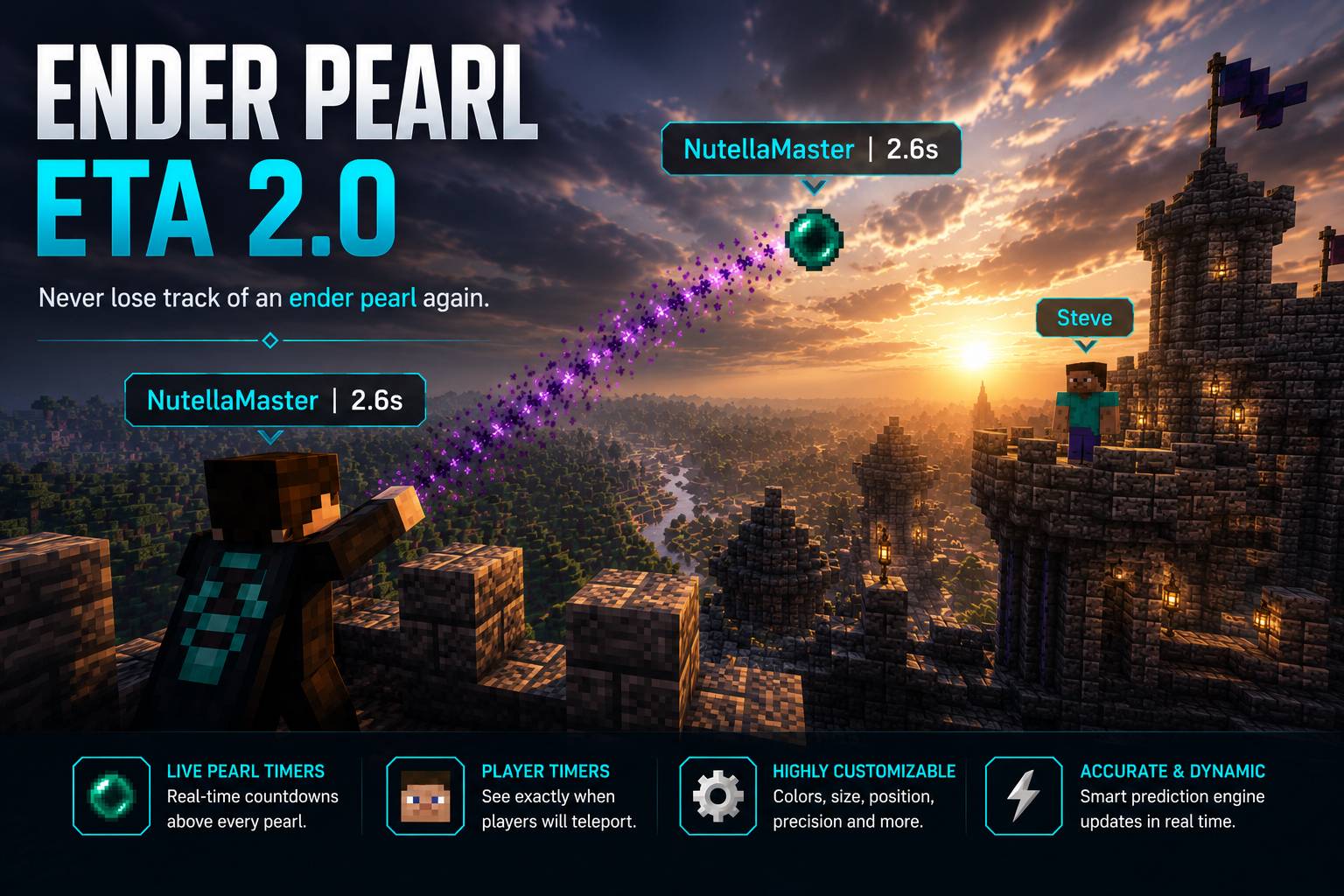 Cover — Ender Pearl ETA 2.0 Never lose track of an ender pearl again. Track every thrown pearl with live countdowns above the pearl, above the thrower, and on your HUD. Accurate predictions update in real time until your pearl lands.
 -
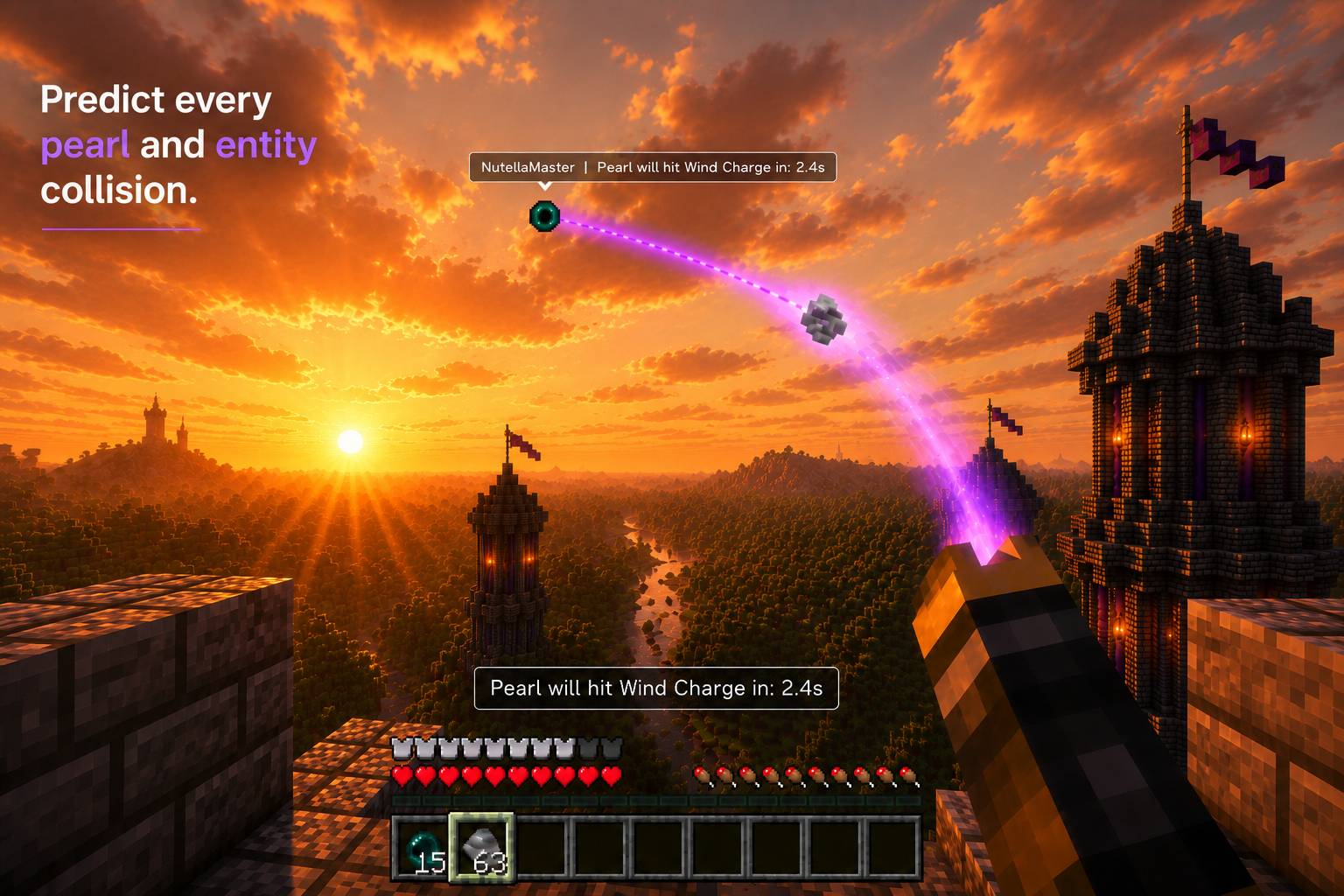 Entity Collision Prediction Predict collisions before they happen. Ender Pearl ETA can detect upcoming interactions with entities such as Wind Charges and automatically update the prediction when the trajectory changes.
 -
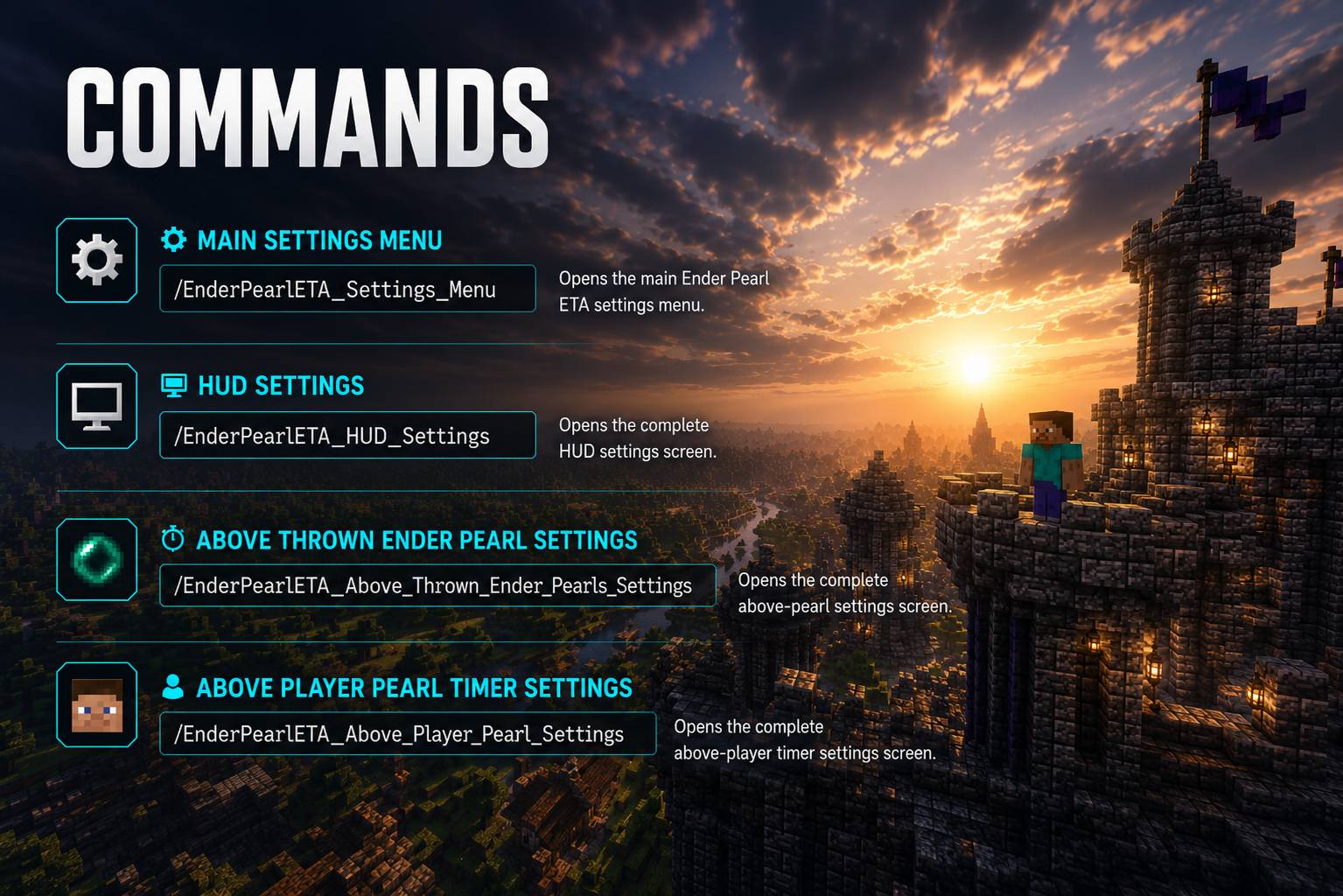 Easy Configuration Access every settings screen with simple commands. Configure the main menu, HUD, above-pearl timers, and above-player timers in seconds.
 -
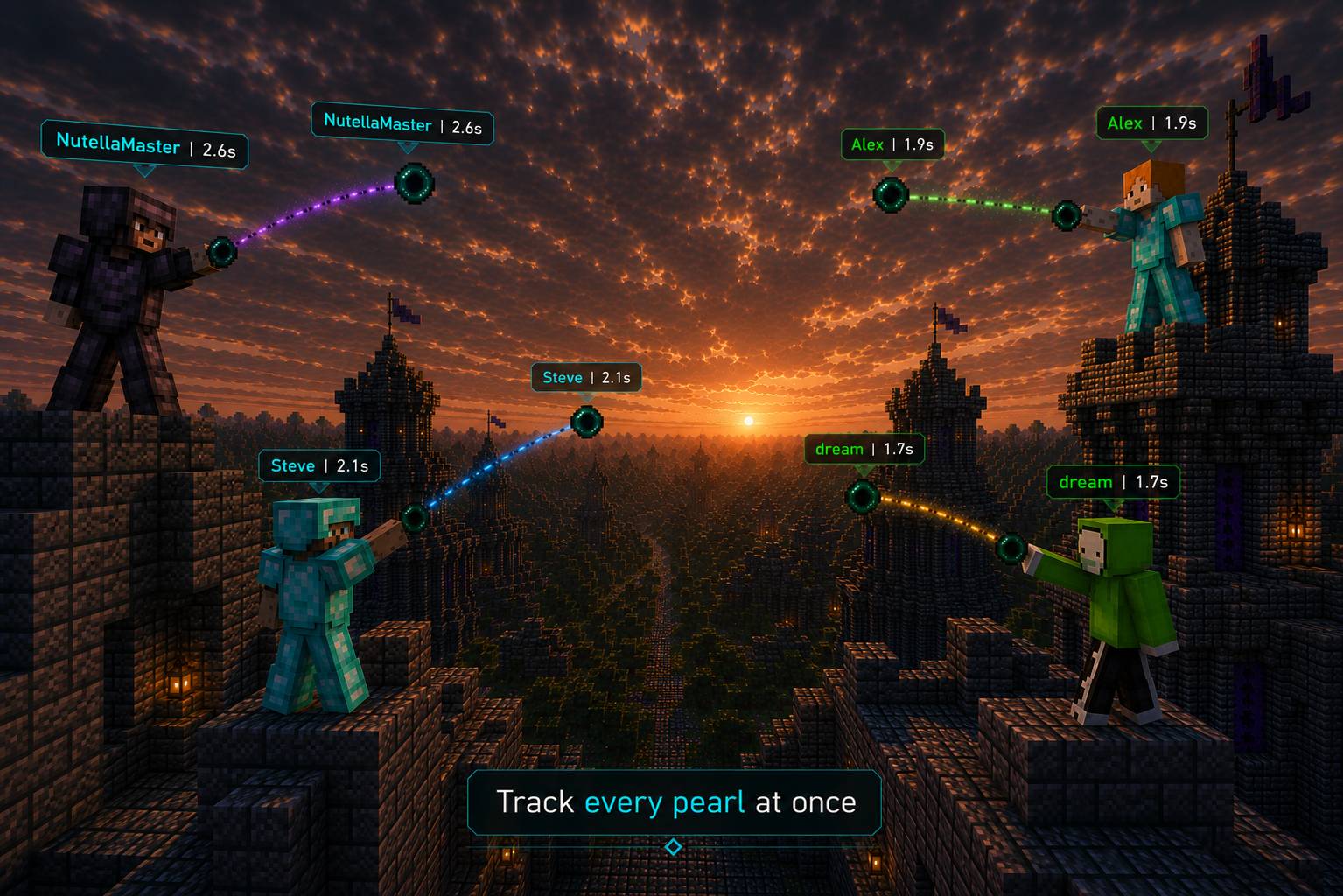 Track Multiple Pearls Follow every active ender pearl at once. Each pearl has its own live countdown and thrower name, making even the most chaotic PvP fights easy to understand.
 -
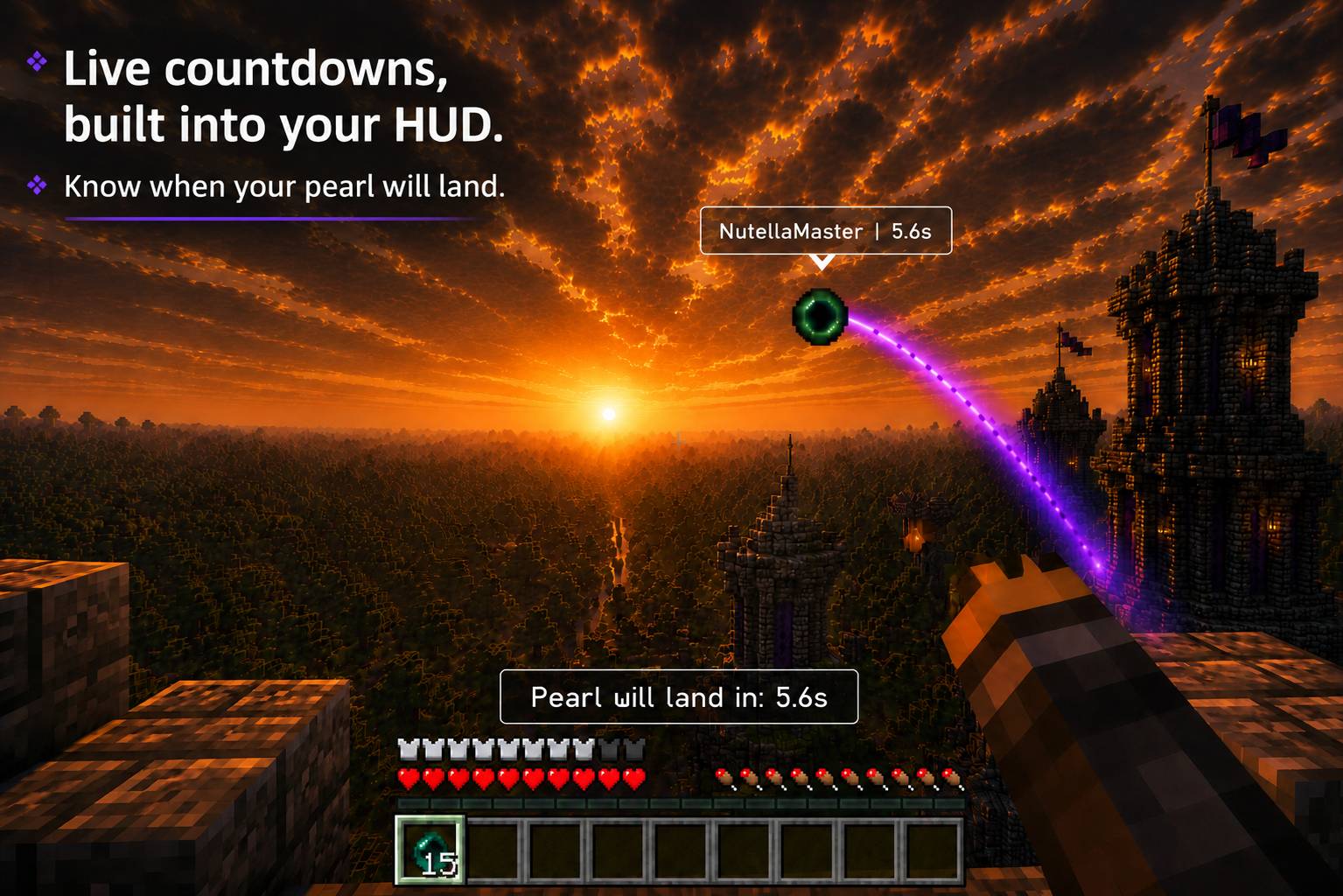 Built-in HUD Timer See exactly when your pearl will land without taking your eyes off the action. The optional HUD countdown provides a clean, always-visible timer during flight.
 -
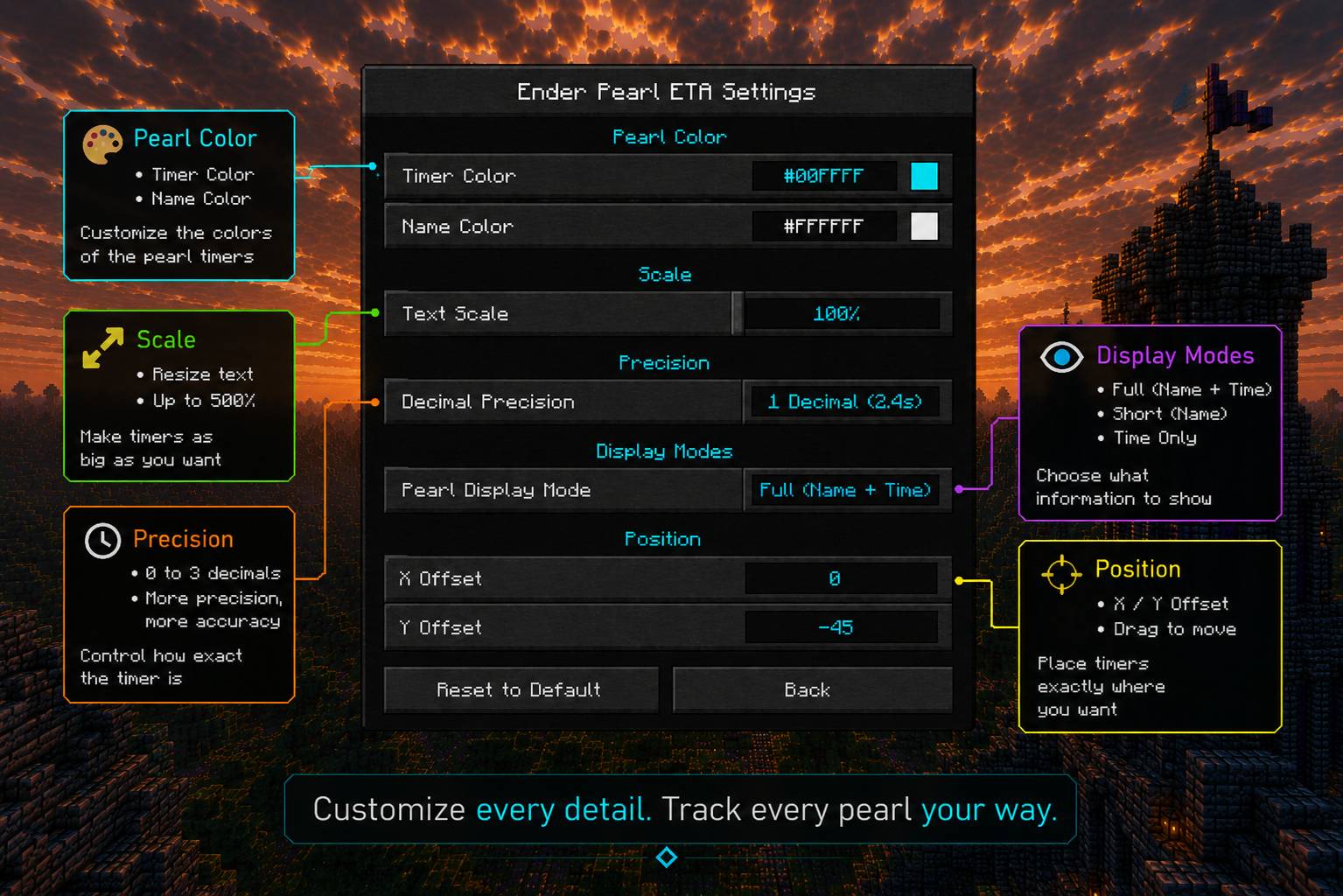 Fully Customizable Personalize every detail of the mod. Customize colors, text scale, precision, display modes, outlines, HUD position, and much more.
Versions
Files
Relations
Project Relations
More like this
Similar Mods
Suggestions use data such as tags, dependencies, dependents, descriptions, titles, and more to rank how much they overlap with this mod.
On ModDex
Community snapshot
By the numbers
Statistics
 (opens in a new tab)
Get it on
Available Platforms
On ModDex
Community snapshot
By the numbers
Statistics
Resources